Website profiles · Technology insights · Alternatives

mkpc.malahieude.net No paid content found

Categories: Games & Board Games

Free online Mario Kart game

Visit website

Updated: 2026-10-01 03:02 Language: English (default) Access: Normal

Profile views 2 Outbound visits 0
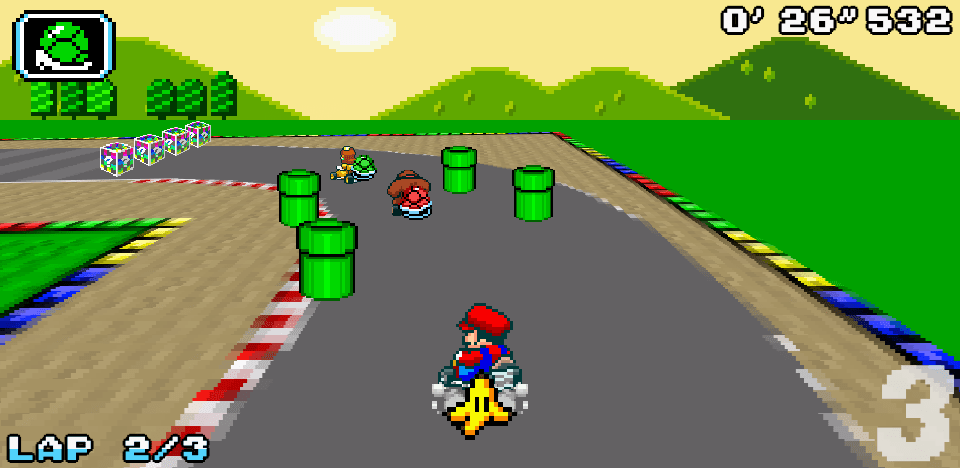
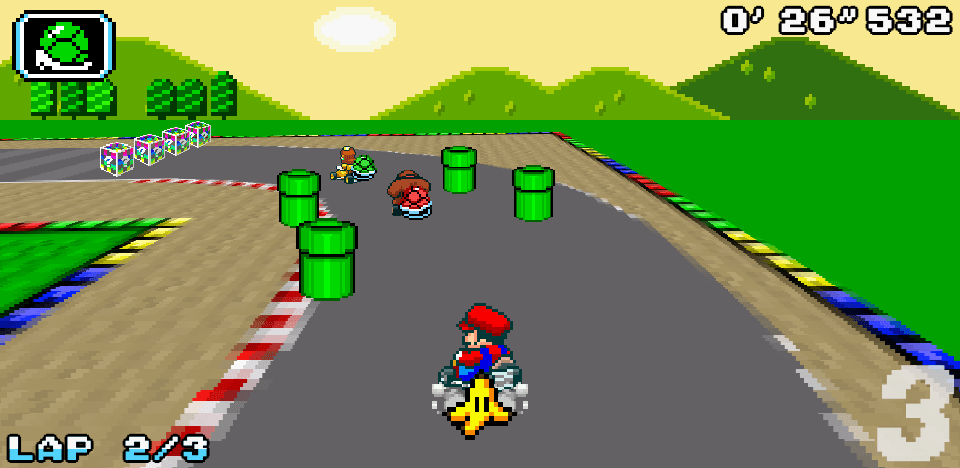
Mario Kart PC Full homepage screenshot
Editorial Review

Website Review

What is Mario Kart PC?

Mario Kart PC is a free, browser-based kart racer that recreates the classic Nintendo-style Mario Kart experience without downloads or installs. You open the page, click the game box, and play in your browser. It borrows the base of the original games and packs in most of the familiar modes: Grand Prix, VS, Battle, and Time Trials, plus an online multiplayer mode and a track builder.

What you can actually do in it

  • Race the classic cups: 56 tracks drawn from Super Mario Kart, Mario Kart Super Circuit, and Mario Kart DS, spread across 14 Grand Prix tournaments. Winning cups unlocks 15 secret characters.
  • Build your own tracks: The track builder lets you place straights, turns, items, and boost panels, then share your creations or play other people's. The site says thousands of custom tracks are already available.
  • Play against others: Online mode covers races and balloon battles, with a leaderboard to climb. There is also a local multiplayer mode for VS races and battle mode with friends.
  • Chase records: Time Trial has you compare scores with the community and race against other players' ghosts.

Who it suits

It is a good fit if you want a quick, no-cost nostalgia hit on a work or school laptop, or if you enjoy level design and want a kart game with a built-in editor and a sharing community. It is less suited to anyone expecting modern console polish, official Nintendo content, or a large single-player campaign — the appeal here is the classic tracks, the custom-track ecosystem, and the multiplayer.

A practical next step

If the track builder is what interests you, start with a short custom circuit using only straights and wide turns, add one item box and one boost panel, and share it. That teaches you the editor's spacing and item-placement behaviour before you attempt anything elaborate. If racing is the priority, begin with a Grand Prix cup to learn the item and drift feel, then move to online races once you can consistently finish near the front against the CPUs.

For comparison, the official Nintendo presence is at Nintendo, and general browser-game directories such as itch.io host many similar fan projects.

How do I play Mario Kart PC without downloading anything?

Open Mario Kart PC in a modern desktop browser and click the game box on the page to start. There is no download, install or account step described on the site: the game runs in the browser itself, so a keyboard, mouse and a reasonably stable connection are the main practical requirements.

What to expect once it loads

  • Racing modes: Grand Prix against CPUs (14 tournaments), VS races, Battle mode (balloon fights), Time Trials with community ghosts, and online multiplayer against other players.
  • Content: 56 tracks drawn from Super Mario Kart, Mario Kart Super Circuit and Mario Kart DS, plus 15 unlockable secret characters.
  • Track builder: You can build your own circuits, share them, and play tracks made by others; the site says thousands of custom tracks are already available.

A sensible first session

  1. Play a Grand Prix cup on a low engine class to learn the controls and item timing.
  2. Try Time Trial on a track you already know, since comparing your time against ghosts shows where you are losing speed.
  3. Only then go online — the leaderboard rewards clean racing, and the item chaos is easier to handle once steering and drifting feel automatic.

Trade-offs to keep in mind

Browser play means no installation and instant access from almost any computer, but performance depends on your browser and connection rather than your hardware. Online races also depend on other players being active at the time you play; if lobbies feel quiet, local multiplayer against friends in the same room is the fallback the site itself offers.

Which characters and tracks can I unlock in Mario Kart PC?

Mario Kart PC is a free browser-based kart racer that reuses content from three classic Nintendo games. Its unlockables are tied to clearing its Grand Prix cups: the site states that winning enough cups unlocks 15 secret characters, and that the game ships with 56 tracks drawn from Super Mario Kart, Mario Kart Super Circuit and Mario Kart DS. The page does not name the individual secret characters or list which track belongs to which cup, so treat any roster you see in-game as the authoritative version.

What the page confirms

  • 15 unlockable characters — earned by collecting cups, not by paying or downloading anything.
  • 56 built-in tracks — the full set from the three source games, spread across 14 Grand Prix tournaments.
  • Custom tracks — the track builder lets you create and share your own circuits; the site says thousands of community tracks already exist, and these are available immediately rather than "unlocked."

How unlocking actually works

Progress is cup-based. You race the CPU in Grand Prix events, and each gold trophy moves you toward the character unlocks. If you want the full roster quickly, prioritise the shorter, lower-engine-class cups first and only move up once you can hold a lead without items — the AI punishes mistakes more as you climb.

A practical example: a new player might spend a first session clearing the easier cups to bank several characters, then switch to Time Trial to learn the 56 tracks before returning to Grand Prix for the harder trophies. Time Trial also lets you compare scores with the community and race other players' ghosts, which is a low-pressure way to learn racing lines.

A note on scope

The site describes the game as a browser version sharing the same base as the original games, with Grand Prix, VS, Battle mode and Time Trials included. It does not claim to include every character or track from the wider Mario Kart series — the 56 tracks are specifically from the three titles named above, so don't expect courses from later entries.

How does the track builder work and can I share my custom tracks?

The track builder is a custom track editor where you place track pieces yourself, then add items, boost panels and other decorations to shape a course. It is included as a separate mode alongside the standard racing modes, and the site describes the possibilities as endless, limited mainly by your imagination. The game itself runs in a browser with no download, so you can build and test tracks without installing anything.

Sharing is built in. There is a sharing tool for publishing your tracks and trying other people's, and the site says thousands of custom tracks are already available. That means a finished track can reach other players rather than staying on your own machine.

Practical workflow

  1. Open the game in your browser and enter the track builder.
  2. Lay out the route with straight sections and turns.
  3. Add items, boost panels and cosmetic details.
  4. Test-drive the track and adjust anything that feels unfair or confusing.
  5. Publish it through the sharing tool, then browse other creators' tracks for ideas.

Who this suits

  • Players who have finished the 56 original tracks and 14 Grand Prix tournaments and want new content.
  • Tinkerers who enjoy level design more than racing.
  • Groups who want custom courses for local multiplayer VS races or balloon battles.

Trade-offs to expect

Building a good track takes longer than playing one; a course that looks fine on the editor grid can drive badly until you test it. Shared tracks vary widely in quality, so expect to skip some. If you only want quick races, the standard modes and online leaderboard will serve you better than the editor.

As a next step, build one short three-turn track, drive it in Time Trial to check the racing line, then share it and compare your ghost times with the community.

What online multiplayer modes and leaderboards are available in Mario Kart PC?

Mario Kart PC offers online multiplayer plus several competitive ranking systems. According to the site, you can "race and battle in online mode," climb an official leaderboard, and compare time-trial scores with the community by racing against other players' ghosts. Local multiplayer is also available for VS races and balloon battle with friends.

Online and competitive features

  • Online races and battles: Face players worldwide in races and battle mode; win as many as possible to climb the leaderboard.
  • Official leaderboard: A ranking for online play, based on race wins.
  • Time trials: Race solo for the fastest time, compare scores with the community, and compete against ghosts.
  • Local VS and battle: Play with friends nearby in VS races or balloon battle.

How to choose your mode

  • Want direct competition and ranking progress? Start with online races.
  • Prefer a solo skill challenge? Time trials give you ghosts and community score comparisons.
  • Playing in the same room? Local VS or battle is the better fit.

A practical next step: open the game, try a few time trials to learn the 56 tracks from Super Mario Kart, Mario Kart Super Circuit, and Mario Kart DS, then move to online races once you can consistently finish cleanly. If you mainly want custom content, the track builder and sharing tool let you create, share, and try thousands of community tracks, though those are creative features rather than leaderboard modes. The site describes the game as free and browser-based with no downloads required.

How does local multiplayer work in Mario Kart PC?

Local multiplayer in Mario Kart PC is a same-device mode: you and the people in the room race or battle together on one computer, rather than connecting over the internet. The page lists it alongside online play as a separate option, and describes both VS races and battle mode as available locally, so you can either run standard races or the balloon-battle format with friends.

What to expect in practice

  • Same screen, shared controls: Because it runs in a browser, everyone plays on the same machine. Think of a laptop passed between players, or a desktop where people take turns or share a keyboard.
  • Two modes: VS races for straight competition, and battle mode where you pop opponents' balloons with items while avoiding theirs; the last player standing wins.
  • No accounts or downloads needed for the basics: The game itself is browser-based and free, so local play doesn't depend on matchmaking or a stable connection.

How it differs from the online mode

Local multiplayer Online multiplayer
Who you play Friends in the same room Players worldwide
Setup One device, shared controls Internet connection
Progression Casual bragging rights Official leaderboard ranking

A concrete scenario

Say three friends are over with one laptop. You open the game, pick local multiplayer, and choose VS races for a quick cup-style session, then switch to battle mode when you want something shorter and more chaotic. Nobody needs to make an account or wait for a lobby to fill.

Next step

Before inviting people over, test the controls solo for a few minutes to see how comfortable sharing a keyboard is, then decide whether VS or battle suits your group's patience level. If your friends aren't in the same room, the online mode and its leaderboard are the alternative.

Related questions

More questions →
How Multiplayer Works in Code Breaker's Mastermind-Style Game

Code Breaker is an online Mastermind-style logic game where you crack a hidden colour code using deduction and feedback. The site describes it as a single-player puzzle with a Top 10 Players list, and the available page evidence does not document a live two-player or head-to-head multiplayer mode. So if you are looking for "multiplayer" here, the practical answer is: treat it as you against the game's secret code, with the shared leaderboard as the competitive layer. The steps below cover how that works, how to set a code for someone else to try, and what to check if a session will not start.

What "multiplayer" means in Code Breaker

Interpretation Supported by the site? What it looks like in practice
Two players on one device, taking turns Not documented You would need to pass the device and agree on a secret code manually
Online matchmaking against another player Not documented No lobby, invite, or room system is described
You vs. the computer's hidden code Yes — this is the core game You make guesses, the game returns feedback until the code is cracked
Competition via a shared scoreboard Yes — the Top 10 Players list Your result is compared with other players' results over time

The site's own description — "the classic game of logic and deduction. Can you crack the code?" — frames the challenge as solver versus code, not solver versus solver. The Top 10 Players list is the only competitive element named in the source material.

How a round actually plays out

The game follows standard Mastermind rules:

  1. A secret code of coloured pegs is set (by the game, or by a friend if you are playing a manual two-player variant).
  2. The code breaker makes a guess by placing a row of coloured pegs.
  3. The game returns feedback, usually as black and white pegs:
    • Black peg — correct colour in the correct position.
    • White peg — correct colour in the wrong position.
  4. You use that feedback to narrow down the possibilities and guess again.
  5. You win by matching the code exactly within the allowed number of turns; you lose if you run out of guesses.

If you want to play against another person without an online mode, the workable approach is a shared screen: one player sets a code and keeps it hidden, the other guesses, and you swap roles after each round. The feedback logic stays the same — the person who set the code gives the black and white peg counts.

Setting up a code for an opponent

Because the site does not document an opponent-invite flow, setting a code for someone else is a manual arrangement:

  • Agree on the number of pegs in the code and the number of colours in play before you start.
  • The code setter writes the code down or memorises it and does not reveal it.
  • After each guess, the setter calculates black and white pegs and reports only the counts, never which peg is which.
  • Track turns so both players get the same number of attempts.

Winning, losing, and scores

  • Win condition: the guessed row matches the secret code exactly.
  • Lose condition: you exhaust your allowed guesses without matching the code.
  • Scoring: the site maintains a Master CodeBreaker Top 10 Players list, so results feed into a public ranking rather than a private match score.

If a multiplayer game won't start

Since no online multiplayer session is documented, most "it won't connect" problems come from expecting a feature that is not described. Check these in order:

  • Confirm you are on the correct game page and that the game itself loads and accepts guesses.
  • If you are attempting a two-player variant, confirm both players agree on code length and colour set — mismatched rules cause confusing feedback.
  • If you expected an invite or lobby, note that none is listed in the site's description; use the shared-screen method instead.
  • If the page will not load at all, that is a site or connection issue, not a multiplayer setup issue.

Bottom line

Code Breaker is a solo deduction game with a public Top 10 leaderboard, not a documented online multiplayer title. Play it as you versus the hidden code, and if you want a head-to-head game, run it manually with a friend on one screen using the same black-and-white peg feedback.

What Is Mario Kart PC and What Can You Play for Free in a Browser?

Mario Kart PC is a free browser-based version of Nintendo's Mario Kart racing series, playable at mkpc.malahieude.net without any download. According to the site, all you need is a web browser. It includes most classic Mario Kart modes plus a track builder, and supports both online and local multiplayer. This article covers what's included, how to start, and what to expect.

What Mario Kart PC actually is

The site describes it as "a computer version of the famous racing game by Nintendo," built on the same base as the original games but running in a browser. The page states it is "completely free and does not require any downloads."

One thing to be clear about: this is a fan-made project, not an official Nintendo product. The site's "Special thanks" section credits Nintendo along with several other sources — Nihilogic for the original Mario Kart proof of concept, SNESMaps for track images, and Khinsider for music.

Modes you can play

The page lists these modes as included:

Mode What it involves
Grand Prix 14 tournaments against CPUs; win cups to earn trophies
VS Head-to-head races, including local multiplayer against friends
Battle mode Destroy opponents' balloons with items; last player standing wins
Time Trials Race solo for the fastest time, compare scores, and face other players' ghosts
Track builder Create, share, and play custom tracks
Online multiplayer Race and battle against players worldwide, with a leaderboard

The site notes that most modes from Mario Kart have been included, and calls the track builder "a brand new mode."

Tracks and characters

  • 56 tracks drawn from three original games: Super Mario Kart, Mario Kart Super Circuit, and Mario Kart DS.
  • 14 Grand Prix tournaments to compete in.
  • 15 secret characters to unlock by winning enough cups.

The track builder and sharing

The track builder lets you place straight lines and turns, add items, and add boost panels. The site emphasizes that "everything is customizable" and that "the only limit is your own imagination." You can share your tracks or play other people's creations through a sharing tool, and the page states that thousands of custom tracks are already available.

Multiplayer options

Two distinct multiplayer paths are described:

  • Online mode — race and battle against players from around the world, climb the official leaderboard, and aim for the top ranking.
  • Local multiplayer — face friends in VS races or battle mode on the same setup.

How to start playing

  1. Go to mkpc.malahieude.net in your browser.
  2. Click on the game box on the page to begin — the page shows a "Click on the game box to begin" prompt.
  3. No download or installation step is mentioned; the game runs directly in the browser.

The page does not describe account creation, login requirements, or any payment step, so those details aren't confirmed here either way.

What to keep in mind

  • The site presents the game as free and browser-only, but it doesn't state system requirements beyond needing a web browser.
  • Because it's a fan project using Nintendo's characters and track designs, it isn't an official release.
  • The 56 tracks come from three specific titles, so content from later Mario Kart games isn't part of the listed track count.

If you want a quick, no-install way to play classic-style Mario Kart races, battles, and time trials — plus build your own tracks — Mario Kart PC covers that in a single browser page.

What Is PC Gaming and What Do You Need to Get Started?

PC gaming means playing video games on a general-purpose computer rather than a dedicated console or handheld. The same machine can run games, browse the web, and do work, and you can upgrade parts over time. It's the right starting point if you want flexibility, access to a huge back catalog, and control over performance and settings. It's a worse fit if you want a single box that just works with no setup or troubleshooting.

How PC Gaming Differs From Console and Handheld Gaming

The core difference is that a console or handheld is a closed, fixed system built for games, while a PC is an open, variable one.

Dimension PC Console Handheld
Hardware Configurable, upgradeable Fixed for the generation Fixed, portable
Where games come from Multiple storefronts and launchers One official store per platform One official store per platform
Settings control Graphics, resolution, framerate, mods Usually preset modes Usually preset modes
Setup effort Higher — drivers, launchers, compatibility Low — plug in and play Low
Back catalog Very deep, including decades of older titles Limited to supported generations Limited
Portability Depends on the machine (desktop vs. laptop) Home-bound Built-in

The trade-off is consistent: PC gives you choice and range, consoles and handhelds give you convenience. If you value tinkering and options, PC wins. If you value sitting down and playing within minutes, a console is simpler.

What You Actually Need to Start

You don't need a top-tier machine to begin. What matters is matching the hardware to the games you want to play.

The basics

  • A computer — desktop or laptop. A desktop is easier and cheaper to upgrade; a laptop trades that for portability.
  • A display — a monitor, or the laptop's own screen.
  • Input — a keyboard and mouse for most genres, and often a controller for others. Many PC games support both, so you can pick per game.
  • Audio — speakers or headphones.
  • Storage — modern games are large, so plan for a drive with enough free space for the titles you install.

What determines whether a game will run

Three things decide this more than anything else:

  1. GPU (graphics card) — the biggest factor for 3D games and visual quality.
  2. CPU — matters for simulation, strategy, and games with lots of active systems.
  3. RAM — affects multitasking and heavier titles.

Before buying any game, check its listed system requirements against your machine. Requirements are usually split into a minimum and a recommended tier; the minimum tells you it will run, the recommended tells you it will run well.

A practical approach for newcomers

  • Decide which two or three games you most want to play.
  • Look up their requirements.
  • Choose hardware that meets or slightly exceeds the recommended tier for those games.
  • Leave headroom — a little extra performance now saves an upgrade later.

Where to Buy PC Games

Unlike consoles, PC games come from several competing storefronts and launchers. You'll typically install a launcher, create an account, buy or download games through it, and launch them from there.

Common categories you'll encounter:

  • Large multi-publisher storefronts — the widest selection, frequent sales.
  • Publisher-specific launchers — required for some of that publisher's games.
  • Independent and niche storefronts — smaller catalogs, sometimes DRM-free. GGGames.se, for example, has covered indie releases hosted on itch.io, showing that smaller platforms are a real part of the PC landscape.

Practical tips:

  • The same game can be priced differently across storefronts, so it's worth comparing before buying.
  • Sales are frequent and often steep, so waiting is usually rewarded.
  • Keep track of which launcher each game needs — it's common to end up with several installed.

Common Entry Barriers and How to Handle Them

These are the friction points that surprise new PC players most.

  • Specs mismatch — a game looks fine in screenshots but won't run smoothly on your hardware. Always check requirements first.
  • Compatibility issues — older games may need compatibility settings or community patches to run on modern systems.
  • Troubleshooting — crashes, driver problems, and configuration errors happen. Most have documented fixes, but you'll sometimes need to search for them.
  • Launcher sprawl — multiple accounts and launchers to manage.
  • Cost creep — the entry price of a PC can exceed a console, though games are often cheaper and sales are deeper over time.

None of these are dealbreakers, but they're the honest reason PC gaming asks more of you than a console does.

How to Decide

Choose PC gaming if you want upgradeability, a deep and often cheaper game catalog, control over settings, and access to mods and indie releases. Choose a console or handheld if you want zero setup, predictable performance, and a single store to buy from. If you're unsure, start by listing the specific games you want to play — their requirements and availability will tell you which platform actually fits.

How to Start Bike Racing with USA Cycling: License, Events, and Race Day Basics

To enter a sanctioned USA Cycling race, you generally need either an annual race license or a one-day permit, and you'll want to find an event and club through USA Cycling's search tools before race day. USA Cycling describes itself as your resource for competitive cycling data and insights, and its site offers a "Purchase a USA Cycling race license" path alongside event and club search. The steps below cover what to decide first, how to find a race, what to expect at the start line, and where your results show up afterward.

Decide: Annual License vs. One-Day Permit

USA Cycling's site presents a race license as a purchase you make to "start racing today," and it also lists membership as a category. If you're unsure whether you'll race more than once, the practical question is how many starts you expect in a season.

  • Annual license: Makes sense if you plan to race multiple times, want your results tracked under one identity, and intend to move through categories over a season.
  • One-day permit: Makes sense for a single trial event, a first-time experience, or a discipline you're only trying once.

USA Cycling's page does not publish specific license prices or permit fees, so check the membership or license page directly for current costs and any upgrade options before you commit. The site's pricing signals point to "purchase" and "upgrade" language, which suggests both new licenses and category upgrades are handled through the same account flow.

Find a Race and a Club Near You

USA Cycling's homepage gives you two entry points: Find an Event and Find a club or team. Use them in this order:

  1. Find an Event — filter for races in your area and discipline. The site also surfaces Upcoming National Championships if you're aiming at a specific target.
  2. Find a club or team — USA Cycling frames this as "no matter where you ride, it's always better with friends." A club is often the fastest way to learn local race calendars, course quirks, and which categories are appropriate for a beginner.
  3. Check the event's own listing for start times, location, and registration deadlines, since those details live with the event rather than the national site.

If you're new to the sport entirely, USA Cycling's Bike Racing 101 and Start Your Cycling Journey links are the intended on-ramp before you register.

Understand Categories Before You Enter

USA Cycling organizes competitive road and track racing into categories, with beginners typically starting in the lowest category and upgrading as they accumulate results. The site references upgrade as a membership action, which is the mechanism by which riders move up.

What this means for you:

  • Enter the category that matches your experience, not the one you think you can win.
  • If you're unsure, ask the club or the event organizer — they place beginners correctly far more reliably than a guess.
  • Your category affects which field you start with, so entering the wrong one can mean racing against far more experienced riders.

USA Cycling's page does not spell out the full category structure or upgrade criteria, so confirm the specifics for your discipline on the membership or racing pages.

Equipment, Safety, and Rules Before the Start Line

USA Cycling's site lists mechanic and bike mechanic among its topics, and it offers Get Insurance Coverage as a member action — both signals that equipment readiness and coverage matter before you race.

Before your first start line, verify:

  • Your bike is race-legal for the discipline. Road, track, gravel, and collegiate events have different equipment rules.
  • Your helmet and safety gear meet the event's requirements. This is checked at many races.
  • You know the basic rules of your discipline — how starts work, how lapped riders are handled, and what constitutes a violation.
  • You have coverage. USA Cycling offers insurance coverage as a member benefit path; confirm what applies to you.

USA Cycling's page does not list specific equipment standards, so read the event's technical guide, which is where those requirements are published.

After the Race: Results, Rankings, and Your Next Step

USA Cycling calls itself "your resource for competitive cycling data and insights," and the homepage includes Find Your Results & Rankings and Get The Data. After your race:

  1. Find your results through the results and rankings tool.
  2. Check your placing and any points that count toward an upgrade.
  3. Plan the upgrade if you've met the criteria for your next category — the site treats upgrade as a membership action.
  4. Pick your next event using the same event search, or aim at a national championship if that's your goal.

USA Cycling also publishes recaps of major results — for example, coverage of the 2026 UCI Road World Championships and national championship events — which are useful for seeing how higher-level racing is structured before you get there.

Quick Reference

Decision Where to handle it
License or one-day permit Membership / license purchase
Find a race Find an Event
Find a club or team Find a club or team
Learn the basics Bike Racing 101 / Start Your Cycling Journey
Coverage Get Insurance Coverage
Results and rankings Find Your Results & Rankings
Move up a category Upgrade (membership action)

Start with the license decision, then use the event and club search to pick a first race, confirm the category with the organizer, and check the event's technical guide for equipment and rules. Your results and rankings will tell you whether you're ready to upgrade.

What Is Mario Kart PC and What Modes Does It Include?

Mario Kart PC is a free browser-based version of the Mario Kart racing series, playable at mkpc.malahieude.net without any download. It reuses the base of the original games — specifically Super Mario Kart, Mario Kart Super Circuit, and Mario Kart DS — and packs in most of the familiar modes plus a track builder. If you want to race, battle, or build courses on a computer with nothing but a web browser, this is what you get.

What you need to play

  • A web browser. The site states the game is completely free and requires no downloads.
  • No installation step is described — you click the game box on the page to begin.

The page does not mention account requirements, so treat sign-in as unconfirmed rather than assuming it is or isn't needed.

Modes included

Mode What it involves
Grand Prix 14 tournaments against CPUs; win cups to earn the gold trophy
VS Head-to-head racing, including against friends locally
Battle Destroy opponents' balloons with items; last player standing wins
Time Trial Finish a track as fast as possible and compare scores with the community
Online multiplayer Race and battle against players worldwide; climb the official leaderboard
Local multiplayer Race or battle friends on the same setup
Track builder Build and share custom tracks

Tracks and characters

  • 56 tracks drawn from the original Super Mario Kart, Mario Kart Super Circuit, and Mario Kart DS.
  • 15 secret characters, unlocked by winning enough cups.
  • Thousands of custom tracks already available from other players through the sharing tool.

The track builder

The editor lets you place straight lines and turns, then add items and boost panels. The page describes everything as customizable, with the only stated limit being your own imagination. You can share your tracks and try other people's creations via the sharing tool.

Time trials and ghosts

In Time Trial you race to finish a track as fast as possible, compare your scores with the community, and face other players' ghosts — a useful way to learn faster lines without racing live opponents.

A quick way to decide

  • Want zero setup and a quick race? The browser-based Grand Prix and VS modes cover that.
  • Want to compete globally? Online multiplayer and the leaderboard are the relevant features.
  • Want to create rather than just play? The track builder plus the sharing tool is the main draw.
  • Want to play with people in the same room? Local multiplayer supports both VS races and battle mode.

The page credits Nintendo along with Nihilogic (the original Mario Kart proof of concept), SNESMaps (track images), and Khinsider (music) as sources without which the project would likely not exist.

Website Overview

An established domain and managed infrastructure suggest continuity of operations and may support dependable delivery, although neither guarantees service quality. Several search or sharing settings need attention. Together they may make snippets, preview images or preferred URLs less consistent across platforms.

Domain and Registration

Registered in 2015, this domain has about 11 years of history. That suggests continuity, although ownership and purpose may have changed. Transfer-protection status is present, helping reduce the risk of unauthorized domain transfers. The domain uses the common .net extension, which is not an independent safety signal.

DNS and Email

The observed email authentication setup is incomplete: DMARC is missing. Nameservers are provided by ovh.net, indicating managed DNS hosting. MX records point to the malahieude.net email service. DNSSEC is enabled, allowing validating resolvers to authenticate signed DNS data. No CNAME was found; the observed records resolve directly to addresses.

TLS and Certificates

The certificate uses an RSA 2048-bit public key, offering broad client compatibility. The server supplied a complete certificate chain. No organization name is present in the certificate; the available fields are consistent with domain validation. The certificate was issued by Let's Encrypt, commonly associated with automated certificate services. The certificate's total validity is about 89 days, consistent with a short renewal cycle.

HTTP and Browser Security

The checked browser-security headers were not detected, leaving fewer explicit browser-side safeguards. No X-Powered-By header was found, reducing one common source of backend fingerprinting information. No obvious internal addresses or debug information were found in the headers. The Server header identifies Apache without an exact version. Cookie security attributes are unknown.

Technology Stack Analysis

The public page identifies Apache without precise versions, leaving fewer clues for version-specific scanning.

Search and Social Sharing

No homepage canonical URL was detected. If duplicate URLs exist, consolidation may be less explicit. Open Graph is partially configured; og:title, og:description, og:type is missing. The title has 13 characters, within a common display range. A meta description is present, with 27 characters. The observed directives allow indexing and link following.

Hosting and Email

DNSovh.net
HostingOVH SAS
Emailmalahieude.net
Location France flagFrance 51.210.149.64

User reviews (0)

  • No reviews yet.

Pages, Search and Sharing

Meta descriptionFree online Mario Kart game
Canonical URLNot detected
LanguageEnglish (default)
Twitter CardNot detected

No robots.txt found

No sitemaps found

Registration details RDAP / WHOIS

RegistrarOVH sas
Registered2015-05-11
Expires2027-05-11
Domain statusclient delete prohibited、client transfer prohibited
Nameserversdns13.ovh.net、ns13.ovh.net
DNSSECsigned

DNS records

TypeNameValueTTLPriority
Amkpc.malahieude.net51.210.149.643600—
MXmalahieude.netmalahieude.net36000
MXmalahieude.netmx4.mail.ovh.net36001
MXmalahieude.netmx3.mail.ovh.net360010
NSmalahieude.netdns13.ovh.net3600—
NSmalahieude.netns13.ovh.net3600—
TXTmalahieude.net1|www.malahieude.net3600—
TXTmalahieude.netv=spf1 ip4:51.210.149.64 a:mail.malahieude.net -all3600—
DSmalahieude.net32455 8 2 9a42fe36a4cb47974e71e1570dafafcf545f6805d179908feb25f7333604d30386400—

TLS and certificates

AssessmentNormal configuration
Supported protocolsTLSv1.2、TLSv1.3
Negotiated protocolTLSv1.3
Certificate subjectbastienmalahieude.fr
IssuerLet's Encrypt
Valid until2026-12-05T10:36 · Remaining when checked: 65 days
Verification detailsCertificate trust: Passed · Hostname match: Passed

HTTP response headers

HeaderValue
content-typetext/html; charset=UTF-8
serverApache
set-cookieRedacted

Identified technologies

Apache