
 简体中文
简体中文 English
Website review
This review may include AI-generated content and is not individually verified. Domain, certificate and other facts come from the observed data on this page.
What is MyPicNow?
MyPicNow is an AI headshot generator: you upload photos of yourself, and it produces studio-style portraits for uses such as LinkedIn, dating apps and social media. The site emphasizes photorealism ("indistinguishable from traditional photography"), LinkedIn-optimized results, more than 60 styles, fast turnaround and GDPR-safe handling of your images.
What it's for
- Job seekers and professionals who need a credible LinkedIn or CV photo without booking a photographer.
- Dating app users who want a set of varied, natural-looking portraits rather than one stiff selfie.
- Anyone short on time who would rather generate options from existing photos than schedule a shoot.
Trade-offs to weigh
- Convenience vs. authenticity: AI output can look polished but occasionally slightly "off" in skin texture, hair edges or lighting. Check close-ups before using a shot as your primary profile image.
- Speed vs. input quality: results depend heavily on the photos you supply—clear, varied, well-lit images of your face usually produce better likenesses than a single blurry selfie.
- Cost vs. a real shoot: the site claims roughly 70% savings versus traditional photography, which is plausible for a single headshot, but a real session still gives you a photographer's direction and guaranteed accuracy.
A practical next step
Gather 8–15 recent photos of yourself—different angles, lighting and expressions, no sunglasses or heavy filters—and generate a first batch. Test the strongest two or three as your LinkedIn photo and compare engagement over a few weeks. If realism matters more than variety, also look at established alternatives such as HeadshotPro or Aragon to compare likeness quality before committing.
How do I create AI headshots with MyPicNow, and what photos do I need to upload?
MyPicNow turns a small set of your own photos into studio-style AI headshots. According to the site, you create an "AI clone" from your uploaded photos and then generate images in more than 60 professional styles, with results described as arriving in about eight seconds and optimized for LinkedIn, dating apps and social media MyPicNow.
What the process looks like
- Upload photos of yourself. The page does not specify an exact number or format, so treat the upload step as the point where you supply clear reference photos of your face.
- Generate your AI clone. This is MyPicNow's term for the model built from your photos.
- Pick a style. Choose among the 60+ styles for the look you need—corporate, casual, dating-profile, and so on.
- Download and use. The site positions the output for LinkedIn, dating apps and social profiles.
Which photos to prepare
Because the page doesn't publish upload requirements, the practical rule is to give the model variety and clarity:
- Several well-lit photos taken from slightly different angles, so your face is captured consistently.
- Sharp, unobstructed shots where your eyes and facial features are clearly visible—no heavy filters, sunglasses or extreme shadows.
- Different expressions and backgrounds to help the generated set look natural rather than repetitive.
- Recent photos that match your current hairstyle and facial hair.
A quick reality check
The site's claims—21x more profile views, results "indistinguishable" from photography, and 70% cheaper than a photographer—are marketing statements from MyPicNow itself, not independently verified figures. For a recruiter-facing LinkedIn photo, compare a few generated options against a real photo of yourself before committing; AI headshots work best when the likeness is strong and the expression fits the context. If you need guaranteed accuracy for a corporate directory or ID-style use, a traditional session may still be the safer choice.
How do MyPicNow's AI headshots compare in cost and turnaround time to booking a professional photographer?
MyPicNow positions itself mainly on convenience and price: the page claims AI headshots that are "70% cheaper" than traditional photography and an "8-second result," alongside 60+ professional photo styles and GDPR-safe handling. For a professional photographer, by contrast, you should expect to book days or weeks ahead, travel to a studio or arrange a location shoot, and pay for session time plus retouching. The practical difference is less about image quality than about what you're buying: a scheduled, directed shoot versus a fast, self-serve generation from photos you already have.
Where each option fits
- MyPicNow: best when you need a usable LinkedIn or dating-profile photo quickly, want several style variants to choose from, and don't need art direction or a specific setting. The trade-off is less control over pose, lighting and wardrobe, and results depend on the source photos you upload.
- A professional photographer: best when the photo carries real weight—executive bios, press, speaker pages—or when you need consistent branding across a team. You get direction, reliable lighting and a person accountable for the result, at the cost of money and scheduling time.
A quick comparison
| Factor | MyPicNow (per page claims) | Professional photographer (typical) |
|---|---|---|
| Cost | Marketed as ~70% cheaper | Session fee plus retouching; varies widely by market |
| Turnaround | Seconds to generate | Booking lead time plus shoot and edit time |
| Control | Choose from preset styles | Directed poses, lighting, wardrobe, location |
| Best for | Fast profile updates, multiple options | High-stakes or brand-consistent imagery |
How to decide
If your goal is a credible profile picture this week and you have a handful of clear, well-lit photos of yourself, start with the AI route and compare the outputs against your current photo. If the image will appear in a press kit, on a company leadership page, or needs to match a team's visual identity, budget for a photographer instead. A common middle path is to use AI headshots for low-stakes profiles and book a shoot once for the images that matter most.
Will MyPicNow's AI headshots look realistic enough to use as my LinkedIn profile picture?
MyPicNow is designed for exactly that use: its page describes LinkedIn-optimized headshots and claims "high photorealism" results it says are indistinguishable from professional photography. That is the product's own claim, not an independent test. Realism in practice depends on the selfies you upload—sharp, evenly lit, varied angles tend to produce more convincing faces than a handful of similar shots. Before committing a result to LinkedIn, check it at the small size the platform actually displays: eyes, teeth, hairline and skin texture are where AI headshots most often look off.
A practical check before you upload
- Compare the result against a real photo of yourself; friends and close colleagues notice subtle drift in facial structure.
- Look at the image cropped to a circle, since LinkedIn crops profile photos that way.
- Avoid styles that alter your apparent age, weight or grooming—recruiters and clients may meet you in person.
- Keep one genuine photo as a fallback for industries where an overly polished image reads as inauthentic.
How it fits alongside alternatives
| Option | Best for | Trade-off |
|---|---|---|
| MyPicNow | Quick, low-cost LinkedIn or dating photos in many styles | Output quality varies with your source selfies; verify likeness yourself |
| A local photographer | Executives, speakers, anyone needing consistent branding across channels | Higher cost and scheduling effort |
| Free or basic AI tools | Trying the concept before paying | Often less control over realism and style |
If your goal is a single strong profile picture and you already have a few good selfies, generating a set and picking the most natural-looking one is a sensible first step. If your photo appears on pitch decks, press pages and conference bios, a real session still gives you consistent images and full rights clarity.
Can I use MyPicNow to generate dating app profile pictures, and which photo styles work best for that?
Yes. MyPicNow explicitly positions its AI headshot generator for dating apps as well as LinkedIn and social media, and the page lists 60+ professional photo styles. For dating profiles, the realistic, well-lit styles tend to work better than formal corporate headshots.
Styles that tend to work for dating apps
- Natural, candid-looking portraits: soft daylight, relaxed expression, everyday clothing. These read as approachable rather than staged.
- Lifestyle-adjacent shots: the page emphasizes photorealism, so choose styles that look like a real photo taken by a friend, not a studio session.
- A mix of expressions: one smiling, warm portrait plus one slightly more serious shot gives your profile variety.
- Outdoor or warm-light settings: these usually feel more personal than neutral studio backdrops.
Styles to use sparingly
- Corporate headshots and suit-and-tie looks: fine for LinkedIn, but they can make a dating profile feel like a résumé.
- Heavily stylized or trend-driven looks: if they don't match how you actually dress, they may undermine trust when you meet in person.
A practical next step
Generate a small batch across two or three natural styles, then pick the one that looks most like you on a good day. Ask a friend which photo they'd expect to see on a dating app—recognizability matters more than polish. If you want to compare alternatives, HeadshotPro focuses on professional business headshots, which is a different use case.
How does MyPicNow protect my uploaded photos and personal data under GDPR?
MyPicNow states that it is GDPR-safe, but the page evidence does not detail its specific data-handling measures—such as retention periods, encryption, deletion procedures, or whether photos are used for model training. For a precise answer on how uploads and personal data are protected, check the site's privacy policy and data processing terms directly, and look for a named data controller, a lawful basis for processing, retention and deletion timelines, and sub-processor disclosures.
What to verify before uploading
- Retention and deletion: When are source photos and generated images deleted, and can you request deletion?
- Training use: Are your photos used to train models, and can you opt out?
- Storage and transfers: Where is data stored, and are transfers outside the EU covered by safeguards?
- Access controls: Who can access your uploads, and are they encrypted in transit and at rest?
- Your rights: How to exercise access, correction, erasure, and portability rights, and who the contact is.
Practical approach
If you are considering it for a LinkedIn or dating profile, upload only the minimum number of photos needed and avoid images containing other people or sensitive surroundings. If the privacy policy lacks clear retention or training-use terms, treat that as a decision criterion against uploading identifiable photos until you receive written clarification from the provider.
 Namecheap
 Vercel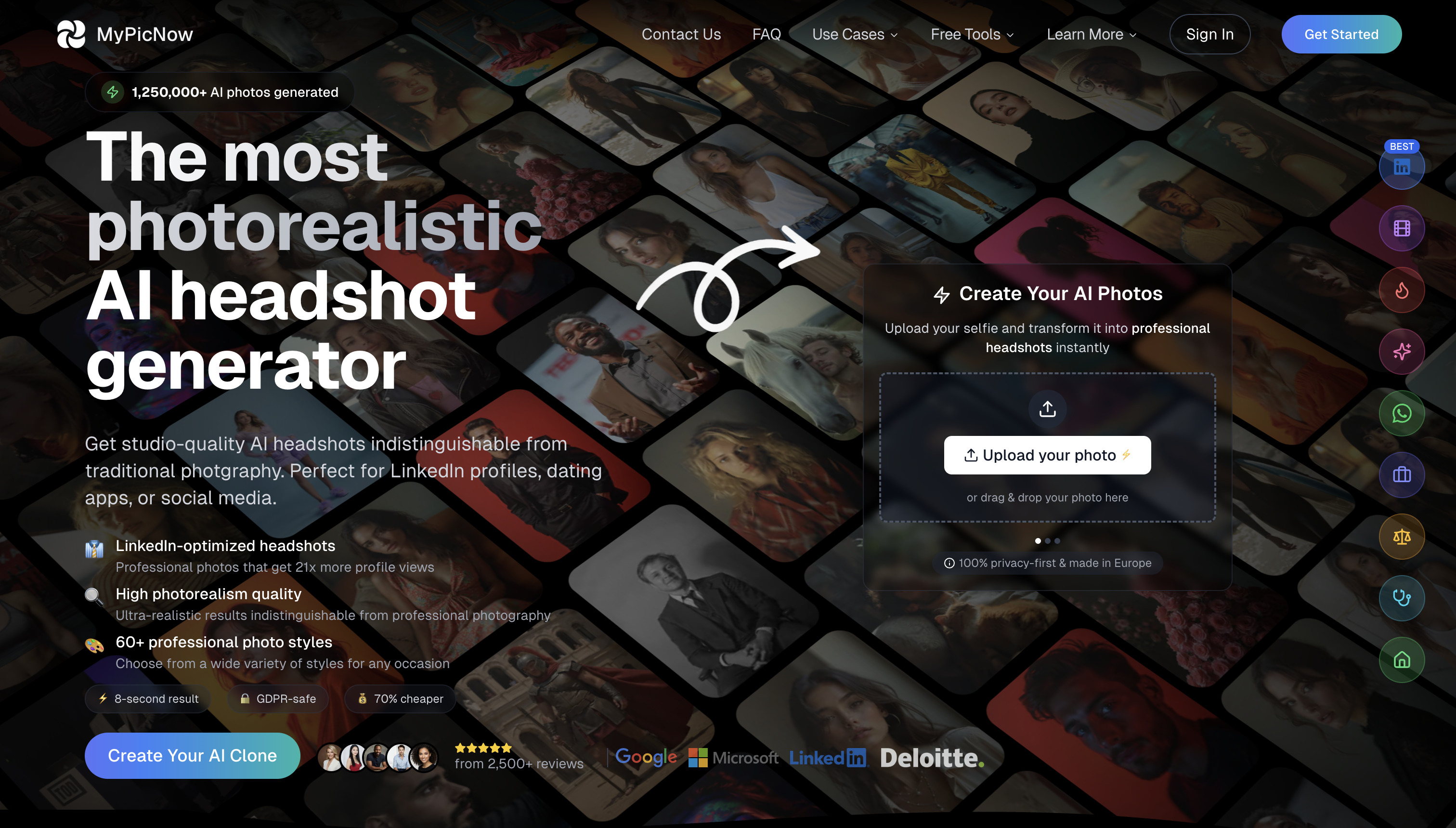

User reviews (0)