Website profiles · Technology insights · Alternatives

neovimcraft.com

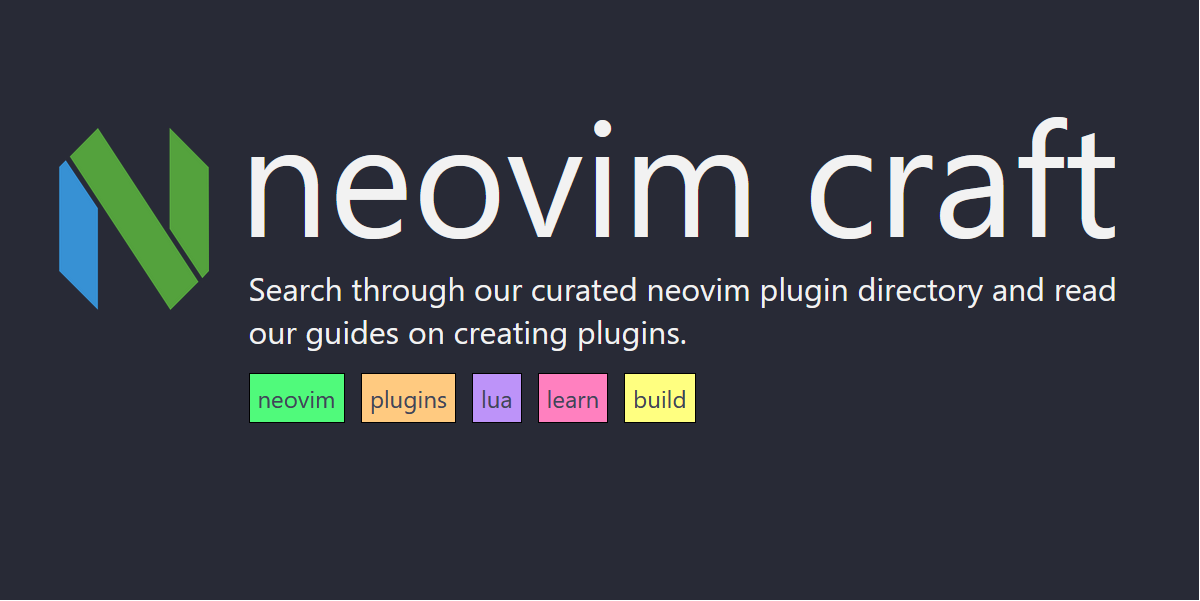
Search through our curated neovim plugin directory.

No paid content found
Visit website
Profile views 35 Outbound visits 12 Normal
neovimcraft Full homepage screenshot

At a glance

Category
Development
Language
English
Paid-content signal
No paid content foundObserved
Registered
2021
Hosting
Oracle CorporationInferred
HTTPS certificate trusted
PassedObserved
Last updated

Website review

This review may include AI-generated content and is not individually verified. Domain, certificate and other facts come from the observed data on this page.

What is neovimcraft?

neovimcraft is a curated directory for finding Neovim plugins and configurations. Its main page presents a searchable, categorized index rather than a single plugin or configuration of its own. You browse or search the list, then follow entries out to the plugin's own repository.

What you'll find there

  • Plugin listings organized by tags such as colorscheme, editing-support, LSP, utility, git, AI, fuzzy-finder, and file-explorer.
  • Pre-made configurations, including nvim-lua/kickstart.nvim, siduck76/NvChad, and LazyVim/LazyVim.
  • Individual plugins such as folke/lazy.nvim and nvim-telescope/telescope.nvim.
  • Metadata for each entry, including star count and created/updated dates.

Who it suits

If you are setting up Neovim and don't yet know the ecosystem, the category counts are a useful map: colorscheme and editing-support dominate, while narrower tags like jj, jupyter, or rich-presence point to niche tools. If you already know roughly what you want, the search is faster than scrolling a general repository list.

How to use it well

Treat the directory as a discovery layer, not a recommendation engine. Star counts and recent update dates help you judge whether a plugin is maintained, but the entry itself doesn't tell you how it fits your setup. Check compatibility with your plugin manager and Neovim version on the plugin's own page before installing.

A concrete next step: search for a category you actually need — say lsp or file-explorer — shortlist two or three entries with recent updates, and compare their repositories directly. For broader context on Neovim itself, see Neovim.

How do I find a Neovim plugin for a specific task like Git or LSP?

Use the category filters and search box on neovimcraft to narrow its curated plugin list by task. The directory groups plugins under labels such as git, lsp, editing-support, telescope, colorscheme and dozens more, so you can start from the job rather than from a plugin name you don't yet know.

A practical workflow

  1. Pick the closest category. For version-control work, git; for language servers and diagnostics, lsp (with diagnostics as a related tag); for fuzzy finding, fuzzy-finder or telescope.
  2. Scan the results for stars, creation date and last-updated date. The listing shows these per plugin, which helps you separate actively maintained projects from abandoned ones.
  3. Read the short description and check whether the plugin is a standalone tool or part of a larger framework. Some entries, like pre-made configurations, bundle many features at once.
  4. Cross-check on the plugin's own repository before installing, since the directory is a discovery aid, not a compatibility guarantee.

Category vs. search

Approach Best when Trade-off
Category filter You know the task but not the plugin names Broad results; you still compare several options
Keyword search You already have a name or a specific term Misses plugins described with different wording
Browsing a framework entry You want many features configured together Less control over individual pieces

Example scenario

Suppose you want better Git hunk staging inside Neovim. Open the git category, note the candidates and their update dates, then shortlist two or three. Install one at a time with your plugin manager and test it against a real repository before adding the next, so you can tell which plugin caused any conflict.

For a second opinion on popular choices, the Neovim community discussions and the plugin's GitHub page are the usual places to look. The directory's star counts can point you toward widely used plugins, but popularity is not the same as suitability for your setup.

Which pre-made Neovim configurations are most popular on neovimcraft?

The most popular pre-made configurations listed on neovimcraft are kickstart.nvim (nvim-lua/kickstart.nvim), NvChad (siduck76/NvChad), and LazyVim (LazyVim/LazyVim). The page also lists folke/lazy.nvim (a plugin manager) and nvim-telescope/telescope.nvim (a fuzzy finder) among its top entries, but those are building blocks rather than complete configurations. Among the three configurations, kickstart.nvim and NvChad show the highest star counts in the directory, with LazyVim close behind.

What the directory tells you

The site curates plugins and configurations with category tags and star counts, so "popular" here reflects community attention (stars) rather than a formal ranking. The pre-made-configuration tag is the one to filter on when you want a ready-to-use setup instead of individual plugins.

Choosing between them

Configuration Best for Trade-off
kickstart.nvim Learning how Neovim is configured; building your own setup from a documented base It is a starting point, not a finished distribution — you will edit it yourself
NvChad A polished, fast experience with strong defaults and a distinctive UI out of the box Its structure and conventions are opinionated, so customizing deeply means learning its layout
LazyVim A modular distribution you can extend with extra "extras" rather than rewrite Convenience comes with a layer of abstraction over plain Neovim config

A practical decision rule: if you want to understand your config, start with kickstart.nvim; if you want something attractive and fast with minimal setup, try NvChad; if you want a batteries-included base that stays close to upstream plugin conventions, try LazyVim.

Next step

Open neovimcraft, filter by the pre-made-configuration tag, and compare the last-updated dates alongside star counts — a configuration that is actively updated matters more than a slightly higher star count. Then read each project's README before installing, since these setups differ most in how much they expect you to customize.

How can I search for plugins directly in the terminal with nvim.sh?

nvim.sh is the terminal-based search tool offered by neovimcraft, a curated Neovim plugin directory. Instead of opening a browser and browsing category pages, you run a command in your shell and search the same curated index from inside your terminal.

How to use it

  • Run the nvim.sh command in your terminal, then type keywords to filter plugins.
  • Search by plugin name (for example, a fuzzy finder or colorscheme you already know) or by category such as lsp, git, ai, markdown-and-latex, file-explorer or debugging.
  • Treat the results as a shortlist, then open each plugin's repository to check maintenance, documentation and compatibility before installing.

When this is the right tool

nvim.sh fits a terminal-first workflow: you are already in a shell, you want a quick lookup, and you do not want to leave your session. It is less useful if you want to read long descriptions, compare screenshots or view star counts and update dates side by side, which the website itself presents in its result listings.

A practical example: you are configuring Neovim and want a fuzzy finder. Run nvim.sh, search fuzzy-finder or telescope, and you will see candidates such as nvim-telescope/telescope.nvim from the directory's listings. From there, decide based on how actively the plugin is maintained and whether it matches your existing setup.

Next step

If you prefer browsing with more context, use the site's category counts and result cards at neovimcraft; if you want speed inside your editor workflow, keep nvim.sh as the first stop and the website as the follow-up for detail.

What are the most starred Neovim plugins listed on neovimcraft?

The highest-starred entries on neovimcraft are mostly complete configuration frameworks, not single-purpose plugins. From the page evidence, the top three are:

Project Stars What it is
nvim-lua/kickstart.nvim 31,524 A launch point for your personal Neovim configuration
siduck76/NvChad 28,503 A Neovim framework with solid defaults and a polished UI
LazyVim/LazyVim Not shown in the excerpt A pre-made configuration (stars cut off in the data)

The page also lists folke/lazy.nvim and nvim-telescope/telescope.nvim among its headings, so those are likely near the top of the star-ranked list as well — lazy.nvim as a plugin manager and telescope.nvim as a fuzzy finder.

How to use this

If you want a working setup quickly, start with a framework like NvChad or LazyVim. If you want to build your own configuration with guidance, kickstart.nvim is the usual recommendation because it is designed as a readable starting point rather than a finished distribution.

A practical next step: open neovimcraft and sort or filter by stars, then filter by category such as lsp, colorscheme, or fuzzy-finder to find highly starred plugins for one specific job instead of adopting a whole framework.

How do I submit a plugin to the neovimcraft directory?

Submit through the "Submit a plugin" link on neovimcraft. The page lists it alongside its plugin categories, so that is the intended entry point for adding a listing.

What to prepare before submitting

  • The plugin's repository URL, ideally on a well-known host such as GitHub.
  • A short, factual description of what the plugin does.
  • The most fitting category from the directory's existing set, for example colorscheme, lsp, git, ai, fuzzy-finder or plugin-manager.
  • Confirmation that the project is Neovim-related and publicly accessible.

Practical notes

The directory already indexes large, popular projects such as nvim-lua/kickstart.nvim, siduck76/NvChad, LazyVim/LazyVim, folke/lazy.nvim and nvim-telescope/telescope.nvim, alongside many smaller ones. That suggests a submission does not need a minimum star count to be considered, but a clear README and a working install path will make the listing more useful to visitors.

If you maintain several plugins, submit each one separately so it can be placed in the right category rather than grouped under one entry.

Next step

Open neovimcraft, follow "Submit a plugin", and fill in the repository link plus a one-line description. If the form asks for a category and you are unsure, pick the closest match; a maintainer can usually move it later.

Related questions

More questions →
Pre-made Configurations vs. Plugins on neovimcraft: What's the Difference?

On neovimcraft, a pre-made configuration is a complete Neovim setup you can adopt as your starting point, while a plugin is a single add-on that extends one specific part of Neovim. The site lists both in the same curated directory, but they sit under different categories: pre-made-configuration for full setups and functional tags like colorscheme, lsp, or fuzzy-finder for individual plugins. If you want a working editor quickly, start with a configuration. If you want to add one capability to an existing setup, start with a plugin.

How the two categories differ

Dimension Pre-made configuration Plugin
Scope A whole Neovim distribution or starter config One feature or integration
What you get Defaults, keymaps, plugin set, UI choices A single piece of functionality
Typical examples on neovimcraft nvim-lua/kickstart.nvim, siduck76/NvChad, LazyVim/LazyVim folke/lazy.nvim, nvim-telescope/telescope.nvim
Category tag pre-made-configuration Feature tags such as plugin-manager, fuzzy-finder
Effort to adopt Replace or fork your config Add and configure one entry
Control You inherit someone else's decisions You decide how it fits your setup

The directory shows pre-made-configuration with 35 entries, so it is a small slice of the 1,368 results — most of what neovimcraft indexes is individual plugins.

What a pre-made configuration actually contains

A configuration is not a plugin with extra features; it is a bundle. nvim-lua/kickstart.nvim is described as "a launch point for your personal nvim configuration," meaning it is meant to be forked and edited rather than used untouched. siduck76/NvChad is described as a "Neovim framework providing solid defaults and a beautiful UI," and LazyVim/LazyVim is a full distribution built on top of the plugin manager folke/lazy.nvim.

The practical consequence: adopting a configuration usually means you also adopt its plugin manager, its keybinding conventions, and its defaults. Those defaults are the point — they save you from assembling dozens of plugins yourself — but they also mean changing one behavior can require understanding how the whole config is wired.

What a plugin actually contains

A plugin does one job. folke/lazy.nvim is a plugin manager; nvim-telescope/telescope.nvim is a fuzzy finder. Neither assumes anything about the rest of your setup beyond Neovim itself. You install it, configure it, and it coexists with whatever else you have.

This is why plugins dominate the directory: they are composable. You can use telescope.nvim inside kickstart.nvim, inside LazyVim, or in a hand-written config, and the plugin behaves the same way.

Which one should you pick?

  • Choose a pre-made configuration if you are setting up Neovim for the first time, you want a usable editor before customizing, or you would rather adjust an existing opinionated setup than build one from scratch. kickstart.nvim suits people who want a readable base to learn from; NvChad and LazyVim suit people who want a fuller experience out of the box.
  • Choose individual plugins if you already have a working config and want to add one capability, you want to keep full control over keymaps and defaults, or you are replacing a single piece of an existing setup.
  • Mix them if you start from a configuration and then add plugins it does not include. This is the common path: the configuration handles the baseline, and plugins fill the gaps.

A useful check before committing: open the configuration's repository and look at how many plugins it already bundles. If it covers most of what you need, adopting it is less work than assembling the same set yourself. If it covers only a fraction, starting from a minimal config plus a few plugins may be simpler.

Finding each type on neovimcraft

The directory is searchable, and the category counts are visible on the site. To browse configurations, look for the pre-made-configuration tag. To browse plugins, use a functional tag that matches your need — for example fuzzy-finder for search, lsp for language server support, or colorscheme for themes. Each listing shows stars, creation date, and last-updated date, which helps you judge whether a project is actively maintained before you build on it.

How to Submit a Neovim Plugin to neovimcraft

neovimcraft accepts plugin submissions through a "Submit a plugin" link on the site, and accepted entries are added to its curated directory of Neovim plugins. The directory is browsable by category — the site lists tags such as colorscheme, editing-support, lsp, git, ai, file-explorer, and many more — so before submitting, check whether your plugin already appears and which category fits it best.

What neovimcraft Is

neovimcraft describes itself as a curated Neovim plugin directory you can search through. Its homepage surfaces both plugins and pre-made configurations, for example:

Entry Stars Type
nvim-lua/kickstart.nvim 31,524 pre-made-configuration
siduck76/NvChad 28,503 pre-made-configuration
LazyVim/LazyVim (listed) pre-made-configuration
folke/lazy.nvim (listed) plugin-manager
nvim-telescope/telescope.nvim (listed) fuzzy-finder

The site reports 1,368 results in its plugin listing, with each entry showing stars, creation date, and last-updated date. Categories range from broad ones like colorscheme (163 entries) and editing-support (114) down to narrow ones like discord (1) and jj (1).

Before You Submit

  1. Search the directory first. Use the site's search to confirm your plugin isn't already listed. Duplicate submissions are the most common reason a listing doesn't appear.
  2. Pick the right category. Your plugin's primary function determines its tag. A fuzzy finder belongs under fuzzy-finder or search; a statusline plugin under statusline; a language-specific tool under programming-languages-support plus the language tag (e.g. golang, python).
  3. Make sure the repository is public and installable. The directory links to GitHub repositories, so your plugin needs a public repo with a README that explains installation.

Submitting

  1. Go to neovimcraft.com.
  2. Find and click the "Submit a plugin" link on the page.
  3. Provide your plugin's repository URL and the details the form asks for.
  4. Submit and wait for review — the directory is curated, so entries are checked before appearing.

Verifying Your Submission

After submitting, search the directory for your plugin's name or browse its category tag. If it appears, the submission was accepted. If it doesn't appear after a reasonable wait, re-check that:

  • The repository URL is correct and public.
  • The plugin isn't already listed under a different name.
  • You selected a category that matches the plugin's main purpose.

Common Snags

  • Wrong category. A plugin tagged as colorscheme when it's actually a colorscheme-switcher (a separate tag with 11 entries) may be harder for users to find.
  • Assuming instant listing. Because the directory is curated, submissions go through review rather than publishing immediately.
  • Skipping the search step. Submitting a plugin that's already in the directory wastes the review effort and delays nothing else.

The site itself does not publish a detailed submission policy, review timeline, or acceptance criteria beyond the "Submit a plugin" option, so treat the steps above as the practical path: search first, categorize accurately, submit, then verify by searching again.

What is neovimcraft?

neovimcraft is a curated directory of Neovim plugins. You use it to search and browse plugins by category, and it also lists pre-made Neovim configurations. If you are looking for a plugin to solve a specific editing, LSP, or UI problem, this site is built for that kind of lookup.

What you can do on neovimcraft

  • Search plugins. The site describes itself as a place to "search through our curated list of neovim plugins." The directory reports 1368 results, with stars, creation date, and last-updated date shown for each entry.
  • Browse by category. Plugins are grouped into tags such as colorscheme (163), editing-support (114), programming-languages-support (108), lsp (80), utility (78), git (56), ai (52), bars-and-lines (44), code-runner (39), markdown-and-latex (38), note-taking (36), terminal-integration (36), and pre-made-configuration (35). Smaller tags include plugin-manager (10), snippet (10), completion (7), and telescope (2).
  • Find pre-made configurations. The pre-made-configuration category surfaces full setups rather than single plugins. Examples listed on the site include nvim-lua/kickstart.nvim (31,524 stars, created 2022-06-23, updated 2026-09-14), described as "A launch point for your personal nvim configuration"; siduck76/NvChad (28,503 stars, created 2021-03-07, updated 2026-07-03), described as a "Blazing fast Neovim framework providing solid defaults and a beautiful UI"; and LazyVim/LazyVim.
  • Submit a plugin. The site includes a "Submit a plugin" entry point, so the directory is open to additions beyond what is already indexed.

How to use it

  1. Open neovimcraft.com.
  2. Either type into the search field or pick a category tag that matches your need — for example, lsp if you want language server tooling, or colorscheme if you only want themes.
  3. Read the result card: repository name, star count, creation date, and last-updated date. The updated date is the most useful signal for whether a plugin is still maintained.
  4. Follow the link to the plugin's repository to read its own install and setup instructions. neovimcraft is a directory, not the plugin's documentation.

What it is not

neovimcraft does not host plugin code, and it does not replace each plugin's README. It also does not appear to be a package manager — installation still happens through whatever plugin manager your Neovim config uses. Treat the site as a discovery and comparison layer: it tells you what exists and roughly how popular or recent it is, then you go to the source for setup details.

When it is worth using

  • You know the problem ("I want better fuzzy finding") but not the plugin name.
  • You want to compare maintained options in one category without scrolling GitHub search results.
  • You are starting from scratch and want to see pre-made configurations like kickstart.nvim, NvChad, or LazyVim before building your own.
  • You maintain a plugin and want it listed in a curated index via the submit link.
How to Find Neovim Plugins on neovimcraft

neovimcraft is a curated directory of Neovim plugins, and you can find what you need in two ways: type a keyword into the search box, or browse the category list on the homepage. Each category shows how many plugins it contains, so you can judge at a glance whether a topic is well covered before you click into it. The directory currently lists 1,368 results.

Search by keyword

If you already know roughly what you want, search is the faster path. Enter a term such as a plugin name, a language, or a feature ("fuzzy finder", "statusline", "golang") and the directory filters the curated list down to matching entries.

What you get back is a plugin entry, not just a link. Each result shows:

  • Repository name in owner/repo form, for example nvim-telescope/telescope.nvim
  • Star count, a rough signal of how widely a plugin is used
  • Created and updated dates, so you can tell whether a plugin is actively maintained
  • A short description of what the plugin does

That combination is what makes the directory more useful than a raw GitHub search: you can compare popularity and recency side by side before opening anything.

Browse by category

The homepage lists categories with a count next to each one. The largest groups, based on the counts shown, are:

Category Plugins
colorscheme 163
editing-support 114
programming-languages-support 108
lsp 80
utility 78
git 56
ai 52
bars-and-lines 44
code-runner 39
markdown-and-latex 38
note-taking 36
terminal-integration 36
pre-made-configuration 35

Smaller, more specific categories also exist, including debugging (25), file-explorer (26), formatting (26), fuzzy-finder (18), session (13), tmux (12), snippet (10), and plugin-manager (10). At the narrow end there are single-entry categories such as discord, jupyter, and jj.

The counts are useful for a practical reason: a category with 163 entries needs a second filter (search within it, or sort by stars), while a category with 3 entries you can just read through.

Reading a plugin entry

Entries follow a consistent format, which makes scanning fast. For example, the pre-made configuration section shows:

  • nvim-lua/kickstart.nvim — 31,524 stars, created 2022-06-23, updated 2026-09-14, described as "A launch point for your personal nvim configuration"
  • siduck76/NvChad — 28,503 stars, created 2021-03-07, updated 2026-07-03, described as a fast Neovim framework with solid defaults and a UI
  • LazyVim/LazyVim — listed under the same pre-made-configuration category

The updated date is the field worth checking first. A high star count with an old update date tells a different story than a moderately starred plugin updated recently.

Choosing between similar plugins

When several entries in a category look equivalent, compare them on the same four fields rather than on description alone:

  1. Stars — a proxy for adoption, not quality.
  2. Updated date — whether the project is still receiving changes.
  3. Created date — how long it has existed; a very new plugin may still be settling.
  4. Description — whether it actually matches your use case, since categories are broad (for instance, utility covers 78 unrelated things).

If you are starting from nothing, the pre-made-configuration category is the place to look first, since those entries bundle many plugins together. If you already have a config and want to add one capability, go straight to the specific category — lsp, git, fuzzy-finder, formatting — and compare entries there.

Related tools on the site

The site also links to a small set of companion tools, which are separate from the plugin directory:

  • nvim.sh — search for plugins from the terminal
  • pgs.sh — deploy static sites with a single command
  • tuns.sh — host public web services on localhost using SSH
  • prose.sh — write a blog in markdown
  • bower.sh — a personal blog

If you prefer not to leave Neovim to search, nvim.sh is the relevant one.

Submitting a plugin

If a plugin you use is missing, the directory has a Submit a plugin option. This is how the curated list grows, so entries are reviewed rather than crawled automatically — which is also why the counts per category are modest compared to a full GitHub search.

Website Overview

Limited stack disclosure and few obvious backend markers suggest a more restrained public footprint. That reduces easy fingerprinting clues but is not proof of overall security. Several search or sharing settings need attention. Together they may make snippets, preview images or preferred URLs less consistent across platforms.

Domain and Registration

Transfer-protection status is present, helping reduce the risk of unauthorized domain transfers. The domain has about 5 years of registration history; its current configuration provides more context than age alone. The registrar is NameCheap, Inc., a widely used domain service provider. The domain uses the common .com extension, which is not an independent safety signal.

DNS and Email

The observed email authentication setup is incomplete: DMARC is missing. Nameservers are provided by Cloudflare, indicating managed DNS hosting. MX records point to the Cloudflare Email Routing email service. No CNAME was found; the observed records resolve directly to addresses. DNSSEC signatures were not detected, so this additional DNS authenticity protection is not confirmed.

TLS and Certificates

The public key uses EC with 256 bits. The server supplied a complete certificate chain. No organization name is present in the certificate; the available fields are consistent with domain validation. The certificate was issued by Let's Encrypt, commonly associated with automated certificate services. The certificate's total validity is about 89 days, consistent with a short renewal cycle.

HTTP and Browser Security

The checked browser-security headers were not detected, leaving fewer explicit browser-side safeguards. No X-Powered-By header was found, reducing one common source of backend fingerprinting information. The via response header indicates a CDN or caching proxy in the delivery path. No obvious internal addresses or debug information were found in the headers. No CORS permission header was found, so browsers normally restrict cross-origin script access.

Technology Stack Analysis

No obvious technology stack is exposed. This may reflect restrained information disclosure, although the underlying technologies remain unknown.

Search and Social Sharing

No homepage canonical URL was detected. If duplicate URLs exist, consolidation may be less explicit. Open Graph is partially configured; og:type is missing. Twitter Card metadata is configured. The title has 11 characters, within a common display range. A meta description is present, with 51 characters.

Hosting and Email

DNSCloudflare
HostingOracle Corporation
EmailCloudflare Email Routing
Approximate IP geolocation (inferred; a CDN or proxy may differ from the origin server) United States flagAshburn, Virginia, United States Inferred 129.158.37.104

Registration details

RDAP / WHOIS

RegistrarNameCheap, Inc.
Registered2021-07-20
Expires2028-07-20
Domain statusclient transfer prohibited
Nameserversbella.ns.cloudflare.com、cash.ns.cloudflare.com
DNSSECunsigned

DNS records

DNS

TypeNameValueTTLPriority
Aneovimcraft.com129.158.37.104285—
AAAAneovimcraft.com2603:c020:400a:d000:dc2d:4f96:f5d5:8a00300—
MXneovimcraft.comroute2.mx.cloudflare.net30026
MXneovimcraft.comroute3.mx.cloudflare.net30047
MXneovimcraft.comroute1.mx.cloudflare.net30098
NSneovimcraft.combella.ns.cloudflare.com86400—
NSneovimcraft.comcash.ns.cloudflare.com86400—
TXTneovimcraft.comv=spf1 include:_spf.mx.cloudflare.net ~all300—

TLS and certificates

TLS / SSL

AssessmentNormal configuration
Supported protocolsTLSv1.2、TLSv1.3
Negotiated protocolTLSv1.3
Certificate subjectneovimcraft.com
IssuerLet's Encrypt
Valid until2026-12-20T09:18 · Remaining when checked: 80 days
Verification detailsCertificate trust: Passed · Hostname match: Passed

HTTP response headers

HTTP

HeaderValue
content-typetext/html
cache-controlmax-age=60, s-maxage=604800, must-revalidate

Identified technologies

Technology stack: Unknown

Pages, Search and Sharing

Meta descriptionSearch through our curated neovim plugin directory.
Canonical URLNot detected
LanguageEnglish (default)
Twitter Cardsummary_large_image
All bots 1 allowed · 0 disallowed
  • Allow/

No sitemaps found

User reviews (0)

  • No reviews yet.