Website profiles · Technology insights · Alternatives

openpanel.com

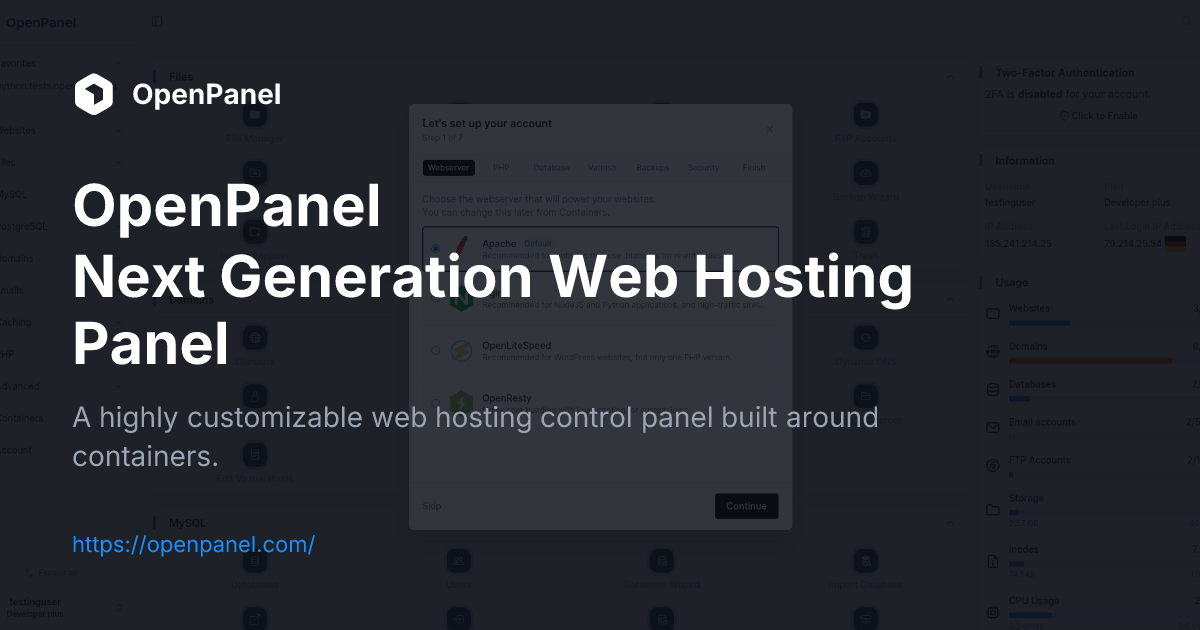
A highly customizable web hosting control panel built around containers.

No paid content found
Visit website
Profile views 11 Outbound visits 12 Normal
OpenPanel Full homepage screenshot

At a glance

Category
Cloud & Hosting
Language
English
Paid-content signal
No paid content foundObserved
Registered
2006
Hosting
FastlyInferred
HTTPS certificate trusted
PassedObserved
Last updated

Website review

This review may include AI-generated content and is not individually verified. Domain, certificate and other facts come from the observed data on this page.

What is OpenPanel?

OpenPanel is a multi-user web hosting control panel built around lightweight containers. Instead of putting many accounts on one shared stack, it gives each user a fully isolated environment with its own MySQL server, PHP version, Redis instance and root access. Its own summary puts it as “the sweet spot between shared hosting and VPS”: more separation and control than typical shared hosting, without handing every customer a bare unmanaged VPS.

It splits into two interfaces: OpenAdmin for administrators and OpenPanel for end users, with OpenCLI for terminal-driven management. The page evidence also lists per-user choices of Nginx, OpenLitespeed, Apache, OpenResty or Varnish, plus databases per user, object caching, multiple PHP versions and a WAF. A free Community Edition is offered, with a one-line install command shown on the site.

Who it suits

  • Hosting providers that want isolated, container-based accounts without building a panel from scratch.
  • Agencies or resellers needing per-client PHP, database and caching separation.
  • Developers who prefer CLI workflows: examples include opencli user-add, opencli domains-all, opencli plan-list and opencli waf.

Trade-offs to weigh

Container-per-user isolation is the main selling point, but it also means more moving parts than a classic shared panel. Expect to manage container resources, per-user services and updates. The CLI-first design rewards scripted administration but is less click-through friendly for beginners. Compare it with established panels such as cPanel for maturity and ecosystem, or CloudPanel for a leaner single-stack approach.

Next step

Run the free Community Edition on a test server, create two users, and check whether each gets the isolated MySQL, PHP and Redis setup you expect. If you manage many domains, try the CLI commands for listing domains and plans first; that will tell you quickly whether the workflow fits your team.

How does OpenPanel differ from traditional shared hosting and VPS?

OpenPanel is a multi-user hosting panel built around lightweight containers, and its own framing is the clearest summary: it aims at “the sweet spot between shared hosting and VPS.” Each user gets a fully isolated environment with a separate MySQL server, its own PHP version, a Redis instance, and full root access inside that environment.

Compared with traditional shared hosting

  • Isolation: On typical shared hosting, accounts share the same underlying services and you get no root access. In OpenPanel, each user is containerised, so one account’s load or misconfiguration is less likely to affect neighbours.
  • Control: You can run services, set PHP/MySQL limits, and configure components such as Varnish, Redis and Elasticsearch. Shared hosting usually fixes these choices for you.
  • Web server choice: The page describes choosing Nginx, OpenLitespeed, Apache, OpenResty or Varnish per user, rather than one server stack for everyone.
  • Trade-off: You take on more configuration responsibility than with a classic one-click shared account, so it suits users who want control without managing a whole server.

Compared with a plain VPS

  • Management layer: A VPS gives you a machine and leaves the panel, user management, domains, email and per-site tooling to you. OpenPanel adds OpenAdmin (admin panel), OpenPanel (user panel) and OpenCLI for terminal-driven administration.
  • Multi-user by design: Instead of one root account owning everything, OpenPanel is built for hosting providers and resellers who need many isolated users on shared hardware.
  • Operational shortcuts: The documented commands include generating system reports, listing domains, resetting user passwords, suspending domains, managing plans, checking updates and collecting container stats — routine tasks that would otherwise be scripted by hand.
  • Trade-off: You inherit the panel’s conventions and container model. If you want a blank server to configure exactly as you wish, a raw VPS remains more flexible.

Who each option suits

Need Better fit
Lowest-effort site hosting, no server decisions Traditional shared hosting
Full machine control, single owner Plain VPS
Many isolated users, per-user services, admin tooling OpenPanel

A practical next step: if you host multiple clients or projects and keep hitting shared-hosting limits, test the free Community Edition in a staging environment first, then check whether its container-per-user model matches how you bill and support customers. For comparison, mainstream panels such as cPanel and open alternatives like Hestia Control Panel approach multi-user hosting differently, which is worth reviewing before you commit.

How do I install OpenPanel Community Edition?

OpenPanel Community Edition installs with a single shell command run on a fresh server, as shown on the official site:

bash <(curl -sSL https://openpanel.org)

Before running it, start from a clean machine — a VPS or dedicated server with a supported Linux distribution, no existing web hosting stack (Apache, Nginx, MySQL, or a competing control panel) and root or sudo access. The installer sets up the container-based architecture, the OpenAdmin admin panel and the OpenPanel user panel.

What happens after the command

The script pulls the OpenPanel packages and configures the panel, containers and supporting services. Once it finishes, you log in to OpenAdmin to create users and plans, and each user gets an isolated environment with its own MySQL, PHP version and Redis instance.

Practical notes

  • Run it over a stable connection; an interrupted download can leave a partial setup.
  • If you already have a web server or database on the box, expect conflicts — use a fresh server or reinstall.
  • After install, verify services and check for updates with opencli update --check.

Next step

Log in to OpenAdmin, create a test user, and confirm isolation works by checking that user's PHP version and database are separate from the host. If you want to compare options before committing, look at OpenPanel's live demo and pricing page, or review alternatives such as cPanel and CloudPanel to see which fits your hosting model.

What can I do with OpenCLI commands in OpenPanel?

OpenCLI is OpenPanel's command-line interface. It exposes the same administrative and user-facing actions you would otherwise perform through the OpenAdmin admin panel or the OpenPanel user panel, so you can script them, run them over SSH, or use them in automation. According to the product's own documentation, it covers domains, users, services, security, and diagnostics.

What you can manage

  • Users and access: add a user, rename a user, reset a password, disable two-factor authentication, and view login logs.
  • Domains and websites: list all domains, list a specific user's domains, suspend a domain, list all websites, and check DNS records for a domain.
  • Plans and configuration: list hosting plans, check the default PHP version, change the panel port, enable development mode, and install a locale.
  • Services and containers: manage the OpenAdmin service, collect container statistics, and enable Memcached for a user.
  • Security: manage CorazaWAF, the web application firewall.
  • Diagnostics and reporting: generate a system report, check server configuration, check for updates, display error details, flush the mail queue, and collect Google PageSpeed results for a website.

A practical example

A hosting operator onboarding a new customer could combine commands in a script: create the user, set their plan, confirm the default PHP version, then verify DNS before handing over credentials. A support engineer troubleshooting a slow site could pull page-speed data, check container stats, and review the WAF configuration in sequence.

How to decide if it fits your workflow

OpenCLI is most useful if you already administer servers over SSH or want repeatable, scriptable operations across many accounts. If you prefer a graphical interface, OpenPanel also provides the OpenAdmin admin panel and the OpenPanel user panel, and the same underlying actions appear there. The CLI becomes the better choice when you need to run the same task across dozens of users or wire it into provisioning and monitoring tools.

To get oriented, run opencli api-list to see available endpoints and opencli report to confirm the panel is healthy before making changes.

How does OpenPanel isolate each user's environment?

OpenPanel isolates each user by giving them their own lightweight container rather than a shared slice of a single system. Each container is a fully isolated environment with its own MySQL server, PHP version, Redis instance, and full root access, so one user's configuration or workload does not spill into another's.

H3 What that means in practice

  • Per-user services: databases, object caching (Redis, and optionally Memcached), and PHP versions run inside the user's container, so versions and limits can differ from user to user.
  • Per-user web stack: each user can be assigned Nginx, OpenLitespeed, Apache, OpenResty, or Varnish, so webserver choice is not a server-wide decision.
  • Root inside the box: the user gets root access within their container, which is useful for developers who need to install packages or tune services, while the host system stays separate.
  • Admin control: the OpenAdmin panel and OpenCLI commands let the operator create users, set plans, suspend domains, and manage services without logging into each user's environment.

H3 Who benefits and the trade-off This suits hosting providers and resellers who want the isolation and root access of a VPS but the automated setup of shared hosting. The trade-off is resource overhead: containers are lighter than full virtual machines, but running separate database and cache instances per user still consumes more memory and disk than a single shared stack.

H3 A concrete scenario A small agency hosts several client sites on one server. Each client gets a container with its own PHP version and Redis instance. If one client's site is compromised or a service crashes, the others keep running, and the agency can suspend just that client's domain via OpenCLI.

H3 Next step If you want to evaluate it, start with the free Community Edition and test a multi-user setup on a staging server, checking memory use per container before committing production clients. Compare the approach with alternatives such as cPanel or CloudPanel if you need a different balance of isolation and simplicity.

How can hosting providers use OpenPanel for their customers?

Hosting providers use OpenPanel as a multi-user control panel where each customer gets an isolated container rather than a slice of a shared account. The panel splits into OpenAdmin for administrators and OpenPanel for end users, with OpenCLI for terminal-driven management, so a provider can automate provisioning and day-to-day operations without clicking through a UI.

Where it fits OpenPanel positions itself between shared hosting and raw VPS plans. Customers get root access inside their own environment plus dedicated MySQL, PHP, Redis and other services, while the provider keeps centralized control over plans, domains and users.

What providers can offer per customer

  • Choice of webserver: Nginx, OpenLitespeed, Apache, OpenResty or Varnish
  • Multiple PHP versions and per-user PHP/MySQL limits
  • Databases per user, plus MongoDB
  • Object caching, Memcached, Redis and Elasticsearch
  • Coraza WAF and a container manager

Practical admin workflows The CLI examples on the page show the operational shape: opencli user-add, opencli plan-list, opencli domains-suspend, opencli user-password, opencli report and opencli docker-collect_stats. A provider can script account creation, suspend abusive domains, reset credentials and pull system reports from one interface.

Choosing between editions The Community Edition is free to install via a shell command, which suits providers who want to test isolation and container behavior before committing. A hosted pricing page and account area indicate a paid tier for those who prefer managed deployment. Compare the effort of running containers yourself against the convenience of a supported plan.

A concrete path: install the Community Edition on a test node, create two or three customer accounts with different webserver and PHP combinations, then run opencli report and opencli docker-collect_stats to see whether per-user isolation matches your support and billing model.

Related questions

More questions →
What Is an Open Control Panel and What Can You Do With OpenPanel?

"Open control panel" usually refers to an open, self-hostable server or hosting control panel rather than one specific product. OpenPanel is one example: a multi-user web hosting panel built around lightweight containers, where each user gets a fully isolated environment with a separate MySQL server, PHP version, Redis instance, and full root access. It positions itself as "the sweet spot between shared hosting and VPS," so it fits hosting providers or admins who want per-user isolation without handing every customer a full VPS.

What "open control panel" means in practice

The phrase is descriptive, not a brand. It typically points to a panel you can install on your own server, inspect, and extend, as opposed to a closed SaaS dashboard. OpenPanel fits this description and ships in a free Community Edition, installed with:

bash <(curl -sSL https://openpanel.org)

The current version referenced on the site is 2.0.8. Treat the install command as the documented entry point rather than a guarantee about licensing or support terms for every edition.

How OpenPanel's container-based architecture works

Instead of one shared stack for all users, OpenPanel gives each user an isolated container. That isolation is the core mechanism, and it changes what you can offer per account:

  • Databases per user — each user runs a separate MySQL server.
  • Multiple PHP versions — PHP version is configurable per user.
  • Object caching — Redis instances are per user; Memcached can be enabled per user.
  • Webserver per user — choose Nginx, OpenLitespeed, Apache, OpenResty, or Varnish for each user.
  • Additional components — Varnish, Redis, Elasticsearch, MongoDB, and a WAF (CorazaWAF) are available.
  • Container Manager — manage the containers backing each environment.

Because each user can define PHP/MySQL limits and run their own services, the model sits between shared hosting (cheap but shared) and VPS (isolated but heavier to run). The trade-off: you get better isolation and flexibility, but you manage more moving parts per user.

OpenAdmin vs. the OpenPanel user panel

OpenPanel splits administration into two surfaces:

Surface Who uses it Purpose
OpenAdmin Server admins / hosting providers Admin panel for managing the server and users
OpenPanel End users User panel for managing their own hosting environment
OpenCLI Admins and scripts Terminal commands for admin and automation tasks

So "OpenAdmin" is the admin side, and "OpenPanel" is the user-facing side. Both are part of the same product, and demos exist for the admin panel.

Common tasks via OpenCLI

OpenCLI is the command-line layer for administration and automation. Documented examples include:

  • opencli report — generate a system report
  • opencli user-add — add a new user
  • opencli user-password — reset a user password
  • opencli domains-all / opencli domains-user — list domains
  • opencli domains-suspend — suspend a domain
  • opencli websites-all — list all websites
  • opencli plan-list — list plans
  • opencli php-default — check the default PHP version
  • opencli waf — manage CorazaWAF
  • opencli docker-collect_stats — collect container stats
  • opencli user-memcached enable — enable Memcached for a user
  • opencli update --check — check for updates
  • opencli api-list — list API endpoints

The pattern is consistent: a verb plus a target (user-add, domains-suspend, plan-list). For each command, the input is the command and its arguments, the action runs against the server or a specific user/domain, and the expected result is a report, a changed state, or a list. If a command fails, opencli error ID_HERE displays error information for that ID.

What to check before choosing an open control panel

When comparing options like OpenPanel, evaluate these dimensions:

  • Isolation model — does each user get a separate environment (containers, per-user databases, per-user caching), or do users share one stack?
  • Per-user flexibility — can you set PHP versions, MySQL limits, and webserver choice per user?
  • Admin vs. user separation — is there a distinct admin panel (OpenAdmin) and user panel (OpenPanel)?
  • Automation — is there a CLI and API for scripting (opencli, opencli api-list)?
  • Component coverage — which webservers, databases, caching, and WAF options are supported?
  • Pricing and editions — the site references a free Community Edition and a Pricing page; check those directly for current terms rather than assuming what's included.

If your goal is per-user isolation with configurable services and a CLI-driven workflow, OpenPanel's container model is the relevant feature to test. Start with the Community Edition, run opencli report to confirm the install, then try opencli user-add and opencli plan-list to see how user and plan management behave before committing to a hosting setup.

What Is OpenAdmin in OpenPanel and How Does It Differ from the User Panel?

OpenAdmin is the admin-side panel of OpenPanel, the container-based web hosting control panel. It is where a server owner or hosting provider manages the whole machine — users, domains, plans, and services — while the OpenPanel user panel is the per-user interface each hosted customer logs into. Both are part of the same OpenPanel stack, not separate products, and both sit on top of the same container model described on openpanel.com: every user gets an isolated environment with its own MySQL server, PHP version, Redis instance, and root access.

The two panels at a glance

OpenAdmin OpenPanel user panel
Who uses it Server owner / hosting provider Each hosted user
Scope Whole server, all accounts One isolated container
Typical tasks Create users, manage plans, suspend domains, control services Manage own websites, databases, PHP settings, email
Access level Server-wide administration Full root inside the user's own container

The site lists both explicitly as "OpenAdmin Admin panel" and "OpenPanel User panel," and offers a demo for the admin panel. That separation is the core distinction: OpenAdmin is the control room, the user panel is the tenant's own apartment.

What OpenAdmin handles

OpenAdmin covers server-level administration across all accounts. Based on the documented OpenCLI surface, the kinds of operations that belong to the admin side include:

  • User management — adding users (opencli user-add), renaming them (opencli user-rename), resetting passwords (opencli user-password), disabling 2FA (opencli user-2fa disable), and reviewing login history (opencli user-loginlog).
  • Domain control — listing all domains (opencli domains-all), suspending a domain (opencli domains-suspend), and checking DNS (opencli domains-dns check).
  • Plans — listing available plans (opencli plan-list), which is how hosting providers package resources for users.
  • Service management — managing the OpenAdmin service itself (opencli admin), checking server configuration (opencli sentinel), and collecting container stats (opencli docker-collect_stats).
  • Server-wide settings — changing ports (opencli port set), enabling dev mode (opencli config update dev_mode on), managing the WAF (opencli waf), and generating system reports (opencli report).

These are all tasks that affect the machine as a whole or multiple accounts, which is exactly why they live on the admin side rather than in a single user's panel.

How OpenAdmin relates to OpenCLI

OpenAdmin and OpenCLI are two interfaces to the same underlying system. OpenCLI is the terminal command set; OpenAdmin is the graphical admin panel. The commands above — opencli admin, opencli user-add, opencli plan-list, and the rest — are the operations OpenAdmin exposes, and they can also be run directly from the command line. So a provider can click through OpenAdmin for routine work or script the same actions via OpenCLI for automation. The site presents OpenCLI as "Terminal Commands" alongside the two panels, confirming all three are layers of one product.

When to use which

Use OpenAdmin when you are the server owner or hosting provider and need to:

  • Onboard or offboard customers
  • Assign or change plans
  • Suspend a domain or account
  • Inspect server health, container stats, or configuration
  • Manage server-wide services like the WAF, mail queue, or ports

Use the OpenPanel user panel when you are a hosted user managing only your own isolated environment — your websites, databases, PHP versions, and caching services within your container.

If you are evaluating OpenPanel for a hosting business, the practical test is whether your tasks span multiple accounts or the whole server. If they do, you want OpenAdmin. If they stay inside one user's container, the user panel is the right surface.

What Is an Open Hosting Panel and How Does OpenPanel Work?

An open hosting panel is a web hosting control panel whose code and configuration you can inspect, run, and extend on your own infrastructure, rather than a closed product tied to one vendor. OpenPanel fits that description: it is a multi-user web hosting panel built around lightweight containers, where each user gets a fully isolated environment with its own MySQL server, PHP version, Redis instance, and full root access. It is designed to sit "in the sweet spot between shared hosting and VPS" — you get the convenience of a panel with the isolation of separate environments.

How OpenPanel's container-per-user model works

Traditional shared hosting puts many accounts on one system stack, so one user's resource spikes or misconfiguration can affect others. OpenPanel instead gives every user their own container. Inside that container the user can run services, define PHP and MySQL limits, and configure components such as Varnish, Redis, and Elasticsearch.

That isolation has practical consequences:

  • Databases per user — each account runs its own MySQL server rather than sharing one.
  • Webserver per user — you can choose Nginx, OpenLitespeed, Apache, OpenResty, or Varnish for each user.
  • Multiple PHP versions — different users can run different PHP versions without conflict.
  • Object caching — Redis and Memcached can be enabled per user.
  • WAF — CorazaWAF is available for filtering.
  • Full root access — the user's container is theirs to manage, which is closer to a VPS experience than typical shared hosting.

OpenPanel vs. shared hosting vs. VPS

Dimension Typical shared hosting OpenPanel Typical VPS
Isolation Low — shared stack Per-user container Full machine, but you manage it
Setup effort None Panel-driven, faster setup Manual configuration
Root access No Yes, inside the container Yes
Per-user services No MySQL, Redis, webserver, PHP per user You configure everything
Management UI Yes OpenAdmin + user panel + OpenCLI Usually none by default

The trade-off is that OpenPanel assumes you are running it on a server you control, so it is not a drop-in replacement for a shared hosting account you buy from a provider. It is aimed at hosting providers and self-hosters who want panel convenience without giving up isolation.

The three interfaces: OpenAdmin, the user panel, and OpenCLI

OpenPanel splits administration across three surfaces:

  • OpenAdmin — the admin panel, used by the server operator to manage users, plans, and services.
  • OpenPanel user panel — the end-user interface where a hosting customer manages their own websites, domains, and settings.
  • OpenCLI — a terminal command set for scripting and automation.

OpenCLI is where much of the day-to-day control lives. Documented commands include:

opencli report              # generate a system report
opencli domains-all         # list all domains
opencli user-add            # add a new user
opencli user-password       # reset a user password
opencli domains-suspend     # suspend a domain
opencli plan-list           # list plans
opencli websites-all        # list all websites
opencli php-default         # check the default PHP version
opencli waf                 # manage CorazaWAF
opencli update --check      # check for updates
opencli user-2fa disable    # disable 2FA for a user
opencli config update dev_mode on   # enable DEV_MODE

There are also commands for collecting container stats, enabling Memcached, listing API endpoints, installing locales, checking DNS for a domain, collecting Google PageSpeed data for a website, flushing the mail queue, and changing the panel port from 2083.

Getting started

OpenPanel offers a free Community Edition. The documented install command is:

bash <(curl -sSL https://openpanel.org)

The current version referenced on the site is 2.0.8, with a changelog available. Before running the installer, confirm you have a server you are willing to dedicate to the panel and that you understand the container runtime it depends on, since the isolation model is what makes the rest of the feature set possible.

If you want to evaluate it without committing, the site provides a live demo of the admin panel, which is the fastest way to see how OpenAdmin and the user panel divide responsibilities before you install anything.

What Is OpenPanel and How Does Its Container-Based Hosting Panel Work?

OpenPanel is a multi-user web hosting control panel built around lightweight containers. Instead of placing many accounts on one shared system stack, it gives each user a fully isolated environment with a separate MySQL server, PHP version, Redis instance, and full root access. That combination is what the project describes as "the sweet spot between shared hosting and VPS" — the convenience of a panel with the isolation and control of a virtual server. It suits hosting providers and technically comfortable users who want per-user isolation without managing a full VPS by hand.

How OpenPanel differs from shared hosting and VPS

Dimension Shared hosting OpenPanel VPS
Isolation Accounts share the same stack Each user gets an isolated container environment Isolation at the VM level
Databases Usually one shared database server Separate MySQL server per user You install and manage your own
PHP versions Often fixed or limited Multiple PHP versions available You configure them yourself
Root access No Full root access inside the user environment Yes, at the VM level
Per-user services Rarely Redis, caching, and other components per user You set them up manually
Setup effort Minimal Panel-driven, faster than manual VPS setup Highest

The practical difference: on shared hosting you inherit whatever stack the provider runs, and on a VPS you build everything yourself. OpenPanel sits between them by letting each user run services, define PHP/MySQL limits, and configure components such as Varnish, Redis, and Elasticsearch inside their own isolated space.

Main components

OpenPanel splits into three surfaces:

  • OpenAdmin — the admin panel, used for server-level and provider-side management.
  • OpenPanel — the user panel, where each account manages its own environment.
  • OpenCLI — terminal commands for administration and automation.

Per-user flexibility extends to the web server itself. For each user you can choose Nginx, OpenLitespeed, Apache, OpenResty, or Varnish, alongside per-user databases, object caching, multiple PHP versions, and a WAF.

Getting started

The free Community Edition is installed with a single command:

bash <(curl -sSL https://openpanel.org)

Before running it, confirm the target server meets your own requirements and that you are comfortable executing a remote install script with root privileges. The expected result is a working OpenPanel installation you can then reach through the admin and user panels.

To evaluate it first, the site offers a live demo for both the admin and user panels, plus a features page and a pricing page for paid options. The current version listed is 2.0.8, with a changelog available.

Common OpenCLI tasks

OpenCLI is where much of the day-to-day administration happens. Representative commands from the project's own list:

opencli report                 # Generate a system report
opencli domains-all            # List all domains
opencli domains-user           # List a specific user's domains
opencli user-add               # Add a new user
opencli user-password          # Reset a user password
opencli user-rename            # Rename a user
opencli plan-list              # List plans
opencli websites-all           # List all websites
opencli sentinel               # Check server configuration
opencli update --check         # Check for updates

Other documented commands cover suspending a domain, managing the OpenAdmin service, disabling 2FA, enabling DEV_MODE, managing CorazaWAF, collecting container stats, enabling Memcached, listing API endpoints, installing locales, checking DNS for a domain, collecting Google PageSpeed data for a website, and flushing the mail queue. Each command takes its own arguments, so check the relevant command's help before running it on a live server.

Who it is for

OpenPanel fits hosting providers that want per-user isolation without handing every customer a full VPS, and users who want root-level control inside their own environment while still working through a panel. If you only need a simple shared account with no isolation or root access, a traditional shared host is simpler. If you want full control over the entire machine and are willing to manage it yourself, a plain VPS may be more direct. OpenPanel's value is specifically in the middle: container-based isolation, per-user services, and panel-driven setup.

Website Overview

Identifiable technologies and additional version or configuration signals make the service easier to fingerprint, which may help targeted scanners narrow their checks. An established domain and managed infrastructure suggest continuity of operations and may support dependable delivery, although neither guarantees service quality.

Domain and Registration

Registered in 2006, this domain has about 20 years of history. That suggests continuity, although ownership and purpose may have changed. Transfer-protection status is present, helping reduce the risk of unauthorized domain transfers. The domain uses the common .com extension, which is not an independent safety signal.

DNS and Email

Nameservers are provided by Cloudflare, indicating managed DNS hosting. MX records point to the openpanel.com email service. No CNAME was found; the observed records resolve directly to addresses. SPF and DMARC are configured. DKIM status is unknown. TXT records include verification markers for Google. Such markers may also remain after a service stops being used.

TLS and Certificates

The public key uses EC with 256 bits. The server supplied a complete certificate chain. No organization name is present in the certificate; the available fields are consistent with domain validation. The certificate was issued within the Google Trust Services cloud or CDN ecosystem. The certificate's total validity is about 90 days, consistent with a short renewal cycle.

HTTP and Browser Security

The checked browser-security headers were not detected, leaving fewer explicit browser-side safeguards. CORS permits any origin to read this response. This is common for public resources; sensitive responses need narrower handling. No X-Powered-By header was found, reducing one common source of backend fingerprinting information. The cf-ray, x-cache, x-served-by, via response header indicates a CDN or caching proxy in the delivery path. No obvious internal addresses or debug information were found in the headers.

Technology Stack Analysis

The public page identifies Docusaurus 3.10.2, Cloudflare, Fastly, with exact versions exposed for 1 technologies. These details can narrow vulnerability checks, although exposure alone is not a vulnerability.

Search and Social Sharing

The Generator tag identifies Docusaurus v3.10.2, making the publishing system easier to fingerprint. Open Graph is partially configured; og:type is missing. Twitter Card metadata is configured. JSON-LD includes Organization data, helping describe the organization as an entity. The page declares 2 language or regional alternatives using hreflang.

Hosting and Email

DNSCloudflare
HostingFastly
Emailopenpanel.com
Approximate IP geolocation (inferred; a CDN or proxy may differ from the origin server) Location unknown Inferred 104.21.35.165

Registration details

RDAP / WHOIS

RegistrarPDR Ltd. d/b/a PublicDomainRegistry.com
Registered2006-03-10
Expires2027-03-10
Domain statusclient transfer prohibited
Nameserversclint.ns.cloudflare.com、pat.ns.cloudflare.com
DNSSECunsigned

DNS records

DNS

TypeNameValueTTLPriority
Aopenpanel.com104.21.35.165300—
Aopenpanel.com172.67.177.165300—
AAAAopenpanel.com2606:4700:3031::6815:23a5300—
AAAAopenpanel.com2606:4700:3031::ac43:b1a5300—
MXopenpanel.commail.openpanel.com3000
NSopenpanel.comclint.ns.cloudflare.com86400—
NSopenpanel.compat.ns.cloudflare.com86400—
TXTopenpanel.comgoogle-site-verification=02YcgCVK7-KiBd1O9iLbhhpI2jN4gT00pjqAP9OZ9R0300—
TXTopenpanel.comgoogle-site-verification=0FHNfPoHCYrREWqO1p0DUBntNRs4pvLA83Xq-3R-Kbw300—
TXTopenpanel.comv=spf1 ip4:185.241.214.19 +a +mx -all300—
DMARC_dmarc.openpanel.comv=DMARC1; p=none; rua=mailto:[email protected]300—

TLS and certificates

TLS / SSL

AssessmentNormal configuration
Supported protocolsTLSv1.2、TLSv1.3
Negotiated protocolTLSv1.3
Certificate subjectopenpanel.com
IssuerGoogle Trust Services
Valid until2026-12-23T15:45 · Remaining when checked: 82 days
Verification detailsCertificate trust: Passed · Hostname match: Passed

HTTP response headers

HTTP

HeaderValue
content-typetext/html; charset=utf-8
cache-controlmax-age=600
servercloudflare
access-control-allow-origin*

Identified technologies

Docusaurus 3.10.2CloudflareFastly

Pages, Search and Sharing

Meta descriptionA highly customizable web hosting control panel built around containers.
Canonical URLhttps://openpanel.com/
LanguageEnglish (default)
Twitter Cardsummary_large_image
All bots 1 allowed · 0 disallowed
  • Allow/

User reviews (0)

  • No reviews yet.