Website profiles · Technology insights · Alternatives

opensourcealternatives.to

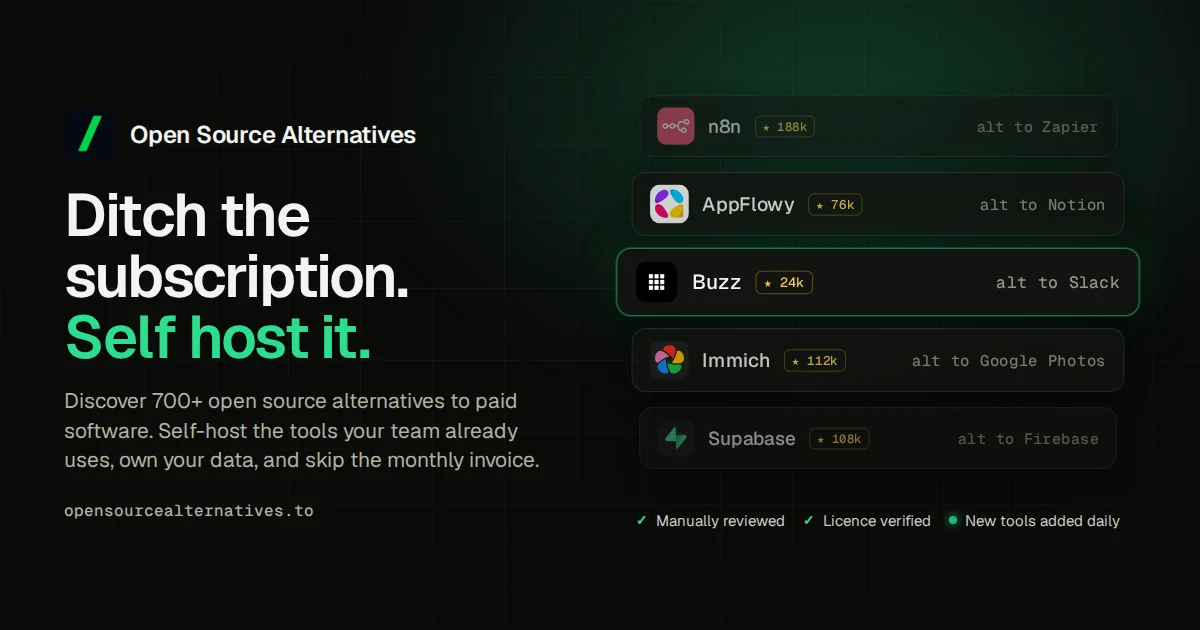
Open source alternatives to paid software. 800+ free, self-hostable apps, from developer tools to productivity and AI.

No paid content found
Visit website
Profile views 1 Outbound visits 0 Normal
Open Source Alternatives to Paid Software Full homepage screenshot

At a glance

Category
Development
Language
English
Paid-content signal
No paid content foundObserved
Registered
2025
Hosting
CloudflareInferred
HTTPS certificate trusted
PassedObserved
Last updated

Website review

This review may include AI-generated content and is not individually verified. Domain, certificate and other facts come from the observed data on this page.

What is Open Source Alternatives to Paid Software?

Open Source Alternatives to Paid Software is a directory site that catalogs free, open-source, often self-hostable apps as replacements for paid commercial software. According to its own description, it lists 800+ apps spanning developer tools, productivity software and AI, organized into sections such as featured picks, trending projects, alternative guides and category browsing.

Who it's for and how it's used

  • Cost-conscious individuals and small teams comparing a paid tool against a free equivalent before committing to a subscription.
  • Self-hosting hobbyists and sysadmins who want to run software on their own hardware and need candidates to evaluate.
  • Developers looking for open-source components or tools in a specific category.

A typical visit starts with a category (say, productivity or development) or a "trending this week" list, then narrows to a specific app and its paid counterpart.

Trade-offs to weigh

A directory tells you what exists, not whether a given replacement fits your workflow. Open-source substitutes often differ in polish, support and integrations, and self-hosting shifts cost from licensing to maintenance, backups and updates. Treat listings as a shortlist to test, not a verdict.

Next step: pick one paid tool you pay for now, find its open-source counterpart on the site, and trial it against your three most-used features before switching. For broader comparisons, established references such as AlternativeTo and Awesome Self-Hosted can complement a niche directory like this one.

How do I find a self-hostable open source alternative to a specific paid tool I already use?

Start with the paid tool's core job, then search the directory for that job rather than the product name. On Open Source Alternatives to Paid Software, the useful entry points are the "Open source alternative guides" and the category sections, plus the featured and trending project lists for a quick view of what is actively maintained.

A practical search sequence

  1. Name the one feature you cannot lose. For example, "shared inbox with email threading" or "Kanban board with API access." This filters out alternatives that look similar but solve a different problem.
  2. Check the category first. The directory groups projects by category, which is faster than scanning 800+ entries one by one.
  3. Read the project's own deployment notes. "Self-hostable" can mean a single Docker container or a multi-service stack with a database and message queue. Match that to the hardware and skills you actually have.
  4. Compare maintenance signals. Look at recent releases, open issues and contributor activity. A project with steady commits and responsive maintainers is a safer bet than one with a polished landing page and no recent changes.
  5. Run a small pilot before migrating. Import a sample of real data, invite two or three users, and test the workflow you rely on most.

What to compare before committing

Check Why it matters Red flag
Deployment complexity Determines whether you can run it yourself Requires multiple undocumented services
Data import/export Affects migration effort and lock-in No export path for your data
Active maintenance Signals long-term viability No releases in over a year
Community support Your fallback when docs are thin Empty forum or unanswered issues
Feature gaps Shows what you would give up Missing your one must-have feature

A concrete example

Suppose you use a paid project tracker mainly for sprint boards and time estimates. Search the directory's project-management category, shortlist two or three self-hostable options, and check each for board views, estimate fields and CSV import. Deploy the strongest candidate on a spare server or a small VPS, import one past sprint, and run the next sprint in parallel with your current tool. That comparison reveals workflow gaps that feature lists hide.

As a general rule, prefer an alternative that covers 80% of your daily use well over one that claims full parity but is harder to operate. Check the project's official documentation and repository before deploying, since the directory is a discovery aid, not a guarantee of fitness for your setup.

What open source options exist for a particular category like productivity, developer tools, or AI?

Open Source Alternatives to Paid Software is a directory of 800+ free, self-hostable open source apps, organised so you can browse by category, including productivity, developer tools and AI. It's built for people who want to find a free or self-hostable replacement for paid software without hunting across scattered lists, and it groups projects by category alongside featured, trending and new-project sections. The main trade-off: it's a discovery directory, not a hands-on review site, so it tells you what exists and roughly where it fits, but you'll still need to check each project's own documentation for maturity, licence and hosting requirements.

How to use it by category

  • Productivity: Use the productivity category to shortlist suites for document editing, notes, task management or team chat. Decide first whether you need a hosted service or are willing to self-host; self-hostable options trade setup effort for control over your data.
  • Developer tools: The developer-tools category is useful for finding alternatives to paid IDEs, CI, version control hosting or API tooling. Check language and platform support before committing, since a matching feature set can still be a poor fit for your stack.
  • AI: The AI category covers open models and tooling. These projects move quickly, so favour ones with active recent development rather than judging by listing alone.

A concrete example: a small team paying for a project tracker and a notes app could search the productivity category, shortlist two self-hostable options, and trial one for a week before migrating. The directory narrows the field; the trial decides.

A practical next step

Pick your category, shortlist two or three projects, and compare them on three criteria: whether self-hosting is acceptable to you, how recently the project was updated, and whether its licence fits commercial use. For active, well-known projects in each area, you can also cross-check against GitHub for release history and issue activity, or AlternativeTo for user-submitted comparisons.

How can I tell whether a listed open source alternative is actively maintained and safe to self-host?

Judge a listing by its upstream project, not by the directory entry. A directory can tell you an alternative exists; it cannot vouch for the code's health. Check the source repository directly for recent commits, closed issues, release cadence and maintainer responsiveness, then check security posture before you expose anything to the internet.

Signals to check before trusting a listing

  • Recent activity, not just a pulse. Look for commits and releases within the last few months, and read whether recent commits are substantive (fixes, dependency bumps) or cosmetic. A project with one maintainer and a long gap is a risk even if the listing looks polished.
  • Issue and PR hygiene. Are maintainers triaging bugs, or is there a wall of unanswered security reports? Check for a stated security policy and a private disclosure route.
  • Release discipline. Signed tags, changelogs and versioned releases suggest a project that expects others to run it. Nightly-only builds with no stable branch are a warning for production self-hosting.
  • Bus factor and governance. Multiple active maintainers, a license file, and a clear contribution guide matter more than star counts.
  • Self-hosting maturity. Look for official container images, documented upgrade paths, backup/restore guidance and configuration references. A project that assumes a developer's laptop is harder to run safely than one with a deployment guide.
  • Security track record. Search the project's advisories and the CVE databases for past vulnerabilities and how quickly they were patched.

A practical decision path

  1. Confirm the upstream repository and license from the project's own site, not the directory.
  2. Scan the last six months of commits, releases and merged security fixes.
  3. Read the self-hosting docs for auth, TLS, backup and upgrade instructions.
  4. Run it on an isolated host or private network first, with default credentials changed and exposed ports limited.
  5. Subscribe to the project's release and security channels before putting real data in it.

A quick comparison of what different project profiles mean for you:

Profile Good for Main risk
Frequent releases, several maintainers, security policy Production self-hosting More upgrade work
Steady but small team, documented deployment Small teams and internal tools Slower security response
Sporadic commits, single maintainer Evaluation and hobby use Abandonment, unpatched issues
No stable releases, thin docs Experiments only Misconfiguration and data loss

For a concrete case: a two-person team wanting a self-hosted notes or project tool should prefer a project with container images, a changelog and at least two active maintainers, and should test restores from backup before migrating real content.

As a starting point, browse Open Source Alternatives to Paid Software to shortlist candidates by category, then verify each one at its upstream repository and security advisory page.

What are the trade-offs of switching from paid software to a free open source alternative?

Switching from paid software to a free open source alternative usually trades money for time, control and responsibility. You often save on licensing but take on setup, maintenance and support yourself, and you gain the freedom to self-host, modify and avoid lock-in. Whether that trade pays off depends on how much downtime or friction your workflow can absorb.

Where the trade-offs land

Dimension Paid software typically Open source alternative typically
Cost Recurring subscription or licence No licence fee; you pay in hosting, hardware or admin time
Support Vendor SLA, help desk, accountability Community forums, documentation, paid consultants if you choose
Setup and upkeep Managed updates, ready to use You install, patch and back up, especially when self-hosted
Control and lock-in Data and features tied to the vendor Self-hosting and open formats reduce lock-in; you can modify or fork
Features and polish Mature integrations, edge cases covered Core features strong; niche integrations or UI polish may lag
Compliance and security Vendor certifications, audits You own patching and access control; certifications vary by project

Who each choice suits

A small team with an IT generalist can often run a self-hosted open source tool and cut recurring costs, accepting that upgrades and backups are now their job. A solo user without server experience may find the admin overhead outweighs the savings, particularly for anything holding important data. Regulated organisations should check whether a project offers the certifications and audit trails they need before switching, since that burden shifts to them.

A practical next step

Pick one low-risk tool first, such as a note-taking or file-sync app, and run it alongside the paid version for a month. Note the hours spent on setup, the features you missed and any data you had to export. That real cost estimate is a better guide than a feature checklist. Directories such as Open Source Alternatives to Paid Software list self-hostable options by category, which helps you shortlist candidates before committing.

Which open source projects are currently trending or newly added on the site?

The site does not name individual trending projects in the information available. Its homepage has a "Featured" section and a "Trending open source projects this week" section, plus a "Popular and new self-hosted open source projects" area, so those are where the current picks would appear.

How to use those sections

  • "Trending open source projects this week" is the closest match to a recency signal: it suggests a short, rotating window rather than an all-time ranking. Treat it as a snapshot of what visitors are looking at now, not a quality verdict.
  • "Popular and new self-hosted open source projects" mixes two different things. "Popular" tends to reward established projects with large user bases; "new" surfaces younger projects with less track record. Decide which of the two you actually want before browsing.
  • "Featured" is editorial placement, so it reflects the site's own curation rather than community momentum.

A practical next step

If you are choosing something to actually deploy, use trending as a discovery filter and then check the project's own repository for release cadence, open issue count and last commit date. A project can trend after a single viral post while sitting dormant for months.

For a concrete example: someone replacing a paid note-taking or task app might scan the trending list, shortlist two candidates, then compare export formats and self-hosting requirements before committing. Projects with active communities often have dedicated forums you can check, and broader catalogues such as AlternativeTo can help confirm whether a paid tool has several credible open source counterparts rather than just one.

Related questions

More questions →
How to Find and Choose Open Source Alternatives to Paid Software

Start by defining the one job the paid tool does for you and the features you cannot live without, then use a directory such as Open Source Alternatives to Paid Software (opensourcealternatives.to) to shortlist candidates by category. Before committing, compare each candidate on hosting model, license, migration effort, support, and maintenance activity. The right choice is the one that covers your must-haves at a total cost and risk level you can accept — not simply the most popular project.

Step 1: Define the job and your must-haves

Write down what you actually use the paid tool for. Separate features into three buckets:

  • Must-have: without these, the alternative fails your workflow (e.g., data import from your current tool, specific export formats, multi-user access).
  • Nice-to-have: useful but not blocking.
  • Unused: features you pay for but never touch — these should not influence your decision.

This step prevents the common mistake of comparing feature lists instead of comparing fitness for your task.

Step 2: Shortlist with a directory

The site organizes 800+ free and self-hostable apps across categories such as development, productivity, and AI, with sections for featured projects, trending open source projects this week, alternative guides, and popular and new self-hosted projects. Use it like this:

  1. Open the category that matches your tool's job (e.g., productivity for a task manager, development for a code tool).
  2. Scan the alternative guides when one exists for your paid product — they map a specific paid tool to open source options.
  3. Note 3–5 candidates. Check the "trending" and "new" sections only as a secondary signal; recent activity suggests a project is alive, but popularity alone is not a fit criterion.

Step 3: Compare on the same dimensions

Use one table for all candidates so differences are visible:

Dimension What to check Why it matters
Hosting model Self-hosted vs. hosted/managed option Self-hosting saves subscription cost but adds server and maintenance work
License License type and any restrictions Determines whether you can modify, redistribute, or embed it
Migration Import from your current tool, data export formats Poor export paths create lock-in later
Support Community channels vs. paid/commercial support Decides who you call when something breaks
Maintenance Recent releases, open issue activity An abandoned project becomes a future migration project
Security How vulnerabilities are reported and patched Relevant for anything holding user or business data

Self-hosted vs. hosted: a quick decision rule

  • Choose self-hosted if you have someone who can run updates, backups, and monitoring, and you want control over data location.
  • Choose a hosted or managed option if you lack that capacity — but verify what the provider actually offers rather than assuming it matches the self-hosted project.

Step 4: Validate before you commit

Run a small pilot rather than a full switch:

  1. Install or sign up for the top candidate.
  2. Import a real sample of your data and confirm nothing critical is lost.
  3. Use it for one real task end to end.
  4. Check the project's release history and issue tracker for responsiveness.
  5. Confirm your exit path: can you export your data in a usable format?

If the pilot fails on a must-have, move to the next candidate — do not plan to "work around" a missing must-have.

Common pitfalls

  • Choosing by popularity: a trending project may not fit your workflow or may be early-stage.
  • Ignoring total cost of ownership: a free license still costs time for hosting, updates, and troubleshooting.
  • Skipping the export test: without a working export, you trade one lock-in for another.
  • Assuming a project is maintained: check release dates and issue activity before relying on it.
  • Overlooking support: for business-critical tools, confirm whether commercial support exists before you depend on community help alone.

Bottom line

Define must-haves first, shortlist through a category-based directory, compare candidates on hosting, license, migration, support, and maintenance, then pilot the top choice with real data. Commit only when the pilot passes your must-haves and you have a working export path.

What Is Developer Marketing and How Does It Drive Signups?

Developer marketing is the practice of reaching software developers where they already learn and make tooling decisions—technical content, creator channels, open source, and community—and turning that attention into product signups. It differs from traditional marketing because the audience evaluates tools on technical merit, tries before trusting, and ignores polished ad copy. It's the right approach when your product is an AI or DevTools offering and your bottleneck is distribution rather than product quality.

Why distribution, not product, is usually the bottleneck

Most AI and DevTools teams are founded by people who can build. The failure mode described by DevTools Academy is "Great Product, Broken Distribution"—the tool works, but the people who would use it never hear about it in a context they trust.

Developers don't convert on impressions. They convert after seeing a credible peer use the tool, reading a technical walkthrough, or watching someone solve a real problem with it. That means the marketing job is not persuasion—it's placement in front of the right technical audience with proof attached.

How developer marketing differs from traditional marketing

Dimension Traditional marketing Developer marketing
Primary audience Broad buyers, often non-technical Practitioners who evaluate the tool themselves
Trust source Brand claims, ads Peers, creators, open source maintainers
Content format Campaigns, landing pages Tutorials, demos, technical newsletters, community threads
Success signal Impressions, brand recall Signups, engagement, reposts, comments
Channel mix Paid media, PR YouTube, X, LinkedIn, Reddit, UGC, technical newsletters

The practical consequence: budget spent on speculative reach tends to underperform compared to a systematic creator partnership framework, which is the shift DevTools Academy describes making for Orchids.

The creator-led distribution model

Creator-led developer marketing means partnering with technical creators who already have the audience you want, rather than buying reach through ads. DevTools Academy runs this across YouTube, X, LinkedIn, Instagram, TikTok, Reddit, UGC, and technical newsletters.

The mechanics that make it work:

  • Credibility transfer. A creator who understands the tooling explains it in their own voice, so the recommendation carries weight an ad cannot.
  • Depth over volume. The goal is "developers, not just impressions"—a smaller, engaged technical audience beats a large passive one.
  • Repeatability. A creator program built once can produce consistent output quarter after quarter instead of one-off spikes.

For Stream, this approach was credited with 6,600+ sign-ups across every quarter of FY-2025, with a program built from the ground up spanning 60+ creators across YouTube, X, LinkedIn, open source, and newsletters.

What execution looks like end to end

DevTools Academy frames its work as "end-to-end developer GTM execution" and "numbers, not narratives." A workable sequence for a team running this themselves:

  1. Identify where your developers already are. Pick the two or three channels where your target users actually spend time—not all of them at once.
  2. Recruit creators with technical credibility. Prioritize people who can use the product and explain it, over reach alone.
  3. Give them something real to show. A working integration, a benchmark, or a solved problem produces better content than a feature list.
  4. Let the content run in the creator's format. Tutorials and demos outperform scripted promotion on technical channels.
  5. Measure signups and engagement, not just reach. Track comments, reposts, and sign-ups per channel so you can reallocate.

How to measure whether it's working

The evidence from DevTools Academy's case studies points to a measurement set that goes beyond impressions:

  • Signups — the primary outcome. Stream: 6,600+ sign-ups across FY-2025 quarters.
  • Engagement depth — comments and reposts as a signal of real technical interest. Oumi's LinkedIn launch produced 631+ comments and 269+ reposts on day one.
  • Impressions and engagements at scale — Orchids reached 1.1M impressions and 10,000+ engagements in a single quarter.
  • Consistency over time — growth that repeats every quarter, not a single viral moment.

Oumi's founder described the value as watching "the comment section turn into a deep-dive discussion on day one"—that discussion is the social proof that drives the next wave of signups.

When this approach fits

Creator-led developer marketing is a strong fit when:

  • Your product is an AI or DevTools offering aimed at working developers.
  • The product is good but under-distributed.
  • You can support a program over multiple quarters rather than a single campaign.
  • You're willing to trade speculative spend for a structured creator framework.

It's a weaker fit if your buyers are non-technical, if you have no working product to demonstrate, or if you need results within days rather than a quarter.

Where to start

If you want to assess your current position before committing, DevTools Academy offers a "See how your current GTM stacks up" entry point alongside strategy calls and published case studies. The useful first step for most teams is auditing which channels already produce signups, then concentrating creator partnerships there instead of spreading across every platform at once.

What Does "Open Source" Mean for a Zen Cart Online Store?

Open source means the software's source code is publicly available, so anyone can inspect, modify, and redistribute it. Zen Cart, the platform running this reptile supply store, is open-source e-commerce software: the store owner can read and change the code, and no license fee is paid to a vendor. That matters to a small shop because it removes per-sale or monthly software fees and allows deep customization — but it also means the owner (or a developer they hire) handles hosting, updates, and security. Note that "open source" here describes the store software, not the reptile foods and supplements sold on it.

Open source in plain terms

Proprietary store platforms typically charge a subscription or a percentage of sales and keep their code closed. Open-source platforms publish the code under a license that permits use and modification. In practice, for a store like this one:

  • No license fee. You pay for hosting and your own time, not for permission to run the software.
  • Full access to the code. Layouts, checkout flow, and product pages can be changed beyond what a theme editor allows.
  • Community development. Fixes and add-ons come from contributors and other store owners, not only from one company.

What it looks like on this store

The page evidence shows a typical Zen Cart storefront: category navigation (Bee Pollen, Cat Grass, Chia Seeds, Dandelion, Sprouting Seeds, Supplements), an "All Products" listing, reviews, and an information block with About Us, Shipping & Returns, Privacy Notice, Conditions of Use, Order Status, Site Map, Gift Certificate FAQ, and Discount Coupons. That structure — categories, reviews, coupons, gift certificates, order status — is what the platform provides out of the box. The store also publishes care guides (Russian Tortoise Care, Box Turtle Care, Redfoot Tortoise Care) and growing instructions, which are content pages the owner added rather than built-in store features.

Benefits for a small pet supply shop

  • Cost control. No platform subscription means a low fixed cost that doesn't scale with order volume.
  • Custom catalog logic. A shop selling seeds, dried weeds, and supplements by weight can adjust product options, units, and shipping rules directly in the code.
  • Content and commerce in one place. Care guides and growing instructions sit alongside the catalog, which supports the store's stated role of helping customers find foods for herbivore reptiles.
  • No vendor lock-in on data. You can export and migrate your catalog if you decide to move.

Trade-offs to plan for

Concern What it means in practice
Hosting You arrange your own web host and domain; the platform doesn't host the store for you
Security updates You apply patches yourself or pay someone to; skipping them is the main risk
Technical maintenance Theme changes, add-ons, and upgrades need someone comfortable with PHP-based code
Support Help comes from forums, documentation, and paid developers rather than a single support line
Add-on quality Third-party modules vary; test before relying on them for checkout or payments

Deciding whether it fits your store

Choose an open-source cart like Zen Cart if you want no license fees, need code-level customization, and have either technical skills or a developer you can call. Choose a hosted subscription platform instead if you'd rather not manage hosting, patches, and upgrades, and you're comfortable paying monthly for that convenience. A middle path works for many small shops: run the open-source cart on managed hosting that handles server updates, and keep a developer on retainer for store-level changes.

If you're evaluating this specific store as a model, the useful signal is that a niche reptile supply shop can run a full catalog, reviews, coupons, and care content on open-source software without a platform fee — the cost shifts from subscriptions to maintenance.

How Does AI with Frozen Semen Work When Breeding a Connemara Pony?

Artificial insemination (AI) with frozen semen lets you breed a Connemara mare to a stallion that may be standing hundreds or thousands of miles away — or no longer alive. The trade-off is that frozen semen demands much tighter management than natural cover or fresh/chilled semen. In practice, you need a veterinarian experienced in equine reproduction, precise monitoring of the mare's cycle, and realistic expectations about success rates. This article walks through what actually happens, step by step, and helps you judge whether AI is the right route for your breeding plan.

What "AI with frozen semen" actually means

AI is simply placing semen into the mare's reproductive tract by instrument rather than by natural cover. The semen itself comes in three broad forms:

  • Fresh: collected and used within hours.
  • Chilled: extended and shipped, typically used within 24–48 hours.
  • Frozen: processed with cryoprotectants and stored in liquid nitrogen, potentially for years.

Frozen semen is the most logistically flexible and the most biologically demanding. The freezing and thawing process kills a large proportion of sperm cells, and the survivors have a shorter functional lifespan in the mare's tract than fresh sperm. That is the single most important fact to understand before you commit.

The basic steps, in order

1. Confirm the mare is a suitable candidate

Before anything else, a reproductive examination is worthwhile. A vet typically checks:

  • General health and body condition
  • Reproductive tract via ultrasound and/or speculum exam
  • Cervical and uterine status
  • Any history of previous foaling or breeding problems
  • Uterine culture or cytology if infection is suspected

Older mares, mares with a history of endometritis, or mares that have never conceived are all higher-risk. This does not rule them out, but it changes the odds and the level of veterinary input required.

2. Source the frozen semen

Frozen Connemara semen is available from some studs and via semen banks, though the pool is smaller than in warmblood or Thoroughbred breeding. When enquiring, ask for:

  • Stallion registration details and studbook
  • Number of doses available per breeding
  • Post-thaw motility figures (a quality indicator, not a guarantee)
  • Breeding contract terms, including live foal guarantees if offered
  • Shipping and storage arrangements for the liquid nitrogen dewar

If you are breeding for a registered Connemara foal, check the relevant studbook's rules on AI and on frozen semen specifically. Registration bodies differ in what they accept and what documentation they require from the stallion owner.

3. Monitor the mare's cycle closely

This is where frozen semen differs most from natural cover. Because thawed sperm survive only a short time, insemination must happen very close to ovulation — often within a window of roughly 12 to 24 hours before or around ovulation, depending on the protocol your vet uses.

Typical monitoring involves:

  • Teasing with a stallion or a reliable teaser to detect oestrus
  • Ultrasound scanning every 24–48 hours once the mare is in season
  • Tracking follicle size to predict imminent ovulation
  • Possible ovulation induction with a hormone injection to tighten the timing

Some vets also use deep-horn or hysteroscopic insemination, which places a small volume of semen directly at the tip of the uterine horn. This can improve results with low-dose or poor-quality frozen samples, but it requires specialised equipment and skill.

4. Thaw and inseminate

Thawing follows the semen processor's instructions exactly — usually a specific water bath temperature and time. Deviating from the protocol damages sperm. The insemination itself is quick and is performed by the vet.

5. Post-breeding management

Depending on the mare's history, the vet may recommend:

  • Oxytocin treatment to help clear fluid from the uterus
  • Anti-inflammatory medication
  • A post-breeding scan to confirm ovulation and check for fluid

Pregnancy is normally confirmed by ultrasound around 14–16 days after ovulation, with a follow-up check later to monitor the pregnancy.

Why timing is the hard part

With natural cover, sperm can remain viable in the mare for a day or more, so a slightly mistimed breeding still has a chance. With frozen semen, that buffer largely disappears. If you inseminate too early, the sperm are gone before the egg arrives. Too late, and the egg has already aged.

This is why frozen semen breeding is often described as a timing exercise as much as a fertility one. It also explains why success rates vary so widely between mares, cycles, and clinics. Published per-cycle pregnancy rates for frozen semen in horses are generally lower than for fresh or chilled semen, and outcomes depend heavily on mare fertility, semen quality, and the skill of the team managing the cycle.

Practical considerations before you decide

Factor Frozen semen AI Natural cover
Stallion location Anywhere; semen shipped and stored Stallion must be physically available
Timing precision required Very high Moderate
Veterinary involvement Essential, often intensive Often minimal
Cost structure Semen purchase + storage + repeated vet visits Stud fee + transport/boarding
Mare stress Multiple handling and scans Usually less
Flexibility if mare doesn't conceive Can repeat in later cycles with stored doses Depends on stallion access
Suitability for subfertile mares Possible but harder Also harder, but more forgiving on timing

Questions to ask yourself

  • Do I have a vet with equine reproduction experience nearby? Without one, frozen semen AI is impractical.
  • Can I commit to frequent scanning appointments? Cycles can require several visits over a few days.
  • Is the stallion I want only available frozen? If a suitable stallion is available fresh or chilled, that is usually the easier path.
  • What does the studbook require? Confirm AI and frozen semen are accepted and what paperwork is needed.
  • What is my budget for a possibly repeated process? Frozen semen breeding can take more than one cycle.

When AI makes sense — and when it doesn't

AI with frozen semen is a reasonable choice when:

  • The stallion you want is geographically distant, deceased, or in heavy competition
  • You want to preserve genetics from a specific pony
  • Natural cover is impossible for health, safety, or management reasons
  • You have access to good reproductive veterinary care

It is a poor fit when:

  • No experienced equine vet is available
  • The mare has known fertility problems and you want the easiest route
  • You cannot manage the monitoring schedule
  • A suitable stallion is available locally for natural cover or fresh semen

A realistic way to proceed

  1. Have your mare examined and get an honest assessment of her breeding soundness.
  2. Confirm the studbook's rules on AI and frozen semen.
  3. Contact stallion owners or semen banks and request post-thaw quality data and contract terms.
  4. Line up a reproductive vet before you buy semen, not after.
  5. Plan the breeding for a time of year when you can attend appointments and when the vet's schedule allows.
  6. Budget for more than one cycle, and treat the first attempt as a learning cycle rather than a certainty.

Frozen semen AI is a powerful tool for Connemara breeders, but it rewards preparation far more than improvisation. If you have the veterinary support and the patience for precise timing, it opens up stallion choices you could never access otherwise. If you don't, natural cover or fresh semen will usually be the more straightforward route to a foal.

How Nodetics Tools Reduce Repetitive Work and Improve Productivity

Nodetics builds six browser-oriented products around one idea: replace manual, repetitive tasks with rules and automation. If your workday involves scanning feeds, checking websites for changes, managing cookies, tracking tasks, or reformatting profile data, these tools target those specific loops. They suit individuals and small teams who want rule-based control over information flow rather than another all-in-one platform. The trade-off is that each tool solves a narrow problem, so the productivity gain depends on whether that problem is actually eating your time.

The shared mechanism: rules instead of repetition

Across the product line, the pattern is consistent. You define a condition once, and the software applies it continuously:

  • Feedbro filters content by rules you define
  • Cookiebro blocks unwanted cookies by rule
  • PageProbe detects changes based on rules you define

This is the core productivity argument. A rule you write once keeps working without you re-deciding the same thing every day. The cost is upfront configuration; the return is that the task stops appearing on your to-do list.

What each product actually removes from your day

Feedbro — filtering feeds instead of reading everything

Feedbro is described as an advanced feed reader for news, blogs, websites, and social media. The distinguishing feature is rule-based filtering: rather than subscribing and then skimming past noise, you define rules that decide what surfaces. For anyone tracking many sources, this converts "read and discard" into "read what passed the filter."

Cookiebro — blocking tracking without manual cleanup

Cookiebro is a browser cookie manager that blocks unwanted cookies to stop sites from tracking you, with a built-in cookie editor and cookie log. The productivity angle is indirect but real: fewer consent interruptions and less manual cookie housekeeping. The cookie log also gives you a record to inspect when something breaks, which is the usual failure mode of aggressive blocking.

PageProbe — monitoring sites so you don't check them

PageProbe automatically monitors any number of websites to detect changes, with the example given being product price changes based on rules you define. This replaces the "refresh and compare" habit entirely. The rule defines what counts as a meaningful change, which is what separates it from a generic page-diff tool that flags every timestamp.

Kanbanly — a visual board tied to Google Tasks and GMail

Kanbanly manages tasks on a visual Kanban board that integrates with Google Tasks and GMail. If your tasks already live in Google's ecosystem, this adds a board view without forcing a migration. The integration is the point: no dual entry, no syncing by hand.

LinCV — profile data to CV in two clicks

LinCV transforms LinkedIn profile data into a CV, described as two clicks in two seconds. This is a one-off time saver rather than a daily automation, but it fits the same theme: stop retyping data you already entered somewhere else.

SearchMage — less friction in search interfaces

SearchMage enhances popular search engine interfaces with infinite scrolling, website filtering, and keyboard shortcuts. Small per-search savings, but they compound if search is a constant part of your work.

Where the productivity gain is largest

If your recurring task is… The relevant tool What changes
Skimming many news/blog/social sources Feedbro Rules decide what you see
Manually clearing or allowing cookies Cookiebro Blocking plus a log to audit
Checking sites for price or content changes PageProbe Automatic detection by rule
Tracking tasks across Google Tasks/GMail Kanbanly Visual board on existing data
Rebuilding a CV from profile data LinCV Two-click conversion
Repetitive search navigation SearchMage Scrolling, filtering, shortcuts

The site reports 207,000 daily active users across its six products, which is a signal of adoption rather than a measure of your own time saved.

How to decide whether this fits you

Choose a Nodetics tool when the task is rule-describable and recurring. Filtering feeds, detecting page changes, and blocking cookies all fit that shape. Skip it when the task is genuinely one-off or requires judgment each time — a rule engine adds setup cost you won't recover.

A practical starting point is to pick the single loop that costs you the most time, configure one tool around it, and measure whether the rule holds up over a week. If it does, the same approach transfers to the others. If a rule keeps needing manual exceptions, that task probably isn't a good automation candidate yet.

For questions or product-specific details, the site lists contact at [email protected].

Website Overview

Page metadata, canonical configuration and social previews work together to provide more consistent search and sharing presentation.

Domain and Registration

The domain has about 1 years of registration history; its current configuration provides more context than age alone. The registrar is NAMECHEAP, a widely used domain service provider. The domain uses the common .to extension, which is not an independent safety signal.

DNS and Email

Nameservers are provided by Cloudflare, indicating managed DNS hosting. MX records point to the Zoho Mail email service. No CNAME was found; the observed records resolve directly to addresses. SPF and DMARC are configured. DKIM status is unknown. TXT records include verification markers for Google. Such markers may also remain after a service stops being used.

TLS and Certificates

The public key uses EC with 256 bits. The server supplied a complete certificate chain. No organization name is present in the certificate; the available fields are consistent with domain validation. The certificate was issued within the Google Trust Services cloud or CDN ecosystem. The certificate's total validity is about 90 days, consistent with a short renewal cycle.

HTTP and Browser Security

X-Powered-By exposes backend information: Next.js. The checked browser-security headers were not detected, leaving fewer explicit browser-side safeguards. The cf-ray response header indicates a CDN or caching proxy in the delivery path. No obvious internal addresses or debug information were found in the headers. The Server header identifies cloudflare without an exact version.

Technology Stack Analysis

The public page identifies Next.js, Cloudflare without precise versions, leaving fewer clues for version-specific scanning.

Search and Social Sharing

Twitter Card metadata is configured. JSON-LD includes Organization data, helping describe the organization as an entity. The title has 41 characters, within a common display range. A meta description is present, with 118 characters. The observed directives allow indexing and link following.

Hosting and Email

DNSCloudflare
HostingCloudflare
EmailZoho Mail
Approximate IP geolocation (inferred; a CDN or proxy may differ from the origin server) Location unknown Inferred 104.21.57.140

Registration details

RDAP / WHOIS

RegistrarNAMECHEAP
Registered2025-05-27
Expires2027-05-27
Domain statusactive
Nameserversbonnie.ns.cloudflare.com、gerald.ns.cloudflare.com
DNSSECunsigned

DNS records

DNS

TypeNameValueTTLPriority
Awww.opensourcealternatives.to104.21.57.140300—
Awww.opensourcealternatives.to172.67.164.23300—
AAAAwww.opensourcealternatives.to2606:4700:3034::ac43:a417300—
AAAAwww.opensourcealternatives.to2606:4700:3036::6815:398c300—
MXopensourcealternatives.tomx.zoho.in30010
MXopensourcealternatives.tomx2.zoho.in30020
MXopensourcealternatives.tomx3.zoho.in30049
NSopensourcealternatives.tobonnie.ns.cloudflare.com86400—
NSopensourcealternatives.togerald.ns.cloudflare.com86400—
TXTopensourcealternatives.togoogle-site-verification=zfpJazfcY5lrURJIDlE_xhJwj1B1DqGNGkj4rd2v8yc300—
TXTopensourcealternatives.tov=spf1 include:zohomail.in ~all300—
TXTopensourcealternatives.tozoho-verification=zb41377741.zmverify.zoho.in300—
DMARC_dmarc.opensourcealternatives.tov=DMARC1; p=none; rua=mailto:[email protected]300—

TLS and certificates

TLS / SSL

AssessmentNormal configuration
Supported protocolsTLSv1.2、TLSv1.3
Negotiated protocolTLSv1.3
Certificate subjectopensourcealternatives.to
IssuerGoogle Trust Services
Valid until2026-12-10T14:27 · Remaining when checked: 41 days
Verification detailsCertificate trust: Passed · Hostname match: Passed

HTTP response headers

HTTP

HeaderValue
content-typetext/html; charset=utf-8
cache-controls-maxage=60, stale-while-revalidate=31535940
servercloudflare

Identified technologies

Next.jsCloudflare

Pages, Search and Sharing

Meta descriptionOpen source alternatives to paid software. 800+ free, self-hostable apps, from developer tools to productivity and AI.
Canonical URLhttps://www.opensourcealternatives.to
LanguageEnglish (default)
Twitter Cardsummary_large_image
All bots 1 allowed · 0 disallowed
  • Allow/

User reviews (0)

  • No reviews yet.