
 简体中文
简体中文 English
Website review
This review may include AI-generated content and is not individually verified. Domain, certificate and other facts come from the observed data on this page.
What is Pikimov?
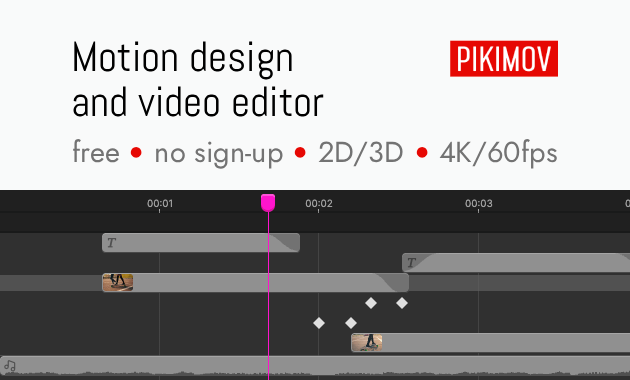
Pikimov is a free, browser-based motion design and video editor that runs in Chrome or Edge. It is positioned as an alternative to After Effects and CapCut, with three editors in one: a classic timeline editor, a 2D compositing editor, and a 3D compositing editor. The key distinction is that editing happens locally in the browser, so your media files are not uploaded to a server and projects are not used for AI training. It requires no sign-up and supports up to 4K resolution.
What you can do with it
- Edit video on a timeline with transitions and keyframe animation.
- Create 2D and 3D motion graphics and composites.
- Apply color correction, blur, glitch, motion blur, and deformation effects.
- Add text with presets, particles, motion tracking, and background removal.
- Import images, videos, audio, and 3D models.
- Animate properties with code using After Effects JavaScript expression syntax.
Who it suits
- Social media creators who want motion graphics without installing software.
- Students and hobbyists on Chromebooks, Linux, or shared computers.
- Editors who need quick 2D/3D compositing but do not want cloud uploads.
- After Effects users who want a lighter, browser-based option for simpler projects.
Trade-offs to consider
- It runs in Chrome or Edge, so browser performance and available memory affect the experience.
- Local editing means no automatic cloud sync or server-side collaboration.
- It includes many popular effects, but it is not a full replacement for every advanced After Effects feature or plugin.
- A desktop offline app is available through Patreon support, while the web editor itself is free.
A practical next step: open the editor in Chrome, import a short clip, and try the 2D compositing editor with a keyframe animation and the background remover. That will quickly show whether its workflow fits your projects. You can start at PIKIMOV.
How does Pikimov compare to After Effects for motion design projects?
Pikimov is best understood as a browser-based alternative for lighter motion design work, not a full replacement for After Effects on complex productions. According to its page, it runs in Chrome or Edge with nothing to install, processes files locally so they are not uploaded, supports up to 4K, and requires no sign-up or payment. It combines a classic editor, a 2D compositing editor and a 3D compositing editor, and includes keyframes, color and deformation effects, text presets, transitions, background removal, motion tracking, particles, rotoscoping, and After Effects-style JavaScript expressions.
After Effects, by contrast, is a mature desktop application from Adobe built for deep compositing, extensive third-party plugin ecosystems and tight integration with other Adobe tools. Pikimov's page positions it as an alternative to After Effects and CapCut since 2024, aimed especially at social media content, but it does not claim the same depth or plugin range.
H3 Practical differences
| Aspect | Pikimov | After Effects |
|---|---|---|
| Setup | Browser-based, no install | Desktop install |
| Cost and access | Free, no sign-up per the page | Commercial subscription |
| File handling | Local editing, files not uploaded | Local desktop project files |
| Scope | Classic, 2D and 3D editing in one web tool | Industry-standard compositing and effects |
| Best fit | Quick social content, simpler motion graphics | Complex, plugin-heavy, team pipelines |
H3 Who should choose which
- Choose Pikimov if you work on a Chromebook or shared computer, want to start immediately without installing software, and your projects are short-form or moderately complex.
- Choose After Effects if you rely on specific plugins, advanced expressions, precise color pipelines, or collaboration with teams already using Adobe workflows.
A useful next step: take one real project you would normally build in After Effects and rebuild a short section in Pikimov. Compare how long keyframing, tracking and export take, and whether the 3D and particle tools cover your needs. That test will tell you more than feature lists. For community answers, the page points to its Discord and Reddit.
Can I use Pikimov offline, and what are the limitations?
Yes, but only partly. Pikimov runs in Chrome or Edge as a web app, and the editing itself happens locally on your machine — your files are not uploaded to a server. That means once the editor is loaded in your browser, your actual editing work does not depend on a constant connection to Pikimov's servers.
The limitation is the part people usually miss: "local processing" is not the same as "works with no internet." Because it is browser-based, you normally need to load the site first. Pikimov's own page describes a separate option — a desktop offline app for Windows, macOS and Linux available through Patreon rewards — which is the route to genuinely offline use rather than a browser tab. If offline work is a hard requirement, treat the browser version as online-first and the desktop app as the offline path.
What stays local vs. what needs the web
| Aspect | Browser version | Desktop offline app |
|---|---|---|
| Editing/processing | Local, files not uploaded | Local |
| Initial access | Requires loading the site | Installed, works without the site |
| Availability | Chrome or Edge | Windows, macOS, Linux |
| Cost/access route | Free, no sign-up | Tied to Patreon rewards |
Other practical limitations to weigh
- Browser-bound: Chrome or Edge are the stated browsers, so you are dependent on that environment rather than a native install.
- No account, no cloud sync: There is no sign-up, which is good for privacy, but it also means no built-in cloud project storage or cross-device sync to fall back on — you manage your own project files.
- Hardware does the work: Since rendering and effects run locally, performance depends on your own machine, especially at higher resolutions such as 4K.
- Feature scope: It bundles a classic editor plus 2D and 3D motion design editors, with keyframes, transitions, background removal, motion tracking, particles and After Effects-style JavaScript expressions. It is positioned as an alternative to After Effects and CapCut, not a full replacement for every professional workflow.
Next step
If you mainly edit at a desk with a connection, start with the free browser version and keep your project files backed up locally. If you need to work on a plane, in a locked-down network, or on unreliable Wi-Fi, check the Patreon page for the desktop offline app before committing, and confirm it covers your OS. For a broader sense of browser-based creative tools built on the same local-processing idea, compare with Photopea, which Pikimov cites as its inspiration.
What 3D motion design features does Pikimov offer?
Pikimov includes a dedicated 3D motion design editor alongside its classic and 2D compositing editors. It is a browser-based, local-processing tool aimed at people who want After Effects- or CapCut-style motion graphics without installing software or uploading files.
3D-related capabilities listed on the site
- 3D compositing editor: a separate workspace for 3D motion design, distinct from the classic and 2D editors.
- 3D model import: images, videos, audio files and 3D models can be brought into projects.
- Keyframes: an animation system that can animate almost all properties, which is what you would use to move, rotate or scale 3D elements over time.
- Motion tracking: automatic tracking that can drive elements or effects from movement in footage.
- Rotoscoping: manual or automatic, useful for isolating subjects in 3D composites.
- Particles: a generator with ready-to-use presets, commonly used for 3D-style effects.
- Animate with code: supports After Effects JavaScript expression syntax for procedural animation.
- 2D/3D editing: the site groups 2D and 3D editing together as a core feature area.
Practical takeaway
If your work is social-media motion graphics, titles, simple 3D composites or effects layered over footage, Pikimov's combination of a 3D editor, keyframes, tracking and particles covers the typical workflow. It is less suited if you need heavy cinema-grade 3D rendering or advanced simulation; the site positions it as an accessible alternative for content creation rather than a full 3D animation suite.
A useful next step is to open the editor and test a small 3D scene: import a model, set two keyframes on its position and rotation, then add a particle preset and a motion-tracked element. That single test will show you whether the 3D toolset matches your project's complexity before you commit to a larger edit.
How does Pikimov protect my privacy when editing videos?
Pikimov keeps your media on your own machine. The editor runs in the browser, but the actual editing happens locally, so your video, audio, images and 3D models are not uploaded to a server. The site also states that your projects are not used for AI training.
That local-first design has practical consequences:
- No account needed. You can start editing without signing up, so there is no profile tying your projects to an identity.
- Nothing to install. It runs in Chrome or Edge on Windows, macOS, Linux and Chromebook.
- Your files stay put. Because uploads are not part of the workflow, you are not trusting a remote server with raw footage.
- No AI features processing your media. Pikimov says it is not bloated with AI tools, so your clips are not being fed into background AI services.
The trade-off is that local editing depends on your own computer's memory and graphics performance, especially for 4K footage or 3D scenes. You also need a Chromium-based browser, and you should still keep your own backups rather than treating the browser as permanent storage.
A useful next step: open the editor with a short test clip and check whether playback and export feel smooth on your machine before committing to a larger project. If you want to compare the approach, Photopea is a browser-based image editor that inspired Pikimov and follows a similar no-install, work-in-the-browser model.
What kind of social media content can I create with Pikimov?
Pikimov is aimed squarely at short-form social video: the site describes it as “perfect for creating social media content,” and it combines a classic editor, a 2D motion design editor and a 3D motion design editor in one browser tool. That mix matters because most social clips need both cutting and motion graphics, not just one or the other.
H3 Practical formats you could make
- Short-form vertical videos for TikTok, Reels or Shorts: cut clips, add transitions, animate text and apply colour effects.
- Motion-graphic overlays and title cards: use the 2D compositing editor for animated text, shape-based graphics, particles and transitions.
- Product or explainer clips with 3D elements: import 3D models and animate them alongside video and audio in the 3D compositing editor.
- Talking-head or interview edits with clean-up work: the automatic background remover and motion tracking help with cutouts, tracking labels or replacing backgrounds.
- Rotoscoped or stylised edits: manual or automatic rotoscoping lets you isolate subjects for effects or compositing.
- Procedural or repetitive animations: After Effects JavaScript expression syntax is supported, which is useful for looping or data-driven motion.
H3 Who it suits
If you already think in terms of After Effects or CapCut, Pikimov is positioned as an alternative to both. The browser-based approach means you can work on Windows, macOS, Linux or a Chromebook without installing anything, and the site says editing happens locally so your files are not uploaded. That is a real advantage for client footage or private material. The trade-off is that you are working in a browser, so performance and file handling depend on your machine and browser rather than a dedicated desktop app; the site notes a Patreon-supported desktop offline app as a separate option.
A concrete scenario: a small brand wants a 15-second vertical product teaser with animated text, a particle accent and a 3D logo. You could assemble the cut, add the text animation, drop in the 3D model and export without leaving the browser or signing up.
If you want to judge fit quickly, open Pikimov and try recreating one recent social post you liked — a text animation, a transition or a background removal. If the workflow feels natural within that single test, it will likely handle your regular output. For comparison, CapCut is widely used for quick social edits, and CapCut covers similar short-form ground, while Adobe's After Effects remains the reference for deeper motion design.
 France

User reviews (0)