

 Visit website
 Updated: 2026-10-01 10:48
 Language: English (default)
 Access: Normal
 Profile views 0
  Outbound visits 0
 Website Review
What is Pingbreak?
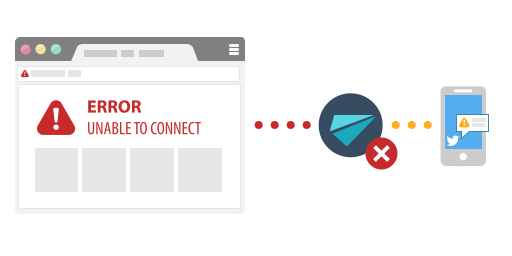
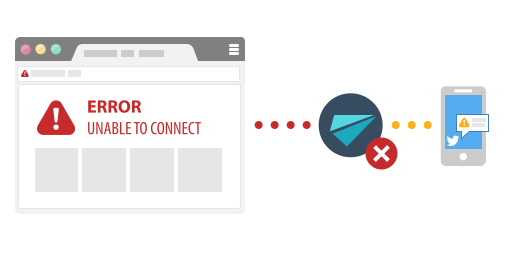
Pingbreak is a free website-monitoring service that checks your sites every minute and alerts you when they go down. Alerts arrive as a Twitter direct message by default, with optional notifications through Slack, Discord, Mattermost, email or a webhook. It is currently in open beta, and the page states that beta testers can monitor unlimited URLs on a one-minute interval, with the promise that current features will stay free for them.
Who it suits
- Someone running a handful of personal sites, side projects or small client sites who wants downtime alerts without paying or configuring a heavy monitoring stack.
- Teams already living in Slack or Discord that want a quick alert channel alongside their other tools.
- Anyone who wants a zero-cost first layer of monitoring before considering a paid service with status pages, multi-region checks or SMS.
Main trade-offs
| Consideration | What Pingbreak offers |
|---|---|
| Cost | Free, with a stated commitment not to charge for current features |
| Check frequency | Every minute |
| Number of sites | Unlimited for beta testers |
| Alert channels | Twitter DM, Slack, Discord, Mattermost, email, webhook |
| Access | Requires a Twitter account to sign in and receive alerts |
| Maturity | Open beta, volunteer-developed, roadmap shaped by user feedback |
The Twitter dependency is the biggest practical catch: if your Twitter account is locked or you would rather not link it, the default alert path becomes awkward even though other channels exist. One-minute checks are fine for catching outages quickly, but a single checking location cannot distinguish "the site is down" from "the network path to the checker is down," and there is no mention of SMS or phone escalation for out-of-hours incidents.
A concrete scenario
Suppose you run three small client sites and want to know within a couple of minutes if one stops responding. You sign in with Twitter, add the URLs, and point alerts at a shared Slack channel so whoever is on call sees them. That covers the common case cheaply. If a client later needs a public status page, response-time history or an SMS wake-up at 3 a.m., treat Pingbreak as the free baseline and add a dedicated service for those needs rather than expecting it to cover them.
A sensible next step is to list the URLs you care about and decide which alert channel your team actually watches, then try the beta against a test site you can deliberately take offline to confirm the alert reaches you. For comparison, established paid options include UptimeRobot and StatusCake, which offer features such as status pages and multi-location checks that a simple free checker does not.
How do I get notified when my website goes down?
Pingbreak is built around exactly that job: it checks your sites every minute and pings you the moment one stops responding. According to its own page, the primary alert channel is a private Direct Message on Twitter, with optional additional notifications through Slack, Discord, Mattermost, email, or a webhook. You can monitor an unlimited number of URLs during the open beta, and the site states that its current features will remain free.
How the notification flow works
- Join the open beta — a Twitter account is required, and Twitter permissions are needed so the service can send you DMs.
- Add the URLs you want watched; each is checked once per minute.
- Pick your alert channels. Twitter DM is the default path; add Slack, Discord, Mattermost, email, or a webhook if you want alerts somewhere your team already lives.
- Confirm the alerts actually reach you — send a test or temporarily point a monitor at a URL you can take down.
Choosing where alerts should land
| Channel | Best for | Trade-off |
|---|---|---|
| Twitter DM | Solo site owners who are on Twitter anyway | Ties monitoring to a social account; DMs can be muted or buried |
| Slack / Discord / Mattermost | Teams with an existing chat workspace | Needs a workspace and a webhook or integration set up |
| Low-traffic sites, people who check mail on mobile | Slower to notice than chat or DM | |
| Webhook | Chaining into your own tooling, e.g. an on-call system | Requires something on your end to receive and route it |
For a small side project, a Twitter DM or email is usually enough. For anything with users depending on it, route alerts into the chat channel your team watches during working hours, and consider a webhook into an escalation tool for nights and weekends.
What to watch out for
A one-minute interval tells you a site is down, but not why. Pair it with something that shows response details — for example UptimeRobot or Better Stack — if you need status pages, response-time history, or multi-region checks. Also think about alert fatigue: if a flaky endpoint triggers a DM every few minutes, you will start ignoring the channel that matters.
A practical first step: sign up, add your two or three most important URLs, and set alerts to the channel you already have open on your phone.
Is Pingbreak really free, and will it stay free?
Yes — as of the page evidence, Pingbreak is free, and the site states it intends to stay that way. The headline says “It’s free, and it will be free,” and the copy adds that current features will never require payment to continue using, that future updates will always be free for beta testers, and that the service is run by volunteers with hosting from sponsors. It also says it does not sell personal data.
That is a clear promise, but it is a promise from the operator, not a contract you can enforce. The realistic way to read it: there is no paid tier today, no pricing page, and no payment signals on the page. The trade-off is that a free service funded by volunteers and sponsors can change priorities, capacity or even shut down. The page itself hedges with “We don’t know what the future holds,” so the guarantee is strongest for existing beta testers and current features.
If you are deciding whether to rely on it, treat it as a good fit for personal projects, side sites and small teams that want unlimited URLs checked every minute and alerts through Twitter DM, Slack, Discord, Mattermost, email or webhook. For business-critical uptime with contractual guarantees, a paid monitor with a service-level agreement is the safer choice. You can compare the approach with UptimeRobot or Better Stack if you need formal support terms.
A practical next step: join the open beta, connect the notification channel you actually watch, and add one or two non-critical sites first. If the alerts arrive reliably for a few weeks, expand to more URLs. Keep a second, independent check for anything revenue-critical, because free monitoring is best treated as a useful early-warning layer rather than your only safety net.
How often does Pingbreak check my websites, and is there a limit on how many I can monitor?
Pingbreak checks each website once per minute, and beta testers can monitor an unlimited number of URLs. Both details come straight from the page’s own feature headings, so the offer is consistent: no cap on sites, no longer check interval to trade against it.
That combination matters most for people running many small sites rather than one high-traffic property. A freelancer with twenty client sites, or someone with a shelf of side projects and parked domains, gets the same one-minute coverage on all of them instead of paying per URL or rotating through a shorter list.
The practical trade-off is alerting, not capacity. Notifications arrive by Twitter Direct Message by default, with Slack, Discord, Mattermost, email or a webhook as additional channels. Twitter is required to sign in and to receive the primary alert, so if you do not use Twitter, plan on configuring one of the other channels and testing it before you rely on it.
A sensible first step: add your three most important URLs, trigger one deliberate failure (point a monitor at a path that returns an error, or briefly take a staging site offline), and confirm the alert actually reaches you. Then add the rest of your list.
For comparison, UptimeRobot UptimeRobot and Better Stack Better Stack are established alternatives if you later need status pages, multi-user on-call schedules or SMS alerting — features Pingbreak’s page does not claim.
How do I sign up for the Pingbreak open beta, and do I need a Twitter account?
You need a Twitter account to join the Pingbreak open beta. The page states this requirement directly: signup is done through Sign in with Twitter, and Twitter permissions are required because the service sends downtime alerts as Twitter Direct Messages.
How to sign up
- Go to Pingbreak.
- Choose Join the open beta / Sign in with Twitter.
- Authorize the app when Twitter prompts you. This permission is what allows Pingbreak to send you a DM if a site goes down.
- Add the URLs you want monitored. The page says beta testers can watch unlimited websites at a one-minute check interval.
- Optionally configure extra notification channels — the page lists Slack, Discord, Mattermost, email and webhook alongside Twitter.
There is also a password login option on the page, but the beta signup itself is framed around Twitter, and the site notes that a Twitter account is required. Treat the Twitter route as the reliable path.
What this means in practice
If you do not use Twitter, this service is a poor fit as your primary monitor — the alerting model assumes you are reachable there. A concrete scenario: you run a small portfolio of client sites and already keep Twitter open on your phone. Pingbreak's DM becomes a free, near-instant "site is down" ping without installing anything. If instead your team lives in Slack, you can still sign up with Twitter and route alerts to Slack, using Twitter mainly as the login and fallback channel.
Trade-offs to weigh
- Free and unlimited checks is attractive for hobby projects and low-budget monitoring.
- Twitter as a dependency is the weak point: DM delivery, account access and API changes are outside Pingbreak's control.
- One-minute interval suits small sites and uptime awareness, not deep performance analytics or status-page reporting.
- Beta status means features are still being shaped — the page invites testers to vote on the roadmap.
If you want a second opinion or a fallback that does not depend on Twitter, compare with UptimeRobot or Healthchecks.io, both of which offer email-based alerting.
Can I choose or vote on new features for Pingbreak?
Yes — Pingbreak says beta testers help choose what gets built next. The page states, “Join the beta and choose the next features,” and “The roadmap is written by you.” It also asks for opinions to help the service grow, so feature direction is explicitly presented as user-influenced rather than fixed by the developers alone.
H3 What that means in practice
- You need to join the open beta to take part. The page says beta testers can monitor unlimited URLs at a one-minute interval, and that future updates will stay free for all beta testers.
- There is no separate voting page or formal poll described on the page. The wording suggests feedback and roadmap input, not a guaranteed vote-count system.
- A Twitter account is required. The page says Twitter permissions are required for sending messages, and sign-in is done with Twitter or a password.
H3 A realistic next step
If you want a say in what Pingbreak adds next, join the beta first, then send your feature ideas through the channels the project uses for feedback once you are in. If voting on a public roadmap is essential to you, ask before joining whether there is a formal voting process or just open feedback.
For comparison, other monitoring tools sometimes publish public roadmaps or feature-request boards where users can vote directly, such as UptimeRobot or Statuspage. Pingbreak’s page is less specific about a formal voting mechanism, so treat “choose the next features” as an invitation to influence the roadmap rather than a promise of binding votes.
 Hosting and Email
 ovh.net
 Hosting
 Location
 France
 Pages, Search and Sharing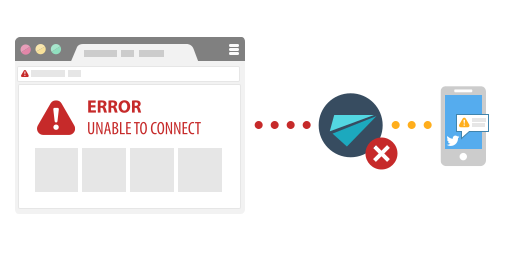

 Registration details

 Identified technologies
User reviews (0)