
 workspace.google.com
 Paid content
 Multilingual
Categories: Productivity Business Services
Learn how Google Voice provides flexible online phone numbers and systems that help businesses of any size stay connected and save time.
 Visit website
 Updated: 2026-09-27 07:08
Language: English (default)
Updated: 2026-09-27 07:08
Language: English (default)
 Access: Normal
 Profile views 6
 Outbound visits 1
Related questions
More questions →What Are Form Tools and How Are They Used?
A form tool is software that lets you create, publish, and manage online forms without writing code. You drag fields onto a page, set rules for how the form behaves, and share a link or embed it in a website. When someone submits the form, the tool stores the responses and can route them to an email inbox, a spreadsheet, a database, or another app. That is the whole idea: replace paper forms and ad-hoc email threads with a structured, trackable digital version.
The sections below explain the main types of forms, the features that matter, where form tools get used, and how to pick one.
What a form tool actually does
At minimum, a form tool handles four jobs:
- Building — assembling fields (text, email, dropdown, file upload, date, rating, signature) into a layout.
- Publishing — generating a shareable link, an embeddable snippet, or a standalone page.
- Collecting — receiving submissions and validating them (required fields, correct email format, file size limits).
- Handling — storing responses, notifying someone, and passing data onward.
Anything beyond that — payments, e-signatures, workflow automation — is an add-on, not the core function.
The main types of forms people build
| Form type | Typical purpose | Common fields |
|---|---|---|
| Contact | Let visitors reach a person or team | Name, email, message, topic dropdown |
| Intake / registration | Collect details before an appointment, event, or onboarding | Full name, contact info, date of birth, preferences, consent checkbox |
| Survey / feedback | Measure opinions or satisfaction | Rating scales, multiple choice, open text |
| Order / request | Capture a specific transaction or service request | Item selection, quantity, delivery details, notes |
| Application | Evaluate candidates or applicants | Background questions, file upload, long-form answers |
Most tools handle all five. The differences show up in how much logic, storage, and integration each type demands.
Features worth understanding
Drag-and-drop builder
The standard interface. You pick field types from a sidebar and arrange them visually. No HTML or CSS required, though many tools let you add custom code if you want it.
Conditional logic
This is what separates a basic form from a useful one. Conditional logic shows or hides fields based on earlier answers. Example: if a respondent selects "I have a pet," the form reveals a field for the pet's name. If they select "No," that field never appears. This keeps forms short for most people while still collecting detail from those who need it.
Validation and required fields
Validation prevents bad data. An email field rejects "abc," a number field rejects letters, and a required field blocks submission until it is filled. Good tools validate as the user types, not just on submit.
Submission handling
Where do answers go? Options typically include:
- Email notification to one or more addresses.
- Spreadsheet export (CSV, or a live connection to Google Sheets or Excel).
- Built-in dashboard with search, filtering, and export.
- Webhook or API to push data into another system.
If you need responses in a CRM, a project board, or a database, check that the tool supports that destination before committing.
File uploads and payments
File upload fields let respondents attach documents or images, usually with a size cap. Payment fields connect to a payment processor so the form can collect a fee at submission. These are common in registration and order forms.
Spam protection
Public forms attract bots. Look for CAPTCHA, honeypot fields (hidden fields bots fill in but humans do not), or rate limiting.
Where form tools get used
- Healthcare and veterinary clinics — new patient intake, appointment requests, insurance and payment information collection, post-visit feedback.
- Education — course registration, permission slips, quiz-style assessments, parent contact updates.
- Events — RSVPs, attendee registration, session sign-ups, dietary preferences.
- Small business — quote requests, job applications, customer satisfaction surveys.
- Nonprofits — volunteer sign-ups, donation pledges, grant applications.
- Internal operations — IT support tickets, expense requests, employee onboarding checklists.
The pattern is consistent: any process that currently runs on paper, PDFs, or "just email me the details" is a candidate for a form tool.
Form tools vs. website builders
These are often confused, so it helps to separate them.
A website builder creates and hosts entire pages — navigation, content, images, blog posts, and forms. A form tool focuses only on the form and its data. Many website builders include a basic form feature, but it is usually limited: few field types, no conditional logic, weak submission management.
A dedicated form tool is the better choice when you need:
- Complex logic or multi-page forms.
- Reliable storage and export of responses.
- Integrations with other software.
- Forms that live outside your website (shared by link, embedded anywhere).
A website builder's built-in form is fine for a simple contact box on a small site.
How to choose a form tool
Work through these questions in order:
- What do you need to collect? List every field and whether it is required. This tells you which field types you cannot live without.
- Does it need logic? If answers should change what is asked next, conditional logic is mandatory.
- Where must the data end up? Email only, or a spreadsheet, CRM, or database? Confirm the integration exists.
- How many responses? Some tools cap submissions or storage on lower tiers. Check the limit against your expected volume.
- Who will build and maintain it? A non-technical user needs a clean drag-and-drop interface; a developer may prefer API access and custom code.
- What about compliance? If you collect health, financial, or personal data, check how the tool handles encryption, data retention, and regional privacy rules. This is a general consideration, not legal advice — confirm requirements for your situation.
- What does it cost at your scale? Pricing usually scales with features, submission volume, or number of users. Compare at the tier you would actually need, not the free plan.
A simple starting workflow
If you are building your first form, this sequence works for almost any use case:
- Write down the single purpose of the form in one sentence.
- List only the fields needed for that purpose. Cut anything "nice to have."
- Group related fields into sections or pages if there are more than about ten.
- Add conditional logic to hide irrelevant questions.
- Set validation on email, phone, and number fields.
- Decide where submissions go and test that destination.
- Submit the form yourself, then check the notification, the stored response, and the export.
- Share the link or embed it, then review responses after the first week and trim fields that nobody uses.
Bottom line
A form tool turns a question-and-answer process into a structured, trackable digital workflow. The core value is not the form itself but what happens to the data afterward — where it lands, who sees it, and how easily it can be acted on. Choose based on the fields you need, the logic required, and the destination for responses, and you will avoid most of the common mistakes.
How Music Video Editing Shapes a Song's Chart and Promotional Run
Music video editing is not just a creative afterthought—it is a release strategy. The cut you publish, how long it runs, how it is paced, and which versions you distribute across platforms all influence how a song is promoted, how playlists and programmers treat it, and whether the video supports or complicates a chart run. For artists, managers, and labels, understanding the difference between creative editing and chart-rule compliance is essential before the first frame goes live.
Why the Edit Is a Business Decision
A song can exist without a video, but once a video is attached, it becomes part of the song's commercial identity. Editors and directors shape that identity through:
- Length – a full narrative video may run four to six minutes, while a platform-friendly cut may be trimmed to match the song's radio edit.
- Pacing – faster cuts suit short-form clips and social teasers; slower, sustained shots suit lyric videos and performance pieces.
- Versioning – the same song may need a clean version, an explicit version, a vertical cut, and a shortened edit for different outlets.
Each of these choices affects where the video can be placed, how it is promoted, and how it interacts with the song's chart eligibility.
The Main Edit Types and When to Use Them
Radio Edit
A shortened, often lyrically cleaned version timed to fit radio formatting. Use it when the song is being serviced to radio and you want the video to mirror what programmers are playing. If the video runs significantly longer than the radio edit, some promotional partners will use the shorter cut instead, which can split audience attention.
Lyric Video
A lower-cost, text-driven edit that can be released quickly, often before or alongside the official video. It is useful for maintaining momentum in the first days of a release, when fans want something to watch immediately. Lyric videos are also easier to update or replace if a lyric correction is needed.
Performance Cut
Focuses on the artist performing, often in a single setting or with minimal narrative. This is the most flexible format for promotional use because it can be trimmed, looped, or reformatted for vertical platforms without losing coherence.
Narrative Cut
A story-driven edit, usually the "official" video. It carries the most editorial weight but is also the hardest to shorten without losing meaning. If a narrative video is the primary release, plan a separate shorter cut for platforms that favor brevity.
Vertical / Short-Form Cut
A re-edited version framed for vertical screens, often using the hook or chorus. This is not simply a cropped version of the horizontal video—good vertical edits re-time cuts to the platform's pacing and place the most recognizable moment early.
How Edit Choices Interact With Promotion and Charts
Chart rules vary by territory and by chart, and they change over time. The safe approach is to treat the following as general principles rather than fixed rules:
- Version strategy matters. Releasing multiple edits of the same song can help promotion, but it can also complicate how streams and sales are counted if the versions are treated as separate releases. Check the current rules of the specific chart you care about before splitting a release.
- Timing matters. A video released before or at the same time as the song can concentrate attention. A video released weeks later can extend a song's promotional life but may miss the initial chart window.
- Platform fit matters. A video that is poorly formatted for a major platform will get less promotional support, which can indirectly affect the song's visibility.
None of this guarantees a chart position. Editing supports a release; it does not replace audience demand.
A Practical Version Plan
Before editing begins, decide which versions you actually need. A workable starting point:
- Official video – the primary creative cut, full length.
- Radio edit video – matches the radio edit length and lyrics.
- Lyric video – fast turnaround, released early if needed.
- Vertical cut – 15–60 seconds, hook-first, for short-form platforms.
- Clean version – if the song has explicit content and you want broader placement.
For each version, note the intended platform, the target length, and the release date. This prevents last-minute re-edits that delay a rollout.
Common Mistakes to Avoid
- Assuming one cut works everywhere. A four-minute narrative video rarely performs well as a short-form clip without re-editing.
- Ignoring chart-rule details. If you plan to release multiple versions, confirm how they will be counted before release day.
- Letting the edit drift from the audio. If the video uses a different mix or edit than the released audio, make sure that is intentional and documented.
- Releasing the lyric video too late. Its main value is speed; if it arrives after the official video, it adds little.
What to Watch For in Industry Coverage
Industry news outlets track release strategies, version rollouts, and chart-rule changes. When reading coverage of a music video release, pay attention to:
- Whether the video is described as an official video, lyric video, or visualizer.
- Whether multiple versions were released and in what order.
- Whether the coverage mentions chart performance, and if so, which chart and which tracking period.
These details tell you more about the strategy than the video's creative style alone.
Bottom Line
Music video editing is a promotional tool with real consequences for how a song is positioned. Decide your version plan before you shoot, match each cut to its platform, and verify chart-rule details for your territory before splitting a release. Creative editing and release strategy are not opposites—the best rollouts treat them as the same job.
Website Overview
An established domain and managed infrastructure suggest continuity of operations and may support dependable delivery, although neither guarantees service quality. Page metadata, canonical configuration and social previews work together to provide more consistent search and sharing presentation.
Domain and Registration
Registered in 1997, this domain has about 29 years of history. That suggests continuity, although ownership and purpose may have changed. The registrar, MarkMonitor Inc., specializes in corporate domain and brand management, suggesting attention to domain asset protection. Transfer-protection status is present, helping reduce the risk of unauthorized domain transfers. The domain uses the common .com extension, which is not an independent safety signal.
DNS and Email
Nameservers are provided by google.com, indicating managed DNS hosting. MX records point to the Google Workspace email service. CAA records restrict which certificate authorities are authorized to issue certificates. No CNAME was found; the observed records resolve directly to addresses. SPF and DMARC are configured. DKIM status is unknown.
TLS and Certificates
The public key uses EC with 256 bits. The server supplied a complete certificate chain. No organization name is present in the certificate; the available fields are consistent with domain validation. The certificate was issued within the Google Trust Services cloud or CDN ecosystem. The certificate's total validity is about 83 days, consistent with a short renewal cycle.
HTTP and Browser Security
The response lacks these common security headers: Referrer-Policy, Permissions-Policy, clickjacking protection. No X-Powered-By header was found, reducing one common source of backend fingerprinting information. No obvious internal addresses or debug information were found in the headers. The Server header contains the custom value sffe. No explicit CDN or WAF marker was found in the response headers.
Technology Stack Analysis
The public page identifies Google Tag Manager without precise versions, leaving fewer clues for version-specific scanning.
Search and Social Sharing
Twitter Card metadata is configured. JSON-LD includes Organization data, helping describe the organization as an entity. The page declares 48 language or regional alternatives using hreflang. The title has 30 characters, within a common display range. A meta description is present, with 86 characters.
 Hosting and Email
 google.com
 Hosting
 Location
 United States
 Pages, Search and Sharing
| Meta description | Google Workspace(旧称 G Suite)的协作与效率应用可满足不同规模企业的需求,且确保安全无虞,欢迎试用。应用包括 Gmail、云端硬盘、Meet 等产品 |
|---|---|
| Canonical URL | https://workspace.google.com/intl/zh-CN/ |
| Language | English (default) · Multilingual |
| Twitter Card | summary_large_image |
Social Sharing Preview
13 fields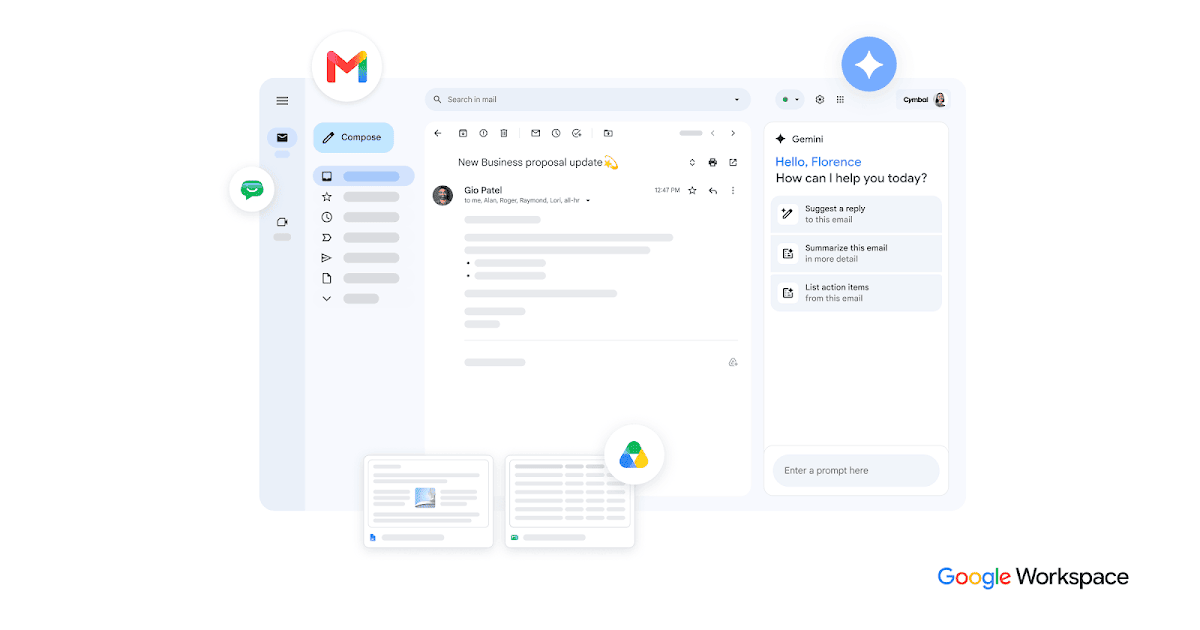

Sharing metadata
| og:url | https://workspace.google.com/intl/zh-CN/ |
|---|---|
| og:type | website |
| og:image | https://lh3.googleusercontent.com/Nbw_A9TQk80cVoQ6xCRZvD7_STv8lV05MD6-YPKMJbORBFttpngQ3qlMa5nz0ACdQJKibh7q0beIjpPs2HxWN7Pt8rebvl0rGra5=w1200-e365 |
| og:title | Google Workspace | 办公应用 & 协作工具 |
| og:locale | zh-CN |
| og:site_name | Google Workspace |
| og:description | Google Workspace(旧称 G Suite)的协作与效率应用可满足不同规模企业的需求,且确保安全无虞,欢迎试用。应用包括 Gmail、云端硬盘、Meet 等产品 |
| twitter:card | summary_large_image |
| twitter:site | @googleworkspace |
| twitter:image | https://lh3.googleusercontent.com/Nbw_A9TQk80cVoQ6xCRZvD7_STv8lV05MD6-YPKMJbORBFttpngQ3qlMa5nz0ACdQJKibh7q0beIjpPs2HxWN7Pt8rebvl0rGra5=w1200-e365 |
| twitter:title | Google Workspace | 办公应用 & 协作工具 |
| twitter:creator | @googleworkspace |
| twitter:description | Google Workspace(旧称 G Suite)的协作与效率应用可满足不同规模企业的需求,且确保安全无虞,欢迎试用。应用包括 Gmail、云端硬盘、Meet 等产品 |
robots.txt (opens in a new tab)
8 rulesAll bots 3 allowed · 5 disallowed

 All bots

//intl/zh-CN/customers/$/intl/zh-CN/
/marketplace//intl/*//intl/*/customers//learning-center/search/customers
No matching rules.
Sitemaps
1 Registration details RDAP / WHOIS
| Registrar | MarkMonitor Inc. |
|---|---|
| Registered | 1997-09-15 |
| Expires | 2028-09-14 |
| Domain status | client delete prohibited、client transfer prohibited、client update prohibited、server delete prohibited、server transfer prohibited、server update prohibited |
| Nameservers | ns1.google.com、ns2.google.com、ns3.google.com、ns4.google.com |
| DNSSEC | unsigned |
 DNS records
| Type | Name | Value | TTL | Priority |
|---|---|---|---|---|
| A | workspace.google.com | 172.253.115.100 | 98 | — |
| A | workspace.google.com | 172.253.115.101 | 98 | — |
| A | workspace.google.com | 172.253.115.102 | 98 | — |
| A | workspace.google.com | 172.253.115.113 | 98 | — |
| A | workspace.google.com | 172.253.115.138 | 98 | — |
| A | workspace.google.com | 172.253.115.139 | 98 | — |
| AAAA | workspace.google.com | 2607:f8b0:4004:c21::64 | 273 | — |
| AAAA | workspace.google.com | 2607:f8b0:4004:c21::65 | 273 | — |
| AAAA | workspace.google.com | 2607:f8b0:4004:c21::66 | 273 | — |
| AAAA | workspace.google.com | 2607:f8b0:4004:c21::8a | 273 | — |
| MX | google.com | smtp.google.com | 299 | 10 |
| NS | google.com | ns1.google.com | 338338 | — |
| NS | google.com | ns2.google.com | 338338 | — |
| NS | google.com | ns3.google.com | 338338 | — |
| NS | google.com | ns4.google.com | 338338 | — |
| TXT | google.com | MS=E4A68B9AB2BB9670BCE15412F62916164C0B20BB | 247 | — |
| TXT | google.com | Z29vZ2xl | 247 | — |
| TXT | google.com | _r4rd1pvwyrpi7sw4a3hzmw8e51yh9td | 247 | — |
| TXT | google.com | apple-domain-verification=30afIBcvSuDV2PLX | 247 | — |
| TXT | google.com | arcules-domain-verification=2R4t5G7nI6tRCo61lpxxbLksPYstxhGmtV75cpr8x9K | 247 | — |
| TXT | google.com | cisco-ci-domain-verification=47c38bc8c4b74b7233e9053220c1bbe76bcc1cd33c7acf7acd36cd6a5332004b | 247 | — |
| TXT | google.com | docusign=05958488-4752-4ef2-95eb-aa7ba8a3bd0e | 247 | — |
| TXT | google.com | docusign=1b0a6754-49b1-4db5-8540-d2c12664b289 | 247 | — |
| TXT | google.com | facebook-domain-verification=22rm551cu4k0ab0bxsw536tlds4h95 | 247 | — |
| TXT | google.com | globalsign-smime-dv=CDYX+XFHUw2wml6/Gb8+59BsH31KzUr6c1l2BPvqKX8= | 247 | — |
| TXT | google.com | google-site-verification=4ibFUgB-wXLQ_S7vsXVomSTVamuOXBiVAzpR5IZ87D0 | 247 | — |
| TXT | google.com | google-site-verification=TV9-DBe4R80X4v0M4U_bd_J9cpOJM0nikft0jAgjmsQ | 247 | — |
| TXT | google.com | google-site-verification=wD8N7i1JTNTkezJ49swvWW48f8_9xveREV4oB-0Hf5o | 247 | — |
| TXT | google.com | onetrust-domain-verification=0d477fe608074e6f9c12bca7826035cc | 247 | — |
| TXT | google.com | onetrust-domain-verification=6d685f1d41a94696ad7ef771f68993e0 | 247 | — |
| TXT | google.com | v=spf1 include:_spf.google.com ~all | 247 | — |
| TXT | google.com | work-accounts-domain-verification=Tcj6JjIMZOw2KsSEw2Nt2rLae89tN6 | 247 | — |
| CAA | google.com | 0 issue "pki.goog" | 86400 | — |
| DMARC | _dmarc.google.com | v=DMARC1; p=reject; rua=mailto:[email protected] | 300 | — |
 TLS and certificates
| Assessment | Normal configuration |
|---|---|
| Supported protocols | TLSv1.2、TLSv1.3 |
| Negotiated protocol | TLSv1.3 |
| Certificate subject | *.google.com |
| Issuer | Google Trust Services |
| Valid until | 2026-11-27T08:04 · Remaining when checked: 66 days |
| Verification details | Certificate trust: Passed · Hostname match: Passed |
 HTTP response headers
| Header | Value |
|---|---|
| content-type | text/html |
| cache-control | no-cache, must-revalidate |
| server | sffe |
| strict-transport-security | max-age=31536000; includeSubDomains; preload |
| content-security-policy | script-src 'nonce-B40O0zwxND8l1lqTCSH3-A' 'report-sample' 'strict-dynamic' 'unsafe-eval' 'unsafe-hashes' 'unsafe-inline' http: https:; object-src 'none'; report-uri https://csp.withgoogle.com/csp/workspace-web-team; base-uri 'self' |
| x-content-type-options | nosniff |
 Identified technologies
Recent Updates
- HTTP Response Information
- Website profile
- Website Description
- Website Name
- Website images
- Screenshots
- Network details
- Website Technologies
- Pages and Search Information
- HTTP Response Information
- TLS and certificates
- DNS Information
- Domain Registration
- Website profile
- Website Description
- Website Name
- Website profile
- Website Description
- Website Name
User reviews (0)