Website profiles · Technology insights · Alternatives

playanypage.com

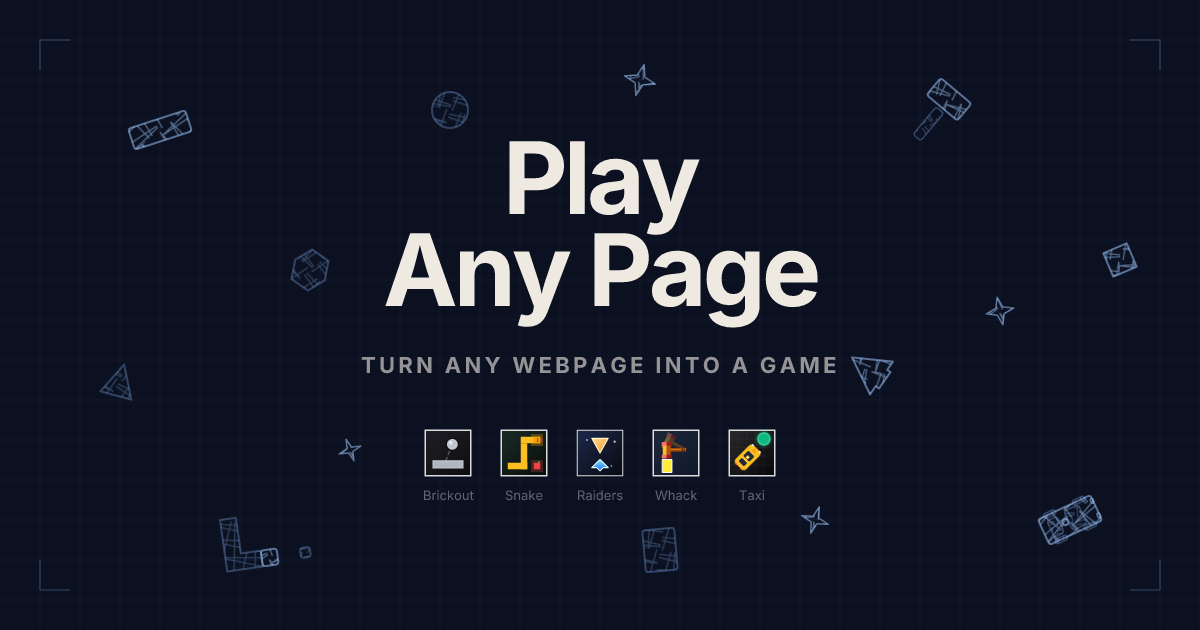
Turn news sites, Wikipedia, or Reddit into arcade games. Free bookmarklet — works on any webpage in 1 click. No extension needed.

No paid content found Multilingual
Visit website
Profile views 4 Outbound visits 10 Normal
PlayAnyPage Full homepage screenshot

At a glance

Category
Games & Board Games
Language
English
Paid-content signal
No paid content foundObserved
Registered
2026
Hosting
CloudflareInferred
HTTPS certificate trusted
PassedObserved
Last updated

Website review

This review may include AI-generated content and is not individually verified. Domain, certificate and other facts come from the observed data on this page.

What is PlayAnyPage?

PlayAnyPage is a free browser bookmarklet that turns whatever webpage you're on into a playable arcade game. Instead of loading a separate game site, you drag a bookmark to your browser's bookmark bar once, then click it on any page—news articles, Wikipedia, developer docs, social feeds—and the page's own text, images, and layout become the game board. It includes five games: Brickout (smash page text as bricks), Page Raiders (shoot attacking words), Snake (navigate a text maze), Whack the Page (hammer moving text), and Page Taxi (drift past text and pick up a passenger). No extension, account, or download is involved, and closing the game leaves the page as it was.

The practical appeal is that every page produces a different level, since the game is built from the actual content in front of you—dense headline grids on news sites, long articles on Wikipedia, structured code blocks in developer docs. That makes it a quick break tool for people already spending their day in a browser, rather than a destination for dedicated gaming sessions.

A useful next step: test it on the kind of page you actually browse most. If you mostly read long text articles, Snake will have the most terrain to work with; if you're on card-heavy social feeds, Whack the Page suits the layout better. For a similar quick-break experience, see Neal.fun.

How do I set up the PlayAnyPage bookmarklet so I can start playing games on a webpage?

Drag the PlayAnyPage bookmarklet from the site to your browser's bookmarks bar once, then open any webpage and click that bookmark to turn the page into a game. Setup is a one-time step; after that, every page you visit becomes a potential level without installing an extension or creating an account.

Step by step

  1. Open PlayAnyPage in your browser.
  2. Make sure your bookmarks bar is visible (in most browsers: Ctrl+Shift+B on Windows, Cmd+Shift+B on Mac, or via the View/Bookmarks menu).
  3. Drag the bookmarklet link from the page onto the bookmarks bar. If dragging is awkward, right-click the link and save it as a bookmark instead, then place it on the bar.
  4. Go to the page you want to play on — a news site, a Wikipedia article, developer docs, or a social feed.
  5. Click the bookmark. The page's own text and layout become the game; pick one of the five games (Brickout, Page Raiders, Snake, Whack the Page, Page Taxi).
  6. To stop, refresh the page or close the tab. The original page content returns, so you don't lose your place.

Practical things to know

  • Bookmarklets run on the page you're viewing, so behavior depends on that page's structure. Dense text and card layouts (news homepages, feeds) tend to give the most to interact with; sparse pages make thin levels.
  • Some sites block bookmarklets through strict Content Security Policy or by disabling script execution in certain contexts. If clicking does nothing, try a different site rather than troubleshooting the bookmark.
  • Work and school machines: the site describes its engine as client-side, meaning gameplay runs in your browser. That doesn't override your organization's acceptable-use rules, so treat it as a personal-break tool and check policy first.
  • Mobile browsers generally don't support dragging bookmarklets onto a bar the same way; this is mainly a desktop workflow.

A quick test

Set it up, then try one text-heavy page (a long Wikipedia article) and one card-heavy page (a news homepage). If both respond to the click, your bookmark is working; if one fails, it's the site's restrictions, not your setup.

Which types of websites make the best levels for PlayAnyPage games?

Pages with dense, varied text and lots of distinct on-screen elements make the best levels—news homepages, long Wikipedia articles, developer documentation, and card-heavy social feeds all give the games more to work with. PlayAnyPage builds each level from the actual text, images and layout of whatever page you're on, so a busy page with many separate blocks plays very differently from a sparse one.

Best page types and why

Page type What makes it good Which game suits it
News sites Dense headlines and image grids create many breakable targets Brickout, Whack the Page
Wikipedia articles Long, text-heavy pages give plenty of terrain to move through Snake
Developer docs Code blocks and structured READMEs make unusually shaped levels Snake, Page Taxi
Social media feeds Scrolling cards and avatars are natural whack-a-mole targets Whack the Page, Page Raiders
Online learning slides Structured slide content breaks a study session into short rounds Any of the five, as a quick break

What to avoid

Thin pages—a login screen, a single form, a mostly blank dashboard—give the games little material, so levels feel empty. Very cluttered pages can also make the action hard to read, since the page's own layout becomes the playfield. If a page plays poorly, try a text-dense article on the same site before deciding the game isn't for you.

A practical next step

Pick one busy news homepage and one long Wikipedia article and play the same game on both. The contrast shows how much the underlying page shapes difficulty, which helps you choose pages deliberately—a headline grid for Brickout, a long article for Snake—rather than clicking the bookmark at random.

Is the PlayAnyPage bookmarklet safe to use on private work or school sites?

Yes, with an important caveat: PlayAnyPage describes its engine as running entirely client-side, meaning the game logic executes in your browser on the page you're viewing rather than sending that page's content to a server. That's the main reason it's reasonable to use on private work or school sites—but "client-side" describes where the code runs, not what the code is allowed to do once it runs.

What to weigh before clicking it on a sensitive page

  • The page's own data stays local, per the site's description. PlayAnyPage states gameplay is rendered locally and that you can stop anytime with the page left as you found it. That reduces—but does not eliminate—exposure compared with tools that upload page content.
  • It runs with the page's permissions. A bookmarklet executes in the context of whatever page you're on, so it can read and modify that page's DOM. On a logged-in intranet, HR portal, or school dashboard, that's a meaningful trust decision: you're running third-party code inside an authenticated session.
  • "No extension, no install" cuts both ways. There's no extension to audit or permissions prompt to review, which is convenient but also means less visibility into what the script does. The bookmarklet's code is the thing to inspect if you need certainty.
  • Work and school policies may prohibit it regardless of safety. Many organizations restrict running unapproved scripts on internal systems. Check your acceptable-use policy first; that's often the binding constraint, not the technology.

A practical middle path

Try it first on a public, logged-out page—a news article or a Wikipedia entry, which PlayAnyPage itself lists as good candidates because their dense text and image grids make lively levels. If you want to use it during a break on a work machine, a separate browser profile with no active logins gives you the fun without putting a session at risk. For genuinely sensitive systems, treat the bookmarklet like any other unvetted script and skip it.

For comparison, browser-game portals that host games on their own domain, such as itch.io, keep third-party code away from your work pages entirely—a safer default if your goal is simply a quick break.

What happens to the webpage I'm browsing after I stop playing a PlayAnyPage game?

Your page returns to normal. PlayAnyPage runs entirely in your browser as a bookmarklet, so when you stop playing, the game layer is removed and the page is left as it was. The site states that you can stop anytime and your page is exactly where you left it, with no redirects or popups involved.

What to expect in practice

  • No reload or navigation: Clicking the bookmark injects the game onto the current page rather than sending you elsewhere, so stopping should leave you on the same URL.
  • Scroll position: Because there is no redirect, your reading position should be preserved, though it is worth checking on a long article the first time you try it.
  • Page content: The game uses the page's text, images and layout as game elements. It does not edit or save changes to the underlying page.
  • Privacy: The site describes the engine as 100% client-side, meaning gameplay runs locally in your browser. That is the product's own claim; treat it as a description of how it is built, not an independent audit.

A useful test

Pick a long Wikipedia article, note your scroll position, play one round of Snake, then stop. If you land back at the same spot with the text intact, the tool behaves as described and is safe to use as a quick break between tasks.

If you want other low-commitment browser distractions, Neal.Fun hosts a collection of small interactive toys, and The Useless Web randomly surfaces odd single-purpose sites. Both are separate from PlayAnyPage and worth comparing only if you want alternatives to the bookmarklet approach.

Do I need to create an account or pay to play PlayAnyPage games?

No. PlayAnyPage is described as requiring no account and no payment: you drag a bookmarklet to your browser's bookmark bar once, then click it on any page to start a game. The site presents all five games (Brickout, Page Raiders, Snake, Whack the Page and Page Taxi) as free, with no sign-ups or subscriptions.

Practical next step: if you want to try it without committing, test the bookmarklet on a throwaway page first, such as a Wikipedia article, and confirm the game stops cleanly and leaves the page as it was. That matters more than price if you plan to use it on work or school sites, since the page content is what becomes the game board.

Decision criterion: this suits short, spontaneous breaks on whatever page you already have open. If you want persistent scores, saved progress or a dedicated game library, a bookmarklet that runs on the current page is the wrong format.

Related questions

More questions →
How to Use Ahrefs for Your First SEO Audit: A Step-by-Step Tutorial

If you're new to Ahrefs and want to run your first SEO audit, the fastest path is: open Site Explorer, enter your target URL, review the Overview for a health snapshot, then dig into Organic Keywords, Top Pages, and Site Audit to find specific problems. From there, build a short prioritized to-do list instead of trying to fix everything at once.

This tutorial walks through that workflow using a realistic starting scenario, explains what the numbers mean, and shows how to turn findings into actions.

Before You Start: Pick a Narrow Scope

A common beginner mistake is auditing an entire large website on day one. The reports become overwhelming, and you can't tell which issues matter.

Instead, choose one of these starting points:

  • A single important page (your homepage or a key product/service page)
  • A small site (under ~50 pages, e.g., a personal blog or small business site)
  • One section of a bigger site (e.g., /blog/)

For this tutorial, assume you're auditing a small business site with about 30 pages. The same steps scale up later.

You'll need an Ahrefs account to follow along. Ahrefs offers paid plans, and pricing and feature limits change over time, so check the current Pricing page for what's included in each tier before committing.

Step 1: Enter Your Target in Site Explorer

Site Explorer is Ahrefs' core tool for analyzing any website or URL.

  1. Open Site Explorer from the top navigation.
  2. In the search box, paste your domain (e.g., example.com).
  3. Choose the Exact URL or Domain mode depending on scope. For a full-site view, use Domain or Prefix; for a single page, use Exact URL.
  4. Press Enter.

You'll land on the Overview report. Don't try to absorb everything — focus on four numbers first.

Reading the Overview Snapshot

Metric What it tells you How to use it
Ahrefs Rank (AR) Relative strength of the site's backlink profile vs. others in the database Useful for comparing against competitors, not as a standalone goal
Organic traffic Estimated monthly visits from search A rough trend indicator, not exact analytics
Organic keywords Estimated number of keywords the site ranks for Shows breadth of visibility
Backlinks / Referring domains Total links and unique sites linking to you Referring domains matter more than raw backlink count

Important caveat: Ahrefs' traffic and keyword numbers are estimates based on its own data. They won't match Google Search Console or your analytics exactly. Treat them as directional, not absolute.

Step 2: See What You Already Rank For

Go to Organic Keywords in the left sidebar. This shows queries where your site appears in search results.

Sort by Traffic (descending) to see which pages bring the most estimated visitors. Then look for:

  • Keywords ranking in positions 4–15 — these are often the easiest wins. A small content or on-page improvement can push them onto page one.
  • Keywords with high volume but low position — potential opportunities if the topic is relevant.
  • Irrelevant keywords — if you rank for something off-topic, it may signal thin or mismatched content.

Write down 5–10 of the position 4–15 keywords. These become your first optimization targets.

Step 3: Find Your Best and Weakest Pages

Open Top Pages. This ranks your URLs by estimated organic traffic.

Look for two things:

  1. Your top performers — understand what topics and formats work. Can you create more content like this?
  2. Pages with traffic but poor rankings — these may need on-page fixes (title, headings, internal links).

If a page gets zero traffic and targets a topic you care about, it's a candidate for a rewrite or consolidation.

Step 4: Run a Technical Site Audit

Now move to Site Audit. This crawls your site and flags technical and on-page issues.

  1. Click Site Audit → New project.
  2. Enter your domain and set crawl settings (default is usually fine for a small site).
  3. Start the crawl and wait for it to finish.

Once complete, you'll see a Health Score and a list of issues grouped by category.

Which Issues to Fix First

Not all issues are equal. Prioritize in this order:

Priority Issue type Why it matters
1 Broken links (404s) Bad for users and crawl efficiency
2 Pages blocked from indexing They can't rank at all
3 Missing or duplicate title tags Directly affects click-through and relevance
4 Slow-loading pages Affects experience and rankings
5 Thin content Low value to users and search engines

Ignore low-impact warnings (like minor meta description length) until the big items are handled.

Step 5: Turn Findings Into a To-Do List

You now have raw data. Convert it into a short, actionable list. Example:

  1. Fix 3 broken links found in Site Audit.
  2. Rewrite title tags on 5 pages with duplicate titles.
  3. Improve 4 pages ranking in positions 6–12 by adding missing subtopics and internal links.
  4. Remove or update 2 thin pages with no traffic.

Keep the list to 5–10 items max for your first audit. Finishing a short list beats starting a long one.

Common Beginner Mistakes

  • Chasing every red flag. Site Audit flags many minor issues. Fix what affects rankings and users first.
  • Trusting estimates as exact numbers. Ahrefs data is modeled, not measured from your analytics.
  • Auditing a huge site too early. Start small to learn the interface.
  • Ignoring search intent. A page can be technically perfect but still fail if it doesn't match what searchers want.
  • Forgetting to re-crawl. After fixes, run Site Audit again to confirm improvements.

Where to Go Next

Once your first audit is done:

  • Compare with competitors using Site Explorer's Competing Domains and Content Gap reports.
  • Track keyword rankings over time with Rank Tracker.
  • Explore backlink opportunities in the Backlinks and Link Intersect reports.
  • Set up recurring Site Audit crawls so new issues surface automatically.

Your first audit isn't about perfection — it's about building a repeatable habit: enter a target, read the key reports, pick the highest-impact fixes, and act. Do that once a month and your site's health compounds.

How to Play Bored-at-Work Games on Any Webpage With the PlayAnyPage Bookmarklet

PlayAnyPage is a free browser bookmarklet that turns whatever page you're already looking at — a news site, a Wikipedia article, developer docs — into one of five arcade games. Setup is a one-time drag of the bookmarklet to your bookmarks bar; after that, one click on any page starts a game, and one click back returns you to the untouched page. It requires no extension, no download, and no account. The trade-off is that it runs inside the page you're on, so it's best suited to short breaks on text-heavy pages rather than long sessions.

What You Need Before Starting

  • A desktop browser with a visible bookmarks bar (Chrome, Firefox, Edge, or similar).
  • Access to the PlayAnyPage site to grab the bookmarklet — this is the only page you need to visit once.
  • A page you're allowed to be on. The tool renders entirely client-side, but whether gaming at your desk is acceptable is a workplace question, not a technical one.

Step-by-Step: Install and Play

1. Add the bookmarklet (one-time setup)

Open the PlayAnyPage site and drag its bookmarklet link onto your browser's bookmarks bar. This is the only installation step — there is no extension store, no installer, and no sign-up.

Expected result: a bookmark sitting in your bar that you can click from any tab.

2. Navigate to a page worth playing

Go to any webpage — a news homepage, a long Wikipedia entry, a README, a social feed. The page's actual text, images, and layout become the game's terrain, so the choice of page matters (see the table below).

3. Click the bookmark

Click the bookmarklet while on that page. The game logic runs directly on the current page and the arcade layer appears instantly — no popup, no redirect, no new tab.

Expected result: the page you were reading is now a playable level.

4. Stop whenever you need to

Stop the game and the page is exactly where you left it — same scroll position, same content. Nothing is saved or altered, which is what makes a quick break low-risk.

The Five Games and What Each One Does

Game What it turns the page into Good for
Brickout Page text as breakable bricks Headline-dense news sites and image grids
Page Raiders Page words as attackers you shoot Busy feeds and card-heavy layouts
Snake A text maze to feast inside Long, text-heavy articles like Wikipedia
Whack the Page Restless text as whack-a-mole targets Scrolling social feeds with avatars and cards
Page Taxi Text as obstacles to drift past while picking up a passenger Structured pages like docs and READMEs

Because levels aren't fixed — they're generated from the live page — every site plays differently, and revisiting the same article gives you the same layout-based level.

Which Pages Make the Best Bored-at-Work Levels

  • News sites: dense headlines and image grids are ideal brick-breaking targets for Brickout.
  • Wikipedia: long articles give Snake endless terrain to explore.
  • Developer docs: code blocks and structured READMEs produce unusually challenging levels, especially for Page Taxi.
  • Social feeds: card- and avatar-heavy scrolling feeds suit Whack the Page.
  • Online learning slides: a lecture deck makes a quick arcade break between study blocks.

If you want variety, rotate between a news homepage (fast, dense) and a long article (slow, sprawling) — the two produce very different play experiences from the same five games.

Common Snags and How to Handle Them

  • The bookmarks bar is hidden. Show it in your browser's view settings first; the bookmarklet can't be dragged anywhere until the bar is visible.
  • You clicked the bookmark on a nearly empty page. Sparse pages make thin levels. Move to a text- or image-dense page for a better game.
  • You're worried about using it on a work or school site. PlayAnyPage states it uses a fully client-side rendering engine, so gameplay executes locally in your browser rather than sending page content elsewhere. That addresses the data question; it doesn't change your organization's rules on personal browsing.
  • You expected saved progress or accounts. There are none — the tool is described as free with no subscription and no account, and stopping restores the page as it was. Treat each session as disposable.

When This Is the Right Choice

Choose PlayAnyPage if you want a zero-install, zero-signup break that uses the page already open in front of you, and you're on a desktop browser where dragging a bookmark is easy. It's a poor fit if you need mobile play, persistent scores, or a game that runs in its own window — this is a bookmarklet layered onto whatever you're reading, and that constraint is the whole design.

How to Play Games on Any Webpage With the PlayAnyPage Bookmarklet

PlayAnyPage is a free JavaScript bookmarklet that turns the text, images, and layout of whatever page you're viewing into one of five arcade games — Brickout, Page Raiders, Snake, Whack the Page, or Page Taxi. Setup is a one-time drag of the bookmarklet to your bookmark bar; after that, you open any page and click the bookmark to play. It requires no browser extension, app, or account, and works on news sites, Wikipedia, developer docs, social feeds, and online learning pages.

What a bookmarklet is and why there's nothing to install

A bookmarklet is a bookmark whose address is a small piece of JavaScript instead of a URL. When you click it, the browser runs that script on the page you're currently viewing. PlayAnyPage uses this mechanism to inject its game logic directly into the open page, which is why the site describes it as running with "zero installation" and no Chrome, Firefox, or Edge extension.

Two consequences follow from this design:

  • Nothing is added to your browser permanently. The bookmarklet lives in your bookmark bar like any other bookmark, and the game code only runs when you click it.
  • The page you're on becomes the level. PlayAnyPage doesn't ship fixed levels; it reads the actual text, images, and layout of the current page and uses them as game elements, so every site plays differently.

According to the site, gameplay uses a 100% client-side rendering engine, meaning the game executes locally in your browser rather than sending page content to a server.

Setup: add the bookmarklet once

  1. Open playanypage.com in your browser.
  2. Make sure your browser's bookmark bar is visible (in most browsers this is a toggle in the bookmarks menu or a keyboard shortcut).
  3. Drag the PlayAnyPage bookmarklet from the page onto your bookmark bar. This is the one-time setup step.

Expected result: a bookmark labeled for PlayAnyPage now sits in your bookmark bar and is ready to use on any page.

Common snag: if dragging doesn't work, check that the bookmark bar is actually shown — a hidden bar gives you nowhere to drop the bookmarklet.

Play a game on any page

  1. Navigate to any webpage — a news article, a Wikipedia entry, developer documentation, a social feed, or a lecture slide deck.
  2. Click the PlayAnyPage bookmark in your bookmark bar.
  3. The page turns into an arcade game. Pick one of the five games and play.

Expected result: the current page's content becomes the game field, and you can play immediately — the site promises no popups, sign-ups, or redirects.

Stopping: click to stop whenever you like. Per the site, your page is left exactly where you left it, so you can return to reading without reloading or losing your place.

The five games and how page content becomes the level

Game What the page becomes Play style
Brickout Headlines and text blocks act as bricks Smash the page's text as bricks and clear them all
Page Raiders The words on the page are the attackers Shoot the text that comes at you
Snake The text maze is the playfield Feast inside the text layout while avoiding collisions
Whack the Page Text and page elements are the targets Hammer the text that won't sit still
Page Taxi Page text is the obstacle course Drift past text and pick up a passenger

Because the level is generated from the live page, dense layouts and long articles produce different terrain. The site's own suggestions map well to this:

  • News sites: dense headlines and image grids make good brick-breaking targets.
  • Wikipedia: long, text-heavy articles give Snake plenty of terrain.
  • Developer docs: code blocks and structured READMEs create unusually challenging levels.
  • Social feeds: card- and avatar-heavy scrolling feeds suit whack-a-mole-style targets.
  • Online learning: lecture slides make a quick arcade break between study sessions.

Is it safe to use on work or school pages?

The site states the bookmarklet is safe for private work or school sites because all gameplay executes locally in your browser via client-side rendering. That's the relevant mechanism to check: the game logic runs on the page in front of you rather than shipping the page's contents elsewhere. If your organization has strict rules about running scripts on internal pages, treat that as a policy question for your IT team rather than something the tool can answer for you.

When this is the right tool — and when it isn't

Choose PlayAnyPage if you want a quick, no-install break on whatever page you're already reading, you like the idea that each site is a different level, and you don't want an account or subscription. The site describes the five games as free with no subscriptions and no account required.

Look elsewhere if you want persistent progress, fixed hand-designed levels, or a game that runs full-screen independent of a webpage — PlayAnyPage's whole premise is that the page is the game, and stopping returns you to the page as it was.

The practical test takes under a minute: drag the bookmarklet once, open a text-heavy page like a Wikipedia article, and click it. If the page turning into a game field is the kind of break you want, the setup is already done for every page you visit afterward.

How to Play Browser Games With No Download: Use the PlayAnyPage Bookmarklet

You can play browser games with no download by using PlayAnyPage, a free bookmarklet that turns whatever webpage you are already viewing into an arcade game. Setup is a one-time drag of the bookmarklet to your bookmarks bar; after that, you open any page and click the bookmark to start playing. It requires no extension, no app install, and no account, and according to the site it runs entirely client-side so the page you are on stays intact when you stop.

What a bookmarklet is and why it means no download

A bookmarklet is a bookmark that stores a small piece of JavaScript instead of a web address. When you click it, the browser runs that script on the page currently open in the tab. PlayAnyPage uses this mechanism to inject its game logic directly into the page you are browsing, which is why the site describes it as requiring no Chrome, Firefox, or Edge extension and zero installation.

The practical consequence: there is nothing to add to your browser's extension list, nothing to update, and nothing left running in the background when you are not playing.

One-time setup: add the bookmarklet

  1. Open the PlayAnyPage site in your browser.
  2. Make sure your bookmarks bar is visible (in most browsers this is a toggle in the bookmarks or view menu).
  3. Drag the PlayAnyPage bookmarklet from the page onto your bookmarks bar.

Expected result: a bookmark now sits on your bar that, when clicked, will act on whatever page is open rather than navigating anywhere.

Common snag: if the bar is hidden, the drag has nowhere to land. Show the bar first, then drag.

Turn any page into a game

  1. Navigate to any webpage — a news site, a Wikipedia article, developer docs, a social feed, or online course material.
  2. Click the PlayAnyPage bookmark.
  3. The page's own text, images, and layout become the game elements. Play, then stop whenever you like; the site states your page is left exactly where you left it.

Because PlayAnyPage builds levels from the actual content of the page rather than fixed level designs, every site plays differently — the site calls each page a unique level.

The five games and how they use the page

Game How it plays on the page
Brickout Page text becomes bricks to smash and clear
Page Raiders Words on the page act as attackers you shoot
Page Snake You move through the text maze, feasting on content
Whack the Page Text elements become whack-a-mole targets
Page Taxi Drift past text obstacles and pick up a passenger

The site suggests dense headline and image grids (news sites) suit brick-breaking, long text-heavy articles (Wikipedia) suit Snake, code blocks and structured READMEs make challenging levels, card-and-avatar social feeds suit whack-a-mole, and lecture slides make a quick study break.

Safety and privacy considerations

PlayAnyPage states it uses a 100% client-side rendering engine, with all gameplay executing locally, and requires no account or subscription. That means the game logic runs in your browser rather than sending your page content to a server for processing. If you plan to use it on a work or school site, the relevant check is your organization's own policy on running bookmarklets on internal pages — the site presents client-side execution as the safety basis, but policy compliance is a separate question you should confirm where it matters.

When this is the right choice

Choose PlayAnyPage if you want an instant, install-free break on a page you are already reading and you are comfortable adding a bookmarklet to your bar. If you need games that work with no setup at all, or you cannot modify your bookmarks bar (for example, a locked-down managed device), a bookmarklet is the wrong tool and a standalone browser game site would fit better.

Website Overview

An advisory match combined with missing browser safeguards may increase exposure if the affected component is active. Deployment-specific verification and remediation deserve priority. Identifiable technologies and additional version or configuration signals make the service easier to fingerprint, which may help targeted scanners narrow their checks.

Domain and Registration

The domain was registered less than a year ago and has limited historical evidence to assess. Transfer-protection status is present, helping reduce the risk of unauthorized domain transfers. The registrar is Cloudflare, Inc., a widely used domain service provider. The domain uses the common .com extension, which is not an independent safety signal.

DNS and Email

Nameservers are provided by Cloudflare, indicating managed DNS hosting. No CNAME was found; the observed records resolve directly to addresses. No MX record was found. A conventional explicit inbound-mail route is not configured. TXT records include verification markers for Google. Such markers may also remain after a service stops being used. DNSSEC signatures were not detected, so this additional DNS authenticity protection is not confirmed.

TLS and Certificates

The public key uses EC with 256 bits. The server supplied a complete certificate chain. No organization name is present in the certificate; the available fields are consistent with domain validation. The certificate was issued within the Google Trust Services cloud or CDN ecosystem. The certificate's total validity is about 90 days, consistent with a short renewal cycle.

HTTP and Browser Security

The checked browser-security headers were not detected, leaving fewer explicit browser-side safeguards. No X-Powered-By header was found, reducing one common source of backend fingerprinting information. The cf-ray response header indicates a CDN or caching proxy in the delivery path. No obvious internal addresses or debug information were found in the headers. The Server header identifies cloudflare without an exact version.

Technology Stack Analysis

The public page identifies Astro 5.18.1, Cloudflare, with exact versions exposed for 1 technologies. These details can narrow vulnerability checks, although exposure alone is not a vulnerability. The advisory source OSV places Astro 5.18.1 in the affected range of GHSA-26w7-cxv4-gfx2, GHSA-2pvr-wf23-7pc7, GHSA-376h-93r7-7g6f, GHSA-4g3v-8h47-v7g6, GHSA-7pw4-f3q4-r2p2 等 10 项. Verify the deployed version and relevant configuration before drawing conclusions about exploitability. Updating affected components should be a priority.

Search and Social Sharing

The Generator tag identifies Astro v5.18.1, making the publishing system easier to fingerprint. Twitter Card metadata is configured. JSON-LD includes Product or Offer data, potentially supporting eligible product search features. The page declares 3 language or regional alternatives using hreflang. The title has 54 characters, within a common display range.

Hosting and Email

DNSCloudflare
HostingCloudflare
EmailUnknown
Approximate IP geolocation (inferred; a CDN or proxy may differ from the origin server) Location unknown Inferred 104.21.59.183

Registration details

RDAP / WHOIS

RegistrarCloudflare, Inc.
Registered2026-04-17
Expires2027-04-17
Domain statusclient transfer prohibited
Nameserversmacy.ns.cloudflare.com、viddy.ns.cloudflare.com
DNSSECunsigned

DNS records

DNS

TypeNameValueTTLPriority
Aplayanypage.com104.21.59.183300—
Aplayanypage.com172.67.182.65300—
AAAAplayanypage.com2606:4700:3031::ac43:b641300—
AAAAplayanypage.com2606:4700:3034::6815:3bb7300—
NSplayanypage.commacy.ns.cloudflare.com86400—
NSplayanypage.comviddy.ns.cloudflare.com86400—
TXTplayanypage.comgoogle-site-verification=lLC-YGoQmj2u_nakkG5t5LtopnfQgTWp5b2yUHsO4ik3600—

TLS and certificates

TLS / SSL

AssessmentNormal configuration
Supported protocolsTLSv1.2、TLSv1.3
Negotiated protocolTLSv1.3
Certificate subjectplayanypage.com
IssuerGoogle Trust Services
Valid until2027-01-09T13:05 · Remaining when checked: 75 days
Verification detailsCertificate trust: Passed · Hostname match: Passed

HTTP response headers

HTTP

HeaderValue
content-typetext/html
cache-controlpublic, max-age=0, must-revalidate
servercloudflare

Identified technologies

Astro 5.18.1Cloudflare

Pages, Search and Sharing

Meta descriptionTurn news sites, Wikipedia, or Reddit into arcade games. Free bookmarklet — works on any webpage in 1 click. No extension needed.
Canonical URLhttps://playanypage.com/
LanguageEnglish (default) · Multilingual
Twitter Cardsummary_large_image
All bots 3 allowed · 2 disallowed
  • Allow/
  • Allow/llms.txt
  • Allow/llms-full.txt
  • Disallow/lab/
  • Disallow/daily

User reviews (0)

  • No reviews yet.