
 wordly.org
No paid content found
wordly.org
No paid content found
 Multilingual
Categories: Games & Board Games
Play Wordle with unlimited words! Wordly is a spinoff of the Wordle game, only with words from 4 to 11 letters and in various languages. Can you guess the hidden word in 6 tries?
 Visit website
 Updated: 2026-09-26 11:02
Language: English (default)
Updated: 2026-09-26 11:02
Language: English (default)
 Access: Normal
 Profile views 2
 Outbound visits 0
Related questions
More questions →What Is a Puzzle? Types, Mechanics, and How to Start Solving
A puzzle is a problem with a known solution that you reach by applying rules and reasoning, not by guessing or outside knowledge alone. It differs from a game (which usually involves competition, chance, or ongoing play) and from a riddle (which typically turns on wordplay or a trick). If you want to start solving, pick a type that matches your time and goal, learn its one core rule, and work in small verified steps rather than trying to see the whole answer at once. The sections below cover the main types, how constraint-based puzzles like sudoku actually work, and a repeatable way to begin.
Puzzle vs. game vs. riddle vs. brain teaser
These terms overlap in casual use, but the distinctions help you choose what to sit down with.
| Form | Core trait | Example |
|---|---|---|
| Puzzle | Fixed rules, one or a set of valid solutions, solved by reasoning | Sudoku, crossword, jigsaw |
| Game | Play continues, often two or more players, may involve chance or skill | Chess, card games |
| Riddle | Short, relies on wordplay, misdirection, or a hidden meaning | "What has keys but no locks?" |
| Brain teaser | Tests a specific cognitive trick or assumption | Lateral-thinking scenarios |
A single activity can blur the lines — a crossword is a puzzle, but a timed crossword race adds a game element. The useful takeaway: if success depends on finding the intended solution under fixed rules, you're dealing with a puzzle.
Major puzzle types and what each demands
Different puzzles train different skills, so the "right" one depends on what you enjoy or want to practice.
- Sudoku — a grid of numbers where each row, column, and box must contain each digit exactly once. Demands pure logic and constraint tracking; no arithmetic or vocabulary needed.
- Crosswords — fill a grid with words from clues. Demands vocabulary, general knowledge, and comfort with wordplay.
- Jigsaw — assemble cut pieces into a picture. Demands spatial reasoning and pattern matching; low language load.
- Logic grid puzzles — match categories (people, colors, pets) using a set of clues. Demands deductive elimination.
- Word and number puzzles — anagrams, kakuro, number sequences. Demand a mix of language or arithmetic pattern recognition.
If you want something language-independent and purely deductive, sudoku is the cleanest entry point. If you want to use vocabulary and trivia, crosswords fit better.
How constraint-based puzzles work: the sudoku example
Sudoku is the clearest illustration of a constraint satisfaction puzzle: you have a set of slots, a set of values, and rules that limit which value can go in which slot. The solution is whatever assignment satisfies every rule at once.
The rules for a standard 9×9 sudoku:
- Every row must contain the digits 1–9 exactly once.
- Every column must contain the digits 1–9 exactly once.
- Every 3×3 box must contain the digits 1–9 exactly once.
The key mechanic is elimination. For any empty cell, you ask which digits are already blocked by its row, its column, and its box. If only one digit remains possible, that cell is solved. More advanced techniques (like finding a digit that can only fit in one cell of a row) extend the same idea.
This is why sudoku needs no math beyond counting: the digits are just nine distinct symbols, and the whole puzzle is about tracking what's still allowed.
A simple way to start any puzzle without getting stuck
The most common reason beginners stall is trying to solve everything at once. Work in passes instead.
- Read the rules and the goal first. Know exactly what a finished solution looks like before you place anything.
- Scan for the easiest forced moves. In sudoku, look for rows, columns, or boxes that are nearly full. In a crossword, start with clues you're confident about.
- Fill only what you can justify. Place a value only when the rules force it. Guessing creates errors that are hard to trace later.
- Re-scan after every placement. Each new entry removes options elsewhere, often unlocking a move that wasn't visible before.
- When stuck, switch technique, not effort. Move from "what fits here?" to "where can this digit go?" — a different question often breaks the block.
- Verify at the end. Check every row, column, and box (or every clue) against the rules. A single early mistake usually shows up as a contradiction.
If you're completely stuck, the honest move is to check your earlier entries for an error before assuming the puzzle is too hard.
Choosing a puzzle by time, difficulty, and goal
Match the puzzle to your situation rather than defaulting to the hardest one.
- 5–10 minutes, want to relax: a small or easy sudoku, or a quick word puzzle.
- Want to build vocabulary or general knowledge: crosswords.
- Want pure logic with no language barrier: sudoku or logic grid puzzles.
- Want a low-stress, hands-on activity: a jigsaw.
- Want a genuine challenge: larger grids, harder difficulty tiers, or puzzles with fewer given clues.
A practical tip: start one difficulty level below what you think you can handle. Finishing a puzzle teaches you the mechanics faster than abandoning a hard one, and you can always move up.
Where online puzzles fit in
Online puzzle sites typically let you generate a random puzzle, solve a given one, check or reveal a solution, and print it. That combination is useful for practice: generate a puzzle at a chosen difficulty, solve it on screen, and use the solver only to confirm your answer or to study a step you missed. Printing is handy if you prefer working on paper without screen time. Availability and any account requirements vary by site, so check the specific page before relying on a feature.
How to Use Ahrefs for Your First SEO Audit: A Step-by-Step Tutorial
If you're new to Ahrefs and want to run your first SEO audit, the fastest path is: open Site Explorer, enter your target URL, review the Overview for a health snapshot, then dig into Organic Keywords, Top Pages, and Site Audit to find specific problems. From there, build a short prioritized to-do list instead of trying to fix everything at once.
This tutorial walks through that workflow using a realistic starting scenario, explains what the numbers mean, and shows how to turn findings into actions.
Before You Start: Pick a Narrow Scope
A common beginner mistake is auditing an entire large website on day one. The reports become overwhelming, and you can't tell which issues matter.
Instead, choose one of these starting points:
- A single important page (your homepage or a key product/service page)
- A small site (under ~50 pages, e.g., a personal blog or small business site)
- One section of a bigger site (e.g.,
/blog/)
For this tutorial, assume you're auditing a small business site with about 30 pages. The same steps scale up later.
You'll need an Ahrefs account to follow along. Ahrefs offers paid plans, and pricing and feature limits change over time, so check the current Pricing page for what's included in each tier before committing.
Step 1: Enter Your Target in Site Explorer
Site Explorer is Ahrefs' core tool for analyzing any website or URL.
- Open Site Explorer from the top navigation.
- In the search box, paste your domain (e.g.,
example.com). - Choose the Exact URL or Domain mode depending on scope. For a full-site view, use Domain or Prefix; for a single page, use Exact URL.
- Press Enter.
You'll land on the Overview report. Don't try to absorb everything — focus on four numbers first.
Reading the Overview Snapshot
| Metric | What it tells you | How to use it |
|---|---|---|
| Ahrefs Rank (AR) | Relative strength of the site's backlink profile vs. others in the database | Useful for comparing against competitors, not as a standalone goal |
| Organic traffic | Estimated monthly visits from search | A rough trend indicator, not exact analytics |
| Organic keywords | Estimated number of keywords the site ranks for | Shows breadth of visibility |
| Backlinks / Referring domains | Total links and unique sites linking to you | Referring domains matter more than raw backlink count |
Important caveat: Ahrefs' traffic and keyword numbers are estimates based on its own data. They won't match Google Search Console or your analytics exactly. Treat them as directional, not absolute.
Step 2: See What You Already Rank For
Go to Organic Keywords in the left sidebar. This shows queries where your site appears in search results.
Sort by Traffic (descending) to see which pages bring the most estimated visitors. Then look for:
- Keywords ranking in positions 4–15 — these are often the easiest wins. A small content or on-page improvement can push them onto page one.
- Keywords with high volume but low position — potential opportunities if the topic is relevant.
- Irrelevant keywords — if you rank for something off-topic, it may signal thin or mismatched content.
Write down 5–10 of the position 4–15 keywords. These become your first optimization targets.
Step 3: Find Your Best and Weakest Pages
Open Top Pages. This ranks your URLs by estimated organic traffic.
Look for two things:
- Your top performers — understand what topics and formats work. Can you create more content like this?
- Pages with traffic but poor rankings — these may need on-page fixes (title, headings, internal links).
If a page gets zero traffic and targets a topic you care about, it's a candidate for a rewrite or consolidation.
Step 4: Run a Technical Site Audit
Now move to Site Audit. This crawls your site and flags technical and on-page issues.
- Click Site Audit → New project.
- Enter your domain and set crawl settings (default is usually fine for a small site).
- Start the crawl and wait for it to finish.
Once complete, you'll see a Health Score and a list of issues grouped by category.
Which Issues to Fix First
Not all issues are equal. Prioritize in this order:
| Priority | Issue type | Why it matters |
|---|---|---|
| 1 | Broken links (404s) | Bad for users and crawl efficiency |
| 2 | Pages blocked from indexing | They can't rank at all |
| 3 | Missing or duplicate title tags | Directly affects click-through and relevance |
| 4 | Slow-loading pages | Affects experience and rankings |
| 5 | Thin content | Low value to users and search engines |
Ignore low-impact warnings (like minor meta description length) until the big items are handled.
Step 5: Turn Findings Into a To-Do List
You now have raw data. Convert it into a short, actionable list. Example:
- Fix 3 broken links found in Site Audit.
- Rewrite title tags on 5 pages with duplicate titles.
- Improve 4 pages ranking in positions 6–12 by adding missing subtopics and internal links.
- Remove or update 2 thin pages with no traffic.
Keep the list to 5–10 items max for your first audit. Finishing a short list beats starting a long one.
Common Beginner Mistakes
- Chasing every red flag. Site Audit flags many minor issues. Fix what affects rankings and users first.
- Trusting estimates as exact numbers. Ahrefs data is modeled, not measured from your analytics.
- Auditing a huge site too early. Start small to learn the interface.
- Ignoring search intent. A page can be technically perfect but still fail if it doesn't match what searchers want.
- Forgetting to re-crawl. After fixes, run Site Audit again to confirm improvements.
Where to Go Next
Once your first audit is done:
- Compare with competitors using Site Explorer's Competing Domains and Content Gap reports.
- Track keyword rankings over time with Rank Tracker.
- Explore backlink opportunities in the Backlinks and Link Intersect reports.
- Set up recurring Site Audit crawls so new issues surface automatically.
Your first audit isn't about perfection — it's about building a repeatable habit: enter a target, read the key reports, pick the highest-impact fixes, and act. Do that once a month and your site's health compounds.
What Is Britannica Online and How Do You Use It for Research?
Britannica Online is the web version of the Encyclopaedia Britannica: a general-reference platform with fact-checked articles, biographies, videos, and images written or reviewed by named experts. It works best as a starting point for research—use it to build background and vocabulary on a topic, then follow its citations and "Further Reading" links to primary and scholarly sources. Some content is free to read; other features sit behind a Britannica Premium subscription, so expect a mix of open and gated material rather than assuming everything is either free or paid.
What Britannica Online actually contains
The site describes itself as a fact-checked online encyclopedia with hundreds of thousands of objective articles, biographies, videos, and images from experts. In practice that means several content types you can use differently:
- Encyclopedia articles — overviews of people, places, events, concepts, and disciplines.
- Biographies — profiles of notable figures, useful for quick factual grounding.
- Videos and images — media that can clarify a concept or give you a visual reference point.
- Dictionary and thesaurus entries — short definitions and word relationships, handy for pinning down terminology before you search deeper.
Because it is a general encyclopedia, its strength is breadth and reliability of overview, not depth on narrow research questions. Treat it as orientation, not as your final source.
Free access vs. Britannica Premium
Britannica mixes open pages with subscription-gated ones. The site surfaces SUBSCRIBE and Subscribe to Britannica Premium links in its navigation, login box, and page footers, which signals that a meaningful portion of the experience is tied to a paid membership.
What this means for you:
- You can generally read many articles and use basic search without paying.
- Premium membership is the mechanism the site uses to unlock additional content and features.
- The exact boundary between free and premium content isn't fixed per article, so check whether a specific page is gated before you plan your research around it.
If you hit a paywall on a page you need, note the citation and look for the same information in a library database or an open scholarly source.
How to use it for research
1. Start with search, then narrow by topic
Enter your topic in the search bar. If results are too broad, browse by subject area to see how the encyclopedia organizes the field—this often reveals sub-topics and related terms you hadn't considered. Expected result: a shortlist of relevant articles and a clearer map of the topic.
2. Read for orientation, not citation
Use the opening sections to get definitions, key dates, and the main debates. Write down unfamiliar terms and names as you go—these become your next search queries in more specialized sources.
3. Check authorship and review
Britannica articles are attributed to contributors and reviewed by editors. Look for the author byline and any listed credentials. An article with a named expert and an editorial review is a stronger background source than an unattributed page.
4. Check the update date
Reference topics change—especially science, technology, politics, and law. Find the "last updated" or publication date and judge whether the information is current enough for your question. For fast-moving fields, an older article may still be useful for history but not for current facts.
5. Follow the citations and further reading
This is the highest-value step. Britannica articles typically point to external sources. Use those references to reach primary documents, scholarly articles, and books. Your final paper should cite those deeper sources, with Britannica credited only as background.
6. Verify anything you'll rely on
Cross-check key facts against at least one independent source. Encyclopedias are reliable for consensus overviews, but a single reference work shouldn't be your only support for a contested or high-stakes claim.
Evaluating a Britannica article: quick checklist
| Check | What to look for | Why it matters |
|---|---|---|
| Authorship | Named contributor with relevant expertise | Signals subject-matter reliability |
| Editorial review | Editor or review credit | Indicates fact-checking |
| Update date | Recent "last updated" for current topics | Prevents using outdated facts |
| Citations | References and further reading | Gives you a path to deeper sources |
| Scope | Overview vs. narrow detail | Tells you if it's the right tool for the question |
| Access | Free page or premium-gated | Affects whether you can use it now |
Common pitfalls
- Citing an encyclopedia as a primary source. Use it for background, then cite the sources it points to.
- Assuming everything is free. Subscription prompts appear throughout the site, so verify access before building a plan around a specific page.
- Ignoring the date. A well-written article can still be out of date for your question.
- Stopping at the overview. The real research value is in the references, not the summary.
When Britannica is the right tool—and when it isn't
Use it when you need a reliable, citable overview, a quick biography, or a way to learn the vocabulary of an unfamiliar field before diving into databases.
Skip it when you need original data, cutting-edge findings, or deep specialist analysis. For those, go straight to scholarly databases, journals, and primary documents—using Britannica only to frame your search terms.
Can You Use CC0 Assets in Commercial Games? Licensing and Integration Basics
Yes. CC0 assets can be used in commercial games without paying royalties or crediting the creator. CC0 is a public-domain dedication: the creator has waived copyright and related rights to the fullest extent allowed by law. That means you can copy, modify, redistribute, and sell work built on those assets — including in a game you charge money for.
This article explains what CC0 actually covers, how it differs from other Creative Commons licenses, and how to bring CC0 assets into engines like Unreal and Unity and tools like Blender, Maya, and 3ds Max.
What CC0 actually means
CC0 is not a license in the traditional sense — it is a waiver. When a creator applies CC0 to their work, they give up their copyright and agree not to enforce related rights. You are free to:
- Use the asset in personal, educational, or commercial projects
- Modify, remix, and build derivative works
- Distribute the asset or your derivative as part of a larger project
- Do all of the above without attribution
There is no requirement to credit the creator, no share-alike clause forcing you to open-source your game, and no non-commercial restriction. For a studio shipping a paid title, that combination is unusually permissive.
One practical caveat: CC0 applies to the rights the creator holds. It cannot waive third-party rights the creator never owned. A scanned statue, a branded product, or a recognizable logo in a texture may still carry trademark or personality-rights issues. Treat CC0 as clearing copyright, not as clearing everything.
CC0 vs. other Creative Commons licenses
The differences matter most when you are choosing assets for a commercial build. The table below summarizes the common variants.
| License | Commercial use | Attribution required | Share-alike | Notes for games | |---|---|---|---|---|---| | CC0 | Yes | No | No | Closest to public domain; safest for closed-source commercial titles | | CC BY | Yes | Yes | No | Fine for commercial use, but you must credit — plan for a credits screen | | CC BY-SA | Yes | Yes | Yes | Derivatives may need to be shared under the same license; risky for proprietary code/assets | | CC BY-NC | No | Yes | No | Excludes commercial projects; avoid for any monetized game | | CC BY-ND | Yes | Yes | No | No derivatives — you cannot modify the asset, which limits integration |
If your goal is a commercial game with no legal overhead, CC0 is the simplest choice. CC BY is workable if you can maintain attribution. Avoid NC and ND for anything you intend to sell or heavily adapt.
How CC0 assets fit into game engines and pipelines
CC0 libraries typically provide HDRIs, PBR textures, and 3D models. Each type has a natural place in a game pipeline.
HDRIs
HDRIs are high-dynamic-range environment maps. In Unreal, they are commonly used for sky lighting via a Sky Light set to use an HDRI cubemap or a Sky Sphere material. In Unity, they feed the skybox and the environment lighting in the Lighting window. You can also use them as reflection probes or as the basis for image-based lighting in Blender, Maya, or 3ds Max for look development before export.
Textures
PBR texture sets usually ship as albedo (base color), roughness, metallic, normal, and sometimes ambient occlusion or height maps. These drop directly into Unreal's material system or Unity's Standard/URP/HDRP shaders. Keep the resolution appropriate: 4K textures are useful for hero assets, but 1K or 2K is often enough for background props and saves memory.
Models
Static meshes and props can be imported as FBX or OBJ. Check the scale and pivot before placing them in a level. If the asset was authored for offline rendering, it may have very high poly counts — decimate or LOD it before use in a real-time scene.
Practical steps for importing and adapting assets
- Download and verify the license. Confirm the asset page states CC0. Save a screenshot or the license text alongside the file.
- Organize by type. Keep HDRIs, textures, and models in separate folders. A consistent naming convention (for example,
env_forest_01_4k.hdr) saves time later. - Import into your engine. In Unreal, drag the FBX into the Content Browser and set up materials. In Unity, import the FBX and assign a PBR material, then wire the texture maps to the correct slots.
- Adapt scale and orientation. Real-world assets may be authored in meters or centimeters. Check against a reference cube of known size.
- Optimize. Reduce texture resolution where it will not be seen up close, generate LODs for models, and bake lighting where appropriate.
- Test in context. Place the asset in a representative scene and check lighting, reflections, and performance before committing it to the project.
What CC0 does not cover
CC0 clears copyright, but a few things still deserve a second look:
- Trademarks and logos. A texture containing a recognizable brand mark is not automatically safe to ship.
- Recognizable people or property. A model of a real person or a distinctive building may raise personality or property-rights questions.
- Third-party content inside the asset. If a creator included someone else's work without permission, the CC0 dedication does not fix that.
For most generic assets — rocks, foliage, generic furniture, abstract HDRIs — these concerns are minimal. For anything depicting a real brand, person, or landmark, verify independently.
Documenting asset sources for teams and clients
Even though CC0 requires no attribution, keeping records is good practice. It protects you if a client or publisher asks for provenance, and it helps when a team member needs to know where a file came from.
A simple tracking sheet works:
| Asset name | Type | Source | License | Date downloaded | Notes |
|---|---|---|---|---|---|
| forest_01_4k.hdr | HDRI | Poly Haven | CC0 | 2025-01-10 | Used for level 2 sky |
| rock_cliff_a.fbx | Model | Poly Haven | CC0 | 2025-01-10 | Decimated to 8k tris |
Store this alongside your project files. If you later combine CC0 assets with CC BY assets, the sheet makes it obvious which ones need credit.
Bottom line
CC0 assets are safe for commercial games, require no attribution, and impose no royalties or share-alike obligations. The main work is practical: verify the license, check for third-party rights, import and optimize the asset for your engine, and keep a record of where it came from. Do that, and a CC0 library becomes a legitimate, low-friction source for production assets in Unreal, Unity, Blender, Maya, and 3ds Max.
What Does 'Words' Mean on the UK Six Metre Group Site?
"Words" is not a special term, feature, or label on uksmg.org. It is a generic English word that appears in the site's own metadata as one of its keywords, alongside "blank." In other words, both "words" and "blank" are site keywords rather than pieces of amateur-radio terminology, so neither carries a technical meaning on the UK Six Metre Group site.
Where "words" comes from
The UK Six Metre Group site lists a small set of keywords in its page metadata. Those keywords are:
- blank
- words
These are the kind of generic placeholder terms that can end up in a site's keyword field when the field is left unfilled or filled with default text. They describe nothing about the group's actual subject matter, which is six-metre (50 MHz) amateur radio.
Why it is not a site feature
A term only functions as a "feature" or "label" on a site if it appears in navigation, headings, forms, or instructions. There is no indication in the available site information that "words" does any of that. It is not:
- a menu item or page title,
- a search filter or content category,
- a piece of radio jargon used by the group.
So if you arrived at uksmg.org looking for a "words" section, tool, or glossary, there is nothing of that kind to find.
How it differs from "blank"
Both terms sit in the same keyword list, and both are generic rather than topical. The difference is only in the words themselves:
| Term | Type | Meaning on the site |
|---|---|---|
| blank | Site keyword | Generic placeholder; no radio meaning |
| words | Site keyword | Generic placeholder; no radio meaning |
Neither term points to a distinct page, tool, or concept. They are simply two ordinary words recorded as site keywords.
What to look at instead
If your interest is the UK Six Metre Group itself, the meaningful content is about six-metre amateur radio: the band, operating activity, and group resources. Those are the topics the site is actually built around, and they are where any real terminology will appear. The keyword list is not a guide to the site's content.
Website Overview
The available information shows a mix of normal operation and configuration gaps. Depending on how the website is used, these gaps may affect secure access or the consistency of its public presentation.
Domain and Registration
Transfer-protection status is present, helping reduce the risk of unauthorized domain transfers. The domain has about 5 years of registration history; its current configuration provides more context than age alone. The domain uses the common .org extension, which is not an independent safety signal.
DNS and Email
Nameservers are provided by example.com, indicating managed DNS hosting. MX records point to the wordly.org email service. No CNAME was found; the observed records resolve directly to addresses. SPF and DMARC are configured. DKIM status is unknown. TXT records include verification markers for Google. Such markers may also remain after a service stops being used.
TLS and Certificates
The certificate uses an RSA 2048-bit public key, offering broad client compatibility. The server supplied a complete certificate chain. No organization name is present in the certificate; the available fields are consistent with domain validation. The certificate was issued by Let's Encrypt, commonly associated with automated certificate services. The certificate's total validity is about 89 days, consistent with a short renewal cycle.
HTTP and Browser Security
The checked browser-security headers were not detected, leaving fewer explicit browser-side safeguards. No X-Powered-By header was found, reducing one common source of backend fingerprinting information. No obvious internal addresses or debug information were found in the headers. The Server header identifies nginx without an exact version. Cookie security attributes are unknown.
Technology Stack Analysis
The public page identifies Google Analytics, nginx without precise versions, leaving fewer clues for version-specific scanning.
Search and Social Sharing
The meta description has 178 characters and may be shortened in search results. Twitter Card metadata is configured. JSON-LD includes Organization data, helping describe the organization as an entity. The page declares 19 language or regional alternatives using hreflang. The title has 28 characters, within a common display range.
 Hosting and Email
 Hosting
 Location
 Chisinau, Chișinău Municipality, Moldova
 Pages, Search and Sharing
| Meta description | Play Wordle with unlimited words! Wordly is a spinoff of the Wordle game, only with words from 4 to 11 letters and in various languages. Can you guess the hidden word in 6 tries? |
|---|---|
| Canonical URL | https://wordly.org |
| Language | English (default) · Multilingual |
| Twitter Card | summary_large_image |
Social Sharing Preview
16 fields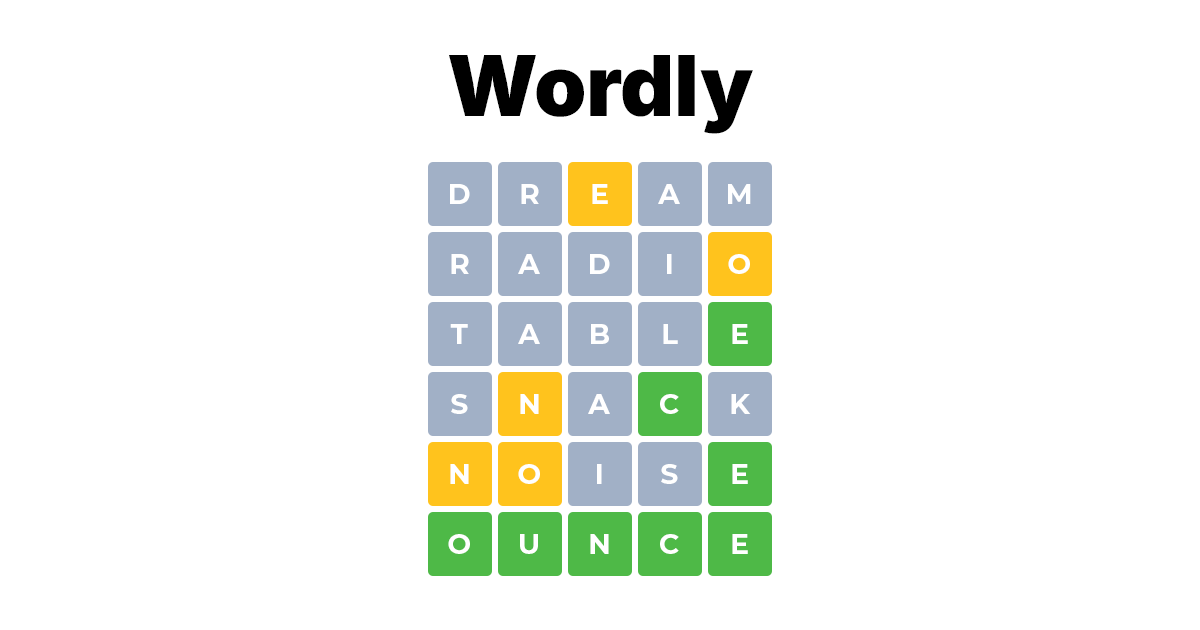

Sharing metadata
| og:url | https://wordly.org |
|---|---|
| og:type | website |
| og:image | https://wordly.org/assets/img/wordly.png |
| og:title | Wordle Game - Play Unlimited |
| og:locale | en |
| og:image:alt | Wordle Game - Play Unlimited |
| og:site_name | Wordly |
| og:image:type | image/png |
| og:description | Play Wordle with unlimited words! Wordly is a spinoff of the Wordle game, only with words from 4 to 11 letters and in various languages. Can you guess the hidden word in 6 tries? |
| og:image:width | 1024 |
| og:image:height | 1024 |
| twitter:card | summary_large_image |
| twitter:image | https://wordly.org/assets/img/wordly.png |
| twitter:title | Wordle Game - Play Unlimited |
| twitter:image:alt | Wordle Game - Play Unlimited |
| twitter:description | Play Wordle with unlimited words! Wordly is a spinoff of the Wordle game, only with words from 4 to 11 letters and in various languages. Can you guess the hidden word in 6 tries? |
robots.txt (opens in a new tab)
0 rulesAll bots 0 allowed · 0 disallowed

 All bots
No matching rules.
Sitemaps
1 Registration details RDAP / WHOIS
| Registrar | Dynadot Inc |
|---|---|
| Registered | 2021-01-06 |
| Expires | 2028-01-06 |
| Domain status | client transfer prohibited |
| Nameservers | ns1.wordly.org、ns2.wordly.org |
| DNSSEC | unsigned |
 DNS records
| Type | Name | Value | TTL | Priority |
|---|---|---|---|---|
| A | wordly.org | 176.123.1.123 | 2624 | — |
| MX | wordly.org | mail.wordly.org | 3600 | 10 |
| MX | wordly.org | mail.wordly.org | 3600 | 20 |
| NS | wordly.org | ns1.example.com | 3600 | — |
| NS | wordly.org | ns2.example.com | 3600 | — |
| TXT | wordly.org | google-site-verification=__SzL8lpya7vfFLIyflTm-gb-OwDYL7QfHrQ54M3IhA | 3600 | — |
| TXT | wordly.org | v=spf1 ip4:176.123.1.123 a mx ~all | 3600 | — |
| DMARC | _dmarc.wordly.org | v=DMARC1; p=none; aspf=r; sp=none | 3600 | — |
 TLS and certificates
| Assessment | Normal configuration |
|---|---|
| Supported protocols | TLSv1.2、TLSv1.3 |
| Negotiated protocol | TLSv1.3 |
| Certificate subject | wordly.org |
| Issuer | Let's Encrypt |
| Valid until | 2026-11-11T11:44 · Remaining when checked: 46 days |
| Verification details | Certificate trust: Passed · Hostname match: Passed |
 HTTP response headers
| Header | Value |
|---|---|
| content-type | text/html; charset=UTF-8 |
| cache-control | no-cache, private |
| server | nginx |
| set-cookie | Redacted |
 Identified technologies
Recent Updates
- Website images
- Screenshots
User reviews (0)