Website profiles · Technology insights · Alternatives

plezy.app

Plezy is a beautiful client for Plex and Jellyfin, available on iOS, Android, Android TV, tvOS, Windows, macOS, and Linux. HDR, Dolby Vision, offline downloads, and more.

No paid content found
Visit website
Profile views 1 Outbound visits 9 Normal
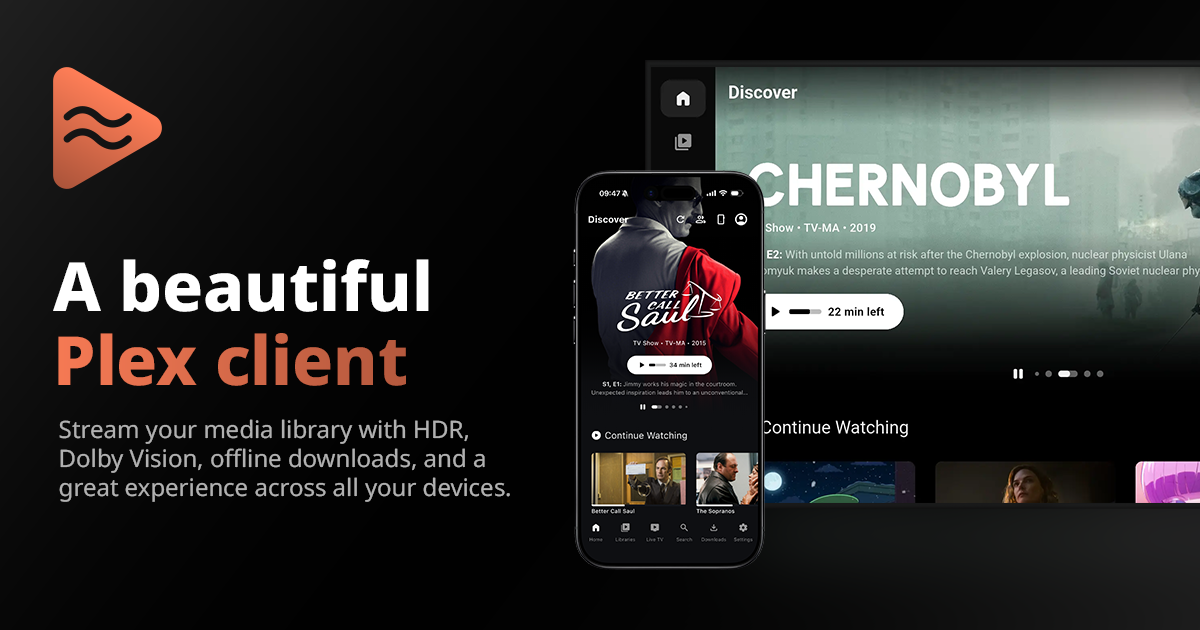
Plezy Full homepage screenshot

At a glance

Category
Development
Language
English
Paid-content signal
No paid content foundObserved
Registered
2025
Hosting
CloudflareInferred
HTTPS certificate trusted
PassedObserved
Last updated

Website review

This review may include AI-generated content and is not individually verified. Domain, certificate and other facts come from the observed data on this page.

What is Plezy?

Plezy is a third-party media client for Plex and Jellyfin servers. Rather than hosting or cataloguing media itself, it connects to a server you already run and gives you a polished way to browse and play that library. It is available across a wide spread of platforms: iOS, Android, Android TV, tvOS, Windows, macOS, and Linux. The page positions it around a "beautiful" interface, with HDR and Dolby Vision playback and offline downloads among the headline capabilities.

Who it's for

  • Existing Plex or Jellyfin users who find the first-party apps limited or inconsistent across devices, and want one client family that looks and behaves the same on a phone, a TV and a desktop.
  • Households with mixed hardware — an Apple TV in the living room, Android phones, and a laptop — where a single app across all of them reduces relearning and account juggling.
  • People who travel or commute and want to download titles for offline viewing rather than depend on a connection.

It is not for you if you have no Plex or Jellyfin server set up: Plezy is a front end, so the library, metadata and transcoding all come from your server. It also isn't a replacement for the server software itself.

What the evidence actually shows

The page's own framing is about streaming essentials, careful design and user affection. The one concrete user comment quoted is an App Store review from a user posting as "Frank the Tank uwu," who praises the clean interface, fast performance and specifically calls out quick scrubbing, near-instant subtitle toggling and fast episode starts. That is one person's experience on Apple's App Store, not a measured benchmark — treat it as a signal that responsiveness was a priority for at least one reviewer, not a guarantee across every device or server setup.

My practical read: the features listed (multi-platform coverage, HDR/Dolby Vision, offline downloads) are exactly the areas where client apps tend to differ most, so the real question for you is not "does it have them" but "does it have them on my devices and my server." HDR and Dolby Vision support in particular depend on the display, the player pipeline and whether your server transcodes, so the app listing a format doesn't mean every file will play back in it.

A useful next step

Before committing, pick your two most-used devices and test one HDR title and one downloaded title on each. If those work smoothly, the rest of the experience is likely to hold up; if either stumbles, that's the trade-off that matters for your setup. For background on the server side, see Plex and Jellyfin.

How do I connect Plezy to my existing Plex or Jellyfin server?

Plezy is a client, not a server: it connects to a Plex or Jellyfin server you already run, and the page evidence doesn't spell out the exact in-app steps. The practical route is to install Plezy on one of the supported platforms (iOS, Android, Android TV, tvOS, Windows, macOS or Linux), then point it at your server's address and sign in with the account that server recognizes.

What to have ready before you start

  • Server address: the local IP and port (for example, your Plex or Jellyfin machine on your home network), or your remote/domain address if you access it from outside.
  • Credentials: your Plex account sign-in, or your Jellyfin username and password.
  • Network access: confirm the server is reachable from the device you're setting up—test by opening the server's web interface in a browser on that same device first.

A realistic setup order

  1. Confirm the server's web UI loads on the target device.
  2. Install Plezy and choose Plex or Jellyfin as the server type.
  3. Enter the server address, then authenticate.
  4. Play one title and test subtitles, scrubbing and an offline download to confirm everything works end to end.

If the connection fails, the usual culprits are a wrong port, a firewall blocking the port, or remote access not being enabled on the server—check those before assuming an app problem. For server-side remote-access setup, the official documentation at Plex or Jellyfin is the right reference.

Which devices and platforms can I install Plezy on?

Plezy runs on iOS, Android, Android TV, tvOS, Windows, macOS and Linux. That covers phones and tablets, smart TVs and streaming boxes, and desktop computers. It is a client for Plex and Jellyfin, so you still need a Plex or Jellyfin server to stream from; Plezy is the player app, not the media server.

What this means in practice

  • Phone or tablet: install from the iOS App Store or Google Play, then sign in to your Plex or Jellyfin account.
  • TV: use the tvOS or Android TV version on an Apple TV or an Android-based TV/box, which suits couch viewing with a remote.
  • Desktop: the Windows, macOS and Linux builds are useful for watching on a laptop or a home-theatre PC.

If you want offline viewing, check that the device you plan to use supports downloads in the app before committing; the page lists offline downloads as a feature, but the exact per-platform behaviour is worth confirming.

Next step

Decide which screen you watch on most, install Plezy there first, and connect it to your existing server. If you also run a media server, Plex and Jellyfin are the official places to set one up.

Can I download movies and shows for offline viewing in Plezy?

Yes. Plezy supports offline downloads, so you can save movies and shows to your device and watch them without a connection. This is confirmed in the app's own description, which lists offline downloads alongside HDR, Dolby Vision, and multi-platform support.

What this means in practice

Offline downloads matter most in three situations:

  • Travel: downloading episodes before a flight or train ride where Wi-Fi is unreliable or paid.
  • Commuting: keeping a few episodes on a phone or tablet for a subway or bus journey with no signal.
  • Weak home networks: avoiding buffering by pre-loading content when your connection is strong.

Because Plezy works as a client for Plex and Jellyfin, downloads depend on your own media server being reachable when you save the file. You download while connected, then play back later offline.

A sensible next step

Before relying on it, test the workflow once: pick one movie, download it on your target device, then switch to airplane mode and confirm it plays. Check whether subtitles and your preferred audio track are included in the download, since these are the details that most often surprise people when they go offline. Also confirm available storage space, as downloaded video files can be large, especially in higher quality or HDR formats.

If your main need is offline viewing on a TV rather than a phone or laptop, verify that the specific platform you use supports downloads in the same way, since download behaviour can differ between mobile, desktop, and TV versions.

Does Plezy support HDR and Dolby Vision playback?

Yes. Plezy lists HDR and Dolby Vision among its playback features, alongside offline downloads, and it's available on iOS, Android, Android TV, tvOS, Windows, macOS and Linux. That means the app is built to handle high-dynamic-range content rather than treating it as an afterthought.

What that means in practice

  • HDR and Dolby Vision are playback formats, not guarantees. Whether a given title actually plays in HDR or Dolby Vision depends on your display, your device's decoding support, and the source file or stream. A phone with an HDR-capable screen and a Dolby Vision TV will each handle the same library differently.
  • The multi-platform coverage matters here. Because Plezy runs on phones, TVs and desktops, the same library can be viewed with different HDR capabilities per device. A living-room TV is the usual place to care about Dolby Vision; a laptop is where you'd more likely just want smooth playback.
  • Check your chain before blaming the app. If HDR looks flat, the usual culprits are the display's HDR setting, the HDMI cable or port, or a file that's HDR-flagged but not properly decoded. Testing one known HDR title on one device isolates the problem quickly.

A useful next step

Pick a single Dolby Vision title you know well, play it on your main TV through Plezy, and compare it with the same title played through your server's own app. That side-by-side tells you whether the client is passing through the dynamic metadata correctly on your setup, which is more informative than any feature list.

For a second opinion on playback smoothness, the App Store review quoted on the site (from a user posting as "Frank the Tank uwu") praises fast scrubbing, near-instant episode starts and quick subtitle toggling. That's an observation about general responsiveness, not specifically about HDR, so treat it as a signal that the player feels snappy rather than as proof of dynamic-range handling.

If you want to compare against the official clients, see Plex and Jellyfin for their own playback documentation.

Is Plezy free to use, or does it require a purchase or subscription?

Plezy is a client app for Plex and Jellyfin, and the page doesn't state whether it is free, a one-time purchase, or subscription-based. What it does show is broad platform coverage—iOS, Android, Android TV, tvOS, Windows, macOS and Linux—with features such as HDR, Dolby Vision and offline downloads. Those details tell you what the app does, not what it costs.

How to check before committing

  • Look at the app's listing in your device's store (App Store, Google Play, Microsoft Store, or the developer's download page for desktop). Price, in-app purchases and subscription terms are shown there.
  • If you use Plex or Jellyfin, remember the server side is separate: Plex can involve its own paid pass for some features, while Jellyfin is self-hosted. Plezy's cost is independent of that.
  • Decide by trial: if a free tier or trial exists, test playback, subtitle switching and scrubbing on your own library, since the page's user quote specifically praises fast scrubbing and near-instant episode starts.

For context on the two media servers Plezy connects to, see Plex and Jellyfin.

Related questions

More questions →
What Is Plezy and What Does It Do?

Plezy is a client app for watching media from your own Plex or Jellyfin server. It runs on iOS, Android, Android TV, tvOS, Windows, macOS, and Linux, and it emphasizes a clean interface, fast playback controls, HDR and Dolby Vision support, and offline downloads. It is the right tool if you already have a Plex or Jellyfin library and want a polished player across multiple devices; it is not a media server itself and does not provide content.

What Plezy actually does

Plezy connects to a media server you already run. Your movies, shows, and other files stay on your Plex or Jellyfin setup, and Plezy handles browsing and playback on the device in front of you.

  • Server compatibility: works with both Plex and Jellyfin, so you are not locked to one backend.
  • Playback features: the site lists HDR, Dolby Vision, and offline downloads as highlights.
  • Platform coverage: phone, tablet, TV, and desktop are all covered by the same app family.
  • Interface focus: the pitch centers on a clean UI and responsive controls rather than on server management.

Where it fits in your setup

Think of the pieces like this:

Layer What it is Example
Media server Stores and organizes your library Plex or Jellyfin running on your own hardware
Client app Browses the library and plays video Plezy on your TV, phone, or laptop
Your files The actual media Movies and shows on your server's storage

Plezy occupies the client layer. If you do not have a Plex or Jellyfin server yet, Plezy has nothing to connect to, so set up the server first.

What the experience is meant to feel like

The site's user quote (from an App Store review credited as "Frank the Tank uwu") describes scrubbing through video as taking "no time at all," subtitles turning on in "maybe .5s," and episodes starting "near instant." Treat that as one user's impression rather than a benchmark, but it points to the design goal: fast, low-friction playback controls.

For a concrete scenario, imagine you are on the couch with an Android TV box. You open Plezy, pick a show from your Jellyfin library, and jump between episodes without waiting on menus. On a trip, the offline download feature is the relevant one: you save titles ahead of time and watch without a stable connection to your server.

How to decide whether to use it

Use Plezy if:

  • You already run Plex or Jellyfin and want a single client across phone, TV, and desktop.
  • A clean, fast interface matters more to you than deep server administration features.
  • You want HDR/Dolby Vision playback and offline downloads in the same app.

Look elsewhere or wait if:

  • You have no media server — Plezy cannot supply content on its own.
  • You need a specific feature not listed on the site; the published highlights are HDR, Dolby Vision, offline downloads, and UI quality, so verify anything else before committing.

Getting started

  1. Confirm your Plex or Jellyfin server is running and reachable from the device you plan to use.
  2. Install Plezy from the store for that platform (App Store, Google Play, or the desktop build for Windows, macOS, or Linux).
  3. Connect the app to your server using your existing server account or connection details.
  4. Browse your library and start a title to confirm playback works on that device.
  5. If you want offline viewing, download a title in advance and test playback with the server unreachable.

Common snags: playback failing usually means the device cannot reach the server (network, VPN, or remote-access settings), not an app problem. If a format does not play as expected, check what your server is transcoding before blaming the client.

Bottom line

Plezy is a multi-platform front end for Plex and Jellyfin with a speed-and-design focus. It is worth trying if you already have a server and want a nicer player on your TV, phone, or computer; it is not a substitute for the server itself.

Which Devices and Media Servers Does Plezy Support?

Plezy works with both Plex and Jellyfin servers and runs on iOS, Android, Android TV, tvOS, Windows, macOS, and Linux. The one condition that matters most: Plezy is a client, not a server. You need your own Plex or Jellyfin library already set up before Plezy has anything to play.

Supported Platforms at a Glance

Platform Typical device What it's best for
iOS iPhone, iPad Personal viewing, casting, downloads
Android Phones, tablets Personal viewing, casting, downloads
Android TV TV boxes, smart TVs with Android TV Living-room playback with a remote
tvOS Apple TV Living-room playback in the Apple ecosystem
Windows Desktops, laptops, HTPCs Desktop viewing, possibly a big-screen setup
macOS MacBooks, iMacs, Mac mini Desktop viewing
Linux Desktops, laptops, home servers used as players Desktop viewing

The site also lists HDR, Dolby Vision, and offline downloads among its features. Treat those as capabilities of the app itself; whether a specific title plays in HDR or Dolby Vision still depends on your server's files and your display.

Plex and Jellyfin: One App, Two Server Types

Plezy is positioned as a client for both Plex and Jellyfin. In practice that means:

  • If you already run Plex, you point Plezy at your existing Plex server and library.
  • If you already run Jellyfin, you do the same against your Jellyfin instance.
  • If you run neither, Plezy alone won't give you anything to watch. You need to set up a server and add your media first.

This is the most common misunderstanding. A "client" is the player and browser for your library; the server is where the library and files live. Plezy replaces the official app experience, not the server.

Mobile vs. TV: What Changes

The platform list splits naturally into two use cases, and it's worth choosing with that in mind.

Phone and tablet (iOS, Android)

These are the flexible options: personal viewing, watching away from the living room, and offline downloads for travel. The App Store excerpt on the site highlights fast scrubbing, near-instant episode starts, and quick subtitle toggling — the kind of responsiveness that matters most when you're navigating on a touchscreen.

TV (Android TV, tvOS)

These are built for couch viewing with a remote. If your goal is a living-room setup, pick the platform that matches your hardware: Android TV for Android-based boxes and TVs, tvOS for Apple TV. Don't assume a phone app experience maps one-to-one onto a remote-driven interface.

Desktop (Windows, macOS, Linux)

Useful when your computer is also your screen, or when you want a dedicated player on a home theater PC. Linux support is notable if your media setup already leans open-source.

How to Check It Fits Your Setup

  1. Confirm your server type. Do you run Plex or Jellyfin? Both are supported, so either works.
  2. Confirm your device. Match it against the list above — if your device isn't iOS, Android, Android TV, tvOS, Windows, macOS, or Linux, Plezy isn't an option for it.
  3. Confirm your server is reachable from that device (same network, or remote access configured on the server side).
  4. Then install Plezy on the device and connect it to your server.

If steps 1–3 aren't in place, the app will install but won't have a library to show.

Quick Answers to Common Questions

Does Plezy work without Plex or Jellyfin? No — it's a client for those two server types, so you need one of them running.

Can I use the same Plezy app across phone and TV? The app is offered across those platforms, but each device needs its own install; your shared library comes from the server, not the app.

Is Plezy a replacement for my Plex/Jellyfin server? No. It replaces the viewing app, not the server.

Which platform should I pick for a living room? Android TV or tvOS, depending on whether your TV hardware runs Android TV or you use an Apple TV.

For the definitive, current platform list and feature claims, check the Plezy site directly, since app availability and store listings can change over time.

What playback features does Plezy offer for Plex and Jellyfin?

Plezy supports HDR and Dolby Vision playback for compatible content and hardware, offline downloads for viewing without a connection, and fast everyday controls such as quick subtitle toggling and video scrubbing. These features are available across its supported platforms—iOS, Android, Android TV, tvOS, Windows, macOS, and Linux—so the exact experience depends on your device and your Plex or Jellyfin setup.

HDR and Dolby Vision

Plezy lists HDR and Dolby Vision among its playback capabilities. In practice, that means:

  • Your media must be HDR or Dolby Vision encoded. A standard dynamic range file will play as SDR regardless of the client.
  • Your display and playback hardware must support the format. A phone, TV, or desktop monitor that can't render HDR or Dolby Vision won't show the expanded range, even if Plezy passes the stream through.
  • Your server must be able to deliver the file intact. If your Plex or Jellyfin server transcodes the video—for example, because of bandwidth limits or an incompatible audio track—the HDR/Dolby Vision metadata may not survive the conversion.

If you want to confirm HDR or Dolby Vision is working, start a known HDR title on a compatible display and check your TV or device's info overlay for the active HDR mode. If it shows SDR, the limitation is usually the file, the display, or a server-side transcode rather than the client.

Offline downloads

Plezy supports offline downloads, letting you save media to a device and watch it without a network connection. This is useful for travel, commuting, or unreliable Wi-Fi. The practical requirements are straightforward: you need enough local storage on the device, and you need to complete the download while connected to your server. Downloaded titles then play from local storage rather than streaming.

Speed and everyday controls

User feedback highlighted on the Plezy site describes the client as responsive in daily use. One App Store reviewer noted that "scrubbing through a video takes no time at all, turning on subtitles takes maybe .5s, starting episodes is near instant." That points to three playback behaviors worth knowing:

  • Scrubbing through a video responds quickly, so seeking to a specific scene doesn't stall playback.
  • Subtitle toggling is fast, which matters if you switch subtitles on and off frequently.
  • Episode starts are near-instant, reducing the wait between episodes in a series.

These are user-reported observations rather than published specifications, so your results may vary with server performance, network conditions, and file size.

Choosing based on your setup

If you want… What to check first
HDR or Dolby Vision playback Compatible display, HDR-encoded file, and no server-side video transcode
Offline viewing Sufficient device storage and a completed download while connected
Fast navigation and subtitle control A stable connection to your Plex or Jellyfin server; performance depends on server and network

Plezy is a client, so playback quality ultimately depends on the combination of your media server, your files, your network, and your device. The features above describe what the client supports; matching hardware and source files are what make them work in practice.

What Users Say About the Plezy App Experience

Plezy’s own site highlights a user testimonial that praises its clean interface, strong performance, and reliability. The quoted App Store review says scrubbing through video is quick, subtitles turn on in about half a second, and episodes start “near instant.” That is the clearest user-experience signal available here, but it is a single featured review rather than a broad survey.

What the featured review emphasizes

The testimonial on Plezy’s site focuses on everyday playback friction rather than feature count:

  • Clean UI: the reviewer calls the interface clean and describes the overall experience as well designed.
  • Fast seeking: scrubbing through a video “takes no time at all.”
  • Quick subtitles: turning subtitles on takes “maybe .5s.”
  • Fast episode starts: starting episodes is described as “near instant.”
  • Reliability: the reviewer says “things ACTUALLY WORK,” which points to consistent playback rather than occasional success.

These are practical observations about how the app feels in use. They do not establish performance across every device, server setup, or media file.

What this means for your decision

If your priority is a polished player experience with responsive controls, the featured feedback suggests Plezy is aimed at that use case. The review is especially relevant if you regularly scrub through video, switch subtitles, or move between episodes and want those actions to feel immediate.

The site also presents Plezy as a client for Plex and Jellyfin across iOS, Android, Android TV, tvOS, Windows, macOS, and Linux, with HDR, Dolby Vision, and offline downloads listed among its features. Those details describe the product’s scope; the user quote describes the experience. Keep the two separate when judging fit.

Limits of the available evidence

The site shows one positive App Store testimonial. It does not provide a rating breakdown, a large sample of reviews, or device-specific performance reports. So the fair conclusion is narrow: Plezy’s featured user feedback is strongly positive about speed, interface cleanliness, and reliability. Whether that matches your setup depends on your devices, media server, and library, which the quoted review does not cover.

Website Overview

An active inbound-mail setup with incomplete authentication may leave the domain more open to impersonation. Provider hosting alone does not close that gap.

Domain and Registration

The domain was registered less than a year ago and has limited historical evidence to assess. Transfer-protection status is present, helping reduce the risk of unauthorized domain transfers. The registrar is Porkbun LLC, a widely used domain service provider. The domain uses the common .app extension, which is not an independent safety signal.

DNS and Email

The observed email authentication setup is incomplete: DMARC is missing. Nameservers are provided by Cloudflare, indicating managed DNS hosting. MX records point to the Cloudflare Email Routing email service. No CNAME was found; the observed records resolve directly to addresses. TXT records include verification markers for Google. Such markers may also remain after a service stops being used.

TLS and Certificates

The public key uses EC with 256 bits. The server supplied a complete certificate chain. No organization name is present in the certificate; the available fields are consistent with domain validation. The certificate was issued within the Google Trust Services cloud or CDN ecosystem. The certificate's total validity is about 90 days, consistent with a short renewal cycle.

HTTP and Browser Security

The checked browser-security headers were not detected, leaving fewer explicit browser-side safeguards. No X-Powered-By header was found, reducing one common source of backend fingerprinting information. The cf-ray response header indicates a CDN or caching proxy in the delivery path. No obvious internal addresses or debug information were found in the headers. The Server header identifies cloudflare without an exact version.

Technology Stack Analysis

The public page identifies SvelteKit, Cloudflare without precise versions, leaving fewer clues for version-specific scanning.

Search and Social Sharing

The meta description has 170 characters and may be shortened in search results. Twitter Card metadata is configured. JSON-LD includes Organization data, helping describe the organization as an entity. The title has 42 characters, within a common display range. The observed directives allow indexing and link following.

Hosting and Email

DNSCloudflare
HostingCloudflare
EmailCloudflare Email Routing
Approximate IP geolocation (inferred; a CDN or proxy may differ from the origin server) Location unknown Inferred 104.21.33.38

Registration details

RDAP / WHOIS

RegistrarPorkbun LLC
Registered2025-11-18
Expires2027-11-18
Domain statusclient delete prohibited、client transfer prohibited
Nameserversdavina.ns.cloudflare.com、trevor.ns.cloudflare.com
DNSSECunsigned

DNS records

DNS

TypeNameValueTTLPriority
Aplezy.app104.21.33.38300—
Aplezy.app172.67.158.132300—
AAAAplezy.app2606:4700:3033::6815:2126300—
AAAAplezy.app2606:4700:3035::ac43:9e84300—
MXplezy.approute2.mx.cloudflare.net30031
MXplezy.approute1.mx.cloudflare.net30067
MXplezy.approute3.mx.cloudflare.net30070
NSplezy.appdavina.ns.cloudflare.com86400—
NSplezy.apptrevor.ns.cloudflare.com86400—
TXTplezy.appgoogle-site-verification=r0FgP8Je4RExkLds58nd5G1DEurLxVD_xOopPsD-zpo300—
TXTplezy.appv=spf1 include:_spf.mx.cloudflare.net ~all300—

TLS and certificates

TLS / SSL

AssessmentNormal configuration
Supported protocolsTLSv1.2、TLSv1.3
Negotiated protocolTLSv1.3
Certificate subjectplezy.app
IssuerGoogle Trust Services
Valid until2027-01-09T07:32 · Remaining when checked: 77 days
Verification detailsCertificate trust: Passed · Hostname match: Passed

HTTP response headers

HTTP

HeaderValue
content-typetext/html
cache-controlpublic, max-age=0, must-revalidate
servercloudflare

Identified technologies

SvelteKitCloudflare

Pages, Search and Sharing

Meta descriptionPlezy is a beautiful client for Plex and Jellyfin, available on iOS, Android, Android TV, tvOS, Windows, macOS, and Linux. HDR, Dolby Vision, offline downloads, and more.
Canonical URLhttps://plezy.app/
LanguageEnglish (default)
Twitter Cardsummary_large_image
All bots 0 allowed · 0 disallowed

User reviews (0)

  • No reviews yet.