Website profiles · Technology insights · Alternatives

quarktracker.applaunchpage.com

QuarkTracker helps you track your health and wellbeing effortlessly. Log nutrition, sleep, and habits for a healthier lifestyle. Download now!

No paid content found
Visit website
Profile views 0 Outbound visits 0 Normal
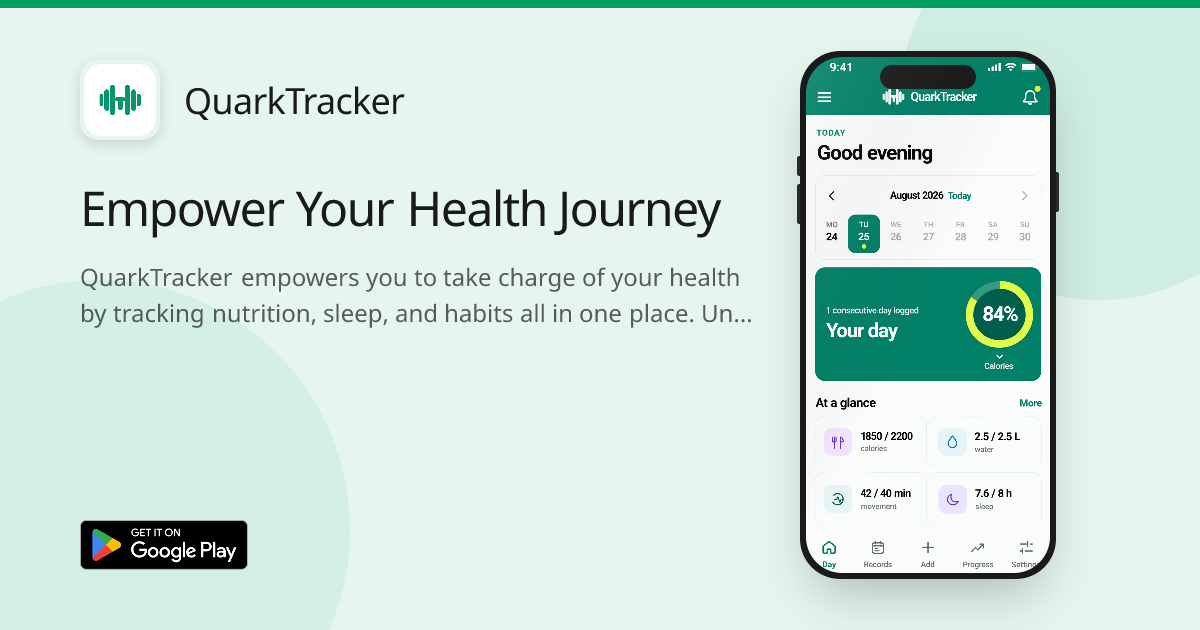
QuarkTracker Full homepage screenshot

At a glance

Category
Lifestyle
Language
English
Paid-content signal
No paid content foundObserved
Registered
2026
Hosting
VercelInferred
HTTPS certificate trusted
PassedObserved
Last updated

Website review

This review may include AI-generated content and is not individually verified. Domain, certificate and other facts come from the observed data on this page.

What is QuarkTracker?

QuarkTracker is a health and wellbeing tracking app. According to its landing page, it lets you log nutrition, sleep, and habits in one place, set goals, monitor progress over time, and receive daily reminders. It also emphasizes privacy: data is described as encrypted, stored locally on your device, and under your control.

Who it is for

  • People who want a single, lightweight place to record meals, sleep, and daily routines.
  • Users who prefer on-device storage and explicit privacy controls over cloud-first tracking.
  • Anyone motivated by goal setting, streaks, or reminders rather than deep clinical analysis.

What it covers

  • Nutrition logging with what the page calls personalized nutrition insights.
  • Sleep and activity tracking alongside habits.
  • Goal setting and progress monitoring over time.
  • Daily reminders to stay consistent.

Practical trade-offs

Local device storage is a strong privacy default, but it usually means you are responsible for backups and for moving data between devices. If you want automatic syncing across phone, tablet, and web, that may be a limitation; if you mainly track on one phone and value privacy, it is an advantage. The value of nutrition insights depends on how much detail you log, so consistency matters more than feature count.

Next step

If you already use a dedicated nutrition app or a wearable's sleep tracking, compare whether QuarkTracker replaces them or simply adds another place to log. Start by tracking one habit and sleep for a week; if the reminders and progress view keep you consistent, expand to nutrition.

How does QuarkTracker help me track my nutrition and sleep?

QuarkTracker approaches nutrition and sleep as two halves of the same daily record: you log what you eat and how you sleep, then review them together over time. According to the page, the app covers nutrition logging, personalized nutrition insights, sleep and activity tracking, goal setting with progress monitoring, and daily reminders. The pitch is that you "understand your progress and make informed decisions" rather than just collect numbers.

Nutrition tracking

  • Effortless logging: The page describes logging nutrition "effortlessly," which in practice means quick entry after meals rather than a lengthy form.
  • Personalized insights: You get "detailed nutritional data tailored to your meals," so the feedback is tied to what you actually ate, not generic calorie advice.
  • Goal context: Nutrition fits into the broader goal-setting and progress-monitoring feature, so a target like eating more protein or fewer late snacks can be tracked over weeks.

Sleep tracking

  • Sleep is listed alongside nutrition and activities as one of the core logged areas, and daily reminders help you keep the record consistent.
  • The value comes from pairing it with nutrition: if your sleep dips on days with late or heavy meals, the trend is visible in one place instead of two separate apps.

Privacy trade-off

The page states that your data is encrypted and stored locally on your device, and that you control your privacy settings. Local storage is a real benefit for sensitive health data, but it usually means you are responsible for your own backups and for moving data if you switch phones. The page also mentions SSL, regular backups, and enterprise-grade security, so check in the app which parts are local versus backed up.

A practical next step

Before committing, run a one-week test: log every meal and your sleep for seven days, then check whether the insights tell you something you did not already know. If the patterns are obvious to you without the app, a simpler notes-based habit may be enough. If the combined view changes a decision, such as shifting dinner earlier, the tracking is earning its place. For background on why logging works, see Sleep Foundation and Nutrition.gov.

Is my health data safe and private with QuarkTracker?

QuarkTracker's page presents privacy and security as a core feature, so the short answer is: the app is designed to keep your health data on your device and under your control, but you should verify the details yourself before trusting it with sensitive information.

What the page claims

According to QuarkTracker's own description, the privacy model rests on four points:

  • Data encryption — data is encrypted to protect it from unauthorized access.
  • Device storage — health data is stored locally on your device rather than in a company cloud.
  • User control — you manage your own data and privacy settings.
  • Privacy and security measures — the page mentions SSL, regular backups, and enterprise-grade security.

The combination of local storage and encryption is the strongest part of this model. If data genuinely never leaves your phone, there is no server-side breach to worry about, and you are not dependent on a company's retention policy.

Where the claims need scrutiny

A few details on the page are worth checking against the app itself:

  • "Stored locally" and "regular backups" can conflict. If backups are cloud-based, some data leaves your device. Find out where backups go and whether they are encrypted.
  • SSL protects data in transit, not data at rest. It matters mainly if the app syncs or transmits anything.
  • "Enterprise-grade security" is marketing language, not a technical specification. Look for concrete details such as end-to-end encryption or an independent audit.

How to verify before you commit

  1. Open the app's privacy policy and look for what data is collected, whether it is shared with third parties, and how long it is retained.
  2. Check the app's data settings for an export or delete option — real user control means you can remove everything.
  3. Test the offline behaviour: turn on airplane mode and confirm the app still logs nutrition, sleep, and habits. If it does, local storage is doing real work.
  4. If you use iCloud or Google backups, check whether QuarkTracker data is included and whether those backups are encrypted.

For general context on mobile health privacy, the U.S. Federal Trade Commission's consumer advice at FTC Consumer Advice and the privacy guidance from Federal Trade Commission explain what protections you can reasonably expect. If you are comparing trackers more broadly, Apple documents how app privacy labels work on iOS, which can help you read QuarkTracker's own disclosures.

A practical rule of thumb

For a habit and nutrition tracker, local-only storage with encryption is a reasonable privacy posture — better than many cloud-first alternatives. The deciding factor is whether the app's actual settings and privacy policy match the page's promises. If you cannot find a clear privacy policy or a way to delete your data, treat the claims as unverified and keep sensitive health details out of the app until you can.

Can I set and monitor personal health goals in QuarkTracker?

Yes. QuarkTracker lists goal setting and progress monitoring as one of its core features, alongside nutrition, sleep, and habit tracking. The page describes setting goals and tracking your health journey over time, plus daily reminders to help you stay on track. Goal monitoring therefore appears to be a built-in part of the app rather than something you would export to a separate spreadsheet.

What the page supports

  • Goal setting and progress monitoring — described as a dedicated feature.
  • Daily reminders — personalized nudges tied to your goals.
  • Nutrition logging — meals and detailed nutritional data, which feeds any diet-related goal.
  • Sleep and activity logging — the other tracked areas you could build goals around.
  • Local, encrypted storage — the page says health data is stored on your device, with encryption and user-controlled privacy settings.

A practical way to use it

Suppose your goal is to sleep seven hours on weekdays and eat more protein. Set both as goals, log sleep and meals each day, and let the reminders prompt you at the times you tend to slip. At the end of a week, review the progress view rather than relying on memory. That pattern works best for goals measured by daily logging; a goal like "run a half marathon" needs a training plan the app may not provide.

Trade-offs to weigh

Strength Limitation
Goals, reminders, and the data they depend on live in one app Goal quality depends on how consistently you log
On-device storage and encryption suit privacy-minded users Local storage can mean weaker cross-device sync or recovery if a device is lost
Nutrition detail supports diet-related goals Sleep and habit goals are likely simpler to interpret than nutrition ones

Next step

Check whether the goals you care about are measurable by daily logging — sleep hours, step counts, meals, habit streaks. If so, QuarkTracker's setup fits well. If your goal requires clinical guidance or structured programs, treat the app as a tracking companion rather than the plan itself. For general health tracking comparisons, see Apple Health or Google Play listings, though availability and features differ by platform.

How do I download and start using QuarkTracker?

QuarkTracker is a health and wellbeing tracker for logging nutrition, sleep and habits, and its landing page presents it as a mobile app you download rather than a web tool you sign into. To start, look for the download option on the QuarkTracker page and install the app on your phone, then create your first entries for meals, sleep and any habits you want to monitor.

What to expect after installing

The page describes a few core areas that make a sensible first session:

  • Health tracking: Log nutrition, sleep and activities in one place.
  • Nutrition insights: See nutritional details broken down for the meals you record.
  • Goals and progress: Set targets and review how you are doing over time.
  • Reminders: Turn on daily reminders so logging becomes a routine rather than an afterthought.

A practical first step is to spend five minutes entering one typical day — a meal, last night's sleep and one habit — before setting any goals. That gives you a baseline to compare against later, and it shows you how much detail the app expects per entry.

Privacy and data handling

The QuarkTracker page states that data is encrypted, stored locally on your device, and that you control your privacy settings. It also mentions SSL, regular backups and enterprise-grade security. Treat the local-storage point as the important one for your decision: it generally means your health data lives on your phone, which is good for privacy but makes your own backup routine more important. If you switch phones or lose the device, you may need a backup or export to avoid losing your history.

A quick decision check

If you mainly want a private, on-device log for nutrition, sleep and habits, QuarkTracker fits that description well. If you need cross-device syncing, sharing with a clinician, or integration with wearables and other health platforms, confirm those capabilities in the app before committing your data.

For general context on app privacy practices, the Federal Trade Commission publishes plain-language guidance on mobile health apps and data.

What makes QuarkTracker different from other health tracking apps?

QuarkTracker's main differentiator is where your health data lives: the page states that all health data is stored locally on your device rather than in a company cloud account. That changes the everyday experience — there is no web dashboard to log into from a laptop, and no server-side account that a breach could expose. The trade-off is that you are responsible for your own backups and for moving data when you change phones.

It also positions itself as a single combined tracker rather than a specialist. Nutrition, sleep, activities and habits sit in one app, alongside goal setting, progress monitoring and daily reminders. If you currently juggle a calorie app, a sleep app and a habit streak app, that consolidation is the real benefit; if you only care about one of those areas, a dedicated app will usually go deeper.

Where the practical differences show up

  • Privacy-conscious users. Local storage plus stated encryption and SSL for transfers appeals to people who do not want food and sleep logs sitting on someone else's server. Practical check: confirm whether the local data is included in your phone's encrypted backup, or you could lose it with the device.
  • People who want one daily view. Nutrition detail, goals, reminders and habit streaks in one place makes a single morning or evening review possible.
  • Privacy vs. convenience. Local-only means no cross-device sync by default and no recovery if the phone is lost and unbacked. Cloud-based trackers such as MyFitnessPal or Fitbit trade some of that privacy for automatic sync, social features and food databases built over years.

How to decide

Ask two questions. First, does anything in your routine require your data on more than one device or a web browser? If yes, local-only storage will frustrate you. Second, do you need a large verified food database with barcode scanning and community recipes, or is a simpler personal log enough? QuarkTracker's stated focus is on your own tracking and insights rather than a shared food library.

A sensible next step is to install it and test one week of real logging before committing: enter a typical day's meals, set one goal with a reminder, and check whether the nutrition breakdown gives you information you would actually act on. That single week will tell you more about the privacy-versus-convenience trade-off than any feature list.

Related questions

More questions →
What Is an App Store Landing Page and How Is It Different From a Regular App Landing Page?

An app store landing page is a single, focused page whose main job is to send visitors to the App Store or Google Play to download your app. It differs from a regular mobile app landing page because it strips away most marketing content and centers on one action: the store visit. Build one when you need a shareable link for ads, social bios, or email campaigns that works the same on iOS and Android, and when you want to measure and control the click before the store. If your only goal is to explain the product in depth, a fuller marketing page usually fits better.

What an app store landing page actually is

It is a lightweight page that sits between your traffic source and the store listing. A visitor arrives, sees the app icon, a short value proposition, screenshots, and a download button, then taps through to the store.

The page does not replace your store listing. It feeds it. The store listing still does the heavy lifting of conversion once the visitor arrives.

How it differs from a regular app landing page

Dimension App store landing page Regular app landing page
Primary goal Drive a store visit or download Explain the product, build interest, capture leads
Content depth Minimal: icon, screenshots, ratings, CTA Fuller: features, benefits, testimonials, pricing
Calls to action Store badges and platform-specific buttons Newsletter signup, demo request, "learn more"
Platform handling Often detects iOS vs Android and routes accordingly Usually one message for all visitors
Length Short, single screen or two Multi-section, sometimes multi-page

The practical difference is intent. A store landing page assumes the visitor is close to downloading and removes friction. A regular landing page assumes the visitor is still deciding and needs persuasion.

Essential elements to include

  • App icon and name — instant recognition, matching your store listing.
  • One clear value proposition — a single sentence on what the app does.
  • Screenshots — real device frames, showing the core screens.
  • Ratings and social proof — star rating or a short user count if you have it.
  • Download buttons for both platforms — App Store badge and Google Play badge, or a smart button that routes by device.
  • A short privacy or trust note — useful for health, finance, and data-heavy apps.

QuarkTracker's page follows this pattern: it leads with "Empower Your Health Journey," lists what the app does (nutrition, sleep, habit tracking), and backs it with a security section covering encryption, local device storage, and user control over privacy settings. For a health app, that trust block does real work before the download button.

When to build one versus linking straight to the store

Build an app store landing page when:

  • You run ads and want a consistent destination across platforms.
  • You need a link for social bios, QR codes, or email signatures.
  • You want to track clicks before the store and test different headlines or screenshots.
  • Your app is on both iOS and Android and you want one URL to serve both.

Link straight to the store listing when:

  • Your traffic is already platform-specific (for example, an iOS-only ad).
  • You have no budget or time to maintain an extra page.
  • Your store listing already converts well and the extra step adds nothing.

A middle option: use a smart link that detects the device and forwards to the correct store. That is lighter than a full landing page but still gives you one shareable URL.

Common mistakes to avoid

  • Slow load times. A landing page that takes seconds to render loses visitors before the download button appears. Keep images compressed and avoid heavy scripts.
  • Missing or broken store links. Test every button on a real iOS and Android device, not just a desktop browser.
  • Unclear download instructions. If you use a single smart button, make sure it visibly confirms which store it is sending the visitor to.
  • No platform detection. Sending an Android user to the App Store wastes the click.
  • Cluttered content. Every extra section competes with the download action. If a block does not help someone decide to download, cut it.

The short version

An app store landing page is a conversion tool, not a brochure. It exists to move a visitor from your link to the store with as little friction as possible. Use one when you need a single, trackable, cross-platform destination for your download traffic. Use a fuller app landing page when your visitors still need to be convinced the app is worth installing.

What Are Indie Developer Tools and How Do You Use Them to Ship an App?

Indie developer tools are the software a solo developer or small team uses to build, launch, and grow an app without hiring a full product, design, and marketing staff. You use them when you need to move from an idea to a live app and a public presence on your own. The practical way to think about them is by stage: development, landing page and app store presence, analytics, and user feedback. The right stack is the smallest one that gets you to a validated, shippable app.

What counts as an indie developer tool

The category is defined by the constraint it removes, not by a single product type. For an indie developer, a tool earns its place if it replaces a role you can't fill yet — designer, marketer, data analyst, or support team.

Common groups:

  • Development and build tools — IDEs, cross-platform frameworks, version control, and CI services that let one person maintain an app across iOS and Android.
  • Landing page and app website builders — tools that produce a public page for your app without hand-coding a marketing site.
  • App store presence tools — screenshot generators, icon makers, and listing copy helpers for the App Store and Google Play.
  • Analytics and crash reporting — services that show installs, retention, and crashes so you can tell whether the app works and whether people stay.
  • User feedback and support — in-app feedback widgets, review monitoring, and lightweight support inboxes.
  • Backend and infrastructure — managed databases, auth, and hosting that remove server maintenance.

How the stack maps to shipping an app

Each stage has a decision to make, and the tool choice follows from it.

1. Development

You need a way to write once and ship to both stores if you're a solo dev, or a native path if the app depends on platform-specific performance. Version control and a CI service are non-negotiable even for one person — they're what let you ship without breaking what already works.

2. Landing page and app store presence

This is where many indie launches stall. You have a working app but no page to send people to. An app website builder or app landing page builder handles this by giving you a hosted page with the sections a launch needs: what the app does, who it's for, and a download path.

QuarkTracker's own site is a working example of the pattern. Its page leads with the value proposition ("Empower Your Health Journey"), then breaks features into concrete blocks — comprehensive health tracking, personalized nutrition insights, goal setting and progress monitoring, and daily reminders. It also addresses the trust question directly with a security section covering data encryption, local device storage, user control, and privacy. For an indie app in a sensitive category like health, that trust block is doing real work: it answers "where does my data go?" before a visitor has to ask.

The takeaway for your own page: lead with the outcome, list features as short scannable blocks, and preempt the objection your category invites.

3. Analytics

Pick one analytics tool and one crash reporter. The goal at indie scale isn't dashboards — it's answering two questions: are people installing, and are they coming back? Anything that doesn't serve those two questions is overhead.

4. User feedback

Reviews and in-app feedback are your cheapest product research. Route them somewhere you'll actually read them, and treat early reviews as a roadmap input rather than a scoreboard.

How to choose tools as an indie developer

Compare candidates on the same dimensions:

Dimension What to check
Pricing model Whether cost scales with users, projects, or seats — and what happens when you cross the free limit
Free tier Whether it's enough to launch, or just enough to evaluate
Setup time Whether you can be live in an afternoon without a designer or marketer
Skill required Whether it assumes design, copywriting, or DevOps knowledge you don't have
Lock-in How hard it is to export your page, data, or content if you switch
Integration Whether it connects to the analytics, store, and payment tools you already use

The deciding question is usually setup time versus skill required. A tool that's slightly more expensive but usable without a designer often wins for a solo dev, because the alternative is a launch that never happens.

Common pitfalls

  • Tool sprawl. Every added service is another login, another bill, and another thing to maintain. If two tools overlap, cut one.
  • Hidden costs. Free tiers often end at the exact moment you get traction — a traffic spike or a user-count threshold. Check the limit before you depend on it.
  • Overbuilding before validation. A polished landing page and a full analytics suite don't matter if nobody wants the app. Ship the smallest version that tests the idea, then invest in the stack.
  • Skipping the trust section. If your app handles health, finance, or personal data, visitors look for a privacy and security answer. QuarkTracker's approach — stating encryption, local storage, user control, and privacy up front — is the pattern to copy.
  • Assuming free. Pricing and login requirements vary by tool and aren't implied by a free tier existing. Verify the current terms for anything you'll build on.

Where to start

If you're at the beginning, pick one tool per stage and stop: a build path, a landing page builder, one analytics service, and one feedback channel. Get the app and its page live, watch whether people install and return, and only then add tools to the stack. The indie advantage isn't a bigger toolkit — it's a shorter path from idea to shipped.

What Is an App Landing Page Builder and How Do You Choose One?

An app landing page builder is a tool for creating a single-purpose web page whose main job is to get people to download your app. It differs from a general website builder in that it prioritizes app store badges, download buttons, mobile-first layouts, and conversion tracking over multi-page site structure. Choose one when you need a fast, focused download page for an iOS or Android app and don't want to build or maintain a full website. If you need a blog, docs, or a multi-page marketing site, a general builder or CMS is usually the better fit.

What an app landing page builder actually does

The core output is one page (sometimes a few variants) that:

  • Explains the app's value in a headline and short supporting copy
  • Shows screenshots or a short preview
  • Sends visitors to the App Store, Google Play, or a direct download
  • Captures emails or waitlist signups before launch
  • Measures which traffic sources convert into installs

A general website builder can technically do all of this, but you assemble it yourself: you add the badges, wire the buttons, and build the mobile layout. A dedicated app landing tool ships those pieces as defaults.

Features worth checking before you commit

Feature Why it matters What to verify
App store badges and deep links A wrong or missing badge breaks the main conversion path Apple and Google badge assets, correct store URLs, smart banners for iOS/Android
Download CTAs The primary action must be obvious above the fold Button placement, contrast, and whether it's tappable on small screens
Mobile-first templates Most app traffic arrives on phones Preview at 375px width, not just desktop
Analytics and conversion tracking You can't improve what you can't measure Install-click events, UTM support, or an integration with your analytics tool
Custom domain Affects trust and branding Whether it's included or a paid add-on
Speed Slow pages lose mobile visitors Test the published page, not just the editor

Dedicated app landing tools vs. general no-code builders

Dedicated app landing tools trade flexibility for speed. You get app-specific templates, store badge components, and download-focused analytics out of the box. The trade-off is usually less layout freedom and a narrower set of pages.

General no-code builders give you more design control and room to grow into a full site. The trade-off is setup time: you configure the badges, buttons, and mobile behavior yourself, and you may need a separate tool for analytics.

Neither is universally better. Pick a dedicated tool if your only goal is installs and you want to launch this week. Pick a general builder if the landing page is the first step toward a broader site.

How to evaluate pricing and free tiers

Pricing details vary by product and change often, so check the current pricing page rather than relying on secondhand summaries. When you compare, look at:

  • What the free tier includes — some free plans restrict custom domains, remove branding, or cap page views
  • Whether analytics is bundled or a paid add-on
  • Per-page or per-project limits if you plan to test multiple app variants
  • Bandwidth or visitor caps that could throttle a launch spike

A free tier that can't use your own domain is fine for validating copy, but weak for a real launch. Confirm the specific limits on the vendor's site before you build.

Signs a builder is a poor fit

  • No mobile preview or weak mobile rendering. If the editor only shows desktop, assume the mobile result is untested.
  • No app store integration. Manually pasting image files works, but you lose correct deep links and smart banners.
  • No conversion tracking. Without install-click or signup events, you can't tell which channel works.
  • Locked-in hosting with no export. If you can't move the page later, treat that as a long-term cost.
  • Pricing hidden behind a demo call. For an indie app, a self-serve plan you can test is usually more practical.

A quick way to decide

  1. Write down your one goal: installs, waitlist signups, or both.
  2. List the two or three traffic sources you'll use (social, ads, press).
  3. Check whether the builder supports tracking for those sources.
  4. Build one page, publish it, and test it on a real phone.
  5. Compare install or signup rate against a simple alternative before committing to a paid plan.

For a health-tracking app like QuarkTracker, the page's job is narrow: explain the tracking features, show the privacy stance, and drive a download. That's exactly the scope an app landing page builder is designed for — and a good reason not to over-build.

What Is an App Website Builder and When Should You Use One?

An app website builder is a tool for creating the promotional site that sits around a mobile app — the page that shows screenshots, explains features, and sends visitors to the App Store or Google Play. It differs from a general website builder mainly in what it assumes: instead of blank pages and blog layouts, it starts from app-shaped sections like download buttons, screenshot galleries, and feature highlights. Use one when your goal is a single, fast, mobile-first page that converts visitors into installs. Skip it if you need a content-heavy site, e-commerce, or deep customization.

How an app website builder differs from a general website builder

Both let you assemble a site without writing code. The difference is the starting point and the defaults.

Dimension App website builder General website builder
Starting templates App landing pages, download pages Blogs, portfolios, business sites
Built-in components App Store / Google Play badges, screenshot galleries, download CTAs Contact forms, menus, post feeds
Layout priority Mobile-first, single long page Multi-page, desktop-first often
Typical output One conversion-focused page A full site with navigation
Content model Feature blocks, screenshots, testimonials Articles, product pages, service pages

A general builder can produce an app landing page — you just assemble the pieces yourself. A dedicated app builder hands you those pieces pre-built, which shortens the path but narrows what you can do outside that shape.

Key features to look for

The features that matter are the ones tied to getting an install, not the ones that make a pretty page.

  • App store badges and links. Direct links to the App Store and Google Play listings, ideally with correct badge assets. This is the single most important element — a download page that makes people hunt for the store link loses installs.
  • Screenshot galleries. A way to show the app's actual screens, usually in a phone frame, so visitors see the product before downloading.
  • Download CTAs. Buttons placed at multiple points down the page, not only at the top.
  • Mobile-first templates. Most app traffic arrives on phones, so the page must read well on a small screen first.
  • Feature and benefit blocks. Space to explain what the app does in short, scannable sections.
  • Fast hosting and a custom domain. A slow or awkwardly branded page undercuts the trust the store listing built.

For reference, QuarkTracker's landing page (an app site built on a landing-page platform) organizes its content around exactly these blocks: a headline, a "Everything you need" feature section covering tracking, nutrition insights, goal setting, and reminders, plus a security section covering encryption, on-device storage, and user control. That structure — benefit blocks, trust signals, repeated download prompts — is the standard shape an app website builder is designed to produce.

When a dedicated app website builder makes sense

Choose one when the site's job is narrow and conversion-focused:

  • You have one app (or a small set) and need a single landing page per app.
  • Your main goal is installs, not content marketing or SEO-driven articles.
  • You want to launch quickly without design or development work.
  • You're an indie developer or small team without a dedicated web person.
  • You want the page to stay visually consistent with app store conventions.

A general builder or custom site makes more sense when you also need a blog, documentation, pricing pages with billing logic, a support portal, or a marketing site that will grow well beyond the app.

Common limitations and trade-offs

Dedicated app builders trade flexibility for speed, and the trade-offs are predictable:

  • Template constraints. You get app-shaped layouts, which can feel similar across sites and limit unusual designs.
  • Limited content depth. Long-form pages, resource libraries, or complex navigation are usually out of scope.
  • SEO ceiling. A single-page site ranks for fewer queries than a structured multi-page site.
  • Platform lock-in. Moving off the builder later may mean rebuilding rather than exporting cleanly.
  • Feature ceilings. Advanced integrations, custom logic, or dynamic content may not be supported.

None of these are disqualifying if your goal is a download page. They become problems if the site is meant to do more than that.

Connecting the site to App Store and Google Play

The build is only half the job; the links are what make it work.

  1. Publish your app listings first. You need live App Store and Google Play URLs before the buttons can point anywhere.
  2. Add the store badges. Place the official badge assets in the hero section and again near the bottom of the page.
  3. Link each badge to the correct store. Use the direct listing URL, not a search page or a generic storefront link.
  4. Test on a real phone. Tap both badges on iOS and Android to confirm they open the right listing and that the page loads quickly on mobile data.
  5. Keep the links current. If you rename the app or change its listing URL, update the badges — broken store links are invisible until someone clicks.

If you're still deciding between a landing page and a fuller site, the question to ask is what the page needs to do after the visitor arrives: if the answer is "get them to install," an app website builder is usually enough.

What Is a Mobile App Landing Page and What Should It Include?

A mobile app landing page is a single-purpose web page built to convert visitors into app installs. It differs from a full website (which serves many goals) and from an app store listing (which lives inside Apple's or Google's ecosystem and follows their layout rules). A landing page gives you full control over the message, the design, and the call to action, and it can send visitors to either the App Store, Google Play, or both. You need one when you're running ads or social campaigns and want a focused destination, or when you want to present your app outside the constraints of a store listing.

How it differs from a full website or an app store listing

Dimension Mobile app landing page Full website App store listing
Primary goal Drive a download Inform, sell, support many goals Drive a download inside the store
Control over design Full Full Limited to store templates and rules
Traffic source Ads, social, email, QR codes Search, direct, referral Store search and browse
Length Short, single scroll Many pages Fixed sections
Where the CTA leads App Store / Google Play links Anywhere In-store install button

The practical takeaway: a landing page is a focused funnel you own, while a store listing is a channel you rent. Many teams use both — the landing page for paid traffic, the store listing for organic discovery.

Key sections a mobile app landing page should include

  • Headline and subheadline — state the app's core benefit in one line. QuarkTracker, for example, leads with "Empower Your Health Journey" and follows with a plain description of tracking nutrition, sleep, and habits in one place.
  • Screenshots or short demo — show the actual interface. Visitors want to see what they'll get before installing.
  • Feature highlights — a short list of what the app does. QuarkTracker groups these as comprehensive health tracking, personalized nutrition insights, goal setting and progress monitoring, and daily reminders.
  • Social proof — user counts, ratings, testimonials, or press mentions. QuarkTracker uses "Join thousands of happy users" as its proof point.
  • Trust and privacy signals — especially important for health, finance, or data-heavy apps. QuarkTracker states that data is encrypted, stored locally on the device, under user control, and protected with SSL and regular backups.
  • A clear download CTA — one obvious action, repeated down the page, linking to the correct store.

Why mobile-first design and speed matter

Most visitors arrive from a phone, often from an ad or a social post, and they decide in seconds whether to keep reading. That means:

  • Design for a narrow screen first, then scale up to desktop.
  • Keep the page light so it loads fast on mobile networks. Heavy images and scripts are the most common cause of slow loads.
  • Place the download CTA where a thumb can reach it, and repeat it after each major section.
  • Avoid horizontal scrolling, tiny tap targets, and text that requires zooming.

A slow or awkward page loses the visitor before they ever see your app's value.

Connecting the page to App Store and Google Play

Each download button should link to the correct store for the visitor's device. Two common approaches:

  1. Two separate buttons — one "Download on the App Store," one "Get it on Google Play." Simple and explicit.
  2. Smart redirect — a single button that detects the device and sends iOS users to the App Store and Android users to Google Play.

Either way, verify the links resolve to the live listing, and test on both platforms before launching a campaign. A broken or wrong-store link is a silent conversion killer.

Common mistakes that reduce conversions

  • Cluttered layout — too many competing messages and buttons dilute the single download goal.
  • Missing trust signals — no privacy statement, no ratings, no user proof. This matters most for apps handling personal data.
  • No visible screenshots — visitors can't picture the product.
  • Slow load times — especially on mobile connections.
  • Weak or buried CTA — if the download button isn't obvious and repeated, visitors leave without acting.
  • Desktop-only design — a page that looks fine on a laptop but breaks on a phone.
  • Unclear value proposition — a headline that describes the app instead of the benefit the user gets.

How to choose or build one

If you want a page fast and don't want to code, an app landing page builder handles hosting, templates, and store-link buttons. If you need full control over design and integrations, a custom page or a general website builder works. Either way, judge the option on: mobile rendering, load speed, ease of updating store links, and whether it supports the trust and privacy content your app needs. For a health app like QuarkTracker, where data handling is part of the pitch, make sure whatever you use can present encryption and privacy details clearly.

Website Overview

Page metadata, canonical configuration and social previews work together to provide more consistent search and sharing presentation.

Domain and Registration

The domain was registered less than a year ago and has limited historical evidence to assess. Transfer-protection status is present, helping reduce the risk of unauthorized domain transfers. The domain uses the common .com extension, which is not an independent safety signal.

DNS and Email

The lowest TTL is 60 seconds, supporting rapid record changes at the cost of more frequent lookups. Nameservers are provided by vercel-dns.com, indicating managed DNS hosting. MX records point to the ovh.net email service. CAA records restrict which certificate authorities are authorized to issue certificates. No CNAME was found; the observed records resolve directly to addresses.

TLS and Certificates

The certificate uses an RSA 2048-bit public key, offering broad client compatibility. The server supplied a complete certificate chain. No organization name is present in the certificate; the available fields are consistent with domain validation. The certificate was issued by Let's Encrypt, commonly associated with automated certificate services. The certificate's total validity is about 89 days, consistent with a short renewal cycle.

HTTP and Browser Security

X-Powered-By exposes backend information: Next.js. All six checked browser-security headers are present. Their effectiveness still depends on the policy values and application behavior. No obvious internal addresses or debug information were found in the headers. The Server header contains the custom value Vercel. No explicit CDN or WAF marker was found in the response headers.

Technology Stack Analysis

The public page identifies Next.js, Google Analytics, Vercel without precise versions, leaving fewer clues for version-specific scanning.

Search and Social Sharing

Twitter Card metadata is configured. JSON-LD includes Organization data, helping describe the organization as an entity. The title has 12 characters, within a common display range. A meta description is present, with 142 characters. The observed directives allow indexing and link following.

Hosting and Email

DNSvercel-dns.com
HostingVercel
Emailovh.net
Approximate IP geolocation (inferred; a CDN or proxy may differ from the origin server) United States flagUnited States Inferred 216.150.1.65

Registration details

RDAP / WHOIS

RegistrarOVH sas
Registered2026-02-12
Expires2027-02-12
Domain statusclient delete prohibited、client transfer prohibited
Nameserversns1.vercel-dns.com、ns2.vercel-dns.com
DNSSECunsigned

DNS records

DNS

TypeNameValueTTLPriority
Aquarktracker.applaunchpage.com216.150.1.651800—
Aquarktracker.applaunchpage.com216.150.16.1931800—
MXapplaunchpage.commx1.mail.ovh.net601
NSapplaunchpage.comns1.vercel-dns.com86400—
NSapplaunchpage.comns2.vercel-dns.com86400—
TXTapplaunchpage.comgoogle-site-verification=B0_YuMS4F1O94Dv0ntVppnS2-nPxxuRlK_LYdF8GX0c60—
TXTapplaunchpage.comv=spf1 include:mx.ovh.com ~all60—
CAAapplaunchpage.com0 issue "letsencrypt.org"60—
CAAapplaunchpage.com0 issue "pki.goog"60—
CAAapplaunchpage.com0 issue "sectigo.com"60—
DMARC_dmarc.applaunchpage.comv=DMARC1; p=quarantine; pct=100; rua=mailto:[email protected];60—

TLS and certificates

TLS / SSL

AssessmentNormal configuration
Supported protocolsTLSv1.2、TLSv1.3
Negotiated protocolTLSv1.3
Certificate subject*.applaunchpage.com
IssuerLet's Encrypt
Valid until2026-11-17T03:12 · Remaining when checked: 34 days
Verification detailsCertificate trust: Passed · Hostname match: Passed

HTTP response headers

HTTP

HeaderValue
content-typetext/html; charset=utf-8
cache-controlprivate, no-cache, no-store, max-age=0, must-revalidate
serverVercel
strict-transport-securitymax-age=31536000; includeSubDomains; preload
content-security-policydefault-src 'self'; script-src 'self' 'unsafe-inline' 'unsafe-eval' https://www.googletagmanager.com https://datafa.st https://www.google.com https://www.gstatic.com https://client.crisp.chat; style-src 'self' 'unsafe-inline' https://fonts.googleapis.com https://client.crisp.chat; img-src 'self' data: https: blob:; font-src 'self' data: https://fonts.gstatic.com https://client.crisp.chat; connect-src 'self' https://www.google-analytics.com https://datafa.st https://www.google.com https://www.gstatic.com https://client.crisp.chat wss://client.relay.crisp.chat https://storage.crisp.chat https://*.ingest.sentry.io; frame-src 'self' https://www.google.com https://*.applaunchpage.com https://game.crisp.chat; object-src 'none'; base-uri 'self'; form-action 'self'; frame-ancestors 'self' https://*.applaunchpage.com; upgrade-insecure-requests
x-content-type-optionsnosniff
referrer-policystrict-origin-when-cross-origin
permissions-policycamera=(), microphone=(), geolocation=()

Identified technologies

Next.jsGoogle AnalyticsVercel

Pages, Search and Sharing

Meta descriptionQuarkTracker helps you track your health and wellbeing effortlessly. Log nutrition, sleep, and habits for a healthier lifestyle. Download now!
Canonical URLhttps://quarktracker.applaunchpage.com
LanguageEnglish (default)
Twitter Cardsummary_large_image
All bots 1 allowed · 1 disallowed
  • Allow/
  • Disallow/api/

User reviews (0)

  • No reviews yet.