Website profiles · Technology insights · Alternatives

rarehistoricalphotos.com

And the story behind them...

No paid content found
Visit website
Profile views 11 Outbound visits 16 Normal
Rare Historical Photos Full homepage screenshot

At a glance

Category
Design & Creativity
Language
English
Paid-content signal
No paid content foundObserved
Registered
2013
Hosting
H4Y Technologies LLCInferred
HTTPS certificate trusted
PassedObserved
Last updated

Website review

This review may include AI-generated content and is not individually verified. Domain, certificate and other facts come from the observed data on this page.

What is Rare Historical Photos?

Rare Historical Photos is a website that presents historical photographs together with the stories behind them, as its tagline suggests. Rather than acting as a formal archive or a stock image library, it works like a themed magazine: each entry pairs a set of vintage images with narrative context about the people, places and events shown.

Its subject range is broad but consistently focused on the 19th and 20th centuries, often leaning toward the unsettling or the curious. Representative topics from the site include:

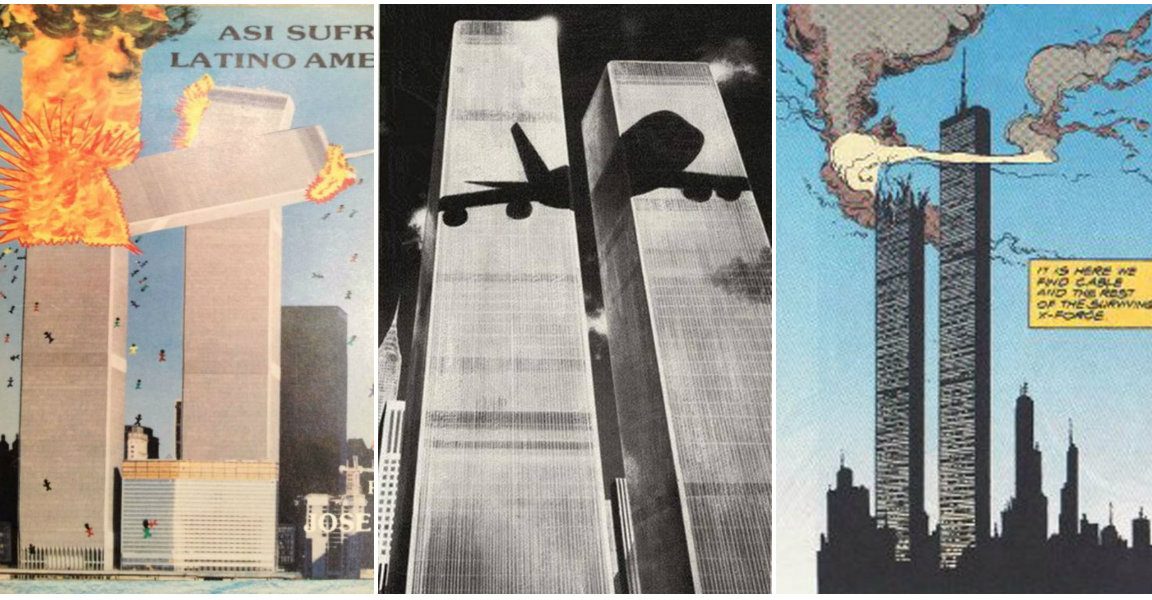
  • Pre-2001 popular culture references to the 9/11 attacks
  • Life inside a New York mental hospital in the 1930s
  • How eugenics was promoted in the early 20th century
  • Everyday segregation under Jim Crow
  • Women featured in 1960s Star Trek
  • Surreal album covers from the 1970s to the 1990s
  • 1970s men's fashion as seen through vintage advertisements

Who it suits. Readers with a general interest in history, visual culture, or mid-century design, and anyone looking for a browsable source of period imagery for a presentation, mood board or classroom discussion. Teachers and students may find the thematic groupings useful for starting conversations about how societies presented themselves in photographs.

Trade-offs to keep in mind. The approach is storytelling first, not citation first. Captions and context are written for a general audience, so if you need precise dates, provenance or archival references, treat the site as a starting point and verify details elsewhere. The tone also varies by topic: some entries are light and nostalgic, others deal with racism, institutionalization and propaganda, so the browsing experience is not uniformly casual.

A practical next step. If you have a specific era in mind, use the site's category or search function rather than scrolling the homepage; for example, searching "1970s" should surface fashion, music and design entries together. If you find an image you want to reuse, look for its original source before republishing, since the site curates photographs rather than originating most of them.

How can I use Rare Historical Photos to find images for a history project?

Use Rare Historical Photos as a visual archive for a history project: it pairs curated historical photographs with short contextual essays, so you can find an image and immediately get the background needed to caption or analyze it. The site organizes content around themes and events rather than by a searchable date index, so treat it as a place to browse and discover, then verify.

How to work with the site

  • Start from a topic, not a search term. The collection is built around themed photo essays: 1930s mental hospitals, eugenics propaganda, Jim Crow segregation, 1970s fashion ads, vintage album covers, even pre-2001 pop-culture references to 9/11. Skim the article list and open the essays closest to your project's angle.
  • Use the essay text as your caption source. Each photo essay explains the historical setting, which helps you write accurate captions instead of guessing from the image alone.
  • Mine the "everyday" images. Segregation drinking fountains, hospital interiors and advertising shots show ordinary life and social systems, which often work better in a project than famous portraits.
  • Save the article title and page URL for every image you might use, so you can cite it later.

A realistic scenario

Suppose your project is on 20th-century social control. You could pull one image from the eugenics essay, one from the Jim Crow essay and one from the mental-hospital essay, then compare how each used photography to present people to the public. The site's essays give you the framing; your analysis supplies the argument.

The main trade-off

This is a curated editorial site, not a primary-source archive. Images may be reprints, captions may be brief, and original dates or photographers are not always stated. For academic work, use it for leads and context, then confirm the image at an institutional source such as the Library of Congress, the Smithsonian Institution or the U.S. National Archives. Check each image's rights status before publishing, and cite the original collection where you can.

Next step: pick your project theme, open two or three related essays on the site, and shortlist five images with their original sources before you start writing.

What are the copyright and usage rules for the photos on Rare Historical Photos?

Rare Historical Photos does not state a single, site-wide copyright or usage rule in the material available here. The site presents itself as a collection of rare and historical photographs with the stories behind them, and its article pages cover topics such as 1930s mental hospitals, eugenics propaganda, Jim Crow segregation, and vintage Star Trek publicity images. Those subjects hint at the central difficulty: the photographs come from many different eras, countries, and original creators, so rights are likely to vary from image to image rather than follow one blanket policy.

What this means in practice

  • Assume each photo has its own status. A 19th-century studio portrait, a mid-20th-century wire-service news photo, and a 1960s television publicity still were all produced under different rules and may now be governed by different owners.
  • Publication on a website is not the same as a licence. A site can display an image for commentary, education, or historical documentation without granting visitors the right to reuse it.
  • The safest route is to ask. If you want to republish a specific photo, contact the site directly and describe your intended use. That is the only way to get a reliable answer for that image.

A practical decision guide

Intended use Sensible approach
Personal reference, study, or classroom viewing Low risk; cite the source and do not redistribute
School project or blog post Check whether the original photographer or archive is named; link to the page rather than copying the file
Commercial use, print, or merchandise Treat as high risk; seek permission from the rights holder, not just the website
Unsure about a specific image Ask the site, and separately search for the original archive or collection

A concrete example

Suppose you want to use a 1930s hospital photograph from the site in a local history booklet. The image may have originated with a government agency, a newspaper, or a private photographer. Before printing, you would want to know which. If the original source is a public archive, that archive's rules apply. If it is a newspaper or studio, permission may be needed. The website itself is a starting point for research, not a clearance service.

For a broader sense of how photo archives handle permissions, compare the stated terms at institutions such as the Library of Congress or Smithsonian Institution, which publish rights information alongside their collections.

How does Rare Historical Photos provide context and stories behind the images?

Rare Historical Photos pairs each image set with a short narrative essay that explains what the viewer is looking at and why it mattered. The site's own article descriptions show the pattern: a headline names the subject, then the excerpt supplies historical background, dates, places and social conditions before the photographs themselves carry the emotional weight.

How the context is built

  • Setting the scene first. The 1930s mental hospital article opens by explaining that care in the United States was then centered on large state institutions where patients could stay for years. That framing tells you how to read the photos before you see them.
  • Naming the mechanism, not just the mood. The eugenics piece describes how ideas about heredity were presented as modern science and gained supporters across Britain, the United States and other industrialized countries. The context is institutional and intellectual, not merely nostalgic.
  • Using ordinary objects as evidence. The Jim Crow article points to a drinking fountain marked "colored," a segregated waiting room, or a sign separating public spaces by race, and treats those everyday sights as symbols of an entire social system.
  • Connecting images to a wider cultural moment. The Star Trek piece links vintage photos of 1960s actresses to the show's vision of the future and its diverse crew, so the portraits are read against both fandom and the era's gender expectations.
  • Framing the strange or contested. Articles on 1970s album covers, 1970s menswear ads and the 1972 Rothschild party use the same approach: describe the object, then explain the commercial or conspiratorial context that keeps people talking about it.

What this means for a reader

If you arrive from a search for a single image, you get more than a caption. You get a reason the image circulated, who produced it, and what later readers projected onto it. That makes the site useful for students writing a first paragraph, teachers building a slide, or anyone fact-checking a photo that appears in a group chat. The trade-off is that the essays are short and interpretive; they are a starting point for further reading rather than a citation-heavy academic source.

A practical next step: pick an article whose subject you already know something about, and check whether the narrative changes how you see the photographs. If it does, the site is doing its job. For deeper verification, cross-check names and dates against institutional archives such as the Library of Congress Library of Congress or the U.S. National Archives National Archives.

Which historical topics and eras are best covered on Rare Historical Photos?

Rare Historical Photos is strongest where a single image can carry a whole social history: 20th-century America, institutional life, war and its cultural aftershocks, and the visual artifacts of mass culture. Its best coverage tends to be thematic photo essays rather than chronological surveys.

Where the site is most useful

  • 20th-century American social history — segregation and Jim Crow, state mental hospitals in the 1930s, and the everyday texture of reform and prejudice. These are the kinds of subjects where ordinary objects (a drinking fountain sign, a ward corridor) do the explanatory work.
  • History of science, medicine and ideology — the early-20th-century eugenics movement is a good example: propaganda imagery and its presentation as modern science, useful for readers studying how respectable institutions sold harmful ideas.
  • Popular culture and its dark overlaps — pre-2001 pop-culture references to 9/11, 1960s television imagery, 1970s–1990s album art, 1970s menswear advertising. This is cultural history read through design, marketing and screen images.
  • Wealth, power and spectacle — for instance the 1972 Rothschild party at Château de Ferrières, the sort of event photo set that attracts both genuine historians and conspiracy-minded readers.

Eras that fit best

The core is roughly 1900 to 1990, with the 1930s, the Jim Crow era, the 1960s and the 1970s appearing repeatedly. Earlier material shows up mainly as context; very recent history is not the focus.

How to decide whether it suits your need

If you want… Rare Historical Photos fits?
A visual entry point for a school or personal research topic Yes — images plus background narrative
Primary-source documents, citations or archival provenance Not ideal; treat it as a starting point
Broad chronological coverage of a single war or dynasty Limited; coverage is topic-led, not systematic
Material on 20th-century American culture and institutions Strong

A practical next step: search the site by theme — "Jim Crow," "eugenics," "1930s hospital," "1970s advertising" — rather than by date. Then verify any specific image or claim against a museum or archive collection; the Library of Congress and the Smithsonian Institution are good places to check provenance, dates and rights before you cite or reuse a photo.

Can I submit my own rare historical photos to be featured on the site?

Rare Historical Photos does not appear to offer a public submission channel. The site presents itself as a curated archive, with articles built around researched photo sets and the stories behind them — for example, its features on 1930s mental hospitals, eugenics propaganda, Jim Crow segregation, and vintage Star Trek portraits. Nothing in the visible page structure points to a reader upload form, contributor portal, or call for submissions.

What that means in practice

If your goal is to get a family archive, a local history collection, or a set of press photos in front of a large audience, you have a few realistic routes:

  • Pitch a story, not a folder. Curated photo sites typically want a narrative: what the images show, when and where they were taken, who is in them, and why they matter. A short written proposal with a handful of low-resolution preview images is a better first contact than a bulk upload.
  • Check the site's own contact route. If there is a contact page or email address, use it to ask directly whether they accept outside material. That is the only way to get a definitive answer for this specific site.
  • Consider a platform built for contributions. If open submission matters more than editorial curation, Wikimedia Commons, Flickr Commons, or a local historical society or university archive may be a better fit. Each has different rights requirements and review processes.

A decision criterion

Ask yourself what you actually want: editorial treatment (a researched article around your photos) or open publication (your images online under your own control). The first requires pitching and accepting an editor's framing; the second is faster but reaches a different audience.

Next step

Draft a two-paragraph pitch — one paragraph on the subject and its historical significance, one on what the photos show and their provenance — then send it through the site's contact channel and ask about their policy on outside contributions.
Related questions

More questions →
How to Compress Images for the Web Without Losing Visible Quality

You can cut most images to a fraction of their original file size without any visible quality loss by doing three things in the right order: resize the image to the dimensions it will actually display at, pick the right format for the content, then apply compression at a quality level that survives a side-by-side check. The single biggest mistake is skipping step one — an oversized image compressed at maximum quality is still far heavier than a correctly sized one.

Why file size and quality are a trade-off, not a fixed setting

Every compressed image is a negotiation between three variables: how many pixels you keep, how precisely each pixel is described, and how much the format is allowed to guess.

  • Dimensions decide how many pixels exist at all. Halving width and height removes 75% of the pixel data before any compression happens.
  • Quality level decides how aggressively the encoder discards detail it thinks you won't notice.
  • Format decides the kind of discarding allowed — some formats throw away color precision, others only remove redundancy.

Because these interact, "quality 80" means something different on a 4000px photo than on a 600px thumbnail. Tune dimensions first, then quality.

Pick the format before you touch the quality slider

Format Best for Compression type Transparency Notes
JPEG Photographs, gradients, complex scenes Lossy No Smallest for photos; artifacts appear around sharp edges and text
PNG Logos, icons, screenshots, flat color, anything needing transparency Lossless (or lossy via quantization) Yes Often 5–10× larger than JPEG for photos; excellent for flat graphics
WEBP Almost everything, as a modern default Both lossy and lossless Yes Typically 25–35% smaller than JPEG at comparable quality; broad browser support
SVG Logos, icons, diagrams, charts Vector (resolution-independent) Yes Stays crisp at any size; not suitable for photos
GIF Short simple animations only Lossless, 256 colors Yes (1-bit) Superseded by WEBP/MP4 for animation in nearly all cases

Practical rule: photos → JPEG or lossy WEBP; flat graphics and transparency → PNG or lossless WEBP; anything vector → SVG.

The four levers, in the order you should pull them

1. Resize to display size (biggest win, zero quality cost)

If your layout renders an image at 800px wide, serving a 2400px original wastes roughly 89% of the pixels. Resize to the largest size it will ever be displayed at, and add a 2× version only if you need retina sharpness.

2. Choose the format

Match the format to the content type using the table above. Converting a photographic PNG to JPEG or WEBP alone can shrink it by 80% or more.

3. Set the quality level

For JPEG and lossy WEBP, most photographs hold up well between quality 70 and 85. Below ~60, banding appears in skies and blur around text. Above ~90, file size climbs steeply for gains nobody can see.

4. Strip metadata

EXIF data, camera info, and embedded thumbnails can add tens of kilobytes. Remove them unless you specifically need copyright or orientation data — and note that stripping orientation can rotate an image, so verify after export.

When lossy compression is fine, and when it isn't

Lossy is acceptable when:

  • The image is a photograph or has natural texture.
  • It's decorative or below the fold.
  • Slight softening won't be noticed at final display size.

Use lossless or vector instead when:

  • The image contains text, UI elements, or thin lines (lossy creates ringing artifacts).
  • It's a logo, icon, or diagram — SVG or PNG keeps edges clean.
  • It will be edited again later; repeated lossy saves compound degradation.
  • It's a screenshot of code or a chart where color accuracy matters.

Compressing vs. resizing: don't confuse them

Compressing reduces the bytes needed to describe the same pixels. Resizing reduces the number of pixels. They're independent, and resizing usually delivers the larger saving. A 3000×2000 photo at quality 95 might be 2 MB; the same photo resized to 1200×800 at quality 80 might be 180 KB. Doing only the quality reduction gets you maybe 40% off; doing both gets you over 90%.

A repeatable workflow

  1. Determine the maximum display width in your layout (inspect the element or check your CSS).
  2. Export at that width (plus a 2× variant if needed).
  3. Convert to the right format — WEBP as a modern default, JPEG as a fallback, PNG/SVG for graphics.
  4. Apply quality 75–85 for lossy formats and compare against the original.
  5. Strip metadata and re-check orientation.
  6. Verify before publishing (see below).
  7. Serve the right file with srcset so small screens don't download the large variant.

How to verify quality before you publish

  • View at 100% at final display size, not zoomed in — artifacts you can't see at real size don't matter.
  • Toggle between original and compressed in a viewer or an online compressor's before/after preview.
  • Check the worst-case areas: skies, smooth gradients, sharp edges, and any text.
  • Compare file sizes and ask whether the extra kilobytes buy visible improvement. If not, go smaller.
  • Test on a mid-range phone, where banding and blur are often more obvious than on a desktop monitor.

Common mistakes

  • Compressing a full-resolution image and calling it optimized.
  • Using PNG for photographs.
  • Setting quality to 100 "to be safe" — it inflates size with no visible benefit.
  • Re-saving a JPEG repeatedly, stacking artifacts each time.
  • Forgetting that GIF animations are usually better as WEBP or video.
  • Ignoring metadata, which can silently add weight.

Quick reference

Goal Do this
Photo on a webpage Resize to display width → WEBP (fallback JPEG) → quality 75–85
Logo or icon SVG; fall back to PNG if vector isn't possible
Screenshot with text PNG or lossless WEBP
Transparent photo cutout Lossy WEBP or PNG
Short animation WEBP or MP4, not GIF

The order matters more than any single setting: resize, then choose format, then tune quality, then strip metadata, then verify at real display size. Follow that sequence and you'll routinely land at 10–20% of the original file size with no quality your visitors can detect.

What Is Rare Historical Photos?

Rare Historical Photos (rarehistoricalphotos.com) is a content site built around vintage and archival photography, with each image paired with the story behind it. It suits readers who want historical context attached to photographs rather than a bare image archive, and who are comfortable browsing article by article instead of searching a structured database. The site's own tagline, "And the story behind them…", states that pairing directly.

What the site publishes

The format is consistent across the articles visible on the site: a themed photo set introduced by a short historical framing, then the images and their background. Topics lean toward 20th-century social, cultural, political, and popular-culture history.

Examples drawn from the site's current article list:

Article Subject
Bizarre References to the 9/11 Attacks That Appeared in Popular Culture Before 2001 Pre-2001 media imagery later associated with 9/11
Rare Photos Show Life Inside a New York Mental Hospital in the 1930s Institutional care in 1930s America
Rare Photos Show How Eugenics Was Promoted in the Early 20th Century The public marketing of eugenics in Britain, the US, and other industrialized countries
Jim Crow America in Pictures Everyday segregation, including "colored" drinking fountains and segregated waiting rooms
Star Trek's Space Babes Women who appeared in 1960s Star Trek
Weird and Surreal Vintage Album Covers from the 1970s to the 1990s Album art as a browsing hook in record stores
Inside the Strange and Stylish World of 1970s Men's Fashion Through Vintage Ads 1970s menswear advertising
The Bizarre 1972 Rothschild Party A December 12, 1972 gathering at Château de Ferrières

The range is wide — from segregation and eugenics to album covers and fashion ads — so the site is better described as a general historical-photo magazine than a specialist archive in any one field.

How reading it works

There is no visible catalog, filter, or search structure described in the site material. You arrive at an article, read the framing text, and move through the photographs. That makes it a browse-and-read experience rather than a research tool: good for curiosity and for finding a visual entry point into a period, less suited to pulling a specific dated image on demand.

Who it fits

  • Good fit: you enjoy long-form photo essays, want the historical backstory attached to each image, and are interested in 20th-century culture and society broadly.
  • Weaker fit: you need rights-cleared images, precise metadata (date, photographer, collection), or a searchable index.

What the material does not establish

The site description and article list do not indicate pricing, subscription requirements, or licensing terms for the photographs. Treat access and reuse conditions as unconfirmed until you check the site directly.

How Rare Historical Photos Sources and Verifies Its Historical Photos

Rare Historical Photos (rarehistoricalphotos.com) presents vintage photographs paired with written context — the site's own tagline is "And the story behind them…" — and its articles routinely identify a photo's era, place, and the event or social system it documents. What the site does not publish, based on its visible pages, is a standardized sourcing or verification statement: there is no cited archive list, no per-image provenance note, and no described fact-checking process. So the practical answer is: treat the site as a curated storytelling publication rather than a primary-source archive, and verify anything you plan to cite or republish against an independent collection.

What the site actually gives you per photo

Across the articles visible on the site, the recurring pattern is image plus narrative context. Examples from the site's own headings and excerpts:

Article Context the site supplies
"Rare Photos Show Life Inside a New York Mental Hospital in the 1930s" Decade, institution type, and how care was organized at the time
"Rare Photos Show How Eugenics Was Promoted in the Early 20th Century" Time period, countries involved (Britain, the US, other industrialized nations), and the movement's framing as "modern science"
"Jim Crow America in Pictures" The social system being documented, with ordinary scenes (a "colored" drinking fountain, a segregated waiting room) explained as symbols of that system
"Bizarre References to the 9/11 Attacks That Appeared in Popular Culture Before 2001" Media categories covered (film, TV, comics, ads, music videos, magazine covers) and the pre-2001 timeframe

What this tells you: the site is strong on what you are looking at and why it mattered. It is not structured as a citation record.

What is and isn't verifiable from the site itself

Usually present:

  • Approximate date or decade
  • Location or country
  • The event, institution, or social context
  • A narrative explanation of significance

Not consistently present:

  • The holding archive, photographer, or collection the image came from
  • Licensing or copyright status for reuse
  • A stated method for confirming a photo's date or authenticity

Because of this, a photo's caption on the site is a claim, not a citation. That distinction matters most for images that are widely recirculated online, where dates and attributions are frequently wrong.

How to verify a photo you found there

  1. Identify the image, not the article. Note any visible details: uniforms, signage, vehicle models, architecture, film stock.
  2. Reverse-image search the photo (Google Lens, TinEye, Yandex) to find earlier or institutional copies.
  3. Check known archives first. For US material, the Library of Congress, National Archives (NARA), Smithsonian, and state historical societies are the usual holding bodies; for UK material, the National Archives and Imperial War Museums. A match there usually gives you the photographer, date, and rights statement.
  4. Cross-check the date against the content. If a caption says 1930s but the clothing, signage, or technology reads as a different decade, dig further before repeating the date.
  5. Look for the earliest appearance. The oldest indexed copy is often closer to the original source than a later repost.

When to rely on it and when not to

  • Fine for: general interest reading, topic discovery, classroom discussion starters, and finding leads on a period you then research elsewhere.
  • Not sufficient for: academic citation, publication, commercial reuse, or any claim where the exact date, photographer, or rights holder matters. For those, go to the holding archive.

If you need to reuse an image, assume nothing about permissions from the site alone — the absence of a stated license is not permission. Trace the image to its archive and check that archive's terms.

A reasonable working rule

Use Rare Historical Photos for the story and the visual entry point, then confirm the facts and rights at a primary archive before you repeat or republish them. The site's value is in assembling and contextualizing images that are otherwise scattered; the verification step is yours to do.

What Historical Topics and Time Periods Does Rare Historical Photos Cover?

Rare Historical Photos covers a broad mix of 20th-century history, with a strong emphasis on social history, war, race, public institutions, and popular culture. Its articles are organized as individual themed photo essays, each built around one specific subject rather than a single chronological survey. Based on the site's published articles, the coverage leans heavily toward the 1900s through the 1990s, and it mixes serious historical subjects with lighter cultural material.

Main Topic Areas

War, Politics, and Social Upheaval

The site devotes significant attention to conflict and social change. One recurring thread is the cultural imagination of war and terrorism, including an article on references to the 9/11 attacks that appeared in popular culture before 2001. This kind of piece looks at how movies, television, comic books, advertisements, music videos, and magazine covers anticipated images later tied to that date.

Race and Segregation

Racial history is a major category. Articles such as "Jim Crow America in Pictures" document the everyday reality of segregation through ordinary scenes — a drinking fountain marked "colored," a segregated waiting room, or signs separating public spaces by race. These images are presented as evidence of an entire social system rather than isolated curiosities.

Public Health and Institutions

The site also examines institutional and scientific history. Examples include:

  • Mental health care: A photo essay on life inside a New York mental hospital in the 1930s, when care was largely centered on large state hospitals where patients could remain for months, years, or much of their lives.
  • Eugenics: A piece on how eugenics was promoted in the early 20th century across Britain, the United States, and other industrialized countries, presented at the time as modern science.

Popular Culture, Fashion, and Entertainment

A substantial share of the content is cultural rather than political. Topics include:

  • Television and fandom: Vintage photos of the women who appeared in Star Trek after its 1966 premiere.
  • Music: Weird and surreal vintage album covers from the 1970s to the 1990s, when cover art was a record's first impression.
  • Fashion: 1970s men's fashion as seen through vintage advertisements.
  • Celebrity and conspiracy lore: The 1972 Rothschild party at Château de Ferrières, covered through rare photos that still fuel conspiracy theories.

Time Periods Covered

Period Representative Topics
Early 1900s–1930s Eugenics promotion, 1930s mental hospital life
Mid-20th century Jim Crow segregation, Star Trek (1966)
1970s–1990s Album covers, men's fashion ads, the 1972 Rothschild party
Pre-2001 / modern Popular culture references to 9/11 before the attacks

The through-line is the 20th century, but individual articles can reach earlier or later depending on the subject.

How the Content Is Structured

Each entry is a single-topic photo essay. The headline names the subject, and the excerpt supplies the framing — for example, explaining that 1930s mental hospitals were designed to provide housing and medical care, or that Jim Crow signs told the story of a whole social system. Readers who want one subject at a time will find this format useful; those looking for a continuous timeline will need to assemble it themselves from the individual pieces.

What This Means for You

If you are researching 20th-century social history, race, institutions, or mid-century popular culture, the site's themed essays can serve as visual starting points. If you need comprehensive chronological coverage or academic sourcing, treat these as curated image collections rather than complete histories, and verify specific claims against primary or scholarly sources.

Who Is Rare Historical Photos For?

Rare Historical Photos (rarehistoricalphotos.com) is best suited to history enthusiasts, students, teachers, and content creators who want historical images paired with narrative context rather than dry archival records. Its articles combine photographs with background storytelling, so you can browse a topic, understand why the images matter, and move on — without committing to academic-level research. It works as an entry point to 20th-century history and visual culture, not as a replacement for scholarly sources.

Who gets the most out of it

  • Casual history readers who want to learn through images and short narratives instead of long-form books.
  • Students and teachers looking for visual material and plain-language background to introduce a topic.
  • Writers, designers, and content creators researching period imagery, aesthetics, and cultural references.
  • Anyone curious about visual culture — how photography, advertising, and media shaped public perception in a given era.

What kind of content you'll find

The site's tagline is "And the story behind them…", which describes its format: a photograph or set of photographs plus the context that makes them meaningful. From the published headings, the range is broad and often uncomfortable or unusual rather than purely celebratory:

Topic What the article covers
Pre-2001 pop culture references to 9/11 How films, TV, comics, ads, and music videos imagined images later tied to September 11, 2001
1930s New York mental hospital Daily life inside large state institutions that housed patients for months, years, or most of their lives
Early 20th-century eugenics How eugenics was promoted as modern science across Britain, the United States, and other industrialized countries
Jim Crow America Segregation as an everyday social system, seen through drinking fountains, waiting rooms, and signs
Star Trek's 1960s women The actresses and imagery that shaped the show's audience appeal
1970s–1990s album covers Surreal and strange cover art as a first impression on record-store shelves
1970s men's fashion ads Bold, dated menswear imagery from vintage advertising
The 1972 Rothschild party Rare photos from an event that still feeds conspiracy theories

The through-line is 20th-century history and visual culture, with a recurring interest in the strange, the controversial, and the overlooked.

What it does well

  • Images first, context second. You see the photograph before or alongside the explanation, which makes abstract history concrete.
  • Accessible background. Articles explain the setting — for example, why state hospitals dominated mental-health care in the 1930s — without assuming prior knowledge.
  • Breadth over depth. You can move between segregation, eugenics, space-age television, and 1970s advertising in one sitting, which is useful for browsing and for finding a topic worth deeper study.

What it is not

  • Not a scholarly archive. It is a starting point for a topic, not a source you would cite as primary research.
  • Not exhaustive. A single article gives you an angle and a set of images, not the full historiography of a subject.
  • Not neutral by default. Topics like eugenics, Jim Crow, and conspiracy-theory imagery require care; treat the framing as a guide and verify claims against academic or archival sources when it matters.

How to use it well

  1. Pick a topic that matches your interest or assignment.
  2. Read the narrative for context, then look at the images as evidence of how that era presented itself.
  3. Note the names, dates, and events mentioned, and follow them into a library database or museum archive if you need depth.
  4. For teaching or content work, use the images as prompts and the text as a quick briefing — then add your own verified sourcing.

If you want a fast, visual introduction to a 20th-century subject and don't mind that it stops short of academic rigor, this site fits. If you need citable primary research, use it to find your topic and then go elsewhere for the evidence.

Website Overview

Identifiable technologies and additional version or configuration signals make the service easier to fingerprint, which may help targeted scanners narrow their checks. An established domain and managed infrastructure suggest continuity of operations and may support dependable delivery, although neither guarantees service quality.

Domain and Registration

Registered in 2013, this domain has about 12 years of history. That suggests continuity, although ownership and purpose may have changed. Transfer-protection status is present, helping reduce the risk of unauthorized domain transfers. The registrar is NameCheap, Inc., a widely used domain service provider. The domain uses the common .com extension, which is not an independent safety signal.

DNS and Email

MX records exist, but SPF, DKIM and DMARC were not detected. Protection against domain impersonation may be incomplete. Nameservers are provided by checktheports.com, indicating managed DNS hosting. MX records point to the rarehistoricalphotos.com email service. No CNAME was found; the observed records resolve directly to addresses. DNSSEC signatures were not detected, so this additional DNS authenticity protection is not confirmed.

TLS and Certificates

The certificate uses an RSA 2048-bit public key, offering broad client compatibility. The server supplied a complete certificate chain. No organization name is present in the certificate; the available fields are consistent with domain validation. The certificate was issued by Let's Encrypt, commonly associated with automated certificate services. The certificate's total validity is about 89 days, consistent with a short renewal cycle.

HTTP and Browser Security

The checked browser-security headers were not detected, leaving fewer explicit browser-side safeguards. No X-Powered-By header was found, reducing one common source of backend fingerprinting information. No obvious internal addresses or debug information were found in the headers. The Server header identifies Apache without an exact version. No explicit CDN or WAF marker was found in the response headers.

Technology Stack Analysis

The public page identifies WordPress 7.1.2, jQuery, Bootstrap, Google Analytics, Apache, with exact versions exposed for 1 technologies. These details can narrow vulnerability checks, although exposure alone is not a vulnerability.

Search and Social Sharing

The Generator tag identifies WordPress 7.1.2, making the publishing system easier to fingerprint. Twitter Card metadata is configured. The title has 22 characters, within a common display range. A meta description is present, with 28 characters. The observed directives allow indexing and link following.

Hosting and Email

DNSchecktheports.com
HostingH4Y Technologies LLC
Emailrarehistoricalphotos.com
Approximate IP geolocation (inferred; a CDN or proxy may differ from the origin server) United States flagBend, Oregon, United States Inferred 198.37.120.194

Registration details

RDAP / WHOIS

RegistrarNameCheap, Inc.
Registered2013-11-08
Expires2033-11-08
Domain statusclient transfer prohibited
Nameserversns1.rarehistoricalphotos.com、ns2.rarehistoricalphotos.com
DNSSECunsigned

DNS records

DNS

TypeNameValueTTLPriority
Ararehistoricalphotos.com198.37.120.19414400—
MXrarehistoricalphotos.comrarehistoricalphotos.com144000
NSrarehistoricalphotos.comns1.checktheports.com86400—
NSrarehistoricalphotos.comns2.checktheports.com86400—

TLS and certificates

TLS / SSL

AssessmentNormal configuration
Supported protocolsTLSv1.2、TLSv1.3
Negotiated protocolTLSv1.3
Certificate subjectrarehistoricalphotos.com
IssuerLet's Encrypt
Valid until2026-11-26T10:37 · Remaining when checked: 57 days
Verification detailsCertificate trust: Passed · Hostname match: Passed

HTTP response headers

HTTP

HeaderValue
content-typetext/html; charset=UTF-8
cache-controlmax-age=0
serverApache

Identified technologies

WordPress 7.1.2jQueryBootstrapGoogle AnalyticsApache

Pages, Search and Sharing

Meta descriptionAnd the story behind them...
Canonical URLhttps://rarehistoricalphotos.com/
LanguageEnglish (default)
Twitter Cardsummary
All bots 1 allowed · 1 disallowed
  • Allow/wp-admin/admin-ajax.php
  • Disallow/wp-admin/

User reviews (0)

  • No reviews yet.