
 简体中文
简体中文 English
Website review
This review may include AI-generated content and is not individually verified. Domain, certificate and other facts come from the observed data on this page.
What is Refont.ai?
Refont.ai is a free AI font generator for turning plain text into styled lettering and design-ready graphics. According to its page, it produces calligraphy, signatures, handwriting, tattoo lettering, logos and over 100 decorative font styles, with downloads as images (and TTF font generation listed among its tools). It is aimed at creators, students, designers and small brands who need a distinctive wordmark, invitation, poster or social caption without typography skills.
Where it fits best
- One-off visual text: a tattoo concept, signature-style logo, greeting card or meme caption where you want a quick styled result rather than a full typeface.
- Non-designers: the appeal is typing text and picking a style, not kerning and licensing fonts.
- Exploration: browsing 100+ styles is useful for finding a direction before commissioning a designer.
Trade-offs to weigh
- Images vs. fonts: image downloads suit posters and social posts; if you need editable body text in documents, a real font file matters more.
- Originality and rights: generated signature or logo styles should be checked for commercial-use terms before branding with them.
- Polish: AI-styled lettering often needs manual cleanup for print or formal logos.
As a next step, test one real use case — your name as a signature or a short brand name in calligraphy — and judge whether the output is usable at final size. If you need editable typefaces instead, compare with established font libraries such as Google Fonts or Fontshare.
Can I use Refont.ai to create a realistic signature for branding or artwork?
Yes. Refont.ai explicitly supports signature creation through its AI Signature Generator, which produces clean one-stroke signatures, and a separate "Art Signature" option aimed at stylized branding signatures for posters, artwork and professional materials. It also lists calligraphy and handwriting tools that can feed a signature-style design.
What fits which use
| Goal | Refont.ai feature | Practical note |
|---|---|---|
| Personal or brand signature mark | AI Signature Generator | One-stroke styles suit logos, watermarks and signed artwork |
| Stylized poster/artwork signature | Art Signature | More decorative than a plain personal signature |
| Elegant branded wordmark | AI Calligraphy / Calligraphy Logo | Good for invitations, logos and decorative artwork |
| Handwritten-looking notes | Handwriting Generator, Handwritten Greeting Cards | Aimed at personal messages rather than legal signing |
Trade-offs to weigh
- Branding: generated signatures are a strong starting point for a logo or artist mark, but a distinctive brand signature usually needs refinement so it stays legible at small sizes and consistent across uses.
- Artwork: a stylized signature can become part of the piece, but check that it doesn't compete with the main subject.
- Realism: "realistic" here means natural-looking handwriting, not a verified reproduction of your legal signature. Don't use generated signatures for contracts, IDs or anything requiring authentication.
Next step: generate several variants of your name, then test the strongest one at thumbnail size and in a single color. If you need a polished final mark, take the chosen design into a vector editor or to a designer for cleanup.
For broader font and lettering work alongside this, Canva and FontForge cover design templates and editable font files respectively.
How do I design a tattoo lettering style with the AI font generator?
Start with your wording, not the style: type the exact name or phrase into the AI Font Generator, choose a starting look such as tattoo font, calligraphy or gothic, then generate several variants and compare them at the size the tattoo will actually be. Refont's page presents these as one-click starting points rather than a full drawing tool, so treat the output as a concept direction to refine, not a finished stencil.
A practical workflow
- Fix the text first. Tattoo lettering lives or dies on spacing. Test the full phrase, not just the first word, because long strings expose crowding that a short sample hides.
- Generate across a few styles. On Refont the relevant entry points are the tattoo font, calligraphy and signature generators; running the same phrase through two or three gives you a fair comparison instead of settling on the first result.
- Judge at real scale. View the design shrunk to roughly the planned tattoo width. Fine hairlines and tight counters disappear on skin, especially on fingers, wrists and ribs.
- Check the letterforms by hand. Look for letters that touch, uneven stroke weight, or flourishes that will blur. Redraw or simplify before committing.
- Take it to an artist. A tattooer will adjust line weight, curve the text to the body and set minimum stroke widths; a generated image cannot account for how skin ages or how a placement bends.
Choosing between the styles
| Starting style | Suits | Watch out for |
|---|---|---|
| Calligraphy | Names, script lettering, memorial pieces | Thin connecting strokes that fade over time |
| Gothic / blackletter | Bold statement words, chest or forearm pieces | Dense interiors that fill in at small sizes |
| Signature style | Single names, personal marks | Overly casual look for formal or large pieces |
| Fancy/display text | Short words, decorative accents | Novelty effect that dates quickly |
For a first tattoo, favour a short phrase, a moderate stroke weight and a placement with relatively flat skin. Use the generator to explore direction, then let a tattoo artist turn the chosen look into a clean, body-appropriate design.
Which free font styles can I generate for logos, posters, and social media captions?
On Refont, the free AI font generator covers three main groups of styles: decorative display fonts (gothic, graffiti, bubble, fancy/emoji-style text, Lenny Face effects), script and handwriting styles (calligraphy in cursive or clerical styles, handwriting that mimics real writing, one-stroke signature styles), and occasion or use-case presets (PowerPoint fonts, birthday fonts). It also offers TTF font generation and calligraphy logo or tattoo font generation, so you can move from a styled image to something closer to a usable font file.
Matching styles to output
| Use | Styles that fit best | Trade-off to expect |
|---|---|---|
| Logo | Calligraphy, signature, gothic, graffiti | Signature and script styles look distinctive but can be hard to read at small sizes |
| Poster | Calligraphy, tattoo, gothic, bubble | Heavy display fonts dominate a layout; keep body text in a plain font |
| Social captions | Fancy text, emoji-style text, Lenny Face | These are playful and casual, so they suit memes and personal posts more than brand messaging |
A concrete example: a small bakery could use a calligraphy style for its logo mark, a bubble or birthday font for a promotion poster, and fancy text for an Instagram caption—three different outputs from the same generator, each with a different legibility trade-off.
As a next step, decide whether you need an image of styled text or an actual font file, since the page lists TTF generation separately from the image-oriented tools. If you need real typefaces rather than generated styles, compare with dedicated font libraries such as Google Fonts.
Is it possible to generate a downloadable TTF font file that I can install and use in my own software?
Yes. The site lists a Generate TTF Font option alongside its calligraphy, signature, and tattoo generators, so producing an installable font file is one of the intended outputs, not just styled images.
What that means in practice
- Software use: A TTF can be installed in your operating system and then selected in design apps, word processors, or development tools, unlike the image-based outputs (logos, posters, greeting-card text).
- Best-fit users: Designers or small teams who want a reusable brand font, students experimenting with type, and developers who need a font asset for an app or game.
- Trade-off: Generated fonts are usually display-oriented. Expect them to suit headlines, logos, and short labels better than long body text, where spacing and legibility matter more. Check the character set before committing — punctuation, numerals, and accented letters are the usual gaps.
Next step
Generate a short test string covering A–Z, a–z, 0–9, and a few accents, install the TTF, and inspect it in your target software at small and large sizes. If it holds up, proceed to the full set.
For a broader style library to compare against, see AI Font Generator and, for conventional installable typefaces, Google Fonts.
What does the free plan include compared to the paid pricing tiers?
The page doesn't publish a free-versus-paid feature breakdown. Its main promise is that you can generate tattoo, signature and logo designs and stylish fonts "for free," and a separate Pricing page exists at Refont. So treat "free" as the advertised entry point, not a documented plan.
What the page does support
- Free use is framed around the generators themselves: AI calligraphy, AI signature, TTF font, calligraphy logo and tattoo font.
- The style library is described as 100+ font styles, with gothic, graffiti, bubble, PowerPoint and birthday fonts highlighted.
- Handwriting and greeting-card tools, fancy text and Lenny Face effects are listed as part of the same toolkit.
What it doesn't tell you
Nothing on the page says which styles, downloads or file formats are limited on free use, or what the paid tiers add. Checking the Pricing page directly is the only reliable way to compare.
Practical reading
For a quick test — a signature idea, a tattoo sketch, a party invitation — start with the free generators and judge output quality first. If you need TTF files for real design work or repeated downloads, confirm export limits and licensing on the Pricing page before relying on it; font licensing matters if the output goes into a logo or product.
A sensible next step: pick one concrete task, such as a calligraphy logo draft, run it free, then compare the result against what the paid tier promises before deciding.
 Cloudflare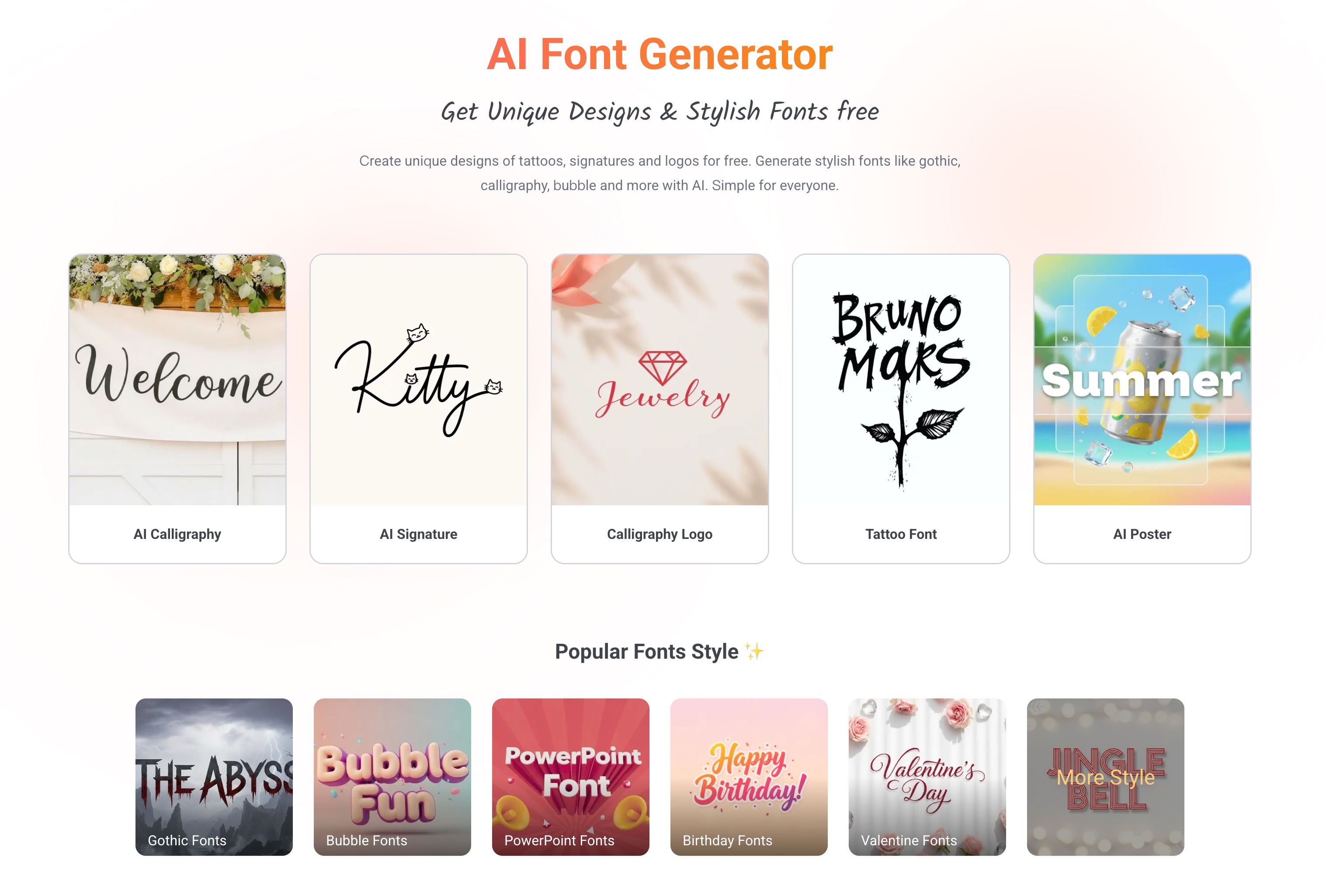

User reviews (0)