Website profiles · Technology insights · Alternatives

voice-swap.ai

Made for musicians, content creators, and artists. Create custom voice models, access featured artists, and transform your sound with AI.

Paid content
Visit website
Profile views 8 Outbound visits 2 Normal
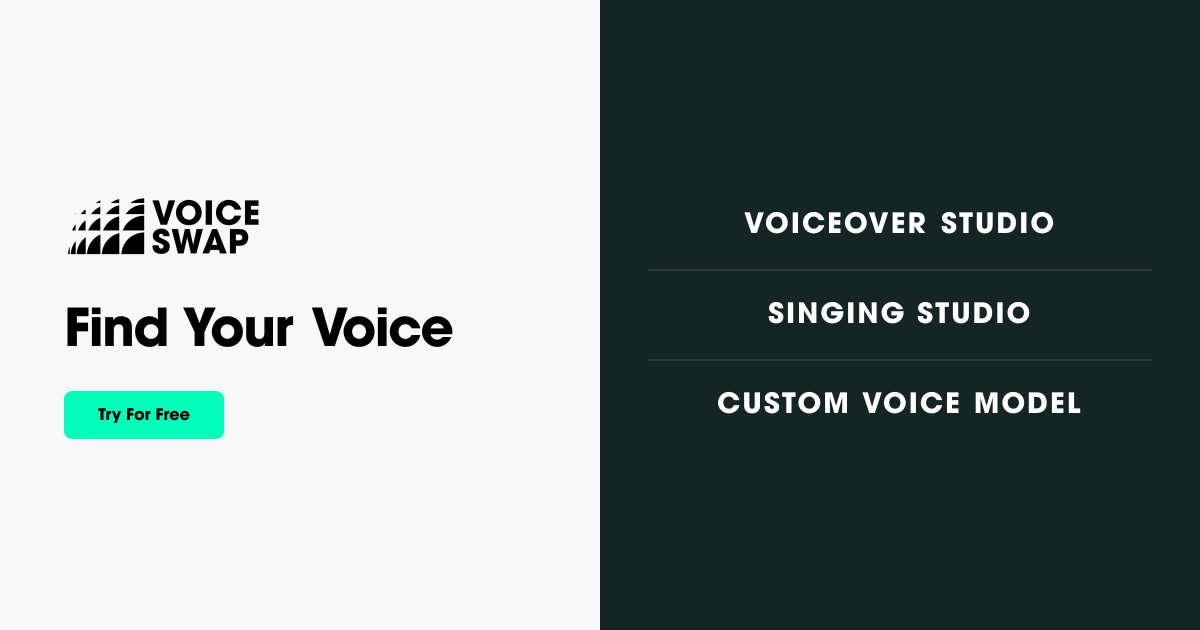
Voice-Swap Full homepage screenshot

At a glance

Category
Artificial Intelligence
Language
English
Paid-content signal
Paid contentObserved
Registered
2023
Hosting
VercelInferred
HTTPS certificate trusted
PassedObserved
Last updated

Website review

This review may include AI-generated content and is not individually verified. Domain, certificate and other facts come from the observed data on this page.

What is Voice-Swap?

Voice-Swap is an AI voice platform aimed at musicians, producers, content creators and enterprises. It combines voice modelling, generation and rights management in one system, so you can transform or generate vocals while keeping control over vocal identity and ownership.

What it offers

  • Voiceover Studio — a text-to-speech system for media, marketing, games and podcasts, with expressive, controllable voices.
  • Singing Studio — AI singing voices for artists, producers and studios; you can swap voices, separate stems, or create your own model to sing any song.
  • Custom Voice Model — a proprietary model trained from your own voice, positioned for music, media, games and apps with full ownership and rights protection.
  • Enterprise — infrastructure for companies and developers building voice into products.

A practical example: a producer with a demo vocal could use the Singing Studio to try a different vocal character before committing to a session singer, while a brand could train a custom model so its spokesperson's voice scales across campaigns without re-recording.

The main trade-off is between convenience and control. Using the featured artist roster is fast, but your output is tied to someone else's vocal identity and licensing terms. Training a custom model takes more setup, but keeps the voice proprietary to you. If rights and ownership matter for commercial release, the custom route is usually the safer starting point; if you just need a quick scratch track or a character voice, the studios are the lower-friction option. Start by testing the Voiceover Studio's free character allowance to judge whether the voice quality fits your project before investing in a custom model.

How do I create a custom AI voice model with Voice-Swap?

You create a custom voice model on Voice-Swap by using its Custom Voice Model path: you provide your voice, the platform trains a proprietary model from it, and you then use that model in the Singing Studio or Voiceover Studio. Voice-Swap frames this as “Your Voice. Your IP.” — professional training from your voice, with ownership and creative control retained by you.

Practical steps

  1. Go to the Custom Voice Model section and start the “Create a Custom Voice Now” flow.
  2. Record or supply clean, consistent vocal material. For singing, dry takes without reverb or backing music work best; for spoken voice, quiet room, steady mic distance, no clipping.
  3. Submit for training. Voice-Swap describes this as professional model training from your voice, so expect a waiting period rather than instant results.
  4. Test the finished model in Singing Studio (voice swapping, stem separation, harmonies) or Voiceover Studio (expressive text-to-speech for marketing, games, podcasts).
  5. Keep the model private or share it under the rights terms you choose — the platform emphasises safe sharing and ownership.

What you get, by use case

Goal Relevant Voice-Swap feature Who it suits
Sing any song in your own voice model Singing Studio Artists, producers, studios
Narration, ads, characters Voiceover Studio Marketers, podcasters, game devs
Brand or artist signature voice Custom Voice Model Labels, enterprises, developers
Licensed artist voices Roster Creators wanting featured talent
Rights-managed deployment Enterprise / rights-first infrastructure Companies and developers

Decision criteria

  • Choose a custom model if you need a voice you own and can reuse across projects; choose the roster if you want a recognisable featured artist voice instead.
  • If you only need narration, Voiceover Studio is the faster route; the custom model matters most when consistency and IP ownership are the point.
  • Check the Pricing page before committing, since model training and usage are typically metered differently.

Next step: visit Voice-Swap, open the Custom Voice Model section, and prepare a clean recording session before you start — the quality of your source audio determines how usable the trained model will be.

Can I use Voice-Swap to make my singing voice sound like a famous artist?

Yes, Voice-Swap is built for exactly that kind of vocal transformation, but with an important distinction: it lets you sound like artists on its roster through licensed, rights-managed models, rather than cloning any famous singer you choose. The platform describes itself as "rights-first AI infrastructure," with featured artists and custom voice models as separate offerings. So the practical answer is: you can transform your singing into a roster artist's voice, but you generally cannot point it at an arbitrary celebrity and expect a clone.

H3 What the platform actually offers for singing

  • Singing Studio — described as studio-grade AI singing voices for artists, producers and studios, with voice swapping, stem separation, and the ability to create your own voice model and sing any song.
  • Custom Voice Model — a proprietary model trained from your own voice, with the pitch that you keep full ownership and creative control.
  • Featured artist roster — voices from talent who have worked with broadcasters, sports institutions and videogames, available for transformation.

H3 The rights trade-off

The "rights-first" framing is the key decision criterion. If you want a legally defensible release, distribution or client deliverable, using a roster voice or your own trained model is the safer path. Trying to imitate a famous artist who is not on the roster raises consent, publicity and copyright issues that the platform's own infrastructure is designed to avoid.

H3 A concrete scenario

Suppose you are a producer with a demo vocal and want a female pop-style lead for a sync pitch. You could run your take through Singing Studio to a roster voice, separate stems to keep your harmonies, and credit the model's artist per the platform's terms. If instead you want your own voice to become a reusable instrument across many tracks, the custom model route fits better.

Next step: check the roster and the current terms on Voice-Swap before committing to a release, and read the FAQ for how artist consent and ownership are handled.

What are the pricing options and free trial limits for Voice-Swap?

Voice-Swap does not publish its prices directly on the page you supplied; the site links to a separate Pricing page, and the only concrete free-usage figure in the page evidence is the Voiceover Studio offer of 1,000 free characters for new users.

What the page confirms

  • A dedicated Pricing page exists at Voice-Swap (linked in the site navigation), so tier details and current rates live there rather than on the homepage.
  • Voiceover Studio advertises "1000 characters free" as a try-before-you-buy allowance. Characters are the natural unit for text-to-speech, so this is a one-off sample of generated speech, not an ongoing free plan.
  • The product is split into three main tracks, each of which may be priced differently:
    • Voiceover Studio — text-to-speech for media, marketing, podcasts and games
    • Singing Studio — voice swapping, stem separation and custom models for music
    • Custom Voice Model — bespoke model training with ownership and rights protection
  • There is also an Enterprise track, which typically means negotiated, quote-based pricing rather than a listed self-serve plan.

How to read the free allowance

1,000 characters is roughly a short paragraph or a 30–60 second read, depending on pacing. That is enough to judge voice quality, latency and how natural the output sounds, but not enough to produce a finished campaign or episode. Treat it as an evaluation budget, not a production budget.

A practical next step

Open the Pricing page and check three things before committing: whether the free characters are one-time or refresh monthly, whether commercial rights are included at your tier (important if you are using voices for client work or monetised content), and whether Custom Voice Model training is priced per model or as a subscription. If you need a bespoke voice for a brand or artist, expect to request a quote rather than pick a listed plan.

Decision criterion

If you only need occasional narration, the character-based entry point is likely enough. If you are producing music or branded audio at volume, compare the Singing Studio and Custom Voice Model paths, since ownership and rights terms matter more there than the headline price.

How does Voice-Swap protect vocal identity and ownership rights?

Voice-Swap's protection story rests on three mechanisms named in its own material: rights management built into the platform, proprietary custom voice models that stay with the client, and a stated commitment to responsible AI voice development with partner organisations.

What the platform claims to do

  • Rights management is part of the system, not an add-on. Voice-Swap describes combining voice modelling, generation and rights management in a single system, so that creators, rights holders, companies and developers can build "without compromising vocal identity, rights, ownership or legal standards."
  • Custom models are positioned as client property. The Custom Voice Model page frames it as "Your Voice. Your IP." — professional training from your voice, with full ownership and creative control retained, and a stated option to share your voice "safely and securely."
  • Consent is framed around the voice owner. The emphasis on artists sharing their voice on their own terms, plus the "rights-first" positioning, implies the voice owner authorises use rather than having a model built from scraped audio.
  • Enterprise use is a first-class case. Enterprise is a listed offering, which suggests contractual terms, usage limits and rights documentation are handled per deal rather than through a one-size-fits-all consumer licence.

How to read this in practice

These are positioning statements, not a published legal framework. The page does not spell out consent duration, revocation, revenue splits, or what happens to a model if an artist withdraws. For a musician licensing their voice, or a brand commissioning a custom model, those are the terms that actually decide whether "you keep ownership" holds up.

A concrete scenario: a producer wants a stacked harmony in a specific singer's timbre. Through Custom Voice Model, the singer authorises training on their voice and, per the stated terms, retains ownership of the resulting model. The producer gets the take; the singer keeps the asset. That is the intended shape of the deal — but the enforceability lives in the contract behind the dashboard, not the marketing page.

Next step

Before committing a voice, ask for the written terms covering: consent scope and duration, revocation, ownership of the trained model, permitted downstream uses, and how the rights-management layer records all of it. If you are the voice owner, treat "share your voice safely" as a prompt to read the agreement, not as a guarantee.

For broader context on voice rights in music, see Recording Academy and U.S. Copyright Office.

Can I integrate Voice-Swap into my own app or game as a developer?

Yes. Voice-Swap positions itself as infrastructure for developers, not just a standalone studio tool. Its page lists an Enterprise offering and describes combining voice modelling, generation and rights management into a single system for "creators, rights holders, companies and developers." It also mentions a VST in the site navigation, which points to plugin-based integration into music production workflows rather than only a web interface.

What that likely means in practice

  • Custom voice models: You can commission models trained on a specific voice, with ownership and rights protection described as part of the deal.
  • Voiceover generation: A text-to-speech studio aimed at media, marketing, games and podcasts, with controllable style and emotion.
  • Singing and stem tools: Voice swapping, stem separation and harmony generation for music production.
  • Rights-first infrastructure: The pitch is that vocal identity, ownership and legal standards are handled within the system — relevant if you are shipping a game or app where voice rights are a real risk.

Where it fits

Use case Fit
Game with many NPC lines Strong, if you need consistent character voices at scale
App with a branded voice assistant Plausible, via custom model and enterprise setup
Music production in a DAW VST route is the natural entry point
Quick one-off voiceover The free character allowance in the voiceover studio is a low-commitment test

Practical next step

Start with the Voiceover Studio trial to judge output quality and latency on your own script before committing to a custom model. If you need a proprietary voice, treat the custom model as a separate, longer project — model training, consent and rights terms will matter more than the generation API itself. For commercial or embedded use, ask about enterprise terms directly, since pricing and licensing are not spelled out on the page.

Related tools worth comparing for developer integration: ElevenLabs and Resemble AI.

Related questions

More questions →
How Do Content Creators Combine AI-Generated Assets With Licensed Stock Media in One Project?

Yes, you can combine AI-generated assets with licensed stock media in a single project, but the two categories carry different rights, and that difference is where most problems start. The practical rule: treat AI output and stock media as two separate asset classes with two separate paper trails, then document both before you publish. Below is how the rights differ, where creators get tripped up, and a workflow you can run in any editor.

AI assets vs. licensed stock: the core difference

AI-generated assets Licensed stock media
Who owns it Often unclear; depends on the tool's terms and your jurisdiction The creator or library; you get a license, not ownership
What you receive A generated file, sometimes with commercial-use rights granted by the tool A defined license (royalty-free, rights-managed, editorial-only)
Attribution Rarely required, sometimes prohibited from claiming authorship Sometimes required, often restricted from redistribution
Main risk Training-data provenance, platform terms changing, unclear copyrightability Scope creep — using editorial-only footage in a commercial ad, for example

The key point: a stock license tells you exactly what you can do. An AI tool's terms tell you what the platform permits, which is not the same as what copyright law allows. When you mix them, both sets of rules apply to the same final video.

Common licensing pitfalls when mixing the two

Editorial-only stock inside a monetized video

Many libraries label certain footage as "editorial use only" — news clips, celebrity shots, branded products. Dropping that into a YouTube video with ads or a client project can breach the license even if the rest of your timeline is clean AI output. Check the license tag on every stock clip, not just the ones you think are risky.

Assuming AI music is automatically "royalty-free"

AI-generated music may be free of royalties to a rights holder, but the tool's terms can still restrict commercial use, require a paid tier, or prohibit redistribution as a standalone track. If you upload your video to a platform that fingerprints audio, an AI track can still trigger a claim if it closely resembles training data.

Voiceover and likeness rights

AI voiceover that mimics a real person, or AI images of recognizable faces, can create publicity-rights issues that no stock license covers. Keep AI voice and likeness generic, or use a tool that explicitly grants commercial rights for the output.

Stacking licenses you didn't read

A single subscription may cover music, SFX, footage, and AI tools — but each category can have its own terms page. One plan does not mean one uniform license.

A practical workflow for one project

  1. Create two folders before you edit. Name them AI_generated and Licensed_stock. Never let files mix on disk; you will need to prove origin later.

  2. Log every asset as you import it. A simple spreadsheet works:

    File name Source Type License/tier Attribution required? Restrictions
    intro_music.wav AI tool Music Pro plan No No standalone resale
    city_broll_04.mp4 Stock library Footage Royalty-free No Not for editorial use
  3. Tag clips in your editor. Most editors let you add color labels or keywords. Mark AI assets one color, licensed stock another. This makes a final rights check fast.

  4. Do a pre-export audit. Walk the timeline and confirm every clip's license permits your intended use — commercial, monetized, client work, or broadcast.

  5. Keep the export clean of metadata conflicts. Some stock files carry embedded license metadata; AI files usually don't. Don't strip or fake either one.

How to verify one subscription covers both

Before you rely on a single platform for AI tools and stock media, confirm:

  • The pricing page lists both categories under the same plan. If AI tools sit on a separate tier, your "one subscription" assumption is wrong.
  • The terms of use have a section for AI output and a separate section for stock assets. One combined clause is a warning sign.
  • Commercial use is explicit for both. Look for the words "commercial use" tied to each asset type, not just the plan overall.
  • Attribution rules are stated per category. Music often differs from footage.
  • There's a clear answer on client work and redistribution. If you can't find it, ask support in writing and save the reply.

Questions to ask before committing to one platform

  • Does my plan cover AI music, SFX, footage, and voiceover, or only some of them?
  • If I cancel, can I keep using assets downloaded during my subscription in existing videos?
  • Are AI-generated assets covered for client and monetized work, or personal projects only?
  • What happens if a stock clip is later reclassified as editorial-only?
  • Is there a per-project or per-channel limit I might hit?
  • Can I get written confirmation of commercial rights for both asset types?

Bottom line

Combining AI-generated and licensed stock assets is workable if you treat them as two licensed streams feeding one project. Separate your files, log every asset's origin and terms, audit before export, and verify that any single platform actually covers both categories in writing. The creative mix is easy; the paperwork is what keeps the project publishable.

What is Voice-Swap?

Voice-Swap is an AI voice platform built for musicians, content creators, and enterprises. It combines voice modeling, voice generation, and rights management into a single system, so you can transform or generate vocals without giving up ownership of a vocal identity. It's the right fit if you need studio-grade AI voices for music, media, games, or branded assistants — and it's specifically designed for people who care about rights and legal standards, not just output quality.

What Voice-Swap actually does

The platform is organized around three main tools, each aimed at a different job.

Voiceover Studio

A custom-built text-to-speech system that produces expressive, controllable AI voices. According to the site, these voices can deliver a range of styles and emotions, so you can shape how a voice sounds and speaks. It's positioned for content production, marketing campaigns, videogames, and podcasts.

Singing Studio

Studio-grade AI singing voices for artists, producers, and studios. The listed uses are:

  • Swapping voices
  • Separating stems
  • Creating your own voice model and singing any song

It's framed around demo production, harmonies and stacked vocals, and instant collaboration.

Custom Voice Model

A proprietary AI voice model built for your brand, artists, or tech stack. Voice-Swap describes professional model training from your voice, with the ability to share your voice safely and securely while keeping full ownership and creative control. The pitch is "Your Voice. Your IP." — perfect takes every time, in any style.

The rights-first angle

This is the part that separates Voice-Swap from a generic voice changer. The company describes itself as providing "studio-grade voices and rights-first AI infrastructure." Its stated approach is to combine voice modeling, generation, and rights management so that creators, rights holders, companies, and developers can build without compromising vocal identity, rights, ownership, or legal standards.

If your project involves a real person's voice — a featured artist, a brand spokesperson, or your own — that framing matters more than raw audio quality. It's the difference between a tool you can use commercially and one you can't.

Who it's for

User Typical use
Musicians and producers Voice swapping, stem separation, demo vocals, harmonies
Content creators Voiceover for video, podcasts, marketing
Enterprises and developers Custom voice models, branded voice assistants, interactive characters
Rights holders Licensing and protecting vocal identity

The site notes its roster of talent has worked with broadcasters like NBC and Comcast, sports institutions like the NFL, NBA, and PGA, and videogames like League of Legends and The Walking Dead. That's a signal of the professional tier it's targeting, not a guarantee about your specific use case.

How to decide if it fits

Ask three questions:

  1. Do you need singing, not just speech? If yes, Singing Studio is the relevant entry point. If you only need narration, Voiceover Studio covers it.
  2. Do you need a voice that's exclusively yours? If yes, Custom Voice Model is the path — it's built around ownership and IP protection.
  3. Does rights compliance matter to your project? If you're producing anything commercial, the rights-management layer is the reason to consider this over a consumer voice changer.

Getting started

The site offers a free entry point for Voiceover Studio: 1000 characters free, accessible from the homepage. Pricing details are listed on a dedicated pricing page, and there are separate tracks for roster access and enterprise. If you want to test output quality before committing, the free character allowance is the lowest-risk way to do it.

Who Is Voice-Swap For?

Voice-Swap is built for three broad groups: musicians and producers who want AI-assisted vocals, content and media creators who need expressive synthetic voiceover, and organizations or developers that need voice models they own and control. The site describes itself as "studio-grade voices and rights-first AI infrastructure for creative industries, enterprises and developers," which is the clearest signal of who it is aimed at — people and teams for whom vocal identity, ownership, and legal standards matter, not just anyone who wants a quick voice filter.

Musicians, Producers, and Artists

The Singing Studio is the entry point here. According to the site, it offers "studio-grade AI singing voices built for artists, producers and studios," with three named uses:

  • Swap voices — change the vocal identity of a performance.
  • Separate stems — pull apart a mix into components.
  • Create your own voice model and sing any song — train a model on a voice, then apply it.

The listed benefits are demo production, harmonies and stacked vocals, and instant collaboration. This fits a workflow where you want to hear a vocal idea in a different voice, build backing layers, or share a track with a collaborator before committing to a final recording. If you are a solo artist without access to a session singer, or a producer mocking up a topline, that is the scenario the Singing Studio targets.

Content Creators, Marketers, and Podcasters

The Voiceover Studio covers non-musical voice work. The site describes it as "expressive AI voices for media, marketing and storytelling," with a custom-built text-to-speech system that is "dynamic, expressive and controllable." Listed applications include content production, marketing campaigns, and videogames and podcasts.

The roster is presented as a differentiator: named voices such as Dave Fennoy (described as "Deep Authoritative"), Julie Ann Dean ("Lighthearted Conversational"), and Lindsay Sheppard ("Versatile Upbeat"). The site notes this talent has worked with broadcasters like NBC and Comcast, sports institutions like the NFL, NBA and PGA, and games like League of Legends and The Walking Dead. If your project needs a recognizable, professionally voiced character rather than a generic synthetic read, that roster is the relevant feature.

There is also a free trial path: the site advertises trying the Voiceover Studio and getting 1000 characters free. Treat that as a way to test whether the voice quality suits your material before committing further.

Enterprises and Developers

The Custom Voice Model and Enterprise offerings are for organizations that need a proprietary voice asset. The site frames this as "a proprietary AI voice model for your brand, artists or tech stack," built for music, media, games and apps, with "full ownership and rights protection."

The stated promises are specific and worth checking against your own requirements:

  • Professional model training from your voice
  • Share your voice safely and securely
  • Keep full ownership and creative control
  • "Perfect takes every time, in any style"

The broader pitch is that Voice-Swap combines "voice modelling, generation and rights management into a single system," so creators, rights holders, companies and developers can build "without compromising vocal identity, rights, ownership or legal standards." Example applications named on the site include digital performance, interactive characters, and branded voice assistants. If you are building a product that needs a consistent voice — a game character, an assistant, a branded narrator — and you need to know who owns the resulting model, this is the tier designed for that question.

How to Decide

If you are… The relevant offering is… Because…
A musician or producer Singing Studio Voice swapping, stem separation, custom models, harmonies
A content creator, marketer, or podcaster Voiceover Studio Expressive TTS with a named professional roster
A brand, studio, or developer Custom Voice Model / Enterprise Proprietary models with stated ownership and rights protection

One caveat: the site's claims about ownership, rights protection, and legal standards are marketing statements. Before you build a commercial product or release a track around a voice model, read the actual terms and confirm what rights transfer to you and what restrictions apply — especially if you are training a model on someone else's voice or a voice you do not control.

If you are unsure which tier fits, the fastest test is the free Voiceover Studio trial for speech work, or the Singing Studio demo for musical use.

How to Get Started with Voice-Swap and Where to Find Pricing

Voice-Swap is an AI voice platform for musicians, content creators, and enterprises. You can start in three ways: try the Voiceover Studio (the site advertises 1000 free characters), try the Singing Studio, or create a custom voice model. Pricing lives on its own page at voice-swap.ai/pricing, and the main navigation also links to Dashboard, VST, Blog, FAQ, and Contact.

What Voice-Swap actually is

Voice-Swap describes itself as "studio-grade voices and rights-first AI infrastructure for creative industries, enterprises and developers." It combines three things in one system:

  • Voice modelling — building a voice model from a voice
  • Generation — producing speech or singing from that model
  • Rights management — handling vocal identity, ownership, and legal standards

That combination is the reason the platform is positioned for both individual creators and organizations. The site states it works with "leading organisations across creative industries and cutting-edge technology to support responsible AI voice development."

The three ways to start

The homepage presents three entry points, each aimed at a different job.

1. Voiceover Studio — for spoken content

A text-to-speech system for media, marketing, and storytelling. The site describes it as "dynamic, expressive and controllable AI voice." Listed uses include content production, marketing campaigns, videogames, and podcasts.

The homepage promotes a free trial: "Try our new Voiceover_Studio now AND GET 1000 characters free." If your goal is narration, ads, or character dialogue, this is the lowest-friction place to begin — you can test output quality before committing to anything.

The roster includes named voice talent such as Dave Fennoy (described as "Deep Authoritative"), Julie Ann Dean ("Lighthearted Conversational"), and Lindsay Sheppard ("Versatile Upbeat"). The site notes this talent has worked with broadcasters like NBC and Comcast, sports institutions like the NFL, NBA, and PGA, and games like League of Legends and The Walking Dead.

2. Singing Studio — for music

Built for artists, producers, and studios. According to the site you can:

  • Swap voices
  • Separate stems
  • Create your own voice model and sing any song

Listed applications are demo production, harmonies and stacked vocals, and instant collaboration. If you're a producer testing a vocal idea or an artist prototyping a track, this is the relevant studio.

3. Custom Voice Model — for brands, artists, and tech stacks

A proprietary model built from a voice, intended for music, media, games, and apps. The site's framing is "Your Voice. Your IP." and it lists four commitments:

  • Professional model training from your voice
  • Share your voice safely and securely
  • Keep full ownership and creative control
  • Perfect takes every time, in any style

This path makes sense if you need a consistent branded voice or you're integrating voice into a product, rather than producing one-off clips.

Where to find pricing

Pricing has a dedicated page: voice-swap.ai/pricing. It appears in the site's main navigation alongside Roster, Enterprise, Your Model, VST, Blog, FAQ, Contact, and Dashboard.

The site's own materials don't state specific prices, tiers, or what each plan includes, so check the pricing page directly for current numbers. The only concrete offer visible in the site content is the Voiceover Studio trial of 1000 free characters — treat that as a trial allowance, not as evidence that the product is free overall.

If you're evaluating for a company rather than yourself, note that Enterprise is a separate navigation item, which suggests commercial arrangements are handled outside the standard pricing page.

A practical first session

  1. Pick your output type. Spoken word → Voiceover Studio. Singing → Singing Studio. A reusable branded or personal voice → Custom Voice Model.
  2. Use the trial to test quality. For Voiceover Studio, the 1000 free characters let you run a short script through the system and judge expressiveness and control before spending anything.
  3. Check the pricing page for the plan that matches your volume and whether you need commercial or ownership terms.
  4. Read the FAQ before committing if rights and ownership matter to your project — the platform's stated differentiator is rights management, so the terms are worth confirming rather than assuming.
  5. Check Dashboard once you have an account; that's where the navigation suggests your work and models live.

Common sticking points

  • Assuming the trial covers everything. The 1000 free characters are tied to the Voiceover Studio. Singing and custom model work are separate paths.
  • Skipping the rights question. Voice-Swap markets ownership and rights protection as core, but the specifics — what you own, how a shared voice is protected — should be verified on the site's own terms and FAQ rather than inferred.
  • Confusing the three products. Voiceover, Singing, and Custom Model solve different problems. Starting in the wrong studio wastes your trial allowance.
  • Looking for prices on the homepage. They aren't there. Go to the pricing page or use the navigation.
How Voice-Swap Handles Voice Rights and Ownership

Voice-Swap treats rights management as part of its core infrastructure rather than an add-on. According to the site, it combines voice modelling, generation and rights management into a single system, and its custom voice model offering is built around the promise of "Your Voice. Your IP." — full ownership and creative control stay with the person or organisation whose voice is being modelled. This matters most if you are a rights holder, a brand, or a developer who needs to use AI voices without losing control of vocal identity.

The rights-first design

Voice-Swap describes itself as providing "rights-first AI infrastructure for creative industries, enterprises and developers." The stated goal is to let creators, rights holders, companies and developers build with AI voice "without compromising vocal identity, rights, ownership or legal standards."

That framing shows up in three places on the site:

  • Rights management is bundled with modelling and generation. You are not licensing a voice from one vendor and clearing rights with another.
  • Ownership is explicit for custom models. The custom voice model page states you keep full ownership and creative control.
  • Responsible development is a stated commitment. Voice-Swap says it works with leading organisations across creative industries and technology to support responsible AI voice development.

What ownership looks like in practice

Area What the site states
Custom voice model "Your Voice. Your IP." — professional model training from your voice
Sharing Share your voice safely and securely
Control Keep full ownership and creative control
Output Perfect takes every time, in any style

The practical reading: if you commission a custom model, the voice identity and the model are treated as your intellectual property, and the platform positions itself as the infrastructure layer rather than the owner.

Where the rights question actually bites

Ownership language matters most in three situations:

  1. You are a rights holder licensing a voice. The site's enterprise framing is aimed at rights holders who need to allow AI use without surrendering vocal identity.
  2. You are a brand building a voice assistant or character. A proprietary model with clear ownership avoids ambiguity about who controls the voice long term.
  3. You are an artist or producer. The singing studio lets you swap voices, separate stems, or create your own model — the ownership claim is what makes "create your own model" different from renting someone else's.

What the site does not specify

The available page evidence does not detail the licence terms, contract language, revenue splits, or jurisdiction-specific legal standards behind these claims. It also does not state pricing for custom models beyond the existence of a pricing page. If your decision depends on the exact contractual terms, treat the marketing language as a starting point and request the actual agreement.

How to decide

  • If you need a voice model you fully own and control, the custom voice model path is the one the site builds its ownership claim around.
  • If you only need to transform existing audio, the singing and voiceover studios are the relevant entry points, and the rights question shifts to what you are allowed to do with the input and output.
  • If you are an enterprise or rights holder, the stated positioning — rights management inside the infrastructure — is the part worth verifying against your own legal requirements.

For any of these, the concrete next step is the same: confirm in writing who owns the model, who owns the output, and what happens to the voice data if you stop using the platform.

Website Overview

Several search or sharing settings need attention. Together they may make snippets, preview images or preferred URLs less consistent across platforms.

Domain and Registration

Transfer-protection status is present, helping reduce the risk of unauthorized domain transfers. The domain has about 3 years of registration history; its current configuration provides more context than age alone. The registrar is GoDaddy.com, LLC, a widely used domain service provider. Registration contact information is publicly available through RDAP. The domain uses the common .ai extension, which is not an independent safety signal.

DNS and Email

Nameservers are provided by GoDaddy, indicating managed DNS hosting. MX records point to the Google Workspace email service. SPF and DMARC are configured. DKIM status is unknown. TXT records include verification markers for Google. Such markers may also remain after a service stops being used. DNSSEC signatures were not detected, so this additional DNS authenticity protection is not confirmed.

TLS and Certificates

The certificate uses an RSA 2048-bit public key, offering broad client compatibility. The server supplied a complete certificate chain. No organization name is present in the certificate; the available fields are consistent with domain validation. The certificate was issued by Let's Encrypt, commonly associated with automated certificate services. The certificate's total validity is about 89 days, consistent with a short renewal cycle.

HTTP and Browser Security

The response lacks these common security headers: CSP, X-Content-Type-Options, Referrer-Policy, Permissions-Policy, clickjacking protection. CORS permits any origin to read this response. This is common for public resources; sensitive responses need narrower handling. No X-Powered-By header was found, reducing one common source of backend fingerprinting information. No obvious internal addresses or debug information were found in the headers. The Server header contains the custom value Vercel.

Technology Stack Analysis

The public page identifies Next.js, Vercel without precise versions, leaving fewer clues for version-specific scanning.

Search and Social Sharing

The title has 66 characters and may be truncated in search results. The canonical URL points to another host: https://voice-swap.ai. Search engines may consolidate indexing signals there. Open Graph is partially configured; og:type is missing. Twitter Card metadata is configured. JSON-LD includes Organization data, helping describe the organization as an entity.

Hosting and Email

DNSGoDaddy
HostingVercel
EmailGoogle Workspace
Approximate IP geolocation (inferred; a CDN or proxy may differ from the origin server) United States flagUnited States Inferred 66.33.60.66

Registration details

RDAP / WHOIS

RegistrarGoDaddy.com, LLC
Registered2023-05-14
Expires2027-05-14
Domain statusclient delete prohibited、client renew prohibited、client transfer prohibited、client update prohibited
Nameserversns63.domaincontrol.com、ns64.domaincontrol.com
DNSSECunsigned

DNS records

DNS

TypeNameValueTTLPriority
Acname.vercel-dns.com66.33.60.66300—
Acname.vercel-dns.com76.76.21.142300—
MXvoice-swap.aiaspmx.l.google.com36001
MXvoice-swap.aialt1.aspmx.l.google.com36005
MXvoice-swap.aialt2.aspmx.l.google.com36005
MXvoice-swap.aialt3.aspmx.l.google.com360010
MXvoice-swap.aialt4.aspmx.l.google.com360010
NSvoice-swap.ains63.domaincontrol.com3600—
NSvoice-swap.ains64.domaincontrol.com3600—
TXTvoice-swap.aigoogle-site-verification=FIXMtvikpWKknI5PLWMOIOWuYi6NdLcC8W92cFr-7HM3600—
TXTvoice-swap.aigoogle-site-verification=urtQw-ZBq05Eu-JAvz2PiNsN25g_icB_UOJvilOcE3w3600—
TXTvoice-swap.aiv=spf1 include:sendgrid.net include:dc-aa8e722993._spfm.voice-swap.ai ~all3600—
CNAMEwww.voice-swap.aicname.vercel-dns.com3600—
DMARC_dmarc.voice-swap.aiv=DMARC1; p=reject; pct=100; rua=mailto:[email protected]; sp=reject; aspf=r;3600—

TLS and certificates

TLS / SSL

AssessmentNormal configuration
Supported protocolsTLSv1.2、TLSv1.3
Negotiated protocolTLSv1.3
Certificate subjectwww.voice-swap.ai
IssuerLet's Encrypt
Valid until2026-12-30T04:52 · Remaining when checked: 87 days
Verification detailsCertificate trust: Passed · Hostname match: Passed

HTTP response headers

HTTP

HeaderValue
content-typetext/html; charset=utf-8
cache-controlpublic, max-age=0, must-revalidate
serverVercel
strict-transport-securitymax-age=63072000
access-control-allow-origin*

Identified technologies

Next.jsVercel

Pages, Search and Sharing

Meta descriptionMade for musicians, content creators, and artists. Create custom voice models, access featured artists, and transform your sound with AI.
Canonical URLhttps://voice-swap.ai
LanguageEnglish (default)
Twitter Cardsummary_large_image
All bots 14 allowed · 5 disallowed
  • Allow/
  • Allow/_next/static/
  • Allow/_next/image
  • Allow/vst
  • Allow/faq
  • Allow/blog/
  • Allow/our-artists
  • Allow/pricing
  • Allow/custom-voice
  • Allow/creator-tools
  • Allow/privacy-policy
  • Allow/terms-conditions
  • Allow/prohibited-use-policy
  • Allow/business
  • Disallow/dashboard/
  • Disallow/api/
  • Disallow/admin/
  • Disallow/ingest/
  • Disallow/_next/data/
  • IntervalCrawl delay 1 seconds

User reviews (0)

  • No reviews yet.