
 简体中文
简体中文 English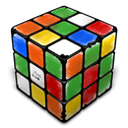
Website review
This review may include AI-generated content and is not individually verified. Domain, certificate and other facts come from the observed data on this page.
What is Rubiks Trainer?
Rubiks Trainer is a web-based practice hub for solving the 3x3 Rubik's Cube, aimed at everyone from beginners learning their first solution to speedcubers drilling algorithms and timing solves. Its core sections are a beginner tutorial, an algorithm trainer with recognition practice, and a solve timer.
What you can do there
- Learn the basics — a starting point for people who have never solved a cube.
- Train algorithms — separate areas for OLL (Orient Last Layer), PLL (Permute Last Layer), and COLL (Corners of Last Layer), plus a favorites list and a recognition mode that shows you a case and asks you to identify it.
- Practice the cross and F2L transition — a scrambler generates states so you can rehearse the opening of a solve rather than only isolated algorithms.
- Time your solves — a timer for tracking how long full solves take.
The mix matters because these are different skills. Memorising an algorithm is not the same as recognising which case you are looking at, and neither is the same as executing it quickly under time pressure. A tool that separates recognition practice from raw timing lets you find out which part is actually slowing you down.
Who it suits
A reasonable fit if you already know how to solve a cube and want structured, browser-based drilling without installing anything. The beginner section makes it usable from scratch, but the emphasis is clearly on speedcubing practice rather than on being a general puzzle reference.
Two practical caveats. First, the site states it will soon move to a new address, so links and bookmarks may change. Second, some functionality is described as premium, with an ad-free yearly subscription mentioned and Stripe listed as the payment route; check the current terms on the site rather than relying on any summary.
Next step
If you are deciding whether to use it, start with one measurable goal: pick a single PLL case you keep fumbling, run the recognition trainer on it until you identify it instantly, then time ten solves and see whether your average moves. If the site helps you isolate that case, it is doing its job. For broader community discussion and alternative timers, Speedcubing.com is a long-standing reference point.
How do I solve a Rubik's Cube as a complete beginner?
Start with the layer-by-layer method, not with speed. As a complete beginner, your goal is to learn a repeatable sequence: solve the white cross, insert the first-layer corners, fill the middle layer, then orient and permute the last layer. You do not need to understand why the algorithms work before you can use them; you need to recognize the case and repeat the right moves.
A practical beginner path
- Learn the notation first. Up, Down, Left, Right, Front, Back, with a prime (') meaning counterclockwise. This is the alphabet for every tutorial.
- Solve the white cross on the bottom. Many beginners start with the cross on top, but solving it on the bottom makes the next step easier because you can see the first layer forming.
- Insert the four white corners to complete the first layer.
- Solve the middle layer edges with two short algorithms.
- Orient the last layer so the top face is one color.
- Permute the last layer so the pieces land in the correct positions.
At each stage, stop and scramble the cube. If you can solve the first layer twice without help, move on. If you cannot, repeat that stage with a fresh scramble. Short, repeated practice beats one long session.
What to use on Rubiks Trainer
Rubiks Trainer is organized around exactly this progression. Its beginner section is the place to start, and the advanced section is for later. The site separates 3x3 Algorithms, Favorites, Recognition, OLL, PLL, COLL, a Timer, and a Cross + F2L practice area. As a beginner, ignore OLL, PLL, and COLL at first — those are last-layer algorithm sets that assume you already solve the first two layers. The Cross + F2L scrambler is useful once you can complete the first layer, because it lets you practice the transition that beginners find hardest.
The Timer is worth using from the start, but not to chase speed. Time your solves so you can see whether a new method is actually helping. A solve that feels smoother but takes longer usually means you are still thinking through the steps, which is normal.
One practical note: the site states it will soon move to a new address, so if a link does not work, check the homepage for the current location.
Where to go next
If you want a second explanation of the same method, Ruwix has beginner and advanced tutorials with diagrams, and J Perm is a well-known speedcubing resource with algorithm lists and video explanations. For the official competition side, World Cube Association publishes regulations and event information.
A good decision rule: stay with one beginner tutorial until you can solve the cube without looking at it. Then add a timer, then learn F2L, then learn full PLL and OLL. Jumping to advanced algorithms before the first two layers are automatic is the most common reason beginners stall.
What algorithms should I learn for speedcubing?
For 3x3 speedcubing, learn algorithms in the order you will actually use them, not in order of prestige. The core set is small at first: a beginner layer-by-layer method, then the four-look last layer, then full PLL and OLL. Rubiks Trainer organizes its training around exactly this progression — beginner basics, advanced algorithms, OLL, PLL, COLL, recognition practice, and a timer with a cross-to-F2L practice scrambler — so you can drill each group as you add it.
A practical learning order
- Beginner solution first. You need one reliable method to finish the cube before memorizing anything fast. Aim for consistency, not speed.
- Four-look last layer (2-look OLL and 2-look PLL). This is the highest-value step for most improvers: a handful of algorithms that cover every last-layer case in two stages each.
- Full PLL. Twenty-one cases. Learn them in small batches and drill recognition, not just execution.
- Full OLL. Fifty-seven cases. Add these gradually; many are variations on patterns you already know.
- F2L and cross efficiency. These are intuitive rather than algorithmic for most solvers, but they decide your ceiling. Rubiks Trainer's cross and first-two-layers practice scrambler is designed for this kind of targeted work.
What to prioritize, and why
| Stage | What you learn | Main benefit | Trade-off |
|---|---|---|---|
| Beginner method | A complete solve | You can always finish | Slow, many steps |
| 2-look OLL/PLL | ~10 algorithms | Big jump in times | Still two stages per layer |
| Full PLL | 21 algorithms | Fewer pauses, faster finishes | Recognition takes weeks |
| Full OLL | 57 algorithms | One-look orientation | Longest to learn; least urgent |
| F2L + cross | Mostly intuition | Largest long-term gains | Needs slow, deliberate practice |
If you only have a few weeks, stop after full PLL and spend the rest on F2L. If you already average under about 25 seconds, full OLL and COLL become worth the effort — COLL is useful mainly for advanced solvers who want better last-layer control.
Next step
Pick one group, learn two or three cases, then drill them against a timer until you recognize each case without thinking. Rubiks Trainer's recognition and favorites features fit that loop well. For general method references, J Perm and SpeedCubeDB are widely used algorithm references. Note that Rubiks Trainer states it will soon move to a new address, so bookmark the current site rather than relying on a saved link.
How can I improve my OLL and PLL recognition speed?
Improving OLL and PLL recognition is mostly about pattern drilling, not learning more algorithms. Once you know the cases, speed comes from seeing the case earlier and reacting without pausing.
Train recognition separately from solving
Most cubers practice by doing full solves, where recognition gets only a fraction of the time. Flip that: use a tool that shows you a case and asks you to name or execute it, with no full solve in between. Rubiks Trainer has a dedicated Recognition section plus separate OLL and PLL trainers, which fits this kind of isolated drill.
A practical routine:
- Drill OLL recognition in short sets (5–10 minutes), covering cases you already know.
- Do the same for PLL, then mix OLL and PLL cases so you must decide which stage you are in.
- Track which cases you misidentify; those get their own short session the next day.
Read the case from the right cues
Recognition speed depends on knowing exactly which stickers to check first, not scanning the whole top layer.
- For PLL, identify the case by headlights, blocks and the position of the solved side before you look at edge cycles.
- For OLL, learn each case by its distinctive shape (dot, line, cross, corner patterns) rather than by mentally running the algorithm.
- Practice with the cube in a consistent orientation so your cues stay stable.
Build prediction into your solves
Recognition during a real solve is harder than in a trainer because your hands are still moving. Two habits help:
- Slow down slightly during the last pair of F2L so you can read the OLL case before the cross is finished.
- After starting OLL, look for the PLL cues while executing, so you enter PLL already knowing the case.
Use the timer as a check, not the main tool
Timing full solves tells you whether recognition has improved, but it does not isolate it. Use a timer for periodic benchmarks and keep the bulk of practice in recognition drills and slow, deliberate solves. Rubiks Trainer combines a timer, scrambler and algorithm trainers in one place, which makes that split easy to maintain.
A concrete next step
Pick the five OLL and five PLL cases you hesitate on most. Run recognition-only drills on those ten cases for ten minutes, then do five slow solves where you consciously read the next case before finishing the current step. Repeat for a week and re-time your average; the gain usually shows up in the pause between stages rather than in raw turning speed.
Is there a timer and scrambler to practice my solves?
Yes. Rubiks Trainer includes a timer for timing solves and a scrambler aimed at Cross and first two-layer (F2L) practice, so you can generate a scramble, solve it, and record the time in one place.
What you can actually do there
- Timer: Time individual solves to track speed and consistency.
- Scrambler: Generate scrambles specifically for Cross and transition-to-F2L drilling, rather than only full-solve scrambles.
- Algorithm practice: Separate sections for 3x3 algorithms, OLL, PLL and COLL, plus a recognition trainer for spotting cases.
- Favorites: Save algorithms you use most.
- Account features: Registration is mentioned for premium functionality, and there is an ads-free yearly plan; Stripe appears as a payment platform.
How to use it in a practice session
- Warm up with the scrambler focused on Cross and F2L, inspecting the cross before you start the timer.
- Time a set of solves, then review where you lost time: cross planning, F2L lookahead or last-layer recognition.
- Use the recognition trainer when your times are limited by hesitation rather than turning speed.
For broader timing and scramble standards, many cubers also use CS Timer, which is widely used for WCA-style scrambles and detailed solve statistics. If you want structured lessons alongside practice, J Perm is a well-known reference for algorithms and technique.
What do I get with the premium subscription?
The site advertises a premium tier tied to an ads-free yearly plan, plus a prompt to "Register now for more Premium functionalities." That is the full extent of what the page states: a paid annual option that removes ads and unlocks features reserved for registered users. Specific feature lists, limits and prices are not published on the page, so treat any concrete claim about what is included as unverified until you check the site directly.
What the page actually indicates
- Ads-free yearly plan: the subscription is framed around removing advertising.
- Premium functionalities behind registration: extra tools exist, but the page does not name them.
- Checkout via Stripe: payment is handled through Stripe, so billing runs through that processor rather than a bespoke system.
Practical reading
For a speedcuber, the meaningful question is not "ads or no ads" but which training tools sit behind the paywall. The site's free surface already covers a timer, scrambler, cross-to-F2L practice, and algorithm sets for OLL, PLL and COLL, so premium likely extends depth or convenience rather than basic solving instruction. If you mainly drill recognition and time yourself, the free tools may be sufficient; if you want structured progress tracking or an uninterrupted practice session, the yearly plan is the relevant option.
Next step
Open the subscription or account page on Rubiks Trainer and compare the listed premium features against your current routine. Decide by asking whether the paid extras replace something you already do elsewhere — for example, timing solves in a separate app — rather than by the ads-free framing alone.
 GoDaddy
 Microsoft 365
User reviews (0)