
 Paid content
 Visit website
 Updated: 2026-09-27 03:29
 Language: English (default)
 Access: Normal
 Profile views 6
  Outbound visits 1
 Website Review
What is Server.pro?
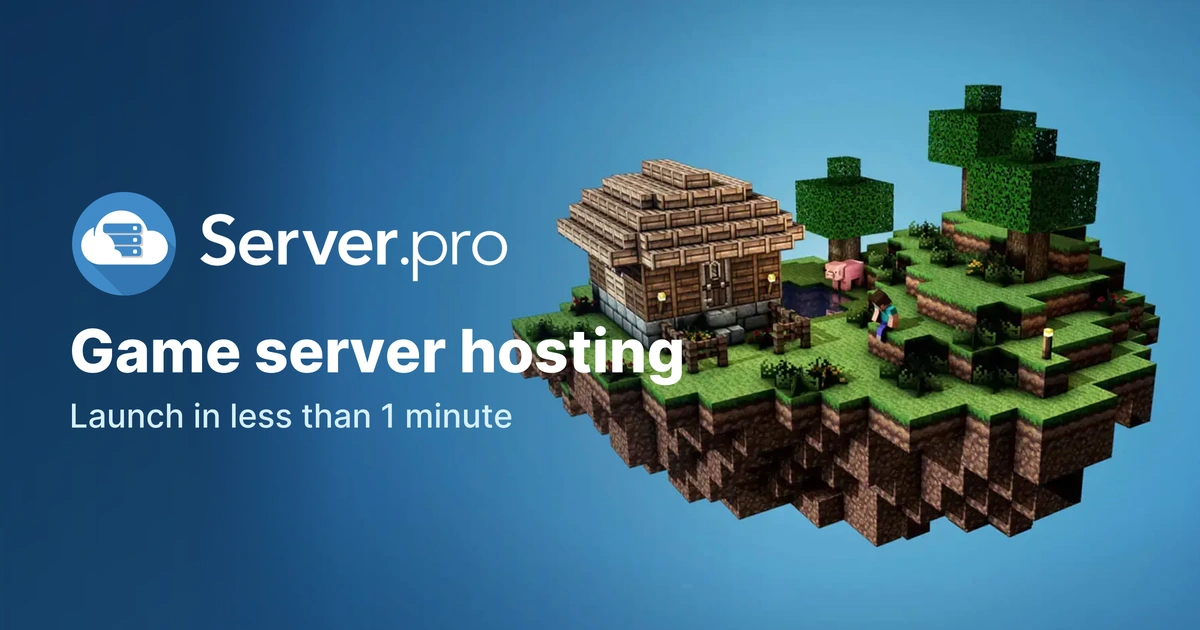
Server.pro is a game-server hosting service that lets you launch and manage multiplayer servers for a wide range of games. Its pitch centers on speed and breadth: the homepage headline says you can launch a server in under a minute, and the catalog lists 91+ games and services, including Minecraft, Minecraft Bedrock, Valheim, Terraria, Rust, ARK, Palworld, Factorio, Team Fortress 2, Garry's Mod and FiveM. It also advertises a free trial with no credit card required, and a paid pricing page.
What you actually get
- Game server hosting with support for mods or plugins.
- A control panel you can share with friends so they can help manage the server.
- Multiple services under a single hostname, so you can run several games without switching between separate server entries.
- A public server page for publishing info and rules, announcing events and accepting donations.
- A choice of 9 datacenters, with the option to transfer between them.
Who it suits It is aimed at people who want a managed server without running their own hardware: friend groups starting a Minecraft or Valheim world, communities that need mods or plugins, and players who want to host several games under one account. If you need deep custom configuration or full root access, a managed game host may feel restrictive compared with a VPS.
Trade-offs to weigh The free trial is useful for testing latency and the control panel before paying, but free or low-tier plans typically come with limits on RAM, player slots or uptime, so check the pricing page for what each tier includes. The 9-datacenter network helps with latency, but your friends' locations should decide which region you pick. The listed customer reviews on the site are positive but selected by the company, so treat them as marketing rather than independent testing.
Next step Pick the game you want to host, check whether it appears in the supported list, then start the free trial and invite one friend to test connection quality in your nearest datacenter before committing to a paid plan.
How do I set up a Minecraft server on Server.pro?
Start at Server.pro, choose Minecraft as the game, pick a plan or the free trial, then use the web control panel to name the server, select a version and start it. Server.pro's own page says a server can be launched in under a minute and that no credit card is required for the trial. Once it is running, the panel gives you the address to share and the console for commands.
Practical setup path
- Create an account and select Minecraft (or Minecraft Bedrock if your friends play on consoles or mobile).
- Choose the free trial or a paid plan. The trial is the cheapest way to test whether the panel suits you before paying.
- In the control panel, set the server type and version. If you want mods or plugins, pick the matching loader (for example Paper or Forge) rather than vanilla.
- Start the server and open the console. Watch for the "Done" message, which confirms it is accepting connections.
- Copy the server address into Minecraft's multiplayer screen and invite friends.
What Server.pro provides
- 91+ games and apps, including Minecraft, Bedrock, Valheim, Terraria and Palworld.
- Mods and plugins supported across game servers.
- 9 datacenters, with the ability to transfer between them.
- Multiple services under one hostname, so you can run more than one game without switching panels.
- A public server page for rules, events and donations.
Whose experience this is
The reviews quoted on Server.pro's page are customer comments, not independent testing. Pavlos Katsikadis says he has used the service for almost eight years and values fast support; Stephen calls it the only consistently good host he has tried. Treat those as user impressions, not verified benchmarks. My practical read: long-tenure reviews are a mild positive signal for stability, but they say nothing about performance on your specific modpack or player count.
Choosing between the free trial and a paid plan
| Situation | Sensible choice |
|---|---|
| Testing with a few friends | Free trial |
| Modded or plugin-heavy server | Paid plan with enough memory |
| Players in different regions | Paid plan, then pick the nearest datacenter |
| Console or mobile players | Bedrock, not Java |
Next step
Create the trial server first, invite one friend and check latency from your region. If it holds up, upgrade and move to the datacenter closest to most players. If you later want to compare, Apex Hosting and Shockbyte are established Minecraft-focused alternatives, though Server.pro's multi-game support is the main reason to stay.
Can I host games other than Minecraft, like Valheim or Rust?
Yes. Server.pro is not Minecraft-only. Its page lists more than 91 games and apps, including Valheim, Rust, ARK: Survival Evolved and Ascended, Palworld, Terraria, Project Zomboid, DayZ, 7 Days to Die, Garry's Mod, Factorio, Squad, and several GTA and Counter-Strike variants. Minecraft (Java and Bedrock) is simply the most prominent option.
H3: What this means in practice
- One panel, many games: you can run multiple services under a single hostname and share control panel access with friends, so a group that splits time between Valheim and Rust does not need separate accounts or logins.
- Mods and plugins: the page states you can host any game server with mods or plugins, which matters most for titles like Valheim (BepInEx mods), Rust (Oxide/uMod plugins) and Minecraft.
- Setup speed: the headline claim is a server running in under a minute, with a free trial and no credit card required.
- Reach: nine datacenters are listed, with the ability to transfer between them, which is the main lever for ping if your Valheim group is spread across regions.
- Extras: you can publish a server page with rules and event announcements, and accept public or anonymous donations via PayPal.
H3: A realistic scenario
Say four friends want a Valheim world for a few months, then switch to a modded Rust wipe. On a multi-game host they keep one account, one friend group, and one billing relationship, and just spin up the second service when the first goes quiet. That convenience is the real selling point; performance still depends on which datacenter you pick and which plan tier you buy.
H3: Trade-offs to weigh
- Free plan: useful for testing whether the panel and latency suit you, but free tiers in game hosting generally come with queueing, sleep timers or limited RAM. Treat it as a trial, not a permanent home for a large Valheim or Rust world.
- Rust and ARK are heavy: these need more memory and CPU than a small Minecraft survival server, so check the plan tiers rather than assuming the entry tier fits.
- Breadth vs. depth: a host covering 91+ games may not be the absolute best for one niche title. If you only ever play Valheim, compare a Valheim specialist too.
- Verify current details: game lists, datacenter locations and plan limits change, so confirm on the pricing page before committing.
H3: Next step
Open Server.pro, find Valheim or Rust in the game list, and start the free trial on the smallest plan you think will work. Invite one friend, check in-game ping from your region, and only then decide whether to upgrade or transfer datacenters. If you want a second opinion on a specific title, compare against a dedicated host such as G-Portal or Apex Hosting before paying for a longer term.
What's included in the free trial and do I need a credit card?
Server.pro's free trial is a low-commitment way to test its game server hosting before paying. The page states "Free Trial Available" and "No Credit Card Required," so you can start a server without entering payment details.
What the trial appears to include
Based on the page, the trial is built around the same core experience as the paid service:
- Game server setup in under a minute. The headline promises "Launch a server in less than 1 minute," and the signup flow starts with "Create Server."
- Access to the game catalog. The site advertises "91+ games and apps ready to host," including Minecraft, Minecraft Bedrock, Valheim, Terraria, Rust, ARK, Palworld, and many others.
- Mods and plugins. The page says you can "Host any game server, with mods or plugins."
- Multiplayer and friend access. You can invite friends, and the page mentions sharing your control panel with friends.
- Global datacenters. The site lists 9 datacenters and says you can transfer to any datacenter anytime.
- A public server page. You can publish server info and rules, announce events, and accept donations.
The page does not specify trial length, RAM, player slots, or whether every game or feature is available on the free plan. Treat those as things to confirm during signup.
Do you need a credit card?
No—the page explicitly says "No Credit Card Required" for the free trial. That makes it practical to spin up a server, invite a few friends, and see how performance feels before committing.
A useful next step
Decide what you want to test first. If you are hosting Minecraft or Valheim for a small group, use the trial to check:
- Latency from your region by picking the nearest of the 9 datacenters.
- Mod/plugin support for the specific modpack or plugins you plan to run.
- Panel sharing if friends will help manage the server.
- Upgrade path by comparing the free trial limits with the paid plans on Server.pro.
If the trial covers your game and your group size, you can move to a paid plan without reconfiguring much. If it does not, you will know which limits matter before paying.
How do I choose the best datacenter location for low latency?
Pick the datacenter closest to the players who will actually be online most often, not to you or to the biggest single group. On Server.pro that matters because the page states there are 9 datacenters worldwide and that you can transfer to any datacenter at any time — so the first choice is not permanent.
A practical way to decide
- List your regular players and their countries or regions.
- Find the region where most of them sit. If they are spread across two continents, the server cannot be equally fast for everyone, so host near the larger or more latency-sensitive group.
- Try that location first. Have players check their in-game ping during normal play hours, not at a quiet time.
- If ping is poor for a key player, move the server to a closer datacenter. Server.pro's page evidence says transfers between datacenters are possible at any time, so treat the first pick as a test.
What to compare
| Situation | Better location choice | Trade-off |
|---|---|---|
| All players in one country | Nearest datacenter to that country | Players who travel or move away will have higher ping |
| Two groups on different continents | The region with the most active players | The smaller group accepts higher latency |
| Competitive or fast-reaction games | Nearest region to the largest group | Players farther away may notice delay |
| Casual or co-op play | A central region between the groups | Average ping rather than best ping for anyone |
What low latency actually depends on
Distance is only part of it. Routing quality and network peering matter too, which Server.pro describes as aiming for low latency through good peering. That means a datacenter slightly farther away can outperform a nearer one if the route is better. The only reliable test is measuring ping from your players' real connections.
For a concrete example: if you run a Valheim or Minecraft world with six friends in the UK and two in Australia, host in the European region near the UK group. The Australian players will have higher ping, but the majority get smooth play. If the Australian pair are the most frequent players, reverse it.
Next step: create the server in your best-guess region, invite everyone, and ask for ping readings in the first session. Then use the datacenter transfer option if the numbers show a clear better location.
Can I run multiple game servers under one hostname and share access with friends?
Yes. Server.pro says one hostname can host multiple services at once, and you can share the control panel with friends — so a group can run several games under a single address without switching between separate servers.
What that looks like in practice
- One hostname acts as the umbrella: you can run multiple game services under it, rather than managing a separate server entry per game.
- The control panel can be shared with friends, so trusted members can start/stop services, adjust settings or restart things without asking you each time.
- Its server page feature is aimed at the social side: publishing server info and rules, announcing seasonal events, and accepting public or anonymous donations to help cover costs.
- Because the hostname stays the same while services change, regular players only need one address to remember.
Who benefits most
A friend group that rotates between games — Minecraft one month, Valheim or Project Zomboid the next — gets the most value. Instead of re-sharing a new IP every time you switch, you keep one hostname and swap which service is active. It also suits a small community that wants a single landing page with rules and a donation option rather than a Discord pinned message.
Trade-offs to weigh
- One hostname is a single point of failure: if the hostname or panel access is compromised, every service under it is exposed. Share panel access only with people you trust, and review who still needs it.
- Multiple services on one account can compete for resources. Decide up front whether your plan's limits let you run two games at once, or whether you'll stop one before starting another.
- Donation handling means real money and player expectations. Set clear rules about what donations cover before you publish the page.
- Server.pro advertises a free trial with no credit card required, which is a sensible way to test the multi-service setup and panel sharing before paying. Check the current Pricing page for what each tier actually allows, since limits change.
Next step
Create one server, add a second service under the same hostname, then invite a single trusted friend to the panel and confirm they can see and control both. If that works smoothly, open it to the wider group.
 Hosting and Email
 Cloudflare
 Hosting
 OVH SAS
 Google Workspace
 Location
 France
 Pages, Search and Sharing

 All bots

 Registration details

 Identified technologies
User reviews (0)