Website profiles · Technology insights · Alternatives

sesterce.io

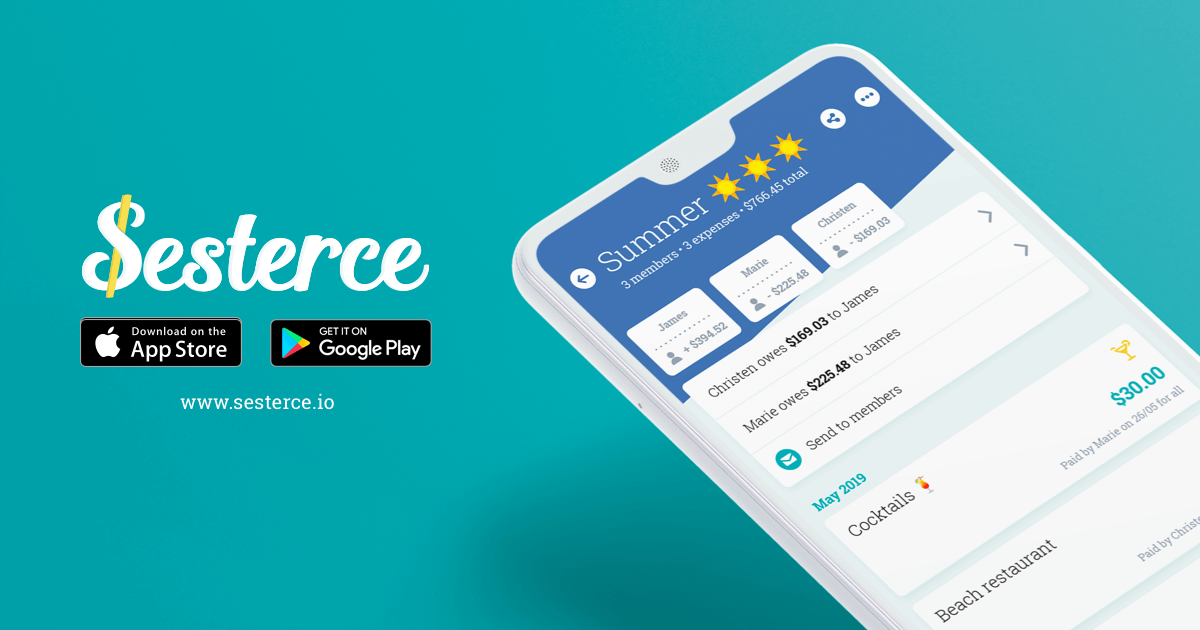
Sesterce make it simple to share expenses & split bills for a group of friends, a couple or roommates. Add all the expenses and Sesterce settles it up. Available on Android, iOS and on the web!

No paid content found
Visit website
Profile views 10 Outbound visits 15 Normal
Sesterce Full homepage screenshot

At a glance

Category
Software & Apps
Language
English
Paid-content signal
No paid content foundObserved
Registered
2017
Hosting
CloudflareInferred
HTTPS certificate trusted
PassedObserved
Last updated

Website review

This review may include AI-generated content and is not individually verified. Domain, certificate and other facts come from the observed data on this page.

What is Sesterce?

Sesterce is a shared-expense tracker for groups: friends on a trip, a couple, roommates or colleagues. You and the other members add what each person paid, and it works out who owes what so the group can settle up. It runs on Android, iOS and the web, and the page presents it as free for most features, with some advanced options in a Premium package.

What it does in practice

  • Create a group for a trip, household or team, then add members — the page says members can be added without creating an account.
  • Log expenses as they happen; the balance is computed automatically.
  • Let everyone follow the group's expenses from their own phone or browser.
  • Export expenses to a table if you want to keep a record or work on them elsewhere.
  • Sort expenses by category for a quick view of where the money went.

How joining works

Each group has its own identifier and can be password-protected. Anyone with the identifier and password can join, which is convenient for a group that changes members mid-trip, though it also means the password is the main thing keeping the group private.

Trade-offs to weigh

The no-account approach is the distinctive part: it lowers the barrier for a friend who does not want another signup, but it also means access depends on the group identifier and password rather than personal logins. If you want a clear audit trail of who changed what, that is worth testing before you rely on it for a long-running shared household.

A concrete scenario

Four friends rent a house for a week. One pays for groceries, another for fuel, a third for a group dinner. Each adds the expense to the group; by the last day the app shows a balance and the group settles with one or two transfers instead of a chain of small repayments. The same setup works for a couple splitting rent and bills, or roommates tracking shared utilities.

Next step

Open the web app and create a test group with one or two expenses to see whether the balance view matches how your group thinks about splitting. If you want alternatives to compare, look at Splitwise for a widely used expense-splitting app and Tricount for a simple group-expense tool.

How do I create a group and add members on Sesterce?

Create a group in Sesterce from either the web app or the mobile app, then add people by name. The key detail from the site: members do not need their own Sesterce account to be added — you can enter them yourself and track their share. Once the group exists, Sesterce gives it a group identifier; anyone who has that identifier plus the group password can join and see the expenses.

A practical setup order:

  1. Open the web app or install the Android/iOS app.
  2. Create a new group and give it a recognisable name (for example, "Flat 12" or "Lisbon trip").
  3. Add each member by name. They can be added without registering.
  4. Set a password on the group if you want to control who can open it.
  5. Share the group identifier and password with anyone who should join on their own device.
  6. Start adding expenses; Sesterce computes each person's balance automatically.

When this approach fits

This suits couples, roommates, friend trips and colleagues who want a shared running total without asking everyone to sign up first. The no-account, no-email design is the main trade-off in your favour: less friction when adding a reluctant participant. The trade-off against it is that a password-protected group identifier is the access control — anyone you give it to can see the group, so share it the way you would a shared document link.

If you get stuck

Check the group identifier before inviting people; a wrong character is the most likely reason someone cannot join. If your group is larger or longer-running, compare the workflow with Splitwise or Tricount, which handle similar shared-expense tracking.

How do I share my Sesterce group with others?

A Sesterce group is shared by its group identifier plus the password attached to that group. Anyone who has both can open the group on the web or in the mobile app and start viewing or adding expenses — they do not need to create an account first.

The practical sequence:

  1. Open the group you want to share.
  2. Find its group identifier and its password.
  3. Send both to the people you want in the group.
  4. They join using those two pieces of information and can then track the group's expenses.

A quick example: you set up a group for a shared flat, note the identifier and password, and send them in your household chat. A new roommate opens the web app, enters both, and immediately sees the running balance and can add their own expenses.

Because access depends on the identifier and password rather than on individual accounts, treat the password as the actual key to the group. Share it only with people who should see the group's spending, and change it if it spreads further than intended. The password protection is a deliberate feature, so it is worth using rather than leaving the group open.

If someone only needs a snapshot rather than ongoing access, Sesterce supports exporting expenses to a table, which avoids handing over the group password at all. Otherwise, for anyone who will keep adding or checking expenses, the identifier-plus-password route is the intended way to bring them in.

Learn more at Sesterce.

Is Sesterce free to use?

Yes, Sesterce is free for most of what it does. The site states plainly that it is "the best app to share expenses for free," and that some advanced features sit behind a Premium package. So the core job — creating a group, adding expenses, seeing who owes what — is available without paying, while extras may not be.

What "free" covers in practice

  • Group expense tracking for couples, friends, roommates or colleagues
  • Automatic balance calculation after each expense is added
  • Web and mobile access, so members can check the group from either
  • Exporting expenses to a table
  • No account required to start using it
  • Optional password protection on a group

Where the trade-off sits

The free tier is aimed at everyday splitting rather than heavy or specialised use. If your group only needs to log shared costs and settle up, the free version should be enough. If you want the advanced features, you would need Premium — the site does not spell out on this page what those features are or what they cost, so check the app itself before assuming a particular tool is included.

A useful next step

Create a test group for something low-stakes, such as a weekend trip or shared household bills, and invite one person. That tells you quickly whether the free feature set matches how your group actually splits costs — for example, whether you need uneven splits, recurring bills or currency handling — before you commit to using it for a larger group.

For comparison, other group-expense tools include Splitwise and Settle Up; each handles free-versus-paid limits differently, so it is worth checking whether the features you rely on sit on the free side.

Why should I use Sesterce instead of other expense-sharing apps?

Sesterce is worth considering if you want to split group costs without asking everyone to sign up. Its page states that you can use it without creating an account, that a group can be joined using a group identifier plus password, and that members can be added even if they do not have accounts. That combination is the main practical difference from apps that treat account creation as mandatory.

Use it when the group is fluid — a trip, a shared flat, a couple, or colleagues — and you do not want to chase people into installing and registering before they can participate. The page also says expenses can be tracked on web, Android and iOS, and exported as a table, which helps if someone wants to check the numbers outside the app.

The trade-off is that an account-free, password-based model puts more responsibility on whoever runs the group. If the group identifier and password are shared carelessly, access is less controlled than an app tied to verified individual accounts. For a trusted group, that is usually fine; for a large or public group, it is a reason to be careful.

H3 How to decide

  • Choose Sesterce if low-friction joining and free core splitting matter most, and your group is small and trusted.
  • Choose an account-based alternative if you need strong identity checks, formal audit trails, or organisation-level controls.
  • Check what the page calls "advanced features" under Premium before committing, since the free tier is described as covering most, not all, features.

A useful next step is to create a test group with two or three people, add one expense, and confirm the balance and export behave as you expect before using it for a real trip or household.

Alternatives to compare against include Splitwise and Tricount.

Can I use Sesterce without creating an account?

Yes. Sesterce is designed so you can start without signing up: you create a group, add expenses, and the app calculates each person's balance. The page explicitly states "No email required" and that you can use Sesterce without creating an account.

What that means in practice

  • Group access: Each group has its own identifier and an optional password, so people can join a group without registering.
  • Adding members: You can add people to a group even if they don't have an account.
  • Cross-platform: The same group can be viewed on the web, Android, or iOS, and expenses can be exported as a table.
  • Limits: The site notes that some advanced features sit in a Premium package, so the no-account route covers the core expense tracking and settlement, not necessarily every extra.

A quick decision rule

If you just need to log shared costs and see who owes whom—say, a weekend trip or a shared flat—using it without an account is fine. If you want long-term history, recurring groups, or the advanced features, check what Premium includes before relying on the anonymous setup.

Next step: Create one test group with two or three people, add a couple of expenses, and confirm the balances and password-protected sharing work the way you expect before inviting the whole group.

For comparison, you might also look at Splitwise or Tricount, which take similar approaches to group expense splitting.

Related questions

More questions →
How to Create a Group and Add Members on Sesterce

You can create a group from either the Sesterce web app or the mobile app, and you can add members without asking them to create an account. Each group gets its own identifier, and if you set a password, anyone with that identifier and password can join. This works for couples, friends, colleagues, or roommates who need to track shared expenses and see who owes what.

Create a group

  1. Open Sesterce on the web or in the Android/iOS app.
  2. Start a new group for the people you share expenses with — your partner, friends, colleagues, or roommates.
  3. Optionally set a password to protect access to the group.
  4. Save the group. Sesterce assigns it a unique identifier.

You do not need to create an account to use Sesterce, so you can set up the group and begin adding expenses right away.

Add members

  • Add members directly to the group. They do not need to create a Sesterce account.
  • Share the group's identifier and its associated password with each person you want to join.
  • Anyone with both the identifier and password can join the group and see the shared expenses.

Because access is controlled by the identifier plus password, treat the password as the thing that decides who gets in. If you want to limit access, set a password and only share it with the people who should see the group's balances.

What members can do once they join

After joining, everyone can keep track of expenses on the web or in the app. As expenses are added, Sesterce computes each person's balance automatically, so the group can see who owes how much and to whom. You can also export all expenses to a table, and view statistics by category to see where the money went.

Quick reference

Task Where Account needed?
Create a group Web or mobile app No
Add members Web or mobile app No (for the members you add)
Join a group Web or mobile app No — use the group identifier + password
Track and split expenses Web or mobile app No
Export expenses to a table Web or mobile app No

Common points to watch

  • Sharing the wrong thing: members need both the group identifier and the password. Sending only one of them will not let someone join.
  • Password protection is optional: if you skip it, access to the group is not password-protected, so set one when the group should stay private.
  • Free vs. Premium: Sesterce is free for most of its features, and some advanced features are available in the Premium package. The site does not list prices, so check the app for current Premium details.
  • No account required: you can use Sesterce without creating an account, which is why adding members who have never used the app is straightforward.

To get started, open the Sesterce web app or install it on Android or iOS, create your group, set a password if you want one, and share the group identifier and password with the people you're splitting expenses with.

Why should I use Sesterce instead of other expense-sharing apps?

Sesterce is worth choosing if you want to split group expenses without forcing everyone to install an app or create an account. Its standout traits are no-email, no-account use, password-protected groups, and availability on web, Android, and iOS. If you need deep accounting, bank syncing, or receipt scanning, check those requirements against Sesterce's feature list before committing.

What Sesterce does

Sesterce tracks shared expenses for a group — friends, a couple, roommates, or colleagues — and computes who owes what. You add expenses, and the app calculates each person's balance automatically. Everyone can follow along on the web or in the mobile app, and you can export all expenses to a table.

The site describes it as "the best app to share expenses for free," with some advanced features reserved for a Premium package.

The differences that matter

Dimension Sesterce Typical account-based split apps
Account required No — you can use it without creating an account Usually yes, per person
Adding members Add members without them creating an account Members typically must sign up
Joining a group Group identifier + associated password Invite link tied to an account
Access protection Group access can be password-protected Varies
Platforms Web, Android, iOS Varies
Cost Free for most features; Premium for some advanced ones Often free tier plus paid plans

The practical effect: a friend who doesn't want another login can still be added and see the balance. That removes the most common friction point in group splitting — one person refusing to install anything.

Features you can rely on

  • Group creation — create a group from the web or mobile app.
  • Member management — add members without requiring them to register.
  • Automatic balances — the app computes everyone's balance as expenses are added.
  • Shared visibility — everyone tracks expenses on web or in the app.
  • Export — export all expenses into a table.
  • No email required — use it without an account.
  • Password protection — group access can be password-protected.
  • Category statistics — find expenses sorted by category.

When Sesterce fits — and when it doesn't

Choose Sesterce if:

  • You split rent, groceries, or trip costs with a small, stable group.
  • Some members won't create accounts.
  • You want a quick web option, not just a phone app.
  • You want to export records into a spreadsheet.

Look elsewhere if:

  • You need bank account syncing or automatic transaction import — not mentioned in the available material.
  • You need receipt photo scanning — not listed.
  • You need multi-currency handling — not stated.
  • You need the advanced features — those sit in the Premium package, and the site doesn't detail them here.

How to evaluate it in ten minutes

  1. Open the web app from the Sesterce site.
  2. Create a group — no account needed.
  3. Add two or three members without asking them to sign up.
  4. Enter a few sample expenses and check the computed balance.
  5. Share the group identifier and password with one person and confirm they can join.
  6. Export the expenses to a table and confirm the format works for you.

If steps 3 through 6 behave as described, Sesterce covers the core job. If you hit a wall on currency, receipts, or bank import, that's your signal to compare against a tool built for those needs.

What users report

Reviews on the site's Playstore references are positive but brief. One reviewer (Jan 9, 2022) called it "excellent" and "very useful for every one." Another (Dec 18, 2021) said it was "just the app i was looking for" for monitoring group expenses and tracking who owes whom. Neither review mentions limitations, so treat them as confirmation of the core use case rather than a full assessment.

FAQ

Is Sesterce free? Most features are free. Some advanced features are in the Premium package. The site does not list prices.

Do I need an account? No. You can use Sesterce without creating an account, and no email is required.

How do others join my group? Each group has its own identifier. With that identifier and the associated password, anyone can join.

Can I add someone who doesn't use the app? Yes — you can add members without them creating an account.

Which platforms are supported? Web, Android, and iOS.

Can I export my data? Yes, you can export all expenses into a table.

Is Sesterce free and do I need an account to use it?

Sesterce is free for most of its features, and you do not need to create an account or provide an email to use it. The site states plainly that "No email requires" and "You can use Sesterce without creating an account." Some advanced features sit behind a Premium package, so the practical answer is: start without signing up, and only consider Premium if you hit a feature you actually need.

What you get without an account

The core expense-splitting workflow is available without registration:

  • Create a group for a couple, friends, colleagues, or roommates.
  • Add members without requiring them to create an account.
  • Add expenses, after which the app computes each person's balance automatically.
  • See everyone's balance, so it's clear who owes how much and to whom.
  • Share the group using its own identifier plus an associated password.
  • Track expenses on web or in the app, and export all expenses to a table.
  • Sort expenses by category for statistics.

Sesterce is available on Android, iOS, and the web, so the same group can be tracked from whichever device each person prefers.

What "no account" actually means in practice

Because access is tied to a group identifier and password rather than a personal login, joining a group is a matter of having those two pieces of information. Two consequences are worth knowing before you commit:

  • Keep the group identifier and password safe. They are the access mechanism, so anyone holding both can join the group.
  • Group access can be password-protected, which is the intended way to keep a shared expense list limited to the people involved.

If you want to understand the setup flow in detail, see How to Create a Group and Add Members on Sesterce.

Free vs. Premium

Aspect Free Premium
Core expense tracking and balances Yes Yes
Account or email required No Not stated on the page
Advanced features Not included Included in the Premium package

The site does not list which specific features are Premium, so treat the boundary as something to confirm on the official site or in the app before paying for anything. The page also does not publish pricing, so no price should be assumed from this description.

When Sesterce is a good fit

Choose it if you want to split bills with a group and prefer not to make everyone install an app or register. The no-account, no-email design removes the usual friction of getting a group of people onto the same tool, and the automatic balance calculation plus table export covers the common case of tracking shared spending over time.

Look elsewhere only if your needs depend on features that turn out to be Premium-only, or if you require a personal account-based login for every participant. For most group, couple, and roommate expense sharing, the free tier is the starting point, and you can test it directly through the web app before deciding whether Premium is worth it.

What Is Sesterce and What Does It Do?

Sesterce is a group expense tracker that records shared costs and calculates who owes what. It fits situations where several people pay for things on behalf of the group — friends on a trip, a couple splitting household bills, roommates sharing rent and utilities, or colleagues covering team costs. It runs on Android, iOS, and the web, and you can start using it without creating an account.

What problem it solves

When a group shares expenses, the hard part isn't recording each payment — it's keeping a running total of who is ahead and who is behind. Sesterce handles that arithmetic for you.

You create a group, add each expense as it happens, and the app computes everyone's balance automatically. Instead of tracking debts in a notes app or a spreadsheet, you get a single running figure per person showing whether they owe money or are owed money.

Core features

Based on the site's feature list, Sesterce offers:

  • Group expense tracking — Create a group for your partner, friends, colleagues, roommates, or any other set of people.
  • Automatic balance calculation — Add expenses and the app works out each person's balance for you.
  • Shared access — Everyone in the group can follow the expenses on the web or in the app.
  • Table export — You can export all your expenses into a table.
  • No email required — You can use Sesterce without creating an account.
  • Password-protected groups — Group access can be protected with a password.
  • Statistics by category — Expenses are sorted by category so you can see where money goes.

How a group works

The site's FAQ explains the mechanics:

  1. Create a group — from either the web or mobile app.
  2. Add members — you can add people without requiring them to create an account.
  3. Share the group — every group has its own identifier. Anyone with that identifier plus the associated password can join the group.

That identifier-and-password model is what lets a group stay private while still being easy to join. If you want the group locked down, set a password; if you're sharing with people you trust, the identifier alone gets them in.

Platforms and access

Sesterce is available on:

  • Android
  • iOS
  • Web — there's a direct "Go to the Web app" link on the site

Because the same group can be viewed on any of these, members don't need the same device or platform to stay in sync.

Is it free?

The site states that Sesterce is "the best app to share expenses for free," and its FAQ says it is free for most of its features. Some advanced features are available in a Premium package. The site does not publish specific prices, so check inside the app or on the site for current Premium details.

What users say

Two reviews are shown on the site:

  • A Playstore reviewer (Jan 9, 2022) called it an "excellent app" and "very useful for every one."
  • Another Playstore reviewer (Dec 18, 2021) said it was "just the app I was looking for" — easy monitoring of group expenses and tracking who owes how much to whom.

Both reviews point to the same strength: clarity about group debt.

When Sesterce fits — and when it might not

It fits if you:

  • Share recurring or one-off costs with a small, stable group
  • Want to avoid making everyone sign up for an account
  • Need to see balances across web and mobile
  • Want expenses categorized and exportable

Consider alternatives if you:

  • Need to move real money between accounts — the site describes tracking and settling up, not payment processing
  • Need advanced accounting, invoicing, or tax features
  • Want a tool with published, detailed pricing before committing

Getting started

  1. Open the web app or install the Android/iOS app.
  2. Create a group for your expense-sharing situation.
  3. Add members (no account needed on their side).
  4. Share the group identifier and password so others can join.
  5. Add expenses as they occur and check balances whenever you need to settle up.

You can try it without an account, which makes it easy to test with a real group before deciding whether the Premium features are worth it.

What features does Sesterce offer for tracking group expenses?

Sesterce is a group expense tracker for friends, couples, colleagues, and roommates. Its core tracking features are: you add expenses to a group, the app computes each person's balance automatically, every member can view the running record on the web or in the mobile app, expenses can be viewed by category, and the full list can be exported as a table. These features are described as free, and you can use the app without creating an account.

How expense tracking works

The tracking model is built around a group rather than an individual account:

  1. Create a group — for a couple, a friend circle, colleagues, or roommates, from either the web or mobile app.
  2. Add members — members do not need to create an account to be added.
  3. Add expenses — each expense is entered into the group.
  4. Balances update automatically — the app computes the balance for everyone, so you can see who owes how much and to whom without manual math.

The practical effect: instead of one person keeping a spreadsheet and chasing others for updates, the group holds a single shared record that stays current as expenses are added.

Viewing and sharing the record

  • Web and mobile access — everyone in the group can keep track of their expenses on the web or within the app, so the record is not locked to one person's device.
  • Group sharing via identifier and password — every group has its own identifier; with that identifier and the associated password, others can join the group. This is how you bring new members into an existing record.
  • Password-protected access — group access can be password-protected, which matters if you do not want the expense list openly reachable.
  • No email required — you can use Sesterce without creating an account, which lowers the barrier for adding someone who does not want another signup.

Statistics and export

Two features go beyond a simple running total:

Feature What it gives you
Statistics by category All your expenses sorted by categories, so you can see where the group's spending concentrates
Table export Export all your expenses within a table, useful if you want to archive the record or work with it outside the app

Category statistics are most useful for recurring group spending — for example, separating groceries, rent, and utilities in a shared apartment, or splitting travel costs from meals on a trip.

What is free and what is not

Sesterce describes itself as "the best app to share expenses for free," and its FAQ states that it is free for most of its features, with some advanced features available in a Premium package. The site does not list which specific features sit behind Premium, so if a particular advanced capability is essential to you, verify it in the app before relying on it.

Where to use it

Sesterce is available on Android, iOS, and the web. The site's primary call to action is to open the web app directly, which is the fastest way to test whether the group-and-balance model fits how you already split costs.

Website Overview

An established domain and managed infrastructure suggest continuity of operations and may support dependable delivery, although neither guarantees service quality.

Domain and Registration

Registered in 2017, this domain has about 9 years of history. That suggests continuity, although ownership and purpose may have changed. Transfer-protection status is present, helping reduce the risk of unauthorized domain transfers. The domain uses the common .io extension, which is not an independent safety signal.

DNS and Email

Nameservers are provided by Cloudflare, indicating managed DNS hosting. MX records point to the ovh.net email service. No CNAME was found; the observed records resolve directly to addresses. SPF and DMARC are configured. DKIM status is unknown. TXT records include verification markers for Google. Such markers may also remain after a service stops being used.

TLS and Certificates

The public key uses EC with 256 bits. The server supplied a complete certificate chain. No organization name is present in the certificate; the available fields are consistent with domain validation. The certificate was issued within the Google Trust Services cloud or CDN ecosystem. The certificate's total validity is about 90 days, consistent with a short renewal cycle.

HTTP and Browser Security

X-Powered-By exposes backend information: Express. The checked browser-security headers were not detected, leaving fewer explicit browser-side safeguards. The cf-ray response header indicates a CDN or caching proxy in the delivery path. No obvious internal addresses or debug information were found in the headers. The Server header identifies cloudflare without an exact version.

Technology Stack Analysis

The public page identifies Angular, Cloudflare, Express without precise versions, leaving fewer clues for version-specific scanning.

Search and Social Sharing

The meta description has 193 characters and may be shortened in search results. Twitter Card metadata is configured. The title has 36 characters, within a common display range. The observed directives allow indexing and link following. No Generator meta tag is publicly exposed.

Hosting and Email

DNSCloudflare
HostingCloudflare
Emailovh.net
Approximate IP geolocation (inferred; a CDN or proxy may differ from the origin server) Location unknown Inferred 104.21.57.112

Registration details

RDAP / WHOIS

RegistrarOVH SAS
Registered2017-01-09
Expires2027-01-09
Domain statusclientDeleteProhibited https://icann.org/epp#clientDeleteProhibited
Nameserversrafe.ns.cloudflare.com、wesley.ns.cloudflare.com
DNSSECunsigned

DNS records

DNS

TypeNameValueTTLPriority
Asesterce.io104.21.57.112300—
Asesterce.io172.67.163.109300—
AAAAsesterce.io2606:4700:3034::6815:3970300—
AAAAsesterce.io2606:4700:3035::ac43:a36d300—
MXsesterce.iomx1.mail.ovh.net3001
MXsesterce.iomx2.mail.ovh.net3005
MXsesterce.iomx3.mail.ovh.net300100
NSsesterce.iorafe.ns.cloudflare.com86400—
NSsesterce.iowesley.ns.cloudflare.com86400—
TXTsesterce.iobrevo-code:741808049f40af35c7662a0b1f22d839300—
TXTsesterce.iogoogle-site-verification=bNGp9n0TIcOOkh0vHQi0t9iAUqkSyWbem16m4UQHpUI300—
TXTsesterce.iogoogle-site-verification=uuLQtGNk1-jP6XEgiWThYUjEF2P_7l4GqpQD5oMml34300—
TXTsesterce.iov=spf1 include:spf.mailjet.com a mx include:mx.ovh.com include:_spf.google.com ~all300—
DMARC_dmarc.sesterce.iov=DMARC1; p=quarantine; rua=mailto:[email protected]; pct=100; adkim=r; aspf=r300—

TLS and certificates

TLS / SSL

AssessmentNormal configuration
Supported protocolsTLSv1.2、TLSv1.3
Negotiated protocolTLSv1.3
Certificate subjectsesterce.io
IssuerGoogle Trust Services
Valid until2026-12-10T20:32 · Remaining when checked: 71 days
Verification detailsCertificate trust: Passed · Hostname match: Passed

HTTP response headers

HTTP

HeaderValue
content-typetext/html; charset=utf-8
servercloudflare

Identified technologies

AngularCloudflareExpress

Pages, Search and Sharing

Meta descriptionSesterce make it simple to share expenses & split bills for a group of friends, a couple or roommates. Add all the expenses and Sesterce settles it up. Available on Android, iOS and on the web!
Canonical URLhttps://sesterce.io/
LanguageEnglish (default)
Twitter Cardsummary_large_image
All bots 0 allowed · 1 disallowed
  • Disallow/humans.txt

User reviews (0)

  • No reviews yet.