Website profiles · Technology insights · Alternatives

sixdegreesofhiphop.com No paid content found

Categories: Education & Learning

Explore every hip-hop beef, collab, and connection since 1984. Interactive map of 435 artists, producers, and labels — from Biggie vs Tupac to Drake vs Kendrick.

Visit website

Updated: 2026-09-30 00:30 Language: English (default) Access: Normal

Profile views 1 Outbound visits 0
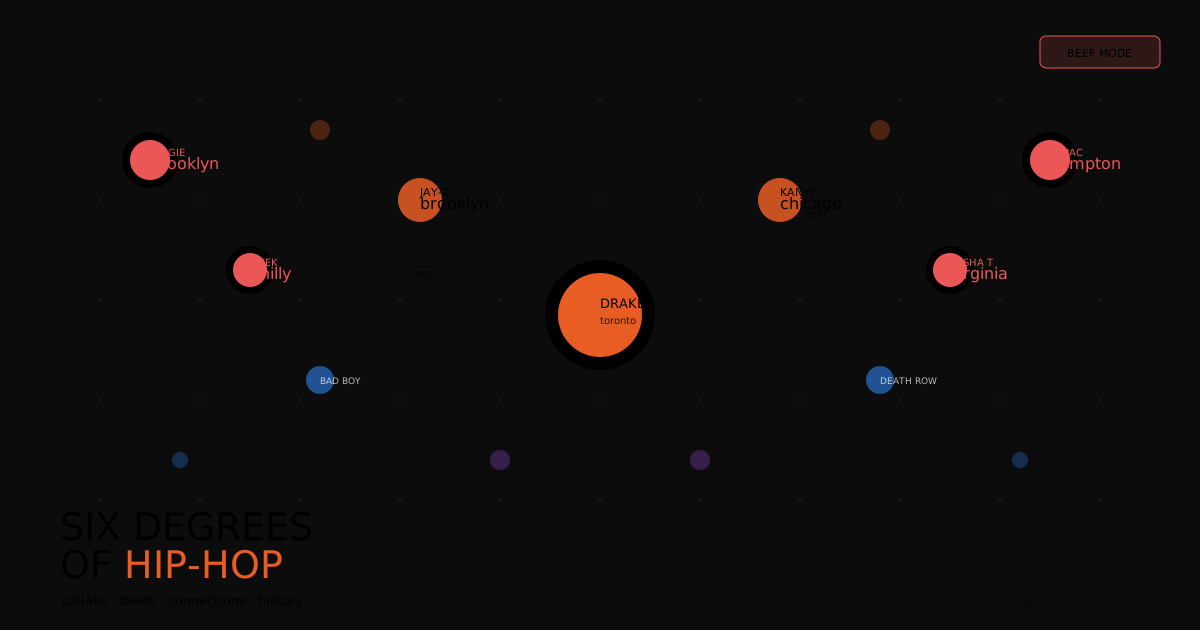
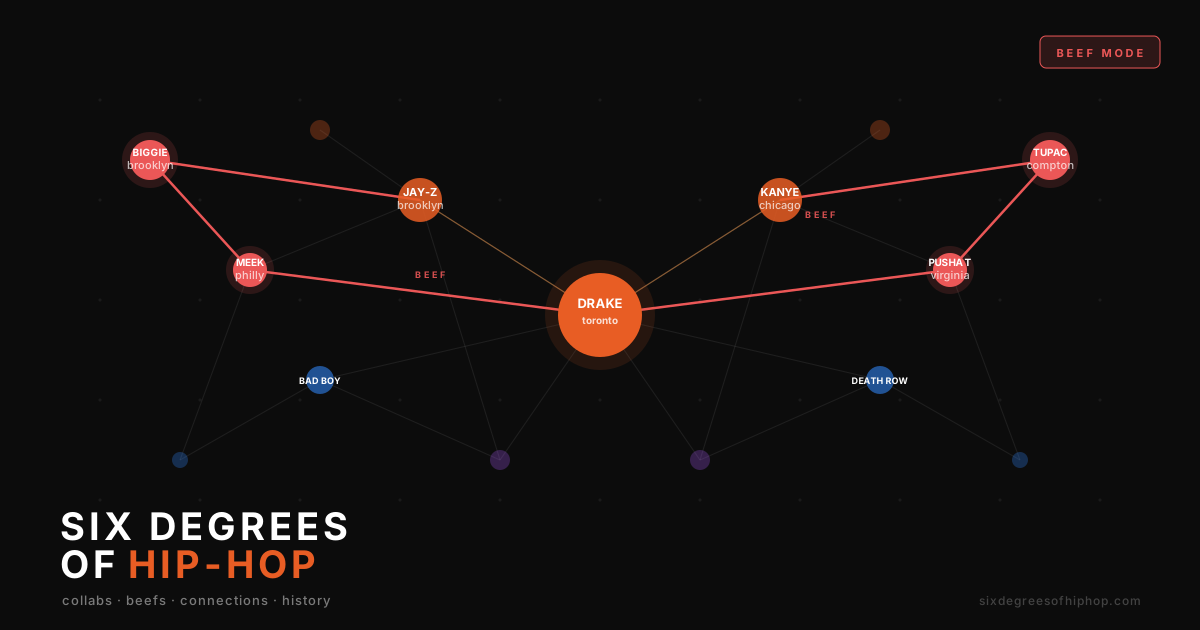
Six Degrees of Hip-Hop Full homepage screenshot
Editorial Review

Website Review

What is Six Degrees of Hip-Hop?

Six Degrees of Hip-Hop is an interactive map of hip-hop relationships. It charts beefs, collaborations, and other connections among artists, producers, and labels going back to 1984. The graph covers 435 people and organizations, so you can trace how a feud, a guest verse, or a label deal links figures who might otherwise seem unrelated.

It is built for exploration rather than news or biography. The site organizes its graph into sections for artists, producers, and labels, plus a set of notable beefs. That structure suits listeners who want context for a track, students or writers tracing a scene's history, and anyone curious how a favorite rapper connects to a wider network.

How to use it

  • Start from a known name, such as an artist or producer you already follow.
  • Follow the connections outward to see collaborators, rivals, and label ties.
  • Use the beefs section when you want a specific conflict mapped rather than the whole network.
  • Treat the map as a starting point; check dates and details against fuller sources before citing them.

What it is not

This is not a discography, a review site, or a news feed. It does not rank artists or explain why a relationship matters in depth. Its value is the shape of the network: seeing that a producer links two scenes, or that a label connects artists across regions.

If you want a broader reference alongside it, AllMusic covers discographies and artist biographies, and Genius is useful for lyrics and annotation. For a quick first step, open the map, pick one artist you know well, and trace a single path to someone in a different era or region. That one exercise shows whether the tool matches how you like to explore music history.

How can I find connections between specific hip-hop artists like Drake and Kendrick Lamar?

Use the site's interactive connection map to trace the path between two artists rather than reading a static biography. On Six Degrees of Hip-Hop, the graph covers artists, producers and labels since 1984, and its "Notable beefs mapped" and "How to use" sections are the natural starting points for a Drake–Kendrick Lamar search.

A practical way to do it

  1. Open the map and locate one artist as your starting node.
  2. Follow the labeled edges, which represent beefs, collaborations, or shared producers and labels.
  3. Note each hop: a direct beef line is a different kind of connection than a shared producer or a joint label.
  4. Cross-check the path against the "Artists," "Producers," and "Labels" lists to see whether the link is personal, professional, or both.

Why the distinction matters

A Drake–Kendrick connection can run through several channels at once: a documented rivalry, a shared collaborator, or a common label history. The map's value is showing which of these actually links them, and how many degrees separate them. For a listener trying to understand a diss track, the beef edge is the relevant one; for someone tracing a producer's influence across eras, the producer and label edges matter more.

Decision criterion

If you want the shortest answer, follow beef edges first. If you want context, follow producer and label edges, because those often explain why two artists ended up in the same room before any rivalry existed. Start at the "How to use" section, then test a path you already know to calibrate how the graph labels its edges.

Which hip-hop beefs are mapped on the site, and how are they visualized?

The site maps notable hip-hop beefs as part of a broader connection graph rather than as a standalone list. Its page evidence includes a "Notable beefs mapped" section alongside separate groupings for artists, producers and labels, and the headline examples given are Biggie vs Tupac and Drake vs Kendrick. The graph is described as covering connections since 1984 and spanning 435 artists, producers and labels.

How the visualization works

  • Beefs appear as edges (lines) between nodes representing the people or entities involved.
  • Nodes are grouped by role — artists, producers and labels are presented in separate sections, so you can see whether a conflict sits between performers, behind-the-scenes figures, or imprints.
  • The map is interactive: page evidence shows a "Click to explore" prompt and zoom controls ("+", "−", "⊙"), which suggests you can pan, zoom and select a connection to read more.
  • Because beefs sit inside the same graph as collaborations, a rivalry and a later joint track can appear between the same two nodes, which is the main advantage over a chronological beef timeline.

What this is good for

If you are writing about a specific feud, a graph view helps you check who else is entangled — a producer who worked with both sides, or a label that released records for each. A concrete scenario: you are preparing a playlist or article on Drake vs Kendrick and want to know which collaborators overlap. Starting from one of those two nodes and following the lines outward shows shared producers and labels faster than reading separate biographies.

The trade-off is depth. A connection map tells you that a relationship exists; it does not explain the cause, the timeline or the aftermath. For narrative detail you still need interviews, documentaries or long-form journalism. The map is best treated as a research index, not a source of record.

Next step

Open the "Notable beefs mapped" section first, pick the feud closest to your topic, then click through its nodes and trace the adjacent lines. If your interest is production rather than lyrics, start from the producers section instead — the same conflict often looks different from that side. For background on individual artists, AllMusic and Genius are useful companions when you need dates and credits the graph does not supply.

Can I see which producers have worked with multiple artists in the graph?

Yes. Six Degrees of Hip-Hop treats producers as first-class nodes in its connection map, so you can trace a producer's links to the artists and labels they've worked with rather than only seeing artist-to-artist beefs and collabs.

How to approach it

  • Open the map and select a producer node from the "Producers in the graph" area.
  • Follow that node's connections outward — each edge represents a working relationship with an artist or label.
  • Compare two producers side by side by toggling between their nodes; overlapping artist connections show where their credits intersect.

What counts as "multiple artists"

A producer who has worked across several artists will show a visibly denser cluster of edges than one tied to a single act. That density is the practical signal here — it's a visual read, not a ranked list of credits.

A concrete scenario

Suppose you're comparing two producers from the same era and want to know which one moved across more camps. Select each in turn and note how many distinct artist nodes light up. The producer with wider, more varied edges has the broader collaborative footprint in the graph.

Decision criterion

Use this when you care about breadth of collaboration rather than a specific credit. If you need a single verified production credit for one track, the map's relationship view isn't the right tool — it's built for patterns and connections, not discography-level detail.

A useful next step: pick one artist you already know well, open their node, and see which producers appear in their connections. That gives you an anchor before exploring the busier producer nodes.

How do I navigate the interactive map to explore artist connections?

Start with the "How to use" section, then click any node to open its connections; use the plus and minus controls to zoom and the central control to recenter the graph. The map plots artists, producers and labels together, so you can trace a single thread — say, a producer shared by two rappers — rather than reading a static list.

A practical first session

  1. Pick a starting artist from the graph list.
  2. Click the node and read its immediate connections.
  3. Follow one connection at a time, using zoom and recenter to keep your bearings.
  4. Check the "Notable beefs mapped" section when you want a documented rivalry rather than a collaboration.
  5. Note whether a link runs through a producer or a label — that often explains why two artists who never recorded together still appear close.

Who gets the most out of it

  • Casual listeners tracing how a favourite rapper links to a scene or era.
  • Playlist builders looking for shared producers as a route to similar sounds.
  • Writers and students wanting a visual starting point before deeper research.

The trade-off is depth versus breadth: the graph shows that a connection exists, not the full story behind it, so treat it as a map for further listening rather than a complete history. If you want the wider context of the genre's lineage, pair it with Grammy.com artist pages or Rolling Stone features.

Next step: choose one beef from the notable list and trace both artists' nodes outward — comparing their shared producers and labels usually reveals the industry links behind the feud.

What hip-hop labels are included, and how do they connect to artists in the network?

Six Degrees of Hip-Hop treats labels as nodes in the same graph as artists and producers, so a label's page shows which acts it is tied to and which other labels share those acts. The site's "Labels in the graph" heading indicates label entries sit alongside the 435 artists, producers, and labels the map covers, and the "How to use" section is where the interaction model is explained.

Six Degrees of Hip-Hop

What the label layer is useful for

  • Tracing a roster: start from a label and see the artists connected to it, then follow those artists outward to collaborators and rivals.
  • Finding shared ground: two artists who never recorded together may still connect through a common label or producer.
  • Context for beefs: the "Notable beefs mapped" section places disputes such as Biggie vs Tupac and Drake vs Kendrick in the same network as label and production relationships, which helps show how business ties and personal conflicts overlap.

How to read the connections

Treat each edge as a documented relationship rather than a ranking. A label-to-artist link usually means a signing or release relationship; an artist-to-artist link may mean a collaboration, a diss, or both. Because producers and labels are included as their own nodes, a chain like artist → producer → label → different artist is often the most revealing path, since it exposes influence that a simple artist-to-artist list would miss.

Practical next step

Open the map, search a label you already follow, and note the artists on its edges. Then pick one of those artists and expand again: if the second hop lands on a producer or label you did not expect, that is the connection worth investigating further. If you mainly care about a single feud, start from the beefs list instead and work backward to the labels involved.

Related questions

More questions →
What Are Hip-Hop Collabs and How Do You Explore Artist Connections?

A hip-hop collab is a credited track or album on which two or more artists, producers, or labels work together — for example a featured verse, a joint single, or a producer-artist pairing. You can explore these relationships on Six Degrees of Hip-Hop, an interactive connection map covering 435 artists, producers, and labels since 1984. Use it when you want to trace who worked with whom, separate collaboration links from beefs, and see how scenes connect across decades.

What counts as a collab (and what doesn't)

A collab requires shared credit on a release. That's the baseline test.

Relationship Counts as a collab? Why
Featured artist on another artist's track Yes Both are credited on the same recording
Joint single or album by two or more artists Yes Shared billing on the release
Producer credited on an artist's track Yes Producer and artist are both credited
Two artists on the same label No Label affiliation isn't a creative credit
One artist sampling another's record No Sampling doesn't require the sampled artist's participation
Two artists trading diss tracks No That's a beef, not a collab

The distinction matters because a connection map can show both collab and rivalry links. A shared label or a sample flip creates a relationship, but it isn't collaboration in the sense of two people making something together.

How to explore collabs on the connection map

Six Degrees of Hip-Hop is built as a graph: artists, producers, and labels are nodes, and the relationships between them are edges. The site organizes its content around artists, producers, labels, and notable beefs, so you can move between creative partnerships and rivalries in one place.

Steps

  1. Open the map and pick a starting artist. The graph covers 435 artists, producers, and labels, so start from someone whose catalog you know.
  2. Click a node to see its connections. The interface uses a click-to-explore interaction, so selecting an artist reveals the links attached to them.
  3. Read the edges. Each connection tells you who worked with whom. Follow a collab edge to see the collaborator, then click that node to keep expanding.
  4. Check the producer and label layers. Because producers and labels are nodes too, you can see whether a partnership came through a specific producer or ran through a particular label.
  5. Switch to the beefs layer when a link looks adversarial. The map separates notable beefs from collabs, so you can tell a rivalry from a working relationship.

Expected result: after a few clicks you should be able to trace a chain — artist to producer to label to another artist — and see where creative partnerships cluster.

Reading the graph: nodes, edges, and chains

Think of the map as a set of dots and lines. A node is a person or company. An edge is a documented relationship. A collab edge means shared credit; a beef edge means a documented conflict.

A simple example of a chain: an artist records with a producer, that producer also works with a second artist, and the second artist shares a label with a third. You've now connected four nodes through two kinds of edges — creative and business. That's the "six degrees" idea in practice: you don't need a direct collab between two artists to show they're linked.

This is also where people go wrong. A chain of connections is not the same as a collaboration. If Artist A and Artist C are linked only through a shared producer or label, they haven't collaborated — they're connected. Keep the edge type in mind as you trace.

Common mistakes to avoid

  • Treating a feature as a full collab. A guest verse is a collaboration on one track, not a standing partnership. Don't generalize from a single credit.
  • Confusing label mates with collaborators. Signing to the same label creates a connection, not a collab.
  • Mistaking a sample for a collab. Sampling uses a recording; it doesn't mean the original artist participated.
  • Reading a beef edge as a collab. Diss tracks are relationships, but adversarial ones. The map labels notable beefs separately for this reason.
  • Assuming a connection implies a direct link. Two nodes can be several edges apart. Distance in the graph is not the same as a working relationship.

When to use the map

Use Six Degrees of Hip-Hop when you want to see how a scene fits together — which producers recur across an artist's catalog, how labels connect different eras, or where a beef sits relative to a web of collaborations. It's a research and browsing tool for relationships, not a discography or a streaming service. If you need to confirm a specific credit, treat the map as a starting point and verify against release credits.

What Is an Artist Path and How Do You Find Connections Between Artists?

An artist path is a chain of similar-artist links that connects two musicians through intermediate artists. Instead of asking whether two artists are directly similar, you trace a route: Artist A is similar to Artist B, B is similar to C, and C is similar to your target. Tools like artistpath.cc build these routes from Last.fm similarity data and visualize them as a network graph, so you can see both the path and the surrounding musical neighborhood. This is useful when you want to understand why two seemingly unrelated artists are connected, or when you want a guided way to move from music you know into music you don't.

How Last.fm similarity data becomes an artist network

Last.fm maintains a "similar artists" relationship for each artist on its platform. That relationship is derived from listening behavior: when many people who listen to one artist also listen to another, the two get linked with a similarity score.

A pathfinding tool treats each artist as a node and each similarity link as an edge, producing a graph. Two properties matter for reading results:

  • Edges are local, not global. A link means "listeners of X tend to also listen to Y," not "X and Y sound identical." A path can therefore run through a genre bridge you wouldn't expect.
  • Paths are usually not unique. There are often several routes between two artists. The shortest path is the most direct chain of similarity links, but a longer path can be more musically interesting because it shows the intermediate steps.

Finding a path between two artists

The general workflow on a Last.fm-based pathfinding tool looks like this:

  1. Enter a starting artist. This is your anchor — the music you already know.
  2. Enter a destination artist. This is the artist you want to reach or understand.
  3. Run the path search. The tool walks the similarity graph from the start node until it reaches the destination, returning the chain of intermediate artists.
  4. Read the result as a sequence. Each step is a similarity link; the full chain is your artist path.
  5. Open the visualization. The graph view shows the path plus the surrounding nodes, so you can see which artists cluster near each step.

Expected result: a list or highlighted route of artists from start to finish, typically with the number of hops shown.

Common snags:

  • No path found. If the two artists sit in disconnected regions of the graph, or the search depth is capped, the tool may return nothing. Try a more popular intermediate artist as a waypoint.
  • Very long or trivial paths. Obscure artists can have thin similarity data, producing long, noisy chains. Well-known artists usually give cleaner routes.
  • Direction doesn't matter much. Similarity links are generally treated as undirected, so start and destination are interchangeable.

Reading the visualization

A similarity graph is not a map with fixed geography — node placement is chosen by a layout algorithm to keep connected artists near each other. That means:

  • Clusters usually correspond to genres, scenes, or eras, because listeners overlap within those groups.
  • Bridges are the artists sitting between clusters. These are often the most interesting nodes, since they explain how two distant styles connect.
  • Distance on screen is not musical distance. Two nodes drawn close together may be weakly linked; follow the edges, not the spacing.

When you look at a path, pay attention to the bridge artists rather than the endpoints. They tell you what the two artists actually share.

What artist paths are good for

  • Music discovery with a rationale. Instead of a flat "similar artists" list, you get a route you can walk one step at a time, sampling each intermediate artist.
  • Genre exploration. Tracing paths between, say, a folk artist and an electronic artist reveals the crossover points where the two worlds meet.
  • Understanding influence and scene overlap. Paths make listener overlap visible, which is a useful proxy for shared audience even when the music itself differs.
  • Building playlists with a narrative. A path gives you a natural ordering: start familiar, end at the target, with each track justified by the previous one.

Limits to keep in mind

Artist paths describe listener co-occurrence, not objective musical similarity, influence, or collaboration. Two artists can be linked because a large fanbase happens to listen to both, not because one influenced the other. Treat a path as a discovery aid and a hypothesis about connection — then verify by actually listening.

Beef Cattle Farming Basics: Breeds, Feeding, Health, and Facilities

Beef cattle production starts with three decisions: what breed or cross fits your climate and market, what you will feed at each stage of growth, and how you will handle health and facilities before animals arrive. Penn State Extension provides science-based guidance on animal systems, including beef, through its website (extension.psu.edu), where you can browse articles, online courses, and ask questions via its AI assistant, Tilva. The steps below apply to small-scale and commercial producers who are planning or improving a beef herd.

Beef Cattle vs. Dairy Cattle

Beef cattle are raised primarily for meat, while dairy cattle are selected for milk volume. The two types differ in body shape, growth rate, and temperament. Beef breeds tend to have deeper, more muscular bodies and are often managed on pasture or in feedlots. Dairy breeds are leaner and bred for udder capacity and milk yield. Some operations use dual-purpose crosses, but the management focus — nutrition, breeding, and facility design — differs depending on which product you are selling.

Common Beef Breeds and How to Choose

Breed choice depends on your climate, forage base, calving season, and target market. The table below summarizes general characteristics of widely used beef breeds; local performance will vary with management and environment.

Breed type Examples General strengths Points to check
British breeds Angus, Hereford, Shorthorn Good marbling, moderate frame, adapt to many climates Heat tolerance varies; verify for your region
Continental/European Simmental, Charolais, Limousin Fast growth, heavy muscling, high weaning weights Higher feed and management demands; calving ease varies
Bos indicus influence Brahman, Brangus Heat and parasite tolerance Cold tolerance limited; crossbreeding common
Composite/crossbred Various Hybrid vigor (heterosis) for growth and fertility Requires a planned breeding system

For beginners, a crossbred cow herd often balances hardiness and productivity better than a single purebred. Match the breed to your forage and climate first, then to the market you plan to sell into.

Nutrition and Feeding by Growth Stage

Beef cattle nutrition changes with age and production stage. The general principles below apply across most systems; adjust with a forage test and local extension advice.

Cow-calf stage

  • Bred cows: Maintain body condition; overconditioning and underconditioning both reduce reproductive performance.
  • Lactating cows: Highest nutrient demand of the year. Forage quality and supplementation drive milk production and rebreeding success.
  • Calves: Start with colostrum within the first hours of life, then transition to milk and gradually to forage and creep feed.

Stocker/backgrounding stage

  • Focus on forage-based gain — pasture, hay, or silage — with supplemental energy or protein as needed.
  • Monitor average daily gain and adjust supplementation to hit target weights.

Finishing stage

  • Higher-energy diets (grain-based or high-quality forage) are used to reach market finish.
  • Feed transitions must be gradual to avoid digestive upset; sudden diet changes are a common cause of problems.

Water and minerals

  • Clean water access at all times; intake rises with temperature and feed dry matter.
  • Provide a mineral mix matched to your forage. A forage analysis is the reliable way to know what is deficient.

Health and Basic Biosecurity

Common beef cattle health concerns include respiratory disease, digestive disorders, lameness, and parasites. Basic prevention:

  • Vaccination and herd health plan: Work with a veterinarian to set a protocol for your region and production stage.
  • Quarantine new animals before mixing with the herd.
  • Observe daily: Early signs — off feed, isolation, labored breathing, limping — warrant prompt action.
  • Parasite control: Follow a schedule appropriate to your pasture system and climate.
  • Record keeping: Track treatments, calving dates, and outcomes to spot patterns.

Penn State Extension's animal systems resources cover herd health topics; use them alongside your veterinarian's advice rather than as a substitute.

Facilities and Grazing Systems

Facilities should match your scale and climate. Key elements:

  • Fencing: Perimeter and internal fencing for rotational grazing; electric fencing is common for flexibility.
  • Handling system: A corral, chute, and headgate for vaccination, treatment, and sorting. Even small herds benefit from a safe working area.
  • Water and shade: Reliable water access and shade reduce heat stress.
  • Shelter: Windbreaks or bedding areas for winter; natural or constructed shade for summer.
  • Rotational grazing: Moving animals between paddocks improves pasture recovery and can reduce parasite pressure. Start with a simple paddock layout and adjust based on forage growth.

Using Penn State Extension Resources

Penn State Extension (extension.psu.edu) publishes science-based information on agronomy, animal systems, food safety, and more. For beef producers:

  • Browse the Animal Systems and Beef topic areas for articles and guides.
  • Look for online courses — note that some resources may involve a cart/checkout process, so check each listing for access terms.
  • Use Tilva, the Extension AI assistant, for general questions, then verify specifics with a local educator or veterinarian.

Combine Extension materials with local forage tests, veterinary input, and your own records. No single source replaces on-farm observation and professional advice for your specific conditions.

What Are Labels on Cover Art Sites and How Do You Use Them to Find Covers?

On a cover-art site like Cover Century, "label" usually means one of three things: the record label that released a music album, the publisher or distributor behind a DVD, Blu-ray, or game, or the small logo and text block printed on the cover itself. You use label information to confirm you have the right edition, to search when you only remember who released something, and to organize a downloaded collection. It matters most when a title has multiple releases, regions, or reissues that share a name but not a cover.

The three meanings of "label" in cover art

Meaning Where it appears What it tells you
Record label CD and vinyl LP covers, spine, disc face Who released the music; helps separate original pressings from reissues
Publisher / distributor DVD, Blu-ray, and console game covers, often near the bottom edge Who manufactured or distributed that edition; differs by region
Printed label text and logo Anywhere on the cover art itself The visual marker you match against a scan or photo

Cover Century's own catalog reflects this mix. Its categories include CD Covers, DVD Covers, Blu-Ray Covers, Vinyl LP Covers, Movie Covers, Book Covers, and a long list of console and handheld platforms (Genesis, NES, Nintendo 64, Nintendo Switch, PlayStation 4, Sega CD, Super Nintendo, Xbox, Wii, Wii U, 3DS, Game Boy lines, Nintendo DS, PSP, PC, and more). A "label" question can come from any of those categories, so the first step is deciding which kind of label you actually mean.

Why label information helps you find the right cover

Two releases of the same title can look completely different, and the label is often the fastest way to tell them apart.

  • Region differences. A German DVD release and a US release of the same film usually carry different distributor logos and different cover layouts. Cover Century's recently added list shows German-language DVD entries such as "Im Juli dvd cover german" and "Old Shatterhand dvd cover german," which sit alongside English-titled entries.
  • Reissues and special editions. A remastered album or a "Gold Collection" disc may reuse the title but change the label branding and artwork. The site's recent list includes entries like "Blade III Trinity Gold Collection 2," where the edition name is part of what distinguishes the cover.
  • Series and season sets. Multi-disc TV releases often carry the studio or distributor label plus a season number, as with "Criminal Minds Season 10 4" or "V Die Besucher Die komplette zweite Staffel 2." Matching the label and the season together prevents grabbing the wrong set.

If you only remember the label and not the exact title, that is still a usable search clue — but you will usually need to combine it with a title fragment, a year, or a platform.

How to search and narrow down covers by label

Cover Century provides a search box ("Search Here") plus browse links for each category. A practical workflow:

  1. Pick the category first. CD Covers, DVD Covers, Blu-Ray Covers, or the specific console/handheld section. This removes most irrelevant results before you type anything.
  2. Search the title, then filter by label visually. The site's search returns covers; you then compare the label logo and text on each result against the copy you own.
  3. Use the "recently added" list as a cross-check. Entries there show a title, type, and date added (for example, "Me Time 2022 : Label dvd 2022-09-17"). The type column tells you whether you are looking at a DVD, CD, or another format.
  4. Confirm the edition before downloading. Check the label, the region hints in the title (such as "german"), and any edition wording like "uncut," "Gold Collection," or a season number.

Expected result: you end up with a cover whose label, title, and edition all match your physical or digital copy, rather than a same-title cover from a different release.

Common problems and how to handle them

  • Missing label on the cover. Some scans crop the spine or bottom edge where the publisher logo sits. If the label is your only identifier, look for another scan of the same title and compare.
  • Mismatched label between cover and disc. Bootlegs, budget reprints, and regional reprints sometimes pair a familiar cover with a different distributor. Treat the printed label as one clue, not proof.
  • Region and reissue confusion. The same film or album can exist under several labels across regions. Decide which region's release you own before searching, and use title wording like "german" or edition names as filters.
  • Title-only searches returning too much. Add the platform or format (CD, DVD, Blu-ray, or a console name) to cut the list down.

Organizing downloaded covers by label

If you collect covers rather than grabbing one at a time, label is a useful folder or tag alongside title, type, and year. A simple scheme:

  • Type / Label / Title (Year) — for example, CD / [Label] / Album Name (1998) or DVD / [Distributor] / Film Name (2004).
  • Keep the edition marker in the filename when it exists: uncut, Gold Collection, Season 2, german.
  • Note the date you downloaded it if you re-check for updated scans, since Cover Century states it adds new audio and DVD covers weekly.

This makes it obvious which label a cover belongs to and stops duplicate or wrong-edition files from piling up.

One caution: Cover Century describes its archive as over 1,000,000 album art covers with weekly updates, but the site material does not state licensing terms for reuse. If you plan to redistribute or print covers, verify the rights for that specific artwork rather than assuming the download itself grants permission.

What Is Hip-Hop? Music, Culture, and How Artists Connect

Hip-hop is both a music genre and a broader culture that emerged in the Bronx in the 1970s. Rap—the vocal delivery of rhymes over a beat—is one element of hip-hop, not the whole thing. If you want to understand the genre, you need to look at its core elements, its history, and the web of relationships between the artists, producers, and labels who built it. This explainer covers all three, and shows how to explore those connections yourself using an interactive artist graph.

Hip-Hop vs. Rap: What's the Difference?

The two terms are often used interchangeably, but they describe different things.

  • Hip-hop is the culture: the music, dance, visual art, fashion, and community practices that grew up together.
  • Rap is the vocal technique at the center of hip-hop music—rhyming, rhythmic speech delivered over a beat.

You can have hip-hop culture without rap (a breaking battle, a graffiti piece), and you can hear rapping outside hip-hop. In everyday use, "hip-hop" usually means the music genre, which is why the distinction gets blurred.

The Core Elements

Hip-hop is traditionally described through five elements:

Element What it is
MCing Rapping—rhythmic, rhyming vocal delivery
DJing Manipulating records and turntables to create beats and transitions
Breaking The dance style also called breakdancing
Graffiti Aerosol art and writing, often on public surfaces
Beatboxing Producing drum and rhythm sounds with the mouth

These elements developed together in the same neighborhoods and parties, which is why they're treated as one culture rather than separate art forms.

Origins and Evolution

Hip-hop took shape in the Bronx in the 1970s, growing out of block parties where DJs isolated and extended the break sections of records while MCs hyped the crowd. Over the following decades it spread globally and fragmented into regional and stylistic scenes.

Connection maps of the genre often start their coverage in 1984, treating that year as a practical starting point for tracing the modern era of recorded hip-hop. From there, the story is one of constant cross-pollination: artists move between crews, producers shape multiple careers, and labels sign and reshape sounds.

How Artists, Producers, and Labels Connect

The relationships in hip-hop aren't just trivia—they explain how sounds travel and how careers intersect. Three connection types matter most:

  • Collaborations — shared tracks, guest verses, and production credits that link artists across scenes.
  • Beefs — public conflicts, from Biggie vs. Tupac to Drake vs. Kendrick, that shape reputations and sometimes entire eras.
  • Shared history — the same producers, labels, and mentors appearing across multiple artists' work.

A single producer or label can sit at the center of dozens of these links, which is why connection maps treat them as first-class nodes alongside performers.

Exploring the Connections Yourself

An interactive artist graph lets you trace these links visually instead of reading them as a list. Six Degrees of Hip-Hop, for example, maps 435 artists, producers, and labels and covers beefs, collaborations, and connections going back to 1984, with notable beefs such as Biggie vs. Tupac and Drake vs. Kendrick included.

To use a graph like this:

  1. Open the map and locate an artist, producer, or label you want to start from.
  2. Click a node to reveal its connections—collaborators, conflicts, and shared credits.
  3. Follow a link to jump to the connected node and keep tracing the chain.
  4. Use the zoom and pan controls (the +, −, and reset icons) to move around dense clusters.
  5. Check the "Notable beefs mapped" section to see which conflicts are documented and jump straight to them.

The expected result is a path between two figures who may never have worked together directly—the "six degrees" idea applied to hip-hop.

Common snags

  • Dense clusters: popular artists and major labels have many links, so zoom in before clicking to avoid mis-selecting a node.
  • Direction of the link: a connection may run through a producer or label rather than directly between two performers, so follow the intermediate node.
  • Coverage limits: a map with a defined starting year and artist count won't include everyone—if a name is missing, it may simply fall outside the graph's scope.

Quick Recap

Hip-hop is a culture with five core elements, and rap is one of them. The genre grew from 1970s Bronx parties into a global, interconnected scene where collaborations, beefs, and shared producers and labels tie artists together. To see those ties for yourself, start from a single node on an interactive graph and follow the links—the connections are the story.

Website Overview

Several search or sharing settings need attention. Together they may make snippets, preview images or preferred URLs less consistent across platforms. An active inbound-mail setup with incomplete authentication may leave the domain more open to impersonation. Provider hosting alone does not close that gap.

Domain and Registration

The domain was registered less than a year ago and has limited historical evidence to assess. Transfer-protection status is present, helping reduce the risk of unauthorized domain transfers. The registrar is NameCheap, Inc., a widely used domain service provider. The domain uses the common .com extension, which is not an independent safety signal.

DNS and Email

The observed email authentication setup is incomplete: DMARC is missing. Nameservers are provided by Namecheap, indicating managed DNS hosting. MX records point to the registrar-servers.com email service. DNSSEC signatures were not detected, so this additional DNS authenticity protection is not confirmed. The lowest observed DNS TTL is 300 seconds.

TLS and Certificates

The certificate uses an RSA 2048-bit public key, offering broad client compatibility. The server supplied a complete certificate chain. No organization name is present in the certificate; the available fields are consistent with domain validation. The certificate was issued by Let's Encrypt, commonly associated with automated certificate services. The certificate's total validity is about 89 days, consistent with a short renewal cycle.

HTTP and Browser Security

The response lacks these common security headers: CSP. CORS permits any origin to read this response. This is common for public resources; sensitive responses need narrower handling. No X-Powered-By header was found, reducing one common source of backend fingerprinting information. No obvious internal addresses or debug information were found in the headers. The Server header contains the custom value Vercel.

Technology Stack Analysis

The public page identifies Google Analytics, Vercel without precise versions, leaving fewer clues for version-specific scanning.

Search and Social Sharing

The title has 68 characters and may be truncated in search results. The meta description has 161 characters and may be shortened in search results. Twitter Card metadata is configured. JSON-LD includes Product or Offer data, potentially supporting eligible product search features. The observed directives allow indexing and link following.

Hosting and Email

DNSNamecheap
HostingVercel
Emailregistrar-servers.com
Location United States flagUnited States 216.198.79.65

User reviews (0)

  • No reviews yet.

Pages, Search and Sharing

Meta descriptionExplore every hip-hop beef, collab, and connection since 1984. Interactive map of 435 artists, producers, and labels — from Biggie vs Tupac to Drake vs Kendrick.
Canonical URLhttps://www.sixdegreesofhiphop.com/
LanguageEnglish (default)
Twitter Cardsummary_large_image
All bots 1 allowed · 1 disallowed
  • Allow/
  • Disallow/*?node=

Registration details RDAP / WHOIS

RegistrarNameCheap, Inc.
Registered2026-03-30
Expires2027-03-30
Domain statusclient transfer prohibited
Nameserversdns1.registrar-servers.com、dns2.registrar-servers.com
DNSSECunsigned

DNS records

TypeNameValueTTLPriority
Ae135161f35047909.vercel-dns-017.com216.198.79.65300—
Ae135161f35047909.vercel-dns-017.com64.29.17.65300—
MXsixdegreesofhiphop.comeforward1.registrar-servers.com180010
MXsixdegreesofhiphop.comeforward2.registrar-servers.com180010
MXsixdegreesofhiphop.comeforward3.registrar-servers.com180010
MXsixdegreesofhiphop.comeforward4.registrar-servers.com180015
MXsixdegreesofhiphop.comeforward5.registrar-servers.com180020
NSsixdegreesofhiphop.comdns1.registrar-servers.com1800—
NSsixdegreesofhiphop.comdns2.registrar-servers.com1800—
TXTsixdegreesofhiphop.comv=spf1 include:spf.efwd.registrar-servers.com ~all1800—
CNAMEwww.sixdegreesofhiphop.come135161f35047909.vercel-dns-017.com1799—

TLS and certificates

AssessmentNormal configuration
Supported protocolsTLSv1.2、TLSv1.3
Negotiated protocolTLSv1.3
Certificate subjectwww.sixdegreesofhiphop.com
IssuerLet's Encrypt
Valid until2026-10-29T22:13 · Remaining when checked: 29 days
Verification detailsCertificate trust: Passed · Hostname match: Passed

HTTP response headers

HeaderValue
content-typetext/html; charset=utf-8
cache-controlpublic, max-age=0, must-revalidate
serverVercel
strict-transport-securitymax-age=63072000
x-frame-optionsSAMEORIGIN
x-content-type-optionsnosniff
referrer-policystrict-origin-when-cross-origin
permissions-policycamera=(), microphone=(), geolocation=()
access-control-allow-origin*

Identified technologies

Google AnalyticsVercel