
 简体中文
简体中文
syften.com
Monitor Reddit, X/Twitter, Hacker News, forums, Slack communities, GitHub, podcasts, and blogs for keyword mentions with Slack, email, RSS, or API alerts.
At a glance
- Category
- Development
- Language
- English
- Paid-content signal
- No paid content foundObserved
- Registered
- 2019
- Hosting
- Google LLCInferred
- HTTPS certificate trusted
- PassedObserved
- Last updated
Related questions
More questions →What Is OpenAPI-Generated API Documentation and How Does It Work?
OpenAPI-generated API documentation is reference documentation that is produced automatically from an OpenAPI description file rather than written by hand. You write (or generate) a machine-readable specification of your API — endpoints, parameters, request bodies, responses, schemas, and auth — and a documentation tool reads that file and renders a browsable, often interactive reference site. The spec becomes the single source of truth; the docs become a build artifact.
This differs from manually written docs in one fundamental way: with hand-written docs, the prose is the source of truth and the API is described separately. With spec-driven docs, the API description is the source, and every page, table, and code sample is derived from it.
How the workflow actually runs
A typical spec-driven documentation pipeline has five stages:
- Author or generate the spec. You either write an OpenAPI document by hand (YAML or JSON), or generate it from code annotations, framework metadata, or a design-first editor. Design-first means the spec is written before implementation; code-first means it is extracted from existing code.
- Validate and lint. The spec is checked against the OpenAPI schema and against style rules — consistent naming, required descriptions, no undocumented
4xxresponses, no orphaned schemas. - Bundle and transform. Multi-file specs are combined,
$refpointers are resolved, and the document is optionally split into per-tag or per-version outputs. - Render. A documentation tool converts the spec into HTML: an endpoint list, a sidebar of operations, parameter tables, response schemas, and a "try it" console.
- Publish and version. The rendered site is deployed, and each API version gets its own snapshot so consumers can read docs matching the version they call.
Steps 2 through 5 are usually automated in CI. If the spec fails validation, the docs build fails — which is the point.
Spec-driven vs. hand-written documentation
| Dimension | OpenAPI-generated | Hand-written |
|---|---|---|
| Source of truth | The spec file | The prose |
| Consistency with the API | High, if the spec is accurate | Drifts as the API changes |
| Effort per endpoint | Low after setup | Repeated for every endpoint |
| Narrative and tutorials | Weak; needs separate pages | Strong |
| Code samples | Generated per language from schemas | Written and maintained manually |
| Customization | Bounded by the tool's templates | Unlimited |
| Failure mode | Accurate spec, poor docs, or stale spec | Beautiful docs that describe an API that no longer exists |
The practical conclusion most teams reach: generate the reference, write the guides. Reference material is repetitive and mechanical, which is exactly what generation is good at. Conceptual explanations, migration notes, and tutorials carry judgment that a spec cannot express.
What you get out of the box
Generated reference pages commonly include:
- An operation list grouped by tag or path, with HTTP method and path.
- Parameter tables showing name, location (path, query, header, cookie), type, required flag, and description.
- Request and response schemas rendered as expandable trees, including nested objects and arrays.
- Authentication details pulled from the
securitySchemessection. - Interactive request consoles that let a reader send a real call from the browser.
- Generated code samples in several languages, derived from the same schemas.
- Multiple output formats, such as a static site, a single HTML file, or a mock server.
Because all of these come from one document, changing a field name in the spec updates the parameter table, the schema tree, and every code sample at once.
Where spec-driven documentation breaks down
Generation is not free. The trade-offs are real:
Spec quality becomes documentation quality. A field with no description produces a table row with an empty cell. A vague summary produces a vague heading. Tools can enforce presence of descriptions via linting, but they cannot enforce that the description is useful.
Customization has limits. If you need a page that does not map to an OpenAPI concept — a conceptual overview, a pricing explanation, a comparison of two endpoints — you write it outside the generator and link to it.
Not everything is expressible. Webhooks, streaming responses, long-polling behavior, and complex multi-step flows are awkward or impossible to describe fully in OpenAPI. Those need prose.
The spec can go stale. If the spec is maintained separately from the implementation, it drifts just like hand-written docs. The mitigation is to generate the spec from code, or to test the implementation against the spec in CI.
Interactive consoles need care. A "try it" button that hits a production API with real credentials is a security and rate-limit problem. Point it at a sandbox, or disable it.
Deciding whether to adopt it
Adopt spec-driven reference documentation if most of these are true:
- Your API has more than a handful of endpoints, or changes frequently.
- You ship client SDKs or code samples in more than one language.
- Multiple teams consume the API and need a consistent, always-current reference.
- You already have, or are willing to maintain, an OpenAPI description.
Stay with hand-written docs, or a hybrid, if:
- Your API is small and stable, and the reference fits on one page.
- Your documentation is mostly conceptual and contains little endpoint-level detail.
- You cannot commit to keeping the spec in sync with the implementation.
A reasonable middle path: generate the reference from the spec, and hand-write the getting-started guide, authentication walkthrough, and error-handling page. Link the two directions so readers can move from concept to endpoint and back.
A minimal starting checklist
- Produce one valid OpenAPI document for a single API version.
- Add a linter with rules for descriptions, operation IDs, and error responses.
- Wire the docs build into CI so a failing spec fails the build.
- Render the reference and review it as a reader, not as the author.
- Write the two or three conceptual pages the generator cannot produce.
- Version the published docs alongside the API version.
The core idea is simple: describe the API once, in a format both machines and humans can read, and let the reference documentation fall out of that description. Everything else — tooling, hosting, interactivity — is a detail on top of that decision.
What Is Syften and What Does It Do?
Syften is a keyword alert monitoring service that watches online communities and the wider web for mentions of terms you choose, then sends alerts through Slack, email, RSS, or its API. It fits teams and individuals who want to catch relevant conversations — about their brand, a competitor, or a niche topic — without manually checking each platform every day. The site lists a 14-day free trial with no credit card required, and says you can delete your account if you don't like it.
What sources does Syften monitor?
According to the site, Syften keeps watch 24/7 across:
- Hacker News
- X (Twitter)
- Bluesky
- Mastodon
- Indie Hackers
- Slack communities
- Discourse
- Stack Overflow, Server Fault, and Stack Exchange
- YouTube
- GitHub
- Lobste.rs
- Dev.to
- Podcasts
- Blogs and websites from around the internet
The site also notes "a few others," so the list above is what it explicitly names rather than an exhaustive inventory.
How does it work?
The core loop is simple:
- Define what to watch. You enter keywords or, per the site's demo, a website URL such as your own or a competitor's.
- Syften searches and monitors. The site describes searching "millions of conversations" and a guided demo that lets you try the search before signing up. Inside the product, a "powerful syntax" lets you refine queries.
- Alerts arrive where you work. Mentions are delivered via Slack, email, RSS, or API, so the tool fits into an existing workflow instead of adding another dashboard to check.
- Review recent mentions. The site says you will immediately see who has mentioned you in the last 60 days.
The stated goal is signal over volume: Syften positions itself as returning relevant mentions with less noise, and lets you fine-tune results by source.
Who is it for?
The site's customer quotes point to a few common uses:
- Brand and word-of-mouth monitoring. Brady Cassidy, CEO of Rewardful, says Syften returns "the most relevant social mentions with the least amount of noise" among the tools he has tested.
- Community listening for open-source and developer products. James Hawkins, co-founder and CEO of PostHog, cites the Slack integration as a way for the whole team to find and connect with users.
- Keeping up with communities you can't check all day. Arvid Kahl describes checking email to see conversations on Twitter, Reddit, Indie Hackers, and elsewhere.
- Competitor and topic tracking. Jacob Eiting of RevenueCat describes it as a "set once and forget" tool for keeping a pulse on what the team cares about; Reilly Chase of HostiFi uses it both for brand monitoring and for personal interests like emerging tech.
What should you check before committing?
- Source coverage for your niche. Confirm the communities where your audience actually talks are on the list above; if your audience lives somewhere else, the alerts won't reach you.
- Alert channel fit. If your team works in Slack, the Slack integration is the relevant feature; if you want to pipe mentions into your own systems, the API matters more.
- Noise level with your keywords. Broad terms will produce more matches. Plan to use the query syntax and source filters to narrow results, which is the tuning the customer quotes emphasize.
- Trial terms. The site states a 14-day free trial with no credit card required and the option to delete your account. Pricing details beyond the trial are not specified in the available material, so check the Pricing page for current plans.
Syften has been operating since 2019 and the site says it is actively developed, which is a reasonable signal of longevity if you're choosing a monitoring tool to rely on.
How Syften Delivers Keyword Mention Alerts
Syften sends keyword mention alerts through four channels: Slack, email, RSS, and API. Which one you choose depends on where your team already works and whether you need a human to see the mention or a system to process it. Slack suits team triage, email suits individual inbox checking, RSS suits feed readers and dashboards, and the API suits programmatic access.
The Four Delivery Channels
| Channel | Best for | What it implies about your workflow |
|---|---|---|
| Slack | Teams that want mentions to land in a shared channel | Multiple people can see and act on a mention without forwarding it |
| Individuals who check one inbox regularly | One person owns the alert stream; easy to archive or filter | |
| RSS | Feed readers, dashboards, or aggregators | You pull mentions into a tool you already watch |
| API | Custom tooling or automation | Mentions feed into your own systems rather than a person's attention |
Syften's site describes the product as monitoring communities 24/7 so you don't have to, and positions it as a "set once and forget" tool. That framing matters for delivery: the alert channel is the handoff point between Syften's continuous monitoring and your team's attention.
What Gets Monitored
Alerts are only useful if the sources cover where conversations actually happen. Syften lists monitoring across Reddit, Hacker News, X, Bluesky, Mastodon, Indie Hackers, Slack communities, Discourse, Stack Overflow, Server Fault, Stack Exchange, YouTube, GitHub, Lobste.rs, Dev.to, podcasts, and blogs and websites around the internet. The site also notes "a few others," so treat the list as representative rather than exhaustive.
For a team, this breadth is the reason a single alert channel is practical: mentions from a GitHub issue, a Reddit thread, and a podcast transcript can all arrive in the same Slack channel or inbox.
Choosing a Channel
Use these conditions to decide:
- Choose Slack if more than one person should see mentions and respond. PostHog's co-founder and CEO is quoted saying the Slack integration lets the whole team find ways to connect with users, with the marketing team sharing mentions.
- Choose email if you are a solo operator or want a personal record. Arvid Kahl is quoted describing checking email to see conversations on Twitter, Reddit, Indie Hackers, and elsewhere.
- Choose RSS if you already run a feed reader or want mentions to appear in a dashboard alongside other sources.
- Choose API if you plan to route mentions into your own product, CRM, or automation, rather than have a person read each one.
A practical pattern is to start with one channel, confirm the alert volume is manageable, then add a second channel only if a different audience needs the same mentions.
Reducing Noise Before It Reaches the Channel
Delivery choice does not fix noisy alerts; filtering does. Syften's site emphasizes relevance over volume. Brady Cassidy, CEO of Rewardful, is quoted saying most social monitoring tools have noisy results or miss conversations, and that Syften returns the most relevant mentions with the least noise among tools he has tested, with the ability to fine-tune by source.
Before committing to a channel, tune your keyword setup and source selection so the alert stream is worth reading. A Slack channel that receives irrelevant mentions gets muted quickly, which defeats the purpose.
Trying It
Syften's site states a 14-day free trial with no credit card required, and that you can easily delete your account if you don't like it. The site also says you will immediately see who has mentioned you in the last 60 days, and offers a guided demo that searches for a website URL.
To evaluate delivery for your own case:
- Start the trial and set up a keyword or your website URL.
- Connect one channel, ideally the one your team already uses.
- Watch the alert stream for a few days and note irrelevant mentions.
- Adjust keywords and sources until the stream is mostly relevant.
- Add a second channel only if a different audience needs the same mentions.
The verification step is simple: if the alerts arriving in your chosen channel are ones you would act on, the setup works. If not, change the filters before changing the channel.
What to Know About Syften's Free Trial and Pricing
Syften offers a 14-day free trial with no credit card required, and you can delete your account if the tool isn't a fit. That is the extent of what the site states publicly about cost: a Pricing section and subscription language exist, but no plan prices, tiers, or usage limits appear in the available page content. Treat the trial as the low-risk way to evaluate fit, and confirm current plan details and limits on the pricing page before subscribing.
What the trial includes
- 14 days of access, starting without payment details.
- No credit card required, so there is no automatic charge at signup.
- Immediate visibility into recent mentions: the site says you will "immediately see who has mentioned you in the last 60 days."
- Account deletion if you decide not to continue.
Because the trial is time-limited, plan your evaluation around the sources and keywords you actually care about rather than browsing the full source list.
What the site does and does not say about pricing
| Question | What the site indicates |
|---|---|
| Is there a free trial? | Yes, 14 days |
| Is a credit card needed to start? | No |
| Are plan prices listed? | Not in the available content |
| Are usage limits or seat counts listed? | Not in the available content |
| Can I cancel or delete my account? | Yes, account deletion is mentioned |
The absence of published prices in the source material does not mean the product is free or that no login is required. Check the Pricing page for the current numbers before you commit.
How to evaluate Syften during the trial
- Pick two or three keywords that matter — your brand name, a competitor's name, and a product category term.
- Choose the sources where your audience actually talks. Syften monitors Reddit, Hacker News, X, Bluesky, Mastodon, Indie Hackers, Slack, Discourse, Stack Overflow, Server Fault, Stack Exchange, YouTube, GitHub, Lobste.rs, Dev.to, podcasts, and blogs and websites. Narrowing sources is the main way to cut noise.
- Set your alert channel — Slack, email, RSS, or API — and confirm alerts arrive where your team will see them.
- Judge relevance, not volume. The most useful signal from the trial is whether the mentions you receive are ones you would have wanted to act on.
- Check the 60-day lookback early, since it shows existing conversations rather than only new ones.
A practical example: a small team monitoring a competitor's domain can use the site's guided demo search to see how results look before configuring their own keywords.
What existing users emphasize
Testimonials on the site point to two evaluation criteria worth testing yourself. Brady Cassidy (Rewardful) says competing tools produced noisy results or missed conversations, and highlights fine-tuning by source. Arvid Kahl notes he monitors communities he belongs to but lacks time to check daily, and reads mentions via email. Jacob Eiting (RevenueCat) describes it as a "set once and forget" tool. These are vendor-published customer quotes, so use them as hypotheses to test in your own trial rather than proof.
Before you subscribe
- Confirm the current price, billing period, and any limits on keywords, sources, or team members on the pricing page.
- Decide which alert channel your team will actually respond to; an unused Slack channel defeats the purpose.
- Note that Syften has been operating since 2019 and is described as actively developed, which is relevant if you are committing to a long-term monitoring workflow.
If the trial produces relevant mentions with manageable noise, subscribing is a reasonable next step; if not, delete the account before the 14 days end.
Which Communities and Sources Can Syften Monitor?
Syften monitors a fixed set of online communities and content sources for keyword mentions, covering Reddit, Hacker News, X, Bluesky, Mastodon, Indie Hackers, Slack, Discourse, Stack Overflow and the wider Stack Exchange network, YouTube, GitHub, Lobste.rs, Dev.to, podcasts, and general blogs and websites. The site also notes "a few others" beyond that list. If your audience lives on one of these platforms, Syften can watch it; if your community is somewhere else, check before subscribing.
The full source list
According to the Syften homepage, monitoring covers:
| Category | Sources |
|---|---|
| Link aggregators and forums | Reddit, Hacker News, Lobste.rs, Indie Hackers |
| Social networks | X (Twitter), Bluesky, Mastodon |
| Chat and community platforms | Slack, Discourse |
| Q&A | Stack Overflow, Server Fault, Stack Exchange |
| Video and code | YouTube, GitHub |
| Publishing | Dev.to, podcasts, blogs and websites from around the internet |
The page closes the list with "…and a few others," so treat it as the confirmed core rather than an exhaustive inventory.
Why the coverage list matters
Syften's pitch is that it watches communities 24/7 so you don't have to. That only works if the communities you care about are on the list. A team whose users gather on Reddit, Hacker News, and X is well served. A team whose users live mainly in a niche forum, a private Discord, or a platform not named above may find gaps.
The customer quotes on the page reinforce this. Arvid Kahl says he likes that Syften "monitors all the communities I am part of," naming Twitter, Reddit, and Indie Hackers. PostHog's James Hawkins cites the Slack integration for listening to its open-source community. Both examples line up with the listed sources.
Checking your own sources before committing
- Write down the three to five places your brand, product, or topic actually gets discussed.
- Compare each one against the table above.
- For anything not listed, use the site's guided demo search to test whether that type of content surfaces. The demo lets you search for a website URL and see results before signing up.
- If a critical source is missing, weigh that against the rest of the coverage before starting the trial.
The trial itself is a 14-day free trial with no credit card required, and the page says you can easily delete your account if it isn't a fit. That gives you a low-risk way to confirm coverage on real queries.
Practical limits to keep in mind
- Keyword-based, not full-archive. Syften alerts on mentions matching your keywords; the homepage shows mentions from the last 60 days in its "see who's talking about you" view.
- Public and semi-public sources. The listed platforms are ones where conversations are discoverable. Private spaces outside these integrations aren't part of the stated coverage.
- Source-level tuning. One reviewer notes you can "fine tune by source," which helps cut noise when you monitor many platforms at once.
If your priority communities appear in the list above, Syften is a reasonable fit for keyword monitoring across them. If your most important community isn't there, verify with the demo or trial first, or look for a tool that covers that platform directly.
Website Overview
Limited stack disclosure and few obvious backend markers suggest a more restrained public footprint. That reduces easy fingerprinting clues but is not proof of overall security. An established domain and managed infrastructure suggest continuity of operations and may support dependable delivery, although neither guarantees service quality.
Domain and Registration
Registered in 2019, this domain has about 7 years of history. That suggests continuity, although ownership and purpose may have changed. Transfer-protection status is present, helping reduce the risk of unauthorized domain transfers. The domain uses the common .com extension, which is not an independent safety signal.
DNS and Email
Nameservers are provided by Google Cloud DNS, indicating managed DNS hosting. MX records point to the Google Workspace email service. No CNAME was found; the observed records resolve directly to addresses. SPF and DMARC are configured. DKIM status is unknown. TXT records include verification markers for Google. Such markers may also remain after a service stops being used.
TLS and Certificates
The certificate uses an RSA 2048-bit public key, offering broad client compatibility. The server supplied a complete certificate chain. No organization name is present in the certificate; the available fields are consistent with domain validation. The certificate was issued within the Google Trust Services cloud or CDN ecosystem. The certificate's total validity is about 90 days, consistent with a short renewal cycle.
HTTP and Browser Security
The checked browser-security headers were not detected, leaving fewer explicit browser-side safeguards. No X-Powered-By header was found, reducing one common source of backend fingerprinting information. No obvious internal addresses or debug information were found in the headers. The Server header contains the custom value Google Frontend. Cookie security attributes are unknown.
Technology Stack Analysis
No obvious technology stack is exposed. This may reflect restrained information disclosure, although the underlying technologies remain unknown.
Search and Social Sharing
Twitter Card metadata is configured. The title has 60 characters, within a common display range. A meta description is present, with 154 characters. The observed directives allow indexing and link following. No Generator meta tag is publicly exposed.
Hosting and Email
 Google Cloud DNS
 Google LLC
 United States
Inferred
216.239.32.21
United States
Inferred
216.239.32.21
Registration details
| Registrar | eNom, LLC |
|---|---|
| Registered | 2019-08-30 |
| Expires | 2027-08-30 |
| Domain status | client transfer prohibited |
| Nameservers | ns-cloud-e1.googledomains.com、ns-cloud-e2.googledomains.com、ns-cloud-e3.googledomains.com、ns-cloud-e4.googledomains.com |
| DNSSEC | unsigned |
DNS records
| Type | Name | Value | TTL | Priority |
|---|---|---|---|---|
| A | syften.com | 216.239.32.21 | 300 | — |
| A | syften.com | 216.239.34.21 | 300 | — |
| A | syften.com | 216.239.36.21 | 300 | — |
| A | syften.com | 216.239.38.21 | 300 | — |
| AAAA | syften.com | 2001:4860:4802:32::15 | 300 | — |
| AAAA | syften.com | 2001:4860:4802:34::15 | 300 | — |
| AAAA | syften.com | 2001:4860:4802:36::15 | 300 | — |
| AAAA | syften.com | 2001:4860:4802:38::15 | 300 | — |
| MX | syften.com | aspmx.l.google.com | 300 | 1 |
| MX | syften.com | alt1.aspmx.l.google.com | 300 | 5 |
| MX | syften.com | alt2.aspmx.l.google.com | 300 | 5 |
| MX | syften.com | aspmx2.googlemail.com | 300 | 10 |
| MX | syften.com | aspmx3.googlemail.com | 300 | 10 |
| NS | syften.com | ns-cloud-e1.googledomains.com | 21600 | — |
| NS | syften.com | ns-cloud-e2.googledomains.com | 21600 | — |
| NS | syften.com | ns-cloud-e3.googledomains.com | 21600 | — |
| NS | syften.com | ns-cloud-e4.googledomains.com | 21600 | — |
| TXT | syften.com | google-site-verification=Pl13KOzLCDi4A208ioTvwyZVULKpgWl5ruSnpKCg0pg | 300 | — |
| TXT | syften.com | google-site-verification=dPYlw9uPCVHvAzvzMvZ-hrQ3KNgSGS2ddNuYgkyxTiw | 300 | — |
| TXT | syften.com | v=spf1 include:088c73698c.alecto.eoidentity.com include:_spf.google.com ~all | 300 | — |
| DMARC | _dmarc.syften.com | v=DMARC1; p=none; | 300 | — |
TLS and certificates
HTTP response headers
| Header | Value |
|---|---|
| content-type | text/html; charset=utf-8 |
| cache-control | private |
| server | Google Frontend |
| set-cookie | Redacted |
Identified technologies
Technology stack: Unknown
Pages, Search and Sharing
| Meta description | Monitor Reddit, X/Twitter, Hacker News, forums, Slack communities, GitHub, podcasts, and blogs for keyword mentions with Slack, email, RSS, or API alerts. |
|---|---|
| Canonical URL | https://syften.com/ |
| Language | English (default) |
| Twitter Card | summary_large_image |
Social Sharing Preview
11 fields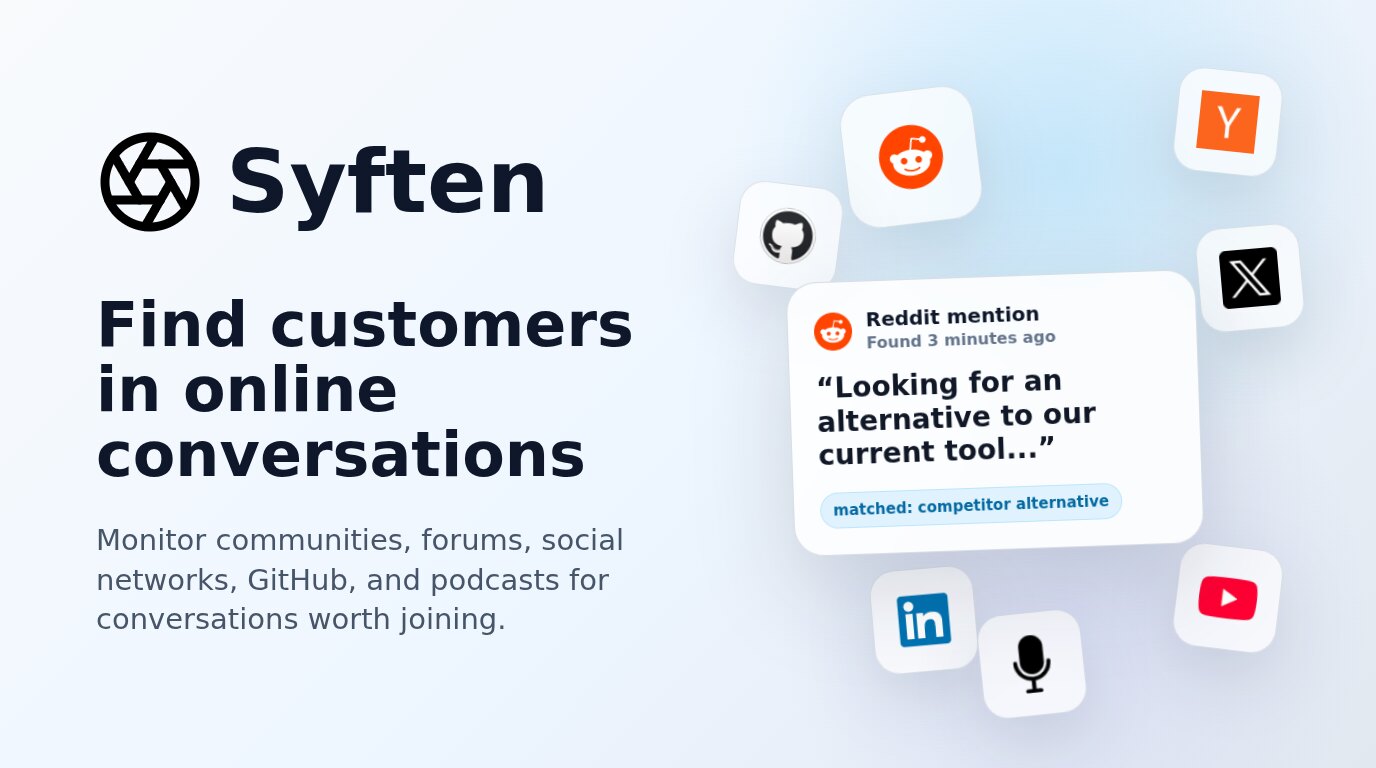

robots.txt (opens in a new tab)
5 rulesAll bots 4 allowed · 1 disallowed
- Allow
/auth/login - Allow
/auth/register - Allow
/auth/reset - Allow
/auth/set_password - Disallow
/auth/
No matching rules.
Sitemaps
1Recent Updates
- Website images
- Screenshots
- Network details
- Website Technologies
- Pages and Search Information
- TLS and certificates
- DNS Information
- HTTP Response Information
- Domain Registration
- Website profile
- Website Description
- Website Name
- Website profile
- Website Description
- Website Name
User reviews (0)