
 简体中文
简体中文 English
Website review
This review may include AI-generated content and is not individually verified. Domain, certificate and other facts come from the observed data on this page.
What is TickerRisk?
TickerRisk is a risk-scanning tool for options traders, built around one specific job: checking what could move a stock before you sell premium against it. Instead of leaving you to remember earnings dates, legal developments, or FDA decisions on your own, it pulls those catalysts into a single scored report for a ticker you enter.
How it works in practice
You type a symbol and choose an option expiry window. The tool then returns a risk score from 0 to 100, a catalyst timeline, and supporting signals. The scoring logic treats both bullish and bearish catalysts as risk, since either direction increases uncertainty when you are short options.
The signals it surfaces include:
- Earnings dates, including the next earnings event relative to your expiry
- Legal and clinical trial catalysts, with lookforward capped at the longer of one year or your expiry weeks
- SEC and FDA items, plus news
- Implied volatility signals: IV skew, term structure, and HV30 versus IV
- Options activity such as unusual volume, delta, theta, and vega
- Company health metrics like beta, P/E, margins, debt/equity, and dividend details
- Short interest and expected move
Who it suits
The natural user is a premium seller — someone running covered calls, cash-secured puts, or a wheel strategy — who wants a pre-trade checklist rather than a full charting platform. The page also shows a market scanner covering 500+ tickers across S&P 500 sectors, a watchlist, and a market pulse section with gainers, high-IV-rank names, and earnings-soon lists.
A practical next step
If you sell options, pick one ticker you already trade and scan it against your intended expiry. Compare the catalyst timeline and expected move against the premium you were about to collect; if the score is high because of an event inside your expiry window, that is your signal to shorten duration, widen strikes, or wait. Note the page states the free tier covers a limited set of tickers, with the full S&P 500 and multi-sector scanning behind Pro — check TickerRisk for current tier details rather than assuming full access.
How does TickerRisk calculate its risk score for a ticker?
TickerRisk's risk score is a 0–100 measure of how much uncertainty surrounds a ticker over your chosen option-expiry window. The site describes it as a volatility-risk measure: both bullish and bearish catalysts raise the score, because either direction can move the stock against a short-premium position.
What feeds the score (per the page)
- Catalyst Timeline — earnings dates, news, clinical trial events, legal filings, SEC activity and FDA dates, plotted against "Today," your expiry and the next earnings date.
- Options signals — implied volatility, IV skew (puts minus calls), IV term structure, HV30 vs IV, and unusual volume.
- Short interest and expected move (±) for the expiry window.
- Company health context — beta, valuation, growth, margin, cash flow, leverage and dividend data.
The page states its lookback is fixed at 45 days, while legal and clinical lookforward extends to the longer of one year or your expiry in weeks. Scores are shown alongside a confidence value, and the scanner ranks 500+ S&P 500 tickers by risk score, with sortable columns for IV rank, expected move, IV/HV spread and put/call volume and open interest.
Practical read
Treat the score as a screening prompt, not a verdict. A high score near an earnings date means you are being paid for event risk; a low score with a wide IV/HV spread may simply mean options are expensive relative to recent movement. The confidence figure matters — a score built on sparse filings or thin options data deserves less weight.
Next step
Run one ticker you already trade, pick your actual expiry, and check whether the flagged catalysts match the dates you care about. Compare the score against the IV rank and expected move columns before deciding. If you want a second opinion on event dates, cross-check with SEC EDGAR for filings and ClinicalTrials.gov for trial milestones.
What hidden catalysts does TickerRisk scan for before selling options?
TickerRisk scans for scheduled and unscheduled events that can move a stock sharply — the ones option sellers often overlook when they focus only on price and implied volatility. According to the site, it surfaces earnings, legal, FDA/clinical, SEC and IV signals, and rolls them into a 0–100 risk score.
What it looks for
- Earnings dates — the next earnings report, since a single print can gap the stock past your strike.
- Legal catalysts — court records and filings that can produce rulings or settlements.
- Clinical/FDA catalysts — trial readouts and regulatory decisions, mainly relevant for biotech and pharma names.
- SEC alerts — regulatory filings flagged as potential risk events.
- IV signals — unusual options volume, IV skew, IV term structure, and HV30 versus IV, which hint at what the market is already pricing.
The score is deliberately direction-agnostic: both bullish and bearish catalysts raise uncertainty, which is the core risk when you sell premium.
How the timing windows work
The site states lookback is fixed at 45 days, while legal and clinical lookforward is the greater of one year or your option expiry in weeks. That means the scan adapts to the expiry you pick — a 3-week put gets a narrower forward window than a 9-month LEAP.
A practical example
Suppose you're considering a cash-secured put on a pharma name with earnings in 10 days and a trial readout in six weeks. A pure IV screen might show rich premium and look attractive. TickerRisk's catalyst timeline would flag both events inside your expiry window, letting you either shorten the expiry, widen the strike, or skip the trade.
A useful next step
Enter one ticker with your intended expiry and check the Catalyst Timeline before anything else. If a known event falls inside your window, decide whether the premium compensates for gap risk — or move to a name with a cleaner calendar. You can compare candidates side-by-side using the multi-ticker scan, and the Market Scanner ranks S&P 500 names by risk score, with full coverage behind Pro. See TickerRisk for the current feature set.
How can I use TickerRisk to compare risk across multiple tickers or sector peers?
Use the multi-ticker scan for a quick side-by-side comparison, then open a single-ticker report when a score looks high and you need to see why.
Quick comparison across several tickers
Enter comma-separated symbols and TickerRisk returns a comparison table instead of a full report per name. The page lists JNJ, PFE, MRNA, ABBV, NVDA and TSLA as example inputs. This is the fastest way to screen a shortlist before you commit to a trade — for instance, checking whether an elevated risk score on one pharma name is isolated or shared across the group.
Comparing sector peers
The single-ticker report includes a Sector Peers section. Clicking a peer opens it side-by-side with your current ticker, and a Clear control resets the comparison. Use this when you have already chosen a direction and want to know whether the risk you are being paid for is specific to that company or just the sector's baseline.
What to compare, and why it matters
| Signal | What it tells you when comparing names |
|---|---|
| Risk Score (0–100) | Relative uncertainty; both bullish and bearish catalysts raise it |
| Catalyst Timeline | Whether earnings, legal, clinical, SEC or FDA events fall inside your expiry |
| IV Rank / IV % | Whether premium is actually elevated versus the name's own history |
| Expected Move (±) | The move the market is pricing, useful against your strike distance |
| IV/HV spread | Whether implied volatility looks rich relative to realised |
| Short Interest, Beta, P/E | Context on squeeze potential and how much of the score is market-driven |
A practical workflow
- Batch-scan your candidate list in one comma-separated entry.
- Sort by Risk Score, then check IV Rank — a high score with low IV Rank often means you are not being paid for the added uncertainty.
- Open the single-ticker report on the two or three most attractive names.
- Use Sector Peers to confirm the risk is company-specific rather than sector-wide.
- Check the Catalyst Timeline against your expiry window before selling premium.
Watch the lookback and lookforward windows
The page states the lookback is fixed at 45 days, while legal and clinical lookforward is the greater of one year or your expiry in weeks. That means a clean 45-day history can still sit in front of a trial readout or court date inside your expiry — exactly the case the comparison view is meant to surface.
Limits to keep in mind
The Market Scanner covers 500+ S&P 500 tickers, but the page notes that more tickers are hidden and Pro unlocks all tickers plus multi-sector scanning and the full S&P 500. The Market Pulse lists (Top Gainers, Conservative Wheel, High IV Rank, Earnings Soon) are labelled example candidates and not advice, so confirm any premium and contract details in your broker. The site also notes its data is aggregated from public and third-party sources and may not be complete or current — treat the score as a screening input, not a verdict.
A sensible next step: run your normal watchlist as a batch scan, then compare the two highest-scoring names side-by-side against a sector peer before choosing which one to trade.
What does the Market Scanner and Market Pulse show for S&P 500 options traders?
TickerRisk's Market Scanner and Market Pulse are two different views of the same S&P 500 universe: the Scanner is a ranked, sortable list for finding candidates, while Market Pulse is a snapshot of curated shortlists for quick idea generation.
Market Scanner
It covers 500+ tickers across every S&P 500 sector, scored and ranked by risk level. Sortable columns include Risk Score, Edge, IV %, IV Rank, Expected Move, IV/HV Spread, Volume, P/C Volume, and P/C Open Interest. Each row shows ticker, company, score and band. The page notes that "more tickers [are] hidden" and that Pro unlocks all tickers plus multi-sector scanning and the full S&P 500 — so on the free tier expect a limited view of the ranked list.
Use it when you already know what you're screening for. Example: sort by IV Rank descending to find names where options look expensive relative to their own history, then cross-check the Expected Move and P/C Open Interest columns before deciding whether selling premium is worth the catalyst risk.
Market Pulse
A S&P 500 snapshot described as "updated regularly," split into themed lists:
- Top Gainers — best price performance today.
- Conservative Wheel — sell puts, next week, risk-checked; shown as example candidates with estimated premium, to confirm in your broker, and explicitly not advice.
- High IV Rank — most expensive options.
- Earnings Soon — next 14 days.
Use it when you don't have a screen in mind. The "Earnings Soon" list pairs naturally with the Scanner: pull a name from it, then check that ticker's Catalyst Timeline and Risk Score before selling premium into the event.
Which to use
| Need | View |
|---|---|
| Rank the whole universe by risk or IV | Market Scanner |
| Find expensive options to sell | Scanner (sort by IV Rank) or Pulse (High IV Rank) |
| Avoid earnings surprises | Pulse (Earnings Soon) then single-ticker report |
| A ready-made wheel candidate | Pulse (Conservative Wheel) |
| Compare several tickers side by side | Scanner rows, then the comparison table |
A practical next step: pick one name from Earnings Soon, open its single-ticker report, and read the Risk Score alongside the Catalyst Timeline — the score measures volatility risk, and both bullish and bearish catalysts raise uncertainty, so a high score is not automatically a reason to avoid a trade, only a reason to size it deliberately.
What features are included in the free plan versus the Pro upgrade?
The free plan covers single-ticker scanning; the Pro upgrade mainly removes the caps on how many tickers you can scan and which sectors you can see.
What the page shows for each tier
| Capability | Free | Pro |
|---|---|---|
| Single-ticker risk report (earnings, legal, clinical, SEC, IV signals, 0–100 score) | Yes | Yes |
| Catalyst timeline, sector peers, options signals, company health panels | Yes | Yes |
| Multi-ticker comparison (comma-separated input) | Yes, as a quick comparison table | Yes |
| Market Scanner coverage | A limited set — "more tickers hidden" | All tickers, multi-sector scanning, full S&P 500 |
| Watchlist | Add tickers after scanning, batch scan | Same, plus scanning across the unlocked universe |
The page's own wording is the clearest signal: the scanner section says "more tickers hidden," and the upgrade line reads "Pro unlocks all tickers + multi-sector scanning & full S&P 500." Nothing on the page suggests the core single-ticker report is gated — the risk score, catalyst timeline, options signals and company health sections all appear in the standard report view.
How to decide
If you trade a handful of names you already know — say you sell puts on two or three large caps — the free tier likely gives you everything you need, because the per-ticker report is the substance of the tool. The Pro case is breadth: screening the whole S&P 500 for high-IV-rank or earnings-soon candidates, or comparing across sectors, is where the hidden-ticker limit bites.
A practical test: run your normal watchlist through the free scanner. If you keep hitting the hidden-ticker wall while screening rather than while researching, that's your upgrade trigger. The pricing page at TickerRisk is the place to confirm current tiers, since the feature split above is drawn from the scanner interface rather than a published plan breakdown.
One caveat worth noting: the site states it aggregates data from SEC filings, news, ClinicalTrials.gov, court records and third-party providers, and warns that some signals are derived and may not be complete or current. Treat scores as a prompt to check the underlying filing or event yourself, not as a final answer — that applies equally on free and Pro.
 Hostinger International Limited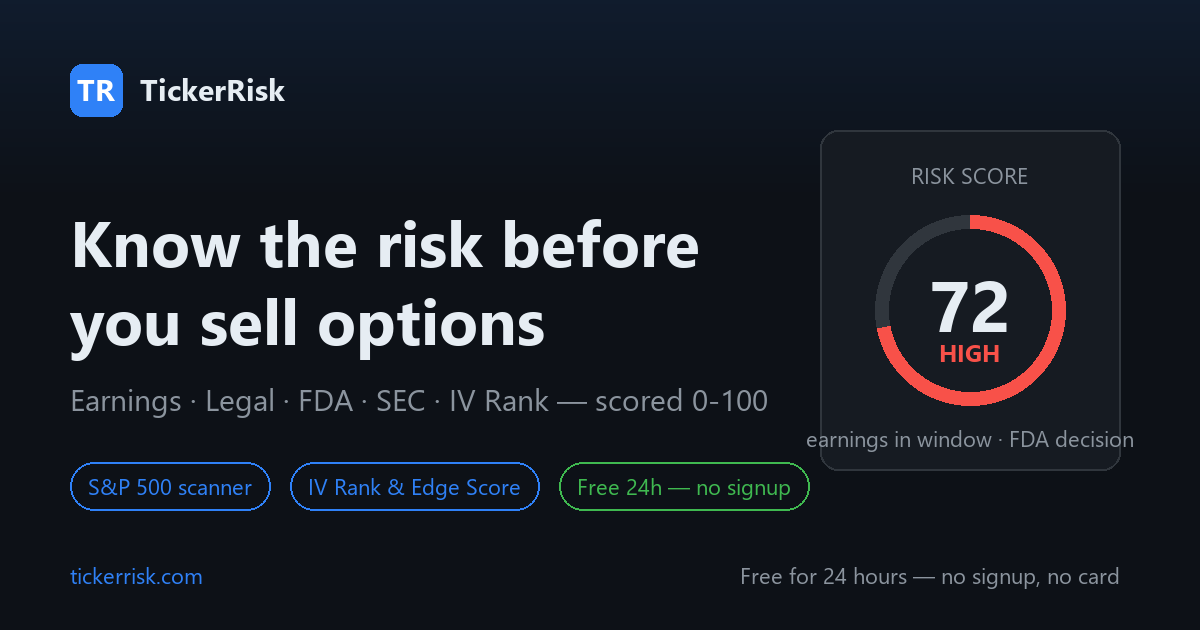

User reviews (0)