
 简体中文
简体中文 English
tooplate.com
Download 90+ free HTML CSS website templates for startups, SaaS, and small businesses. Clean, responsive, and easy to customize for personal or commercial use.
At a glance
- Category
- Business Services
- Language
- English
- Paid-content signal
- No paid content foundObserved
- Registered
- 2014
- Hosting
- CloudflareInferred
- HTTPS certificate trusted
- PassedObserved
- Last updated
Related questions
More questions →What Is SaaS? How Software-as-a-Service Works and When to Use It
SaaS (Software-as-a-Service) is a delivery model in which a vendor hosts an application and customers access it over the internet, typically paying a recurring subscription fee rather than buying a perpetual license. It fits most organizations that want faster deployment, lower upfront cost, and automatic updates — but it is a weaker fit when you need deep customization, strict data residency control, or the ability to run fully offline.
The core SaaS model
In a SaaS arrangement, three things move from the customer to the vendor:
- Infrastructure — servers, storage, and networking are owned and operated by the provider.
- Maintenance — patching, upgrades, and uptime are the provider's responsibility.
- Access — users reach the software through a browser or thin client, usually with per-user or usage-based billing.
You consume the software as a service rather than owning a copy of it. That single shift is what drives most of the benefits and most of the trade-offs below.
SaaS vs. on-premise, self-hosted, IaaS, and PaaS
These models are often confused because they all involve "the cloud." The difference is how much the vendor manages.
| Model | Who manages the app? | Who manages the infrastructure? | Typical customer control |
|---|---|---|---|
| SaaS | Vendor | Vendor | Configuration and data only |
| PaaS | Customer (builds/deploys) | Vendor | App code, runtime settings |
| IaaS | Customer | Customer (on rented VMs) | OS, middleware, app, data |
| On-premise | Customer | Customer (own hardware) | Everything |
| Self-hosted | Customer | Customer (own or rented) | Everything, but you install the vendor's software yourself |
A quick way to place them: with IaaS you rent the raw building blocks; with PaaS you rent a ready workbench to build on; with SaaS you rent the finished product. On-premise and self-hosted mean you run and maintain the software on infrastructure you control.
Main benefits and trade-offs
Benefits
- Lower upfront cost — no hardware purchase or large license fee; spend shifts to an operating expense.
- Faster setup — provisioning is usually measured in hours or days, not procurement cycles.
- Automatic updates — the vendor ships fixes and new features without a customer-side upgrade project.
- Elastic scalability — capacity can often be adjusted up or down as demand changes.
- Anywhere access — a browser and a connection are usually enough, which supports distributed teams.
Trade-offs
- Less data control — your data lives in the vendor's environment, subject to their architecture and regions.
- Limited customization — you generally configure within the vendor's boundaries rather than modifying the core.
- Vendor lock-in — migrating away can be costly if data export and integration are not well supported.
- Ongoing cost — subscriptions never "finish paying off" the way a perpetual license can.
- Dependency on connectivity and uptime — if the service is down or unreachable, work may stop.
Typical use cases and examples
SaaS is the default choice for horizontal needs like email, CRM, project management, and HR. It is also increasingly common as vertical SaaS — software built for one industry's specific workflows and compliance requirements.
Regulated industries are a useful illustration. Trust, corporate, and fund services providers handle sensitive client data and face audit and reporting obligations, so they tend to weigh data control and compliance heavily. Quantios, for example, describes itself as an AI-native SaaS platform for global corporate, trust, and fund services providers, positioned to help them reduce risk, boost efficiency, and scale. That is the vertical-SaaS pattern: the delivery model is standard SaaS, but the feature set and compliance posture are tailored to one sector.
How to evaluate a SaaS option
Use the same criteria regardless of vendor, and get specifics rather than assurances:
- Security — encryption in transit and at rest, access controls, and how incidents are handled.
- Compliance — which standards and regulations the vendor supports, and whether they match your obligations.
- Integration — APIs, prebuilt connectors, and how easily it fits your existing stack.
- Pricing model — per user, per usage, tiered, or a mix; understand what triggers a cost increase.
- Data portability and exit — can you export your data in a usable format, and what happens to it at contract end?
- Service levels — uptime commitments, support channels, and response times.
When SaaS is the right fit — and when it isn't
Choose SaaS when you want speed, predictable operating costs, and low maintenance overhead, and your data can reasonably live in a vendor's environment.
Reconsider when you need deep customization, must keep data strictly on your own infrastructure, operate in low-connectivity settings, or face regulations that rule out third-party hosting. In those cases, self-hosted or on-premise may be the better fit — or a SaaS vendor with strong regional and compliance guarantees.
Website Overview
An established domain and managed infrastructure suggest continuity of operations and may support dependable delivery, although neither guarantees service quality. Page metadata, canonical configuration and social previews work together to provide more consistent search and sharing presentation.
Domain and Registration
Registered in 2014, this domain has about 12 years of history. That suggests continuity, although ownership and purpose may have changed. Transfer-protection status is present, helping reduce the risk of unauthorized domain transfers. The registrar is Cloudflare, Inc., a widely used domain service provider. The domain uses the common .com extension, which is not an independent safety signal.
DNS and Email
MX records exist, but SPF, DKIM and DMARC were not detected. Protection against domain impersonation may be incomplete. Nameservers are provided by Cloudflare, indicating managed DNS hosting. MX records point to the tooplate.com email service. No CNAME was found; the observed records resolve directly to addresses. DNSSEC signatures were not detected, so this additional DNS authenticity protection is not confirmed.
TLS and Certificates
The public key uses EC with 256 bits. The server supplied a complete certificate chain. No organization name is present in the certificate; the available fields are consistent with domain validation. The certificate was issued by Let's Encrypt, commonly associated with automated certificate services. The certificate's total validity is about 89 days, consistent with a short renewal cycle.
HTTP and Browser Security
X-Powered-By exposes backend information: PHP/5.4.45. The checked browser-security headers were not detected, leaving fewer explicit browser-side safeguards. The cf-ray response header indicates a CDN or caching proxy in the delivery path. No obvious internal addresses or debug information were found in the headers. The Server header identifies cloudflare without an exact version.
Technology Stack Analysis
The public page identifies Google Analytics, Cloudflare, PHP without precise versions, leaving fewer clues for version-specific scanning.
Search and Social Sharing
Twitter Card metadata is configured. The title has 54 characters, within a common display range. A meta description is present, with 159 characters. The observed directives allow indexing and link following. No Generator meta tag is publicly exposed.
Hosting and Email
 Cloudflare
Registration details
| Registrar | Cloudflare, Inc. |
|---|---|
| Registered | 2014-02-28 |
| Expires | 2028-02-28 |
| Domain status | client transfer prohibited |
| Nameservers | johnathan.ns.cloudflare.com、mariah.ns.cloudflare.com |
| DNSSEC | unsigned |
DNS records
| Type | Name | Value | TTL | Priority |
|---|---|---|---|---|
| A | www.tooplate.com | 104.21.27.191 | 300 | — |
| A | www.tooplate.com | 172.67.143.119 | 300 | — |
| AAAA | www.tooplate.com | 2606:4700:3030::6815:1bbf | 300 | — |
| AAAA | www.tooplate.com | 2606:4700:3031::ac43:8f77 | 300 | — |
| MX | tooplate.com | _dc-mx.75b764318dec.tooplate.com | 300 | 0 |
| NS | tooplate.com | johnathan.ns.cloudflare.com | 86400 | — |
| NS | tooplate.com | mariah.ns.cloudflare.com | 86400 | — |
TLS and certificates
HTTP response headers
| Header | Value |
|---|---|
| content-type | text/html; charset=UTF-8 |
| cache-control | max-age=86400 |
| server | cloudflare |
Identified technologies
Pages, Search and Sharing
| Meta description | Download 90+ free HTML CSS website templates for startups, SaaS, and small businesses. Clean, responsive, and easy to customize for personal or commercial use. |
|---|---|
| Canonical URL | https://www.tooplate.com/ |
| Language | English (default) |
| Twitter Card | summary_large_image |
Social Sharing Preview
11 fields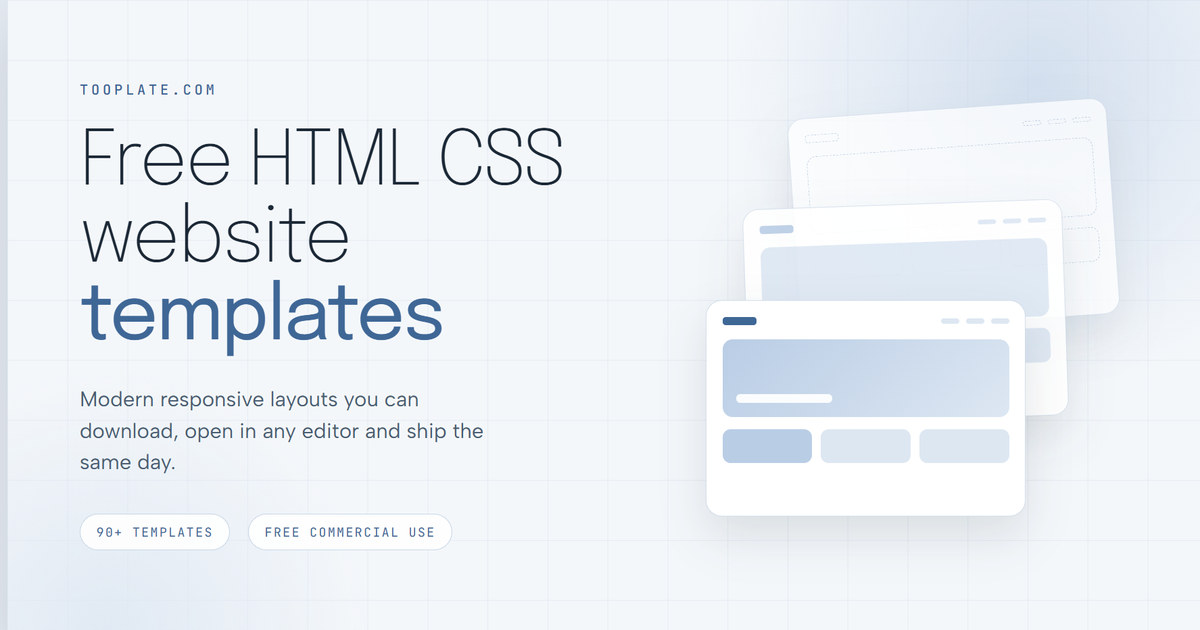
robots.txt (opens in a new tab)
4 rulesAll bots 0 allowed · 4 disallowed
- Disallow
/download/ - Disallow
/external/ - Disallow
/live/ - Disallow
/templates/
No matching rules.
User reviews (0)