
 简体中文
简体中文 English
Website review
This review may include AI-generated content and is not individually verified. Domain, certificate and other facts come from the observed data on this page.
What is Tykr?
Tykr is a stock-investing app and web platform aimed at beginners who want help deciding what to buy and when. Its core idea is a simple "traffic light" scoring system that labels stocks as On Sale, Watch, or Overpriced, so users can screen and evaluate investments without building their own valuation models. It covers stocks, ETFs, mutual funds and crypto, and adds an AI assistant for learning, finding ideas and reviewing portfolios.
What it actually does
- Screening and scoring: filters thousands of stocks using the On Sale / Watch / Overpriced labels, plus custom filters for your own criteria.
- Portfolio tracking: manages multiple portfolios, shows overall ratings, performance and projections.
- Broker connections: links to 40+ brokers (Schwab, Fidelity, Robinhood, E*TRADE and others) to automate portfolio tracking.
- Alerts: notifies you when a watchlist stock changes rating, including "On Sale" opportunities and "Overpriced" risk warnings.
- Guided learning: a self-guided checklist and educational content intended to take a beginner to a confident investor.
- Apps: browser access plus iOS and Android apps.
Who it suits, and the trade-offs
It fits a new investor who wants a structured starting point and plain-language signals rather than raw financial data. A concrete example: someone with a handful of broker accounts could connect them, see all holdings rated in one place, and get an alert when a stock on their watchlist drops to "On Sale."
The trade-off is that the value depends on trusting Tykr's scoring methodology and its notion of "fair value" and "margin of safety." Simplified ratings are useful for learning and screening but are not a substitute for understanding a business, and automated labels can lag or misjudge fast-moving situations.
Next step
Before committing, run a small test: pick five companies you already know well, check how Tykr rates them, and compare that with your own view. If the ratings make sense to you, the tool will likely be useful; if not, treat it as a screener only. Pricing and trial terms are on Tykr.
How does Tykr's traffic light rating system decide when a stock is On Sale, Watch, or Overpriced?
Tykr's rating system is best understood as a valuation label rather than a buy signal in itself. According to the product page, stocks are scored as On Sale, Watch or Overpriced, and the underlying idea is fair value plus a margin of safety: the page describes looking for a margin of safety of 50% or higher, and flags overvaluation when that margin falls below 50%. In practice, that means the label reflects how far a stock's price sits below or above Tykr's estimate of fair value, not how good the business is. The page does not publish the exact thresholds or formula for each band.
What each label implies
| Label | What it signals on the page | Sensible use |
|---|---|---|
| On Sale | The stock looks undervalued relative to fair value, with a margin of safety of 50% or more | A starting point for research, not an automatic purchase |
| Watch | Neither clearly discounted nor clearly expensive | A holding list to revisit when the rating changes |
| Overpriced | Margin of safety below 50%; the page links this to taking profits and avoiding high-risk stocks | A prompt to review a position or skip a new one |
A concrete example
Suppose a beginner is screening for a first stock. Filtering for "On Sale" names narrows thousands of tickers to a shortlist, and the watchlist and opportunity alerts notify them when a stock moves into that band. The next step should be checking why it is cheap — a fallen price can reflect a real problem rather than a bargain — and confirming the fair-value estimate rests on assumptions they accept.
Trade-offs to weigh
The appeal is speed and simplicity: a three-colour label is easy for beginners to act on, and the checklist structure supports that. The limitation is that any single valuation score compresses judgment. Fair-value estimates depend on growth and discount-rate assumptions, and they can lag fast-moving news. Treat "On Sale" as a question to investigate and "Overpriced" as a reason to review, not a verdict. For a second opinion on valuation, compare against a general screener such as Yahoo Finance before deciding.
Can I connect my existing brokerage account like Fidelity or Robinhood to Tykr, and what does that integration actually sync?
Yes. Tykr lists 40+ broker connections, and Fidelity and Robinhood are both named among them, so linking an existing account is part of the product rather than a workaround. The stated purpose of the connection is to automate the portfolio tracker: it pulls your holdings in so you can see overall ratings, performance and projections in one place instead of entering positions by hand.
What the integration is for, and what it is not
The page presents broker connections as a portfolio-tracking convenience, not as a trading link. It describes managing multiple portfolios, tracking performance and reviewing projections, and separately mentions web and mobile apps with alerts. Nothing in the supplied material suggests Tykr places orders or moves money on your behalf; buying and selling still happens at your broker. Treat it as a read-in for your positions.
A second limit: the page does not spell out sync mechanics. Refresh frequency, whether cost basis and lots transfer, how cash balances are handled, and whether read-only access is enforced are not stated. Confirm those with Tykr and your broker before relying on the numbers.
How to evaluate it for your situation
| Your situation | What the connection buys you | What to check first |
|---|---|---|
| One Fidelity account, long-term holdings | Automatic position list, ratings and performance in one view | Whether cost basis imports, since ratings and projections may depend on it |
| Robinhood plus a retirement account elsewhere | Consolidation of multiple portfolios | Whether both brokers can be linked at once and kept separate |
| Active trader wanting execution from one screen | Little — this is tracking, not trading | Whether you actually need a second dashboard |
| Privacy-sensitive investor | Convenience in exchange for account read access | Access scope, revocation steps, and data handling terms |
A practical next step
Pick your largest account and link only that one first. Compare the imported positions, share counts and cost basis line by line against your broker statement. If the figures match, add the second account. If cost basis comes through blank or shifted, decide whether ratings and projections are still meaningful to you before expanding — and ask Tykr support directly about sync timing and how to disconnect. Competitors such as Portfolio Visualizer take manual entry instead, which is slower but requires no broker credentials; the trade-off is effort versus automatic accuracy.
Is Tykr suitable for a complete beginner with no investing experience, and what does the 30-day path to confident investing involve?
Yes. Tykr is aimed squarely at people with no investing experience, and its beginner path is built around learning a repeatable process rather than picking hot tips. The site frames the goal as going "from a beginner to confident investor in 30 days or less," with a self-guided checklist, simplified stock ratings, and educational content as the main scaffolding.
What the beginner path actually involves
The 30-day promise is less a structured course than a set of tools you work through at your own pace:
- A self-guided checklist that tells you what to do next, so you are not staring at a blank screen wondering where to start.
- Traffic-light stock ratings (On Sale, Watch, Overpriced) that replace raw valuation math with a simple label. This is the core teaching device: you learn what "cheap versus expensive" means by seeing it applied to thousands of stocks.
- Fair value and margin of safety shown for each stock, with the site suggesting you look for a margin of safety of 50% or higher.
- Screening and custom filters so you can narrow thousands of stocks down to a shortlist that matches criteria you set.
- Watchlists and alerts that notify you when a stock's rating changes, which reinforces the habit of waiting for a signal instead of acting on impulse.
- A portfolio tracker with 40+ broker connections (Schwab, Fidelity, Robinhood, E*TRADE and others) so you can see how your holdings rate once you start buying.
- AI assistance for learning concepts, finding stocks, and reviewing a portfolio, plus web and iOS/Android apps.
Where a beginner should be careful
The simplicity is the selling point and the limitation. A three-color label compresses a lot of assumptions about valuation into one word, and a beginner may treat "On Sale" as a guarantee rather than a starting point for their own research. The 30-day framing is marketing; realistically, 30 days is enough to learn the workflow, not to become a confident investor through a full market cycle. Treat the free trial as a low-risk way to test whether the rating logic makes sense to you, and check the pricing page before committing beyond it.
A practical first month
Spend week one on the checklist and education material without buying anything. In week two, build a watchlist of ten companies you already understand as a customer and read their ratings and fair values. In week three, connect a broker and paper-track a small position. In week four, review what the alerts told you and whether you would have acted on them. If the ratings consistently match your own reasoning, the tool fits you; if you find yourself blindly following colors, more grounding in fundamentals is the better next step.
For comparison, Morningstar offers deeper analyst research with a steeper learning curve, and Investopedia is a free dictionary-style resource worth pairing with any paid tool while you build vocabulary.
How much does Tykr cost after the free trial, and what does the money-back guarantee cover?
The Tykr page advertises a 30-day free trial and a 30-day money-back guarantee, but it does not state the price that applies once the trial ends. The pricing page at Tykr is where the current plan cost is listed, so check it before starting the trial rather than assuming the trial converts at a rate shown elsewhere.
What the page does and doesn't say
- Free trial: 30 days, with cancellation described as available at any time.
- Money-back guarantee: Also 30 days. The page presents it next to the trial but does not spell out which charges it covers, whether it applies to the first paid year, or what conditions apply.
- Post-trial price: Not given on the page.
A practical way to decide
Before signing up, confirm two things on the pricing page: the amount billed when the trial ends, and the exact wording of the refund terms. If the guarantee is tied to the first paid period, a reader who wants a low-commitment test should cancel before day 30 unless the tool has already proved useful. Someone evaluating it seriously should use the trial to test the parts they would actually pay for — screening stocks against the On Sale/Watch/Overpriced ratings, tracking a portfolio, or connecting a broker — since those are the features the subscription is meant to deliver.
How does Tykr's AI help me build or analyze a portfolio compared to just screening individual stocks?
Tykr's AI is positioned as a portfolio-level helper, not just a stock filter. Screening finds individual candidates; the AI layer is meant to turn those candidates into a portfolio and then review one you already hold. Per the site, it helps you "learn how to invest, find stocks, build new portfolios, and analyze current portfolios" in clicks.
What each mode actually does
| Task | Screening alone | Tykr's AI-assisted layer |
|---|---|---|
| Finding ideas | You filter thousands of stocks by criteria | AI suggests stocks and builds a starting portfolio |
| Judging value | Traffic-light scores: On Sale, Watch, Overpriced | Same scores, plus margin-of-safety and fair-value context |
| Ongoing oversight | You re-check names manually | Watchlist and opportunity/risk alerts when ratings change |
| Whole-portfolio view | Not covered by screening | Portfolio tracker with overall ratings, performance and projections across multiple portfolios |
| Learning | Implied by using filters | Guided checklist and education content for beginners |
The practical difference is assembly and monitoring. A screener answers "which stocks pass my rules?" The AI-assisted portfolio tools answer "what should I own together, and has anything changed?" Broker connections (40+, including Schwab, Fidelity, Robinhood and E*TRADE) matter here because they automate the tracker, so portfolio analysis reflects real holdings rather than manual entry.
A concrete scenario
Say you want dividend-paying ETFs plus a few large caps. You'd screen for candidates, then use the AI to draft a portfolio and check its overall rating. Add holdings to the watchlist so you're notified if a position flips to "On Sale" or "Overpriced." That alerts-based workflow is the main advantage over pure screening—it shifts you from one-off research to ongoing review.
Trade-offs
- Convenience vs. judgment: "In clicks" portfolio building is fast, but you still need to understand why a stock scores well. Treat AI output as a starting draft, not a verdict.
- Score dependence: Everything hinges on the On Sale/Watch/Overpriced system and the 50% margin-of-safety threshold. If your strategy isn't valuation-driven (e.g., momentum or income-focused), the ratings may not match your goals.
- Beginner fit: The checklist and education suit newcomers; experienced investors may find the scoring reductive and prefer their own models.
How to decide
If you mainly need idea generation, a screener is enough. If you hold multiple accounts and want automated tracking plus change alerts, the portfolio side is the reason to use Tykr. A sensible next step is to compare its approach with a dedicated tracker such as Sharesight or a screener like Finviz, then start a trial and test one real portfolio against your own judgment before relying on the ratings.
 Cloudflare
 Google Workspace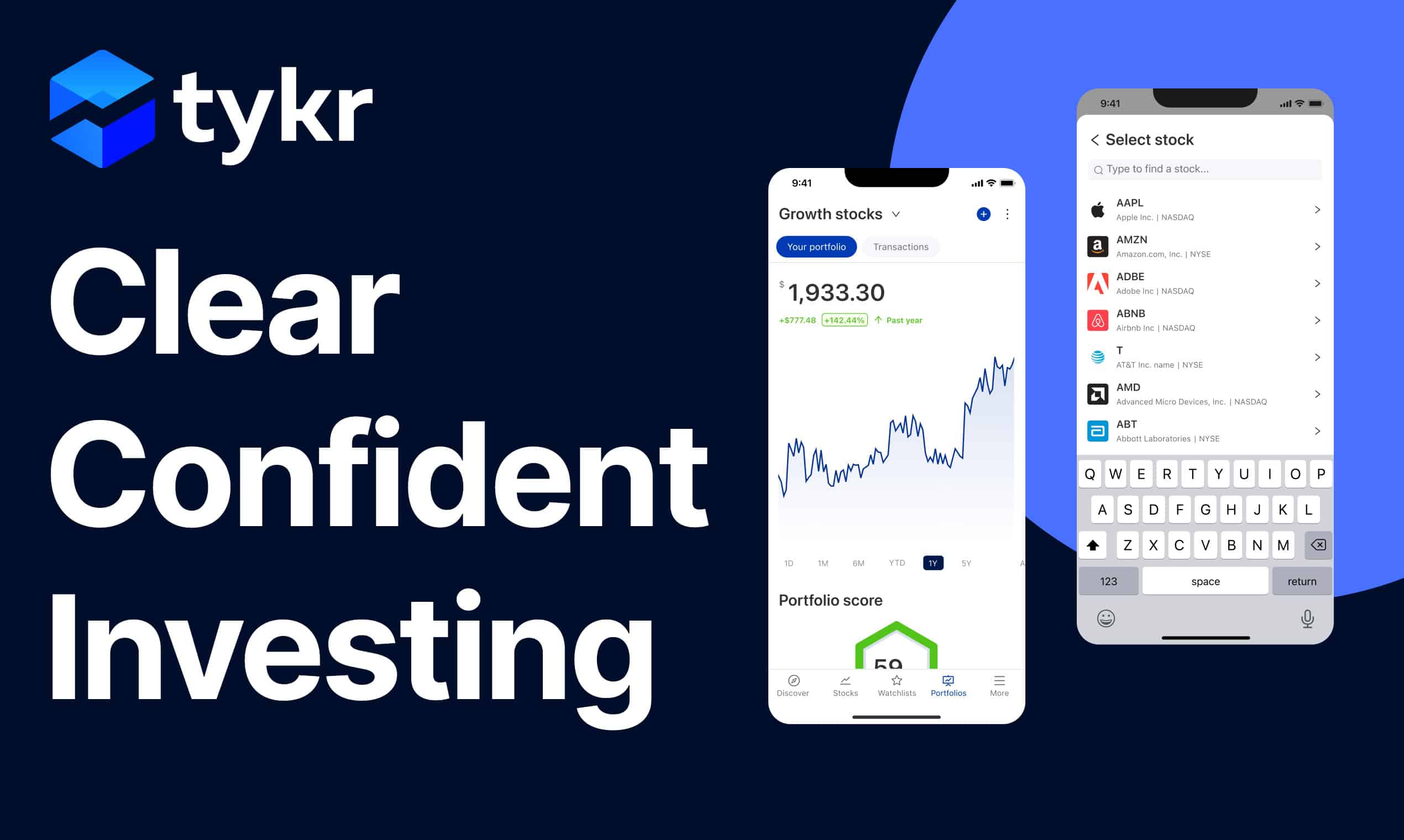

User reviews (0)