
 简体中文
简体中文 English
Website review
This review may include AI-generated content and is not individually verified. Domain, certificate and other facts come from the observed data on this page.
What is uithub.com?
uithub.com is a tool for turning a public GitHub repository into context that a large language model can read. Its core trick is in the name: take a GitHub URL and change the “g” to a “u”, and you get a page presenting the repository's contents in a form you can copy into an LLM chat. The site also offers an API for pulling repository context programmatically, aimed at people building analysis or development tools rather than only pasting into a chat window.
What it is useful for
The practical value is getting an LLM past the README. If you are setting up an unfamiliar library and want help with configuration, or you are asking an assistant to explain how a project is structured, giving it the whole repository is more useful than a single documentation file. The site's own examples point in this direction: code verification at scale, checking ESM readiness, generating file and folder summaries for code search, tracking changelogs across commits and pull requests, and porting or translating codebases.
That makes it relevant to two broad audiences. Individual developers can use the URL swap as a quick way to hand a repository to a chat assistant. Teams and tool builders can use the API to fetch repository context repeatedly, for example to run the same analysis across many repositories.
What to keep in mind
The tool supplies context; it does not guarantee that the model will interpret a large repository correctly. Very large repositories can exceed what a model can usefully process, so it helps to target a specific subdirectory or ask a narrow question rather than dumping everything and hoping for a precise answer. Because the output is derived from public GitHub content, it is also worth checking that the repository you are sharing is one you are permitted to send to whichever model you use.
The site's testimonials, such as those from Nick Dobos and Ian Nuttall, describe the convenience of pasting a full repository into an LLM; treat those as users' impressions of the workflow, not as an evaluation of accuracy. For a concrete first test, pick a small repository you already understand, swap the URL, and ask the model a question whose answer you can verify—such as where a particular configuration value is set. If the answer is right, the workflow is probably worth adopting for less familiar code.
How do I get a full GitHub repository context for my LLM by changing the URL?
Change the g in a GitHub repository URL to a u: github.com/owner/repo becomes uithub.com/owner/repo. That page serves the repository as context you can copy into an LLM, instead of the model seeing only the README. The site presents this as its core shortcut and shows example repositories such as stackblitz, cursor, cloudflare and denoland; its page also credits Nick Dobos and Ian Nuttall with the same observation — Ian Nuttall notes that pasting a GitHub link into Cursor often reads only the README, while the swapped URL gives full repo context.
Try it on a small repo first. Pick a repository you already know well, open the uithub.com version, and check whether the output includes the files you care about (source, config, tests) at a size your model can accept. Then paste it into your LLM with a specific question, such as "where is authentication configured and what would break if I changed it?"
When this approach fits
- Setup and onboarding questions: you want the model to see how a library wires its parts together, not just its advertised usage.
- One-off analysis: you need a quick read of a dependency before adopting it.
- Repeatable workflows: the site also describes an API for fetching LLM context in daily work and running repo analysis at scale, with ideas like code verification, ESM readiness checks and changelog summaries. Those are the site's suggested uses; treat them as starting points, not guarantees.
Trade-offs to weigh
- Context size: a full repository can exceed a model's context window or bury the relevant file. Prefer smaller repos or ask the model to summarize before answering.
- Freshness and scope: confirm the page reflects the branch or commit you care about, especially for fast-moving projects.
- Secrets and licensing: avoid sending private or credential-bearing code to third-party models, and respect the repository's license when reusing output.
For deeper or automated use, the site points to its own documentation and API; for general background on a project, the repository's own page on GitHub remains the reference.
Can I use uithub with Cursor to give it more than just a README?
Yes. uithub is built for exactly that: it turns a GitHub repository into a single page of full repo context you can paste into an LLM, instead of relying on the README alone. The site's own pitch is "change just one letter" — swap the g in a GitHub URL for a u — and the page shows popular repos (Cursor, Cloudflare, Deno, StackBlitz and others) as ready-made starting points.
How it fits a Cursor workflow
- Direct URL swap: Take a repo link you'd normally hand to Cursor, change
github.comtouithub.com, and you get the repo content in a form suited to LLM context. - Browse-then-paste: For repos listed on the homepage, open the uithub version and copy the context into Cursor's chat or an attached file.
- API route: The page describes an API for getting LLM context in daily work and for repo analysis at scale — useful if you want to script context-gathering rather than paste by hand.
Ian Nuttall's observation, quoted on the page, is the practical case: he passes GitHub repo links to Cursor when setting something up, but found it "only reads the readme file" — and uithub gave him "full repo context" instead. That matches the trade-off you should weigh: README-only answers are shallow but cheap; full-repo context is richer but consumes far more of the model's context window and can bury the relevant file.
A concrete test
Pick a small dependency you're integrating — say a Laravel SEO package. In Cursor, ask a setup question with only the GitHub link, then repeat it with the uithub link. Compare whether the second answer cites actual config files and method signatures rather than README prose. For large repos, paste the uithub output selectively or point Cursor at the specific subfolder, since dumping an entire monorepo wastes context.
If you want to cross-check repo context against upstream docs, GitHub remains the source of truth for the code itself.
How can I use the uithub API to analyze repositories at scale?
Use the uithub API as a way to turn a GitHub repository into LLM-ready context in one request, then loop that request across many repositories. The site's own framing is "AI repo analysis at scale": you point the API at a repo, get its code context back, and pass that context to a model for analysis, summarization or verification. The manual equivalent is the URL trick the site highlights—change the g in a GitHub URL to a u—which is useful for spot checks before you automate.
Practical pattern for scale
- Pick a repo list and a question type. Decide whether you want per-file summaries, folder-level overviews, dependency checks or a single repo-level verdict. The site's example use cases include code verification, ESM readiness checks, enhanced code search (file and folder summaries, vectorizing content), changelog tracking across issues/PRs/commits, cross-framework porting and codebase translation.
- Fetch context per repo through the API, using the docs for the exact endpoint and parameters rather than guessing.
- Chunk and store. For large repos, keep folder-level summaries and vectors so later queries don't re-ingest everything.
- Run the model step with a fixed output schema (e.g., a JSON verdict per repo) so results are comparable across hundreds of repos.
- Spot-check with the URL method on a few repos to confirm the context matches what you expected.
Where it fits and where it doesn't
| Need | uithub approach | Trade-off |
|---|---|---|
| One-off "explain this repo" | Change g to u in the URL |
Fast, but manual |
| Batch analysis of many repos | API loop with stored summaries | Needs your own orchestration and storage |
| Ongoing monitoring (changelogs, PRs) | Scheduled API calls plus LLM diffing | Token cost grows with repo churn |
| Precise code search | Vectorized file/folder summaries | Summaries can lose detail; verify hits against source |
A concrete scenario: a platform team maintaining 80 internal libraries wants to know which ones are ESM-ready. They fetch each repo's context via the API, ask a model for a structured readiness assessment, store results with the commit SHA, and re-run weekly to catch regressions. The trade-off is that model judgments need a human review pass on borderline cases.
Next step: start with the docs linked from the site to confirm request format and limits, then prototype on five repos before scaling. For comparison, GitHub's official API (GitHub) gives raw file and tree access but no LLM-ready packaging, so you'd build the context assembly yourself.
What are some practical use cases for uithub's API, such as code verification or ESM readiness checks?
uithub's API is aimed at developers who want to pull a GitHub repository into an LLM workflow programmatically rather than by hand. The site frames it around "LLM context in your daily work," "AI repo analysis at scale," and building development tools on top of that context. The practical uses below are the ones it names, with a note on who each one suits.
Use cases the site describes
- Code verification at scale. Test repositories, deploy APIs, generate OpenAPI specs, and then use an LLM to check that the code actually does what it claims. This fits teams maintaining many repos or running automated quality gates in CI.
- ESM readiness checks. Analyze a codebase for ESM compatibility and tree-shaking health, so you can find modules that will break under modern bundlers or won't shake cleanly. Useful for library authors and anyone migrating from CommonJS.
- Enhanced code search. Generate file and folder summaries, then vectorize the content to build better search over a codebase. Suits teams building internal code search or onboarding tools.
- Changelog API. Track and summarize changes across changelogs, issues, pull requests, and direct commits with an LLM. Handy for release managers and anyone writing release notes.
- Cross-framework and language porting. Automate and verify porting a repository to another framework or language. Relevant for migrations where you want the LLM to propose changes and then check them.
- Codebase translation. Translate repositories or their comments into other languages while keeping code intact. Fits open-source maintainers widening their audience.
How the pieces differ
| Use case | Main output | Best fit |
|---|---|---|
| Code verification | Test and spec results checked by an LLM | CI pipelines, QA |
| ESM readiness | Compatibility and tree-shaking report | Library authors, bundler migrations |
| Code search | Summaries and vectors | Internal tooling, onboarding |
| Changelog | Summarized change history | Release management |
| Porting / translation | Transformed and verified code | Migrations, localization |
A concrete scenario: a maintainer with a dozen packages points the API at each repo, runs the ESM readiness check to flag CommonJS-only modules, then uses the same context to have an LLM draft migration patches for review.
A sensible next step is to pick one repo you already know well and run a single check against it, so you can judge the output quality before wiring the API into anything automated. The site points to its docs for the advanced options. For background on the source repositories themselves, see GitHub.
Is uithub affiliated with GitHub, and what are the limits or considerations when using it?
No. uithub is not affiliated with GitHub; the site itself says it is "Powered by GitHub (but not affiliated)." It works by taking a GitHub repository URL and swapping the "g" for a "u"—for example, github.com/owner/repo becomes uithub.com/owner/repo—to produce a single page of repository context you can paste into an LLM.
Practical limits and considerations
- It is a context-gathering layer, not a coding assistant. The output is repository content formatted for an LLM; the actual answering happens in whatever model or tool you paste it into. Quality depends on that model and on how much of the repo fits in its context window.
- Large repositories will not fit. Very big codebases can exceed a model's context limit or become unwieldy to paste. For those, target a subdirectory or specific files rather than the whole repo.
- Treat pasted code as public. Anything you send to a third-party LLM leaves your control, so avoid proprietary or credential-bearing code unless your organization permits it.
- Repository access mirrors GitHub. Private repos require appropriate access; public repos are the straightforward case.
- The page describes an API for scale use. Its examples include code verification at scale, ESM readiness checks, code search, changelog tracking and cross-framework porting—useful if you want to automate repo analysis rather than do one-off pastes.
A concrete scenario
You are setting up an unfamiliar open-source library and want help wiring it into your project. Instead of pasting only the README, open the uithub version of the repo and hand the full context to your LLM, then ask a specific question such as "which config keys control caching, and where are they read?" You get answers grounded in the actual source rather than the marketing readme.
For deeper GitHub-native workflows, compare with GitHub itself and tools like Cursor if you want repository context inside an editor.
 Cloudflare
 Fastmail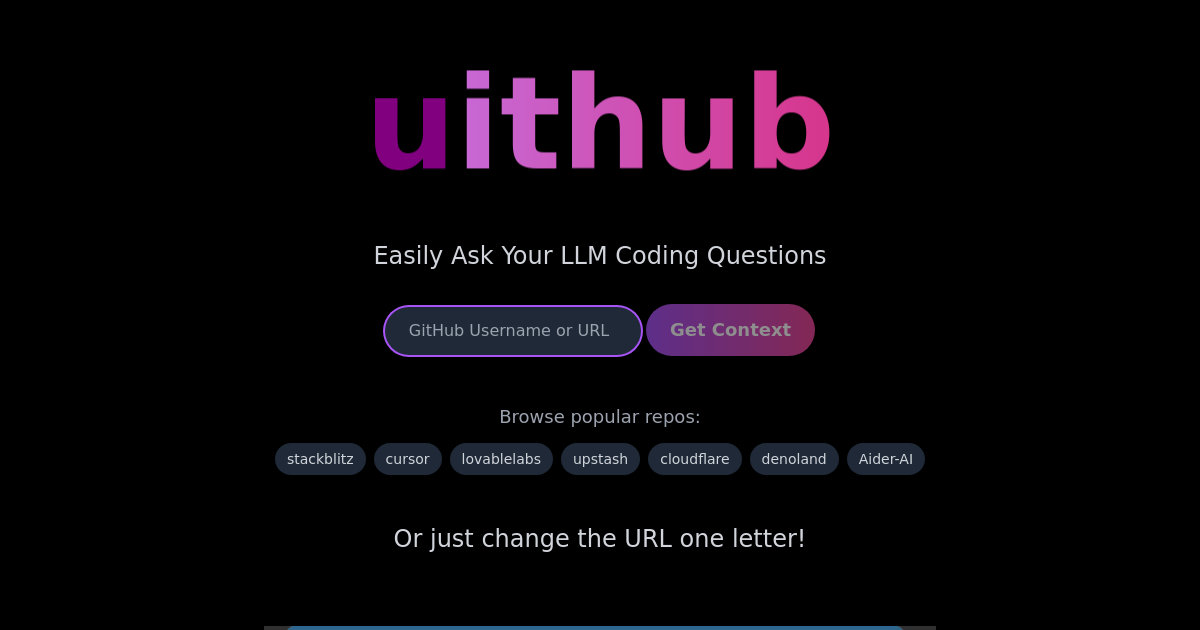

User reviews (0)