Website profiles · Technology insights · Alternatives

usemage.ai

Generate your full-stack React, Node.js and Prisma web app using the magic of GPT and the Wasp full-stack framework.

No paid content found
Visit website
Profile views 7 Outbound visits 3 Normal
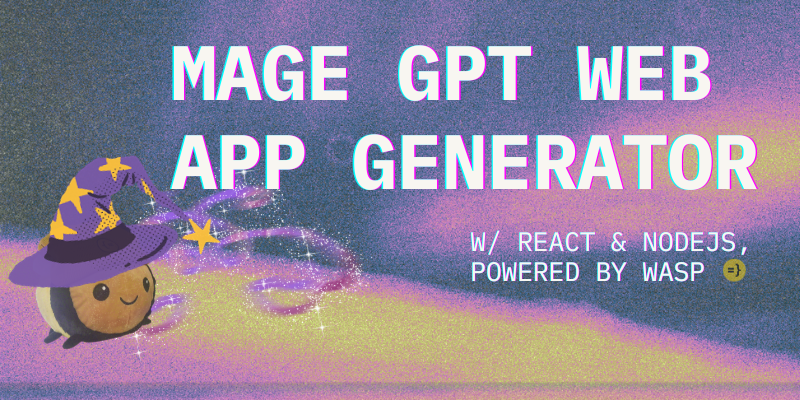
MAGE - GPT Web App Generator ✨ Full homepage screenshot

At a glance

Category
Artificial Intelligence
Language
English
Paid-content signal
No paid content foundObserved
Registered
2023
Hosting
CloudflareInferred
HTTPS certificate trusted
PassedObserved
Last updated

Website review

This review may include AI-generated content and is not individually verified. Domain, certificate and other facts come from the observed data on this page.

What is MAGE?

MAGE is a web app generator that turns a written description into a full-stack application built with React, Node.js and Prisma, using the Wasp framework as its foundation. You describe the app you want, and it produces a working codebase rather than just a UI mockup.

What it is good for

  • Starting a new project quickly. Instead of wiring up a frontend, backend and database layer by hand, you get a scaffold that already connects them.
  • Prototyping an idea. Describing a simple product — a task tracker, a booking form, a small marketplace — lets you see a real app structure without committing days to setup.
  • Learning a full-stack stack. Because the output uses mainstream tools (React, Node.js, Prisma), reading the generated code is a practical way to see how the pieces fit together.

What to keep in mind

The page itself is a JavaScript-rendered app, so its public content is thin; the description is the main signal about what it does. Treat generated code as a starting point, not a finished product. You will still need to review the schema, adjust business logic, handle authentication decisions and plan deployment. The value is in skipping boilerplate, not in skipping engineering judgment.

A concrete scenario: a solo developer wants a small internal tool for tracking client requests. They describe the entities (clients, requests, statuses) and the screens they need, generate a first version, then spend their time refining the data model and permissions instead of configuring a server and ORM.

Deciding whether to use it

Choose MAGE if you want a React/Node/Prisma starting point and are comfortable editing generated code. Skip it if your stack is different, if you need a fully managed no-code tool, or if you would rather build the foundation yourself for full control.

A useful next step is to write a one-paragraph description of your app — its main entities, the screens users see and the actions they take — and compare that against what a generated scaffold would realistically cover. If most of your work lies in custom logic beyond that scaffold, the time saved will be modest.

How does MAGE generate a full-stack web app from a prompt?

MAGE is a prompt-to-app generator aimed at producing a full-stack web application rather than a single front-end page. According to its own description, it builds a React front end, a Node.js back end and a Prisma database layer, using the Wasp full-stack framework as the scaffolding. You describe the app you want in natural language, and MAGE uses GPT to turn that description into a working project structure.

The practical value is in skipping the boilerplate: instead of wiring routing, API endpoints, authentication and database models by hand, you get a starting codebase you can run and then edit. That makes it most useful for prototypes, internal tools, MVPs and demos where speed matters more than fine-grained control. It is less suited to projects with unusual architecture, strict compliance requirements or heavy custom infrastructure, because generated scaffolding still needs review.

A realistic workflow looks like this:

  1. Write a prompt that names the core entities, the main user actions and any auth or role needs.
  2. Generate the app and inspect the data model and routes first, since these shape everything else.
  3. Run it locally, then replace placeholder logic with real business rules.
  4. Treat the output as a first draft, not a finished product.

If you want to compare approaches, the Wasp framework itself documents the stack MAGE targets at Wasp, and the broader React and Prisma ecosystems are covered at React and Prisma. For a quick decision: choose MAGE when your app fits a conventional CRUD-style shape and you want a runnable starting point fast; hand-build when your requirements diverge sharply from that pattern.

What kind of React, Node.js, and Prisma code does MAGE produce?

MAGE generates a complete full-stack web app scaffold rather than isolated snippets: a React front end, a Node.js server, and a Prisma database layer, tied together through the Wasp full-stack framework. In practice, that means you describe an app idea in plain language and receive a working project structure with pages, routes, data models, and the server logic connecting them, which you then run and edit locally.

What the output covers

  • React front end — pages and components for the user-facing parts of your app, wired into routes.
  • Node.js backend — server-side logic for the operations your app needs, such as authentication and data handling.
  • Prisma data layer — a schema describing your entities and the database access that goes with it.
  • Wasp configuration — the glue that declares routes, pages, and operations so the three layers work as one app.

Because the stack is opinionated, the generated code follows one consistent pattern instead of mixing libraries. That is the main trade-off: you get a coherent starting point quickly, but you are working within Wasp's conventions rather than assembling your own stack.

Who it suits

It fits developers who want to skip boilerplate — setting up auth, database schemas, and routing — and get to feature work, and teams evaluating an idea before committing engineering time. It suits less well anyone who needs a specific non-Wasp architecture or fine-grained control over every dependency from the first commit.

A practical next step

Generate a small app with one entity (for example, "a task list with user login") and read the Prisma schema and Wasp config first. Those two files reveal how much of your intended app is already handled and how much you would write yourself, which is the fastest way to judge whether the generated structure matches how you want to build.

Do I need to know the Wasp framework to use MAGE?

No, you don't need prior Wasp knowledge to use MAGE. MAGE is presented as a generator that produces a full-stack React, Node.js and Prisma web app using the Wasp framework. In practice, that means Wasp is the scaffolding and glue the generated project is built on, not a prerequisite skill you must bring to the first prompt.

Where Wasp knowledge starts to matter

Generating an app and owning an app are different jobs. MAGE can plausibly get you to a working starting point; from there, the trade-offs depend on how far you want to customize.

  • Prompting and first draft: No Wasp knowledge needed. You describe the app you want, and the tool handles the framework wiring.
  • Small tweaks to generated code: Basic React and Node.js familiarity helps more than Wasp-specific knowledge, since the visible code is largely React and server logic.
  • Changing routes, auth, database schema or deployment config: This is where Wasp concepts surface, because those pieces are expressed through the framework's conventions rather than plain Express or plain React alone.
  • Long-term maintenance: If you plan to keep building on the output, learning Wasp's structure pays off; otherwise you may find yourself fighting conventions you don't recognize.

A practical way to decide

If your goal is a quick prototype or a starting point you'll hand to a developer, you can use MAGE without learning Wasp. If your goal is to be the person maintaining and extending the app, budget time to read the Wasp documentation once you have generated something — it's easier to learn the framework against a real project than in the abstract.

A reasonable next step: generate a small app with one or two features, then try to add a single new page and a new database field yourself. If those changes feel opaque, that's your signal to learn the framework; if they feel straightforward, you can likely continue without it. For the framework itself, see Wasp.

Can I customize or edit the generated app after MAGE creates it?

Yes. MAGE generates a full-stack React, Node.js, and Prisma app on the Wasp framework, and the output is ordinary source code you keep and edit. The generator gives you a starting point, not a locked product.

What that means in practice

  • Frontend: React components and pages are yours to restyle, restructure, or replace.
  • Backend: Node.js routes and server logic can be extended or rewritten.
  • Data layer: The Prisma schema can be changed to add fields, tables, or relations.
  • Framework layer: Because it targets Wasp, you can also use Wasp's own configuration and conventions to add features.

A realistic workflow

Generate a first version, run it locally, then treat it like any repo you'd scaffold by hand: read the code, change one thing at a time, and keep your own version control from the first commit. The main trade-off is that heavier customization means you take on more maintenance, and large schema changes may require regenerating migrations rather than editing generated files in place.

If you want to compare approaches, the Wasp project itself is at Wasp, and for the React and data layers, React and Prisma document the patterns the generated code follows.

Decision criterion: if you need deep, ongoing control over architecture, plan to own the code from day one; if you only need a quick prototype, light edits are usually enough.

Is MAGE free to use or does it require a paid plan?

MAGE does not present a paid plan or subscription on its own site; the generator is positioned as a free tool. What you pay for, if anything, comes from the services your generated app depends on — most notably the OpenAI API usage that powers GPT generation and any hosting or database you choose for the resulting app.

What “free” covers here

  • The generator itself: MAGE describes producing a full-stack React, Node.js and Prisma app through the Wasp framework, without advertising tiers or a paid upgrade path.
  • Your API costs: Generation runs on GPT, so you typically supply your own API access. Those calls are billed by the model provider, not by MAGE.
  • Running the result: Once generated, the app is yours to host. Free tiers on hosting and database platforms can work for prototypes; production traffic usually pushes you onto a paid tier somewhere.

A practical way to decide

If you are evaluating MAGE for a side project or internal prototype, the generator cost is close to zero and your real budget is API usage plus hosting. If you are planning a customer-facing product, treat MAGE as the scaffolding step and budget separately for the model calls and infrastructure that keep it running.

A useful first test: generate one small app, then check your model provider’s usage dashboard to see what that single build consumed. That number, not MAGE’s own pricing, tells you whether the free entry point stays cheap at your intended scale.

Related questions

More questions →
What is MAGE (usemage.ai)?

MAGE is a GPT-powered web app generator that turns a text prompt into a full-stack application built with React, Node.js, and Prisma, using the Wasp full-stack framework. It is aimed at people who want to scaffold an app quickly instead of wiring up a project from scratch. The site itself is a JavaScript application, so you need JavaScript enabled in your browser to use it.

What MAGE does

MAGE takes a natural-language description of an app and generates the code for it. According to the site, the output is a full-stack app combining:

  • React for the front end
  • Node.js for the back end
  • Prisma for database access
  • Wasp as the underlying full-stack framework that ties these together

In other words, you describe what you want, and MAGE produces a working starting point rather than a single file or snippet.

Who it is for

MAGE fits situations where you want to get past the blank-page stage:

  • Prototyping an idea to see if it is worth building out
  • Generating a baseline project structure you can then modify
  • Learning how a React + Node.js + Prisma app is organized under Wasp

It is less suited to cases where you need precise control over every line from the start, or where you already have a codebase you want to extend.

What to keep in mind

  • The site requires JavaScript to run, so a browser with JS disabled will not load it.
  • The available page evidence does not state pricing, account requirements, or usage limits, so those details should be confirmed directly on the site rather than assumed.
  • Generated code is a starting point. Expect to review, adjust, and test it before relying on it.

If you want to try it, open usemage.ai in a JavaScript-enabled browser, enter a description of the app you have in mind, and review the generated project.

How does MAGE relate to the Wasp full-stack framework?

MAGE (usemage.ai) is a GPT-powered web app generator that produces full-stack React, Node.js, and Prisma applications built on the Wasp full-stack framework. In other words, Wasp is the underlying framework that defines the structure and conventions of every project MAGE creates, while GPT is the engine that writes the code. MAGE is not a separate runtime or hosting platform — it is a generator layered on top of Wasp, so understanding Wasp is the fastest way to understand what you actually get when MAGE finishes generating an app.

The division of labor: GPT generates, Wasp structures

The relationship is easiest to grasp as two distinct roles:

Component Role
GPT Interprets your description and writes the application code
Wasp Provides the full-stack framework, conventions, and project structure the generated code follows
React Frontend layer inside the generated app
Node.js Backend/server layer inside the generated app
Prisma Database layer used by the generated app

Because Wasp defines the skeleton, the output is not an arbitrary pile of files. It follows Wasp's conventions for how a full-stack app is organized, which is why the site describes the result specifically as a "full-stack React, Node.js and Prisma web app" rather than a generic code dump.

Why Wasp matters for understanding your generated project

If you have never used Wasp, the generated project may look unusual compared to a hand-rolled React + Node setup. Wasp is a framework that centralizes full-stack configuration, so parts of your app's wiring live in Wasp's own configuration rather than being scattered across separate frontend and backend files. Knowing this helps you:

  • Locate where routes, pages, and backend operations are declared.
  • Understand why the frontend and backend feel connected rather than loosely coupled.
  • Know where to look when you want to modify behavior after generation.

In short: Wasp is responsible for the structure, and GPT is responsible for the content that fills that structure.

MAGE is a generator, not a runtime

A common misunderstanding is to treat MAGE as the thing that runs your app. It is not. MAGE produces a Wasp project; the app itself runs on the Wasp framework's own tooling and the React/Node/Prisma stack. This distinction matters when you plan next steps:

  • Generation happens in MAGE, driven by your prompt.
  • Running and developing the app happens in the Wasp project you get out of it.
  • Extending the app means working within Wasp's conventions, not inside MAGE.

Practical takeaway

If your goal is to get a working full-stack starting point quickly, MAGE gives you a Wasp-structured React/Node/Prisma app without you having to scaffold it by hand. If your goal is to deeply customize or maintain that app long-term, invest a little time in learning Wasp first — it will explain why the project is organized the way it is and where to make changes. The two tools are complementary: MAGE accelerates the start, and Wasp governs everything after.

What kind of web app can MAGE generate?

MAGE (usemage.ai) generates a full-stack web app rather than a static page or a front-end-only prototype. According to the site's own description, it produces an app built with React on the front end and Node.js with Prisma on the back end, generated through the Wasp full-stack framework. That last point matters most: because the output follows Wasp's conventions, what you get is a structured, runnable project rather than loose snippets you have to assemble yourself.

The stack you should expect

Layer Technology What it means for you
Front end React Standard component-based UI code
Back end Node.js Server-side logic in JavaScript/Node
Database layer Prisma Schema-driven data models and queries
Framework glue Wasp Project structure, routing, and wiring follow Wasp conventions

The practical consequence of the Wasp layer is that the generated code isn't framework-agnostic. Files, configuration, and the way the front end talks to the back end are organized the way Wasp expects. If you already know Wasp, the project will feel familiar; if you don't, you'll be learning its conventions as you read the output.

What "full-stack" changes about your workflow

A static-site generator gives you pages. A front-end-only tool gives you UI plus mock data. MAGE's output is meant to include the parts that make an app actually function end to end:

  • A React interface you can extend
  • Server-side code that runs on Node.js
  • A Prisma data layer for persistence
  • Wasp configuration tying routing, pages, and backend operations together

So the realistic use case is starting a working app skeleton — one with a real backend and database layer — and then editing it, rather than generating a finished product.

Where the description stops

The available page evidence is limited: the site requires JavaScript to run, and beyond the stack description there is no published detail on pricing, limits, supported features, or how much of an app a single generation covers. Treat the stack and framework as confirmed, and treat everything else — scope, cost, account requirements — as unverified until you check the live app yourself.

How to decide if it fits

MAGE is a reasonable starting point if you want a React + Node + Prisma project scaffolded inside the Wasp framework and you're comfortable working within those conventions. It's a weaker fit if you need a static site, a non-React front end, a different backend stack, or a tool that hands you a finished, deploy-ready product with no further development.

What You Need to Use MAGE to Generate a Web App

MAGE (usemage.ai) is a GPT-powered generator that produces full-stack web apps built on the Wasp framework, using React, Node.js, and Prisma. To use it, you need a browser with JavaScript enabled, a text prompt describing the app you want, and — to actually run and continue developing the result — the Wasp toolchain plus working knowledge of the generated stack. The site itself only confirms the JavaScript requirement; the rest follows from what MAGE produces.

What MAGE generates

According to the site's own description, MAGE generates a full-stack React, Node.js, and Prisma web app using the Wasp full-stack framework. That single sentence tells you most of what you need to prepare for:

Layer Technology What you need for it
Frontend React Familiarity with components, props, and hooks
Backend Node.js Ability to read and modify server-side JavaScript
Database Prisma Understanding of schemas and queries
Framework Wasp The Wasp CLI installed locally

If you only want to see what MAGE produces, you don't need any of this — but the moment you try to run, modify, or deploy the output, all four layers become your responsibility.

Prerequisites, in order

1. A JavaScript-enabled browser

The only requirement stated directly on the page is that you need to enable JavaScript to run this app. MAGE is a client-side web application, so with JavaScript disabled you'll see nothing but that message. This is a hard blocker with no workaround.

2. A text prompt describing your app

MAGE works from a natural-language description. You supply the idea; the generator turns it into a project. The quality of your prompt shapes the quality of the output, so it helps to be specific about:

  • What the app does (e.g., "a job application tracker")
  • The main entities and their relationships (e.g., "users have many applications; each application has a status")
  • The core user actions (e.g., "sign up, add an application, change its status")

Vague prompts tend to produce vague scaffolds, which you then have to fix by hand.

3. Working knowledge of React, Node.js, and Prisma

MAGE generates code; it doesn't remove the need to understand it. Expect to read and edit:

  • React components for the UI
  • Node.js code for server-side logic
  • Prisma schema and queries for data

If you're comfortable in this stack, MAGE is a fast starting point. If you're not, you'll be learning the stack and debugging generated code at the same time, which is harder than starting from a tutorial.

4. The Wasp toolchain installed

Because the output is a Wasp project, you need Wasp installed to run it. The general flow is:

  1. Install Wasp via its official installation instructions for your OS.
  2. Get the generated project onto your machine.
  3. Run the Wasp development command to start the app.
  4. Verify it builds and the database connects as expected.

The exact commands depend on your Wasp version and setup, so check Wasp's current documentation rather than relying on a fixed command from any single guide.

Common sticking points

  • JavaScript disabled or blocked — the app simply won't load; check browser settings and extensions.
  • No Wasp installed — you can generate a project but not run it.
  • Thin prompts — you get a skeleton that doesn't match your intent, and you spend the saved time on rework.
  • Stack gaps — generated code assumes you can navigate React, Node.js, and Prisma; unfamiliarity turns a shortcut into a debugging session.

Who this fits

MAGE suits developers who already work in the React/Node.js/Prisma ecosystem and want a running Wasp scaffold to build on. It's a poor fit if you want a finished product with no code, or if you'd rather not install and learn a new framework. The deciding question isn't whether MAGE can generate something — it's whether you can run and extend what it generates.

What Are the Limitations of Using MAGE to Generate a Full-Stack App?

MAGE (usemage.ai) generates a full-stack React, Node.js, and Prisma web app from a text prompt, built on the Wasp full-stack framework. The practical limitations follow directly from that design: output quality tracks prompt quality, the result is a scaffold rather than a finished product, and complex business logic is where you should expect to do the most manual work. If you treat MAGE as a fast starting point and plan to review and extend the code, it fits well. If you expect a deploy-ready app from one sentence, it won't meet that expectation.

Output quality depends on your prompt

MAGE is a GPT-based generator, so the app you get back is only as specific as the description you give it. A vague prompt ("build me a social app") leaves the model to invent entities, relationships, and pages, and those guesses may not match what you had in mind. A prompt that names your data models, the main user flows, and the pages you need gives the generator far less room to improvise.

Practical consequence: the first generation is often a draft. Expect to refine your prompt and regenerate, or edit the output directly, rather than accepting the first result.

You get a scaffold, not a production-ready product

MAGE's own description frames the output as a generated full-stack app on the Wasp framework — a working starting structure, not a finished commercial product. In practice that means the generated code is a foundation you build on. Before anything ships, you should expect to handle:

  • Authentication and authorization details — who can access which routes and data.
  • Validation and error handling — edge cases the generator didn't anticipate.
  • Business rules — pricing, permissions, workflows specific to your domain.
  • UI polish and accessibility — layout, states, and responsive behavior.
  • Deployment and environment configuration — moving from generated code to a running, hosted app.

None of this is a defect of the tool; it's the boundary between "generated scaffold" and "production system."

Complex business logic is the weakest area

Generators handle conventional CRUD patterns well: entities, list and detail pages, create/update forms. They are much less reliable for logic that is specific, stateful, or full of exceptions — multi-step approval flows, custom pricing rules, intricate permission models, or integrations with third-party services. The more your app deviates from standard patterns, the more of that logic you'll write or rewrite by hand.

A useful test: if you can describe a feature as "a page that lists X and lets users edit it," MAGE is likely to get you close. If the feature depends on rules only your team knows, plan to implement it yourself on top of the generated structure.

What this means for how you use MAGE

If you want to… MAGE is a good fit when… Expect to do manual work when…
Start a new project You need a React/Node/Prisma scaffold fast You need a specific architecture
Prototype an idea The idea maps to standard CRUD flows The idea hinges on custom logic
Learn the Wasp stack You want a working example to read and modify You need production hardening

The honest summary: MAGE removes the boilerplate cost of setting up a full-stack app, and in exchange you take on the work of reviewing, correcting, and extending what it generates. Budget for that review step from the start, and the tool is a genuine time-saver. Skip it, and you'll spend the saved time debugging generated code you didn't read.

Website Overview

Several search or sharing settings need attention. Together they may make snippets, preview images or preferred URLs less consistent across platforms.

Domain and Registration

Transfer-protection status is present, helping reduce the risk of unauthorized domain transfers. The domain has about 3 years of registration history; its current configuration provides more context than age alone. The registrar is NameCheap, Inc., a widely used domain service provider. Registration contact information is publicly available through RDAP. The domain uses the common .ai extension, which is not an independent safety signal.

DNS and Email

Nameservers are provided by Cloudflare, indicating managed DNS hosting. No CNAME was found; the observed records resolve directly to addresses. No MX record was found. A conventional explicit inbound-mail route is not configured. TXT records include verification markers for Google. Such markers may also remain after a service stops being used. DNSSEC signatures were not detected, so this additional DNS authenticity protection is not confirmed.

TLS and Certificates

The public key uses EC with 256 bits. The server supplied a complete certificate chain. No organization name is present in the certificate; the available fields are consistent with domain validation. The certificate was issued within the Google Trust Services cloud or CDN ecosystem. The certificate's total validity is about 90 days, consistent with a short renewal cycle.

HTTP and Browser Security

The checked browser-security headers were not detected, leaving fewer explicit browser-side safeguards. No X-Powered-By header was found, reducing one common source of backend fingerprinting information. The cf-ray, via response header indicates a CDN or caching proxy in the delivery path. No obvious internal addresses or debug information were found in the headers. The Server header identifies cloudflare without an exact version.

Technology Stack Analysis

The public page identifies Cloudflare without precise versions, leaving fewer clues for version-specific scanning.

Search and Social Sharing

No homepage meta description was detected, leaving snippet selection more dependent on page text. No homepage canonical URL was detected. If duplicate URLs exist, consolidation may be less explicit. Twitter Card metadata is configured. The title has 30 characters, within a common display range. The observed directives allow indexing and link following.

Hosting and Email

DNSCloudflare
HostingCloudflare
EmailUnknown
Approximate IP geolocation (inferred; a CDN or proxy may differ from the origin server) Location unknown Inferred 104.21.86.184

Registration details

RDAP / WHOIS

RegistrarNameCheap, Inc.
Registered2023-09-29
Expires2027-09-29
Domain statusclient transfer prohibited
Nameserverscolin.ns.cloudflare.com、macy.ns.cloudflare.com
DNSSECunsigned

DNS records

DNS

TypeNameValueTTLPriority
Ausemage.ai104.21.86.184300—
Ausemage.ai172.67.223.183300—
AAAAusemage.ai2606:4700:3032::6815:56b8300—
AAAAusemage.ai2606:4700:3035::ac43:dfb7300—
NSusemage.aicolin.ns.cloudflare.com86400—
NSusemage.aimacy.ns.cloudflare.com86400—
TXTusemage.aigoogle-site-verification=0alUto99SVXpmlEtLdnVctzUK_oD6PDjlL7QXM3G99A3600—

TLS and certificates

TLS / SSL

AssessmentNormal configuration
Supported protocolsTLSv1.2、TLSv1.3
Negotiated protocolTLSv1.3
Certificate subjectusemage.ai
IssuerGoogle Trust Services
Valid until2026-11-25T00:51 · Remaining when checked: 45 days
Verification detailsCertificate trust: Passed · Hostname match: Passed

HTTP response headers

HTTP

HeaderValue
content-typetext/html; charset=utf-8
servercloudflare

Identified technologies

Cloudflare

Pages, Search and Sharing

Meta descriptionNot detected
Canonical URLNot detected
LanguageEnglish (default)
Twitter Cardsummary_large_image

Unknown

No sitemaps found

User reviews (0)

  • No reviews yet.