
 简体中文
简体中文 English
Website review
This review may include AI-generated content and is not individually verified. Domain, certificate and other facts come from the observed data on this page.
What is WindowSwap?
WindowSwap is a website where you look out of someone else's window somewhere in the world. Instead of a map or a photo gallery, you get a short, fixed camera view: a balcony in Lisbon, rain on a Tokyo street, a quiet yard in Kansas. Real people record and upload these views, and you can record and share your own window in return. The stated aim is to be "the calmest place on the internet" — a slow, ambient experience rather than a social feed.
How people actually use it
- A calm break. Put it on in the background while working, or watch one window for a minute between tasks. There is no scrolling feed, no comments and no algorithm pushing you onward.
- Travel without travelling. If you are curious about ordinary daily life elsewhere — weather, light, street noise, how buildings look — a window view gives you texture that a travel photo rarely does.
- Ambient company. For people working alone or stuck indoors, hearing distant traffic or birds from another country can make a room feel less isolated.
- Reciprocity. Sharing your own window is part of the deal; the collection grows because viewers become contributors.
What it is not
It is not a live video call, a chat service or a way to contact the person whose window you are watching. You are seeing a recorded view, not a real-time conversation, and the appeal is precisely that distance. It is also not a planning tool: you would not use it to research a trip or check current conditions.
Who it suits, and the trade-off
It suits anyone who wants low-effort, low-stimulation content — a student taking a study break, a remote worker wanting background atmosphere, someone missing a city they used to live in. The trade-off is variety and control: you cannot search for a specific place or guarantee a good view, and the experience depends entirely on what contributors have uploaded. If you want deliberate discovery or interaction, a live webcam directory or a mapping tool will serve you better; if you want quiet and surprise, WindowSwap is the point.
A practical next step
Open the site, watch two or three windows without deciding anything, and notice whether the pace suits you. If it does, record your own window on a day with interesting light or weather — that is what keeps the collection worth visiting for the next person.
How can I view a window from another country on WindowSwap?
Open WindowSwap in your browser and click the play or "open a new window" control. The site serves a randomly selected window recorded by someone elsewhere in the world, so you do not pick a country from a list — you click through views until one interests you. Each view is a short looping video with ambient sound, filmed by a real person from their home.
What to expect while browsing
- Views are random, so you may see several windows from the same region before one from a different continent appears.
- Many clips include the contributor's location label, which is how you learn where the window is.
- Sound is part of the experience; if you are in a quiet space, check your volume before clicking.
- You can keep clicking for a new window rather than waiting for a rotation.
If you want a specific country
WindowSwap is built around serendipity, not search, so there is no reliable way to request "a window in Japan" and get one immediately. Your practical options are to keep opening new windows until you land somewhere you want, or to use the site's own browse or community features if they are offered on the page. Treat country selection as a matter of patience rather than a filter.
A realistic use case
Suppose you work from a small flat and want a two-minute break that feels like travel. Open the site, click once, and watch whatever appears — a rainy balcony in one city, a sunlit courtyard in another. If the first window does not appeal, click again. That loop of clicking is the intended way to move between countries.
Sharing your own view
The same page lets you contribute: record a short clip out of your window and submit it so others can land on your part of the world. If you plan to do this, film in daylight, keep the camera steady, and avoid showing anything private through the glass.
Next step: open the site, click through five or six windows in one sitting, and note which regions come up — that gives you a quick sense of how random the pool feels before you decide whether it suits how you want to browse.
How do I share my own window view with the WindowSwap community?
To share your own view, WindowSwap asks you to record a short video looking out of your window and submit it so other people can open it as a “window” somewhere else in the world. The site describes itself as a place where you look through windows shared by real people and share yours to join a global community, so contributing is a core part of how it works rather than a side feature.
What to prepare before you record
- A steady shot from a window you actually look through — a home, office or hotel window is fine.
- Natural light and whatever is really happening outside; ordinary weather, traffic or a quiet street is the point, not a polished travel film.
- A clip long enough to feel like sitting there for a moment, but short enough to stay calm rather than busy.
- Quiet surroundings if you want ambient sound, or accept the room noise as part of the scene.
How the submission flow generally works
- Open WindowSwap and look for the option to add or share your window.
- Record or upload your window video following the on-screen instructions.
- Submit it for the site to review and publish alongside other people’s windows.
- Once it’s live, other visitors can land on your view the same way you land on theirs.
A quick judgement call
If your goal is to give someone a calm minute in another city, a plain view of a street, courtyard or hillside works better than a dramatic timelapse. If your goal is to show off a landmark, that can still work, but expect it to read more as “a view” than as “a window someone lives behind.”
As a next step, pick a time of day when the light in your window is at its most ordinary — early morning or late afternoon often gives the most atmosphere — and record a single unedited take before you upload it.
Is WindowSwap free to use, or does it require a subscription?
WindowSwap is free to use. The site’s own description invites visitors to “open a new window somewhere in the world” and to “share yours to become a part of this global community,” with no subscription or payment mentioned. There are no pricing links, payment platforms or paid-tier keywords in the supplied page information.
Practically, that means you can browse other people’s window views without creating a paid account, and contributing your own view is framed as participation rather than a premium feature.
H3 When free access matters
- You want a short, calming break during a workday and don’t want another recurring charge.
- You’re curious about everyday views in other countries, not polished travel footage.
- You’d like to reciprocate by uploading a window scene from your own home or office.
H3 What to check before relying on it
- Whether you need an account to upload a window, and what the site says about how your video or image is used.
- Whether the experience stays free as the community grows; free community projects can later add optional extras or change access.
- Privacy basics: avoid showing identifying details through your window, such as house numbers, street signs or neighbors’ interiors.
A useful next step is to open a few windows first as a visitor. If you enjoy it, read the site’s sharing guidelines before uploading your own view. For a similar free “slow web” experience with a different format, Radio Garden lets you move between live radio stations on a globe.
Can I choose a specific city or country to look through on WindowSwap?
No — WindowSwap is built around serendipity, not search. You open a window and get whichever one the site serves you, rather than picking a city or country from a list. The page evidence describes it simply as opening "a new window somewhere in the world" and looking through windows "shared by real people," with no mention of a location filter, map, or search box.
What that means in practice
- If you want to see a specific place — say Lisbon, or a particular street in Seoul — WindowSwap is the wrong tool. You cannot dial in a destination.
- If you want to be surprised, or you want a low-effort way to see ordinary domestic views from elsewhere, the lack of choice is the point. You keep opening windows until something appeals, then sit with it.
- The trade-off is control versus variety. A location filter would make it useful for research, trip planning, or checking a place you're moving to; without one, it works better as a passive, ambient experience.
A useful next step
Treat it as a browsing session rather than a lookup. Open a window, note the location label if one is shown, and keep going until you land somewhere you didn't expect — that's the intended use. If you specifically need to preview a named city, use a live webcam directory or a street-level map service instead, and keep WindowSwap for the times you don't care where you end up.
What makes WindowSwap a calm and relaxing experience compared to other travel or webcam sites?
WindowSwap is calming because it removes almost everything that makes travel and webcam sites stimulating: no maps to navigate, no search results to compare, no live chat, no viewer counts and no pressure to move on. You open a window somewhere in the world and simply look through it. That single-window framing turns a screen into a quiet vantage point rather than a control panel.
The contrast with typical alternatives is mostly about intent and interface:
| Aspect | WindowSwap | Typical travel or webcam sites |
|---|---|---|
| What you do | Watch one window at a time | Browse listings, maps or categories |
| Pace | Slow, ambient, no next-step prompts | Goal-driven browsing, rankings, filters |
| Sound and motion | Everyday domestic ambience | Often panoramic, narrated or event-focused |
| Social layer | Windows shared by real people | Public feeds, comments, viewer counts |
| Emotional register | Lo-fi, ordinary, restful | Spectacle, planning or monitoring |
The shared-by-real-people element matters too. You are not watching a landmark or a destination being performed for tourists; you are seeing someone's ordinary view, which is why it feels closer to people-watching from a balcony than to consuming travel content. That ordinariness is the calming part.
A practical next step: if you want a short wind-down, open one window, leave it running for a few minutes without switching, and treat it like a view rather than a feed. If you find yourself clicking rapidly, that is a sign you are using it like a travel site instead of a restful one.
 GoDaddy
 Amazon CloudFront
 Microsoft 365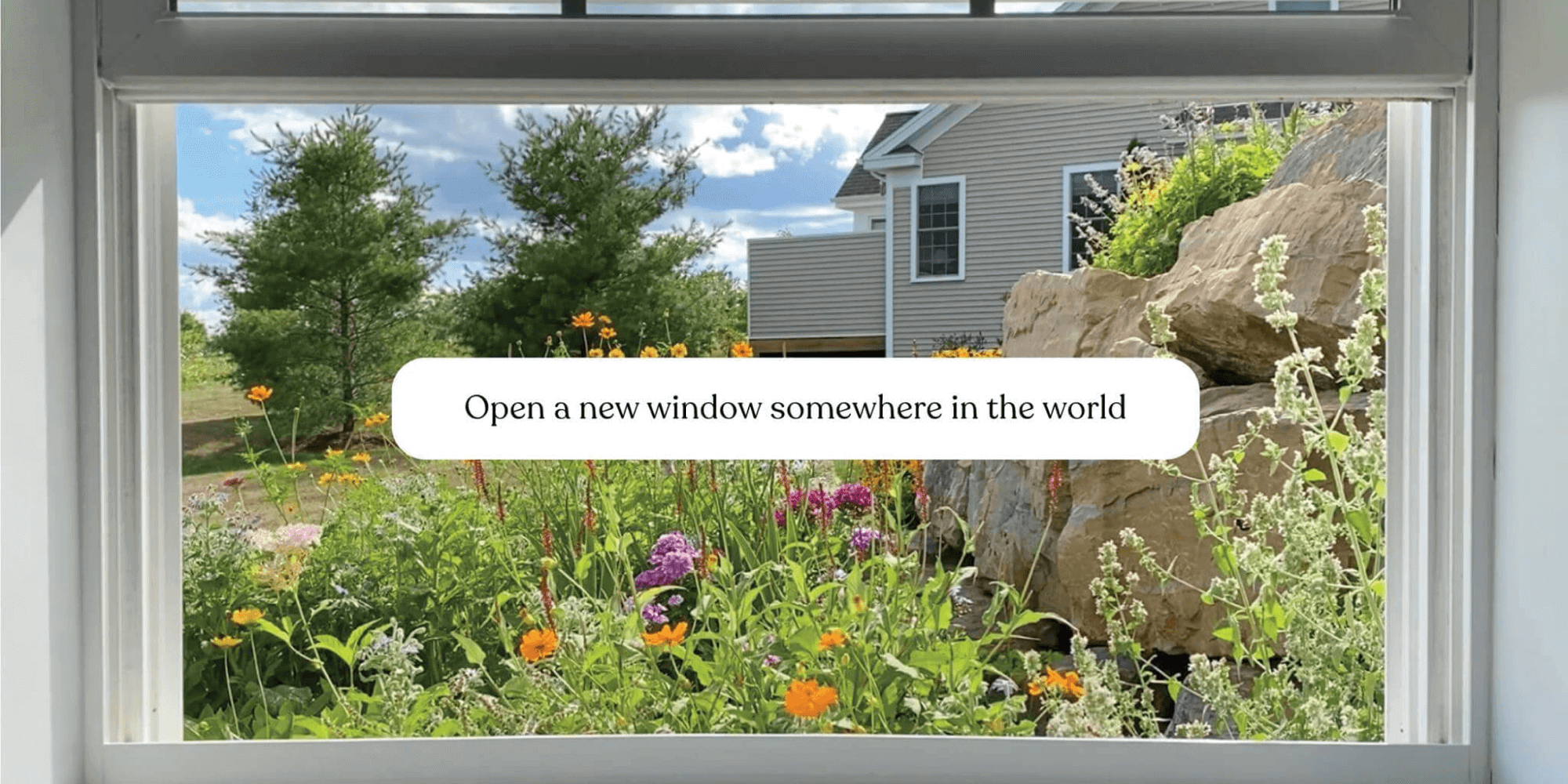
User reviews (0)