
 aidevboard.com
 Paid content
Categories: Development Artificial Intelligence
Browse 9135 AI developer jobs in PyTorch, TensorFlow, LLMs, RAG, and computer vision. Compare roles, salary data, and requirements.
 Visit website
 Updated: 2026-09-30 00:03
 Language: English (default)
 Access: Normal
 Profile views 2
 Outbound visits 0
Related questions
More questions →What Is OpenAPI-Generated API Documentation and How Does It Work?
OpenAPI-generated API documentation is reference documentation that is produced automatically from an OpenAPI description file rather than written by hand. You write (or generate) a machine-readable specification of your API — endpoints, parameters, request bodies, responses, schemas, and auth — and a documentation tool reads that file and renders a browsable, often interactive reference site. The spec becomes the single source of truth; the docs become a build artifact.
This differs from manually written docs in one fundamental way: with hand-written docs, the prose is the source of truth and the API is described separately. With spec-driven docs, the API description is the source, and every page, table, and code sample is derived from it.
How the workflow actually runs
A typical spec-driven documentation pipeline has five stages:
- Author or generate the spec. You either write an OpenAPI document by hand (YAML or JSON), or generate it from code annotations, framework metadata, or a design-first editor. Design-first means the spec is written before implementation; code-first means it is extracted from existing code.
- Validate and lint. The spec is checked against the OpenAPI schema and against style rules — consistent naming, required descriptions, no undocumented
4xxresponses, no orphaned schemas. - Bundle and transform. Multi-file specs are combined,
$refpointers are resolved, and the document is optionally split into per-tag or per-version outputs. - Render. A documentation tool converts the spec into HTML: an endpoint list, a sidebar of operations, parameter tables, response schemas, and a "try it" console.
- Publish and version. The rendered site is deployed, and each API version gets its own snapshot so consumers can read docs matching the version they call.
Steps 2 through 5 are usually automated in CI. If the spec fails validation, the docs build fails — which is the point.
Spec-driven vs. hand-written documentation
| Dimension | OpenAPI-generated | Hand-written |
|---|---|---|
| Source of truth | The spec file | The prose |
| Consistency with the API | High, if the spec is accurate | Drifts as the API changes |
| Effort per endpoint | Low after setup | Repeated for every endpoint |
| Narrative and tutorials | Weak; needs separate pages | Strong |
| Code samples | Generated per language from schemas | Written and maintained manually |
| Customization | Bounded by the tool's templates | Unlimited |
| Failure mode | Accurate spec, poor docs, or stale spec | Beautiful docs that describe an API that no longer exists |
The practical conclusion most teams reach: generate the reference, write the guides. Reference material is repetitive and mechanical, which is exactly what generation is good at. Conceptual explanations, migration notes, and tutorials carry judgment that a spec cannot express.
What you get out of the box
Generated reference pages commonly include:
- An operation list grouped by tag or path, with HTTP method and path.
- Parameter tables showing name, location (path, query, header, cookie), type, required flag, and description.
- Request and response schemas rendered as expandable trees, including nested objects and arrays.
- Authentication details pulled from the
securitySchemessection. - Interactive request consoles that let a reader send a real call from the browser.
- Generated code samples in several languages, derived from the same schemas.
- Multiple output formats, such as a static site, a single HTML file, or a mock server.
Because all of these come from one document, changing a field name in the spec updates the parameter table, the schema tree, and every code sample at once.
Where spec-driven documentation breaks down
Generation is not free. The trade-offs are real:
Spec quality becomes documentation quality. A field with no description produces a table row with an empty cell. A vague summary produces a vague heading. Tools can enforce presence of descriptions via linting, but they cannot enforce that the description is useful.
Customization has limits. If you need a page that does not map to an OpenAPI concept — a conceptual overview, a pricing explanation, a comparison of two endpoints — you write it outside the generator and link to it.
Not everything is expressible. Webhooks, streaming responses, long-polling behavior, and complex multi-step flows are awkward or impossible to describe fully in OpenAPI. Those need prose.
The spec can go stale. If the spec is maintained separately from the implementation, it drifts just like hand-written docs. The mitigation is to generate the spec from code, or to test the implementation against the spec in CI.
Interactive consoles need care. A "try it" button that hits a production API with real credentials is a security and rate-limit problem. Point it at a sandbox, or disable it.
Deciding whether to adopt it
Adopt spec-driven reference documentation if most of these are true:
- Your API has more than a handful of endpoints, or changes frequently.
- You ship client SDKs or code samples in more than one language.
- Multiple teams consume the API and need a consistent, always-current reference.
- You already have, or are willing to maintain, an OpenAPI description.
Stay with hand-written docs, or a hybrid, if:
- Your API is small and stable, and the reference fits on one page.
- Your documentation is mostly conceptual and contains little endpoint-level detail.
- You cannot commit to keeping the spec in sync with the implementation.
A reasonable middle path: generate the reference from the spec, and hand-write the getting-started guide, authentication walkthrough, and error-handling page. Link the two directions so readers can move from concept to endpoint and back.
A minimal starting checklist
- Produce one valid OpenAPI document for a single API version.
- Add a linter with rules for descriptions, operation IDs, and error responses.
- Wire the docs build into CI so a failing spec fails the build.
- Render the reference and review it as a reader, not as the author.
- Write the two or three conceptual pages the generator cannot produce.
- Version the published docs alongside the API version.
The core idea is simple: describe the API once, in a format both machines and humans can read, and let the reference documentation fall out of that description. Everything else — tooling, hosting, interactivity — is a detail on top of that decision.
How the Free Application Draft on AI Dev Jobs Works
AI Dev Jobs (aidevboard.com) offers a free application draft feature for people preparing a job application. According to the site, you can preview a draft built from your own experience, no account is needed, and you approve each application before it is submitted. The feature is aimed at candidates who are getting ready to apply rather than at employers browsing the job board.
What the feature does
The job board surfaces a prompt directly in its listings area: "Preparing an application? Choose a role to preview a free draft from your own experience. No account needed. You approve each application."
That single line describes the whole flow in three parts:
- Choose a role — you pick one of the listed jobs to work from.
- Preview a free draft — the draft is generated from your own experience, not from a generic template.
- You approve each application — nothing goes out without your confirmation.
The wording "from your own experience" matters. The draft is meant to reflect what you have actually done, so the input you provide about your background is what shapes the output. It is a starting point you review, not an auto-submitted application.
Do you need an account?
No. The site states "No account needed" for previewing the draft. That lowers the barrier if you want to test the feature on one role before committing to a full application.
Two things the page does not specify, so treat them as unconfirmed rather than assumed:
- Whether every part of the site works without login, or only the draft preview.
- Whether there are usage limits, since no pricing or quota details appear in the available page content.
The site does link to a separate pricing page ("See Pricing"), which suggests some features may sit behind a paid tier. The draft preview itself is described as free, but the page evidence does not spell out what, if anything, changes after the free preview.
How to use it, step by step
- Open the job listings on aidevboard.com. The board shows 9,135 jobs from 549 companies, with an average listed salary of $234k.
- Filter to a role you actually want. Filters cover location (including San Francisco, New York, Seattle, London, Toronto, Bangalore, and many others), workplace type (remote, hybrid, on-site), job type (full-time, part-time, contract, freelance), experience level (junior through principal), and minimum salary ($100k+ up to $400k+).
- Select the role you want to apply for. This is the "choose a role" step the site describes.
- Provide your own experience so the draft reflects your background rather than a generic summary.
- Preview the free draft. Review it against the job's stated requirements — for example, whether the listing emphasizes PyTorch, TensorFlow, LLMs, RAG, or computer vision.
- Approve before submitting. The site is explicit that you confirm each application, so use that step to correct anything that overstates or misstates your experience.
Expected result: a draft application you can edit and approve, tied to a specific role, without creating an account first.
Where it fits in a job search
The draft feature is a convenience layer on top of the board's core function: browsing and comparing AI developer roles. The listings include salary ranges and tags, so you can judge fit before drafting. A few examples from the board:
| Role | Company | Location | Listed range |
|---|---|---|---|
| Staff AI Engineer – Agent Architecture & Behavior | Artisan | San Francisco, CA | $250k–$325k |
| Senior Research Scientist, Battlespace Awareness | Anduril | Waltham, MA | $220k–$292k |
| Senior Data Scientist | Dataiku | New York, NY | $210k–$220k |
| Head of Brand | Firecrawl | San Francisco, CA | $244k–$277k |
Because the draft is built from your experience, the most useful habit is to compare the role's tags and requirements against your actual work before you generate anything. If a listing leans on skills you have not used, the draft will expose that gap — which is useful information before you spend time applying.
Common sticking points
- Assuming the draft submits for you. It does not. The site says you approve each application, so plan to review every draft.
- Treating "no account needed" as "no limits." The page does not state usage limits either way. If you plan to draft many applications, check the pricing page for what applies.
- Skipping the role-selection step. The draft is tied to a chosen role, so pick the specific listing first; a draft without a target role has nothing to tailor to.
- Expecting salary guidance from the draft. Salary data lives in the listings (the board reports a $234k average), not in the application draft itself.
The short version: pick a role, supply your real experience, preview the free draft without signing up, and approve it yourself before anything is sent.
How to Search and Filter AI Developer Jobs on AI Dev Jobs (aidevboard.com)
AI Dev Jobs (aidevboard.com) lets you search 9,135 AI developer roles across 549 companies, with an average listed salary of $234k. You can narrow results by location, workplace type, job type, experience level, and minimum salary, then preview a free application draft before applying. This guide covers each filter, what the job cards show, and where the process can stall.
Start With the Search Bar
The main search field sits at the top of the job board. Enter a keyword tied to the role you want — for example "PyTorch," "LLM," "RAG," or "computer vision" — and the listing updates to matching positions. The site describes its inventory as roles in PyTorch, TensorFlow, LLMs, RAG, and computer vision, so those terms map directly onto the catalog.
If you leave the search box empty, you get the full set of 9,135 jobs and can filter from there.
Filter by Location
The location filter has two layers:
- Named cities and regions. Options include San Francisco, New York, Seattle, Mountain View, Palo Alto, Sunnyvale, Boston, Austin, Washington DC, Los Angeles, Chicago, Denver, Ann Arbor, Dallas, London, Paris, Toronto, Bangalore, Stockholm, Singapore, Munich, Seoul, Tokyo, Zurich, Amsterdam, Dublin, Sydney, Taipei, Dubai, Buenos Aires, and Mexico City.
- Remote scopes. "Global remote," "Remote (US)," "Remote (Europe)," and "Remote (Canada)" are separate choices. Pick the one that matches your work authorization, since a US-remote role and a global-remote role are not interchangeable.
Selecting a city returns only roles tagged to that location. Job cards confirm the location next to the company name, so you can verify the match without opening each posting.
Filter by Workplace, Job Type, and Experience
Three dropdowns sit alongside the location filter:
| Filter | Options |
|---|---|
| Workplace | Remote, Hybrid, On-site |
| Job type | Full-time, Part-time, Contract, Freelance |
| Experience level | Junior, Mid, Senior, Lead, Principal |
These combine with each other and with location. A search for "agents" filtered to Remote + Full-time + Senior returns a different set than the same keyword filtered to On-site + Contract + Lead.
The experience levels run from Junior through Principal, so both early-career and staff-level searches are supported. If you are unsure which level a posting targets, the job card often carries a tag such as "senior," "mid," or "lead" near the bottom.
Filter by Minimum Salary
The salary filter uses thresholds rather than a range slider:
- $100k+
- $150k+
- $200k+
- $250k+
- $300k+
- $400k+
Choosing $200k+ hides any role whose listed range tops out below that figure. Because the site reports an average salary of $234k, the $200k+ and $250k+ thresholds are the ones most likely to keep a meaningful number of results while cutting lower-paying listings.
Note that the filter works on the salary range shown on the card, not on a guaranteed offer. A card reading "$160k - $350k" clears the $200k+ filter because its upper bound exceeds the threshold.
Read the Job Cards
Each result card packs the details you need to decide whether to open the posting:
- Company name — for example Hebbia, Nebius, Dataiku, Firecrawl, Artisan, Anduril, Cohere Health.
- Location — city and state, or "United States" for country-wide remote roles.
- Salary range — a low-to-high band, e.g. "$250k - $325k."
- Tags — skill and domain labels such as
agents,llm,computer-vision,mlops,payments,cloud,data-science,reinforcement-learning,distributed-systems,research,healthcare,data-pipeline. - Workplace and job type — "On-site full-time," "Remote full-time," and similar.
- Experience level — "senior," "mid," "lead."
- Posting age — "2 weeks ago" and comparable timestamps.
Scanning the tags is the fastest way to separate a genuine fit from a keyword coincidence. A role tagged payments and healthcare is a different job from one tagged llm and agents, even if both appear under the same search term.
Preview an Application Before You Commit
The board offers a free draft preview: choose a role and it generates a draft from your own experience, with no account required, and you approve each application before anything is sent. Treat the draft as a starting point — check that the tags and requirements on the card actually match what the draft emphasizes, and adjust before approving.
Common Stops
- Over-filtering. Stacking a city, a workplace type, a job type, an experience level, and a $300k+ salary floor can empty the results. Drop the salary threshold first, then the experience level.
- Confusing remote scopes. "Global remote" and "Remote (US)" are distinct; picking the wrong one wastes applications.
- Reading salary as a floor. The minimum-salary filter matches the top of a listed range, so a role can pass $250k+ while starting well below it.
- Ignoring posting age. Cards show how long ago a role was posted; older listings are more likely to be filled or stale.
- Assuming the newsletter is active. The site's own heading notes "Newsletter paused," so do not rely on email alerts for new postings.
If you are hiring rather than searching, the board also exposes a "Hiring AI engineers?" entry point and an "Agentic API & MCP Server" heading, which point to the employer-side and programmatic-access options.
Can Employers Hire AI Engineers Through AI Dev Jobs?
Yes — aidevboard.com has a dedicated employer entry point. The homepage includes a "Hiring AI engineers?" section alongside its job board, and the site links to a pricing page ("See Pricing"), which indicates employer services are a real part of the product rather than an afterthought. The practical caveat: the homepage does not spell out posting mechanics, so you should open the pricing page and the hiring section to confirm current terms before committing.
What the platform offers employers
AI Dev Jobs positions itself as a two-sided board: candidates browse roles, and companies post them. The evidence on the homepage shows:
- Scale of the candidate-facing side: 9,135 jobs listed across 549 companies, with an average salary of $234k.
- Role coverage: listings span LLMs, agents, MLOps, computer vision, RAG, and data pipelines — the same categories an AI hiring pipeline would target.
- Named employers already listed: Hebbia, Nebius, Dataiku, Firecrawl, Artisan, Anduril, and Cohere Health appear among the sample listings.
If your roles fall in these areas, the board's existing inventory suggests your posting would sit next to comparable positions rather than in an unrelated feed.
How to evaluate fit before posting
The homepage gives you enough to judge audience fit, but not enough to judge cost or process. Work through these checks:
- Open the pricing page. The "See Pricing" link is the only pricing signal in the source material. No figures, tiers, or free-posting claims are stated on the homepage, so do not assume posting is free.
- Use the hiring entry point. The "Hiring AI engineers?" heading is the employer-facing path. Follow it to see what posting or account steps it leads to.
- Match your role to the existing taxonomy. The board filters by location, workplace type (remote/hybrid/on-site), job type, experience level, and minimum salary. If your role can be expressed in those fields, it will surface in the same filtered searches candidates already use.
- Compare against the salary benchmark. With a stated $234k average, listings far below that band may get less attention from candidates filtering at $200k+ or $250k+.
What the source does not confirm
Be careful not to over-read the page. The available evidence does not state:
- Whether posting is paid, free, or tiered
- Whether there is a self-serve posting flow or a sales contact
- Any employer-side account requirements or login restrictions
- How long a listing stays live
These are exactly the details to verify on the pricing and hiring pages, since they determine your actual cost and effort.
A reasonable next step
Treat aidevboard.com as a plausible channel if you are hiring for LLM, agent, MLOps, or computer-vision roles and want access to a candidate pool already filtered by those categories. Confirm the commercial terms on the pricing page first, then check whether the posting flow matches your team's capacity to manage applications. If the pricing page shows terms that fit your budget and the hiring section offers a workable posting path, the board's 549-company inventory suggests it is an active marketplace rather than a dormant listing page.
What salary data does AI Dev Jobs show for AI developer roles?
AI Dev Jobs (aidevboard.com) displays an average salary of $234k across its listed AI developer roles, and each individual job posting shows a specific pay range — for example, $160k–$350k for a Site Reliability Engineer role at Hebbia, or $250k–$325k for a Staff AI Engineer position at Artisan. You can also filter the job board by minimum salary thresholds ($100k+, $150k+, $200k+, $250k+, $300k+, $400k+) to narrow results to roles that meet your pay floor.
What the platform shows at a glance
The site's job board header summarizes its dataset as:
| Metric | Value |
|---|---|
| Total jobs listed | 9,135 |
| Companies hiring | 549 |
| Average salary | $234k |
These figures describe the aggregate of postings on the board at the time of listing, not a guaranteed salary for any specific role.
Salary ranges shown in individual listings
Each job card includes a pay range alongside the company, location, and tags. Examples visible on the board:
- Software Engineer, Site Reliability — Hebbia: $160k–$350k
- Staff AI Engineer, Agent Architecture & Behavior — Artisan (San Francisco, CA): $250k–$325k
- Head of Brand — Firecrawl (San Francisco, CA): $244k–$277k
- Senior Research Scientist, Battlespace Awareness — Anduril (Waltham, MA): $220k–$292k
- Senior Research Scientist, Battlespace Awareness — Anduril (Broomfield, CO): $190k–$252k
- Research Scientist, Battlespace Awareness — Anduril (Broomfield, CO): $165k–$218k
- Sr Data Scientist — Dataiku (New York, NY): $210k–$220k
- Senior Actuarial Analyst — Cohere Health (United States, remote): $130k–$140k
Notice that the same title at the same company can carry different ranges depending on location and seniority — Anduril's Battlespace Awareness roles span $165k to $292k across mid and senior levels in two cities.
How to filter jobs by salary
The board provides a Min Salary filter with these options:
- $100k+
- $150k+
- $200k+
- $250k+
- $300k+
- $400k+
Selecting a threshold narrows the list to postings whose stated range meets or exceeds that floor. You can combine this with other filters — location (including Global remote, Remote US/Europe/Canada), workplace type (Remote, Hybrid, On-site), job type (Full-time, Part-time, Contract, Freelance), and experience level (Junior, Mid, Senior, Lead, Principal).
What drives the differences in pay
Salary varies by several factors visible in the listings themselves:
- Company — ranges differ widely across employers on the same board.
- Location — on-site roles in San Francisco, New York, and other hubs often show higher ranges than remote or other-city equivalents.
- Experience level — mid, senior, and lead/principal roles are tagged separately and carry different bands.
- Role direction — tags like
llm,agents,computer-vision,mlops, andresearchindicate different specializations, which correspond to different pay ranges.
Practical takeaways
- Use the $234k average as a rough benchmark, not a target — it blends junior through principal roles across many companies and locations.
- Always check the individual listing's range before applying, since that reflects the actual posted band.
- Set the Min Salary filter first if compensation is your primary constraint, then layer on location and experience filters.
- Treat the average as directional: the board does not state how it is calculated (mean vs. median, which roles are included), so verify against specific postings.
Website Overview
Limited stack disclosure and few obvious backend markers suggest a more restrained public footprint. That reduces easy fingerprinting clues but is not proof of overall security. Page metadata, canonical configuration and social previews work together to provide more consistent search and sharing presentation.
Domain and Registration
The domain was registered less than a year ago and has limited historical evidence to assess. Transfer-protection status is present, helping reduce the risk of unauthorized domain transfers. The registrar is GoDaddy.com, LLC, a widely used domain service provider. The domain uses the common .com extension, which is not an independent safety signal.
DNS and Email
The observed email authentication setup is incomplete: SPF is missing. Nameservers are provided by GoDaddy, indicating managed DNS hosting. MX records point to the Amazon SES email service. No CNAME was found; the observed records resolve directly to addresses. DNSSEC signatures were not detected, so this additional DNS authenticity protection is not confirmed.
TLS and Certificates
The public key uses EC with 256 bits. The server supplied a complete certificate chain. No organization name is present in the certificate; the available fields are consistent with domain validation. The certificate was issued by Let's Encrypt, commonly associated with automated certificate services. The certificate's total validity is about 89 days, consistent with a short renewal cycle.
HTTP and Browser Security
The response lacks these common security headers: CSP. CORS permits any origin to read this response. This is common for public resources; sensitive responses need narrower handling. No X-Powered-By header was found, reducing one common source of backend fingerprinting information. The via response header indicates a CDN or caching proxy in the delivery path. No obvious internal addresses or debug information were found in the headers.
Technology Stack Analysis
No obvious technology stack is exposed. This may reflect restrained information disclosure, although the underlying technologies remain unknown.
Search and Social Sharing
Twitter Card metadata is configured. JSON-LD includes Organization data, helping describe the organization as an entity. The title has 56 characters, within a common display range. A meta description is present, with 131 characters. The observed directives allow indexing and link following.
 Hosting and Email
 GoDaddy
 Hosting
 Amazon SES
 Location
 Mississippi, United States
 Pages, Search and Sharing
| Meta description | Browse 9135 AI developer jobs in PyTorch, TensorFlow, LLMs, RAG, and computer vision. Compare roles, salary data, and requirements. |
|---|---|
| Canonical URL | https://aidevboard.com/ |
| Language | English (default) |
| Twitter Card | summary_large_image |
Social Sharing Preview
11 fields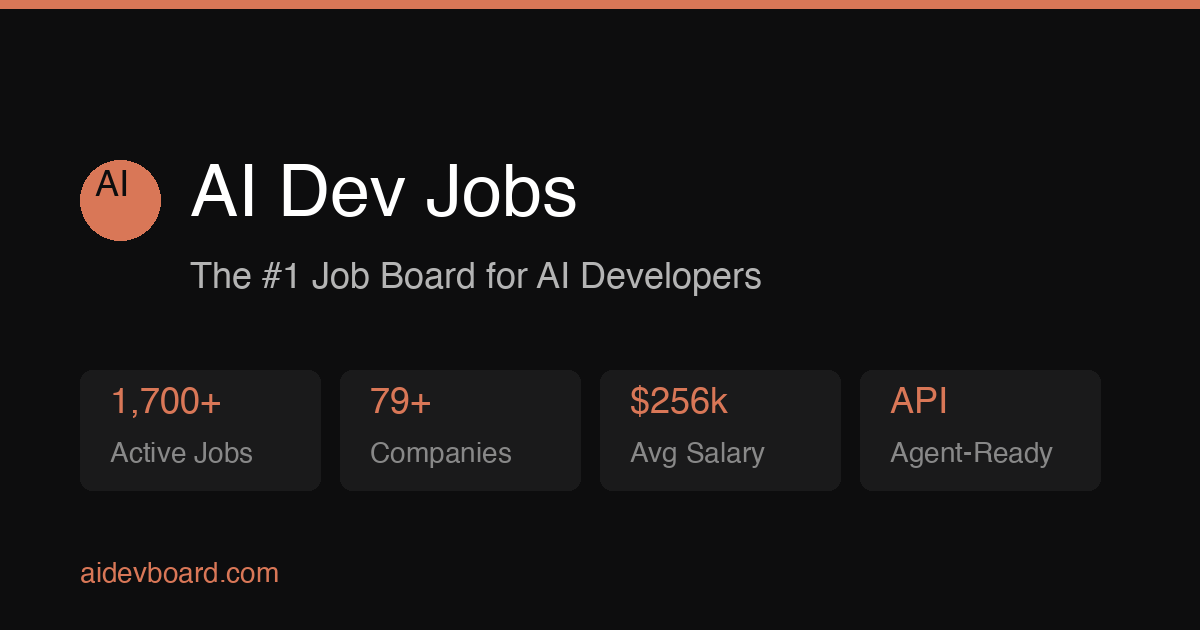

Sharing metadata
| og:url | https://aidevboard.com/ |
|---|---|
| og:type | website |
| og:image | https://aidevboard.com/static/images/og-default.png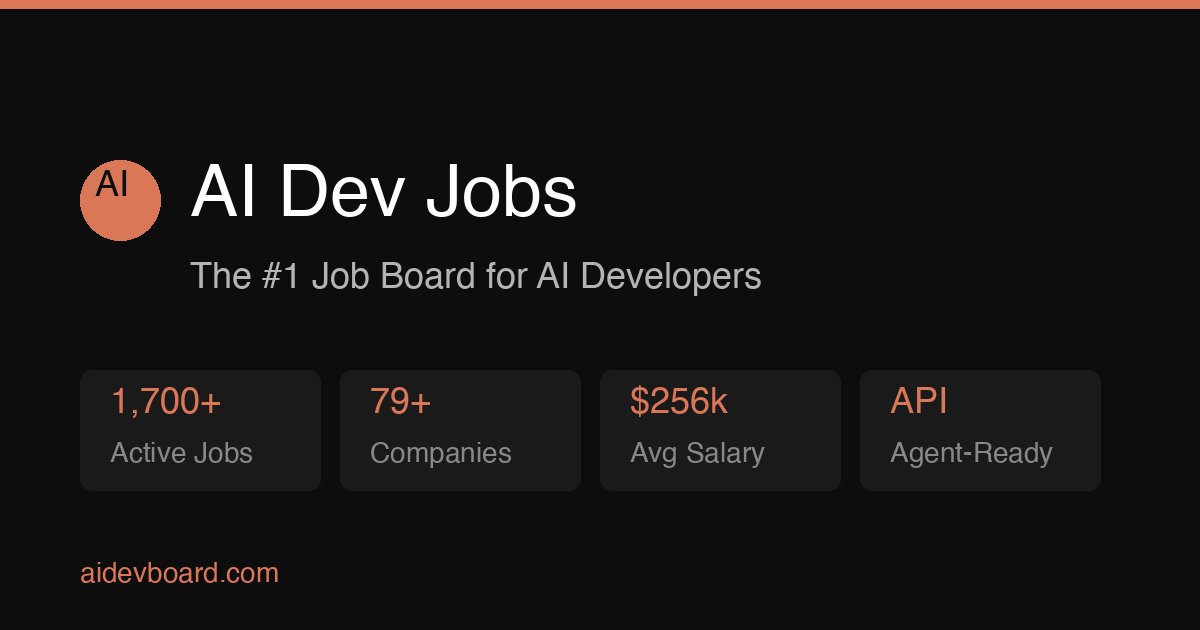 |
| og:title | AI Dev Jobs — 9135 AI Developer Jobs · Hire ML Engineers |
| og:description | Jobs for AI developers. Browse 9135 roles with salaries and API access — or post AI/ML roles to hire machine learning engineers. |
| og:image:width | 1200 |
| og:image:height | 630 |
| twitter:card | summary_large_image |
| twitter:image | https://aidevboard.com/static/images/og-default.png |
| twitter:title | AI Dev Jobs |
| twitter:description | 9135 AI developer jobs with salaries and API access. |
robots.txt (opens in a new tab)
22 rulesAll bots 1 allowed · 0 disallowed

 All bots

/
jooblebot 1 allowed · 0 disallowed
/
gptbot 1 allowed · 0 disallowed
/
chatgpt-user 1 allowed · 0 disallowed
/
oai-searchbot 1 allowed · 0 disallowed
/
claudebot 1 allowed · 0 disallowed
/
claude-web 1 allowed · 0 disallowed
/
anthropic-ai 1 allowed · 0 disallowed
/
perplexitybot 1 allowed · 0 disallowed
/
google-extended 1 allowed · 0 disallowed
/
applebot-extended 1 allowed · 0 disallowed
/
meta-externalagent 1 allowed · 0 disallowed
/
facebookbot 1 allowed · 0 disallowed
/
ccbot 1 allowed · 0 disallowed
/
bytespider 1 allowed · 0 disallowed
/
amazonbot 1 allowed · 0 disallowed
/
cohere-ai 1 allowed · 0 disallowed
/
diffbot 1 allowed · 0 disallowed
/
youbot 1 allowed · 0 disallowed
/
duckassistbot 1 allowed · 0 disallowed
/
petalbot 1 allowed · 0 disallowed
/
firecrawlagent 1 allowed · 0 disallowed
/
No matching rules.
Sitemaps
1 Registration details RDAP / WHOIS
| Registrar | GoDaddy.com, LLC |
|---|---|
| Registered | 2026-04-04 |
| Expires | 2029-04-04 |
| Domain status | client delete prohibited、client renew prohibited、client transfer prohibited、client update prohibited |
| Nameservers | ns27.domaincontrol.com、ns28.domaincontrol.com |
| DNSSEC | unsigned |
 DNS records
| Type | Name | Value | TTL | Priority |
|---|---|---|---|---|
| A | aidevboard.com | 66.241.125.65 | 600 | — |
| AAAA | aidevboard.com | 2a09:8280:1::f3:5834:0 | 600 | — |
| MX | aidevboard.com | inbound-smtp.us-east-1.amazonaws.com | 3600 | 10 |
| NS | aidevboard.com | ns27.domaincontrol.com | 3600 | — |
| NS | aidevboard.com | ns28.domaincontrol.com | 3600 | — |
| DMARC | _dmarc.aidevboard.com | v=DMARC1; p=quarantine; adkim=r; aspf=r; rua=mailto:[email protected]; | 3600 | — |
 TLS and certificates
| Assessment | Normal configuration |
|---|---|
| Supported protocols | TLSv1.2、TLSv1.3 |
| Negotiated protocol | TLSv1.3 |
| Certificate subject | aidevboard.com |
| Issuer | Let's Encrypt |
| Valid until | 2026-10-31T11:35 · Remaining when checked: 31 days |
| Verification details | Certificate trust: Passed · Hostname match: Passed |
 HTTP response headers
| Header | Value |
|---|---|
| content-type | text/html; charset=utf-8 |
| server | Fly/6d530f8f2 (2026-09-29) |
| strict-transport-security | max-age=31536000; includeSubDomains |
| x-frame-options | DENY |
| x-content-type-options | nosniff |
| referrer-policy | strict-origin-when-cross-origin |
| permissions-policy | geolocation=(), microphone=(), camera=() |
| access-control-allow-origin | * |
 Identified technologies
Technology stack: Unknown
Recent Updates
- Website images
- Screenshots
- Network details
- Website Technologies
- Pages and Search Information
- HTTP Response Information
- TLS and certificates
- DNS Information
- Domain Registration
- Website profile
- Website Description
- Website Name
- Website profile
- Website Description
- Website Name
User reviews (0)