Website profiles · Technology insights · Alternatives

aimtell.com

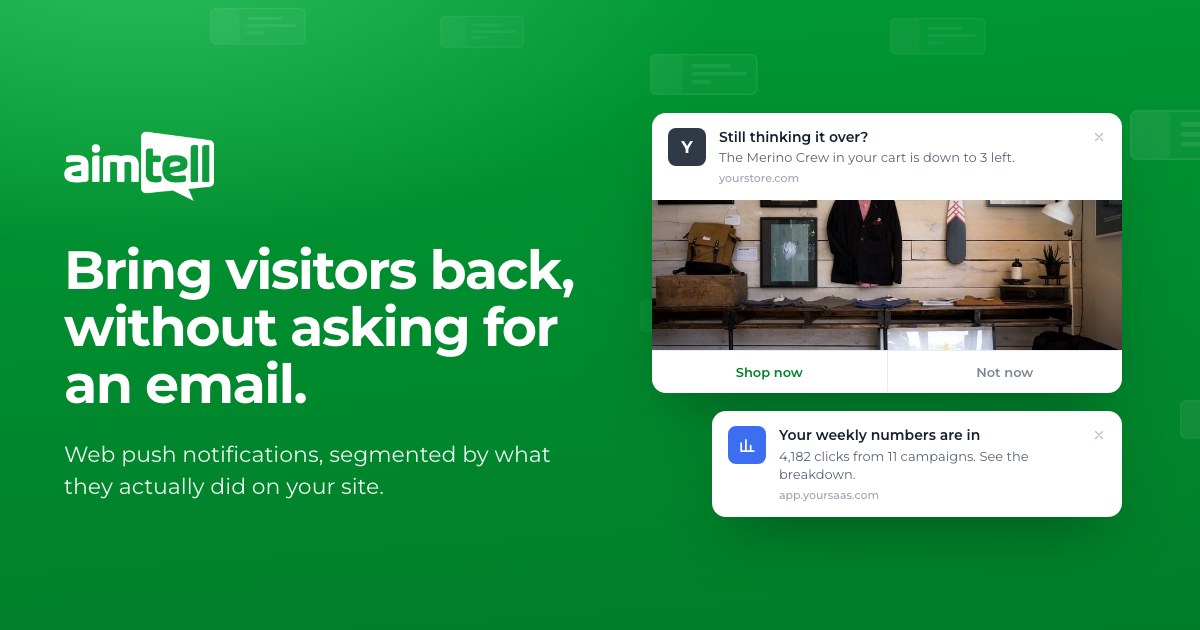
Send targeted web push notifications to re-engage your website visitors. Supports all major browsers including Safari, Firefox & Chrome.

Paid content
Visit website
Profile views 1 Outbound visits 0 Normal
Aimtell Full homepage screenshot

At a glance

Category
Other
Language
English
Paid-content signal
Paid contentObserved
Registered
2014
Hosting
VercelInferred
HTTPS certificate trusted
PassedObserved
Last updated

Website review

This review may include AI-generated content and is not individually verified. Domain, certificate and other facts come from the observed data on this page.

What is Aimtell?

Aimtell is a web push notification platform for reaching people who have already visited a website, without collecting an email address. A visitor grants permission in one click, and from then on Aimtell can send browser notifications to their desktop or mobile browser — the page evidence names Chrome, Safari and Firefox. It is aimed at ecommerce stores, SaaS products and publishers that want to bring casual visitors back rather than build a mailing list.

What it actually does

The core idea is that a subscriber is more than a browser token. According to the page, Aimtell records each subscriber's pageviews, geolocation (country, region, city), device and browser, plus custom attributes you pass in (for example plan or cart value) and custom events (purchase, form completed, video watched). Those become the basis for segments — the page's own example is "Country is United States and Viewed /pricing within 7 days and No purchase event."

Sending comes in two modes:

  • One-off campaigns — a flash sale, launch or announcement, sent immediately or scheduled to an exact date and time.
  • Automations — a welcome series for new subscribers, event-triggered messages (abandoned cart, abandoned form), RSS-triggered sends for every new post, and API-triggered sends for things like back-in-stock or shipping updates.

The claimed reach is 30,000+ sites, and there is a 14-day free trial with no credit card required.

Who it suits, and the trade-off

Aimtell fits a store or content site that gets traffic but converts little of it, and wants a re-engagement channel that does not depend on email capture. A concrete case: someone browses a product, adds it to cart, and leaves. An event-triggered push can follow up hours later with a reminder, and the page shows exactly that pattern.

The trade-off is permission. Push notifications are opt-in at the browser level, so your audience is only as large as the number of people who click "allow" — and browsers and users can revoke it. It is a complement to email, not a replacement, because you cannot reach someone who never subscribed.

If you want to judge fit quickly, check the pricing page for subscriber-tier limits against your current traffic, then run the free trial on one high-intent flow — cart recovery or a welcome push — and measure click-through before rolling it out site-wide.

How does Aimtell collect subscribers without requiring an email address?

Aimtell collects subscribers through browser-level push permission, not through email capture. When a visitor lands on your site, they see a prompt asking them to allow notifications. If they click "Allow," they become a subscriber immediately — no form, no email field, no name. From that point, Aimtell can identify that browser and associate activity with it.

What gets attached to a subscriber

Once permission is granted, the subscriber record can include:

  • Pageviews — every page seen, how recently, and how often
  • Geolocation — country, region, and city, refreshed on each return visit
  • Device information — mobile or desktop, operating system, browser type
  • Custom attributes — traits you already track, such as plan name or cart value
  • Custom events — actions like purchase, form completed, or video watched

The page evidence illustrates this with a sample subscriber: a visitor in Austin, Texas on desktop macOS/Chrome, with 14 pageviews across 3 visits, events for added_to_cart and viewed_pricing, and attributes for plan: trial and cart_value: 148 — all collected without an email address.

Why this matters in practice

Email capture creates friction: the visitor has to type something, trust you with it, and often confirm. Push permission is one click. That lower barrier means you can build a larger list faster, but the trade-off is that the relationship lives in the browser. If someone clears their browser data, switches devices, or uses a different browser, that subscriber identity does not follow them the way an email address would.

A concrete scenario

Imagine a SaaS site with a pricing page. A visitor browses three pages, views /pricing, then leaves without signing up. With email-only capture, you have nothing. With Aimtell, if they granted permission, you can segment them as "Viewed /pricing within 7 days and No purchase event" and send a follow-up push later — as the page evidence shows with its example segment of 18,402 subscribers.

Next step

Decide whether your audience is more likely to accept a browser prompt than fill out a form. If you run a content site, ecommerce store, or web app where visitors return often, push can complement email rather than replace it. Set up a test: add the permission prompt, let it run for two weeks, and compare subscriber growth against your email capture rate. If you want to see how the platform handles segmentation and automation, review the setup flow at Aimtell.

What can I do with the custom attributes and events that Aimtell tracks?

Custom attributes and custom events are the two ways you turn anonymous push subscribers into segments you can actually act on. Attributes describe a subscriber as a person or account; events record something they did. Together they let you target by state rather than by guesswork.

Custom attributes

Attributes are traits you already store elsewhere — the page lists examples such as name, plan and lifetime value. Once attached to a subscriber, they become filter conditions: everyone on a trial plan, everyone above a certain cart value, everyone whose plan changed this month. The practical value is that a push can reference the trait, so a message can speak to plan level or spend tier without you maintaining separate lists.

Custom events

Events are actions worth responding to — purchase, form completed, video watched, and similar. Aimtell also records standard browsing data automatically (pages viewed, geolocation, device and browser), so custom events are for the things only your own tracking knows about.

What this looks like in practice

A segment can combine both, for example: country is United States and viewed a pricing page within 7 days and no purchase event. That is the same logic the page shows in its segment example. From there:

  • One-off sends — a flash sale or launch aimed only at subscribers who viewed a product in the last 30 days.
  • Event-triggered automations — an abandoned cart or abandoned form message; the page notes Aimtell re-checks that the subscriber still qualifies before sending, which avoids firing at someone who already converted.
  • Attribute-driven personalisation — plan, cart value or lifetime value used to pick who gets which offer.

Trade-offs to weigh

The more attributes and events you push in, the sharper the targeting — but also the more your site's tracking has to be correct, and the more segments you have to maintain. Start with two or three events that map to real revenue moments (cart abandonment, pricing page visits, purchases) and a couple of attributes you already trust, rather than mirroring your entire data model.

A concrete next step: list the five actions on your site that most often precede a sale, check which of them you can already fire as events, and build one segment around the strongest one. If you want to see how this fits alongside other channels, Aimtell covers the mechanics, and it is worth comparing against a broader engagement tool such as Klaviyo if email and SMS are also in your stack.

How do I set up an automated push notification campaign in Aimtell?

Aimtell's automation is built around a trigger plus a message. You pick what should start the campaign — a new subscriber, a site event, an RSS post or an API call — then define who qualifies and what they receive. The page describes this as "send a promo today, or automate it for good," and lists four automation types: welcome series, event triggered, RSS triggered and API triggered.

The four automation types

Type Fires when Typical use
Welcome series Someone opts in Greet new subscribers while attention is fresh
Event triggered A tracked event occurs, such as added_to_cart or a form submission Cart or form abandonment recovery
RSS triggered A new item appears in your feed Publish every new post automatically
API triggered Your own systems call the API Back-in-stock, price drop, shipment updates

For event-triggered campaigns, the page notes that Aimtell re-checks whether the subscriber still qualifies before sending. That matters for cart recovery: a four-hour wait followed by a qualification check avoids nudging someone who already bought.

A practical cart-recovery setup

The page's own illustrated example is a useful template:

  1. Trigger: event is added_to_cart
  2. Wait: 4 hours
  3. Message: a reminder about the item left behind
  4. Audience filter: viewed a product in the last 30 days, or no purchase event

The same pattern works for a welcome series with no wait, or an RSS campaign with no audience build at all.

What you need before you start

Automation quality depends on the data you collect. Aimtell captures pageviews, geolocation, device and browser, plus custom attributes and custom events you already track — plan, cart value, lifetime value. Segments combine these with AND logic, for example: country is United States, viewed /pricing within 7 days, and no purchase event.

Two setup decisions follow from that:

  • Define your events first. Cart recovery only works if added_to_cart and a purchase event are both firing. Decide what counts as conversion before you build the automation.
  • Keep segments narrow enough to be relevant. A welcome push to everyone is fine; a price-drop push should target people who viewed that product.

Next step

Start with one automation, not four. A welcome series is the easiest to verify end to end: opt in on your own site, confirm the push arrives, then check that the subscriber shows the expected attributes. Once that loop works, add event-triggered cart recovery using the wait-and-qualify pattern above.

If you want the mechanics of permission and browser coverage before building, Aimtell's own site covers the opt-in flow at Aimtell. For general background on how web push works across browsers, the MDN documentation at MDN Web Docs is a reliable reference.

What are the pricing options and free trial terms for Aimtell?

Aimtell advertises a 14-day free trial with no credit card required, and it publishes a dedicated pricing page rather than only a sales-contact form. The page's own framing is "Start free trial / Talk to us," which suggests the trial is the standard entry point and that higher-volume or custom needs are handled through a conversation. Specific plan tiers and rates are not stated in the supplied page material, so check Aimtell directly for current numbers before budgeting.

How to evaluate the trial against your actual use

A 14-day window is enough to test the core loop — permission prompt, segmentation, and one automated send — but usually not enough to judge long-run deliverability or subscriber growth. Treat it as a functional test, not a revenue test.

  • Confirm what counts as a subscriber. Push pricing commonly scales with audience size, so ask whether unsubscribed or expired-permission browsers still count.
  • Check campaign or send limits. If one-off and automated pushes draw on the same allowance, a welcome series plus an RSS feed can consume it faster than expected.
  • Verify the trial's end behavior. "No credit card required" implies no automatic charge, but confirm whether data and segments survive if you don't convert.

A concrete first-week test

Pick one segment you can already identify — for example, visitors who viewed a product page in the last 30 days but never purchased — and run a single scheduled campaign plus one event-triggered cart recovery. That exercises both the manual and automated paths the product describes, and tells you whether the segment builder matches the attributes you actually track. If your stack already fires events like added_to_cart, the API-triggered option is the one worth stress-testing, since it depends on your systems rather than Aimtell's scheduler.

If your goal is simply comparing entry costs, look at Aimtell's pricing page alongside one or two comparable web push tools and compare the subscriber-count bands, not the headline trial length.

Can Aimtell send notifications triggered by RSS feeds or external APIs?

Yes. Aimtell supports both RSS-triggered and API-triggered notifications, alongside one-off campaigns and event-based automations. That means you can let a new blog post go out on its own, or fire a push from an existing system when something changes.

What each trigger is good for

Trigger Fires when Typical use
One-off campaign You send or schedule it Flash sale, launch, announcement
Welcome series A visitor subscribes Greeting new subscribers immediately
Event triggered A tracked event occurs Abandoned cart or form, with a qualification check before sending
RSS triggered A new item appears in your feed Publishing every new post with no campaign to build
API triggered Your own system calls the API Back in stock, price drop, shipment out for delivery

Choosing between them

RSS is the low-effort option: point Aimtell at a feed and every new item sends automatically, which suits blogs, news and content sites where the publishing rhythm is already the trigger. The trade-off is limited control — you are sending whatever the feed produces, so a draft, a minor edit or a feed glitch can become a notification unless you gate the feed.

API triggering is the opposite: more setup, but you decide exactly what deserves a push. It fits teams that already run commerce or logistics systems, because the event that matters (a restock, a price change, a dispatch) already exists in their own software. Event-triggered automations sit between the two, since Aimtell checks the subscriber still qualifies before sending — useful for cart recovery, where a purchase in the meantime should cancel the message.

A practical sequence for a small store: start with an RSS feed for the blog and one event automation for abandoned carts, then add API triggers only for the events your team already tracks reliably. Aimtell's own page describes a 14-day free trial with no credit card required, so a pilot can be run on real traffic before committing.

Related questions

More questions →
Does Aimtell offer a free trial, and what should you check before signing up?

Yes. Aimtell advertises a 14-day free trial with no credit card required, and the site links to a dedicated Pricing page for plan details. That makes it possible to test the core workflow — collecting subscribers, segmenting them, and sending a push — before committing to a paid plan. The trial terms above come from Aimtell's own site; specific plan limits and prices are not stated in the source material, so check the Pricing page for current numbers.

What the trial actually lets you test

The trial is only useful if you exercise the parts of the product you'd pay for. Aimtell's model is web push notifications that don't require an email address: a visitor grants permission in one click, and from that point Aimtell tracks where they are, what device and browser they're on, and what they do on your site.

Worth verifying during the 14 days:

  • Subscriber collection — does the permission prompt appear and convert on your actual pages?
  • Segmentation — can you build the audiences you care about? Aimtell supports segments combining location, pageviews, custom events, and custom attributes (for example: country is United States AND viewed /pricing within 7 days AND no purchase event).
  • Automation triggers — welcome series, event-triggered (abandoned cart, abandoned form), RSS-triggered, and API-triggered campaigns.
  • Scheduling — one-off campaigns sent now or scheduled for an exact date and time, including per-subscriber time zones.

If your use case depends on a trigger type or attribute you can't reproduce in the trial, that's a signal to ask before paying.

Check browser and device coverage against your audience

Aimtell states support for all major browsers including Safari, Firefox, and Chrome, across mobile and desktop. Web push behaves differently by browser and platform, so confirm the combination that matches your traffic — for example, if most of your visitors are on iOS Safari, test that path specifically rather than assuming desktop Chrome results carry over.

Decide whether push fits your traffic and frequency

Two practical questions before signing up:

  1. Do you have enough repeat traffic? Push works by re-engaging people who already visited. A site with mostly one-time visitors will build a small list slowly.
  2. Can you sustain a sensible send cadence? Aimtell supports both one-off promos and always-on automations. Automations (welcome, cart recovery, RSS, API) tend to run without ongoing effort; manual campaigns require someone to write and schedule them. Over-sending is the main way push lists get muted, so plan a frequency you can actually maintain.

What to confirm on the Pricing page

The source material confirms a Pricing page exists and that the trial is 14 days with no credit card, but does not list plan tiers, subscriber limits, or prices. Before the trial ends, check:

  • Subscriber or send-volume limits per plan
  • Which automation types are included at each tier
  • What happens to collected subscribers if you don't upgrade

A reasonable trial plan

Pick one concrete goal for the 14 days — for example, "recover 10 abandoned carts" or "notify subscribers about one new blog post via RSS" — and measure whether Aimtell delivers it end to end. That tells you more than a feature checklist. If the trial covers your trigger types, browser mix, and cadence, upgrading is a straightforward decision; if not, you'll know exactly which question to ask sales.

What types of push campaigns can you run with Aimtell?

Aimtell supports two broad categories of web push campaigns: one-off campaigns you write and send (or schedule) yourself, and automated campaigns that fire on their own from a trigger — a new subscriber, a site event, an RSS post, or an API call. Which one you use depends on whether the message is tied to a moment in time (a sale, a launch) or to something a visitor does (abandoning a cart, subscribing, reading a new post).

One-off campaigns

Use these when the message is about you — a flash sale, a product launch, a big announcement.

  • Write the push, choose the audience segment, then send immediately or schedule it for an exact date and time.
  • Scheduling respects each subscriber's time zone, so a "Fri, Nov 27 at 9:00 AM" send arrives at 9:00 AM locally rather than at one global moment.
  • Example from Aimtell's own demo: a weekend flash sale scheduled for Friday morning, sent only to subscribers who viewed a product in the last 30 days, with the message "40% off everything, this weekend only."

This is the right choice when the trigger is a calendar date or a business decision, not visitor behavior.

Automated campaigns

Use these when the message should be tied to what a subscriber does or what your systems produce. Aimtell lists four automation types:

Automation Trigger Typical use
Welcome series A visitor grants push permission Greet every new subscriber while you're still on their mind
Event triggered A tracked event occurs, e.g. added_to_cart or an abandoned form Cart recovery, form-completion nudges
RSS triggered A new post appears in your feed Every new article goes out with no campaign to build
API triggered A call from a system you already run Back in stock, price drop, shipment out for delivery

Two details matter for the event-triggered type. First, Aimtell re-checks that the subscriber still qualifies before sending — so a cart-recovery push doesn't go out to someone who already completed the purchase in the meantime. Second, automations can include a wait step: the demo flow is "Event is added_to_cart → wait 4 hours → send," which is what makes it a recovery message rather than an instant reaction.

How to choose

  • Time-based message, decided by you → one-off campaign, sent now or scheduled.
  • Behavior-based message, decided by the subscriber → event-triggered automation.
  • Onboarding a new subscriber → welcome series.
  • Publishing on a regular cadence → RSS-triggered.
  • Message originates in another system (inventory, shipping, pricing) → API-triggered.

The two categories aren't exclusive — most accounts run scheduled promos alongside at least one automation, since the automation keeps working between one-off sends.

What you need before either works

Both campaign types depend on the same audience data, collected after a visitor grants permission in a single click — no email or form required. Aimtell records pageviews, geolocation (country, region, city), device and browser, plus any custom attributes and custom events you track. Segments are built from these: for example, "Country is United States AND viewed /pricing within 7 days AND no purchase event," which in Aimtell's demo resolves to 18,402 subscribers. A one-off campaign and an automation draw on the same segment builder, so the targeting work carries over between them.

Aimtell offers a 14-day free trial with no credit card required; check the pricing page for current plan details before committing to a send volume.

How to Send Your First Targeted Push with Aimtell

Aimtell sends web push notifications to people who have opted in to your site in one click, without collecting an email address. To send your first targeted push, you install the Aimtell code on your site, let visitors grant permission, build a segment from the data Aimtell collects, then create a one-off campaign and either send it immediately or schedule it. The steps below follow the flow Aimtell describes on its own site; you will need a site you can edit and an Aimtell account, and the free trial is listed as 14 days with no credit card required.

Before you start

  • A website where you can add a script or use a supported integration.
  • An Aimtell account. The site advertises a 14-day free trial with no credit card required, so confirm current terms on the pricing page before you rely on it.
  • A reason to send — a promo, a launch, or an automation trigger such as an abandoned cart.

Step 1: Install Aimtell and enable the opt-in

Add the Aimtell code to your site so the browser can show the permission prompt. Aimtell supports the major browsers, including Chrome, Safari, and Firefox.

Expected result: a visitor sees a one-click permission request. When they grant it, they become a subscriber and Aimtell begins recording their activity.

Common snag: if the prompt never appears, the code is usually missing from the pages you expect it on, or the visitor has already blocked notifications for your domain. Check the installation before troubleshooting anything else.

Step 2: Understand what a subscriber gives you

The permission click is the whole form. From that moment Aimtell knows where the subscriber is, what they are browsing on, and what they do on your site. The data it collects includes:

Data type What it covers
Pageviews Every page seen, with how recently and how often
Geolocation Country, region, and city, updated on each return
Device information Mobile or desktop, operating system, browser type
Custom attributes Traits you already track, such as name, plan, or lifetime value
Custom events Actions worth acting on, such as purchase, form completed, or video watched

This is what makes targeting possible without an email address: you are segmenting on behavior and attributes, not on a contact record.

Step 3: Build a segment

A segment is a saved set of conditions. Aimtell's own example combines several:

  • Country is United States
  • Viewed /pricing within 7 days
  • No purchase event

That segment resolves to a live count — the site shows an example of 18,402 subscribers. Build the segment that matches your first message, and check the count before you write anything.

Step 4: Create the campaign

You have two paths, and they use the same audience and message tools.

One-off campaigns

Use these for a flash sale, a launch, or a big announcement. Write the message, pick who gets it, then send now or schedule it for an exact date and time. Aimtell's example schedules a weekend flash sale for Friday at 9:00 AM in each subscriber's own time zone.

Automations

Use these when the message should keep sending on its own:

  • Welcome series — greets every new subscriber the moment they opt in.
  • Event triggered — fires after an event such as an abandoned cart or abandoned form. Aimtell checks the subscriber still qualifies before sending.
  • RSS triggered — every new post on your feed goes out with no campaign to build.
  • API triggered — back in stock, price drop, or shipment out for delivery, fired from systems you already run.

A cart recovery flow, for instance, triggers on added_to_cart, waits 4 hours, then sends.

Step 5: Send and verify

Send the campaign, or let the automation run, and confirm the result:

  • The notification reaches a device where you granted permission.
  • The segment count matches the audience you intended.
  • For scheduled sends, the delivery time respects each subscriber's time zone.
  • For event-triggered sends, the event fires the message only for subscribers who still qualify.

Common snags

  • No subscribers yet. Targeting needs an audience. If your segment is empty, the opt-in is not reaching visitors — revisit Step 1.
  • Segment too narrow. Stacking conditions like country, recent pageview, and no purchase can shrink the audience fast. Widen one condition and recheck the count.
  • Automation fires for the wrong people. Event-triggered campaigns re-check eligibility before sending, so make sure the qualifying conditions match the message.
  • Wrong send time. Scheduled campaigns use each subscriber's time zone; verify the date and time rather than assuming a single global send.

If you would rather not run it yourself, Aimtell also offers a "do it yourself, or just ask" option, and its AI feature is listed as in open beta.

What is Aimtell and what does it do?

Aimtell is a web push notification platform for mobile and desktop browsers. It lets you re-engage website visitors by sending targeted notifications after a single permission click, without collecting an email address or showing a signup form. It supports major browsers including Chrome, Safari, and Firefox, and is used by 30,000+ sites according to the site. A 14-day free trial is available, and the site states no credit card is required.

How it works

The core mechanism is browser-level push permission. When a visitor grants permission in one click, Aimtell can identify:

  • Pageviews — every page a subscriber has seen, with recency and frequency
  • Geolocation — country, region, and city, updated on each return visit
  • Device information — mobile or desktop, operating system, and browser type
  • Custom attributes — traits you already track, such as name, plan, or lifetime value
  • Custom events — actions like purchase, form completed, or video watched

This data is collected without an email address. You can then build segments from these signals. For example, a segment could be: Country is United States AND Viewed /pricing within 7 days AND No purchase event — which the site shows as reaching 18,402 subscribers.

What you can send

Aimtell supports both one-off campaigns and automated sends.

Type Trigger Example use
One-off campaigns Manual send or scheduled date/time Flash sale, launch, announcement
Welcome series New subscriber opts in Greet subscribers immediately
Event triggered An event occurs (e.g., abandoned cart or form) Cart recovery; Aimtell re-checks qualification before sending
RSS triggered New post appears in your feed Auto-send every new blog post
API triggered Fired from your existing systems Back in stock, price drop, shipment out for delivery

Scheduled sends can respect each subscriber's time zone — the site's example shows a weekend flash sale scheduled for Fri, Nov 27 at 9:00 AM per subscriber's local time.

Who it's for

Aimtell fits sites that want to bring visitors back but don't want to gate re-engagement behind email capture. Typical scenarios:

  • Ecommerce — cart recovery, price drops, back-in-stock alerts, flash sales
  • SaaS — weekly metrics digests, trial nudges, feature announcements
  • Content sites — automatic distribution of new posts via RSS

The site also notes a "Do it yourself, or just ask" option and a new Aimtell AI in open beta, suggesting managed help is available alongside self-serve setup.

Getting started

The site describes three steps to a first targeted push. In practice, the flow is:

  1. Install the Aimtell tracking snippet on your site so visitors can be prompted for push permission.
  2. Let subscribers opt in (one click, no form).
  3. Build a segment from pageviews, events, or attributes, then send a one-off campaign or configure an automation.

To evaluate it, start with the 14-day free trial and verify that permission prompts, event tracking, and segmentation behave as expected on your own site before committing.

How does Aimtell target visitors without an email address?

Aimtell targets visitors through browser push notification permission rather than email capture. When a visitor clicks "allow" once, Aimtell begins recording what that subscriber does on your site — pages viewed, location, device, and any custom events or attributes you track — and lets you build audience segments from that data. This works for any site that installs the Aimtell code and serves visitors on supported browsers (Chrome, Firefox, Safari, and other major browsers). The trade-off: you only reach people who granted permission, and only through browser notifications, not email.

What replaces the email address

The subscriber record is the unit of targeting. Instead of an email, Aimtell builds a profile from the moment of opt-in onward. According to Aimtell's own description, a visitor grants permission in a single click, and "from that moment Aimtell knows where they are, what they are browsing on, and everything they do on your site."

That profile is collected without an email address and includes:

  • Pageviews — every page a subscriber has seen, plus how recently and how often
  • Geolocation — country, region, and city, refreshed each time they return
  • Device information — mobile or desktop, operating system, and browser type
  • Custom attributes — traits you already track, such as name, plan, or lifetime value
  • Custom events — actions worth acting on, such as purchase, form completed, or video watched

The practical effect: you can target someone based on behavior even though you never collected a contact address.

How segmentation works

Segments are built by combining conditions. Aimtell's example segment reads: Country is United States AND Viewed /pricing within 7 days AND No purchase event — yielding 18,402 subscribers.

That structure shows the three building blocks:

Condition type Example What it filters on
Attribute Country is United States Stored profile data
Behavior Viewed /pricing within 7 days Pageview and event history
Exclusion No purchase event Absence of a tracked action

You can combine these with AND logic to narrow an audience, then send to that segment. The targeting is behavioral and time-bound, so a segment like "viewed pricing in the last 7 days but didn't buy" stays current as people move in and out of the criteria.

What you can send once you have a segment

Targeting feeds two delivery modes:

One-off campaigns — a flash sale, launch, or announcement. You write it, pick the segment, and send immediately or schedule it for an exact date and time. Aimtell schedules per subscriber's time zone (its example: "Sends Fri, Nov 27 at 9:00 AM, each subscriber's time zone").

Automations — triggered sends that run on their own:

  • Welcome series — fires the moment someone opts in
  • Event triggered — fires after an action like an abandoned cart or abandoned form; Aimtell re-checks that the subscriber still qualifies before sending
  • RSS triggered — each new post on your feed sends automatically, with no campaign to build
  • API triggered — fired from your existing systems for cases like back-in-stock, price drop, or shipment out for delivery

A cart-recovery example from Aimtell: trigger on added_to_cart, wait 4 hours, then send.

What to check before relying on this

  • Permission is the gate. No opt-in means no subscriber, so the size of your reachable audience depends on how many visitors accept the prompt.
  • Browser support matters. Aimtell states support for all major browsers including Safari, Firefox, and Chrome; confirm your specific audience's browsers before committing.
  • Behavioral data only goes as deep as your tracking. Custom attributes and events require you to pass that data in — if you don't track plan or cart value, you can't segment on it.
  • Pricing and trial terms: Aimtell advertises a 14-day free trial with no credit card required. Check the pricing page for current plan details, since this article doesn't cover specific rates.

If your goal is re-engaging visitors who never handed over an email, this is the mechanism: one-click permission, behavioral profiling, and segment-based sending. If your goal requires email or SMS as the channel, this is not a substitute.

Website Overview

An established domain and managed infrastructure suggest continuity of operations and may support dependable delivery, although neither guarantees service quality. Page metadata, canonical configuration and social previews work together to provide more consistent search and sharing presentation.

Domain and Registration

Registered in 2014, this domain has about 12 years of history. That suggests continuity, although ownership and purpose may have changed. Transfer-protection status is present, helping reduce the risk of unauthorized domain transfers. The registrar is GoDaddy.com, LLC, a widely used domain service provider. The domain uses the common .com extension, which is not an independent safety signal.

DNS and Email

The lowest TTL is 60 seconds, supporting rapid record changes at the cost of more frequent lookups. Nameservers are provided by Amazon Route 53, indicating managed DNS hosting. MX records point to the Google Workspace email service. No CNAME was found; the observed records resolve directly to addresses. SPF and DMARC are configured. DKIM status is unknown.

TLS and Certificates

The certificate uses an RSA 2048-bit public key, offering broad client compatibility. The server supplied a complete certificate chain. No organization name is present in the certificate; the available fields are consistent with domain validation. The certificate was issued by Let's Encrypt, commonly associated with automated certificate services. The certificate's total validity is about 89 days, consistent with a short renewal cycle.

HTTP and Browser Security

The response lacks these common security headers: X-Content-Type-Options, Referrer-Policy, Permissions-Policy. CORS permits any origin to read this response. This is common for public resources; sensitive responses need narrower handling. No X-Powered-By header was found, reducing one common source of backend fingerprinting information. No obvious internal addresses or debug information were found in the headers. The Server header contains the custom value Vercel.

Technology Stack Analysis

The public page identifies Sentry, Vercel without precise versions, leaving fewer clues for version-specific scanning.

Search and Social Sharing

Twitter Card metadata is configured. JSON-LD includes Organization data, helping describe the organization as an entity. The title has 63 characters, within a common display range. A meta description is present, with 136 characters. The observed directives allow indexing and link following.

Hosting and Email

DNSAmazon Route 53
HostingVercel
EmailGoogle Workspace
Approximate IP geolocation (inferred; a CDN or proxy may differ from the origin server) United States flagUnited States Inferred 216.150.1.1

Registration details

RDAP / WHOIS

RegistrarGoDaddy.com, LLC
Registered2014-02-23
Expires2028-02-23
Domain statusclient delete prohibited、client renew prohibited、client transfer prohibited、client update prohibited
Nameserversns-1356.awsdns-41.org、ns-1687.awsdns-18.co.uk、ns-52.awsdns-06.com、ns-914.awsdns-50.net
DNSSECunsigned

DNS records

DNS

TypeNameValueTTLPriority
Aaimtell.com216.150.1.160—
MXaimtell.comaspmx.l.google.com3001
MXaimtell.comalt1.aspmx.l.google.com3005
MXaimtell.comalt2.aspmx.l.google.com3005
MXaimtell.comaspmx2.googlemail.com30010
MXaimtell.comaspmx3.googlemail.com30010
NSaimtell.comns-1356.awsdns-41.org172800—
NSaimtell.comns-1687.awsdns-18.co.uk172800—
NSaimtell.comns-52.awsdns-06.com172800—
NSaimtell.comns-914.awsdns-50.net172800—
TXTaimtell.comgoogle-site-verification=F3GxGzCOCwpNjfuWOjme0CDdvMTzhFXpN8XJrotbDPQ60—
TXTaimtell.comv=spf1 include:emsd1.com include:2644565.spf06.hubspotemail.net include:_spf.google.com ~all60—
DMARC_dmarc.aimtell.comv=DMARC1; p=quarantine; pct=100; rua=mailto:[email protected], mailto:[email protected]; sp=none; aspf=r;60—

TLS and certificates

TLS / SSL

AssessmentNormal configuration
Supported protocolsTLSv1.2、TLSv1.3
Negotiated protocolTLSv1.3
Certificate subjectaimtell.com
IssuerLet's Encrypt
Valid until2027-01-03T18:03 · Remaining when checked: 85 days
Verification detailsCertificate trust: Passed · Hostname match: Passed

HTTP response headers

HTTP

HeaderValue
content-typetext/html; charset=utf-8
cache-controlpublic, max-age=0, must-revalidate
serverVercel
strict-transport-securitymax-age=63072000
content-security-policyframe-ancestors 'self'
x-frame-optionsSAMEORIGIN
access-control-allow-origin*

Identified technologies

SentryVercel

Pages, Search and Sharing

Meta descriptionSend targeted web push notifications to re-engage your website visitors. Supports all major browsers including Safari, Firefox & Chrome.
Canonical URLhttps://aimtell.com/
LanguageEnglish (default)
Twitter Cardsummary_large_image
All bots 0 allowed · 3 disallowed
  • Disallow/success$
  • Disallow/signup/success$
  • Disallow/api/

User reviews (0)

  • No reviews yet.