Website profiles · Technology insights · Alternatives

aimtrainer.io

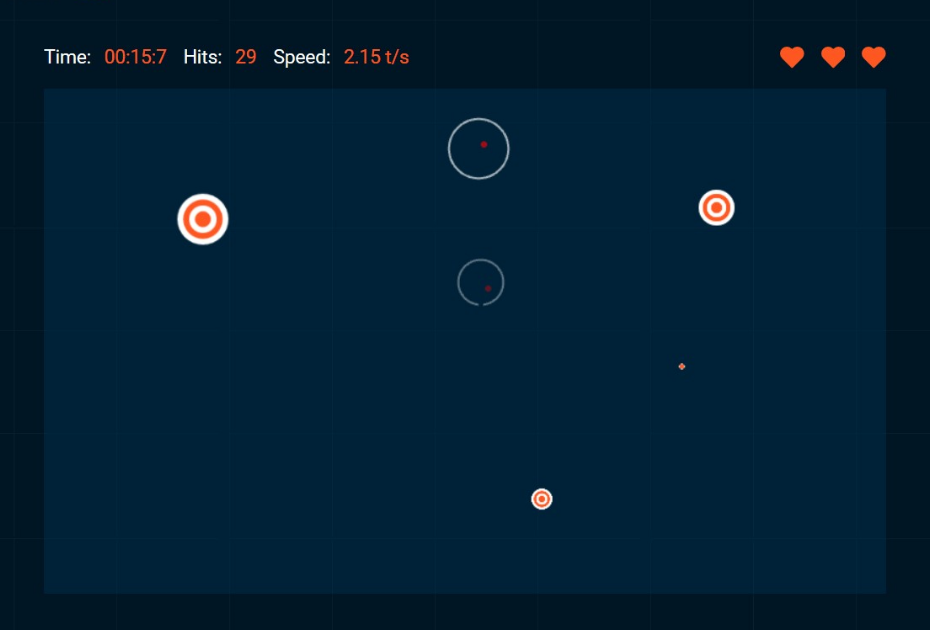
Aim Trainer is a free browser game that is specifically designed to improve the player’s aim in various First-Person Shooter games such as Fortnite, Counter-Strike: GO, and Call of Duty.

No paid content found
Visit website
Profile views 6 Outbound visits 0 Normal
Aim Trainer Full homepage screenshot

At a glance

Category
Games & Board Games
Language
English
Paid-content signal
No paid content foundObserved
Registered
2019
Hosting
CloudflareInferred
HTTPS certificate trusted
PassedObserved
Last updated

Website review

This review may include AI-generated content and is not individually verified. Domain, certificate and other facts come from the observed data on this page.

What is Aim Trainer?

Aim Trainer is a free browser-based aim-practice game for first-person shooters, hosted at Aim Trainer. It presents short, repeatable clicking drills that target specific aiming sub-skills, so you can warm up or grind a weakness without launching a full game.

Its modes map to distinct skills:

  • Challenge and Custom Challenge – general target hitting; the custom version lets you set targets per second, whether spawn speed ramps up, and how many lives you get.
  • Doubleshot – practice against two targets at once.
  • Precision – accuracy-focused clicking.
  • Reflex Test – reaction speed.
  • Moving Targets and Target Tracking – hitting and following motion.
  • Click Speed Test (CPS Test) and Reaction Time Test – standalone measures of click rate and reaction time.

Who it suits: players of Fortnite, Counter-Strike: GO, Call of Duty, Rainbow Six Siege, Overwatch, PUBG or Apex Legends who want a low-friction warm-up or a way to isolate flicking, tracking or reaction time. Because it runs in the browser, it works on a shared or low-spec machine where installing a dedicated trainer isn't practical.

Trade-off to know: browser drills train mouse control and reaction, not game sense, movement, recoil control or crosshair placement in a real map. Treat scores as a relative progress signal, not a rank.

Next step: start with Custom Challenge and fix one variable at a time — hold targets-per-second steady and only raise the speed-increase setting once your accuracy stabilises. If you want a second opinion on your routine, dedicated aim communities such as Reddit can suggest drills, though advice there varies by game.

Which FPS games can Aim Trainer help me improve in?

Aim Trainer is built around the general aiming skills that carry over between most first-person shooters, and its own description names Fortnite, Counter-Strike: GO, Call of Duty, Rainbow Six Siege, Overwatch, PUBG, and Apex Legends as examples of games it can help with. That list is illustrative rather than a compatibility list — the site is a browser-based practice tool, not something that plugs into a specific game, so the benefit comes from the shared mechanics of FPS aiming: flicking to a target, tracking a moving one, reacting quickly, and staying accurate under time pressure.

H3 What the practice modes actually target

The modes on the page map fairly directly onto in-game situations:

  • Reflex Test — for players who lose close-range duels because they react a fraction late.
  • Precision — for games where a single missed shot decides a fight, such as Counter-Strike or Rainbow Six Siege.
  • Doubleshot — for switching between two targets quickly, useful in games with multiple visible enemies.
  • Moving Targets and Target Tracking — for tracking opponents who strafe, which matters most in Apex Legends, Overwatch, and PUBG.
  • Custom Challenge — lets you set targets per second, whether spawn speed increases, and how many lives you get, so you can imitate the pace of your own game.
  • Click Speed Test (CPS Test) and Reaction Time Test — general input-speed checks rather than aim drills.

H3 A practical example

Suppose you mainly play Rainbow Six Siege and keep losing peeker's-advantage fights. Precision and Reflex Test are the closest match, with Custom Challenge set to a low targets-per-second rate and few lives to mimic the cost of a missed shot. If you mainly play Apex Legends, Moving Targets and Target Tracking are the better use of your time, since tracking a strafing opponent is the skill that decides most mid-range fights.

H3 How to decide

Pick the mode that resembles the failure you actually experience in-game, not the one with the highest score. If you miss stationary targets, work on Precision. If you hit the first shot but lose the follow-up, work on Doubleshot or Tracking. If you die before you can react, use Reflex Test. For structured routines built around similar drills, Aim Lab and KovaaK's are established alternatives, though both are desktop applications rather than browser tools.

A useful next step: run one mode for a fixed short session before playing, note your accuracy, and repeat the same mode for a week before switching. Comparing scores within one mode over time tells you more than jumping between challenges.

How do I choose between Challenge, Doubleshot, Precision, Reflex Test, and Moving Targets modes?

Pick the mode that matches the specific aiming weakness you want to fix in a short session, not the one that sounds most impressive. Aim Trainer's page lists Challenge, Custom Challenge, Doubleshot, Precision, Reflex Test, Moving Targets, and Target Tracking as separate practice options, which suggests each is meant to isolate a different skill rather than serve as a general "best" mode.

Quick matching guide

Mode What it appears to target Good first pick if you...
Challenge General baseline accuracy Want a simple warm-up or a score to track over time
Custom Challenge Your own difficulty settings (targets per second, speed increase, lives) Know your weakness and want to tune the drill yourself
Doubleshot Rapid target switching Overcorrect or hesitate when moving between targets
Precision Accuracy over speed Miss small or distant targets in real matches
Reflex Test Reaction speed React late to enemies appearing
Moving Targets Aiming at targets in motion Track poorly once a target strafes
Target Tracking Sustained aim on a target Lose your crosshair during continuous fire

A practical way to decide

Start with Challenge to get a rough baseline, then spend most of your time on the one or two modes that map to your worst in-game habit. If you die because you shot first and missed, Precision. If you die because you reacted a beat late, Reflex Test. If you die because the enemy strafed out of your crosshair, Moving Targets or Target Tracking. Use Custom Challenge once you want to push difficulty deliberately instead of accepting the default pace.

For context on how dedicated aim-training tools structure this kind of deliberate practice, see Aim Lab and KovaaK's. A browser option like Aim Trainer is easiest for a quick daily session; standalone trainers generally offer deeper stat tracking, so the trade-off is convenience versus measurement depth.

Suggested next step

Do 10 minutes of Challenge, note which misses feel familiar from your last match, then run 10 minutes of the single mode that matches. Recheck weekly: if your worst habit changes, switch modes rather than grinding the same one.

What settings should I change in Custom Challenge to practice for my specific FPS?

Change the settings that match the aiming demand of your FPS, not every option at once. In Aim Trainer's Custom Challenge, the page lists three adjustable levers: targets per second, whether target appearance speed increases, and number of lives. Use those to recreate the shot rhythm and pressure of your game.

  • Targets per second: Raise it for fast, crowded fights (e.g., arena shooters or close-range Call of Duty encounters). Lower it for tactical shooters like Rainbow Six Siege or Counter-Strike, where you often track one angle and need a precise first shot.
  • Speed increase on/off: Turn it on to simulate escalating pressure in battle royale endgames or overtime rounds. Turn it off for a steady, repeatable pace when you are drilling a specific flick or tracking motion.
  • Lives: Fewer lives mimics ranked stakes and punishes sloppy crosshair placement. More lives lets you accumulate reps and focus on technique rather than restarting.

A practical example: for a tactical shooter, set a low targets-per-second rate, disable speed increase, and give yourself three lives so each miss matters. For a fast-paced shooter, increase targets per second, enable speed increase, and use one or two lives to force quick reactions.

If you are unsure which demand matters most, start with the Precision or Reflex Test challenge to identify your weak point, then build a Custom Challenge around that specific weakness. For general mechanical warm-up, the standard Challenge or Doubleshot modes can serve as a baseline before you customize.

Can Aim Trainer replace in-game practice or is it only a warm-up tool?

Aim Trainer is best understood as a supplement to in-game practice, not a replacement. The browser version at Aim Trainer gives you short, repeatable drills for raw mechanics — flicking, tracking, target switching, reaction time — but it cannot teach you map knowledge, recoil patterns, game sense, or how a specific title's movement and hitboxes actually behave.

What it does well

The page lists modes such as Challenge, Custom Challenge, Doubleshot, Precision, Reflex Test, Moving Targets, and Target Tracking, plus a Click Speed Test and Reaction Time Test. That range maps onto the mechanical skills most shooters share, which is why it can feel useful across Fortnite, Counter-Strike, Call of Duty, Rainbow Six Siege, Overwatch, and PUBG.

Where it falls short

Nothing here simulates a real match: no opponents peeking angles, no economy or ability timings, no team coordination. A player who only grinds the trainer can develop fast, accurate aim that still fails in context.

A practical way to use it

Goal Better tool
Warm up hands and eyes before ranked Aim Trainer
Fix a specific mechanical weakness (tracking, flicks) Aim Trainer, in short focused blocks
Learn maps, recoil, crosshair placement in your game In-game deathmatch or custom lobbies
Improve decision-making under pressure Scrims and ranked matches

If you are short on time, treat 5–10 minutes of trainer drills as a warm-up, then spend the bulk of your session in-game. If you have a clear mechanical gap — say, tracking fast-moving targets — a few focused trainer blocks per week can accelerate progress.

How do I track whether my aim is actually improving over time?

Aim Trainer's own modes give you a built-in way to check progress: play the same challenge under identical settings and compare your results across sessions. The site lists Challenge, Custom Challenge, Doubleshot, Precision, Reflex Test, Moving Targets and Target Tracking, plus a Click Speed Test and Reaction Time Test. Each targets a different aspect of aiming, so a single overall "score" won't tell you much — you need to separate accuracy, reaction speed and target-tracking.

Make the comparison fair

Use Custom Challenge to lock the variables. The page states you can set the number of targets that appear per second, whether their spawn speed increases, and how many lives you have. If any of those change between sessions, your score changes for reasons unrelated to skill. Decide on one fixed configuration, save it mentally or in a note, and repeat it.

A practical routine for a reader who plays Counter-Strike or Valorant:

  • Pick one mode that matches your weak point (Precision for click accuracy, Reflex Test for reaction, Target Tracking for smooth tracking).
  • Run it three times in one sitting, at the same time of day, on the same mouse and sensitivity.
  • Record the score plus how you felt — tired, warmed up, distracted.
  • Repeat twice a week for a month, then look at the trend, not any single day.

What actually counts as improvement

Track these separately, because they can move in opposite directions:

Signal What it suggests
Higher accuracy at the same target speed Genuine precision gain
Faster reaction time with accuracy held steady Better reaction, not just faster clicking
Stable scores with fewer lives lost Consistency improving
Scores rising only in easy modes You're getting comfortable, not better

The Click Speed Test and Reaction Time Test are useful baselines, but raw clicks per second is a weak proxy for in-game aim. Treat them as a warm-up gauge rather than your main metric. Note that the "best eSports players train this way" claim on the page is the site's own promotional framing — it's a reasonable idea, but the specific comparison isn't evidence about your progress.

Your next step

Choose one mode today, run it three times, and write down the numbers. Then set a calendar reminder for the same session in three days. Two or three weeks of consistent data will tell you more than any single high score. If you want a second opinion on your aim, compare your browser results against in-game stats like headshot percentage or time-to-kill in a deathmatch, since those reflect the conditions you actually compete in.

Related questions

More questions →
What Is Aim Trainer on aimtrainer.io?

Aim Trainer on aimtrainer.io is a free browser-based game built to improve your aim for first-person shooter (FPS) titles such as Fortnite, Counter-Strike: GO, and Call of Duty. It runs in the browser, so there is no download or account mentioned, and it offers several challenge modes plus customization options. It suits players who want short, repeatable aim practice without installing separate software, and who are willing to train deliberately rather than just play.

What It Is Designed For

The site states a single goal: improving the aiming skill of the individual. It targets mechanics shared across FPS games, so practice is meant to carry over to titles like Rainbow Six Siege, Overwatch, PUBG, Apex Legends, and others. The premise is that these games share similar skill requirements, so training one set of aiming skills benefits the rest.

The site also notes that top esport players in FPS games train this way to hone their skills. Treat that as the site's framing rather than a guarantee — improvement depends on how consistently and deliberately you practice.

The Challenge Modes

Aim Trainer separates practice into modes, each aimed at a specific aspect of aiming. The modes listed on the page are:

Mode What it targets (per the site)
Challenge General aiming practice
Custom Challenge Practice tailored to your own needs
Doubleshot Shooting at multiple targets
Precision Accuracy
Reflex Test Reflexes
Moving Targets Tracking targets in motion
Target Tracking Sustained tracking

There are also two related tools outside the aiming modes: a Click Speed Test (CPS Test) and a Reaction Time Test.

Custom Challenge

Custom Challenge is described as very similar to the basic Challenge mode but with more customization. In this mode you can choose:

  • The number of targets that appear per second
  • Whether the speed at which they appear increases
  • The number of lives you have

That makes it the mode to pick when a fixed challenge is too easy, too hard, or trains the wrong thing for your current weakness.

How to Decide If It Fits You

Choose Aim Trainer if:

  • You play FPS games and want a no-install way to warm up or drill aim.
  • You want to isolate specific skills — reflexes, precision, or multi-target shooting — rather than only playing full matches.
  • You want to tune difficulty yourself through Custom Challenge settings.

Look elsewhere if:

  • You need detailed progress analytics or long-term tracking; the page does not describe those.
  • You want coaching, match review, or game-specific strategy rather than raw aim practice.
  • You need a guaranteed improvement timeline — the site presents practice as the path, not a fixed result.

A Practical Way to Use It

  1. Open aimtrainer.io in your browser — no download or account is mentioned.
  2. Start with the fixed Challenge mode to get a baseline feel for the controls and targets.
  3. Identify your weak area: slow reactions, poor precision, or trouble with multiple or moving targets.
  4. Switch to the matching mode — Reflex Test, Precision, Doubleshot, Moving Targets, or Target Tracking.
  5. Move to Custom Challenge and adjust targets per second, whether speed increases, and lives so the session stays challenging but not overwhelming.
  6. Repeat in short, regular sessions rather than one long one, since aim improvement comes from consistent practice.

Common Questions

Is it free? The site describes Aim Trainer as a free browser game.

Do I need to install anything? No download is mentioned; it runs in the browser.

Do I need an account? No account is mentioned on the page.

Which games does it help with? The site names Fortnite, Counter-Strike: GO, Call of Duty, Rainbow Six Siege, Overwatch, PUBG, and Apex Legends, among other FPS titles.

Can I share results? The page includes Share on Twitter and Share on Facebook options.

Is Aim Trainer Free and Does It Require Installation?

Aim Trainer on aimtrainer.io is described as a free browser game, which means you can play it directly in your browser without downloading or installing anything. The site presents it as a tool for improving aim in first-person shooter games, and its own description states it is free to use. No pricing, subscription, or payment information appears on the page, and no download or installation step is mentioned.

What "Free Browser Game" Means Here

The site's own description calls Aim Trainer "a free browser game." That tells you two practical things:

  • No installation required. You don't need to download a client, launcher, or desktop app. You open the site and start training.
  • No cost stated. The page describes the tool as free and lists no pricing, plans, or payment options.

One caveat: the page does not explicitly say "no account needed" or "no login required." It also doesn't mention any paid tier. So the safe reading is: the game itself is presented as free and browser-based, and nothing on the page suggests a paywall or a required download.

How to Start Using It

  1. Open aimtrainer.io in your browser.
  2. Pick a training mode from the available challenges (see below).
  3. Start playing — the game runs in the browser window.

Expected result: you're training your aim without installing software or paying.

What You Can Practice

Aim Trainer is built around improving specific aiming skills used across FPS games. The page lists these modes:

Mode What it targets
Challenge General aim training
Custom Challenge Tailored practice with your own settings
Doubleshot Shooting at multiple targets
Precision Accuracy
Reflex Test Reaction speed
Moving Targets Tracking moving targets
Target Tracking Following targets
Click Speed Test (CPS Test) Clicking speed
Reaction Time Test Raw reaction time

Which Games It's Meant For

The site says Aim Trainer is designed to help with FPS games including Fortnite, Counter-Strike: GO, Call of Duty, Rainbow Six Siege, Overwatch, PUBG, and Apex Legends. The reasoning given is that these games share similar mechanics and skill requirements, so improving core aim transfers across them.

The Custom Challenge Mode

If the preset modes don't fit your needs, Custom Challenge lets you adjust the session. According to the page, you can choose:

  • The number of targets that appear per second
  • Whether the speed of their appearance increases over time
  • The number of lives you have

This is useful if you want to isolate one skill — for example, slow, precise targets for accuracy, or fast-appearing targets for reflexes.

Quick Answers

Do I need to install anything? No — it's a browser game.

Does it cost money? The site describes it as free, and no pricing or payment details are listed.

Do I need to create an account? The page doesn't mention accounts or logins, so this isn't confirmed either way.

What do I need to play? A browser and a mouse, since the training revolves around aiming and clicking.

What Training Modes and Challenges Does Aim Trainer Offer?

Aim Trainer on aimtrainer.io is a free browser game for improving aim in FPS titles such as Fortnite, Counter-Strike: GO, and Call of Duty. It offers several distinct training modes plus a customization option, each targeting a specific aiming skill: reflexes, accuracy, or tracking multiple targets. If you want to know which mode to practice, the list below maps each one to what it trains.

The core training modes

Mode What it targets
Challenge General aim training in a basic challenge format
Custom Challenge The same as Challenge, but with adjustable difficulty settings
Doubleshot Shooting at multiple targets simultaneously
Precision Accuracy
Reflex Test Reaction speed
Moving Targets Aiming at targets in motion
Target Tracking Keeping aim on a moving target

The site describes these as separate game modes, each designed to improve a specific aspect of aiming, with the overall goal of better performance in FPS games.

What Custom Challenge lets you change

Custom Challenge is described as very similar to the basic Challenge mode but with more customization so you can tailor a session to your needs. You can adjust:

  • The number of targets that appear per second
  • Whether the speed at which targets appear increases over time
  • The number of lives you have

This makes it the mode to pick when the fixed difficulty of the standard challenges doesn't match what you want to work on.

Additional tools

Beyond the shooting challenges, the site also lists:

  • Click Speed Test (CPS Test) — measures clicks per second
  • Reaction Time Test — measures raw reaction time

These are separate from the aim challenges and measure input speed rather than aiming accuracy.

How to choose a mode

  • Want to improve accuracy? Start with Precision.
  • Want faster reactions? Use Reflex Test.
  • Want to handle several targets at once? Try Doubleshot.
  • Want to practice tracking a moving opponent? Use Target Tracking or Moving Targets.
  • Want to control the difficulty yourself? Use Custom Challenge and set targets per second, speed increase, and lives.

Because the site states that FPS games like Fortnite, Counter-Strike: GO, Apex Legends, and Rainbow Six Siege share similar mechanics and skill requirements, practice in any of these modes is intended to carry over across those games.

How does the Custom Challenge mode work in Aim Trainer?

Custom Challenge is a practice mode on aimtrainer.io that works like the basic Challenge mode but lets you control the difficulty yourself. Before or during a run, you set how many targets appear per second, whether that appearance rate speeds up over time, and how many lives you get. It is the mode to pick when you already know which part of your aim is weak and want to isolate it instead of playing a fixed drill.

What you can change

The site lists three adjustable settings for Custom Challenge:

Setting What it controls Why you would change it
Targets per second How many targets appear each second Raise it to train speed and target switching; lower it to train clean, deliberate clicks
Appearance speed increases Whether the target spawn rate ramps up as you play Turn it on to simulate fights that get faster; turn it off for a steady, repeatable pace
Number of lives How many misses you can afford before the run ends Fewer lives forces accuracy; more lives lets you grind longer sessions

The mode is described as very similar to the Basic Challenge Mode, so the core loop is the same: targets appear, you click them, and the run continues until you run out of lives. The difference is entirely in those three settings.

How to set up a session

  1. Open aimtrainer.io in your browser and choose Custom Challenge from the challenge list.
  2. Set targets per second. Start at a rate where you can still hit most targets — if you are missing constantly, the drill trains panic, not aim.
  3. Decide on the speed increase. Leave it off for your first few runs so you can compare scores fairly; turn it on once a steady pace feels easy.
  4. Set your lives. A low number (enough for a short run) is better for measuring accuracy; a high number suits longer warm-ups.
  5. Play the run and note where you fail: slow first clicks, overshooting moving between targets, or rushing when spawns speed up.
  6. Adjust one setting at a time and replay. Changing everything at once makes it impossible to tell what actually improved.

Expected result: after a few runs at a fixed configuration, your hit rate at that exact difficulty should be your baseline. From there you either raise targets per second or enable the speed increase to push further.

Choosing settings for a specific weakness

  • Slow to acquire the first target: lower targets per second, keep speed increase off, and use enough lives for a long run. The goal is a clean first click every time.
  • Fine at one target, messy when several appear: raise targets per second while keeping speed increase off, so the only new demand is switching between targets.
  • Good early, worse as a fight drags on: turn the speed increase on and keep targets per second moderate. This mirrors the ramp-up in real matches.
  • Clicking too fast and missing: reduce lives. A short run punishes spray-and-pray and forces you to place each click.

Other modes to pair it with

The site also lists Doubleshot, Precision, Reflex Test, Moving Targets, and Target Tracking, plus a Click Speed Test (CPS Test) and a Reaction Time Test. Custom Challenge is the flexible one; the named modes are fixed drills aimed at a specific aspect of aiming. A practical routine is to use a fixed mode to expose a weakness, then rebuild that weakness in Custom Challenge with settings tuned to it.

Common snags

  • Scores are not comparable across settings. A run at 2 targets per second with no speed increase is a different task from one at 5 with the ramp on. Record the settings alongside your result.
  • Too many lives hides the problem. If a run never ends, you stop noticing misses. Use a life count that ends the run while you are still paying attention.
  • Raising difficulty too early. If hit rate drops sharply after one change, revert it and spend more runs at the previous level.
  • Treating it as game-specific. Aim Trainer is a browser tool for general FPS aiming; it does not reproduce the recoil, movement, or map knowledge of any single title.

Aim Trainer is described on the site as a free browser game, so no install is needed — the main cost of Custom Challenge is the discipline to change one variable at a time.

Which FPS Games Can Aim Trainer Help You Improve For?

Aim Trainer (aimtrainer.io) is built to improve the general aiming skills that carry over across first-person shooters, and the site names Fortnite, Counter-Strike: GO, Call of Duty, Rainbow Six Siege, Overwatch, PUBG, and Apex Legends as games its training applies to. If your goal is faster reflexes, better accuracy, or cleaner target tracking in an FPS, the tool is aimed at you. It is a free browser game, so there is nothing to install before you start.

Why one trainer covers so many different shooters

The logic behind the site is that FPS games share core mechanics, so they share core skill requirements. Fortnite, CS:GO, Apex Legends, and Rainbow Six Siege differ in map design, weapons, and rules, but all of them ask you to acquire a target and hit it under time pressure. Aim Trainer targets that shared layer rather than any single game's specifics.

That means the improvement you get is transferable rather than title-specific. You are not learning a particular weapon's recoil pattern or a map's angles — you are training the underlying hand-eye coordination and precision that every shooter on the list draws on.

The site also states that top esport players in FPS titles such as Overwatch, PUBG, Fortnite, and Call of Duty train this way to hone their skills. Treat that as the site's own claim about how pros practice, not as a guarantee of your results — the honest takeaway is that aim training is a recognized part of FPS practice, and this tool is one free way to do it.

Which games are named, and what each one asks of you

Game What Aim Trainer practice maps onto
Fortnite Tracking moving targets, quick target acquisition in fast fights
Counter-Strike: GO Precision and reflex-heavy flick aiming
Call of Duty Fast reflexes and accuracy under pressure
Rainbow Six Siege Precision aiming and quick reactions
Overwatch Tracking and hitting multiple targets
PUBG Accuracy at range and target tracking
Apex Legends Tracking and rapid target switching

The mapping above follows from the challenges the site offers (see below) rather than from per-game modes — there are no game-specific presets listed. If your main game is on this list, the general skills transfer. If your game is not listed, the same reasoning still applies as long as it is a shooter built on aiming at targets.

The challenges that do the work

Aim Trainer splits practice into modes, each aimed at a specific aspect of aiming:

  • Challenge — the basic mode, a general aiming workout.
  • Custom Challenge — the same idea as the basic mode but with far more control, so you can tailor a session to your own weak points.
  • Doubleshot — shooting at multiple targets at once.
  • Precision — accuracy-focused practice.
  • Reflex Test — reaction speed.
  • Moving Targets and Target Tracking — following and hitting targets in motion.
  • Click Speed Test (CPS Test) and Reaction Time Test — supporting tests for click rate and raw reaction time.

If you are unsure where to start, pick the mode that matches your weakest in-game habit: missing flick shots points to Precision and Reflex Test, losing track of strafing enemies points to Target Tracking and Moving Targets, and struggling when several enemies appear at once points to Doubleshot.

How Custom Challenge lets you target your own game

Custom Challenge is the mode to use when the preset challenges do not match your game's pace. Per the site, you can set:

  • the number of targets that appear per second,
  • whether the speed at which they appear increases over time,
  • the number of lives you have.

That gives you a practical way to imitate your game's tempo. For example, if you play a slower, precision-heavy shooter, set a low targets-per-second rate with no speed increase and a small number of lives, so every miss costs you. If you play a fast, chaotic shooter, raise the spawn rate and turn on the speed increase to force quicker decisions. The number of lives controls how punishing the session is — fewer lives means more pressure per shot.

How to decide whether it fits your goal

Use Aim Trainer if:

  • You play one of the listed shooters, or any FPS where aiming is central.
  • Your problem is aim, reflexes, or tracking — not game sense, positioning, or strategy, which this tool does not train.
  • You want a free, browser-based option with no setup.

Look elsewhere if your main weakness is decision-making, map knowledge, or team coordination, since none of the modes address those. And keep expectations realistic: the site frames improvement as the result of "a lot of practice," so treat it as a repeatable drill you return to, not a one-session fix.

Website Overview

An established domain and managed infrastructure suggest continuity of operations and may support dependable delivery, although neither guarantees service quality. Several search or sharing settings need attention. Together they may make snippets, preview images or preferred URLs less consistent across platforms.

Domain and Registration

Registered in 2019, this domain has about 7 years of history. That suggests continuity, although ownership and purpose may have changed. Transfer-protection status is present, helping reduce the risk of unauthorized domain transfers. The domain uses the common .io extension, which is not an independent safety signal.

DNS and Email

The observed email authentication setup is incomplete: DMARC is missing. Nameservers are provided by Cloudflare, indicating managed DNS hosting. MX records point to the ovh.net email service. No CNAME was found; the observed records resolve directly to addresses. TXT records include verification markers for Google. Such markers may also remain after a service stops being used.

TLS and Certificates

The public key uses EC with 256 bits. The server supplied a complete certificate chain. No organization name is present in the certificate; the available fields are consistent with domain validation. The certificate was issued within the Google Trust Services cloud or CDN ecosystem. The certificate's total validity is about 90 days, consistent with a short renewal cycle.

HTTP and Browser Security

The checked browser-security headers were not detected, leaving fewer explicit browser-side safeguards. No X-Powered-By header was found, reducing one common source of backend fingerprinting information. The cf-ray response header indicates a CDN or caching proxy in the delivery path. No obvious internal addresses or debug information were found in the headers. The Server header identifies cloudflare without an exact version.

Technology Stack Analysis

The public page identifies Nuxt, Cloudflare without precise versions, leaving fewer clues for version-specific scanning.

Search and Social Sharing

The meta description has 186 characters and may be shortened in search results. No homepage canonical URL was detected. If duplicate URLs exist, consolidation may be less explicit. The title has 44 characters, within a common display range. The observed directives allow indexing and link following. No Generator meta tag is publicly exposed.

Hosting and Email

DNSCloudflare
HostingCloudflare
Emailovh.net
Approximate IP geolocation (inferred; a CDN or proxy may differ from the origin server) Location unknown Inferred 104.21.77.77

Registration details

RDAP / WHOIS

RegistrarOVH SAS
Registered2019-10-09
Expires2026-10-09
Domain statusclientDeleteProhibited https://icann.org/epp#clientDeleteProhibited、clientTransferProhibited https://icann.org/epp#clientTransferProhibited
Nameserversjustin.ns.cloudflare.com、ruth.ns.cloudflare.com
DNSSECunsigned

DNS records

DNS

TypeNameValueTTLPriority
Aaimtrainer.io104.21.77.77300—
Aaimtrainer.io172.67.205.155300—
AAAAaimtrainer.io2606:4700:3033::6815:4d4d300—
AAAAaimtrainer.io2606:4700:3035::ac43:cd9b300—
MXaimtrainer.iomx1.mail.ovh.net3001
MXaimtrainer.iomx2.mail.ovh.net3005
MXaimtrainer.iomx3.mail.ovh.net300100
NSaimtrainer.iojustin.ns.cloudflare.com86400—
NSaimtrainer.ioruth.ns.cloudflare.com86400—
TXTaimtrainer.io1|www.aimtrainer.io300—
TXTaimtrainer.iogoogle-site-verification=iXsXMilSkeaxijPxoQkUB7H6nZmF0S8AxjghDEqF4QU300—
TXTaimtrainer.iov=spf1 include:mx.ovh.com ~all300—

TLS and certificates

TLS / SSL

AssessmentNormal configuration
Supported protocolsTLSv1.2、TLSv1.3
Negotiated protocolTLSv1.3
Certificate subjectaimtrainer.io
IssuerGoogle Trust Services
Valid until2026-12-04T05:48 · Remaining when checked: 67 days
Verification detailsCertificate trust: Passed · Hostname match: Passed

HTTP response headers

HTTP

HeaderValue
content-typetext/html
servercloudflare

Identified technologies

NuxtCloudflare

Pages, Search and Sharing

Meta descriptionAim Trainer is a free browser game that is specifically designed to improve the player’s aim in various First-Person Shooter games such as Fortnite, Counter-Strike: GO, and Call of Duty.
Canonical URLNot detected
LanguageEnglish (default)
Twitter CardNot detected
All bots 1 allowed · 2 disallowed
  • Allow/
  • Disallow/cdn-cgi/
  • Disallow/demo/

User reviews (0)

  • No reviews yet.