Website profiles · Technology insights · Alternatives

bardeen.ai

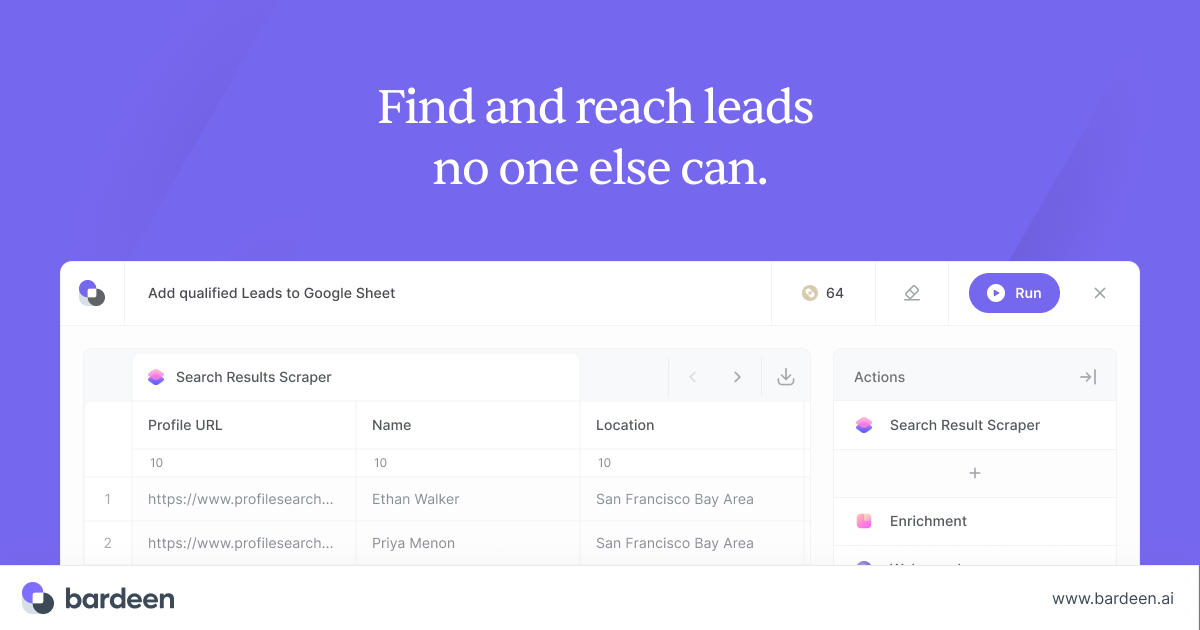
Source leads with our agentic web scraper, qualify them with AI and reach them with contact enrichment.

Paid content
Visit website
Profile views 1 Outbound visits 0 Normal
Bardeen Full homepage screenshot

At a glance

Category
Artificial Intelligence
Language
English
Paid-content signal
Paid contentObserved
Registered
2020
Hosting
Amazon CloudFrontInferred
HTTPS certificate trusted
PassedObserved
Last updated

Website review

This review may include AI-generated content and is not individually verified. Domain, certificate and other facts come from the observed data on this page.

What is Bardeen?

Bardeen is a lead-sourcing and outreach automation tool built around an "agentic" web scraper. Instead of manually searching Google, copying names into a spreadsheet, and hunting for email addresses, you point it at pages, let it extract and qualify prospects with AI, then enrich the results with validated contact details and sync everything to your spreadsheet apps. Its own positioning is "Find and reach leads no one else can."

What it actually does

The Bardeen product pages break the workflow into four stages:

  • Web Scraper — extracts data from websites, including pages that are awkward to copy by hand.
  • Web Search — replaces manual googling of prospects with automated searching.
  • Enrichment — attaches validated phone numbers and emails to the leads you found.
  • AI Tools — scores or filters leads so you spend time on the best ones rather than the whole list.

Integrations push that data into major spreadsheet apps, which matters if your pipeline already lives in a sheet rather than a full CRM.

Who it is aimed at

The site names specific audiences rather than a single generic buyer: solopreneurs, music (scouting emerging artists), real estate (hyper-local sourcing), recruiting (finding passive candidates), private equity (spotting companies before they raise), and event services (local pipeline building). The common thread is people who need a list that does not already exist in a purchasable database — niche, local, or early-stage leads.

How it compares conceptually

Approach Strength Trade-off
Static lead database Fast, familiar Same leads sold to your competitors
Manual research Highly targeted Slow, does not scale
Scraper + enrichment tool like Bardeen Custom, less-contested lists You define the sources and rules; output quality depends on your targeting

A practical next step

Pick one narrow use case before committing — for example, "recruiters hiring for a specific role in one city" — and test whether the scraper can reliably pull from the sources where those people actually appear. If the sources are login-walled or change constantly, budget time for maintenance. Then check the pricing page for how usage limits align with your expected volume, since scraping and enrichment costs typically scale with the number of leads you process.

How does Bardeen's web scraper extract data from websites?

Bardeen's scraper is built around an "agentic" model: rather than requiring you to hand-write CSS selectors or XPath for every page, you point it at a site, describe the data you want, and let the automation work out the extraction. According to the product's own page, it positions the tool as "the most powerful web scraper on the internet" and pairs extraction with downstream steps — AI search for research, enrichment for validated emails and phone numbers, and AI qualification — so scraped lists can move toward outreach rather than sitting in a spreadsheet.

What the extraction flow looks like in practice

  1. Define the target. You supply a starting URL or a list of URLs (for example, a directory, search results page, or company site).
  2. Describe the fields. Instead of mapping selectors manually, you specify the data points you want — names, titles, company details, contact info — and the agent infers where they live on the page.
  3. Handle pagination and structure. The scraper follows through listings and detail pages so you collect records across a site, not just one screen.
  4. Output structured data. Results land as rows you can sync to major spreadsheet apps, per the integrations listed on the site.

Where the agentic approach helps and where it doesn't

Situation Agentic scraping advantage Trade-off to plan for
Many similar sites with different layouts Less selector maintenance; adapts per site Verify a sample of rows before trusting a full run
One-off, small extraction Fast to set up without engineering help Overkill if you only need a handful of records
Sites that change often Fewer broken automations Structural redesigns can still degrade accuracy
Login-gated or anti-bot pages Not the intended use case Expect limits; check each site's terms

Who gets the most from it

The page names several audiences explicitly: solopreneurs doing scrappy growth work, recruiters sourcing hidden candidates, real estate agents hunting hyper-local leads, private equity teams researching companies before they raise, music scouts, and event services filling local pipelines. The common thread is people who need a list that doesn't already exist in a database — leads from directories, marketplaces, or niche sites that competitors haven't mined.

A concrete scenario: a recruiter targeting candidates at 200 local firms could point the scraper at company team pages, extract names and roles, run enrichment to fill in verified emails, then sync everything to a spreadsheet for outreach. The value is in chaining those steps, not scraping alone.

Before you commit

Check whether the specific sites you care about are technically scrapeable and permitted by their terms, and test the accuracy of extracted fields on a small batch first. If your needs are simpler — a single well-structured site you'll scrape once — a lighter browser extension may be enough; Bardeen's advantage shows up when you're repeating the workflow across many sources or feeding an ongoing outreach pipeline. See Bardeen for current plan tiers and template examples.

Can Bardeen enrich leads with validated contact information?

Yes. Bardeen's own product description lists contact enrichment as a core capability: “Enrich with validated contact info,” and it says you can “Reach your future customers with validated phone numbers & emails.” So enrichment to validated email and phone data is part of what the platform advertises, not an add-on you'd have to assemble yourself.

What that looks like in practice

Bardeen frames the workflow as a sequence rather than a single feature:

  • Source — pull leads from websites with its agentic web scraper.
  • Research — use AI search instead of manually Googling prospects.
  • Enrich — append validated phone numbers and emails.
  • Qualify — use AI to filter down to the best-fit leads.
  • Sync — push the resulting data into major spreadsheet apps via integrations.

For a recruiter or real-estate agent, the practical appeal is that a scraped list doesn't stay a list of names and URLs — it becomes something you can actually contact. For a solo founder, that means less time toggling between a spreadsheet and a lookup tool.

The trade-off to weigh

Enrichment is only as good as its match rate and freshness. “Validated” in a vendor's own wording is a claim about their process, not a guarantee for every record — some contacts will be missing, stale or catch-all addresses that bounce. Before committing, test with a batch of leads you already know the correct details for, and measure how many come back accurate. That single check tells you more than any feature list.

If you want to compare against a dedicated enrichment tool rather than an all-in-one scraper-plus-enrichment platform, Clearbit and Hunter are worth a look. As a next step, run one real list of 50–100 leads through Bardeen's enrichment and count verified matches; that number is your decision criterion.

What AI tools does Bardeen offer for lead qualification?

Bardeen's AI tools are positioned as a way to "pinpoint the best leads with zero manual work," with lead qualification listed as a distinct capability alongside scraping, search and enrichment. In practice, that means AI sits at the point where you decide which of the records you have collected deserve attention, rather than only at the collection stage.

Where qualification fits in the workflow

Bardeen describes four connected steps on its site: extracting data from websites, researching leads with AI search, enriching records with validated phone numbers and emails, and qualifying leads with AI. Qualification therefore depends on the earlier steps: you need a set of candidate leads, ideally with contact data attached, before an AI qualification layer has anything to judge.

A concrete scenario: a recruiter scrapes a niche job board or professional directory, enriches the resulting profiles with email addresses, then uses AI to sort those profiles by how closely they match an open role. The scraping supplies volume, enrichment supplies reachability, and qualification supplies priority order.

What to expect from AI-based qualification

Treat AI qualification as a ranking and filtering aid, not a final decision-maker. It is most useful when your criteria are explicit and written down — industry, company size, role, location, recent activity signals — because vague criteria produce vague rankings. Two practical trade-offs:

  • Speed versus precision. Automated qualification lets you process far more leads than manual review, but you should spot-check a sample against your own judgment before trusting the ordering.
  • Enrichment quality sets the ceiling. If contact data is missing or stale, even good qualification logic cannot make a lead actionable.

Choosing between Bardeen and alternatives

Bardeen suits people who want sourcing, enrichment and qualification in one place, especially solo operators and small teams working from web data. If your main need is a large, pre-built contact database rather than a scraper-driven pipeline, a dedicated sales-intelligence platform may fit better. For teams already running outbound from a CRM, check whether Bardeen's integrations sync to the spreadsheet and CRM tools you use before committing.

A sensible next step is to open Bardeen's templates and customer stories, pick one workflow close to your own use case, and test it on a small batch of leads. Compare the AI-ranked shortlist against your own picks; if the overlap is high, expand the batch.

How does Bardeen integrate with spreadsheet apps for lead data?

Bardeen's page lists integrations as a distinct product area with one stated purpose: "Sync lead data to major spreadsheet apps." That is the core of the spreadsheet story — lead records gathered or enriched in Bardeen are pushed into the spreadsheet tools a team already uses, rather than living only inside the automation tool.

What that means in practice

The workflow implied by the page runs in three stages, with spreadsheets as the final destination:

  1. Source — pull leads from websites using the agentic web scraper.
  2. Enrich and qualify — add validated emails and phone numbers, then score or filter leads with AI.
  3. Sync — send the finished list to a spreadsheet for sorting, deduplication, assignment or handoff.

For a reader, the practical value is that the spreadsheet becomes the shared working surface. A recruiter could scrape candidate profiles, enrich contact details and drop the rows into a sheet for a hiring manager. A real estate agent could build a hyper-local list and sort it by contactability. A solo founder could keep a single pipeline sheet instead of juggling exports.

Trade-offs to weigh

  • Spreadsheets are flexible but not a CRM. They suit filtering, manual review and lightweight tracking; they get fragile once several people edit the same list or you need deal stages, permissions and audit history.
  • Sync direction matters. The page describes syncing lead data to spreadsheet apps. If your team treats the sheet as the source of truth and expects two-way updates, confirm that behavior before relying on it.
  • Enrichment quality drives usefulness. Validated emails and phone numbers are only as good as the qualification step that decides which rows are worth keeping.

Next step

Open Bardeen's integrations page from its site navigation and check whether your specific spreadsheet tool is listed, then test with a small scrape-to-sheet run: source 20 leads, enrich them, sync, and verify that column mapping and duplicate handling match how your team already works. If the sheet is meant to feed a CRM later, plan that export path before scaling the list.

Is Bardeen suitable for solopreneurs and small businesses?

Yes, Bardeen is explicitly aimed at solopreneurs and small teams: its own solutions list names “Solopreneurs” as a target audience, and the described workflow—scrape, search, enrich, qualify—maps onto the lead-generation tasks a one-person business normally does by hand. The question is less whether it fits than which parts of it you actually need.

Where it fits a small operation

  • Lead sourcing without a data team. The agentic web scraper pulls data from websites, and the AI search step is positioned as a replacement for manually Googling prospects. For a solo consultant or agency owner, that is the difference between an afternoon of tab-hopping and a repeatable list.
  • Contact details in one pass. Enrichment adds validated phone numbers and emails, so you are not stitching together a scraper plus a separate contact-finder plus a spreadsheet.
  • Handoff to tools you already use. Integrations sync lead data to major spreadsheet apps, which matters if your CRM is a Google Sheet rather than a sales platform.
  • Narrow, high-value niches. The solutions pages for music, real estate, recruiting, private equity and event services suggest the product is tuned for people sourcing leads in specific verticals, not just generic B2B lists.

Where it may be more than you need

If your pipeline comes from referrals, a single marketplace, or inbound content, the sourcing and enrichment stages add cost and setup for little return. A solo operator who already knows exactly who to contact gains less from discovery tooling than from a simple outreach tracker.

A practical way to decide

Your situation Bardeen is likely
You need fresh prospect lists weekly from public websites Worth trialling
You sell locally or in a niche vertical (events, property, music) Worth trialling
Your leads arrive inbound or by referral Probably unnecessary
You want a CRM, pipeline stages and forecasting Not the right tool

Start with one concrete list you would otherwise build by hand—say, 100 local venues or 50 newly funded companies in your sector—and run the scrape, enrich and qualify steps on it. If the resulting contacts are accurate enough to email that week, the tool earns its place; if you spend the time cleaning output, keep your current process. Also check the pricing page at Bardeen before committing, since plan limits on scraping or enrichment runs will decide whether it stays cheap for a one-person business.

For comparison, Zapier covers automation between apps but not lead discovery, and Apollo bundles a contact database with outreach—useful reference points if you mainly need one of those halves rather than the whole scrape-to-enrich chain.

Related questions

More questions →
How Search Engines Find, Crawl, and Rank Pages: A Practical SEO Workflow

Search engines work in three separate stages: discovery, crawling/indexing, and ranking. A page can fail at any one of them, and each failure has a different fix. If your page isn't showing up, the fastest path is to check the stages in order — don't jump straight to "ranking factors" before you've confirmed the page is even indexed.

This guide walks through each stage, what blocks it, and a step-by-step diagnostic sequence you can run with free tools.

Stage 1: Discovery — How Search Engines Find Your URLs

Before a search engine can crawl a page, it has to know the URL exists. There are four main discovery paths:

  • Links from other sites (external backlinks)
  • Internal links from pages already known to the search engine
  • XML sitemaps you submit
  • Redirects and canonical signals pointing to the URL

What blocks discovery

  • Orphan pages: no internal links point to them, and no sitemap includes them. These are effectively invisible.
  • Sitemap errors: a sitemap that lists non-canonical URLs, returns errors, or isn't referenced in robots.txt.
  • Noindex on linked pages: if the only page linking to your target is itself excluded, the crawler may never follow the path.

Practical fix

  1. Add at least one contextual internal link from a page that is already indexed.
  2. Confirm the URL appears in your XML sitemap and that the sitemap is submitted.
  3. Check robots.txt doesn't disallow the path.

Stage 2: Crawling and Indexing — Getting the Page Stored

Crawling means the bot fetches the page. Indexing means the content is stored and eligible to appear in results. These are not the same thing — a page can be crawled but not indexed.

Common crawl blockers

Blocker Where it lives Effect
Disallow rule robots.txt Bot won't fetch the URL
noindex meta tag Page <head> Page fetched but excluded from index
X-Robots-Tag: noindex HTTP header Same as above, applies to non-HTML files
Login wall / paywall Server Bot sees a different page than users
Slow or erroring server Hosting Crawl budget wasted, page may be dropped

Common indexing blockers (page is crawled but not stored)

  • Thin or duplicate content: near-identical to another URL on your site.
  • Canonical tag pointing elsewhere: you're telling the engine "index that page instead."
  • Soft 404: page returns 200 but looks empty or error-like.
  • Wrong canonical chosen by the engine: often caused by conflicting signals (sitemap says A, canonical says B).

How to check index status

Use a site: query in the search engine (for example, site:example.com/page) as a rough check. It's not exact, but it tells you whether the URL is in the index at all. For a more structured view, use the search engine's own webmaster console if you have one — that's the authoritative source for coverage status.

Stage 3: Ranking — Why an Indexed Page Still Doesn't Appear

Once a page is indexed, ranking depends on relevance and authority signals. The main on-page levers:

Title and headings

  • The title tag is still one of the strongest relevance signals. Put the primary topic near the front.
  • H1 and subheadings should reflect what the page actually covers, not keyword-stuffed variants.
  • Mismatch between title and body content is a common reason a page ranks for nothing.

Content depth and intent match

  • Does the page answer the question the searcher is asking? A page about "search engines" that only defines the term will lose to a page that explains crawling, indexing, and ranking.
  • Cover the subtopics a searcher would expect. Thin coverage on a broad topic rarely ranks.

Internal links and authority

  • Internal links pass context and relative importance. A page with no internal links is treated as low priority.
  • External backlinks still matter, but quality and relevance outweigh raw count.

Technical signals

  • Mobile rendering: if the mobile version hides content, rankings suffer.
  • Core Web Vitals: page experience is a tiebreaker, not a primary driver, but poor performance can hurt.
  • HTTPS and clean URL structure: baseline expectations.

A Step-by-Step Diagnostic Sequence

Run these in order. Stop when you find the failure point.

  1. Is the URL in the index? Run site:yourdomain.com/page. If nothing appears, go to step 2. If it appears, skip to step 5.
  2. Is it blocked by robots? Check robots.txt for a Disallow rule matching the path. Check the page's meta robots and HTTP X-Robots-Tag.
  3. Is it discoverable? Confirm the URL is in your sitemap and has at least one internal link from an indexed page.
  4. Is it canonicalized elsewhere? Check the rel="canonical" tag. If it points to a different URL, that URL is the one being indexed.
  5. Is it indexed but not ranking? Compare your title and H1 against the query. Check whether the page covers the subtopics the top results cover.
  6. Check backlinks and keyword position. Free tools like the ones on SmallSEOTools.com can give you a backlink overview and keyword position tracking. Treat these as directional signals, not precise measurements — free backlink and rank tools typically sample data and can differ from what a search engine's own console reports.

Common Misconceptions

"Submit the URL and it indexes instantly." Submission queues a crawl; it doesn't guarantee indexing or timing. Indexing can take hours to weeks depending on the site.

"Meta keywords help ranking." They've been ignored by major search engines for years. Don't spend time on them.

"I can guarantee a #1 ranking." No tool or service can guarantee a specific position. Rankings depend on competition, query, location, and personalization. Anyone promising a fixed position is overstating what's controllable.

"More backlinks always means better rankings." Low-quality or irrelevant links can be ignored or actively harmful. Relevance and trust matter more than volume.

"If it's indexed, it should rank." Indexing is eligibility, not promotion. A page can be indexed and still rank on page 10 because it's less relevant or less authoritative than competitors.

Quick Reference: Which Stage Is Failing?

Symptom Likely stage First check
URL not in site: results Discovery or crawling robots.txt, internal links, sitemap
Crawled but not indexed Indexing Canonical tag, content uniqueness, meta robots
Indexed but ranks poorly Ranking Title/H1 match, content depth, internal links
Ranked, then dropped Crawling or ranking Server errors, content changes, lost links

Work through the stages in order. Most "my page won't rank" problems turn out to be discovery or indexing problems, and those are usually the fastest to fix.

What to Check Before Using Bardeen

Before you commit to Bardeen, verify four things against your actual workflow: the sites you need to scrape and the fields you need from them, whether you need contact enrichment (email/phone) and AI qualification on top of raw data, how the results will land in your existing spreadsheet or CRM, and what the official Pricing page says about the plan that covers your usage. Bardeen is built around lead sourcing and outreach, so it fits best when your goal is finding and reaching prospects rather than general-purpose data collection.

1. Confirm the sites you need and the fields you want

Bardeen's core product is an agentic web scraper, described on its site as "the most powerful web scraper on the internet," with the promise to "extract data from any website." That is a broad claim, so the practical check is your own target list.

Ask yourself:

  • Which sites hold the leads? Directories, marketplaces, social profiles, event listings, and company sites behave differently. Test your top two or three before assuming coverage.
  • Which fields do you actually need? Name, company, title, location, URL, and similar structured fields are the usual starting point. Decide this before you build anything, because it determines whether you need enrichment later.
  • Is the data behind a login or heavy anti-bot protection? The site does not document per-site limits in the material available, so treat this as something to verify on your own targets rather than assume.

If your list is mostly simple, public, structured pages, you are in the product's stated sweet spot. If it is one or two highly protected sites, test those first — they are the most likely to change your decision.

2. Decide whether you need enrichment and AI qualification

Bardeen bundles several capabilities that are separate products elsewhere. From the site:

Capability What the site says it does When you need it
Web Scraper Extract data from any website You only need raw records
Web Search "Stop Googling your leads manually" You want the tool to surface leads, not just parse pages
Enrichment "Reach your future customers with validated phone numbers & emails" You plan to contact leads directly
AI Tools "Pinpoint the best leads with zero manual work" Your raw list is too large to work by hand
Integrations "Sync lead data to major spreadsheet apps" Results must land where your team already works

The key decision: scraping alone gives you a list; enrichment and AI qualification give you a contactable, prioritized list. If your process ends at "collect names," you may not need the enrichment layer. If it ends at "send outreach," you almost certainly do — and you should confirm that validated emails and phone numbers are available for your target regions and industries, since the site does not publish coverage details.

3. Check how results reach your existing tools

The site lists integrations that "sync lead data to major spreadsheet apps." Before adopting, confirm the specific destination you use:

  • Spreadsheets — the stated integration target. If your pipeline lives in Google Sheets or similar, this is the shortest path.
  • CRM — the site's integration list in the available material names spreadsheet apps, not CRMs. If your workflow requires a CRM, verify the connection exists or plan a manual/export step.
  • Downstream automation — if you already run automation platforms, check whether Bardeen's output can feed them, or whether you will export and re-import.

A useful test: run one small scrape and follow the data all the way to where your team actually reads it. If that path requires manual copying, factor that cost in.

4. Match the plan to your usage

Bardeen publishes a Pricing page at bardeen.ai/pricing. The available material confirms the page exists but does not include plan names, limits, or prices, so check it directly for:

  • How usage is metered (credits, runs, seats, or similar)
  • Whether enrichment and AI tools are included in the tier you are considering or billed separately
  • Any limits on scraping volume or integrations

Do this before building workflows you depend on, because plan structure determines whether a high-volume scrape is practical.

5. Confirm the use case fits your role

Bardeen names specific solution areas on its site: solopreneurs, music, real estate, recruiting, private equity, and event services. Each is framed around sourcing leads others miss — for example, "find tomorrow's stars before anyone else" for music and "your edge in hyper-local lead sourcing" for real estate.

If your role is one of these, the product's framing already matches your task. If you are in a different function, the underlying capabilities (scrape, search, enrich, qualify, sync) still apply, but you will be adapting a lead-generation tool rather than using a purpose-built one. That is a workable trade-off — just go in knowing it.

A short pre-adoption checklist

  1. List your top 3 target sites and the exact fields you need.
  2. Test scraping one of them and inspect the output quality.
  3. Decide whether you need validated emails/phones and AI ranking, or raw data is enough.
  4. Trace one record from scrape to your spreadsheet or CRM.
  5. Read bardeen.ai/pricing and confirm the tier covers your volume and features.
  6. Confirm your role or industry matches one of the named solutions, or accept the adaptation cost.

If all six check out, Bardeen's stated workflow — source, qualify, enrich, sync — lines up with what you are trying to do. If any one fails, that is the constraint to solve before you build on top of it.

How Bardeen Finds and Reaches Leads

Bardeen finds and reaches leads through a four-stage pipeline: it scrapes data from websites, researches prospects with AI search, enriches records with validated contact details, and qualifies leads with AI before outreach. This suits people who need to build targeted lead lists from the open web — solopreneurs, recruiters, real estate agents, event services, and private equity researchers are the segments Bardeen names on its site. If your leads live behind a login or in a closed database, this workflow won't reach them.

The four stages of the pipeline

Bardeen describes its product as an "agentic web scraper" that sources leads, AI that qualifies them, and contact enrichment that makes them reachable. Each stage feeds the next.

1. Source: extract data from any website

The scraper pulls structured data from web pages you point it at. Bardeen positions this as "the most powerful web scraper on the internet" and frames the output as leads "no one else can" find — the value being sources that aren't already aggregated in a lead database.

What this means in practice: you choose a target site (a directory, a marketplace listing page, a company team page), and the scraper returns the fields present on that page. The quality of your output depends on the structure of the source page, not on a hidden index.

2. Research: AI search instead of manual Googling

Bardeen's Web Search feature is pitched as a replacement for searching prospects by hand: "Stop Googling your leads manually." The AI search step is meant to surface and evaluate prospects so you spend less time on repetitive browser work.

3. Enrich: validated phone numbers and emails

Enrichment attaches contact information to the leads you've sourced. Bardeen specifically says "validated phone numbers & emails," which matters because scraped lists often contain stale or malformed contacts. This is the step that turns a list of names into a list you can actually contact.

4. Qualify: AI scoring before you reach out

The AI Tools layer is described as pinpointing "the best leads with zero manual work." Qualification happens before outreach, so you contact the subset that matches your criteria rather than the whole list.

Where the data goes

Bardeen lists integrations that sync lead data to "major spreadsheet apps." That's the handoff point: sourced, enriched, qualified leads land in a spreadsheet where you or your team can review and act on them.

Which use case matches you

If you are… Bardeen's stated angle
Solopreneur "The scrappy growth hacker's secret weapon"
Music "Find tomorrow's stars before anyone else"
Real Estate "Your edge in hyper-local lead sourcing"
Recruiting "Find hidden candidates, fast"
Private Equity "Discover companies before they raise"
Event Services "Fill your pipeline with real local opportunities"

The common thread is sourcing from public web pages where timing or locality gives you an edge — before a company raises, before a local event fills up, before a candidate is broadly visible.

What to check before committing

  • Source pages must be public and scrapeable. The pipeline starts with extraction from a website, so gated or login-only sources are out of scope.
  • Enrichment coverage is the real constraint. Scraping gives you names and context; whether you can reach someone depends on validated emails and phone numbers being available for that person.
  • Pricing and plan limits aren't specified here. Bardeen has a pricing page, but the source material doesn't state costs, free tiers, or usage caps — check that page directly before assuming a plan fits your volume.
  • Templates and customer stories exist as starting points. If you want to see a working setup before building your own, Bardeen's Templates and Customer Stories sections are the fastest way to judge fit.
What industries or roles can use Bardeen for lead generation?

Bardeen is built for people who need to find and reach leads that aren't sitting in an obvious list. Its own site names six solution areas: solopreneurs, music, real estate, recruiting, private equity, and event services. If your work involves sourcing people or companies from the open web and then contacting them, you likely fit one of those categories or can use the same workflow. If your leads already arrive through inbound channels or a purchased database, Bardeen's value is lower.

The six use cases Bardeen names

Bardeen organizes its solutions page around specific roles rather than broad industries. Each one maps to a different sourcing problem:

Solution area What Bardeen says it does The sourcing problem it addresses
Solopreneurs "The scrappy growth hacker's secret weapon" Finding prospects without a team or a data budget
Music "Find tomorrow's stars before anyone else" Spotting emerging artists ahead of the market
Real Estate "Your edge in hyper-local lead sourcing" Sourcing leads within a tight geographic area
Recruiting "Find hidden candidates, fast" Locating candidates who aren't actively applying
Private Equity "Discover companies before they raise" Identifying companies before they appear in deal flow
Event Services "Fill your pipeline with real local opportunities" Finding local prospects tied to events

The common thread is timing and obscurity: in each case, the lead is valuable because it isn't yet widely visible.

How the workflow maps to each role

Bardeen describes four product capabilities that apply across all six areas:

  • Web Scraper — "Extract data from any website"
  • Web Search — "Stop Googling your leads manually"
  • Enrichment — "Reach your future customers with validated phone numbers & emails"
  • AI Tools — "Pinpoint the best leads with zero manual work"

The sequence is source → qualify → reach. You scrape or search for candidates, use AI to qualify them, enrich with contact details, then sync to a spreadsheet app via integrations. What changes by role is the input:

  • A recruiter scrapes profiles or portfolio sites, then enriches to get a reachable email.
  • A real estate agent searches hyper-local listings or community pages, then qualifies by neighborhood.
  • A private equity analyst searches for companies showing early signals, then enriches to find founder contacts.
  • An event services provider sources local businesses around a venue or date.

Deciding whether you fit

Ask three questions:

  1. Are your leads publicly visible but hard to collect at scale? If yes, the scraper and search tools apply directly.
  2. Do you need contact details you don't already have? Enrichment is the step that turns a list into outreach.
  3. Is speed or exclusivity part of your edge? The music and private equity use cases both hinge on seeing leads before competitors do.

If you answered no to all three — for example, your leads come from inbound forms, referrals, or a licensed database — Bardeen's named use cases don't describe your situation, and you'd need to check whether the general scraping and enrichment tools still fit a narrower task.

If your role isn't listed

The six solution areas are marketing categories, not access restrictions. The underlying capabilities — scraping any website, AI-assisted search, contact enrichment, and spreadsheet sync — are described generically on the product pages, not limited to those industries. A role outside the list can still use the same source → qualify → reach workflow as long as its leads live on public web pages and it needs contact data. The honest test is whether your sourcing problem resembles the ones above: obscure, time-sensitive, and manual today.

Where to Find Bardeen Templates, Pricing, and Resources

Bardeen's templates, pricing, and learning resources all live on bardeen.ai. The main entry points are the Templates page for reusable scraping and lead workflows, the Pricing page for plan details, the Blog and Customer Stories for tutorials and case studies, and the Community for questions and tips. Use this guide if you want to start from a ready-made automation rather than build one from scratch, or if you need to check cost and support options before committing.

Bardeen templates: start from a working automation

Templates are the fastest way into Bardeen because they package a scraping or lead-generation workflow you can run without designing it yourself. The site lists templates as a top-level resource alongside the Blog and Customer Stories.

What templates cover

Based on the product areas Bardeen describes, templates map to these capabilities:

Capability What it does
Web Scraper Extract data from any website
Web Search Source leads without manual Googling
Enrichment Add validated phone numbers and emails
AI Tools Qualify and pinpoint leads with AI
Integrations Sync lead data to major spreadsheet apps

How to use a template

  1. Open the Templates page from the bardeen.ai navigation.
  2. Pick a template that matches your task — for example, scraping a directory of local businesses or enriching a list of contacts.
  3. Run it against your target site or list.
  4. Check the output, then sync it to your spreadsheet via the integrations.

The expected result is a populated dataset you can act on, rather than a blank automation you have to configure field by field.

Pricing: what the page tells you and what it doesn't

Bardeen has a dedicated Pricing page at bardeen.ai/pricing, linked from the main navigation and the footer. That page is the authoritative source for current plans and costs.

What the site evidence confirms: a Pricing page exists and is reachable from the homepage. What it does not confirm: specific plan tiers, prices, free-tier limits, or whether a login is required to use templates. Treat those as things to verify on the Pricing page itself before you plan a budget or assume free access.

If cost is your deciding factor, open the Pricing page first and compare it against the volume of leads you expect to process.

Blog and Customer Stories: tutorials and real use cases

Two resource sections serve different needs:

  • Blog — covers scraping techniques, the latest in AI, and product updates. Use it when you want to understand a method before applying it.
  • Customer Stories — shows how named industry leaders and innovators use Bardeen. Use it when you want to see whether your use case resembles someone else's.

Reading a Customer Story before choosing a template can save time, because it shows the workflow in context rather than as an isolated feature.

Community: ask questions and get tips

The Community section is where you ask questions, get tips, and meet other Bardeen users. It's the right entry point when a template doesn't behave as expected or when your target site has an unusual structure that the documentation doesn't cover.

Which entry point fits your situation

Your goal Go to
Run a ready-made scraping or lead workflow Templates
Check plans and cost Pricing
Learn a technique or follow product updates Blog
See how a similar company did it Customer Stories
Get help with a specific problem Community

Industries and roles Bardeen names

The site lists specific solutions, which tells you who the templates and workflows are aimed at:

  • Solopreneurs — described as a growth hacker's tool
  • Music — finding emerging artists early
  • Real Estate — hyper-local lead sourcing
  • Recruiting — finding hidden candidates
  • Private Equity — discovering companies before they raise
  • Event Services — filling a pipeline with local opportunities

If your role falls outside these, the underlying capabilities (scraping, search, enrichment, AI qualification, spreadsheet sync) still apply — you'd just be adapting a template rather than using a purpose-built one.

A practical starting sequence

  1. Open the Pricing page to confirm the plan that matches your expected volume.
  2. Browse Templates and pick one close to your task.
  3. Run it and inspect the output.
  4. Sync results to your spreadsheet through Integrations.
  5. If something breaks, search the Blog, then ask in the Community.

This order avoids building a custom workflow before you know whether a template already covers it.

Website Overview

An established domain and managed infrastructure suggest continuity of operations and may support dependable delivery, although neither guarantees service quality. Page metadata, canonical configuration and social previews work together to provide more consistent search and sharing presentation.

Domain and Registration

Registered in 2020, this domain has about 6 years of history. That suggests continuity, although ownership and purpose may have changed. Transfer-protection status is present, helping reduce the risk of unauthorized domain transfers. The registrar is NameCheap, Inc., a widely used domain service provider. Registration contact information is publicly available through RDAP. The domain uses the common .ai extension, which is not an independent safety signal.

DNS and Email

The lowest TTL is 60 seconds, supporting rapid record changes at the cost of more frequent lookups. Nameservers are provided by Amazon Route 53, indicating managed DNS hosting. DNS and provider evidence indicate traffic passes through the Amazon CloudFront CDN, which may support caching and traffic distribution. MX records point to the Google Workspace email service. CAA records restrict which certificate authorities are authorized to issue certificates.

TLS and Certificates

The certificate uses an RSA 2048-bit public key, offering broad client compatibility. The server supplied a complete certificate chain. No organization name is present in the certificate; the available fields are consistent with domain validation. The certificate was issued within the Amazon cloud or CDN ecosystem. The certificate is valid for about 394 days in total, with 61 days remaining.

HTTP and Browser Security

The response lacks these common security headers: X-Content-Type-Options, Referrer-Policy, Permissions-Policy. No X-Powered-By header was found, reducing one common source of backend fingerprinting information. The x-cache, x-served-by, via response header indicates a CDN or caching proxy in the delivery path. No obvious internal addresses or debug information were found in the headers. No CORS permission header was found, so browsers normally restrict cross-origin script access.

Technology Stack Analysis

The public page identifies Webflow, Google Tag Manager, Fastly, Amazon CloudFront without precise versions, leaving fewer clues for version-specific scanning.

Search and Social Sharing

The Generator tag identifies Webflow, making the publishing system easier to fingerprint. Twitter Card metadata is configured. The title has 46 characters, within a common display range. A meta description is present, with 103 characters. The observed directives allow indexing and link following.

Hosting and Email

DNSAmazon Route 53
HostingAmazon CloudFront
EmailGoogle Workspace
Approximate IP geolocation (inferred; a CDN or proxy may differ from the origin server) United States flagUnited States Inferred 3.161.193.12

Registration details

RDAP / WHOIS

RegistrarNameCheap, Inc.
Registered2020-03-18
Expires2027-03-18
Domain statusclient transfer prohibited
Nameserversns-1237.awsdns-26.org、ns-1668.awsdns-16.co.uk、ns-325.awsdns-40.com、ns-661.awsdns-18.net
DNSSECunsigned

DNS records

DNS

TypeNameValueTTLPriority
Ad2yw8t2cgeytg0.cloudfront.net3.161.193.1260—
Ad2yw8t2cgeytg0.cloudfront.net3.161.193.2960—
Ad2yw8t2cgeytg0.cloudfront.net3.161.193.7660—
Ad2yw8t2cgeytg0.cloudfront.net3.161.193.8960—
MXbardeen.aiaspmx.l.google.com3001
MXbardeen.aialt1.aspmx.l.google.com3005
MXbardeen.aialt2.aspmx.l.google.com3005
MXbardeen.aialt3.aspmx.l.google.com30010
MXbardeen.aialt4.aspmx.l.google.com30010
NSbardeen.ains-1237.awsdns-26.org172800—
NSbardeen.ains-1668.awsdns-16.co.uk172800—
NSbardeen.ains-325.awsdns-40.com172800—
NSbardeen.ains-661.awsdns-18.net172800—
TXTbardeen.aiTAILSCALE-9j3KUJ6b7rZ3SaCufL9t300—
TXTbardeen.aigoogle-site-verification=X1WOYrZiYHrZONh-vrTCHXLhfTJ2zP15_A1Vjghlrs0300—
TXTbardeen.aigoogle-site-verification=kjkSdtDs2_GDQI5Kl_qLnGXa77S0dcrpzVsoEhnZdIQ300—
TXTbardeen.aigoogle-site-verification=n97mnGOTlmAK0b8PzxHAjJ2Vifk37HgVRvqCOVRfWj0300—
TXTbardeen.aigoogle-site-verification=oNmjJvmtYjvFxtwhQDolEyJ6nXrvBfYx2v0x0-kOKLg300—
TXTbardeen.aigoogle-site-verification=uEQmTn-a6gKAV3pF60mYCqD4WRWn6XO7yi1aNFLHUeY300—
TXTbardeen.aihubspot-developer-verification=ZmNlY2Q5N2EtYjgxZi00ZmYwLTk0ZmEtOTk5ODg1YmUxNGFm300—
TXTbardeen.aimongodb-site-verification=VbmQ81Eg7Bn3ToZO5UwDjt2XgVUunOFl300—
TXTbardeen.aiv=spf1 include:_spf.google.com mx a -all300—
TXTbardeen.aizoom-domain-verification=ZOOM_verify_46502828fe6740f9b571cc5a1b6a1b79300—
CNAMEwww.bardeen.aid2yw8t2cgeytg0.cloudfront.net300—
CAAbardeen.ai0 iodef "mailto:[email protected]"300—
CAAbardeen.ai0 issue "amazon.com"300—
CAAbardeen.ai0 issue "letsencrypt.org"300—
CAAbardeen.ai0 issue "pki.goog"300—
CAAbardeen.ai0 issuewild "amazon.com"300—
CAAbardeen.ai0 issuewild "letsencrypt.org"300—
DMARC_dmarc.bardeen.aiv=DMARC1;p=reject;rua=mailto:[email protected];300—

TLS and certificates

TLS / SSL

AssessmentNormal configuration
Supported protocolsTLSv1.2、TLSv1.3
Negotiated protocolTLSv1.3
Certificate subjectbardeen.ai
IssuerAmazon
Valid until2026-12-13T23:59 · Remaining when checked: 61 days
Verification detailsCertificate trust: Passed · Hostname match: Passed

HTTP response headers

HTTP

HeaderValue
content-typetext/html; charset=utf-8
strict-transport-securitymax-age=31536000
content-security-policyframe-ancestors 'self'
x-frame-optionsSAMEORIGIN

Identified technologies

WebflowGoogle Tag ManagerFastlyAmazon CloudFront

Pages, Search and Sharing

Meta descriptionSource leads with our agentic web scraper, qualify them with AI and reach them with contact enrichment.
Canonical URLhttps://www.bardeen.ai
LanguageEnglish (default)
Twitter Cardsummary_large_image
gptbot 0 allowed · 1 disallowed
  • Disallow/
ccbot 0 allowed · 1 disallowed
  • Disallow/
google-extended 0 allowed · 1 disallowed
  • Disallow/
applebot-extended 0 allowed · 1 disallowed
  • Disallow/
meta-externalagent 0 allowed · 1 disallowed
  • Disallow/
anthropic-ai 0 allowed · 1 disallowed
  • Disallow/
claudebot 0 allowed · 1 disallowed
  • Disallow/
bytespider 0 allowed · 1 disallowed
  • Disallow/
ahrefsbot 0 allowed · 1 disallowed
  • Disallow/
semrushbot 0 allowed · 1 disallowed
  • Disallow/
dataforseobot 0 allowed · 1 disallowed
  • Disallow/
mj12bot 0 allowed · 1 disallowed
  • Disallow/
dotbot 0 allowed · 1 disallowed
  • Disallow/
petalbot 0 allowed · 1 disallowed
  • Disallow/
amazonbot 0 allowed · 1 disallowed
  • Disallow/

Recent Updates

  • Website images
  • Screenshots

User reviews (0)

  • No reviews yet.