
 beeceptor.com
 Paid content
Categories: Artificial Intelligence
Create AI-powered mock servers in seconds. Generate realistic responses from prompts or real traffic for REST, SOAP, GraphQL, and gRPC. No code, no dependencies. Free
 Visit website
 Updated: 2026-09-28 07:14
 Language: English (default)
 Access: Normal
 Profile views 3
 Outbound visits 0
Related questions
More questions →What Is an AI API and How Do You Use It?
An AI API is a programmatic interface to a hosted model: you send a request (a prompt or a list of messages) to an endpoint, and the provider returns the model's output as structured data your code can consume. You use it when you need model capabilities inside your own application — a backend service, a CLI tool, an agent loop — rather than typing into a chat window. The trade-off is that you take on integration work: authentication, error handling, cost control, and context management become your responsibility.
How an AI API differs from a chat app
A chat app is a finished product with a UI, session history, and a human deciding each turn. An AI API is a building block. You control the system prompt, the conversation state, the retry logic, and what happens to the output next.
| Chat app | AI API | |
|---|---|---|
| Interface | Browser or desktop UI | HTTP endpoint called from code |
| Who drives the loop | Human types each message | Your program decides what to send next |
| State | Managed by the app | You store and resend conversation history |
| Output use | Read by a person | Parsed, stored, or fed into another step |
| Cost visibility | Subscription or usage page | Metered per token, visible in your own logs |
If you only need answers for yourself, a chat app is faster. If the model's output has to trigger something — a database write, a code commit, a tool call — you want the API.
The core request/response flow
Every integration follows the same shape, regardless of provider:
- Get an API key. This is a secret credential tied to your account. It goes in an authorization header, never in client-side code or a public repo.
- Pick an endpoint and model. The endpoint is the URL you POST to; the model name selects which model handles the request. On Kimi's platform, for example, you choose between K3, K2.7 Code, and K2.6 depending on the task.
- Send a request. At minimum: the model name and your input. The input is usually a list of messages with roles (
system,user,assistant), which is how you carry context across turns. - Receive a response. You get back the generated text plus metadata — token counts, finish reason, and any tool calls the model wants to make.
- Handle the result. Display it, store it, or execute the requested tool and send the result back for another turn.
A minimal request in pseudocode:
POST /chat/completions
Authorization: Bearer <API_KEY>
{
  "model": "kimi-k3",
  "messages": [
    {"role": "system", "content": "You are a code review assistant."},
    {"role": "user", "content": "Review this function for edge cases: ..."}
  ]
}
The response contains the assistant's message. If you're building a multi-turn conversation, append that message to your list and send the whole list again next time — the API itself is stateless.
Capabilities worth evaluating before you commit
Not every model fits every job. These are the dimensions that actually change your architecture:
- Context window. How much text the model can consider at once, measured in tokens. Kimi K3 offers a 1M-token context window; K2.7 Code and K2.6 offer 256k. A large window lets you pass whole codebases or long documents without chunking, but it also means larger requests and higher input cost.
- Tool / function calling. The model can request that your code run a function — a web search, a database query, a calculation — and then incorporate the result. This is what turns a text generator into an agent. Kimi's platform ships a set of ready tools including Web Search, Code-Runner (Python), Quick Js (sandboxed JavaScript), Excel analysis, Memory, and Fetch for URL extraction.
- Streaming. Instead of waiting for the full response, tokens arrive incrementally. Essential for chat UIs where users expect to see output as it's generated.
- Multimodal input. Some models accept images alongside text. Kimi K2.6 supports vision and text input; K3 is positioned for software engineering, knowledge work, and deep reasoning.
- Reasoning modes. Some models expose a "thinking" mode that spends more tokens on internal reasoning before answering. Useful for hard problems, wasteful for simple ones.
How pricing works
AI APIs are metered per token, and the rates differ by direction and by caching:
- Input tokens — what you send. Billed per million tokens (MTok).
- Output tokens — what the model generates. Usually the most expensive category.
- Cache write / cache hit — if you resend the same prefix (a long system prompt, a fixed document), caching lets the provider reuse it. Cache hits are dramatically cheaper than fresh input.
Kimi's published rates illustrate the pattern:
| Model | Input | Output | Cache write | Cache hit |
|---|---|---|---|---|
| K3 | $3.00 / MTok | $15.00 / MTok | $3.00 / MTok | $0.30 / MTok |
| K2.7 Code | $0.95 / MTok | $4.00 / MTok | — | $0.19 / MTok |
| K2.6 | $0.95 / MTok | $4.00 / MTok | — | $0.16 / MTok |
Two practical consequences: a 1M-token context is a cost decision as much as a capability decision, and structuring your prompts so the stable prefix comes first is what makes caching actually pay off.
Common integration pitfalls
- Rate limits. Providers cap requests per minute. A loop that fires requests as fast as it can will hit 429 errors. Add backoff and a queue.
- Timeouts. Long generations can exceed default HTTP timeouts. Set a generous client timeout and consider streaming so you're not waiting on one large response.
- Context overflow. If your conversation history grows past the window, the request fails or gets truncated. You need a strategy: summarize old turns, drop them, or use a model with a larger window.
- Statelessness. The API doesn't remember previous calls. Every piece of context you want the model to have must be in the current request.
- Tool-call loops. When the model requests a tool, you must execute it and return the result. A bug in that loop can spin indefinitely — cap the number of iterations.
- Key exposure. An API key in front-end code is a key anyone can steal and spend against. Proxy requests through your own server.
A concrete reference implementation
Kimi's platform is a useful example of what a mature AI API offering looks like in practice. It exposes the K3 flagship model with a 1M-token context window and tool calling, alongside the cheaper K2.7 Code and K2.6 models. The tool ecosystem — Web Search, Code-Runner, Quick Js, Excel, Memory, Fetch, Date, and others — is designed to be integrated once and reused, which is the pattern you want: your application code handles orchestration, the platform handles the tools.
For agent-style work specifically, the combination that matters is a long context window plus reliable tool calling. K3's 1M-token window is aimed at long-horizon coding tasks — debugging, refactoring, multi-step development — where the model needs to hold a large amount of code and state in view at once.
What to check before you integrate
- Does the model's context window cover your realistic input size, including conversation history?
- Does it support tool calling if your workflow needs external actions?
- What are the input, output, and cache rates, and what does your expected volume cost per month?
- Does it stream, and does your UI need that?
- What are the rate limits, and does your traffic pattern fit inside them?
- Where will the API key live, and how will you rotate it?
Answer those six and you've covered the decisions that actually determine whether an integration works — the rest is implementation detail.
Website Overview
Limited stack disclosure and few obvious backend markers suggest a more restrained public footprint. That reduces easy fingerprinting clues but is not proof of overall security. An established domain and managed infrastructure suggest continuity of operations and may support dependable delivery, although neither guarantees service quality.
Domain and Registration
Registered in 2017, this domain has about 8 years of history. That suggests continuity, although ownership and purpose may have changed. Transfer-protection status is present, helping reduce the risk of unauthorized domain transfers. The domain uses the common .com extension, which is not an independent safety signal.
DNS and Email
Nameservers are provided by DigitalOcean, indicating managed DNS hosting. MX records point to the Google Workspace email service. No CNAME was found; the observed records resolve directly to addresses. SPF and DMARC are configured. DKIM status is unknown. TXT records include verification markers for Google. Such markers may also remain after a service stops being used.
TLS and Certificates
The certificate uses an RSA 2048-bit public key, offering broad client compatibility. The server supplied a complete certificate chain. No organization name is present in the certificate; the available fields are consistent with domain validation. The certificate was issued within the Google Trust Services cloud or CDN ecosystem. The certificate's total validity is about 90 days, consistent with a short renewal cycle.
HTTP and Browser Security
The checked browser-security headers were not detected, leaving fewer explicit browser-side safeguards. No X-Powered-By header was found, reducing one common source of backend fingerprinting information. The via response header indicates a CDN or caching proxy in the delivery path. No obvious internal addresses or debug information were found in the headers. The Server header contains the custom value UploadServer.
Technology Stack Analysis
No obvious technology stack is exposed. This may reflect restrained information disclosure, although the underlying technologies remain unknown.
Search and Social Sharing
The meta description has 166 characters and may be shortened in search results. Twitter Card metadata is configured. The title has 47 characters, within a common display range. The observed directives allow indexing and link following. No Generator meta tag is publicly exposed.
 Hosting and Email
 DigitalOcean
 Hosting
 Google LLC
 Location
 Kansas City, Missouri, United States
 Pages, Search and Sharing
| Meta description | Create AI-powered mock servers in seconds. Generate realistic responses from prompts or real traffic for REST, SOAP, GraphQL, and gRPC. No code, no dependencies. Free |
|---|---|
| Canonical URL | https://beeceptor.com/ |
| Language | English (default) |
| Twitter Card | summary_large_image |
Social Sharing Preview
7 fields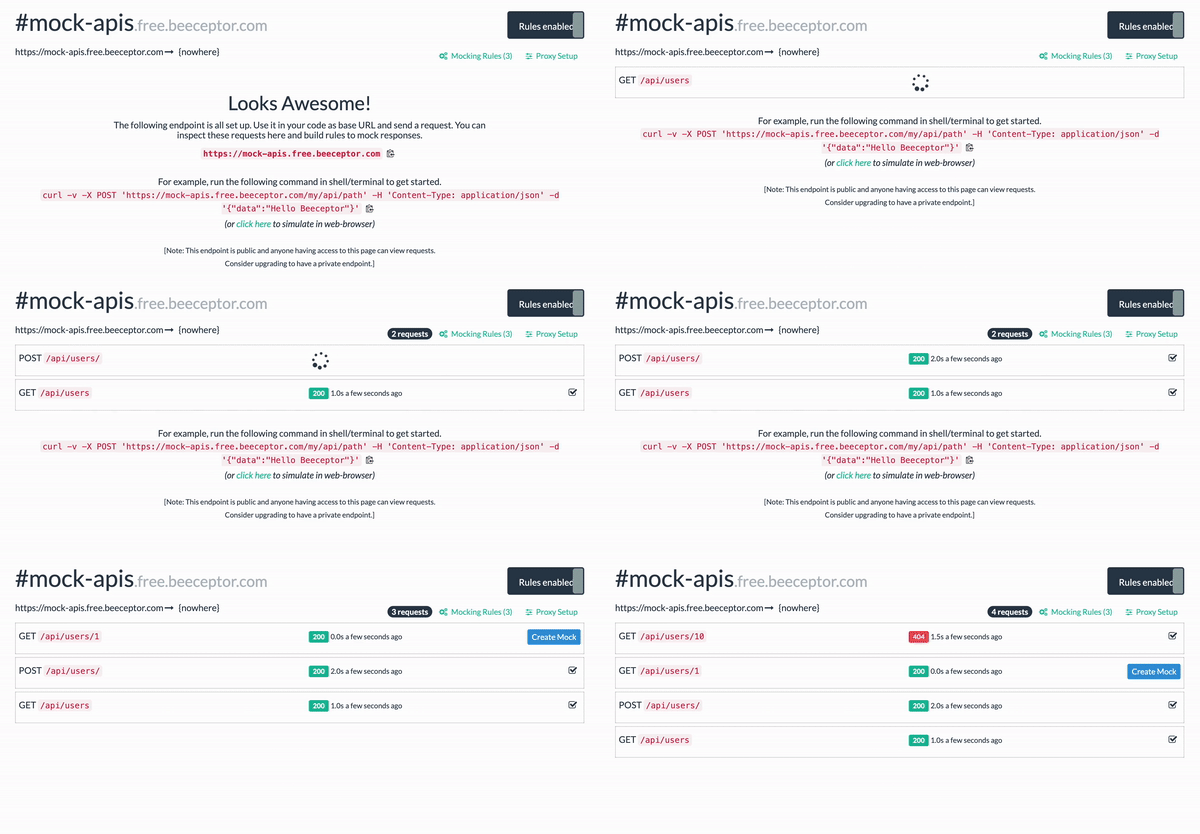
Sharing metadata
| og:url | https://beeceptor.com/ |
|---|---|
| og:type | website |
| og:image | https://cdn.beeceptor.com/assets/images/beeceptor-demo-3-small.gif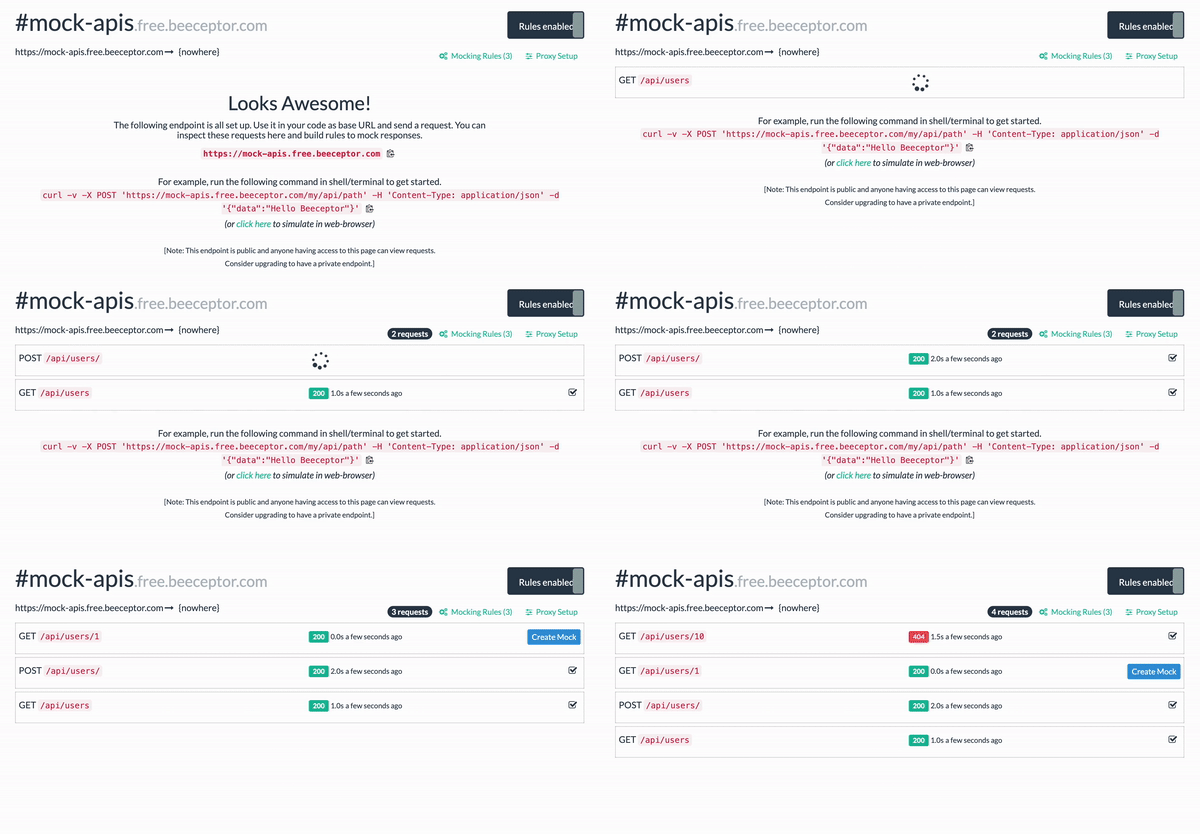 |
| og:title | Mock APIs - Free REST & SOAP APIs for Devs & QA |
| og:description | Create AI-powered mock servers in seconds. Generate realistic responses from prompts or real traffic for REST, SOAP, GraphQL, and gRPC. No code, no dependencies. Free |
| twitter:card | summary_large_image |
| twitter:creator | @beeceptor |
robots.txt (opens in a new tab)
11 rulesAll bots 0 allowed · 11 disallowed

 All bots

/console/*/shared//signup/forgot/api//auth//docs/tags//subscribe/subscriptions/endpoints/dist/index.html
No matching rules.
Sitemaps
1 Registration details RDAP / WHOIS
| Registrar | BigRock Solutions Ltd |
|---|---|
| Registered | 2017-10-10 |
| Expires | 2027-10-10 |
| Domain status | client transfer prohibited |
| Nameservers | ns1.digitalocean.com、ns2.digitalocean.com、ns3.digitalocean.com |
| DNSSEC | unsigned |
 DNS records
| Type | Name | Value | TTL | Priority |
|---|---|---|---|---|
| A | beeceptor.com | 35.186.214.242 | 6292 | — |
| AAAA | beeceptor.com | 2600:1901:0:592a:: | 3600 | — |
| MX | beeceptor.com | aspmx.l.google.com | 3600 | 1 |
| MX | beeceptor.com | alt1.aspmx.l.google.com | 3600 | 5 |
| MX | beeceptor.com | alt2.aspmx.l.google.com | 3600 | 5 |
| MX | beeceptor.com | alt3.aspmx.l.google.com | 3600 | 10 |
| MX | beeceptor.com | alt4.aspmx.l.google.com | 3600 | 10 |
| NS | beeceptor.com | ns1.digitalocean.com | 3139 | — |
| NS | beeceptor.com | ns2.digitalocean.com | 3139 | — |
| NS | beeceptor.com | ns3.digitalocean.com | 3139 | — |
| TXT | beeceptor.com | Sendinblue-code:a3720ee608d3de353c07f3634dcdc6a9 | 3600 | — |
| TXT | beeceptor.com | google-site-verification=DIlt4PUgCXKGddPaG7FKnM2MTmOTvXj6ZjdO3gjeb2g | 3600 | — |
| TXT | beeceptor.com | google-site-verification=vTeIOfclTXqWFZJIZI8XNicXTgoQ0TjwAdCBzN21_SA | 3600 | — |
| TXT | beeceptor.com | stripe-verification=929c451299ecc3060c30e3ddab733a5749c53e59b8270da18f5a0d7a3f20bd27 | 3600 | — |
| TXT | beeceptor.com | v=spf1 include:spf.sendinblue.com include:_spf.google.com mx ~all | 3600 | — |
| DMARC | _dmarc.beeceptor.com | v=DMARC1;p=none;rua=mailto:[email protected];ruf=mailto:[email protected];fo=1; | 3600 | — |
 TLS and certificates
| Assessment | Normal configuration |
|---|---|
| Supported protocols | TLSv1.2、TLSv1.3 |
| Negotiated protocol | TLSv1.3 |
| Certificate subject | beeceptor.com |
| Issuer | Google Trust Services |
| Valid until | 2026-11-08T01:38 · Remaining when checked: 40 days |
| Verification details | Certificate trust: Passed · Hostname match: Passed |
 HTTP response headers
| Header | Value |
|---|---|
| content-type | text/html |
| cache-control | public,max-age=3600 |
| server | UploadServer |
 Identified technologies
Technology stack: Unknown
User reviews (0)