Website profiles · Technology insights · Alternatives

bitwarden.com Paid content Multilingual

Categories: Security & Privacy

Bitwarden is the trusted, open source password manager for individuals, teams, and enterprises. Securely store, share, and manage passwords, passkeys, and secrets. Free to start.

Visit website

Updated: 2026-09-23 09:21 Language: English (default) Access: Normal

Profile views 1 Outbound visits 0
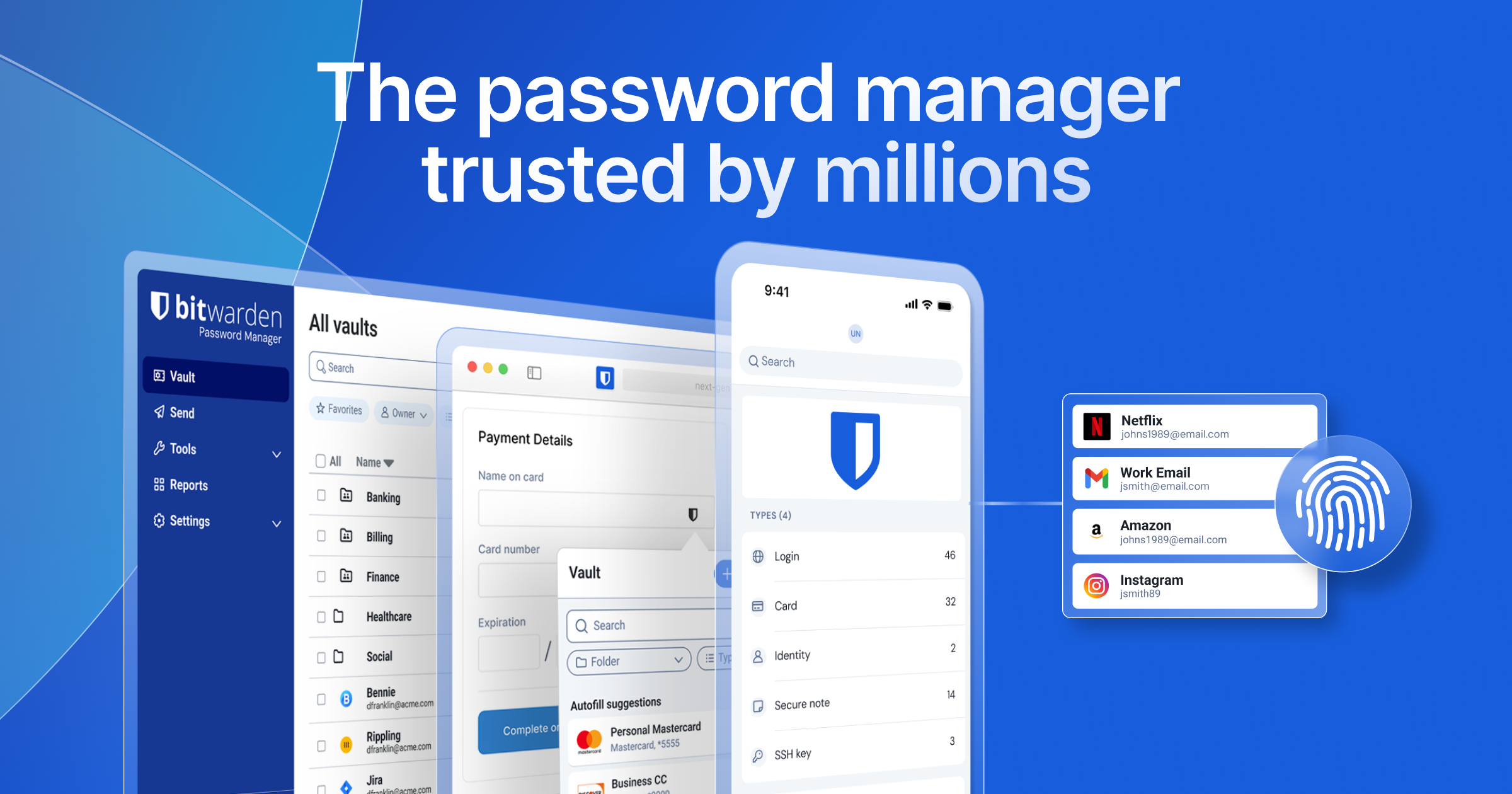
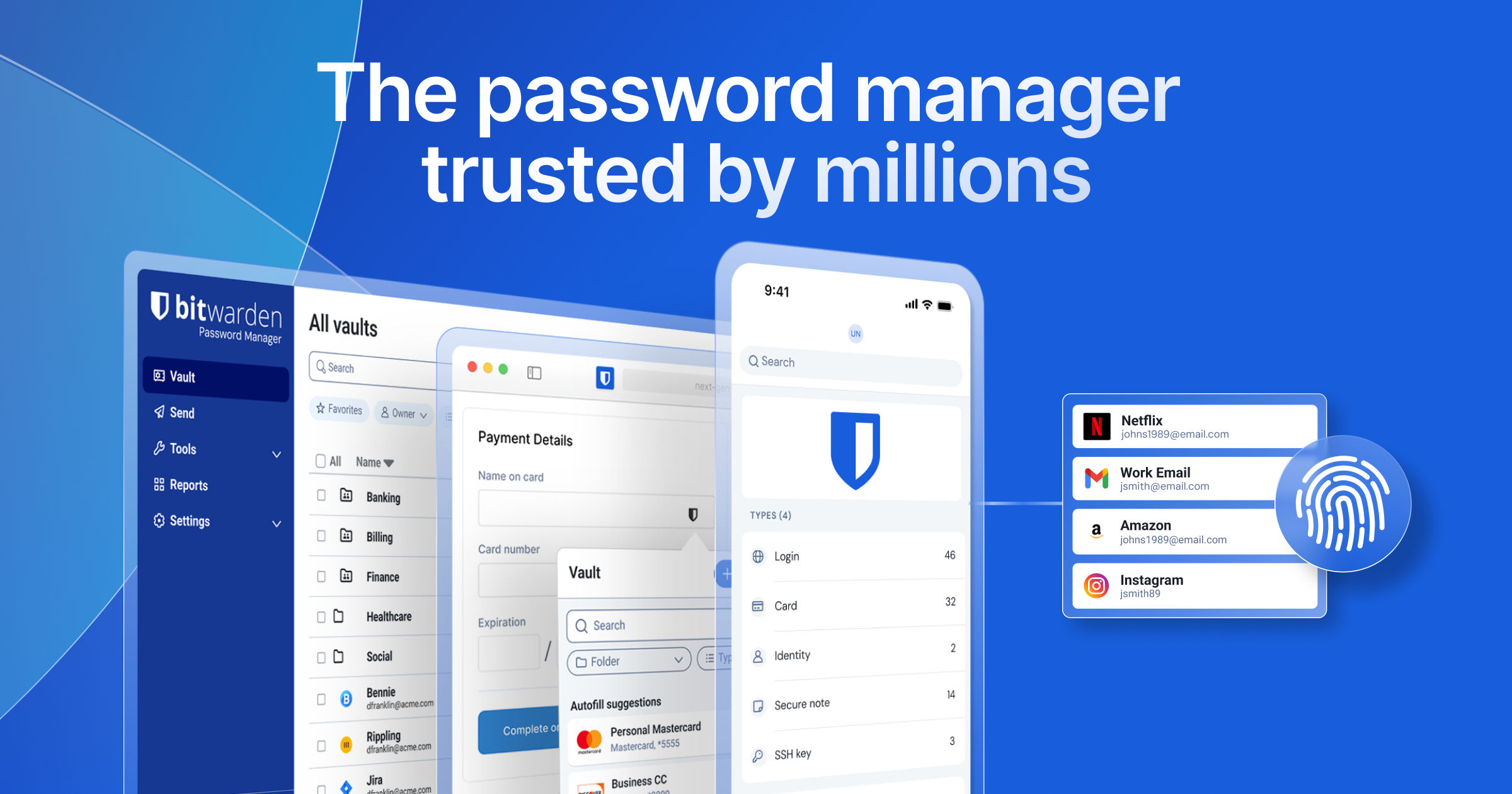
Bitwarden Full homepage screenshot
Editorial Review

Website Review

What is Bitwarden?

Bitwarden is an open-source password manager that stores logins, passkeys and other sensitive credentials in an end-to-end encrypted vault, then syncs and autofills them across your devices. It is aimed at both individuals and organizations: the same platform covers a single person securing personal accounts and a company managing credentials for employees, teams, and—per its own description—AI agents and machines.

Its core functions, as described on the site, are:

  • Autofill everywhere: logins fill from any device, so you are not memorizing or re-typing them.
  • Credential generation: long, unique passwords plus generated usernames and email aliases.
  • Sharing with permissions: share passwords with friends, family, teams, or an entire enterprise, with controls over who can access what.
  • Open-source, independently verified security: the code is publicly available and the site says security claims are independently verified.

Who it suits, and the trade-off

Audience Why it fits What to weigh
Individual Free starting point, cross-device autofill, alias generation You still need to set up and maintain your vault and recovery method
Team or enterprise Shared credentials with permissions, business/enterprise plans Admin effort: onboarding, permissions, and policy decisions fall on you

The main trade-off is the usual one for open-source, self-directed tools: transparency and control in exchange for doing a bit more of your own setup and administration. If you want a manager that "just works" with zero configuration, that is a different priority than what Bitwarden optimizes for.

Next step: if you are evaluating it for personal use, create a free account and import your existing browser-saved passwords first—that is the fastest way to see whether autofill and sharing match how you actually work. For a team, compare the personal and business plans on Bitwarden before rolling it out, since permissions and admin features are where the plans diverge.

How does Bitwarden's open source model benefit users compared to proprietary password managers?

Open source gives Bitwarden users a form of verifiability that proprietary password managers cannot match. Because the code is publicly available, independent researchers and security auditors can inspect how encryption, syncing and vault access actually work rather than relying on vendor assurances. The page evidence also notes independently verified security claims and a public codebase, which matters for a product whose entire job is protecting credentials.

In practice, that changes the trust equation. With a closed-source manager you trust the company; with Bitwarden you can trust the code, the audits and the community scrutiny around it. The page highlights 100,000+ community members across GitHub, forums and Reddit, which is the human side of that model: bugs and design concerns get aired publicly.

What this means for different users

  • Privacy-focused individuals: You can check whether a feature works as described before trusting it with your email, banking and work logins.
  • Security teams and CISOs: Open code can be reviewed internally or by third parties, which fits procurement and compliance processes that dislike black boxes.
  • Developers and tinkerers: A public codebase invites scrutiny and, in many open source projects, contributions and self-hosting options.

Trade-offs to weigh

Open source is not automatically more secure. Public code can be examined by attackers too, and security still depends on audits, update speed and how the service is operated. Proprietary managers may offer more polished onboarding, broader native integrations or dedicated support tiers. The honest comparison is not "open versus closed" but "verifiable versus convenient."

A useful next step: decide what you need to verify. If you want to inspect the code, review audit reports and see how the community responds to issues, Bitwarden's model fits. If you mainly want the simplest setup and are comfortable trusting a vendor's reputation, a proprietary option may feel easier. For most people, the practical test is whether the manager supports the devices and sharing you need, then whether its trust model matches your comfort level.

For broader context on how open source security is discussed, see OWASP.

What are the key differences between Bitwarden's personal and business plans?

Bitwarden splits its offering along who needs to share and who needs to administer, not along how strong the encryption is. Personal plans cover one vault and a limited set of people you choose to share with; business plans add organization-level control over many users, shared collections, and administrative policy. The same end-to-end encrypted vault and autofill experience underlies both, so the difference is mostly governance, not security fundamentals.

What actually changes

Dimension Personal Business
Primary unit One individual vault An organization containing many member vaults
Sharing With a few trusted people (family or a small group) Shared collections across teams, with roles and permissions
Administration You manage your own account Admins manage members, groups, access, and recovery
Security policy Your own choices Organization-wide controls such as enforced policies and SSO
Typical buyer An individual or household An IT lead, security team, or CISO

A freelancer who just wants autofill everywhere and a secure place for client logins is a personal user. A 40-person company that needs to revoke access the day someone leaves, and to hand a marketing team a shared collection without exposing finance credentials, is a business user.

How to decide

Ask two questions: do you need to remove someone's access centrally, and do you need credentials that belong to a group rather than a person? If both answers are no, personal is the better fit and cheaper to run. If either is yes, business features are the reason to move.

One practical middle path: start personal, and move to a business organization when the first shared team credential appears, rather than waiting for a painful offboarding incident. Bitwarden's own plan pages lay out the current tiers and what each includes, so compare them against your headcount before committing: Bitwarden.

If you want a broader comparison of how password managers handle team administration, 1Password and Dashlane publish their own business plan structures; read them side by side with Bitwarden's to see which administrative model matches how your team already works.

How does Bitwarden handle passkeys and passwordless authentication?

Bitwarden treats passkeys as first-class credentials inside the same end-to-end encrypted vault it uses for passwords, rather than as a separate product. According to Bitwarden, the platform is built to "securely store, share, and manage the credentials, passkeys, and sensitive information" used by people, AI agents, and machines, and it advertises passkey support alongside autofill and credential generation in its core feature list. In practice that means a passkey you create for a website can live next to the matching username, password, and TOTP entry for that same site, so you manage one item instead of juggling a browser keychain and a password vault.

What this looks like day to day

  • Creation and storage: When a site offers passkey enrollment, the vault can hold the resulting credential and sync it across your devices, so a passkey created on a laptop is available on a phone.
  • Sign-in and autofill: Bitwarden describes autofill "from anywhere, on any device," which is the mechanism that surfaces a stored passkey when a site prompts for one.
  • Sharing: Passkeys sit inside the same sharing model as passwords, with the "robust permissions" Bitwarden describes for friends, family, teams, and enterprises — useful when a shared account needs a passkey rather than a static secret.
  • Mixed environments: Because passwords, passkeys, and other secrets coexist, you can migrate account by account. Sites that still require a password keep working while you adopt passkeys where they're offered.

Where it fits, and the trade-offs

The strongest case is an organization standardizing on one vault: employees get passkeys and passwords in the same place, and admins apply the same access rules to both. Individuals benefit mainly from cross-device sync — a passkey tied to one device's secure enclave is harder to move, and a synced vault sidesteps that.

The trade-off is philosophical as much as technical. Passkeys stored in a cloud vault are only as portable as that vault, so your recovery story depends on Bitwarden's account recovery and your own emergency access setup. Bitwarden leans on its open-source, independently verified, end-to-end encrypted design as the answer to that trust question; if you want passkeys bound strictly to hardware you carry, a platform authenticator may suit you better. For most readers the practical decision is whether you'd rather have one synced vault for everything or split passkeys across device keychains.

Next step: pick one low-risk account — a social or shopping login — enroll a passkey in Bitwarden, then sign in from a second device to confirm sync and autofill behave the way you expect before moving your critical accounts.

Can Bitwarden be self-hosted, and what are the advantages of doing so?

Yes. Bitwarden can be self-hosted, and the page presents the product as an open source, end-to-end encrypted platform used by individuals, teams, and enterprises. Self-hosting means you run the server side yourself instead of relying on Bitwarden’s cloud.

What you gain

  • Control over where vault data lives. You choose the server, region, and infrastructure, which matters if policy or client contracts require data to stay on your own network.
  • More control over availability and upgrades. You decide when to patch, back up, and restore, so maintenance windows can match your own operations.
  • Integration with existing identity and security stacks. A self-hosted deployment can fit into internal SSO, logging, and network controls rather than sitting outside them.
  • Open source auditability. Because the code is publicly available, your security team can inspect it, and independent researchers can review it.

What it costs you

  • You own uptime. Backups, TLS certificates, database maintenance, and disaster recovery become your responsibility.
  • You own security operations. Patching, monitoring, and access control to the server are on you, not a vendor.
  • Some convenience features may depend on the hosted service. Verify any specific feature against current documentation before committing.
  • Small teams may not save money. Once you count staff time and infrastructure, the hosted service is often simpler.

Who should consider it

Situation Self-hosting fits?
Regulated company with data-residency rules Often yes
IT team already running internal services Usually yes
Small team without ops staff Usually no
Individual wanting simple setup Usually no

A practical next step: list your actual constraints first, such as data residency, SSO requirements, and who will handle patching at 2 a.m. If no hard requirement forces self-hosting, start with the hosted service and revisit later. If one does, plan the server, backup, and upgrade process before migrating any vault.

For official deployment details, see Bitwarden.

How does Bitwarden ensure the security of shared credentials within a team or enterprise?

Bitwarden secures shared credentials by keeping them inside an end-to-end encrypted vault and letting you control who can see or use each item. The vault is the unit of protection: stored credentials, passkeys and other sensitive information are encrypted, and sharing happens through that encrypted layer rather than through plaintext email or chat. The platform is open source and its security claims are independently verified, which matters when a security team has to justify the choice. The company also describes robust permissions for sharing at scale across friends, family, teams and enterprises.

For a team, the practical difference shows up in how you hand off access. Instead of pasting a password into a message, you place the credential in a shared collection or organization vault and grant the person or group the access they need. When someone leaves, you remove their access rather than rotating every password they ever saw. That is the core trade-off: administrators gain central control and auditability, while members give up the convenience of keeping everything in a purely personal vault.

Bitwarden's own positioning separates individual and business needs. Individuals get credential management for their own logins; organizations get enterprise-ready features for managing credentials and sensitive information across employees. The page also frames the platform as covering "people, agents, and machines," so sharing is not limited to human teammates.

What to check before rolling it out

  • Whether your required sharing model is per-person, per-team or organization-wide.
  • How granular the permission roles are for the collections you plan to create.
  • What happens to shared items when a member is removed or a device is lost.
  • Whether your compliance team accepts an open-source, independently verified security model.

If you are evaluating it for an organization, the most useful next step is to pilot with one team and one shared collection, then test the offboarding path: remove a test member and confirm the credentials they could reach are no longer accessible to them. That single exercise tells you more about real-world security than a feature list. Bitwarden publishes plan details at Bitwarden and business pricing at Bitwarden Business Pricing.

Related questions

More questions →
What Are Open-Source UI Element Libraries and How Do They Differ From UI Frameworks?

An open-source UI element library is a collection of individual, ready-made interface pieces—buttons, cards, inputs, toggles, loaders—that you copy into your own project and adapt. A UI framework, by contrast, is a structured system of components, conventions, and often a theming layer that governs how your whole interface is built. The practical difference: an element library gives you a snippet; a framework gives you a way of working. If you need a polished button in ten minutes, reach for the element library. If you're building a 40-screen product with a team, you probably want the framework.

What "open-source UI element library" actually means

The term gets used loosely, so it helps to separate the parts:

  • Open-source: the code is publicly available, and the license tells you what you may do with it—copy, modify, redistribute, or use commercially.
  • UI element: a single, self-contained piece of interface, usually small enough to read in one sitting. A button with hover states, a pricing card, a search field.
  • Library: a browsable, searchable collection of those elements, typically contributed by many different people.

On a site like Uiverse, elements are shared by a community and written in plain CSS or Tailwind. You find one you like, copy the markup and styles, paste them into your project, and adjust colors, spacing, and text to fit. There's no package to install and no build step required—which is exactly the appeal, and also the source of most of the confusion.

Element library vs. UI framework: the core differences

Dimension Open-source UI element library UI framework / design system
Unit of reuse A single snippet you copy A component you import or call
Installation None; paste into your code Package install, config, sometimes a provider
Consistency Depends on you; each element may look different Enforced by shared tokens and APIs
Theming Manual edits per element Central theme/config file
Updates You own the copy; no upstream updates Version bumps bring fixes and changes
Accessibility Varies per contributor; must be checked Usually tested and documented
Best for Prototypes, landing pages, small sites, one-off needs Multi-page apps, teams, long-lived products
Learning curve Low—read the CSS Higher—learn the API and conventions

The table isn't a verdict. It's a map of trade-offs. Element libraries win on speed and freedom; frameworks win on consistency and maintenance.

Licensing and attribution: what to check before you paste

This is where people get into trouble, and it's worth slowing down for.

  1. Find the license. Every element or collection should state one. Common open-source licenses include MIT, Apache-2.0, and BSD. Some projects use copyleft licenses like GPL, which can impose obligations if you redistribute your code.
  2. Understand what the license permits. MIT and Apache-2.0 are permissive: you can typically use the code in commercial and closed-source projects. Copyleft licenses may require you to release derivative source under the same terms.
  3. Check attribution requirements. Permissive licenses usually require you to keep the copyright notice and license text somewhere in your project. That's a real obligation, not a formality.
  4. Look for per-element terms. On community sites, the site's overall terms and the individual contributor's stated wishes may differ. If a contributor asks for credit, honor it.
  5. When in doubt, ask or avoid. If a snippet has no license at all, you don't have clear permission to reuse it. Treat "no license" as "not open source," even if the code is publicly visible.

This article is general information, not legal advice. For commercial products with real exposure, have someone qualified review the licenses you're relying on.

How to use a community element in your project: a practical workflow

Here's a repeatable process that avoids most of the usual mess.

1. Start from a real need, not a browsing session

Decide what you need first—"a compact primary button with a loading state"—then search. Browsing aimlessly produces a pile of pretty snippets that don't fit together.

2. Copy the smallest version that works

Take the markup and the styles. Strip anything you don't need: demo wrappers, extra animations, decorative layers. Less code means fewer surprises.

3. Convert it to your conventions

If your project uses design tokens or CSS variables, replace hard-coded values:

/* Before: hard-coded */
.button { background: #4f46e5; border-radius: 8px; }

/* After: token-based */
.button { background: var(--color-primary); border-radius: var(--radius-md); }

This one step is what keeps a copied element from looking like a foreign object in your UI.

4. Check accessibility before you ship

Community elements vary widely here. Verify at minimum:

  • Keyboard focus is visible and the element is reachable by Tab.
  • Color contrast meets WCAG AA (4.5:1 for normal text).
  • Interactive elements use semantic HTML (<button>, not a clickable <div>).
  • Form inputs have associated labels.
  • Motion respects prefers-reduced-motion.

5. Test in context

Paste it into a real page with real content. Long labels, small screens, and dark mode break more copied elements than anything else.

6. Note where it came from

Keep a short comment or an internal credits file: source, license, date. Future you—and your legal reviewer—will be grateful.

Where element libraries genuinely shine

  • Prototypes and demos: you need something clickable today, not a design system.
  • Landing pages and marketing sites: a handful of distinctive elements, each custom.
  • Filling gaps: your framework lacks one specific component, and you don't want to build it from scratch.
  • Learning: reading well-made CSS is one of the fastest ways to improve.
  • Small projects: a personal site doesn't need a theming architecture.

Where they fall short

  • Consistency at scale: ten elements from ten contributors rarely look like one product.
  • Maintenance: you own every copy. When your design changes, you edit each one.
  • Accessibility debt: you inherit whatever the contributor did or didn't do.
  • No upstream fixes: a bug fixed in the original won't reach your copy.
  • Integration friction: different naming conventions, different units, different assumptions about resets.

When to choose which

Choose an element library when the scope is small, the timeline is short, or you need a few distinctive pieces rather than a whole system.

Choose a framework or design system when multiple people build multiple screens over months, when consistency is a product requirement, or when accessibility and theming need to be guaranteed rather than checked.

A hybrid works well for many teams: adopt a framework for the structural components—forms, navigation, layout—and borrow individual elements for the places where you want personality. Just route every borrowed element through the same token and accessibility checks, so it lands as part of your system rather than beside it.

The short version: open-source UI element libraries are a fast, flexible way to get good-looking interface pieces into a project. They are not a substitute for a design system, and the license and accessibility details are the part worth reading carefully.

How Trusted Is Bitwarden as a Password Manager?

Bitwarden is a credible, widely adopted password manager whose trust rests on three verifiable pillars: scale of adoption, independent recognition, and open-source transparency. According to Bitwarden's own site, it is "trusted by millions of customers around the world," holds high Chrome and App Store ratings, was named a Top 50 Best Software Product, and scored 99/100 as the #1 password manager for customer satisfaction in the Fall 2026 G2 Password Manager Grid Report. If your decision hinges on whether a password manager is safe to commit to, those signals matter — but so does understanding why they exist.

What the trust signals actually tell you

Signal What it indicates What it doesn't prove
Millions of customers Broad real-world use and scrutiny That it fits your specific compliance needs
Chrome and App Store ratings Consistent user satisfaction across platforms Independent security auditing
Top 50 Best Software Product Third-party product recognition Feature completeness for enterprises
G2 #1 in customer satisfaction (99/100) Strong verified user reviews Technical security guarantees
100,000+ community members (GitHub, forums, Reddit) Active ecosystem and peer review That every claim has been audited

The combination is what matters. A high app-store rating alone can reflect ease of use; a large community alone can reflect popularity. Together with open-source code and independently verified security claims — which Bitwarden states it has — they form a more complete picture.

Why open source is central to Bitwarden's trustworthiness

Bitwarden describes itself as "the open source, end-to-end encrypted platform." For a password manager, this is a structural trust advantage rather than a marketing point:

  • Publicly available code means security researchers and the community can inspect how credentials are handled, rather than taking the vendor's word for it.
  • Independently verified security claims — Bitwarden states its claims are independently verified — reduce reliance on self-reporting.
  • An active community across GitHub, forums, and Reddit creates ongoing peer scrutiny, which tends to surface issues faster than closed-source alternatives.

If you want to evaluate this yourself, the practical step is to review the public repository and any published audit reports before committing. The site's framing ("Trusted open source security") points you toward exactly that material.

Does it scale from one person to a whole organization?

Yes — and this is relevant to trust because it shows the platform is used under demanding conditions, not just by casual users. Bitwarden explicitly positions itself for:

  • Individuals seeking stronger credential management.
  • Teams and families needing secure sharing with permissions.
  • Enterprises and CISOs protecting an entire organization, with "all the enterprise-ready features you come to expect."

The site frames its core capabilities as: autofill across any device, generation of strong unique credentials (including usernames and email aliases), and secure sharing at scale with robust permissions. A product trusted by both a single user and a security officer at a large company is being tested across a wide range of threat models.

How to make your own trust decision

Recognition and ratings are a starting point, not a conclusion. To decide whether Bitwarden is trustworthy for you:

  1. Check the security model — confirm the end-to-end encryption and open-source claims on the site, and look for published independent verification.
  2. Match features to your role — individuals should verify autofill and generation; teams and enterprises should verify sharing permissions and administrative controls.
  3. Review the community and code — the GitHub, forum, and Reddit presence lets you see how issues are discussed and resolved.
  4. Start with a plan that fits — Bitwarden offers a free starting point and separate personal and business plans (see its pricing pages for current details), so you can evaluate before scaling.

The short answer: Bitwarden's trustworthiness is supported by large-scale adoption, independent recognition (including the G2 satisfaction ranking), and open-source transparency with independently verified claims. Whether that's sufficient depends on your own requirements — so verify the specifics against your needs rather than relying on ratings alone.

Can Bitwarden Be Used for Both Personal and Business Password Management?

Yes. Bitwarden is built as a single platform that serves individuals, families, teams, and enterprises, so you can start with personal password management and scale to organization-wide credential management without switching tools. The main condition to check is which plan tier you need: personal use can start free, while business features such as employee credential management and permission-controlled sharing sit on the business and enterprise plans.

What the same platform covers for both audiences

Bitwarden describes itself as an open source, end-to-end encrypted platform that "scales with you," and its homepage splits its offering into two tracks that share the same underlying vault:

  • Personal security — for individuals who want to store and autofill logins across their own accounts and devices.
  • Business protection — for organizations that need to manage credentials and sensitive information with enterprise-ready features.

Because both tracks run on the same end-to-end encrypted vault, the core mechanics you learn as an individual carry over if you later roll the tool out to a team.

Personal use: what you get

For an individual, the homepage highlights three core capabilities:

  1. Autofill everything instantly — autofill logins "from anywhere, on any device."
  2. Generate strong, unique credentials — create long, complex, unique passwords, plus usernames and email aliases for added security.
  3. Secure sharing — share passwords with friends and family.

The site states you can "Get Started Free," so personal use has a free entry point. Note that the homepage does not spell out which specific features are gated behind paid personal tiers — if a particular capability matters to you, check the pricing page before committing.

Business use: what changes

For teams and enterprises, the same vault is extended with organization-level controls:

  • Employee credential management — "securely manage credentials and sensitive information" for your workforce.
  • Enterprise-ready features — the homepage frames these as "all the enterprise-ready features you come to expect," aimed at roles from an individual user up to a CISO protecting a whole organization.
  • Sharing at scale with permissions — share passwords "across friends, family, teams, and enterprises at scale with robust permissions."

That last point is the practical dividing line: personal sharing is lightweight, while business sharing adds permission controls suited to many users.

Choosing between the two tracks

Dimension Personal Business / Enterprise
Primary goal Manage your own logins Manage credentials and sensitive information for employees
Sharing scope Friends and family Teams and enterprises, at scale
Permission controls Not detailed on homepage "Robust permissions"
Entry point "Get Started Free" "Talk to Sales" / business pricing page
Scaling Individual use Scales from individual to whole organization

If you only need to store and autofill your own passwords, the personal track is the fit. If you need to provision and govern credentials for other people, the permission-controlled business track is the relevant one.

Trust and adoption signals

The homepage positions Bitwarden as "the most trusted password manager," citing millions of customers, Chrome and App Store ratings, a Top 50 Best Software Products listing, and 100,000+ community members across GitHub, forums, and Reddit. It also notes a Fall 2026 G2 Password Manager Grid Report where Bitwarden scored 99/100 for customer satisfaction. It emphasizes "trusted open source security" with "independently verified security claims and a publicly available" codebase — relevant if open source auditability is part of your evaluation for either personal or business use.

What to verify before deciding

  • Plan boundaries — the homepage confirms a free start and separate business pricing, but does not list exactly which features fall on which tier. Check the pricing pages for the current breakdown.
  • Enterprise feature list — "enterprise-ready features" is a summary phrase here; the enterprise solutions page is where the specific capabilities are enumerated.
  • Your sharing needs — if you need permission-controlled sharing for more than a household, treat that as a business-tier requirement rather than a personal one.
What Is Bitwarden and What Does It Offer?

Bitwarden is an open-source password manager that stores, shares, and manages passwords, passkeys, and other sensitive information in an end-to-end encrypted vault. It is designed for individuals, teams, and enterprises, and you can get started for free. It fits you if you want one place to keep logins and credentials that works across devices, and it also scales to organizations that need to manage credentials for many people.

What Bitwarden does

Bitwarden positions itself as a platform for securing "every login for people, agents, and machines." In practice, that means it handles the credentials and sensitive information you rely on, organized around a few core functions:

  • Autofill — Fill logins from anywhere, on any device, so you don't have to remember or retype passwords.
  • Generate strong, unique credentials — Create long, complex, unique passwords, plus usernames and email aliases for added security.
  • Secure sharing at scale — Share passwords across friends, family, teams, and enterprises with permissions controls.

All of this sits inside an end-to-end encrypted vault, which is the foundation the rest of the product is built on.

Who it's for

Bitwarden splits its offering into two broad audiences, and the same platform serves both:

Audience What they get
Individuals A password manager for securely logging in to applications and accounts, from anywhere at any time
Teams and enterprises Credential and sensitive-information management with enterprise-ready features, including sharing at scale with robust permissions

The site frames this as "Built for teams. Loved by individuals." — meaning the individual experience and the business experience come from the same product rather than two separate tools.

Why the open-source angle matters

Bitwarden describes itself as "built differently from other password managers," with trusted open source security. The claim is that you can trust the solution protecting your passwords because its security claims are independently verified and its code is publicly available. For someone choosing a password manager, this is the main differentiator to weigh: open source and independent verification versus closed alternatives.

Getting started and pricing

  • You can get started for free — the site offers a free entry point for individuals.
  • There are separate plans for business, with a dedicated pricing page, and an option to explore plans for other tiers.
  • If you need to evaluate it for an organization, there is a "Talk to Sales" path alongside the free start.

The site does not list specific prices or plan limits in the material available here, so check the pricing pages directly for current numbers before deciding.

What to check before choosing it

  • Do you need sharing? If you only manage your own logins, the individual path is enough. If you're managing credentials for a team or company, look at the business plans and their permissions model.
  • Does open source matter to you? If independently verified, publicly available security is a priority, that's Bitwarden's core pitch.
  • Do you want passkeys and aliases? These are called out as first-class features, not add-ons, so confirm they cover your use case.

If those line up with what you need, the free start lets you test the core experience before committing to a paid plan.

Why Is Bitwarden Considered an Open Source Password Manager?

Bitwarden is considered an open source password manager because its source code is publicly available, which lets anyone inspect, audit, and verify the security claims behind the product rather than taking them on trust. That transparency is paired with end-to-end encryption, so the credentials, passkeys, and other sensitive information you store are protected in a way that doesn't depend on the vendor's word alone. If your main question is "can I check for myself what this software actually does with my data," open source is the property that makes that possible.

What "open source" actually means here

Open source means the code that runs the product is published and readable. In practice, for a password manager, that changes what you can verify:

  • Security claims become checkable. Instead of a marketing statement that data is encrypted, you (or an independent researcher) can read how encryption is implemented.
  • Independent verification is possible. Bitwarden's site states it has "independently verified security claims," which is only meaningful when there's public code to verify against.
  • Community scrutiny is continuous. Bugs and weaknesses can be found and reported by people outside the company, not only by internal teams.

This is the core difference from a closed-source password manager, where the same features may exist but the mechanism is hidden.

The encryption layer that sits on top

Open source and end-to-end encryption are separate properties, and Bitwarden relies on both:

Property What it gives you Why it matters
Open source code Anyone can inspect how it works Security claims can be independently checked
End-to-end encryption Your vault contents are encrypted so they aren't readable in transit or at rest by the service Protection doesn't rely on trusting the vendor's handling

The site describes Bitwarden as "the open source, end-to-end encrypted platform that scales with you," and frames the vault as the single place where credentials, passkeys, and sensitive information are stored. The combination is the point: encryption protects the data, and open code lets you confirm the protection is real.

Why transparency matters more for a password manager

A password manager holds the keys to everything else you use. That makes "trust me" a weak guarantee compared with "check for yourself." Open source shifts the basis of trust:

  • You are not relying solely on the company's description of its own security.
  • A public codebase invites review by people with no incentive to defend the product.
  • Problems can surface through community channels rather than staying internal.

Bitwarden's site notes a community of 100,000+ members across GitHub, forums, and Reddit, which is the practical mechanism behind that scrutiny — a large group of people with access to the code and a place to discuss it.

Who this matters for

  • Individuals who want to verify a security tool rather than assume it, and who value being able to inspect the software protecting their logins.
  • Teams and enterprises that need to justify a security choice internally and prefer a product whose claims can be examined.
  • Anyone comparing password managers where the deciding factor is transparency rather than a feature checklist.

If your priority is simply the shortest setup path and you're comfortable trusting a vendor's statements, open source may not be the deciding factor for you. If your priority is being able to check the mechanism yourself, it likely is.

How to confirm it yourself

  1. Look for the public code. Bitwarden's site points to community activity on GitHub, which is where the source lives and where issues are discussed.
  2. Read the security claims and look for the "independently verified" language. The site states its claims are independently verified — the value of that statement depends on the code being public, which it is.
  3. Check the encryption description. The site describes the vault as end-to-end encrypted; confirm what that covers (credentials, passkeys, sensitive information) against your own needs.
  4. Start with the free tier to evaluate. The site offers "Get Started Free," so you can test the product before committing to a paid plan.

A common snag: people treat "open source" as automatically meaning "more secure." It doesn't — it means the security is verifiable. The encryption still has to be implemented correctly, which is exactly why independent verification and a large reviewing community matter.

The short version

Bitwarden is called an open source password manager because its code is public, its security claims can be independently verified, and it combines that transparency with end-to-end encryption for stored credentials and sensitive information. For buyers who want to check rather than trust, that combination — public code plus encryption plus a 100,000+ member community — is the reason it stands apart from closed-source alternatives.

Website Overview

An established domain and managed infrastructure suggest continuity of operations and may support dependable delivery, although neither guarantees service quality. Several search or sharing settings need attention. Together they may make snippets, preview images or preferred URLs less consistent across platforms.

Domain and Registration

Registered in 2015, this domain has about 10 years of history. That suggests continuity, although ownership and purpose may have changed. Transfer-protection status is present, helping reduce the risk of unauthorized domain transfers. The registrar is Cloudflare, Inc., a widely used domain service provider. The domain uses the common .com extension, which is not an independent safety signal.

DNS and Email

The lowest TTL is 16 seconds, supporting rapid record changes at the cost of more frequent lookups. Nameservers are provided by Cloudflare, indicating managed DNS hosting. MX records point to the Google Workspace email service. DNSSEC is enabled, allowing validating resolvers to authenticate signed DNS data. CAA records restrict which certificate authorities are authorized to issue certificates.

TLS and Certificates

The certificate uses an RSA 2048-bit public key, offering broad client compatibility. The server supplied a complete certificate chain. No organization name is present in the certificate; the available fields are consistent with domain validation. The certificate was issued by Let's Encrypt, commonly associated with automated certificate services. The certificate's total validity is about 89 days, consistent with a short renewal cycle.

HTTP and Browser Security

No X-Powered-By header was found, reducing one common source of backend fingerprinting information. All six checked browser-security headers are present. Their effectiveness still depends on the policy values and application behavior. No obvious internal addresses or debug information were found in the headers. No explicit CDN or WAF marker was found in the response headers. No CORS permission header was found, so browsers normally restrict cross-origin script access.

Technology Stack Analysis

The public page identifies Google Tag Manager without precise versions, leaving fewer clues for version-specific scanning.

Search and Social Sharing

The title has 81 characters and may be truncated in search results. The meta description has 178 characters and may be shortened in search results. Twitter Card metadata is configured. The page declares 11 language or regional alternatives using hreflang. The observed directives allow indexing and link following.

Hosting and Email

DNSCloudflare
HostingFastly, Inc.
EmailGoogle Workspace
Location United States flagUnited States 151.101.1.91

User reviews (0)

  • No reviews yet.

Pages, Search and Sharing

Meta descriptionBitwarden is the trusted, open source password manager for individuals, teams, and enterprises. Securely store, share, and manage passwords, passkeys, and secrets. Free to start.
Canonical URLhttps://bitwarden.com/
LanguageEnglish (default) · Multilingual
Twitter Cardsummary_large_image
All bots 1 allowed · 2 disallowed
  • Allow/
  • Disallow/*.md$
  • Disallow/*.pdf$
gptbot 5 allowed · 3 disallowed
  • Allow/llms.txt
  • Allow/blog/llms-full.txt
  • Allow/help/llms-full.txt
  • Allow/resources/llms-full.txt
  • Allow/*.md$
  • Disallow/*.pdf$
  • Disallow*/careers/*
  • Disallow*/events/*
oai-searchbot 5 allowed · 3 disallowed
  • Allow/llms.txt
  • Allow/blog/llms-full.txt
  • Allow/help/llms-full.txt
  • Allow/resources/llms-full.txt
  • Allow/*.md$
  • Disallow/*.pdf$
  • Disallow*/careers/*
  • Disallow*/events/*
claudebot 5 allowed · 3 disallowed
  • Allow/llms.txt
  • Allow/blog/llms-full.txt
  • Allow/help/llms-full.txt
  • Allow/resources/llms-full.txt
  • Allow/*.md$
  • Disallow/*.pdf$
  • Disallow*/careers/*
  • Disallow*/events/*
claude-searchbot 5 allowed · 3 disallowed
  • Allow/llms.txt
  • Allow/blog/llms-full.txt
  • Allow/help/llms-full.txt
  • Allow/resources/llms-full.txt
  • Allow/*.md$
  • Disallow/*.pdf$
  • Disallow*/careers/*
  • Disallow*/events/*
perplexitybot 5 allowed · 3 disallowed
  • Allow/llms.txt
  • Allow/blog/llms-full.txt
  • Allow/help/llms-full.txt
  • Allow/resources/llms-full.txt
  • Allow/*.md$
  • Disallow/*.pdf$
  • Disallow*/careers/*
  • Disallow*/events/*
amazonbot 5 allowed · 3 disallowed
  • Allow/llms.txt
  • Allow/blog/llms-full.txt
  • Allow/help/llms-full.txt
  • Allow/resources/llms-full.txt
  • Allow/*.md$
  • Disallow/*.pdf$
  • Disallow*/careers/*
  • Disallow*/events/*
anthropic-ai 5 allowed · 3 disallowed
  • Allow/llms.txt
  • Allow/blog/llms-full.txt
  • Allow/help/llms-full.txt
  • Allow/resources/llms-full.txt
  • Allow/*.md$
  • Disallow/*.pdf$
  • Disallow*/careers/*
  • Disallow*/events/*
bytespider 5 allowed · 3 disallowed
  • Allow/llms.txt
  • Allow/blog/llms-full.txt
  • Allow/help/llms-full.txt
  • Allow/resources/llms-full.txt
  • Allow/*.md$
  • Disallow/*.pdf$
  • Disallow*/careers/*
  • Disallow*/events/*
ccbot 5 allowed · 3 disallowed
  • Allow/llms.txt
  • Allow/blog/llms-full.txt
  • Allow/help/llms-full.txt
  • Allow/resources/llms-full.txt
  • Allow/*.md$
  • Disallow/*.pdf$
  • Disallow*/careers/*
  • Disallow*/events/*

Registration details RDAP / WHOIS

RegistrarCloudflare, Inc.
Registered2015-11-16
Expires2027-11-16
Domain statusclient transfer prohibited
Nameserversigor.ns.cloudflare.com、rose.ns.cloudflare.com
DNSSECsigned

DNS records

TypeNameValueTTLPriority
Abitwarden.com151.101.1.9116—
Abitwarden.com151.101.129.9116—
Abitwarden.com151.101.193.9116—
Abitwarden.com151.101.65.9116—
MXbitwarden.comaspmx.l.google.com3001
MXbitwarden.comalt1.aspmx.l.google.com3005
MXbitwarden.comalt2.aspmx.l.google.com3005
MXbitwarden.comalt3.aspmx.l.google.com30010
MXbitwarden.comalt4.aspmx.l.google.com30010
NSbitwarden.comigor.ns.cloudflare.com84507—
NSbitwarden.comrose.ns.cloudflare.com84507—
TXTbitwarden.com6e81d67c-d407-4e9f-bf25-3372f01f3e9c300—
TXTbitwarden.comMS=C8E6AF80F5B0DD0B5AD483EDFDB8C55CB3A9B468300—
TXTbitwarden.comMS=ms10313433300—
TXTbitwarden.comOOSSRH-94202300—
TXTbitwarden.comanthropic-domain-verification-ce78r2=C3El56QZ4UekFLhM2BhH1Vcr7300—
TXTbitwarden.comatlassian-domain-verification=8wc47B5qEzmZSWU3FaWKd6EzPpPeW33aqHzS5Go1iZwceU4RHIAg8m825izy4gvE300—
TXTbitwarden.combrave-ledger-verification=f8b96f2d0f5fd1db7ac8753f8d38b219911e5d32b0f955537479416ac5f53a20300—
TXTbitwarden.combw=Qa/t9YOKsFsU9/qhVNesyup0byKExijKNhGjcj9N9lLB300—
TXTbitwarden.comgoogle-site-verification=02PtJycFi417SDMgi-3vPDRsgJP98CCWVXdenimqMv0300—
TXTbitwarden.comgoogle-site-verification=V8p-QL6humc_vX6Wi9FiTa5a9Lzx9DVp120jW8-ow2o300—
TXTbitwarden.comh1-domain-verification=EjLrcRwtpQU1iHokYvvNt79uhuwHR92BxrRG6pmohr1w5fk7300—
TXTbitwarden.comh1-domain-verification=qhyNWpPNpjZeDLwbHo51AG1rqfQPD5qG9R8hvCmAdPB82MKQ300—
TXTbitwarden.comnotion-domain-verification=XzPFwn4FBKjH89oYjUHwuyxGxzAURG6QuniFMOL06mh300—
TXTbitwarden.comslack-domain-verification=LMpgXAy3wScSisUrOiOzxYpUfciykE41MfblnAQc300—
TXTbitwarden.comstripe-verification=0F73E504516F9675013BCA18CE721381363172A7A3A881A8C26DCC31524FA0FB300—
TXTbitwarden.comstripe-verification=a048802b74e7474c811a37b7e45e4f0f10bbea9a16038574b6cceeab11b8068c300—
TXTbitwarden.comv=spf1 include:spf.braintreegateway.com include:_spf.google.com include:amazonses.com include:_spf.freshsales.io include:22371289.spf07.hubspotemail.net ~all300—
TXTbitwarden.comzapier-domain-verification-challenge=0520755a-cbd5-4697-b1aa-28c91f5261e7300—
CAAbitwarden.com0 issue "amazon.com"300—
CAAbitwarden.com0 issue "amazonaws.com"300—
CAAbitwarden.com0 issue "amazontrust.com"300—
CAAbitwarden.com0 issue "awstrust.com"300—
CAAbitwarden.com0 issue "comodoca.com"300—
CAAbitwarden.com0 issue "digicert.com; cansignhttpexchanges=yes"300—
CAAbitwarden.com0 issue "globalsign.com"300—
CAAbitwarden.com0 issue "letsencrypt.org"300—
CAAbitwarden.com0 issue "pki.goog; cansignhttpexchanges=yes"300—
CAAbitwarden.com0 issue "ssl.com"300—
CAAbitwarden.com0 issuewild "comodoca.com"300—
CAAbitwarden.com0 issuewild "digicert.com; cansignhttpexchanges=yes"300—
CAAbitwarden.com0 issuewild "letsencrypt.org"300—
CAAbitwarden.com0 issuewild "pki.goog; cansignhttpexchanges=yes"300—
CAAbitwarden.com0 issuewild "ssl.com"300—
DSbitwarden.com2371 13 2 0f63aeccbfaccf0f0bd78b5e3b2f1eaf7b33578054fe199e8e8d30d34edc77e786400—
DMARC_dmarc.bitwarden.comv=DMARC1; p=reject; rua=mailto:[email protected],mailto:[email protected],mailto:[email protected]; ruf=mailto:[email protected]; aspf=r; fo=1; pct=100300—

TLS and certificates

AssessmentNormal configuration
Supported protocolsTLSv1.2、TLSv1.3
Negotiated protocolTLSv1.3
Certificate subjectbitwarden.com
IssuerLet's Encrypt
Valid until2026-12-06T03:18 · Remaining when checked: 73 days
Verification detailsCertificate trust: Passed · Hostname match: Passed

HTTP response headers

HeaderValue
content-typetext/html; charset=utf-8
cache-controlmax-age=0, must-revalidate, public
strict-transport-securitymax-age=31557600
content-security-policydefault-src 'self';base-uri 'self';child-src blob:;connect-src 'self' wss: https: https://*.algolia.net https://*.algolianet.com https://insights.algolia.io https://func.bitwarden.com https://status.bitwarden.com https://us-central1-adaptive-growth.cloudfunctions.net https://pdf-convert.bitwarden.com https://aorta.clickagy.com https://hemsync.clickagy.com https://ws.zoominfo.com https://bitwarden.freshsales.io https://stats.g.doubleclick.net https://www.google-analytics.com https://api.hubapi.com https://forms.hubspot.com https://forms.hsforms.com https://hubspot-forms-static-embed.s3.amazonaws.com https://bat.bing.com https://cdn.linkedin.oribi.io https://i.clarity.ms https://scout.salesloft.com https://script.crazyegg.com https://global.ketchcdn.com/ https://cdn.ketchjs.com/ https://*.demandbase.com https://*.company-target.com https://browser-intake-us3-datadoghq.com https://*.storylane.io;img-src 'self' data: https: https://*.algolia.net https://images.ctfassets.net https://res.cloudinary.com https://www.google.com https://www.google-analytics.com https://i.ytimg.com https://*.hsforms.com https://track.hubspot.com https://analytics.twitter.com https://t.co https://alb.reddit.com https://aorta.clickagy.com https://bat.bing.com https://i.vimeocdn.com https://id.rlcdn.com https://idsync.rlcdn.com https://insight.adsrvr.org https://px.ads.linkedin.com https://p.adsymptotic.com https://stags.bluekai.com https://ct.capterra.com https://*.demandbase.com https://*.company-target.com;font-src 'self' data: https://fonts.gstatic.com https://cdn.jsdelivr.net https://*.typekit.net;form-action https://forms.hsforms.com https://www.facebook.com;frame-ancestors https://app.contentful.com;frame-src https://app.hubspot.com https://start.bitwarden.com https://*.doubleclick.net https://boards.greenhouse.io https://*.company-target.com https://docs.google.com https://forms.hsforms.com https://player.vimeo.com https://preview.widgets.ninetailed.io/ https://us02web.zoom.us https://www.facebook.com/ https://www.googletagmanager.com https://www.youtube.com https://*.hs-sites.com https://global.ketchcdn.com https://cdn.ketchjs.com/ https://app.contentful.com https://job-boards.greenhouse.io https://hemsync.clickagy.com https://insight.adsrvr.org https://*.storylane.io;manifest-src 'self';object-src 'none';script-src 'self' 'unsafe-eval' 'unsafe-inline' blob: https://cdn.jsdelivr.net/ https://js.hs-analytics.net https://js.hs-banner.com https://js.hs-scripts.com https://js.hsadspixel.net https://js.hscollectedforms.net https://js.hsforms.net https://js.hubspot.com https://amplify.outbrain.com https://tr.outbrain.com https://wave.outbrain.com https://j.6sc.co https://tag.demandbase.com https://a.quora.com https://assets.freshsales.io https://bat.bing.com https://boards.greenhouse.io https://cdn.jsdelivr.net/npm/[email protected] https://cdn.pdst.fm https://global.ketchcdn.com https://cdn.ketchjs.com/ https://connect.facebook.net https://mountain.com https://*.mountain.com https://extend.vimeocdn.com https://googleads.g.doubleclick.net https://libraries.hund.io https://ml314.com https://*.ml314.com https://player.vimeo.com https://plausible.io https://script.crazyegg.com https://scout-cdn.salesloft.com https://snap.licdn.com https://static.ads-twitter.com https://static.xingcdn.com/xingtrk/index.js https://tag.clearbitscripts.com https://cdn.hubilo.com https://tags.clickagy.com https://js.usemessages.com https://ws.zoominfo.com https://www.clarity.ms https://scripts.clarity.ms https://www.googletagmanager.com https://www.google-analytics.com https://www.googleadservices.com https://www.redditstatic.com https://x.clearbitjs.com https://app.contentful.com https://tags.clickagy.com/ https://js.zi-scripts.com https://js.adsrvr.org/ https://*.demandbase.com https://*.company-target.com https://*.storylane.io;style-src 'self' 'unsafe-inline' https://fonts.googleapis.com https://cdn.jsdelivr.net https://libraries.hund.io https://global.ketchcdn.com https
x-frame-optionsSAMEORIGIN
x-content-type-optionsnosniff
referrer-policystrict-origin-when-cross-origin
permissions-policymicrophone=(), camera=()

Identified technologies

Google Tag Manager

Recent Updates

  • Website images
  • Screenshots