Website profiles · Technology insights · Alternatives

botpress.com

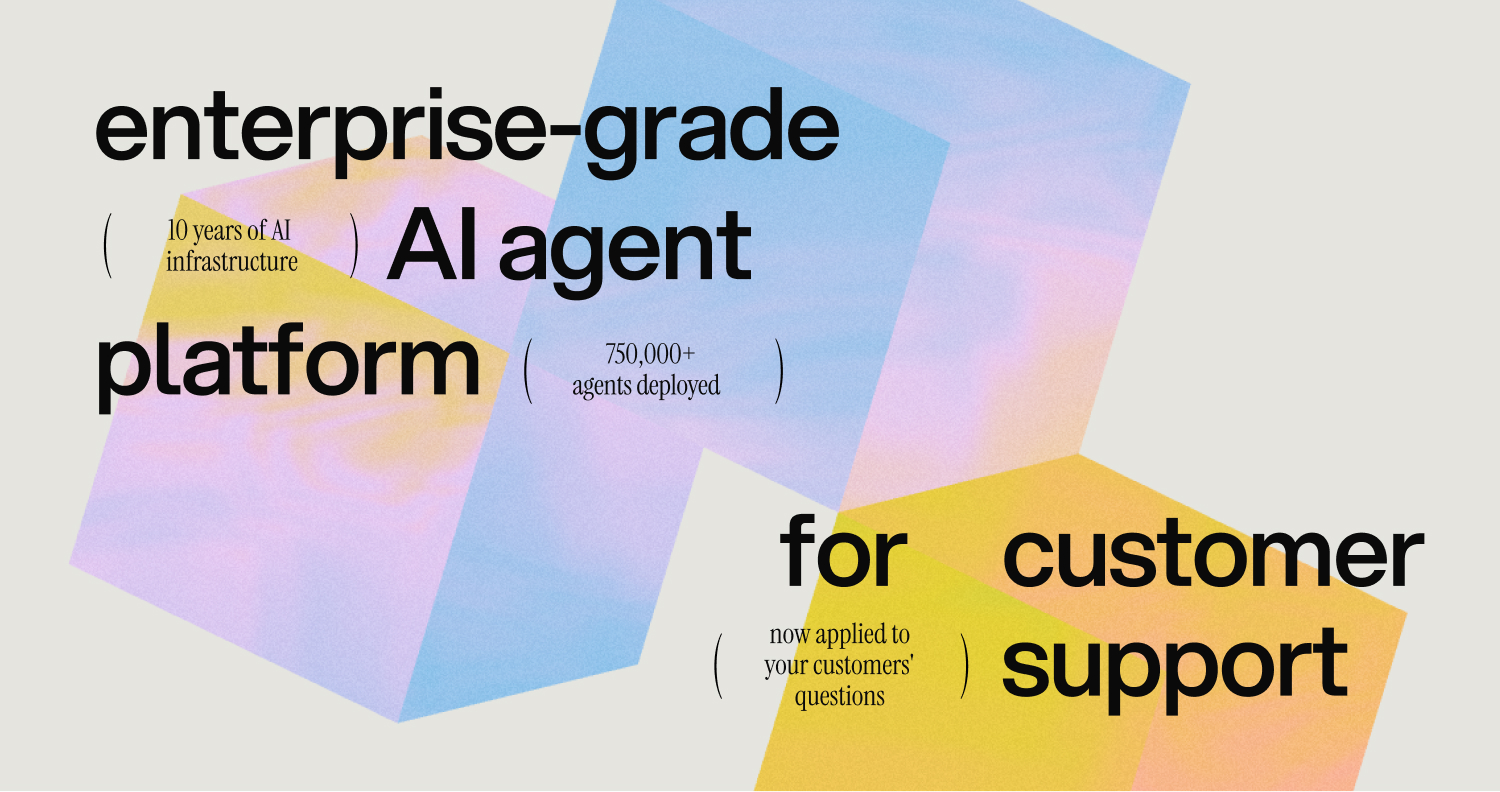
Botpress is the enterprise-grade AI agent platform for customer support, with no technical ceiling and no per-seat cost.

Paid content Multilingual
Visit website
Profile views 7 Outbound visits 1 Normal
Botpress Full homepage screenshot

At a glance

Category
Business Services
Language
English
Paid-content signal
Paid contentObserved
Registered
2000
Hosting
CloudflareInferred
HTTPS certificate trusted
PassedObserved
Last updated

Website review

This review may include AI-generated content and is not individually verified. Domain, certificate and other facts come from the observed data on this page.

What is Botpress?

Botpress is an enterprise-grade, AI-native customer support platform for building and running AI agents that handle support tickets end to end. Rather than only answering questions, its agents are designed to take real action — processing refunds, updating account details, and running multi-step workflows across connected systems. When a ticket exceeds what the AI should handle, it hands off to a human with the conversation history, account context, and troubleshooting steps already attempted.

Who it's for

  • Support and CX teams at SaaS, fintech, healthcare, retail, and education companies that want to automate complex tickets, not just FAQs.
  • Teams that already use helpdesks such as Zendesk, Intercom, HubSpot, or Salesforce and want AI layered into existing workflows.
  • Builders who want a visual agent builder (Botpress Studio) plus APIs and docs, rather than a locked-down black box.

How it's positioned

The pitch is that most AI support tools break down on complicated tickets, while Botpress is built for those. Its stated differentiators are no per-seat pricing, AI usage included, and an origin story as an AI agent company that added a helpdesk (Botpress Desk) rather than a helpdesk vendor bolting on AI. The page cites SOC 2 compliance and a 4.5 rating.

Practical trade-offs to weigh

Consideration Why it matters
Action-oriented agents More value than deflection alone, but requires connecting real systems (billing, CRM, account tools)
No per-seat cost Helps as your human team grows; confirm what "AI usage included" covers at your volume
Escalation and handoff Quality depends on how well context transfers to your human agents
Visual builder + API Good for mixed technical and non-technical teams; expect setup effort
Integrations Value scales with how many of your existing tools are supported

A useful next step: pick five of your hardest recent tickets and test whether an agent could resolve them end to end, including the account actions involved. If it can, Botpress fits; if not, you'll learn where human handoff still matters. You can review details at Botpress and compare options like Zendesk or Intercom if you're evaluating alternatives.

How does Botpress handle complex customer support tickets that other AI tools fail on?

Botpress is positioned as an AI agent platform that doesn't just answer questions but takes action inside your systems. The core claim on its site is that most AI support tools break down on complicated tickets, while Botpress agents are built to resolve them end-to-end — refunds, account updates, and multi-step workflows — without handing the hard part back to a human agent.

What "handling complexity" means here

  • Action over answers. The platform's stated differentiator is that its AI acts: it can coordinate several systems in one motion, update records, trigger next steps, and close the loop. That matters for tickets that require a change in a billing system, a plan change, or a record update rather than just a reply.
  • Multi-step workflows. Complex tickets usually involve a sequence — verify identity, check policy, change something, notify someone. Botpress describes agents that run these sequences rather than stopping at the first ambiguous step.
  • Hot handoff. When a human is needed, the ticket transfers with conversation history, account details, and troubleshooting steps already attempted. This is the practical difference between escalation that feels seamless and escalation that makes the customer repeat everything.
  • Learning from resolutions. A resolved ticket becomes reusable knowledge, so similar future tickets are handled automatically. This is how the system is meant to improve on the same class of problem instead of re-solving it.

Why other tools struggle, in this framing

The site's argument is that many AI support products are layered on top of a helpdesk and are optimized for deflection of simple, repetitive questions. When a ticket needs a real change in a backend system, those tools fall back to a human. Botpress frames itself as the reverse: an AI agent company that built a helpdesk, rather than a helpdesk that added AI.

A concrete scenario

A SaaS customer asks to downgrade their plan mid-cycle and get a prorated refund. A deflection-focused bot can explain the policy but can't complete the change. A Botpress-style agent, as described, would verify the account, apply the plan change, update billing details, issue the refund action, and log the resolution — escalating only if something unexpected appears, with all context attached.

How to decide if this fits you

  • Choose an action-capable agent platform if your hard tickets involve account changes, refunds, or multi-system steps, and your current bot just routes them to humans.
  • Stay with a lighter deflection tool if your volume is mostly FAQ-style and your systems aren't easily connected.
  • Check integration coverage against your stack — the site lists Intercom, Zendesk, Hubspot, Salesforce, webchat, WhatsApp, and Slack — and confirm the specific actions you need are supported.

Next step: run a small test on your own toughest recent tickets rather than easy ones. The site explicitly invites testing on your own support tickets, which is the right way to judge whether the action layer actually holds up for your workflows. Start at Botpress.

What is the pricing model for Botpress and how does it compare to Zendesk or Intercom?

Botpress presents itself as an AI-agent platform for customer support with no per-seat pricing and AI usage included, according to its page. That model is aimed at teams that expect ticket volume to grow without wanting software costs to rise with every new support hire.

How the model differs

  • Botpress: No per-seat cost, and the page says AI usage is included rather than billed separately. The published example compares a 4-seat, 1,200-conversations-per-month scenario at $9,000/year for Botpress, versus $34,500/year for Zendesk and $25,500/year for Intercom. Treat those figures as the vendor's own illustrative comparison, not a quote.
  • Zendesk and Intercom: Both are established helpdesk suites where pricing commonly scales with seats and/or usage tiers. That structure can suit teams that want a mature, broad helpdesk ecosystem, but costs tend to climb as headcount and automation usage grow.

When the Botpress model makes sense

If your support team is expanding and you want AI to resolve complex, multi-step tickets — refunds, account updates, workflow actions — a seat-free model with included AI usage can be attractive. The page emphasizes agents that take real action rather than only answering, plus a "hot handoff" to humans with full context. That matters for SaaS, fintech, healthcare and similar operations with account-level tasks.

The trade-off: Zendesk and Intercom offer deep, long-standing helpdesk ecosystems and integrations. Botpress positions itself as an AI-agent company that also built a helpdesk, with integrations listed for Intercom, Zendesk, Hubspot and Salesforce.

Next step

Build a simple total-cost comparison for your own numbers: seats × expected growth, monthly conversation volume, and how many tickets need real actions versus simple answers. Then verify current pricing directly at Botpress, Zendesk and Intercom, since published examples and plan structures change.

How does Botpress integrate with existing helpdesks like Zendesk, Intercom, or Salesforce?

Botpress sits alongside your existing helpdesk rather than replacing it. Its agents connect to tools like Zendesk, Intercom, HubSpot, and Salesforce so they can read ticket context and take action — refunds, account updates, multi-step workflows — while your team keeps working in the helpdesk they already use.

Based on the platform's own description, the integration pattern works in three stages:

  • AI handles the ticket end-to-end. The agent resolves it without pulling in a support rep.
  • Hot handoff when needed. A human picks up the same ticket with conversation history, account details, and any troubleshooting already attempted.
  • The system learns. One resolution becomes permanent knowledge, so similar future tickets are handled automatically.

What this looks like in practice

A SaaS support lead gets a "change my plan and refund the difference" ticket in Zendesk. A Botpress agent reads the ticket, updates the subscription record, triggers the billing adjustment, and closes the loop — all without an agent opening the ticket. If the request falls outside policy, it hands off to a human with the full context attached, so the customer never repeats themselves.

How to decide if it fits

The integration matters most when your tickets are complex rather than purely conversational. If most of your volume is simple FAQ deflection, a lighter tool may suffice. If tickets routinely require touching multiple systems — billing, account records, order status — the ability to act inside those systems is the differentiator Botpress emphasizes.

Worth checking before you commit:

  • Which integrations you actually need (the listed set covers the major helpdesks, but confirm yours).
  • Whether the handoff preserves context in your helpdesk's ticket view.
  • How "learning" from resolutions is governed — who approves what becomes permanent knowledge.

Next step

Run a small pilot on your own toughest ticket category, not your easiest. Botpress invites testing on your own support tickets, and that is the fastest way to see whether the handoff and action steps behave the way your team needs. Compare the result against your current setup on the same ticket type; complexity handling, not deflection rate, is the real test here.

For the underlying platform details, see Botpress.

What specific multi-step actions can Botpress agents perform, such as refunds or account updates?

Botpress agents are built to take action inside your support stack rather than stop at an answer. According to the platform page, they can handle refunds, account updates, and multi-step workflows, coordinating several systems in one motion — updating a record, triggering the next step, and closing the loop. The site also lists ticket enrichment, ticket deflection, and ticket management among its customer support use cases.

Concrete action examples from the page

  • Refunds — processed as a real action, not just explained to the customer.
  • Account updates — changing a plan or updating billing details.
  • Multi-step workflows — several systems touched in sequence within one ticket.
  • Escalation and handoff — when a human is needed, the ticket arrives with conversation history, account details, and troubleshooting already attempted.
  • Learning loop — a resolution becomes permanent knowledge so similar future tickets are handled automatically.

What this means in practice A support lead at a SaaS company could let the agent verify a customer, change their plan, adjust billing, and confirm the change without a human touching the ticket. The trade-off is that this kind of action-taking requires wiring the agent into your systems, so the value depends on how well your refund, billing, and CRM tools are integrated.

Next step Pick your three most repetitive multi-step tickets — the ones involving a lookup plus a change plus a confirmation — and test whether the agent can complete them end to end. If it can act on those, it will likely handle the long tail too. See Botpress for the integration list.

What is the process for escalating a support ticket from a Botpress AI agent to a human agent?

Botpress describes a “hot handoff”: when an AI agent cannot or should not finish a ticket, it passes the conversation to a human with context already attached, rather than making the customer start over.

The handoff process, as Botpress presents it

  1. The AI agent attempts resolution end to end. It handles the ticket first, including multi-step actions such as refunds, account updates, and workflows that touch several systems.
  2. Escalation triggers when human help is needed. The AI hands the ticket off instead of returning complexity to your support team.
  3. The human receives the full thread. The handoff carries the conversation history, account details, and any troubleshooting steps already attempted, so the agent picks up mid-stream.
  4. The resolution becomes reusable knowledge. Once a human solves the case, that resolution can be retained so similar future tickets are handled automatically.

What that means in practice

Picture a customer asking for a plan downgrade and a refund for the current month. The AI agent updates the plan and starts the refund, but the refund exceeds its authority limit. Instead of replying “I’ll pass you to someone,” it routes the ticket to a human with the plan change, refund attempt, and customer record visible. The human approves the refund and closes the ticket; the next similar request can be resolved without escalation.

Decision criteria for your own setup

  • Escalate on authority, not just confusion. Set clear limits (refund ceilings, account deletions, legal or medical topics) so the AI knows when to stop.
  • Escalate on repeated failure. If the agent fails the same step twice, hand off rather than loop the customer.
  • Preserve state. A handoff is only “hot” if the human sees history, account data, and attempted steps.
  • Close the loop. Feed resolved escalations back into the knowledge base so the escalation rate falls over time.

For the concrete configuration steps, start with the Botpress documentation and escalation component reference at Botpress.

Related questions

More questions →
What channels and integrations does Botpress support for customer support?

Botpress supports two categories of connections for customer support: deployment channels where your AI agent talks to end users, and system integrations that let the agent read and act inside your existing support stack. According to Botpress's own platform page, the named channels are Webchat, WhatsApp, and Slack, and the named integrations are Intercom, Zendesk, Hubspot, and Salesforce. If your stack is built on those tools, Botpress is designed to sit on top of them rather than replace them.

Deployment channels

These are the surfaces where an end user actually interacts with the agent:

Channel Typical use
Webchat On-site or in-app support widget
WhatsApp Messaging-based customer support
Slack Internal or team-facing support flows

The platform page lists these under "All channels and integrations," implying the list shown is a subset rather than the full catalog. If you need a channel not named here, treat it as unconfirmed and check the docs before assuming coverage.

System integrations

Botpress names four integrations that connect the agent to existing support and CRM systems:

  • Intercom — support and messaging platform
  • Zendesk — ticketing and helpdesk
  • Hubspot — CRM
  • Salesforce — CRM

The point of these integrations is not just answering questions. The platform's stated positioning is that agents "take real action on refunds, account updates, and multi-step workflows" — meaning the integration layer is what lets the agent update a record, change a plan, or trigger a next step inside the connected system rather than just replying with text.

Botpress Desk

Botpress also offers Botpress Desk, described as "the AI helpdesk built for complex support." This is a separate product surface from the integrations above — it's positioned as a helpdesk where the AI agent operates, rather than a connector into a third-party helpdesk. If your goal is to keep your existing Zendesk or Intercom setup, the integration path is the relevant one; if you want a helpdesk built around the agent, Desk is the relevant one.

Support use cases the integrations enable

The platform maps its integrations and channels to these customer support scenarios:

  • Ticket deflection — resolving tickets before they reach a human
  • Ticket management — handling tickets end-to-end
  • Escalation & handoff — passing a ticket to a human with conversation history, account details, and troubleshooting steps already attempted
  • Ticket enrichment — adding context to tickets
  • AI actions — performing concrete operations like refunds or account updates

The escalation path is worth noting for stack planning: the handoff carries context forward, so the human agent picks up mid-conversation rather than starting over.

How to decide if this fits your stack

Use these conditions:

  • If you run Zendesk, Intercom, Hubspot, or Salesforce — Botpress names direct integrations for all four, so it's built to layer onto your existing stack.
  • If you need Webchat, WhatsApp, or Slack as a customer-facing surface — all three are named deployment channels.
  • If your channels or helpdesk are something else — the page shows a partial list, so verify against the docs rather than assuming support.
  • If you want the agent to take actions, not just answer — the integrations are the mechanism; confirm the specific action you need (refund, plan change, record update) is supported for your connected system.

One caveat on scope: the platform page presents these as headline capabilities, not a full compatibility matrix. Before committing, confirm the exact channel or integration version you depend on, since "supports Zendesk" can mean different depths of access depending on the API surface involved.

How Botpress Pricing Works: Cost Model and What Buyers Should Expect

Botpress positions its pricing around two claims on its site: no per-seat cost, ever, and AI usage included. That means you don't pay more as your support team grows, and you aren't billed separately for AI consumption. The site also shows a cost comparison against Zendesk and Intercom. For exact plan tiers and current numbers, check the Pricing and Enterprise pages directly, since the homepage only gives the model and an example, not a full price list.

The two structural choices behind Botpress pricing

No per-seat cost

Most support platforms charge per agent seat. Botpress states it does not. The practical effect: adding support staff doesn't raise your software bill. The site frames this as "Grow your team without growing your software bill."

This matters most if you expect headcount to grow faster than ticket volume, or if you run a large team against a modest conversation volume.

AI usage included

Botpress says AI usage is included rather than billed separately, with the line "real AI companies don't bill separately for AI." So the cost model isn't metered per AI resolution or per token on top of a base fee, at least as described on the homepage.

If your workload is AI-heavy, this removes the variable that usually makes AI support costs hard to forecast.

The cost comparison Botpress publishes

The homepage shows a side-by-side example. Treat it as an illustrative scenario, not a quote:

Seats Conversations/mo Annual cost
Botpress 4 1,200 $9,000/yr
Zendesk 4 1,200 $34,500/yr
Intercom 4 1,200 $25,500/yr

Botpress states this saves $25,500 per year compared to Zendesk and Intercom. The comparison holds seats and conversation volume constant, which is the right way to isolate a pricing-model difference — but it's a single scenario. Your own seat count and volume will change the gap.

What the model implies for different buyers

  • Growing teams: no per-seat cost means scaling headcount doesn't scale the bill. This is the clearest structural advantage.
  • High AI volume: included AI usage means no per-resolution or per-token surprise.
  • Small teams, high complexity: the value depends on whether the agent resolves complex tickets end-to-end, since that's what Botpress sells — agents that "take real action on refunds, account updates, and multi-step workflows" rather than handing complexity back to your team.
  • Enterprise: a dedicated Enterprise page exists for buyers who need to confirm terms beyond the public model.

What to verify before deciding

The homepage gives the pricing model and one comparison example, not full plan details. Before committing:

  1. Open the Pricing page for current plan tiers and what each includes.
  2. Check the Enterprise page if you need custom terms, security review, or volume commitments.
  3. Confirm what counts as "AI usage included" at your expected volume — the homepage states the principle, but plan-level limits belong on the pricing page.
  4. Rebuild the cost comparison with your seat count and conversation volume instead of the 4-seat / 1,200-conversation example.

The site notes SOC 2 compliance and "no credit card required" for trying it, so you can test the agent on your own tickets before pricing becomes a decision.

How Are Botpress AI Agents Different From Typical AI Customer Support Tools?

Typical AI support tools are built to answer questions and hand off anything complicated. Botpress positions its agents differently: they take real action on refunds, account updates, and multi-step workflows, and the platform is designed so complex tickets don't get pushed back to your team. If your main pain point is easy-ticket deflection, the difference matters less. If your hard tickets are the bottleneck, it matters a lot.

The core difference: answering vs. acting

Most AI support tools stop at generating a reply. Botpress frames its agents around execution — the platform's own framing is "Your AI answers. Ours acts."

That shows up in what an agent is expected to do inside a single ticket:

  • Multi-step workflows — coordinate several systems in one motion: update the record, trigger the next step, close the loop.
  • Account updates — change a plan, update billing details, and similar record-level changes.
  • Refunds — take the action rather than telling the customer how to request one.

A tool that only drafts responses leaves the actual work with a human. An agent that can execute leaves only the exceptions with a human.

Where typical tools break down

Botpress's own framing of the problem: most AI support tools fall apart when a ticket gets complicated, and its agents are built to handle the tough tickets. The practical test isn't a demo — it's your own backlog. Botpress invites testing on your own support tickets, which is the right way to judge this claim, because complexity is specific to each company's systems and policies.

Escalation is designed as a handoff, not a reset

The failure mode of a weak AI layer is the customer repeating themselves. Botpress describes a "hot handoff": when a human takes over, they pick up the ticket with the conversation history, account details, and any troubleshooting steps already attempted.

That changes the economics of escalation. Instead of AI deflection being the only win, a partial resolution still saves the human time, because context transfers intact.

The system accumulates knowledge

Botpress describes a three-step loop:

  1. AI handles the ticket and resolves it end-to-end without pulling in the support team.
  2. If needed, a hot handoff passes it to a human with full context.
  3. The system learns — one resolution becomes permanent knowledge, and future similar tickets are handled automatically.

The claim to verify here is whether that learning is durable and controllable in your environment, since "the system learns" can mean very different things across vendors.

Cost structure differs too

Botpress states there is no per-seat cost, ever, and that AI usage is included rather than billed separately. It publishes a comparison against Zendesk and Intercom using a scenario of 4 seats and 1,200 conversations per month:

Platform Stated annual cost
Botpress $9,000/yr
Zendesk $34,500/yr
Intercom $25,500/yr

Botpress states this saves $25,500 per year compared to Zendesk and Intercom. Treat these as vendor-published figures for one specific scenario — your seat count and conversation volume will change the math, and per-seat pricing scales differently than usage-based pricing as you grow.

Other signals worth weighing

  • SOC 2 compliant, and the site states no credit card is required to try it.
  • 750k AI agents built and 10 years of AI infrastructure, per Botpress.
  • Integrations listed include Intercom, Zendesk, Hubspot, and Salesforce, with deployment across webchat, WhatsApp, Slack, and other channels.
  • A published case study: Super Dispatch tripled AI resolution to 66% and cut cost per resolution to 67¢ with Botpress.

How to decide

Choose Botpress-style agents when your hard tickets involve actions across systems — plan changes, billing updates, refunds — and when escalation currently costs your team re-discovery time. Choose a simpler deflection tool when your volume is dominated by FAQ-style questions and your systems don't expose actions an agent could safely take.

The deciding question is not "how good is the AI" but "what can it actually change in my systems, and what happens to the ticket when it can't?"

Who is Botpress for and what results have customers seen?

Botpress is built for customer support teams that want AI to resolve complex tickets end-to-end rather than only deflecting simple questions. Its stated industry focus is SaaS, Healthcare, Education, Retail, and Fintech, and its published customer result is Super Dispatch tripling AI resolution to 66% while cutting cost per resolution to 67¢. If your tickets routinely involve refunds, account changes, or multi-step workflows, that is the profile Botpress targets; if you only need FAQ deflection, the fit is weaker.

Who Botpress is designed for

Botpress describes itself as "the enterprise-grade AI agent platform for customer support, with no technical ceiling and no per-seat cost." The positioning is aimed at teams whose current AI support tools "fall apart when a ticket gets complicated."

The stated industry list is:

  • SaaS
  • Healthcare
  • Education
  • Retail
  • Fintech

The common thread is support volume that includes actions, not just answers. Botpress frames the distinction as "Your AI answers. Ours acts." — agents that take real action on refunds, account updates, and multi-step workflows instead of handing complexity back to the human team.

Two signals suggest the target buyer is a support organization rather than an individual builder:

  • No per-seat cost. The site states "No per-seat cost. Ever." and frames this as letting you grow the team without growing the software bill. AI usage is described as included.
  • Escalation is a first-class feature. The platform includes an Escalate component and a documented "Hot handoff to a human when needed," where the human picks up the ticket with conversation history, account details, and troubleshooting steps already attempted.

What results customers have seen

The one named customer result on the page is Super Dispatch:

Metric Reported result
AI resolution rate Tripled to 66%
Cost per resolution Cut to 67¢

The page also cites platform scale: 750k AI agents built and 10 years of AI infrastructure. Those are platform-wide figures, not per-customer outcomes, so treat them as maturity signals rather than proof of your own results.

A cost comparison on the page uses a specific scenario — 4 seats and 1,200 conversations per month:

Option Stated annual cost
Botpress $9,000/yr
Zendesk $34,500/yr
Intercom $25,500/yr

The page summarizes this as "Save $25,500 per year compared to Zendesk Intercom." This is a vendor-supplied comparison under one assumed configuration. Your own numbers will depend on seat count, conversation volume, and which plan you land on — check the pricing page for current terms rather than assuming this scenario matches yours.

The mechanism behind those results

The claimed resolution rate depends on three steps the page describes:

  1. AI handles the ticket — resolved end-to-end without pulling in the support team.
  2. Hot handoff to a human when needed — the human receives the conversation history, account details, and any troubleshooting already attempted.
  3. The system learns — one resolution becomes permanent knowledge, so future similar tickets are handled automatically.

Step 3 is what the page means by "Your team never solves the same problem twice." It is also the part worth testing hardest, because it determines whether resolution rates compound or plateau.

The action layer is what separates this from answer-only tools. The page lists multi-step workflows ("updates the record, triggers the next step, closes the loop") and account updates (changing a plan, updating billing details) as concrete capabilities.

How to decide whether it fits

Use these conditions to judge fit before committing:

  • Strong fit if your complex tickets require actions across systems — refunds, plan changes, billing updates — and your current tool escalates those to humans by default.
  • Strong fit if seat-based pricing punishes you for staffing up, and you want AI usage bundled rather than metered separately.
  • Weaker fit if your support is mostly static FAQ deflection, where an action layer adds configuration without adding resolution.
  • Test before assuming. The page invites you to "Test it on your own support tickets." That is the right first step, because the 66% figure comes from one customer in one context.

Practical next steps: review the pricing page for current plan terms, then run a pilot on a sample of your hardest tickets and measure resolution rate and cost per resolution against your own baseline. The page notes SOC 2 compliance and "No credit card required" for the trial path, so a low-commitment evaluation is available.

What is Botpress and what does it do?

Botpress is an enterprise-grade AI agent platform built specifically for customer support. Its defining claim is that agents take real action — processing refunds, updating accounts, and running multi-step workflows — rather than only answering questions and escalating anything complicated. If you're evaluating it, the relevant question isn't "does it chat?" but "how much of a ticket can it actually finish?"

What Botpress is

Botpress describes itself as "the AI-native customer support platform" and positions the product around one contrast: "Your AI answers. Ours acts." The stated goal is that AI handles tickets end-to-end, and that complex tickets are not handed back to your support team.

Two structural claims stand out on the site:

  • No per-seat cost. The company states there is no per-seat pricing and that AI usage is included rather than billed separately.
  • Built as an AI agent company that then built a helpdesk, rather than a helpdesk that added AI.

The site also cites SOC 2 compliance and a 4.5 rating, and says no credit card is required to try it.

What it actually does

The platform is aimed at the tickets most AI support tools drop. According to the site, Botpress agents are "built to handle the tough tickets," and the examples given are concrete actions rather than replies:

  • Refunds — executed, not just explained.
  • Account updates — changing a plan, updating billing details.
  • Multi-step workflows — coordinating several systems in one motion: updating a record, triggering the next step, closing the loop.

This is the main distinction to test against your own queue. A tool that resolves "where is my order?" is common; a tool that changes a plan and updates billing in the same flow is a different category of product.

The three-step model

Botpress describes its support loop in three stages:

  1. AI handles the ticket — resolved end-to-end without pulling in the support team.
  2. Hot handoff to a human when needed — the human picks up with conversation history, account details, and troubleshooting steps already attempted.
  3. The system learns — one resolution becomes permanent knowledge, so similar future tickets are handled automatically.

Step 3 is the part worth scrutinizing in a trial, since "learns from resolutions" is easy to claim and harder to verify. The practical test is whether a novel ticket you resolve manually today is handled without intervention next week.

Platform components

The site names several parts of the product:

Component What it is
Botpress Studio Visual AI agent builder
Natural language builder Build agents by describing them
Botpress Engine The AI infrastructure layer
Knowledge Bases Knowledge storage for agents
Tables Structured data
Escalate Handoff mechanism
Botpress Desk An AI helpdesk built for complex support

Integrations listed include Intercom, Zendesk, Hubspot, and Salesforce, with deployment across webchat, WhatsApp, Slack, and other channels.

Who it's for

The site lists SaaS, healthcare, education, retail, and fintech as target industries, and cites Super Dispatch as a customer that "tripled AI resolution to 66% and cut cost per resolution to 67¢." That case is a useful benchmark shape: resolution rate plus cost per resolution, rather than conversation volume.

The pricing page is at botpress.com/pricing, and the site offers both a demo request and a free trial. Specific plan tiers and current rates aren't detailed in the material here, so check that page directly before comparing costs.

What to verify before committing

  • Action depth on your tickets. Bring real complex tickets, not demo scenarios, and see whether the agent completes the workflow or stops at a summary.
  • The learning loop. Confirm how a manual resolution becomes reusable knowledge and how long that takes.
  • Handoff quality. Check that the human receives history, account details, and attempted steps, as claimed.
  • Cost model at your volume. The no-per-seat claim matters most if your team is large; the AI-usage-included claim matters most if your ticket volume is high.

Website Overview

An established domain and managed infrastructure suggest continuity of operations and may support dependable delivery, although neither guarantees service quality.

Domain and Registration

Registered in 2000, this domain has about 26 years of history. That suggests continuity, although ownership and purpose may have changed. Transfer-protection status is present, helping reduce the risk of unauthorized domain transfers. The registrar is Cloudflare, Inc., a widely used domain service provider. The domain uses the common .com extension, which is not an independent safety signal.

DNS and Email

Nameservers are provided by Cloudflare, indicating managed DNS hosting. MX records point to the Google Workspace email service. No CNAME was found; the observed records resolve directly to addresses. SPF and DMARC are configured. DKIM status is unknown. TXT records include verification markers for Google, Apple, Microsoft. Such markers may also remain after a service stops being used.

TLS and Certificates

The public key uses EC with 256 bits. The server supplied a complete certificate chain. No organization name is present in the certificate; the available fields are consistent with domain validation. The certificate was issued within the Google Trust Services cloud or CDN ecosystem. The certificate's total validity is about 90 days, consistent with a short renewal cycle.

HTTP and Browser Security

The checked browser-security headers were not detected, leaving fewer explicit browser-side safeguards. No X-Powered-By header was found, reducing one common source of backend fingerprinting information. The cf-ray response header indicates a CDN or caching proxy in the delivery path. No obvious internal addresses or debug information were found in the headers. The Server header identifies cloudflare without an exact version.

Technology Stack Analysis

The public page identifies Webflow, HubSpot CMS, Google Tag Manager, Cloudflare without precise versions, leaving fewer clues for version-specific scanning.

Search and Social Sharing

The title has 70 characters and may be truncated in search results. Twitter Card metadata is configured. JSON-LD includes Organization data, helping describe the organization as an entity. The page declares 8 language or regional alternatives using hreflang. A meta description is present, with 120 characters.

Hosting and Email

DNSCloudflare
HostingCloudflare
EmailGoogle Workspace
Approximate IP geolocation (inferred; a CDN or proxy may differ from the origin server) United States flagUnited States Inferred 2606:4700::6812:c21

Registration details

RDAP / WHOIS

RegistrarCloudflare, Inc.
Registered2000-02-29
Expires2031-03-01
Domain statusclient transfer prohibited
Nameserversevan.ns.cloudflare.com、kami.ns.cloudflare.com
DNSSECunsigned

DNS records

DNS

TypeNameValueTTLPriority
Abotpress.com104.18.12.33300—
Abotpress.com104.18.13.33300—
AAAAbotpress.com2606:4700::6812:c21300—
AAAAbotpress.com2606:4700::6812:d21300—
MXbotpress.comaspmx.l.google.com3001
MXbotpress.comalt1.aspmx.l.google.com3005
MXbotpress.comalt2.aspmx.l.google.com3005
MXbotpress.comaspmx2.googlemail.com30010
MXbotpress.comaspmx3.googlemail.com30010
NSbotpress.comevan.ns.cloudflare.com86400—
NSbotpress.comkami.ns.cloudflare.com86400—
TXTbotpress.com00055470300—
TXTbotpress.com1password-site-verification=7YJO265FHBDF7AWF6Q5EADZ6UM300—
TXTbotpress.comMS=ms69461124300—
TXTbotpress.com_ayy2uhka914nan7i9cbh3cq1gyzin5j300—
TXTbotpress.com_f5e28ygws1afp6z8iuj8c4j80dpzm94300—
TXTbotpress.comamazon-business-verification=5db01b35213a26b49a7d309c9dd28538ed138afd7c03e1894c2af7a4bafcee10300—
TXTbotpress.comanthropic-domain-verification-q1qbmv=g19sKpuGWU7V0RHxuHJYR08bo300—
TXTbotpress.comapple-domain-verification=JkeMRxjzV1y4bmi0300—
TXTbotpress.comcursor-domain-verification-cymwsj=mzTcbixMns9WdHPwTrnpgfBUy300—
TXTbotpress.comdocusign=8cda8f3a-8cdc-4c3e-b402-e9f25c9c0329300—
TXTbotpress.comfloat-verification-code-045ebd87-374e-4212-913d-54ae5fdabb5b300—
TXTbotpress.comgoogle-site-verification=27POdENhWuNpY-QVSAcOhZibBMqm1YUs3rdqb8gtSys300—
TXTbotpress.comgoogle-site-verification=WWaaLriARcoxGRh29UvcyhxW3Gv4ho54ZXr7aeP6Eo4300—
TXTbotpress.comgoogle-site-verification=aAgkCFq6HZPFLDcrNUerAmJNQfTzoYP9escr2MTb1m0300—
TXTbotpress.comgoogle-site-verification=ryq6l7016TzFNS8rB-ZJih1wcvfsrXIK2mGcHmCfDLg300—
TXTbotpress.comhubspot-developer-verification=YjllMmYxMmUtMDRiMi00NzhmLThjM2YtZjAzOTZkMmIyOTY1300—
TXTbotpress.comlinkedin-site-verification=b34930e0-45cd-46aa-a0df-10616e6f26df300—
TXTbotpress.comproxy-ssl.webflow.com300—
TXTbotpress.comslack-domain-verification=h7xFe4GkH0tGF6O3bvjjaOap6C6VIKmF2L5FhwkT300—
TXTbotpress.comstripe-verification=9E00BBCE418A6CA3958E076EE0422142129FB6825CDE0D5E77E0870188BEFD83300—
TXTbotpress.comuber-domain-verification=2b8aab1c-0203-4505-a802-ed08433ba69c300—
TXTbotpress.comv=spf1 include:_spf.google.com include:20692578.spf06.hubspotemail.net include:fdspfus.freshemail.io -all300—
DMARC_dmarc.botpress.comv=DMARC1; p=reject; psd=n; adkim=s; aspf=s; rua=mailto:[email protected],mailto:[email protected]; ruf=mailto:[email protected]; pct=100; fo=1; sp=reject;300—

TLS and certificates

TLS / SSL

AssessmentNormal configuration
Supported protocolsTLSv1.2、TLSv1.3
Negotiated protocolTLSv1.3
Certificate subjectbotpress.com
IssuerGoogle Trust Services
Valid until2026-11-20T10:31 · Remaining when checked: 54 days
Verification detailsCertificate trust: Passed · Hostname match: Passed

HTTP response headers

HTTP

HeaderValue
content-typetext/html; charset=utf-8
content-languageen
cache-controlpublic, max-age=536, s-maxage=536
servercloudflare

Identified technologies

WebflowHubSpot CMSGoogle Tag ManagerCloudflare

Pages, Search and Sharing

Meta descriptionBotpress is the enterprise-grade AI agent platform for customer support, with no technical ceiling and no per-seat cost.
Canonical URLhttps://botpress.com/
LanguageEnglish (default) · Multilingual
Twitter Cardsummary_large_image
All bots 0 allowed · 10 disallowed
  • Disallow/cpresources/
  • Disallow/vendor/
  • Disallow/.env
  • Disallow/cache/
  • Disallow/docs/10*
  • Disallow/docs/11*
  • Disallow/docs/12*
  • Disallow/docs/next*
  • Disallow/thank-you
  • Disallow/thank-you-for downloading

User reviews (0)

  • No reviews yet.