Website profiles · Technology insights · Alternatives

caricaturemaker.net

Turn your photo into a funny caricature 🤪 in seconds with our caricature maker . Easy, fast, and perfect for profile pictures, gifts, and social media.

Paid content
Visit website
Profile views 8 Outbound visits 0 Normal
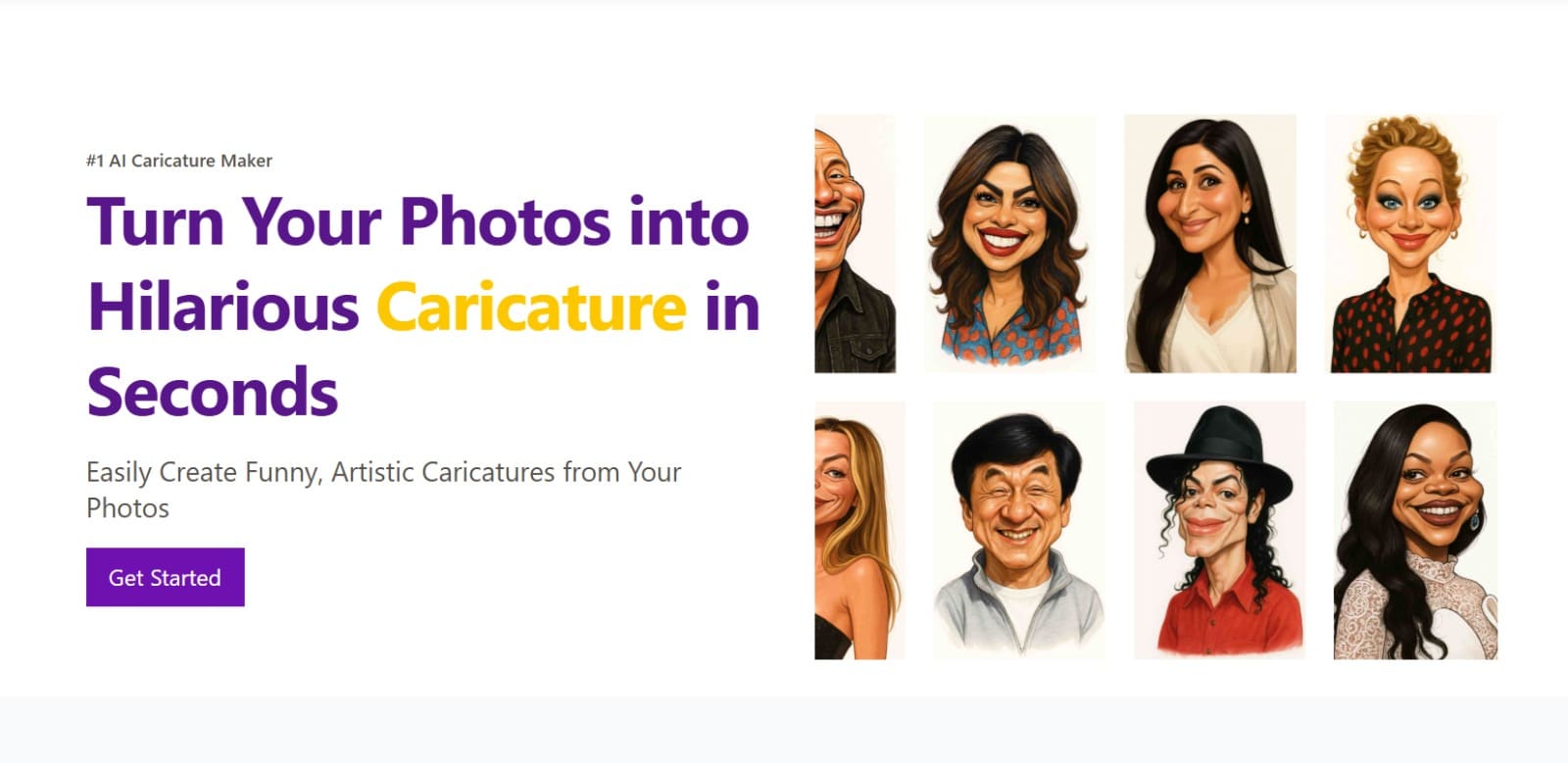
Caricature Maker Full homepage screenshot

At a glance

Category
Other
Language
English
Paid-content signal
Paid contentObserved
Registered
2025
Hosting
VercelInferred
HTTPS certificate trusted
PassedObserved
Last updated

Website review

This review may include AI-generated content and is not individually verified. Domain, certificate and other facts come from the observed data on this page.

What is Caricature Maker?

Caricature Maker is an online tool that turns an uploaded photo into a stylized, exaggerated caricature, aimed at people who want a playful portrait without hiring an artist or learning design software.

What it does

  • You upload a clear, front-facing, well-lit photo.
  • The AI analyzes facial features and generates a caricature that keeps your likeness while exaggerating it for humor.
  • You download the result and use it for social media, profile pictures, gifts, or personal projects.

Who it's for

  • Everyday users who want a fun version of themselves or a new profile picture.
  • Gift seekers making birthdays, anniversaries, or surprise presents.
  • Content creators needing a distinctive avatar for YouTube, streaming, or social media.
  • Professionals who want a friendlier, less formal image for LinkedIn, team pages, or presentations.
  • Non-designers who want a polished illustration without technical effort.

Practical trade-offs

The appeal is speed and zero skill requirement — upload a photo and get an instant result. The limitation is control: an automated caricature follows the AI's style and exaggeration choices rather than your specific direction, so it suits casual and social uses better than a precisely art-directed commission. Output is described as high resolution, which matters if you plan to print rather than just post online.

A useful next step

If you want to try it, pick a sharp, front-facing photo with even lighting — the site explicitly notes this helps the AI capture features accurately. If you need a specific pose, background, or art style, a human caricature artist will give you more control.

How do I turn my photo into a caricature using Caricature Maker?

Upload a clear, front-facing, well-lit photo to Caricature Maker, let the AI generate the caricature, then download and share the result. The site describes this as a three-step process that needs no design skills.

The three steps

  1. Upload a clear photo — choose a well-lit, front-facing image so the AI can read your facial features and expression accurately.
  2. Let the AI create the caricature — it analyzes key facial details and produces an image that keeps your likeness while adding exaggeration and artistic flair.
  3. Download and share — the output is described as high resolution, so it can work for a profile picture, a social post, or a printed gift.

Getting a better result

The main lever you control is the input photo. Front-facing, evenly lit, with your face clearly visible and not partly hidden by hair, hats or shadows, gives the AI the most to work with. A busy background or a tilted, low-light selfie is more likely to produce a likeness you don't recognize. If the first attempt misses, try a different photo rather than the same one again.

Who tends to use it

  • Profile pictures and avatars for social media, streaming or messaging apps.
  • Gifts for birthdays and anniversaries, where a personalized illustration feels more considered than a generic present.
  • Creator branding for YouTubers and streamers who want a distinctive avatar.
  • Professional use on LinkedIn or team pages when you want something friendlier than a standard headshot.
  • Curiosity — trying it once just to see the result.

A practical next step

Pick two or three photos of yourself that meet the criteria above, run the one you like best, and keep the others as backups if the likeness isn't quite right. If you plan to print the caricature as a gift, check the resolution of the downloaded file before ordering a large print.

What types of photos work best for getting a good caricature result?

The tool works best with a clear, well-lit, front-facing photo where your facial features and expression are easy to read. According to Caricature Maker’s own guidance, that kind of image helps the AI capture key details accurately, then exaggerate them in a recognisable, funny way. Avoid heavy shadows, extreme angles, sunglasses, or busy group shots if you want the caricature to keep a strong likeness.

H3 Practical photo checklist

  • Use soft, even lighting, ideally from the front rather than behind.
  • Face the camera directly; slight smiles usually produce friendlier results.
  • Keep hair, eyes, nose, mouth and jawline visible.
  • Choose a recent photo that actually looks like you.
  • Use a plain or uncluttered background so the face is the focus.
  • Upload a reasonably sharp file, not a blurry screenshot or distant group photo.

For a gift or profile picture, a single-person head-and-shoulders shot is usually the safest choice. If you only have a group photo, crop it first. For a more playful result, a clear expression such as a grin or raised eyebrow can give the caricature more personality without confusing the likeness.

A useful next step is to try two or three different front-facing photos and compare the results. Caricature Maker is built for quick, no-design-skill use, and its page notes that it is aimed at everyday users, gift seekers, content creators and professionals. If you want to see the official workflow and examples, check Caricature Maker.

Can I use my caricature for profile pictures, gifts, or social media?

Yes. Caricature Maker explicitly positions its output for profile pictures, gifts, and social media. The site's own "How It Works" step says to download your caricature and use it for "social media, profile pictures, gifts, or personal projects," and its audience list names content creators wanting avatars and gift seekers making birthday or anniversary presents.

H3 What that looks like in practice

  • Profile pictures and avatars: The site lists everyday users updating a profile picture and YouTubers, streamers, and social media users wanting a distinctive avatar. A caricature reads clearly at small sizes if the exaggeration is in the face rather than fine detail.
  • Gifts: The site frames these as birthday, anniversary, or surprise presents and calls the result "personalized." Printing is the main variable — the page claims high-resolution output suitable for printing, but check the actual file dimensions after you download before committing to a large print size.
  • Social media posts: Download-and-share is the intended flow, so no extra export step is described.

H3 What to check before you rely on it

  1. Likeness: Upload a well-lit, front-facing photo, as the site instructs. Profile angles and heavy shadows give the AI less to work with, and a caricature that doesn't resemble you defeats the point of a profile picture.
  2. Rights and platform rules: The page doesn't spell out commercial-use terms. If you're using it for a business page, a monetized channel, or merchandise, read the terms on Caricature Maker rather than assuming personal-use permission covers it.
  3. Consistency: If you want the same style across a team page or a set of avatars, generate them in one sitting. Separate sessions may produce a different look.

H3 A quick decision guide

Your goal Reasonable fit? Watch out for
Personal profile picture Yes Pick a clear front-facing photo
Fun post to share with friends Yes Keep the original file, not just a screenshot
Printed gift Likely Confirm resolution before printing large
Team or LinkedIn page Plausible Get consent from each person pictured
Paid merchandise Unclear Verify licensing terms first

Next step: run one photo through and download the result, then check the image's pixel dimensions and how it looks cropped into a circle before you order a print or set it as an avatar.

Is Caricature Maker free, and what do the paid plans include?

Caricature Maker is not positioned as a fully free tool. Its own pages include a Pricing link, and the workflow (upload a photo, AI generates the caricature, download and share) points to a paid or credit-based model rather than an unlimited free service. The homepage does not publish plan names, prices, or free-tier limits, so the only reliable way to know what you get for free is to open Caricature Maker's pricing page directly.

What the site does say

  • Free entry point: You can start the process and see how it works; the site emphasizes "no commitment required" and "no design skills needed."
  • Paid value: Paid plans typically cover the generated caricature output itself, higher-resolution downloads, and commercial or personal use rights. The exact inclusions are not stated on the homepage.
  • Use cases: Profile pictures, social media avatars, gifts, LinkedIn or team pages, and content-creator branding.

How to judge whether it's worth paying

If you want... Free tier may be enough Paid plan likely needed
A quick test of how you'd look Yes —
A clean, high-res file for printing — Yes
Multiple styles or revisions — Usually
Commercial or client use — Check terms first

Practical next step

Open the pricing page and compare three things: whether a free preview is watermarked, what resolution you can download, and whether you need a subscription or a one-time purchase. If you only want a fun avatar, start with the free option. If you're buying a gift or using it for a business profile, confirm the license and output size before paying.

How does Caricature Maker compare to hiring a human caricature artist?

Caricature Maker is a fast, self-serve alternative to a human artist: you upload a front-facing, well-lit photo and the site's AI generates a caricature in seconds, which you then download and share. A human artist, by contrast, works from your brief or a live sitting, takes hours to days, and typically costs far more — but can capture personality, inside jokes, and a specific style that a single automated pass may miss.

Where each option fits

Consideration Caricature Maker Human caricature artist
Speed Seconds after upload Hours to days, or a live session
Effort Upload a photo, no design skill needed Briefing, posing, or sitting for the artist
Consistency Same style across many photos Style varies by artist; you choose it
Personalization Whatever the AI infers from the photo Can include props, hobbies, in-jokes, text
Best for Profile pictures, avatars, quick gifts, testing ideas Keepsake gifts, events, commissions with a specific look

The site positions itself for everyday users, gift seekers, content creators, and professionals who want a friendlier visual for LinkedIn or team pages, and it explicitly targets non-designers. That makes it a reasonable first stop when you need several images quickly or want to preview how you'd look exaggerated before committing to a paid commission.

For a birthday or anniversary gift where the joke is personal — a specific hobby, a shared memory, a caption — a human artist is usually worth the extra time and cost. For a streamer avatar, a team page, or a batch of profile pictures, the automated route wins on speed and price predictability.

A practical next step: generate one caricature from your best photo first, then decide. If the result already looks like you and fits your use, you're done. If it misses a detail that matters, that's your signal to commission a human artist and describe exactly what the AI got wrong.

Related questions

More questions →
Does Caricature Maker Have Pricing Plans? What to Check Before Using It

Caricature Maker (caricaturemaker.net) does have a Pricing page, so paid plans exist in some form — but the site's public pages don't state the actual prices, tiers, or what a free vs. paid account includes. Before you commit, open the Pricing page directly and confirm three things: whether you need an account, what the free tier limits are, and what you get for the money. Below is what the site does confirm, and what you'll need to verify yourself.

What the site tells you about cost

The homepage navigation includes a Pricing link (caricaturemaker.net/pricing), which is the only place pricing information would live. The site also shows Login / Signup in the navigation, which indicates accounts exist — but it does not say whether an account is required to generate a caricature, or whether signing up is free.

What the site does not publish on its main pages:

  • Specific prices or plan tiers
  • Whether there's a free trial or free generation limit
  • What payment methods are accepted
  • Whether downloads are watermarked or restricted on a free tier

Treat all of these as unconfirmed until you check the Pricing page and the signup flow yourself.

What you need before you start

The workflow is described in three steps on the site, and the input requirement is specific:

  1. Upload a clear photo — the site asks for a well-lit, front-facing photo so the AI can capture facial features and expressions accurately.
  2. The AI generates your caricature — it analyzes key facial details and produces a caricature that keeps your likeness while exaggerating features.
  3. Download and share — the site says you can download instantly for social media, profile pictures, gifts, or personal projects.

The practical precondition is therefore a good source photo. A dim, angled, or group photo will likely produce a weaker result, since the whole process depends on the AI reading your face clearly.

Who it's built for — and whether that matches your use

The site lists these intended users, which is a useful checklist for deciding if it fits your case:

Use case Site's stated fit
Everyday users Profile pictures, something fun to share
Gift seekers Birthdays, anniversaries, personalized surprises
Content creators YouTube, streaming, social avatars
Professionals LinkedIn, team pages, presentations
Non-designers No design skills needed
The curious Try it with no commitment

If your goal is a print-ready gift or a distinctive avatar, the site claims high-resolution output suitable for printing or profile use. If your goal is something more formal or brand-controlled, note that the output is deliberately exaggerated and humorous by design — that's the point of a caricature, but it may not suit every professional context.

What to verify before paying

Because pricing details aren't published on the main pages, work through this list on the Pricing page and during signup:

  • Is there a free tier? Generate one caricature first if possible, so you can judge output quality before paying.
  • What does the paid plan unlock? Look for differences in resolution, number of generations, watermark removal, or commercial-use rights.
  • Do you need an account? The Login/Signup link suggests yes for at least some functions, but confirm whether browsing or a trial works without one.
  • What are the usage rights? If you plan to use the result commercially (merch, client work, monetized channels), check the terms — the site doesn't state this on its main pages.
  • Refund or cancellation terms — not published publicly, so read them at checkout.

The short answer

Caricature Maker has a pricing page, so assume there is a paid option — but don't assume anything about cost, free limits, or account requirements until you've opened that page. The safest path: prepare a well-lit front-facing photo, try the tool, and only pay once you've confirmed the resolution, usage rights, and plan details match how you intend to use the result.

What Kind of Caricature Does Caricature Maker Produce?

Caricature Maker produces a high-resolution, exaggerated portrait that keeps your likeness while adding playful, artistic flair. According to the site, the AI analyzes key facial details and generates a caricature "within seconds," so the result is a stylized illustration rather than a realistic photo edit. This suits anyone who wants a funny profile picture, a personalized gift, or a distinctive avatar without doing any design work themselves.

What counts as a caricature here

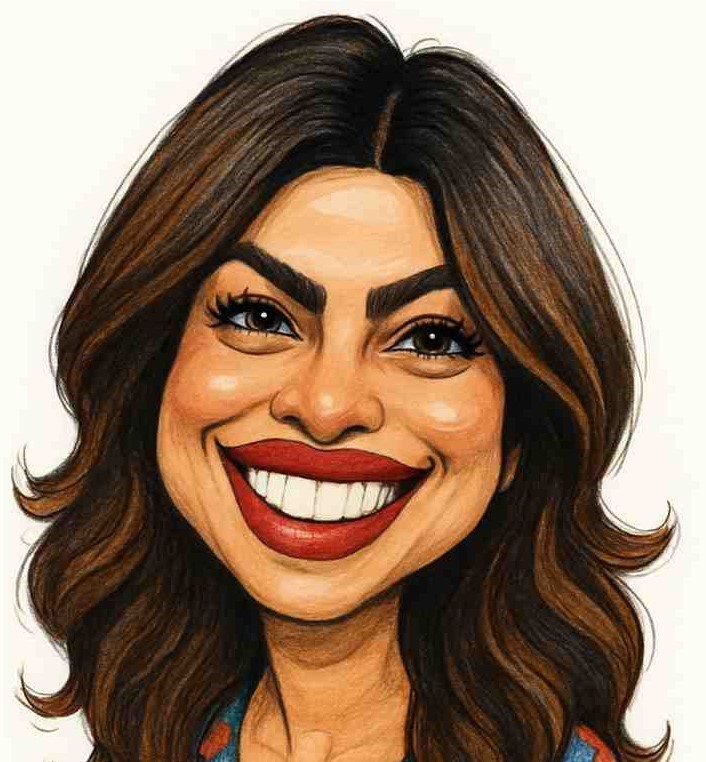
The site defines a caricature as "a fun, exaggerated portrait that captures your facial features in a humorous, artistic way." In practice that means the output leans on the features people recognize most:

  • Big smiles
  • Quirky noses
  • Wild hairstyles

These are exaggerated playfully rather than distorted at random, so the person stays recognizable.

How the AI gets from photo to caricature

The process has three steps, and each one affects the final style:

  1. Upload a clear photo. The site asks for a well-lit, front-facing photo so the AI can accurately capture facial features and expressions. This is the main input you control.
  2. AI generates the caricature. The AI analyzes key facial details and produces a high-quality caricature that "keeps your likeness while adding artistic flair."
  3. Download and share. The caricature is available instantly for social media, profile pictures, gifts, or personal projects.

The stated goal is a result that is both realistic and funny: accurate enough to be recognizable, exaggerated enough to be entertaining.

Output quality and where you can use it

The site describes the output as sharp, high-resolution images "ready for any use," including printing or use as a profile picture. That makes the format flexible across a few common cases:

Use case Why the output fits
Profile pictures Recognizable likeness with a fun, standout style
Gifts Personalized and memorable for birthdays or anniversaries
Social media / avatars Distinctive visual style for creators and streamers
Professional contexts Friendly, approachable visual for LinkedIn or team pages

What to expect and what to check

The result is an AI-generated illustration, not a hand-drawn commission, so expect exaggeration applied consistently rather than a custom artistic interpretation. The site reports it has been used by 3,000+ creators with 9,000+ unique caricatures created, and it states no design skills are needed.

Two practical points before you start:

  • Photo quality drives accuracy. A well-lit, front-facing photo is the site's stated requirement for capturing features correctly; a dim or angled photo is the most likely cause of a weak likeness.
  • Pricing and account terms aren't specified in the available site information. There is a Pricing page and a Login/Signup option, so check those directly for current cost and access conditions rather than assuming the tool is free or requires no account.
Who Is Caricature Maker Designed For?

Caricature Maker (caricaturemaker.net) is built for anyone who wants a personalized, funny illustration from a photo without doing any design work. The site describes a simple flow — upload a clear, well-lit, front-facing photo, let the AI generate a caricature that keeps your likeness while exaggerating features, then download and share it. If you fall into one of the groups below, it's aimed at you.

The five audiences the site names

The homepage lists these groups directly, so this is the vendor's own positioning rather than a guess:

Audience What they use it for
Everyday users Seeing yourself as a caricature, updating a profile picture, sharing something fun with friends
Gift seekers Birthdays, anniversaries, or surprises — a personalized illustration as a gift
Content creators YouTubers, streamers, and social media users who want a distinctive avatar or visual style
Professionals LinkedIn profiles, team pages, or presentations where you want a friendly, approachable look without being overly formal
Non-designers and the curious No design skills needed; try it with no commitment

How to tell if you're in one of these groups

Ask what you'd actually do with the output:

  • You want a new avatar. Profile pictures and social media are the site's stated use cases, and it claims high-resolution output suitable for profile pictures or printing.
  • You need a gift with a personal touch. A caricature of a specific person is more memorable than a generic present, and the site positions itself for birthdays and anniversaries.
  • You want a visual style that stands out. Creators and professionals are both named — one for distinctive avatars, the other for a friendlier presence on LinkedIn, team pages, or slides.
  • You have no design skills and no time. The whole pitch is upload-and-go: no complicated steps, results in seconds.

What you need before starting

The site's own instructions are specific about the input photo:

  1. Choose a clear, well-lit, front-facing photo. This is the one requirement it emphasizes, because the AI needs to read your facial features and expressions accurately.
  2. Upload it and let the AI analyze key facial details. The result keeps your likeness while adding artistic exaggeration.
  3. Download and use it for social media, profile pictures, gifts, or personal projects.

If your only photo is dim, angled, or partially obscured, expect a weaker likeness — that's a limitation of the input, not a feature.

What it is not for

The site makes no claims about photorealistic portraits, formal corporate headshots, or precise artistic control over the exaggeration. It describes the output as "realistic & funny" — playful exaggeration is the point, so if you need a conventional, unexaggerated image, this isn't the tool.

Practical notes before you commit

  • The homepage shows social proof — "Used by 3,000+ creators | 9,000+ unique caricatures created" — which gives a rough sense of scale but says nothing about output quality for your specific photo.
  • A Pricing page exists, so paid options are part of the product. The available material doesn't state what's free, what's paid, or whether an account is required beyond the presence of Login/Signup and Pricing links. Check those pages directly before uploading anything you care about.
  • The site also has a Showcase section, which is the fastest way to judge whether the output style matches what you have in mind before spending time or money.

If you recognize yourself in the table above and have a decent front-facing photo, the tool is designed for exactly your case. If you need precise control or a non-exaggerated result, look elsewhere.

How Caricature Maker Turns a Photo into a Caricature

Caricature Maker (caricaturemaker.net) converts a photo into a caricature in three steps: upload a clear, well-lit, front-facing photo; the AI analyzes your facial features and generates the caricature; then you download and share the result. The site says the process takes seconds and requires no design skills. The main condition for a good result is photo quality — a front-facing, well-lit image gives the AI the best chance of capturing your features and expressions accurately.

The Three-Step Process

Step 1: Upload a Clear Photo

The site's guidance is specific: choose a well-lit, front-facing photo. This matters because the AI needs to identify key facial details — features and expressions — before it can exaggerate them. A dim or angled photo gives it less to work with.

Step 2: AI Creates Your Caricature

The AI analyzes key facial details and generates a high-quality caricature that keeps your likeness while adding artistic flair. According to the site, this happens within seconds — no waiting, no manual editing.

Step 3: Download and Share

You download the caricature instantly. The site describes the output as high-resolution, suitable for printing, profile pictures, gifts, or personal projects.

What You Need Before Starting

Requirement Why it matters
A well-lit photo So the AI can read facial features and expressions accurately
A front-facing angle So key facial details are visible and not distorted
No design skills The site states the tool is built for non-designers
No complicated setup Upload and let the AI handle the rest

What the Output Is Like

  • High resolution — the site says images are sharp and ready for printing or use as a profile picture.
  • Likeness plus exaggeration — the AI aims to keep your likeness while adding playful exaggeration (the site describes caricature as "big smiles, quirky noses, or wild hairstyles").
  • Instant — results are described as generated in seconds.

Who This Fits

The site lists everyday users (profile pictures, sharing with friends), gift seekers (birthdays, anniversaries), content creators (avatars for YouTube, streaming, social media), and professionals (LinkedIn profiles, team pages, presentations). It also notes the tool suits anyone curious about how they'd look as a caricature, with no commitment required.

Common Questions

Do I need design experience? No. The site states you just upload a photo and the AI handles the rest.

How long does it take? The site describes the result as generated within seconds.

What kind of photo works best? A well-lit, front-facing photo — this is the one input the site explicitly asks you to get right.

What can I use the result for? Social media, profile pictures, gifts, printing, or personal projects, per the site.

Is there a way to see examples first? The site has a Showcase section and a Before & After Caricature section you can check before uploading your own photo.

What Is Caricature Maker (caricaturemaker.net)?

Caricature Maker is an online AI tool that turns a photo into a funny, exaggerated caricature in seconds. It is aimed at people who want a personalized illustration for a profile picture, a gift, or social media without needing any design skills. Based on the site's own description, you upload a clear photo, the AI analyzes your facial features, and you download the result. If you want a quick, low-effort caricature rather than a hand-drawn commission, this fits that use case.

What the tool does

The site describes a caricature as a playful, exaggerated portrait that keeps your likeness while adding artistic flair — big smiles, quirky noses, wild hairstyles. Caricature Maker automates that process with AI instead of a human artist.

The page states the output is high resolution, so it can be used for printing as well as for profile pictures. It also claims the AI keeps your likeness while adding exaggeration, which is the core promise of any caricature tool.

How it works

The site lays out three steps:

  1. Upload a clear photo. The guidance is specific: choose a well-lit, front-facing photo so the AI can capture your facial features and expressions accurately.
  2. The AI creates your caricature. It analyzes key facial details and generates a high-quality caricature.
  3. Download and share. You get the image instantly for social media, profile pictures, gifts, or personal projects.

The main input quality lever is the photo itself. A front-facing, well-lit image is what the site asks for, so a dark or angled photo is the most likely reason for a weaker result.

Who it is for

The site lists several audiences, which is a useful way to check whether you are one of them:

Audience Why it fits
Everyday users See yourself as a caricature, update a profile picture, share something fun
Gift seekers Birthdays, anniversaries, surprises — a personalized illustration
Content creators YouTubers, streamers, social media users wanting a distinctive avatar
Professionals LinkedIn profiles, team pages, presentations — friendly but not overly formal
Non-designers No design skills needed; upload and get a result
The curious Try it just to see how you would look

If your goal is a formal, photorealistic headshot, this is not that. The whole point is exaggeration and humor.

Scale signals on the page

The homepage states the tool is used by 3,000+ creators and that 9,000+ unique caricatures have been created. These are the site's own figures and give a rough sense of adoption, though they are not independently verified.

Practical things to know before you start

  • No design skill required. The workflow is upload-and-generate, not a manual editing suite.
  • Speed is the selling point. The site repeatedly emphasizes "in seconds" and "instant."
  • Pricing exists but is not detailed here. The site has a dedicated Pricing page, so cost is a real consideration — check that page directly rather than assuming the tool is free.
  • Login/signup is part of the site. The navigation includes Login / Signup, so expect an account step somewhere in the flow.

Bottom line

Caricature Maker is a fit if you want a fast, AI-generated caricature from a single photo for casual, social, or gift use, and you are comfortable checking its pricing and account requirements first. It is not a fit if you need a hand-drawn commission, a photorealistic portrait, or a tool with no signup or cost involved.

Website Overview

Several search or sharing settings need attention. Together they may make snippets, preview images or preferred URLs less consistent across platforms. An active inbound-mail setup with incomplete authentication may leave the domain more open to impersonation. Provider hosting alone does not close that gap.

Domain and Registration

Transfer-protection status is present, helping reduce the risk of unauthorized domain transfers. The domain has about 1 years of registration history; its current configuration provides more context than age alone. The registrar is NameCheap, Inc., a widely used domain service provider. The domain uses the common .net extension, which is not an independent safety signal.

DNS and Email

The observed email authentication setup is incomplete: DMARC is missing. Nameservers are provided by Namecheap, indicating managed DNS hosting. MX records point to the registrar-servers.com email service. No CNAME was found; the observed records resolve directly to addresses. DNSSEC signatures were not detected, so this additional DNS authenticity protection is not confirmed.

TLS and Certificates

The certificate uses an RSA 2048-bit public key, offering broad client compatibility. The server supplied a complete certificate chain. No organization name is present in the certificate; the available fields are consistent with domain validation. The certificate was issued by Let's Encrypt, commonly associated with automated certificate services. The certificate's total validity is about 89 days, consistent with a short renewal cycle.

HTTP and Browser Security

The response lacks these common security headers: CSP, X-Content-Type-Options, Referrer-Policy, Permissions-Policy, clickjacking protection. CORS permits any origin to read this response. This is common for public resources; sensitive responses need narrower handling. No X-Powered-By header was found, reducing one common source of backend fingerprinting information. No obvious internal addresses or debug information were found in the headers. The Server header contains the custom value Vercel.

Technology Stack Analysis

The public page identifies Next.js, Google Analytics, Vercel without precise versions, leaving fewer clues for version-specific scanning.

Search and Social Sharing

No homepage canonical URL was detected. If duplicate URLs exist, consolidation may be less explicit. Open Graph is partially configured; og:type is missing. Twitter Card metadata is configured. The title has 16 characters, within a common display range. A meta description is present, with 151 characters.

Hosting and Email

DNSNamecheap
HostingVercel
Emailregistrar-servers.com
Approximate IP geolocation (inferred; a CDN or proxy may differ from the origin server) United States flagUnited States Inferred 216.198.79.1

Registration details

RDAP / WHOIS

RegistrarNameCheap, Inc.
Registered2025-05-18
Expires2027-05-18
Domain statusclient transfer prohibited
Nameserversdns1.registrar-servers.com、dns2.registrar-servers.com
DNSSECunsigned

DNS records

DNS

TypeNameValueTTLPriority
Acaricaturemaker.net216.198.79.11799—
MXcaricaturemaker.neteforward1.registrar-servers.com180010
MXcaricaturemaker.neteforward2.registrar-servers.com180010
MXcaricaturemaker.neteforward3.registrar-servers.com180010
MXcaricaturemaker.neteforward4.registrar-servers.com180015
MXcaricaturemaker.neteforward5.registrar-servers.com180020
NScaricaturemaker.netdns1.registrar-servers.com1800—
NScaricaturemaker.netdns2.registrar-servers.com1800—
TXTcaricaturemaker.netv=spf1 include:spf.efwd.registrar-servers.com ~all1800—

TLS and certificates

TLS / SSL

AssessmentNormal configuration
Supported protocolsTLSv1.2、TLSv1.3
Negotiated protocolTLSv1.3
Certificate subjectcaricaturemaker.net
IssuerLet's Encrypt
Valid until2026-12-25T22:10 · Remaining when checked: 82 days
Verification detailsCertificate trust: Passed · Hostname match: Passed

HTTP response headers

HTTP

HeaderValue
content-typetext/html; charset=utf-8
cache-controlpublic, max-age=0, must-revalidate
serverVercel
strict-transport-securitymax-age=63072000
access-control-allow-origin*

Identified technologies

Next.jsGoogle AnalyticsVercel

Pages, Search and Sharing

Meta descriptionTurn your photo into a funny caricature 🤪 in seconds with our caricature maker . Easy, fast, and perfect for profile pictures, gifts, and social media.
Canonical URLNot detected
LanguageEnglish (default)
Twitter Cardsummary_large_image

No robots.txt found

User reviews (0)

  • No reviews yet.