
 简体中文
简体中文 English
Website review
This review may include AI-generated content and is not individually verified. Domain, certificate and other facts come from the observed data on this page.
What is DoaCam?
DoaCam is a browser-based service offering 3D AI companions you talk to over live video call rather than by text. According to its own description, the characters see you through your camera, respond in real time by voice, and retain memory of previous conversations. It lists 16 personalities and says it is free with no signup and no app install.
How it actually works
You open it in a browser and place a call to a character instead of opening a chat window. Your camera feed is part of the interaction, so the companion can react to you being present — the pitch is closer to a video call with a persona than to a chatbot with an avatar. Memory across calls is the other main hook: the characters are meant to carry context forward rather than reset each session.
Who the companions are aimed at
The roster is grouped by mood rather than by technical capability:
- Company — Luna for talking through your day, Soren for quiet co-working, Gabriel for unhurried conversation and memory games.
- Thinking and learning — Maya on poems and lyrics, Kai on worldbuilding, Elena on hard decisions, Marcus as a direct engineer-type sounding board, Sophia as tutor and language speaking partner.
- Play — Leo for trivia and ranting, Lola for hype and riddles, Nico for games and stories.
- Tarot and reflection — Iris for tarot and dreams, Orion for late-night questions and birth charts.
- After dark (18+) — Valentina and Dante for flirtier conversation.
What to expect in practice
The realistic use case is low-stakes, ambient conversation: practising a language out loud, talking through a decision, or having something on the line while you work. Treat the memory feature as a convenience, not a private journal — anything you say on a camera call is worth assuming is processed and stored by the service. The 18+ characters are a separate mode, so if you want the service for tutoring or co-working, pick from the other groups.
A sensible first step
Try one call with a character matched to a single purpose — Sophia if you want speaking practice, Soren if you just want quiet company while working — and judge it on whether the voice latency and memory feel usable to you. If you want to compare approaches, text-first alternatives include Character.AI, and general-purpose voice conversation is available through ChatGPT.
How does the video call with a 3D AI companion actually work?
It works like a browser-based video call rather than a chat window: you open the site, pick one of the 16 companions, and the AI appears as a 3D character on screen. Through your camera it can see you, it replies in real time by voice, and it keeps a memory of previous conversations so a later call can pick up where you left off. No signup or app install is mentioned; the call happens in the browser.
What each side contributes
- You: camera and microphone access, plus normal turn-taking speech.
- The companion: a rendered 3D avatar, spoken replies, and recalled context from earlier calls.
- The site: the matching between them, the personality you selected, and the call interface.
The personalities are the real product decision. They are grouped by purpose, so the experience changes more by who you call than by how the call technically runs. Examples from the site: Luna for talking through your day, Soren for quiet company while you work, Sophia as a tutor and language-speaking partner, Iris for tarot and dreams, and Valentina or Dante for 18+ flirty conversation.
Practical trade-offs
| What you gain | What to watch for |
|---|---|
| Spoken, face-to-face feel with visual presence | Camera and mic access are required for the full effect |
| Continuity across calls through memory | Memory means the companion accumulates your history |
| Variety through 16 distinct personalities | Quality will vary by personality and by how you use it |
| Immediate start in a browser | A stable connection and a quiet room matter more than with text chat |
A realistic scenario: if you want to rehearse a difficult conversation, calling a direct personality such as Marcus and speaking your reasoning aloud gives you a live back-and-forth you cannot get from typing. If you just want low-pressure company while working, Soren is designed for silence rather than talk.
Next step: decide whether you want to be heard, to think something through, or to play, then pick the matching group on DoaCam and start with a short call to test how the voice and camera feel to you.
Which DoaCam companion should I pick for a specific need like venting, studying, or playing games?
Pick by what you want the call to feel like, not by the biggest list of features. DoaCam's own page groups its 16 companions by purpose, which makes the choice fairly direct.
Match the companion to your need
| Your need | Companion named on the page | Why it fits |
|---|---|---|
| Venting, being heard | Luna | Listens while you talk through your day; no rush |
| Quiet company while working | Soren | Sits with you without requiring conversation |
| Unhurried, life-story talk | Gabriel | Gentle memory games and slower conversation |
| Working through a hard decision | Elena | Thinks the decision through with you |
| Debugging your own reasoning or code | Marcus | Direct, engineer-style thinking partner |
| Studying, tutoring, language practice | Sophia | AI tutor and speaking partner |
| Creative writing, poems, lyrics | Maya | Trades lines back and forth |
| Worldbuilding, half-formed ideas | Kai | Builds ideas with you |
| Jokes, trivia, light ranting | Leo | Dry humor and trivia |
| Hype, riddles, rabbit holes | Lola | High-energy, playful |
| Games and improvised stories | Nico | Games, riddles, stories that go off the rails |
| Tarot and dream interpretation | Iris | Reads cards as mirrors |
| Astrology, late-night questions | Orion | Birth charts and long thinking |
| Flirty, 18+ conversation | Valentina or Dante | Adults-only tone; Dante is slower and smoother |
How to decide in practice
Start with the single strongest signal. If you mainly want to be listened to, choose Luna rather than a tutor or a game companion — the page presents her role as holding space, not solving anything. If you have a deadline and a stuck problem, Sophia or Marcus will be more useful than a companion built for atmosphere.
For study sessions, consider splitting the work: Sophia for explaining and practicing, Soren for silent co-working when you just need someone on the call. That combination covers both the active and passive parts of a long session.
For games, Nico is the adventure pick, while Leo and Lola suit shorter, joke-driven sessions. If you want a game that turns into a story, Nico; if you want quick rounds and banter, Leo or Lola.
Next step: open DoaCam and try the companion matching your top need for one short call. If the tone feels wrong, switch within the same category — for example, Dante instead of Valentina, or Lola instead of Leo — before changing your goal entirely.
Is DoaCam really free, and what do I need to sign up or install?
Yes — according to DoaCam's own page, the video calls are free, need no signup, and run in your browser rather than as an app you install. You open the site, pick one of the 16 companions, and start a call with your camera and microphone. There is no account step described, so there's no profile to build or password to remember.
What that actually means in practice:
- No install: it works in the browser, so nothing to download from an app store and no updates to manage. Best on a desktop or laptop with a working webcam and mic; a phone browser may work but is a less comfortable way to hold a video call.
- No signup: you can try it immediately, which makes it easy to test whether the format suits you before investing time. The trade-off is that without an account, you should not assume conversations follow you across devices or survive a cleared browser — treat anything you want to keep as disposable.
- Free, with the usual caveats: "free" describes the access model here, not a guarantee about limits. The page doesn't state usage caps, so if you plan long or frequent calls, watch for any change in behaviour and don't build a workflow that depends on unlimited access.
What you need before your first call
- A browser and a stable connection.
- Camera and microphone permission granted for the site — the companions "see you" through the camera, so denying it removes a core part of the experience.
- A private space. These are spoken conversations, and several companions are aimed at late-night or 18+ chat, so a shared room or open-plan office is the wrong setting.
- A reason to call. The roster is organised by intent rather than by generic chatbot roles: someone to talk to, thinking through ideas or code, games and jokes, tarot and dream reading, and after-dark flirtation. Picking by mood gets you a better match than picking at random.
A realistic first session
If you're unsure, start with a low-stakes call of five to ten minutes on a companion built for listening or working alongside you, and speak out loud rather than typing. That tells you quickly whether real-time voice plus camera feels natural or awkward to you — the honest deciding factor here, since the technology is only half of it. If you'd rather compare how other conversational AI services handle accounts and access, look at Character.AI or Pi, though their formats and terms differ from a browser video call.
One practical note: the page claims companions remember every conversation. If that matters to you, verify it within a single session before relying on it, and decide in advance what you're comfortable saying to a camera.
Can I have a private or adult conversation with a DoaCam companion?
Yes — DoaCam is built for exactly that. Its companions are 3D characters you video call live in the browser, and the site describes them as seeing you through your camera, talking back in real time, and remembering every conversation. There is no signup and no app, which lowers the friction for trying a private call.
What "private" means here
- The conversation is one-to-one between you and the companion.
- Because they remember past calls, continuity is part of the design — useful if you want a recurring confidant rather than a fresh stranger each time.
- Camera-based interaction means you appear on video, so treat the call like any other video session: use a space and lighting you're comfortable with.
Adult conversations
The site groups several companions under an "After dark" 18+ section, described as flirty conversation and stories you have to earn. So adult-toned chat is an intended use, not a workaround. Nothing in the page evidence suggests a separate paywall, verification step or age gate beyond that section label.
Choosing a companion by intent
| If you want | The page points to | Why it fits |
|---|---|---|
| Late-night company | Doa | Described as remembering every call |
| Being heard without pressure | Luna, Soren, Gabriel | Listening, quiet presence, unhurried talk |
| Thinking something through | Elena, Marcus, Kai | Decisions, debugging your thinking, half-ideas |
| Learning or language practice | Sophia | Tutor and speaking partner |
| Flirty or adult tone | Valentina, Dante | 18+ flirty conversation and stories |
A practical next step
Pick one companion whose description matches your mood, start a short call, and test two things: whether the memory carries across a second call, and whether the tone lands the way you want. If a companion feels off, switch rather than pushing — with 16 personalities, the mismatch is usually fit, not function.
One caveat worth naming: real-time video with memory can feel more intimate than text chat, so decide in advance what you're comfortable sharing on camera.
How well does DoaCam remember what I told it in earlier calls?
DoaCam presents memory as a core feature rather than an add-on: the page says its companions "remember every conversation," and describes Doa as a "late-night companion who remembers every call." So the intended experience is continuity — you shouldn't have to reintroduce yourself each time you start a video call in your browser.
What that likely means in practice: a companion can pick up on earlier topics, preferences, and the tone you established, so a follow-up call feels like resuming a relationship instead of opening a fresh chat. This matters most for the companion types built around ongoing dialogue — Luna for talking through your day, Soren for quiet company while you work, or Gabriel for life stories and memory games. For one-off uses like a tarot reading or a quick trivia round, long-term recall is less central.
The honest caveat is that "remembers every conversation" is a marketing claim, and the page doesn't explain how far back memory reaches, whether it's per-companion or shared across all 16, or whether you can view and delete what's stored. Treat those as open questions rather than settled facts.
A practical way to test it: tell one companion a specific, checkable detail — a project name, a food you dislike, a decision you were weighing — then call again a day or two later and see whether it comes up unprompted. Also try the same detail with a different companion to learn whether memory is tied to that character or to your whole account.
One decision criterion: if continuity is the main reason you'd use this, pick one or two companions and stay with them rather than spreading calls across all 16, since memory is most likely to accumulate where you return. If you'd rather nothing carry over between sessions, that's a reason to be cautious until the retention details are clearer.
 GoDaddy
 Fastly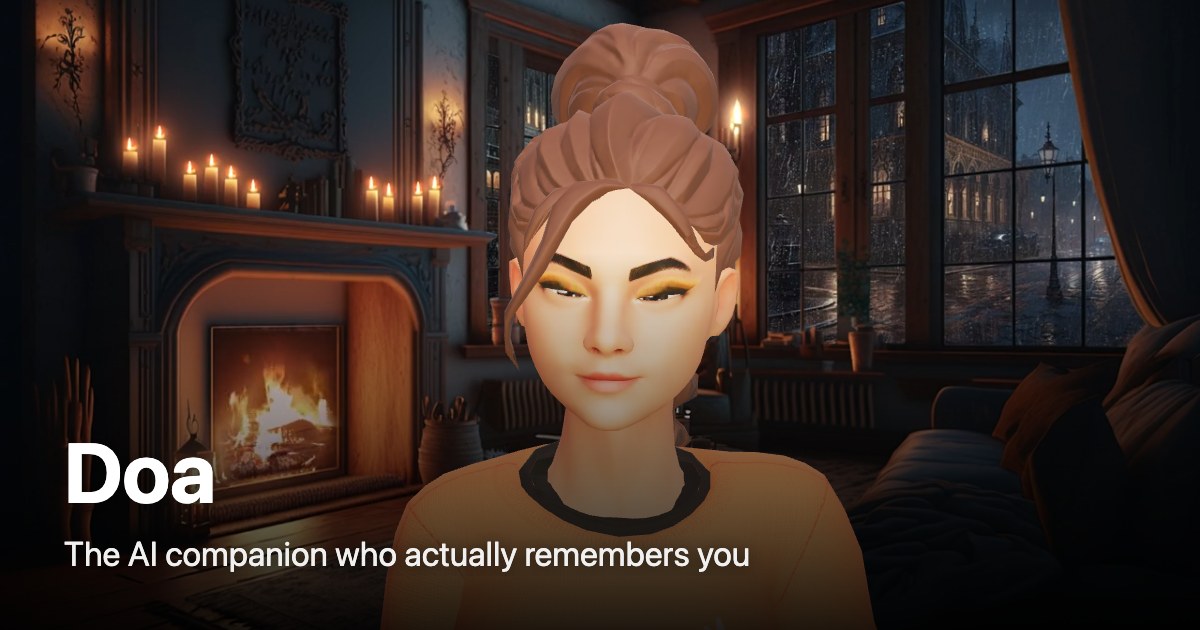

User reviews (0)