Website profiles · Technology insights · Alternatives

drizzlelemons.com

Used by cooks in 80+ countries. Paste any recipe URL to remove ads, popups, and life stories in seconds — free. Scale servings, convert units, and save recipes.

Paid content Multilingual
Visit website
Profile views 10 Outbound visits 0 Normal
Drizzlelemons Full homepage screenshot

At a glance

Category
Food & Recipes
Language
English
Paid-content signal
Paid contentObserved
Registered
2024
Hosting
VercelInferred
HTTPS certificate trusted
PassedObserved
Last updated

Website review

This review may include AI-generated content and is not individually verified. Domain, certificate and other facts come from the observed data on this page.

What is Drizzlelemons?

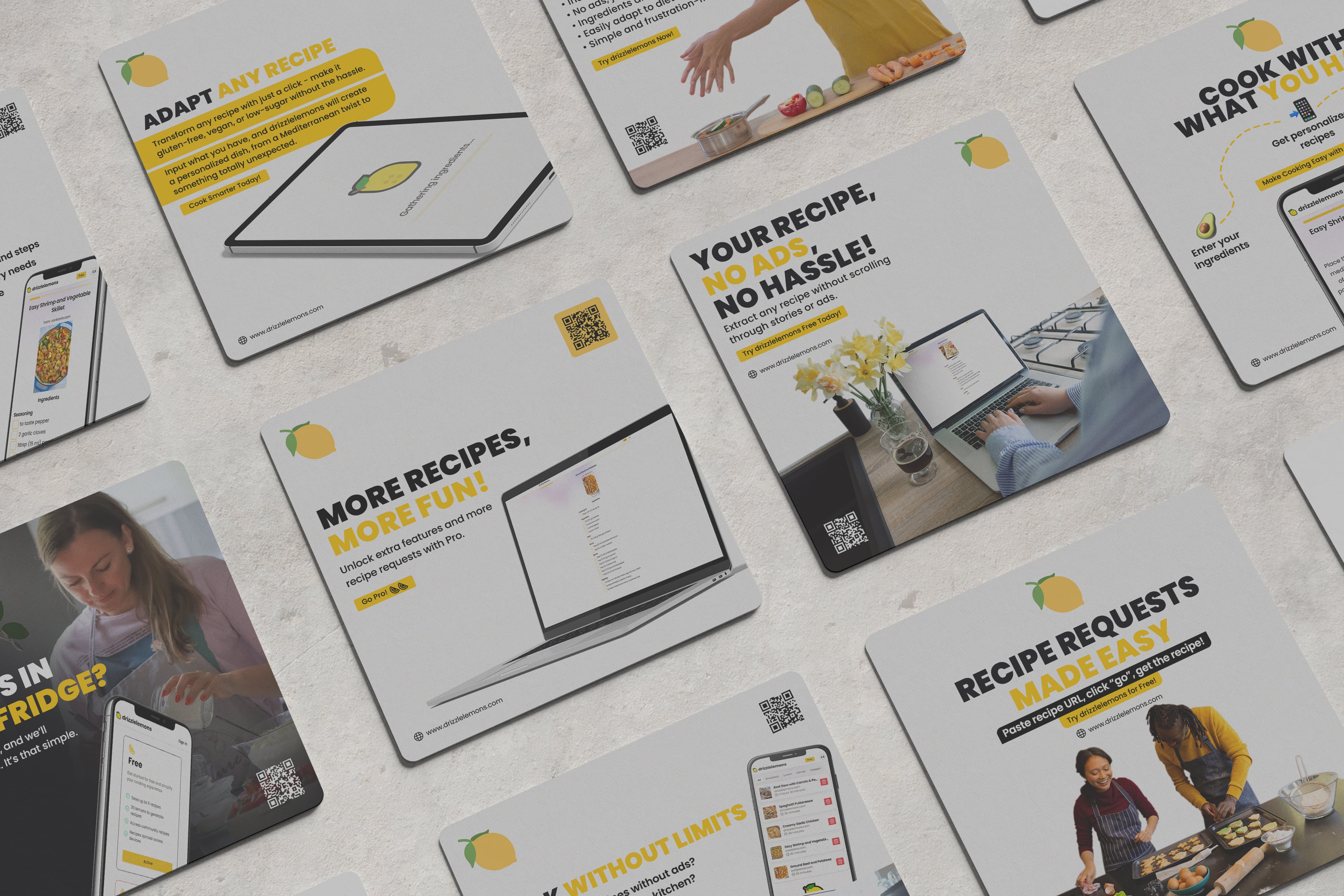
Drizzlelemons is a free web tool that turns a messy online recipe page into a clean, cookable version. You paste a recipe URL, and it extracts the ingredients and instructions, stripping out ads, popups, autoplay videos and the long personal stories that often sit above the recipe. It is aimed at home cooks who want to get straight to cooking without installing an app or learning a new workflow.

Beyond simply cleaning up a page, the site also lets you scale servings up or down, convert between metric and US units, save and organize recipes, and use a step-by-step Cook Mode. It describes an ad-free recipe extractor with an AI diet-swap feature for things like vegan or gluten-free adjustments, and offers a Chrome extension for saving recipes while browsing. It says it is used by 2,000+ cooks across 80+ countries, and that you can try one conversion free each day without signing up.

Where it fits in practice

If you cook from food blogs regularly, the common friction is scrolling past three screens of story and closing cookie banners before you reach the method. A tool like this is most useful when you already have a specific recipe in mind and just want the core content. It is less about discovering recipes and more about cleaning up ones you have already found.

A few practical considerations:

  • It works from a URL, so it depends on the source page being publicly accessible and structured enough to extract.
  • Scaling and unit conversion are genuinely useful for shopping and prep, but always sanity-check quantities for baking, where small changes matter.
  • Saved recipes and edits are handy if you repeat dishes, but you may still want a backup of anything you rely on.
  • The site mentions a comparison with JustTheRecipe, another well-known extractor.

A useful next step

Take one recipe you cook often, paste its URL, and see whether the clean version matches the original amounts and steps. If it does, the tool will likely save you time on similar sites. If you want to explore alternatives, JustTheRecipe is the direct comparison point mentioned on the page.

How does Drizzlelemons remove ads from recipe websites?

Drizzlelemons works as an ad-free recipe extractor: you paste a recipe page's URL, and it pulls out the ingredients and instructions into a clean view, leaving the ads, popups, autoplay videos and long pre-recipe stories behind. The site describes the result as a simple card with just what you came to cook, plus the option to scale servings, convert units, and save recipes. It also offers a Chrome extension so you can save recipes as you browse, and says one conversion per day can be tried free without signing up. The product's own comparison table claims it removes ads, popups and life stories, while other tools do so only "some" of the time.

What that means in practice

The mechanism is extraction, not blocking. Rather than hiding ad elements on the original page, Drizzlelemons reads the recipe content and re-renders it elsewhere. That is why it can also strip the surrounding narrative and why the clean view tends to load faster than the ad-heavy original.

For a reader, the practical difference shows up at the moment you actually cook. If you are standing at the stove with floury hands, a page that keeps a sticky video player and a newsletter modal in the way is genuinely harder to use than a stripped-down ingredient list and numbered steps.

Trade-offs to weigh

  • You lose the original page's context. Cook's notes, photos, and comment-section substitutions usually do not survive extraction. If a recipe's value is in its step-by-step photos or reader tips, the clean view may be thinner.
  • Extraction depends on the source page's structure. Recipe sites that mark up their data consistently tend to extract cleanly; unusual layouts may not.
  • Saved edits live in the tool. Scaling and saved versions are convenient, but they are a second copy of the recipe, not the publisher's original.

If you mostly cook from a handful of sites you trust, a browser reader mode or a saved link may be enough. If you jump between many recipe sites and want consistent scaling and unit conversion, an extractor like this earns its place.

A useful next step: pick one recipe you cook often and paste its URL, then compare the clean view against the original for the details you personally rely on — pan sizes, doneness cues, substitutions. That tells you quickly whether extraction helps your cooking or quietly removes something you need. For a broader look at the same problem, JustTheRecipe takes a comparable approach, and Drizzlelemons publishes its own comparison with it.

Can I scale recipe servings and convert units with Drizzlelemons?

Yes. Drizzlelemons is built around exactly those two tasks: you paste a recipe URL and get a clean ingredients-and-steps view, then adjust it before you cook or shop.

What the site says you can do

  • Scale servings up or down — the page lists "Scale servings" and "Use the free recipe calculator for scaling and unit calculations."
  • Convert units, specifically metric ⇄ US.
  • Edit, cook, save, or plan from the cleaned-up recipe card.
  • Try one conversion free each day without signing up; a Chrome extension is offered for saving recipes as you browse.

How this plays out in practice Say you find a lemon drizzle cake written for 8–10 servings but you only want 6, and the flour is in grams while your measuring cups are US. You paste the link, set servings to 6, and switch the units. The useful part isn't the arithmetic — it's that the ingredient list and the steps stay in front of you without popups or a life story, so you can check the scaled quantities against what's actually in your cupboard.

Where the trade-offs sit Scaling is most reliable for straightforward multiply-and-divide ingredients. Treat it as a starting point for anything that doesn't scale linearly — leavening, salt, spices, eggs, pan sizes and bake times. A cake scaled down by a third usually needs a smaller tin and a shorter bake, and no converter knows your oven. Unit conversion is likewise a formatting convenience: 225 g of flour is not the same as a cup of flour by volume in every kitchen, so weigh where you can.

Decision criterion Use it when you already have a recipe you trust and the page around it is the problem — ads, autoplay video, endless preamble. Don't use it to rescue a recipe whose ratios are already questionable; scaling bad proportions just gives you more of them.

If you want a comparison point before committing, the site itself positions against JustTheRecipe, and for a browsable source of well-tested recipes with clear metric measurements, BBC Good Food is a reasonable reference.

Is Drizzlelemons free to use, and what are the limitations?

Drizzlelemons is free to use at its core, but it is not unlimited. The site describes itself as an ad-free recipe extractor: you paste a recipe URL and get a clean ingredients list and instructions. According to the page, you can try one conversion free each day without signing up, which suggests the free tier is intended for occasional use rather than heavy daily cooking. The page also points to a pricing page, implying a paid option exists for people who need more.

The practical limitations to plan around:

  • Daily conversion cap. One free conversion per day without an account is the clearest stated limit. If you cook from online recipes most nights, that runs out fast.
  • Account or extension for saving. Saving and organizing recipes is tied to browsing with the Chrome extension, so the free paste-a-URL flow is more of a one-off cleaner than a personal cookbook.
  • Feature depth. Scaling servings and unit conversion are listed as available, but the comparison table distinguishes Drizzlelemons from "other tools" by bundling scaling, metric-to-US conversion, AI diet swaps (vegan, gluten-free), Cook Mode, and recipe saving. Those extras are where the paid tier likely sits.

A sensible next step: test it on one recipe you actually plan to cook this week. If a single daily conversion covers your habits, the free version is enough; if you want saved versions, diet substitutions, or several recipes in one session, check the pricing page before committing.

For context on how this compares with similar tools, JustTheRecipe is the alternative named on the page, and general recipe sources like BBC Good Food show the kind of cluttered pages this tool is designed to clean up.

How does Drizzlelemons compare to JustTheRecipe or other ad-free recipe tools?

Drizzlelemons is positioned as more than an ad-stripper: it extracts the recipe from a URL, then adds scaling, unit conversion, saving, and (per its own comparison) diet swaps and a step-by-step Cook Mode. JustTheRecipe and similar tools generally focus on the core job of pulling out ingredients and instructions cleanly. If you mainly want a fast, no-frills "just the recipe" view, a simpler extractor may be enough. If you regularly resize recipes, switch between metric and US units, or want to save and revisit edits, Drizzlelemons bundles those steps into the same flow.

Where the difference matters

Need Drizzlelemons (as described) Typical ad-free extractor
Remove ads, popups, stories Yes Usually the main feature
Scale servings Yes Often limited or absent
Convert metric ⇄ US Yes Often limited or absent
Diet swaps (vegan, gluten-free) Yes Rare
Cook Mode Yes Rare
Save and organize recipes Yes Sometimes

Practical trade-offs

  • Speed vs. depth: A single-purpose extractor gets you a clean recipe in one paste. Drizzlelemons asks you to use its extra tools, which helps if you actually need them but adds surface area if you don't.
  • Free tier limits: The site says you can try one conversion free each day without signing up, so heavy daily scaling or converting may push you toward an account or paid plan. Check Drizzlelemons pricing before relying on it as your only tool.
  • Source coverage: Any URL-based tool depends on how the original site structures its recipe data. Sites with unusual layouts or no structured recipe markup can produce messy results in both Drizzlelemons and its competitors.
  • Browser integration: Drizzlelemons offers a Chrome extension for saving recipes as you browse, which is useful if you collect recipes across many sites rather than cooking one at a time.

How to decide

Pick Drizzlelemons if your workflow is "find recipe, adjust it, save it, cook from it" and you want those steps in one place. Pick a lighter extractor if you only need to read a recipe without ads and you already scale and convert mentally or with another tool. For a quick test, paste the same recipe URL into both and compare the ingredient list, unit handling, and whether the steps survive intact.

A useful next step: take one recipe you cook often, run it through Drizzlelemons, scale it to a different serving count, and see whether the output matches how you'd actually cook it. That tells you more than any feature list.

Does Drizzlelemons offer a Chrome extension for saving recipes while browsing?

Yes. Drizzlelemons offers a Chrome extension for saving recipes as you browse, according to its site. The extension fits the same paste-a-URL workflow shown on the page: you can save a recipe, then edit, cook, or plan from it later.

When it's useful

  • You find recipes across many sites and want one place to keep them.
  • You often cook the same dishes again and want your saved version, not the original ad-heavy page.
  • You scale servings or convert units and want those adjustments kept.

When a simpler approach is enough

If you only need to read one recipe cleanly, pasting the URL into the web tool works without installing anything. The extension mainly pays off if saving and organizing recipes is a regular habit.

Practical next step

Install the extension, open a recipe you already like, and save it. Then check whether the saved version keeps the edits you care about — scaled quantities, unit conversions, or notes. That single test tells you whether it belongs in your normal cooking routine.

Related questions

More questions →
How to Pick a BuzzFeed Recipe You Can Actually Cook Tonight

The fastest way to choose a BuzzFeed recipe is to filter it against three real constraints before you get attached to it: the time you actually have, the equipment already in your kitchen, and the ingredients you can get without a special trip. BuzzFeed's recipe output is huge and video-first, which makes almost everything look easy and fast. Your job is to separate the recipe that looks good from the one that fits your Tuesday night.

Here's a practical way to do that, step by step.

Start With Your Real Constraints, Not the Video

Before browsing, write down three numbers and one list:

  • Minutes of hands-on time you're willing to spend (not total time — hands-on is what actually tires you out).
  • Total time until you want to eat.
  • How many people you're feeding.
  • Equipment you have — oven, stovetop burners free, one pot or several, sheet pan, blender, air fryer, slow cooker.

Then judge each recipe against that list. A 20-minute video often hides 10 minutes of chopping and a 15-minute simmer. If the recipe says "simmer until thickened" without a time, assume 10–20 minutes and decide whether that fits.

Quick filter questions

Ask these before you commit:

  1. Does it need an appliance I don't have or don't want to clean?
  2. Does it use more than one pot or pan? (Fine on a weekend, painful on a weeknight.)
  3. Is there a long passive step — marinating, chilling, proofing, roasting — that pushes dinner past when I want to eat?
  4. Can I do the chopping while something else cooks, or is it all front-loaded?

Read the Ingredient List for Hidden Work

BuzzFeed recipes often lean on a few convenience items. That's not a flaw, but you need to spot them before you start.

Watch for:

  • Specialty sauces or pastes (chili crisp, gochujang, tahini, fish sauce) — great if you own them, a detour if you don't.
  • Fresh herbs sold in bunches bigger than the recipe needs.
  • "Optional" garnishes that the video treats as mandatory for the look.
  • Vague quantities like "a handful" or "to taste" — fine for a confident cook, harder if you're following closely.

Realistic substitutions to keep in your back pocket

Recipe calls for Everyday swap Note
Heavy cream Whole milk + a little butter Thinner sauce; reduce a bit longer
Fresh herbs Dried herbs Use about a third as much
Shallot Yellow onion, finely diced Milder onion flavor
White wine Broth + splash of vinegar Less complex, still works
Buttermilk Milk + lemon juice, rested 5 min Closest texture match

If a swap changes the chemistry — baking, custards, breads — don't improvise. Pick a different recipe instead.

Use the Format to Gauge How Much Guidance You'll Get

BuzzFeed publishes recipes in a few shapes, and each tells you something about how much hand-holding you'll get.

  • Short video (Tasty-style): Fast and visual, but often skips temperatures, times, and doneness cues. Best when you already know the technique.
  • List-style post ("17 Dinners You Can Make in 30 Minutes"): Good for browsing and inspiration. The actual instructions may be thin or link out.
  • Step-by-step article: Usually the most reliable for a first attempt — more text, more detail, fewer surprises.

Rule of thumb: if you've never made the dish before, favor the step-by-step version. If you've made it many times, the short video is enough.

Check Serving Size and Scaling Before You Shop

Serving size is where a lot of weeknight cooking goes wrong.

  • If the recipe serves 4 and you're cooking for 2, halving works for most stovetop dishes but not always for baking, sauces, or anything cooked in a fixed-size pan.
  • If you're scaling up, remember that browning and reducing take longer in a bigger batch. Crowding a pan steams food instead of searing it.
  • Seasonings, salt, and spicy elements rarely scale linearly. Start with less, taste, adjust.

Write down the scaled amounts before you cook so you're not doing math with hot oil in front of you.

Skim Comments and Creator Notes for Failure Points

This is the highest-value two minutes you'll spend. Look for repeated themes:

  • "Needed way more time than stated."
  • "Too salty / too sweet as written."
  • "The sauce broke."
  • "I added X and it was better."

When several people mention the same fix, treat it as the real recipe. Creator notes at the top of a post often carry the same information — read them before the steps, not after.

Save Two Backups So One Missing Item Doesn't Sink Dinner

Pick your main recipe, then line up two alternates that share most of the same ingredients. That way, if the store is out of one thing or you're missing an item at home, you pivot instead of ordering out.

A simple planning template:

Tonight's main: _______________
Hands-on time: ___ min | Total: ___ min | Serves: ___
Equipment needed: _______________
Missing ingredients: _______________
Substitutions planned: _______________
Backup 1: _______________
Backup 2: _______________

A Worked Example (Hypothetical)

Say you have 30 minutes, one skillet, and a pound of ground meat. You see a video for a creamy pasta that looks great — but it needs a blender, two pots, and 45 minutes of simmering. It fails your filter. You scroll to a one-pan skillet dish with pantry spices and a 20-minute cook time. That one passes. Your backups are a stir-fry and a sheet-pan dinner, both using the same protein and whatever vegetables you have.

That's the whole method: match time, equipment, and ingredients first; use format and comments to judge reliability; keep backups ready.

The Short Version

  • Filter by hands-on time, equipment, and servings before you fall for the video.
  • Scan ingredients for specialty items and decide on swaps in advance.
  • Prefer step-by-step posts for first attempts, short videos for familiar dishes.
  • Scale carefully, especially for baking and sauces.
  • Read comments and creator notes for the real cook times and fixes.
  • Always have two backup recipes that share ingredients.

Do this once or twice and it becomes automatic — you'll stop starting recipes you can't finish and start cooking the ones that actually fit your night.

How to Get Just the Recipe From Any Recipe URL Without Ads

Paste the recipe URL into an ad-free recipe extractor and you get a clean ingredients list and instructions in seconds — no ads, popups, or life stories. Drizzlelemons is built for exactly this: paste any recipe link, get the recipe, then scale servings, convert units, and save it. One conversion per day works without signing up; scaling and unit calculations use the free recipe calculator. If you'd rather not paste links each time, a Chrome extension saves recipes as you browse.

What "just the recipe" actually means

A recipe page mixes three things: the part you cook from (ingredients + steps), the part that pays for the site (ads, autoplay video, popups), and the part that's optional (the story, tips, comment threads). An extractor keeps the first and drops the rest.

What you should expect to see after extraction:

  • Ingredients with quantities and units intact
  • Instructions in order, without interleaved ad blocks
  • Servings and time if the page states them
  • Nutrition when the source provides it

Example from the site: a BBC lemon drizzle cake extracts as "Serves 8–10," a cake section (225 g butter, 225 g caster sugar, 4 eggs, 225 g self-raising flour, 1 lemon), nutrition (401 kcal, 5.3 g protein, 47.5 g carbs, 20.9 g fat), and numbered steps starting with "Preheat the oven to 180 C."

Step-by-step: from messy page to cookable recipe

1. Copy the URL of the specific recipe page

Open the recipe on the source site and copy the address bar. It must point at the individual recipe, not the homepage, a category page, or a search results page.

2. Paste it into the extractor

On Drizzlelemons, the flow is: paste a recipe URL → get just the recipe. No app install or new workflow to learn.

Expected result: a clean card with the ingredients list and instructions, stripped of ads, popups, and the story.

3. Scale servings before you shop or prep

Adjust the serving count up or down and the quantities recalculate. Do this before you write a shopping list — it's the difference between buying for 4 and cooking for 6.

4. Convert units if the recipe isn't in your system

Metric ⇄ US conversion is supported, so a recipe written in grams works if you cook in cups and ounces.

5. Save it

Keep recipes, edits, and versions so next time you skip the extraction entirely. The Chrome extension saves recipes as you browse.

Before and after, in concrete terms

Cluttered page Extracted view
Ads and autoplay Present Removed
Popups Present Removed
Life story Present Removed
Ingredients + steps Buried between the above Front and center
Scaling Manual math Adjust servings
Unit conversion Manual math Metric ⇄ US

How this compares to other tools

The site's own comparison makes one distinction worth checking against whatever you use: most tools strip ads, while Drizzlelemons adds scaling, unit conversion, AI diet swaps (vegan, gluten-free), Cook Mode, and recipe saving. If all you need is the text of one recipe, a basic stripper is enough. If you cook from the web regularly and want to adjust and keep recipes, the extra features are the reason to pick it.

When extraction doesn't work

If the result is incomplete or empty, the cause is almost always the link, not the tool:

  • You pasted a homepage or category page. Go back and open the actual recipe, then copy that URL.
  • The recipe is behind a login or paywall. The extractor can only read what the page serves publicly.
  • The page loads its recipe dynamically. Try the link again, or open the recipe directly and copy from there.
  • The page has no structured recipe at all (a video-only or image-only post). There's nothing to extract.

Retry with the correct recipe URL first — that resolves most failures.

Quick answers

Is it free? One conversion per day works without signing up, and the recipe calculator is free. The site lists a pricing page, so check it for current limits and paid tiers rather than assuming everything is unlimited.

Do I need an account? Not for a single daily conversion. Saving and organizing recipes is where an account or extension comes in.

Will it work on any recipe site? The site claims any recipe site, with cooks in 80+ countries using it. Results depend on the page exposing its recipe in a readable form.

Can I change the recipe, not just clean it? Yes — scale servings, convert units, and apply AI diet swaps like vegan or gluten-free.

How to Convert Any Recipe URL Into a Clean, Scalable Recipe

Paste a recipe URL into an ad-free recipe extractor like Drizzlelemons and you get back just the ingredients and instructions — no ads, popups, or life stories. From there you can scale servings, convert metric ⇄ US units, and save the result. This works on any recipe site and needs no app install; Drizzlelemons offers one free conversion per day without signing up, and a Chrome extension for saving recipes as you browse.

What a recipe converter actually does

A recipe converter takes a messy recipe page and returns a clean card with two things: the ingredient list and the steps. The "converter" part covers the adjustments you make after extraction:

  • Serving scale — change 4 servings to 2 or 8 and quantities recalculate.
  • Unit conversion — switch between metric and US measurements (grams ⇄ ounces, and so on).
  • Clean view — the same recipe without autoplay ads, popups, or the preamble before the actual recipe.

Drizzlelemons describes itself as an ad-free recipe extractor and positions the full set — scaling, unit conversion, saving, and Cook Mode — as what separates it from tools that only strip ads.

Step-by-step: URL to cookable recipe

Step 1 — Copy the recipe link. Grab the full URL from your browser's address bar on the recipe page.

Step 2 — Paste it into the converter. Drizzlelemons' flow is literally "Paste a recipe URL → Get just the recipe." No account required for the first conversion each day.

Step 3 — Check the extracted ingredients and steps. Confirm nothing was dropped, especially if the original page split ingredients across sections (e.g., "For the cake" and "For the frosting").

Step 4 — Scale servings. Set the number you actually need before you shop or prep. This is the step that prevents the classic half-batch math error.

Step 5 — Convert units if needed. Switch metric ⇄ US so the measurements match your scale and measuring cups.

Step 6 — Edit, cook, save, or plan. Drizzlelemons lists these as the four things you can do with a converted recipe. Saving keeps your edits and versions for next time.

Example of the output

The site's own sample — a lemon drizzle cake from bbc.co.uk — comes back as:

Field Value
Serves 8–10
Ingredients 225 g unsalted butter, 225 g caster sugar, 4 eggs, 225 g self-raising flour, 1 lemon (zest and juice)
Nutrition 401 kcal, 5.3 g protein, 47.5 g carbs, 20.9 g fat
Instructions Numbered steps, starting with preheat and prepare

That's the whole recipe — no ad slots, no video player, no story.

Before vs. after

The difference the tool is built around:

  • Before: a cluttered page with ads, an autoplay video, and the recipe buried under paragraphs.
  • After: a clean card — "Garlic butter pasta, Serves 4 · 20 min" — with the ingredient list and numbered steps only.

If you've ever scrolled past three screens of someone's vacation to find the oven temperature, that's the problem being solved.

When a recipe URL fails or comes back incomplete

Extraction isn't always perfect. Common failure modes and what to check:

  • Incomplete ingredients. Some sites split ingredients into multiple blocks or load them dynamically. Re-check the original page and add anything missing manually after extraction.
  • Wrong serving count. If the site's stated yield is ambiguous ("makes one loaf"), the scale factor may not match your pan. Set servings manually rather than trusting the default.
  • Unit conversion looks off. Conversions are approximations. For baking, where precision matters, prefer weight (grams) over converted volume.
  • Page won't extract at all. Try the canonical URL (without tracking parameters) or a different recipe page for the same dish.

Saving and reusing converted recipes

Drizzlelemons supports saving and organizing recipes, keeping your edits and versions ready for next time. The Chrome extension lets you save recipes as you browse rather than pasting URLs one at a time. If you cook from the same handful of sites, the extension removes the copy-paste step entirely.

Choosing between converters

Most tools do one thing — strip the ads. Drizzlelemons' comparison table claims the full set:

Feature Drizzlelemons Other tools
Removes ads, popups & life stories Yes Some
Scale servings up or down Yes Some
Convert metric ⇄ US units Yes Some
AI diet swaps (vegan, gluten-free) Yes No
Step-by-step Cook Mode Yes No
Save & organize recipes Yes —

Pick Drizzlelemons if you want scaling, unit conversion, saving, and Cook Mode in one place, and you cook from web recipes often enough to want the extension.

A simpler ad-stripper may be enough if you only need the clean text and you're comfortable doing serving math yourself.

One practical note: the free tier covers one conversion per day without signing up, so test it against a recipe you actually cook before deciding whether the fuller feature set is worth it.

How to Remove Ads From Any Recipe Page and Get Just the Recipe

Paste the recipe page's URL into an ad-free recipe extractor and you get a clean ingredients list and instructions, with the ads, popups, and life stories stripped out. This works best on ad-heavy food blogs and magazine sites; it's less useful on pages that hide the recipe behind a login, a paywall, or a video. Drizzlelemons is built for exactly this — paste a URL, get just the recipe, then scale servings or convert units before you cook.

Step 1: Copy the full recipe URL

Open the recipe page in your browser and copy the address from the address bar. Use the complete URL, not a shortened share link if you can avoid it — truncated or redirect-heavy links are a common reason extraction returns nothing or the wrong page.

If the recipe is one of several on a roundup page, open the individual recipe first so the URL points to a single dish rather than a list.

Step 2: Paste it into an ad-free recipe extractor

Go to the extractor and paste the URL into the input field. On Drizzlelemons the flow is three steps: paste any recipe link, get the clean recipe, then edit, cook, save, or plan.

What you should see: a clean card with the ingredients and the numbered steps, and no autoplay video, popup, or story text in the way. The site's own before/after example shows the same recipe as a cluttered page versus a clean card with just what you came to cook.

Step 3: Adjust servings and units

Once you have the clean version, fix the quantities before you shop or prep:

  • Scale servings up or down so the amounts match how many people you're cooking for.
  • Convert metric ⇄ US units if the original recipe uses a system you don't cook in.

Drizzlelemons lists both scaling and unit conversion as built-in features, and points to a free recipe calculator for scaling and unit calculations. The example recipe on the site — an easy lemon drizzle cake from bbc.co.uk — shows the clean output format: ingredients grouped by component, a nutrition panel, and numbered instructions.

Step 4: Save the clean version

If you'll cook it again, save it rather than re-extracting next time. Drizzlelemons lets you save recipes as you browse and keep recipes, edits, and versions ready for next time, with a Chrome extension for saving while you browse.

What to do when extraction fails

Symptom Likely cause What to try
Nothing comes back Incomplete or redirecting URL Re-copy the full URL from the address bar
Ingredients missing Recipe behind a login or paywall Log in first, or use a page that shows the recipe publicly
Steps incomplete Recipe is in a video, not text Look for a written version, or use the site's transcript if it has one
Wrong recipe returned URL points to a roundup, not one dish Open the single recipe page and copy that URL

When this is worth doing

Extraction pays off most on sites with heavy ads, autoplay video, and long pre-recipe stories — the "before" case in Drizzlelemons' own comparison. If a site already shows a short, clean recipe, pasting the URL saves little.

One limit worth knowing: Drizzlelemons' page states you can try one conversion free each day without signing up. The site also has a pricing page, so treat ongoing or heavier use as something to check there rather than assuming it's unlimited and free.

How Drizzlelemons compares to simpler strippers

The site's own comparison table frames the difference this way:

Feature Drizzlelemons Other tools
Removes ads, popups & life stories Yes Some
Scale servings up or down Yes Some
Convert metric ⇄ US units Yes Some
AI diet swaps (vegan, gluten-free) Yes No
Step-by-step Cook Mode Yes No
Save & organize your recipes Yes —

If all you need is the text of one recipe, a basic stripper may be enough. If you want to scale, convert, save, and cook step by step, the extra features are the reason to use a fuller extractor. The site says it's used by cooks in 80+ countries and trusted by 2,000+ cooks, and it also offers a recipe URL trick guide and a comparison with JustTheRecipe if you want to weigh alternatives.

How to Get Any Recipe Without Ads Using a Recipe URL

Paste the recipe's URL into an ad-free recipe extractor and you get a clean ingredients list and instructions in seconds — no popups, autoplay videos, or life stories. This works on any recipe site, including the ad-heavy ones, and needs no app install. The main limitation: extraction depends on the page's underlying recipe data, so a few sites with unusual layouts may return incomplete results.

Why recipe pages are so hard to read

Most recipe blogs earn money from display ads, and the layout is built around them. Before you reach the ingredients you typically scroll past:

  • A personal story or travel anecdote
  • Autoplay video players
  • Multiple banner and in-content ad slots
  • Newsletter signup popups
  • "Jump to recipe" buttons that still land you mid-page

The recipe itself is often a small block buried near the bottom. This is a design choice, not an accident — the longer you stay on the page, the more ad impressions are served.

The recipe URL method, step by step

The workflow is the same across extractor tools. Using Drizzlelemons as the example (its page describes it as an ad-free recipe extractor):

  1. Copy the recipe URL from your browser's address bar on the recipe page.
  2. Paste it into the extractor's input field. The page prompt is literally "Paste a recipe URL — Get just the recipe."
  3. Get the clean recipe. You should see a card with the title, servings, ingredients, and numbered instructions — no ads or popups.
  4. Edit, cook, save, or plan. From there you can scale servings, convert units, and save the recipe.

Expected result: a single clean view with just the ingredients and steps. The site's own before/after example shows a cluttered page with an autoplay ad on one side and a clean "Garlic butter pasta" card on the other.

Verification: if the extracted card shows the correct serving count and the ingredient quantities match the original page, the extraction worked.

What you can do with the extracted recipe

Once the recipe is clean, the useful adjustments are:

Task What it does Why it matters
Scale servings Multiplies or divides quantities Cook for 2 instead of 4 without mental math
Convert units Metric ⇄ US Follow a BBC recipe with US measuring cups
Save & organize Keeps recipes and edits for later No re-extracting the same page next week
Cook Mode Step-by-step view Keeps the screen on the current step while cooking

Drizzlelemons lists all four as features, and its comparison table claims other tools only do some of them. Treat that as a vendor claim, not an independent test — the practical point is to check whether the tool you pick handles scaling and unit conversion, since those are the two you'll use most.

Example: a real extraction

The site's worked example is a lemon drizzle cake from bbc.co.uk. The extracted view shows:

  • Serves: 8–10
  • Ingredients: 225 g unsalted butter, 225 g caster sugar, 4 eggs, 225 g self-raising flour, 1 unwaxed lemon
  • Nutrition: 401 kcal, 5.3 g protein, 47.5 g carbs, 20.9 g fat
  • Instructions: numbered steps starting with "Preheat the oven to 180 C"

That's the whole recipe — no intro paragraph, no ad slots. If you were scaling this to serve 4, you'd halve each quantity; the converter does that for you rather than by hand.

When extraction fails or comes back incomplete

Extractors read structured recipe data embedded in the page. When that data is missing or malformed, you get partial results. Common cases:

  • No ingredients, only steps — the page may list ingredients in an image or a non-standard block.
  • Wrong serving count — the site's structured data may not match what's displayed.
  • Missing steps — some sites load instructions via JavaScript after the initial page load.

What to try: reload the original page and re-copy the URL (make sure you're on the recipe page, not a category or homepage), then paste again. If it still fails, fall back to the original page and use your browser's reader mode, which strips most ads even when a dedicated extractor can't parse the recipe.

Choosing between extractor tools

If you're comparing options, use the same dimensions rather than feature lists:

  • Does it handle scaling and unit conversion? These are the two adjustments you'll actually use.
  • Does it save recipes? Without saving, you re-extract every time.
  • Does it need an account? Drizzlelemons says you can try one conversion free each day without signing up, and offers a Chrome extension for saving as you browse. Check the pricing page for what's behind a paid tier — the source material doesn't state the price.
  • Does it work on the sites you actually use? Test it on your two or three most-visited recipe blogs before committing.

Drizzlelemons positions itself against JustTheRecipe and publishes its own comparison; the site also has a separate "recipe URL trick" guide. Read the comparison as the vendor's framing and verify the claims on your own recipe pages.

Website Overview

Page metadata, canonical configuration and social previews work together to provide more consistent search and sharing presentation. An active inbound-mail setup with incomplete authentication may leave the domain more open to impersonation. Provider hosting alone does not close that gap.

Domain and Registration

Transfer-protection status is present, helping reduce the risk of unauthorized domain transfers. The domain has about 2 years of registration history; its current configuration provides more context than age alone. The domain uses the common .com extension, which is not an independent safety signal.

DNS and Email

MX records exist, but SPF, DKIM and DMARC were not detected. Protection against domain impersonation may be incomplete. The lowest TTL is 60 seconds, supporting rapid record changes at the cost of more frequent lookups. Nameservers are provided by vercel-dns.com, indicating managed DNS hosting. MX records point to the Google Workspace email service. CAA records restrict which certificate authorities are authorized to issue certificates.

TLS and Certificates

The certificate uses an RSA 2048-bit public key, offering broad client compatibility. The server supplied a complete certificate chain. No organization name is present in the certificate; the available fields are consistent with domain validation. The certificate was issued by Let's Encrypt, commonly associated with automated certificate services. The certificate's total validity is about 89 days, consistent with a short renewal cycle.

HTTP and Browser Security

The response lacks these common security headers: CSP, X-Content-Type-Options, Referrer-Policy, Permissions-Policy, clickjacking protection. CORS permits any origin to read this response. This is common for public resources; sensitive responses need narrower handling. No X-Powered-By header was found, reducing one common source of backend fingerprinting information. No obvious internal addresses or debug information were found in the headers. The Server header contains the custom value Vercel.

Technology Stack Analysis

The public page identifies Next.js, Tailwind CSS, Vercel without precise versions, leaving fewer clues for version-specific scanning.

Search and Social Sharing

Twitter Card metadata is configured. JSON-LD includes Organization data, helping describe the organization as an entity. The page declares 6 language or regional alternatives using hreflang. The title has 62 characters, within a common display range. A meta description is present, with 160 characters.

Hosting and Email

DNSvercel-dns.com
HostingVercel
EmailGoogle Workspace
Approximate IP geolocation (inferred; a CDN or proxy may differ from the origin server) United States flagUnited States Inferred 216.150.1.193

Registration details

RDAP / WHOIS

RegistrarName.com, Inc.
Registered2024-06-07
Expires2027-06-07
Domain statusclient transfer prohibited
Nameserversns1.vercel-dns.com、ns2.vercel-dns.com
DNSSECunsigned

DNS records

DNS

TypeNameValueTTLPriority
Awww.drizzlelemons.com216.150.1.1931800—
Awww.drizzlelemons.com216.150.16.1931800—
MXdrizzlelemons.comsmtp.google.com601
MXdrizzlelemons.comqqv623vfmrepu3vavy6h7pjpkx3vyyon5s73v5naapjyo4ponpiq.mx-verification.google.com6015
NSdrizzlelemons.comns1.vercel-dns.com86400—
NSdrizzlelemons.comns2.vercel-dns.com86400—
TXTdrizzlelemons.comgoogle-site-verification=bfrNpRvDrHZz_4xmikIULlEuOe1LUP6Ijttt8wN7tqY60—
CAAdrizzlelemons.com0 issue "letsencrypt.org"60—
CAAdrizzlelemons.com0 issue "pki.goog"60—
CAAdrizzlelemons.com0 issue "sectigo.com"60—

TLS and certificates

TLS / SSL

AssessmentNormal configuration
Supported protocolsTLSv1.2、TLSv1.3
Negotiated protocolTLSv1.3
Certificate subject*.drizzlelemons.com
IssuerLet's Encrypt
Valid until2026-11-27T00:35 · Remaining when checked: 56 days
Verification detailsCertificate trust: Passed · Hostname match: Passed

HTTP response headers

HTTP

HeaderValue
content-typetext/html; charset=utf-8
cache-controlpublic, max-age=0, must-revalidate
serverVercel
strict-transport-securitymax-age=63072000
access-control-allow-origin*

Identified technologies

Next.jsTailwind CSSVercel

Pages, Search and Sharing

Meta descriptionUsed by cooks in 80+ countries. Paste any recipe URL to remove ads, popups, and life stories in seconds — free. Scale servings, convert units, and save recipes.
Canonical URLhttps://www.drizzlelemons.com
LanguageEnglish (default) · Multilingual
Twitter Cardsummary_large_image
All bots 1 allowed · 1 disallowed
  • Allow/
  • Disallow/api/
gptbot 1 allowed · 4 disallowed
  • Allow/
  • Disallow/recipes/
  • Disallow/recipe/
  • Disallow/referral
  • Disallow/api/
chatgpt-user 1 allowed · 3 disallowed
  • Allow/
  • Disallow/recipes/
  • Disallow/referral
  • Disallow/api/
oai-searchbot 1 allowed · 4 disallowed
  • Allow/
  • Disallow/recipes/
  • Disallow/recipe/
  • Disallow/referral
  • Disallow/api/
claudebot 1 allowed · 4 disallowed
  • Allow/
  • Disallow/recipes/
  • Disallow/recipe/
  • Disallow/referral
  • Disallow/api/
claude-user 1 allowed · 3 disallowed
  • Allow/
  • Disallow/recipes/
  • Disallow/referral
  • Disallow/api/
claude-searchbot 1 allowed · 4 disallowed
  • Allow/
  • Disallow/recipes/
  • Disallow/recipe/
  • Disallow/referral
  • Disallow/api/
perplexitybot 1 allowed · 4 disallowed
  • Allow/
  • Disallow/recipes/
  • Disallow/recipe/
  • Disallow/referral
  • Disallow/api/
perplexity-user 1 allowed · 3 disallowed
  • Allow/
  • Disallow/recipes/
  • Disallow/referral
  • Disallow/api/
google-extended 1 allowed · 4 disallowed
  • Allow/
  • Disallow/recipes/
  • Disallow/recipe/
  • Disallow/referral
  • Disallow/api/
applebot-extended 1 allowed · 4 disallowed
  • Allow/
  • Disallow/recipes/
  • Disallow/recipe/
  • Disallow/referral
  • Disallow/api/
ccbot 1 allowed · 4 disallowed
  • Allow/
  • Disallow/recipes/
  • Disallow/recipe/
  • Disallow/referral
  • Disallow/api/
amazonbot 1 allowed · 4 disallowed
  • Allow/
  • Disallow/recipes/
  • Disallow/recipe/
  • Disallow/referral
  • Disallow/api/
duckassistbot 1 allowed · 4 disallowed
  • Allow/
  • Disallow/recipes/
  • Disallow/recipe/
  • Disallow/referral
  • Disallow/api/
cohere-ai 1 allowed · 4 disallowed
  • Allow/
  • Disallow/recipes/
  • Disallow/recipe/
  • Disallow/referral
  • Disallow/api/
cohere-training-data-crawler 1 allowed · 4 disallowed
  • Allow/
  • Disallow/recipes/
  • Disallow/recipe/
  • Disallow/referral
  • Disallow/api/
diffbot 1 allowed · 4 disallowed
  • Allow/
  • Disallow/recipes/
  • Disallow/recipe/
  • Disallow/referral
  • Disallow/api/
youbot 1 allowed · 4 disallowed
  • Allow/
  • Disallow/recipes/
  • Disallow/recipe/
  • Disallow/referral
  • Disallow/api/
timpibot 1 allowed · 4 disallowed
  • Allow/
  • Disallow/recipes/
  • Disallow/recipe/
  • Disallow/referral
  • Disallow/api/
meta-externalagent 0 allowed · 1 disallowed
  • Disallow/
bytespider 0 allowed · 1 disallowed
  • Disallow/

User reviews (0)

  • No reviews yet.