

 Paid content
 Visit website
 Updated: 2026-09-23 09:43
 Language: English (default)
 Access: Normal
 Profile views 3
  Outbound visits 0
 Website Review
What is Dub?
Dub is a link management and attribution platform. It combines short links, click and conversion analytics, and affiliate or referral program management in one place, so a marketing team can create a link, track what happens after the click, and credit the partner or channel that drove the result. The homepage frames the goal as turning clicks into revenue rather than collecting vanity metrics.
Its three main areas map to common jobs:
- Short links — branded domains, QR codes, folders, link expiration, password protection, device and geo targeting, A/B testing, deep links, and webhooks.
- Conversion analytics — attribution that connects clicks to leads and sales, with revenue and payout figures shown per partner in the page examples.
- Affiliate programs — partner management, revenue and payout tracking, and referral links on verified subdomains.
A practical example: a SaaS company runs a partner program. Each partner gets a branded link such as refer.acme.com; Dub records clicks, signups, and subscription revenue, then calculates what each partner is owed. The same link infrastructure can serve a product launch with geo-targeted or A/B-tested destinations.
Who it suits: growth, marketing, and partnerships teams that already run affiliate or referral programs, or that need link-level attribution without stitching together a shortener, an analytics tool, and a partner portal. Teams that only need occasional shortened URLs may find a simpler shortener sufficient, since the value here comes from attribution and partner payouts.
Decision criterion: if you cannot currently answer "which partner or channel produced this revenue?" from your existing tools, a unified link attribution platform is worth evaluating. If you mainly need tidy links, start with the short-link features and expand later. See Dub for the product details and Dub's pricing page for plan comparisons.
How does Dub track conversions and attribute revenue to my marketing campaigns?
Dub connects a short link to downstream events and then reports which link, campaign or partner produced the click, lead or sale. In practice, the flow is: you create a branded short link, send traffic through it, and Dub records the click; when a conversion happens (a signup, lead or purchase), that event is matched back to the originating link so revenue can be attributed to the campaign or affiliate that drove it.
Dub describes three connected pieces:
- Short links — branded domains, QR codes, device/geo-targeting, A/B testing and deep links, so each destination and audience can have its own trackable link.
- Conversion analytics — an attribution engine that ties marketing activity to revenue rather than just clicks.
- Affiliate programs — partner management where each partner's links, revenue and payouts are tracked in the same system.
How attribution works in practice
Each short link acts as the identifier. Clicks are logged against that link, and conversion events are associated with it, so reporting can show clicks, leads and sales together. For affiliate or referral programs, the same mechanism assigns revenue to a specific partner and calculates their payout — the page shows partner-level revenue and payout figures alongside aggregate clicks, leads and sales.
That means you can answer questions like: which campaign link produced the most sales, which partner's traffic converts, and what commission is owed.
A concrete scenario
Say a SaaS team runs three launch campaigns and a partner program. They create separate branded links for each channel, plus unique links per affiliate. When a visitor clicks a partner's link and later subscribes, the subscription revenue is credited to that partner, and the payout is calculated from it. The marketing team sees clicks and revenue in one dashboard instead of reconciling a link shortener with a separate analytics tool and an affiliate platform.
Trade-offs to weigh
- Consolidation vs. depth. One platform for links, attribution and affiliates reduces tool sprawl, but a dedicated analytics or affiliate suite may go deeper in a single area.
- Setup effort. Custom domains and conversion tracking require configuration (DNS records, event integration) before data is meaningful.
- Attribution model. Results depend on how conversions are matched to clicks; multi-touch journeys and cookie-limited environments can leave gaps, so validate against your own sales data.
Next step
Decide what you need to attribute — clicks only, signups, or revenue with partner payouts — then check whether Dub's conversion tracking and affiliate features cover that path end to end. If partner commissions are the priority, start by mapping one partner's link-to-payout flow before rolling it out.
How can I set up and manage an affiliate program using Dub?
Yes—Dub is designed to run affiliate and referral programs alongside short links and conversion tracking, so the setup is less about stitching tools together and more about configuring links, partners and payouts in one place. Its own framing is “all-in-one partner management,” with the same platform handling short links, real-time analytics and affiliate programs. Dub
H3 What you can manage in one place
- Partner and referral programs: create and manage affiliates, referral partners and their links from a single dashboard.
- Conversion tracking: attribute clicks, leads and sales to specific partners rather than counting vanity clicks.
- Payouts: track partner revenue and payouts side by side, as shown in the partner revenue/payout views on the page.
- Short links: issue branded links, custom domains, QR codes and link features such as device/geo-targeting, A/B testing, deep links and expiration.
- Analytics: see clicks, leads and sales over time, plus per-link performance.
H3 A practical setup sequence
- Define the program: decide commission structure, cookie or attribution window, eligible products, and payout schedule before inviting anyone.
- Set up your link infrastructure: connect a branded short domain (for example, a dedicated partner subdomain) and configure DNS records. The page shows a domain-verification flow with A and CNAME records.
- Create partner links: give each affiliate a unique link or referral code, optionally with folders, tags and UTM parameters so reporting stays clean.
- Configure conversion events: make sure signups, purchases or other revenue events are tracked so attribution maps back to the right partner.
- Invite partners and set terms: onboard affiliates, share their links and dashboards, and make payout expectations explicit.
- Review and pay out: use the analytics and partner payout views to reconcile revenue, then process payments on your normal schedule.
H3 Trade-offs to weigh
| Consideration | What it means in practice |
|---|---|
| All-in-one convenience | Fewer integrations to maintain, but you accept Dub’s model for attribution and payouts. |
| Attribution accuracy | Better than click-only reporting, but only as good as the conversion events you connect. |
| Link features | Custom domains, targeting and A/B tests help conversion, but add setup work. |
| Scale | Built for growing programs, though very complex commission rules may need workarounds. |
A useful next step is to sketch your commission and attribution rules on one page, then check whether Dub’s conversion and payout views can express them before you recruit partners. If you already use analytics or CRM tools, confirm the integration path early—otherwise you risk clean links but messy revenue data.
What pricing plans does Dub offer for different business sizes?
Dub publishes a pricing page, but the public page evidence here does not list plan names or the features and limits that separate them. What the site does show is a product organized around three capabilities — short links, conversion analytics, and affiliate/partner programs — plus an enterprise-oriented path and a startup program. That structure, rather than a fixed tier list, is the useful signal for matching Dub to a business size.
How to read the tiers by business size
Because plan-level details aren't in the supplied evidence, treat the following as a way to evaluate whatever tiers you see on the official pricing page, not as a description of Dub's actual plans.
| Business profile | Likely priority | What to check on the pricing page |
|---|---|---|
| Solo marketer or small site | Cheap or free short links with basic click counts | Number of links and domains, monthly tracked clicks, whether analytics are included or an add-on |
| Growing team | Branded domains, folders, shared access | Seat limits, role-based access control, custom domains and QR codes |
| Ecommerce or SaaS with paid acquisition | Attribution from click to revenue | Whether conversion tracking, UTM handling, and webhooks are in the tier |
| Company running partners or creators | Affiliate and referral management | Partner seats, payout handling, revenue and payout reporting |
| Larger organization | Compliance, scale, support | Enterprise terms, SSO/security, dedicated support |
What to do next
- Open the official pricing page: Dub.
- Note the axis each tier is limited on — usually tracked clicks/events, number of custom domains, team seats, or partner count. That axis tells you which tier you'll outgrow first.
- Decide whether you need all three pillars or just one. If you only need short links, you may be paying for affiliate infrastructure you won't use; if you need partner payouts, a links-only tool will force a second system.
- For a rough sizing test: a single brand with one domain and a small team typically fits an entry tier, while a company running an affiliate program with external partners and revenue reporting is the profile that pushes you toward higher or enterprise tiers.
If your main need is affiliate and referral program management rather than plain link shortening, ask specifically about partner seats and payout workflows before choosing a tier — those are the constraints that usually decide the plan, not the link count.
How do I create and customize short links with Dub's advanced features?
Start in Dub's link dashboard: create a short link from a destination URL, then open its settings to layer on the advanced options. Dub's page lists these capabilities under its Links product: branded custom domains, QR codes, device and geo targeting, A/B testing, deep links, link expiration, link cloaking, password protection, tags, folders, UTM builder, custom previews, and webhooks. Use them selectively — each one solves a different problem.
A practical build order
- Set a custom domain first. Dub highlights custom domains as a way to match your brand and claims they can boost click-through rates by around 30%. Add a subdomain, then configure the DNS records Dub shows you (an A record and a CNAME). Domains appear as "Verified" once DNS resolves, and "Pending" until then — a link on a pending domain won't work as expected.
- Create the link and name the slug. Point
acme.link/tryat a landing page rather than a raw long URL so the destination can change later without breaking printed material. - Add targeting only where it earns its keep. Device targeting and geo targeting let one short link send iOS users to the App Store and desktop users to your site, or route by country. This is powerful but multiplies the paths you must test.
- Run an A/B test when you genuinely have two destinations worth comparing — two landing page variants, for example. Dub splits traffic and reports on the winner.
- Protect or time-limit when needed. Password protection suits private campaigns and pre-launch assets; link expiration suits time-boxed promotions.
- Generate the QR code for anything that will appear in print, packaging, or a physical venue — Dub creates one automatically per link and lets you style it with your logo and brand colors.
- Organize and measure. Folders and tags keep large link libraries navigable, the UTM builder keeps campaign parameters consistent, and webhooks push link events into your own systems.
Choosing between the features
| Goal | Feature to reach for | Trade-off |
|---|---|---|
| Brand consistency, higher CTR | Custom domain | Requires DNS setup and verification |
| One link, many audiences | Device/geo targeting | More variants to test and maintain |
| Compare two destinations | A/B testing | Needs enough traffic for a meaningful result |
| Print or offline placement | QR codes | Static once printed — plan the slug carefully |
| Private or time-limited access | Password protection, expiration | Adds friction; expired links can confuse users |
| Team-scale link management | Folders, tags, role-based access | Requires naming conventions to stay useful |
Where the analytics fit
Dub's Conversion Analytics is the reason to bother with the above. A concrete scenario: a SaaS team runs a partner campaign, creates a branded short link per partner, tags each by channel, and uses conversion tracking to see which partners drive leads and sales rather than just clicks. That distinction — clicks versus revenue — is the point Dub's homepage makes, and it's the practical test of whether your link setup is working.
If you also run partner or referral payouts, Dub's Affiliate Programs product sits alongside the link features, so partner links and their conversions live in the same place rather than a separate spreadsheet.
Next step: create one test link on a custom subdomain, add a QR code, and check the click data after a day. If the numbers land where you expect, expand to targeting and A/B tests; if they don't, the problem is usually DNS verification or the destination page, not the link platform.
How does Dub integrate with other marketing and analytics tools?
Dub connects to other marketing and analytics tools mainly by acting as the link and attribution layer that sits between your campaigns and the rest of your stack. Rather than replacing your analytics or CRM, it captures clicks, leads and sales, then sends that data onward — so the practical integration question is usually "where do I want conversion data to land?" The page evidence shows a "Connect with your favorite tools" section, plus webhooks and a UTM builder, which are the two most common ways teams wire Dub into other systems.
H3: Typical integration patterns
- Webhooks (confirmed on the page): Dub can push events such as clicks or conversions to an endpoint you control. This is the most flexible route: you receive the event and forward it to your CRM, data warehouse, ad platform or internal tooling.
- UTM builder (confirmed on the page): Useful for tagging outbound links so your existing analytics (e.g. Google Analytics) attributes traffic correctly. This is a tagging discipline rather than a deep API integration.
- Affiliate and partner tracking (confirmed on the page): Dub's affiliate program features track partner revenue and payouts, which is relevant if you already run partner or referral programs and want that data in your finance or marketing reporting.
- Analytics and ad platforms (general advice, not a Dub-specific claim): Most teams send Dub conversion events into their ad platforms to optimise campaigns, and into a BI tool or warehouse for blended reporting. Check Dub's own integrations directory for which of these are native versus webhook-based.
H3: A concrete scenario
Suppose you run paid social plus an affiliate program. You create a branded short link per campaign in Dub, tag it with UTMs, and point the link at your landing page. When someone converts, Dub records the click-to-sale journey; a webhook fires that conversion to your CRM and to your ad platform's conversion endpoint. Your affiliate partners get their own tracked links, and Dub's payout data feeds your finance reporting. The result: one attribution trail instead of three disconnected ones.
H3: How to decide
| Need | Better fit |
|---|---|
| Deep, native two-way sync with a specific tool | A native integration, if Dub lists one for it |
| Custom routing, filtering or enrichment | Webhooks |
| Correct attribution in existing analytics | UTM builder plus consistent naming |
| Managing partners and payouts | Dub's affiliate program features |
Next step: list the tools you already use for CRM, ads and reporting, then check Dub's integrations page and webhook documentation to see which are native and which need a small middleware or automation step. If most of your needs are custom, plan for webhooks from the start rather than assuming a native connector exists.
 Hosting and Email
 vercel-dns.com
 Hosting
 Google Workspace
 Location
 United States
 Pages, Search and Sharing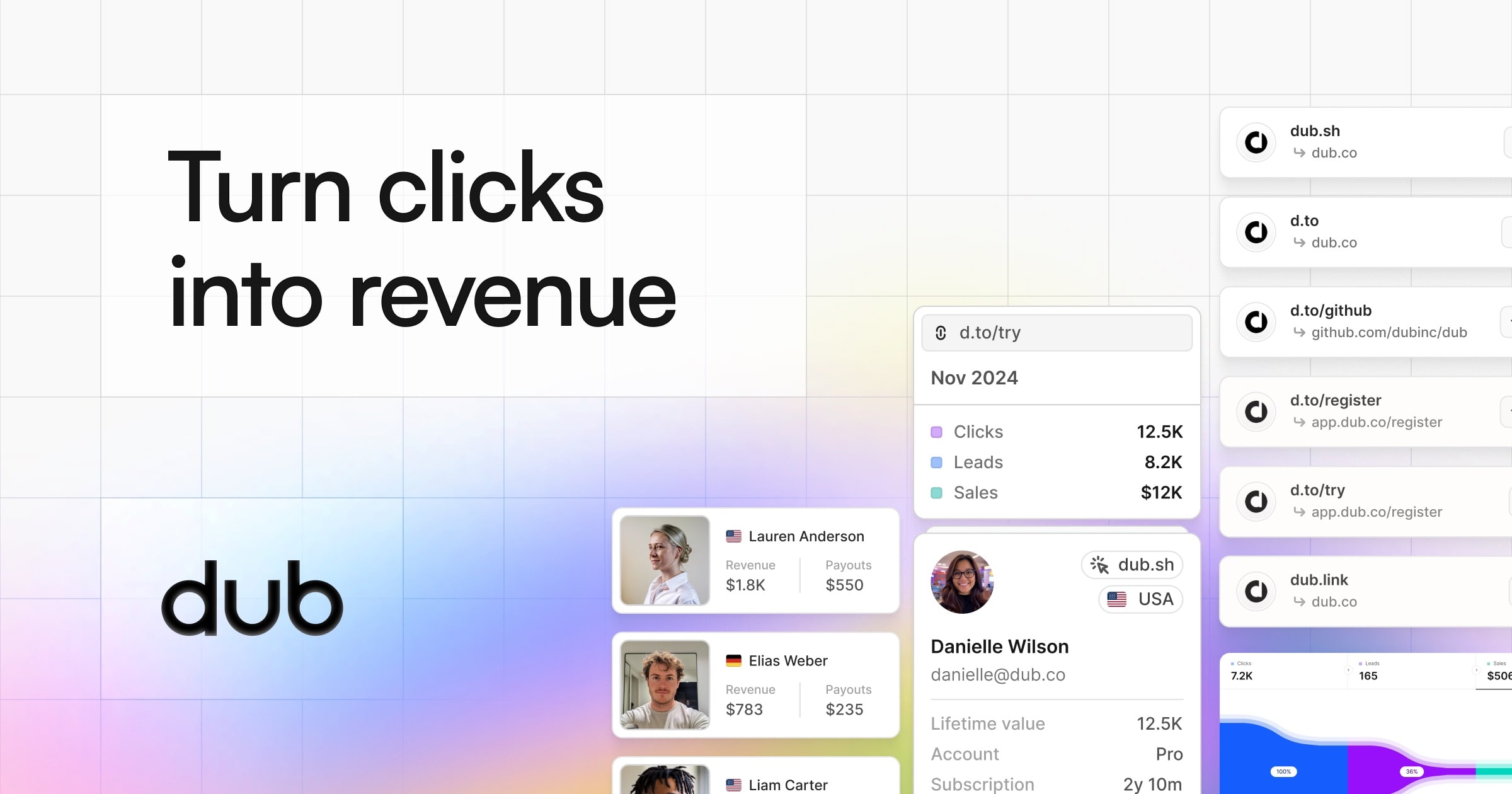



 All bots


 Registration details

 Identified technologies
User reviews (0)