Website profiles · Technology insights · Alternatives

feudalwars.net

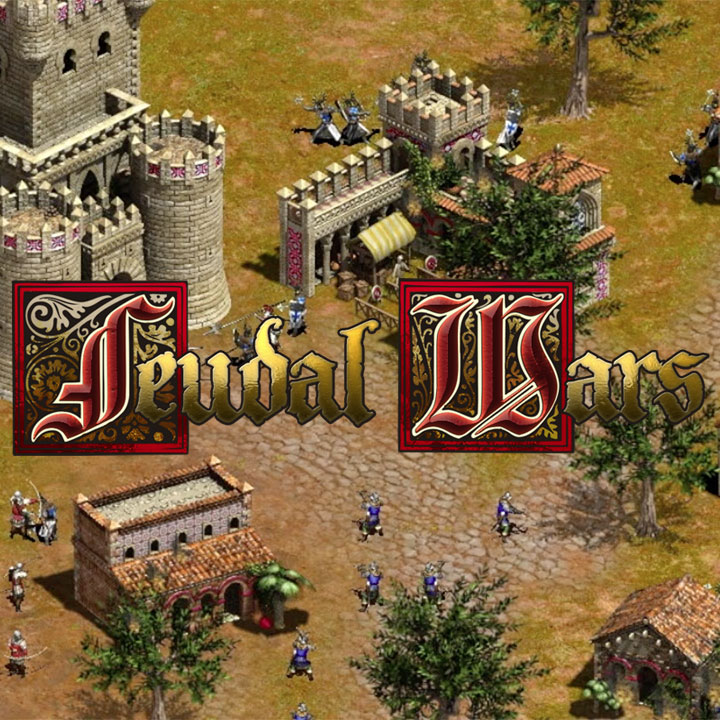
Play Feudal Wars 2, a free browser-based medieval RTS inspired by classic real-time strategy games.

No paid content found
Visit website
Profile views 0 Outbound visits 0 Normal
Feudal Wars Full homepage screenshot

At a glance

Category
Games & Board Games
Language
English
Paid-content signal
No paid content foundObserved
Registered
2015
Hosting
CloudflareInferred
HTTPS certificate trusted
PassedObserved
Last updated

Website review

This review may include AI-generated content and is not individually verified. Domain, certificate and other facts come from the observed data on this page.

What is Feudal Wars?

Feudal Wars is a free, browser-based medieval real-time strategy game. According to the site, the current version, Feudal Wars 2, is inspired by classic RTS titles and lets you jump into fast medieval battles without installing anything. The lobby page shows active matches, lets you host a new game, and includes a chat area, alongside sections for rankings, clans, a solo cup, and a guide.

Who it suits

  • RTS veterans wanting quick matches: the emphasis on "fast" battles and an active-match browser points to short, pick-up games rather than long campaigns.
  • Players on modest or shared hardware: running in the browser lowers the barrier to entry compared with full desktop RTS installs.
  • Competitive and social players: rankings, clans and a solo cup suggest structured play beyond casual skirmishes.

A practical next step

If you're deciding whether to try it, open the lobby and watch how many games are active and how quickly new ones fill; that tells you more about the multiplayer experience than any description. Newcomers should read the guide first, since classic-style RTS games reward knowing the economy and unit-counter basics before ranked play.

As general advice rather than a feature of this game: browser RTS titles usually trade graphical depth for accessibility, so expect a leaner experience than a big-budget strategy release. If you want a broader field of browser strategy games to compare against, CrazyGames hosts a large catalogue.

Do I need to download anything to play Feudal Wars 2 in my browser?

No. Feudal Wars 2 runs in the browser, so you can start a match without installing a game client. The site's lobby lets you browse active matches, host a new game, and chat before jumping into a battle—all from the page.

A practical setup still matters: use a current desktop browser, keep a stable connection for real-time play, and allow enough screen space for the map and controls. If you plan to play regularly, test one short match first to confirm your browser handles the game smoothly before hosting for others.

How do I join or host a multiplayer match in the Feudal Wars lobby?

Open Feudal Wars 2 in your browser and use the Games section of the lobby. The page describes browsing active Feudal Wars matches, hosting a new game, chatting with the lobby, and jumping into fast medieval RTS battles from the browser. In practice, that means two paths: pick an existing match from the active games list, or create your own game and wait for opponents to join.

Joining an existing match

  • Open the Games area and look through the active matches.
  • Choose a game that fits the kind of battle you want; the lobby is built around fast medieval RTS play, so match pace matters if you have limited time.
  • Use the lobby chat to coordinate before starting, especially if you want a specific opponent or team arrangement.

Hosting your own match

  • Start a new game from the lobby rather than waiting for a suitable match to appear.
  • Give it a moment for other players to find it in the active games list; hosting works best when you are willing to wait and can use chat to fill the slot.
  • If nobody joins quickly, switching to an existing match is usually faster than holding an empty lobby.

A practical decision rule

Host when you care about the setup—map, pace, or who you play with. Join when you mainly want a game soon. Either way, check the lobby chat first; it is the simplest way to confirm whether a match is about to start or still filling.

For context on the game and its modes, see Feudal Wars.

What medieval units and strategies should I use to win a Feudal Wars battle?

Feudal Wars is a fast browser-based medieval RTS, so the winning habit is to keep your army moving and your economy converting into units rather than stockpiling resources. The site describes it as a free medieval RTS inspired by classic real-time strategy games, with quick matches launched from a browser lobby. Specific unit rosters and stats aren't detailed on the page, so treat the unit advice below as general RTS principles to test in your first few matches, not confirmed Feudal Wars features.

Practical unit mix to aim for

  • Front line of durable melee units to absorb damage and hold chokepoints.
  • Ranged units behind them for sustained damage; keep them screened so they aren't picked off first.
  • A small fast group (light cavalry or scouts) for map vision, raiding undefended gathering areas, and catching enemy siege or ranged units out of position.
  • Siege or anti-building units only once you can protect them—they're usually slow and fragile alone.

Strategies that decide quick matches

  1. Scout early and often. Knowing whether your opponent is massing ranged units or teching up tells you whether to build a counter-army or pressure now.
  2. Raid the economy, not just the army. Fast units hitting workers or resource buildings force a reaction and slow their production.
  3. Fight with formation. Melee in front, ranged behind, and retreat damaged units rather than letting them die for nothing.
  4. Expand behind pressure. Use a small attack to distract while you add production or take more resources.
  5. Counter what you see. If they mass one unit type, build its natural counter rather than mirroring them.

A concrete first-match plan

Open with a few melee units plus a ranged group, send your fast units to scout the map edges, and attack the opponent's resource gatherers rather than their main army. If they turtle, add siege and expand; if they rush, keep units near your production buildings and fight under them.

To refine this, play a match, then check the Guide section in the site navigation for the actual unit and building details. When you want to compare the feel of other classic-style RTS games, Age of Empires is the official reference point for the genre Feudal Wars draws on.

How do the Feudal Wars rankings and clans work?

The available page information confirms that Rankings and Clans are separate sections of Feudal Wars, alongside Games, Solo Cup, Guide and About. It does not describe how ranking points are calculated or how clan membership, creation or clan competition works, so any specific mechanics would need to come from those sections in the game itself.

What the page supports

  • Rankings appears to be the place to check competitive standing, likely tied to results from the browser-based medieval RTS matches listed under Games.
  • Clans is a distinct area, suggesting group-based play or affiliation is a recognised part of the game rather than something handled only through individual accounts.
  • Games is the matchmaking and lobby hub: you can browse active matches, host a new game and chat with the lobby before playing.

A practical way to use these sections

If you are a new player, start with Games to learn the flow of a match, then look at Rankings to see what strong play looks like before committing to a Clan. If you mainly want organised team play, check Clans first, since group play usually depends on other people being active at the same time as you.

Goal Section to check first Trade-off
Learn the basics Games Fast access, but no structured progression guidance
Track competitive progress Rankings Useful benchmark, but only meaningful once you play regularly
Play with a consistent group Clans Better coordination, but depends on clan activity and scheduling
Test yourself in a structured event Solo Cup Focused competition, but narrower than everyday matches

For the exact rules, read the Guide and the Rankings and Clans pages directly on Feudal Wars, since those are the authoritative descriptions of how placement and membership are handled.

What is the Solo Cup in Feudal Wars and how can I enter it?

The Solo Cup is not described on the supplied page, so its format, schedule and entry rules can't be stated from this material. What the page does confirm is that Feudal Wars 2 runs in the browser and has a Solo Cup section alongside Games, Rankings, Clans and a Guide—so the most reliable way to learn how to enter is to open the Solo Cup area on Feudal Wars and check the Guide for current rules.

Practical way to find out

  • Start with the Solo Cup page on the site: entry requirements, registration steps and match times would normally be posted there.
  • Check the Guide for how ranked or cup matches differ from ordinary lobby games.
  • Use the lobby chat to ask active players about the next cup and any prerequisites, such as an account or a minimum ranking.

What to expect from a solo cup in a browser RTS

Cup formats usually reward preparation more than raw speed. Before entering, practise a fixed opening build, learn one defensive response to early pressure, and play a few ranked matches to get used to the pace. If the cup uses brackets, a single loss may end your run, so consistency matters more than risky strategies.

If you want a low-pressure start, play casual lobby matches first, then move to the Solo Cup once you can win reliably against similar opponents.

Related questions

More questions →
What Feudal Wars Offers Beyond Playing Matches

Feudal Wars is a free browser-based medieval RTS, and its site does more than launch games. According to the site's own navigation, it also provides Rankings, Clans, a Solo Cup, and Guide and About sections, plus a game lobby where you can browse active matches, host a new game, and chat. These features support competition, community, and learning around the core game.

Rankings for players

The Rankings section is the site's competitive reference point. It gives players a way to see where they stand relative to others, which matters in a real-time strategy game where match outcomes are the main measure of progress.

Use it when you want to:

  • Check your position after a series of matches.
  • Compare yourself against other active players.
  • Set a target before entering the lobby for another session.

The site does not publish the exact ranking formula or update timing in the available material, so treat Rankings as a standings view rather than a detailed stats breakdown.

Clans

Clans adds a social and group layer. Instead of playing only as an individual, you can be part of a named group within the community.

This is useful if you want:

  • A regular set of players to play with or against.
  • A group identity that makes matches more meaningful.
  • A reason to keep returning beyond single games.

The available site material confirms Clans exist as a section but does not describe membership requirements, clan sizes, or clan-specific competitions. Check the Clans page directly for current rules.

Solo Cup

The Solo Cup is a named competition feature on the site. The title suggests an individual, one-player-per-side format rather than team play.

Consider it if you:

  • Prefer competing alone rather than in clans or teams.
  • Want a structured event instead of casual lobby matches.
  • Are looking for a goal to prepare for.

Details such as schedule, entry conditions, and format are not specified in the available material, so confirm them on the Solo Cup page before planning around it.

Guide and About sections

The Guide and About sections serve different purposes:

Section What it is for When to use it
Guide Learning how the game works Before your first matches, or when a mechanic is unclear
About Understanding the site and the game itself When you want context on what Feudal Wars is

New players should start with the Guide, then move to the lobby. The About section is better for orientation than for tactical help.

The lobby ties it together

The lobby is where these features connect to actual play. From it you can browse active Feudal Wars matches, host a new game, and chat with other players. That chat is the practical link between the community features (Clans, Rankings) and getting into a battle.

A sensible sequence for a new player:

  1. Read the Guide.
  2. Skim About for context.
  3. Enter the lobby, host or join a match, and use chat.
  4. After playing, check Rankings.
  5. If you want a group, look into Clans; if you want solo competition, look into the Solo Cup.

What is not confirmed

The available site material does not state pricing, account requirements, or detailed rules for Rankings, Clans, or the Solo Cup. The site describes the game as free and browser-based, but do not assume any specific feature is unrestricted without checking its page.

What is Feudal Wars?

Feudal Wars is a browser-based medieval real-time strategy (RTS) game, and Feudal Wars 2 is the current playable version. You can play it directly in your browser without downloading anything, and the site describes it as free. It is aimed at players who enjoy classic RTS games — base building, unit control, and fast medieval battles — but want to start a match without installing a client.

What you actually get

The site presents Feudal Wars 2 as a complete RTS experience built around short, competitive matches. From the game lobby you can:

  • Browse active matches — see games already running or waiting for players.
  • Host a new game — set up your own match and wait for opponents.
  • Chat with the lobby — talk to other players before and between games.
  • Jump into battles from your browser — no launcher, no download step.

The navigation also includes Rankings, Clans, Solo Cup, Guide, and About, which tells you the game has a competitive layer (rankings and clan play), a guide for learning, and a tournament-style event (Solo Cup).

Who it is for

If you want… Feudal Wars fits if…
A quick RTS match without installing a game Yes — it runs in the browser
Classic medieval military strategy Yes — that is the core theme
Competitive structure (ranks, clans) Yes — Rankings and Clans are part of the site
A single-player campaign focus Not indicated — the site emphasizes lobby matches and multiplayer-style play

How to get started

  1. Open feudalwars.net in your browser.
  2. Go to the Games section to see active matches, or use the option to host a new game.
  3. If you are new to the game, read the Guide first — it is the intended starting point for learning the controls and rules.
  4. Join or host a match and play directly in the browser.

What to expect: the lobby is the main entry point, so your first step is usually finding a match or creating one rather than working through a campaign menu.

Things to check before committing

  • Free status: the site describes the game as free to play; specific pricing or account requirements are not detailed in the available information, so confirm on the site if that matters to you.
  • Browser requirements: since it runs in the browser, performance depends on your browser and connection; there is no separate system-spec list provided.
  • Competitive depth: Rankings, Clans, and Solo Cup suggest organized play, but the exact rules and schedules are best checked on those pages directly.

If you like classic RTS games and want to try one without a download, Feudal Wars 2 is a reasonable place to start — begin with the Guide, then join a lobby match.

Do You Need to Download Anything to Play Feudal Wars 2?

No. Feudal Wars 2 runs in your browser, and the site describes it as a free browser-based medieval RTS. You don't need to install a game client to play. The only requirement shown on the site is a browser you can open the game in; no specific browser, operating system, or hardware requirements are listed.

What "browser-based" means in practice

The game's lobby is the entry point. From there you can:

  • Browse active Feudal Wars matches
  • Host a new game
  • Chat with the lobby
  • Jump into fast medieval RTS battles

Because matches are joined from the lobby rather than launched from a desktop app, the flow is: open the site, enter the lobby, pick or host a match, and play. No download step appears in that path.

What the site does and doesn't say

Question What the site shows
Is a download required? No installation is mentioned; the game is described as browser-based
Is it free? Yes, described as a free browser-based RTS
Which browsers are supported? Not specified
Are there system requirements? Not specified
Is an account needed? Not stated on the page

The last three rows matter if you're planning to play on an older machine or a locked-down network. Since the site doesn't publish compatibility details, the practical check is to open the lobby and see whether the game loads and a match list appears.

A quick way to confirm it works for you

  1. Open feudalwars.net in your browser.
  2. Go to the Games/lobby area.
  3. Check that active matches are listed and that you can host or join one.
  4. If the lobby loads and matches appear, your setup is sufficient to start playing.

If the lobby doesn't load, the likely causes are a browser blocking the page's scripts or a network restriction, since there's no installer to troubleshoot.

Bottom line

If your goal is to try Feudal Wars 2 without committing disk space or an install, the browser-based model is exactly what you want: open the site, use the lobby, and play. Just don't expect published compatibility guarantees—test it directly in your browser first.

How to Start Playing a Game on Feudal Wars

To start playing on Feudal Wars, open feudalwars.net in a browser and go to the Games section. There you can browse active Feudal Wars matches, host a new game, chat with the lobby, and jump into fast medieval RTS battles directly from your browser—no download is mentioned on the site. This guide is for anyone who wants to get from the homepage to an actual match.

Before You Start

  • A browser and internet connection. The site describes Feudal Wars 2 as a free browser-based medieval RTS, so the game runs in the browser rather than through an installed client.
  • A basic idea of what you're playing. Feudal Wars 2 is a real-time strategy game inspired by classic RTS titles: you manage a medieval army and economy in real time against opponents.
  • No account requirement is stated on the page. The site's navigation includes Rankings, Clans, Solo Cup, Guide, and About, but the page evidence doesn't describe a sign-up flow. If a step asks you to log in, follow the on-screen prompt.

Step by Step: From Lobby to Battle

1. Open the Games section

Go to feudalwars.net and select Games in the site navigation. The page heading is "Feudal Wars 2 Games," and this is the lobby where matches are listed.

Expected result: You see the match browser, the option to host a game, and the lobby chat.

2. Browse active matches

Look through the list of active Feudal Wars matches. Each entry represents a game you can potentially join.

What to check before joining: the match type or mode, and whether the game is waiting for players or already underway. The page evidence doesn't list the exact columns shown, so read the labels on each match entry rather than assuming a format.

3. Or host a new game

If no open match suits you, choose the option to host a new game. You create the match and other players in the lobby can join it.

Expected result: Your game appears in the lobby list, and you wait for opponents or teammates to fill it.

4. Use the lobby chat

The lobby includes chat. Use it to ask about open matches, coordinate with players before a game, or find out whether a hosted game still needs players.

Practical tip: If you host a game and nobody joins right away, say so in chat—it's the fastest way to fill a slot.

5. Jump into the battle

Once a match is ready, enter it directly from the browser. The battle loads in the same tab or window; there's no separate launcher described on the site.

Expected result: You're in a live medieval RTS match, controlling your forces in real time.

Common Snags and How to Handle Them

Situation What to do
No matches look joinable Host your own game and advertise it in lobby chat
You're unsure how a match works Check the Guide section in the site navigation before playing
You want competitive context The Rankings section shows player standings; Clans covers group play
You're looking for a structured event The Solo Cup section is listed in the navigation—check it for cup-related information

What to Expect in a Match

Feudal Wars 2 is a real-time strategy game, so matches run continuously rather than in turns. You'll be building and commanding a medieval military force while your opponent does the same. The site frames matches as "fast medieval RTS battles," which suggests short sessions—useful if you want a quick game rather than a long campaign.

If you're new to the genre, the Guide page is the right first stop after your first match; it's listed alongside Games in the main navigation.

Quick Checklist

  1. Open feudalwars.net in your browser.
  2. Go to Games.
  3. Browse active matches or host a new one.
  4. Use lobby chat to fill or find a game.
  5. Enter the battle and play.

That's the full path from the site to a live match. The lobby is the hub for everything—browsing, hosting, and chatting—so if you get stuck, return there and ask in chat.

Website Overview

An established domain and managed infrastructure suggest continuity of operations and may support dependable delivery, although neither guarantees service quality. Page metadata, canonical configuration and social previews work together to provide more consistent search and sharing presentation.

Domain and Registration

Registered in 2015, this domain has about 11 years of history. That suggests continuity, although ownership and purpose may have changed. Transfer-protection status is present, helping reduce the risk of unauthorized domain transfers. The registrar is NameCheap, Inc., a widely used domain service provider. The domain uses the common .net extension, which is not an independent safety signal.

DNS and Email

Nameservers are provided by Cloudflare, indicating managed DNS hosting. No CNAME was found; the observed records resolve directly to addresses. No MX record was found. A conventional explicit inbound-mail route is not configured. DNSSEC signatures were not detected, so this additional DNS authenticity protection is not confirmed. The lowest observed DNS TTL is 300 seconds.

TLS and Certificates

The public key uses EC with 256 bits. The server supplied a complete certificate chain. No organization name is present in the certificate; the available fields are consistent with domain validation. The certificate was issued by Let's Encrypt, commonly associated with automated certificate services. The certificate's total validity is about 89 days, consistent with a short renewal cycle.

HTTP and Browser Security

The response lacks these common security headers: X-Content-Type-Options, Permissions-Policy. No X-Powered-By header was found, reducing one common source of backend fingerprinting information. The cf-ray response header indicates a CDN or caching proxy in the delivery path. No obvious internal addresses or debug information were found in the headers. The Server header identifies cloudflare without an exact version.

Technology Stack Analysis

The public page identifies Google Analytics, Cloudflare without precise versions, leaving fewer clues for version-specific scanning.

Search and Social Sharing

Twitter Card metadata is configured. The title has 49 characters, within a common display range. A meta description is present, with 99 characters. The observed directives allow indexing and link following. No Generator meta tag is publicly exposed.

Hosting and Email

DNSCloudflare
HostingCloudflare
EmailUnknown
Approximate IP geolocation (inferred; a CDN or proxy may differ from the origin server) Location unknown Inferred 104.21.3.229

Registration details

RDAP / WHOIS

RegistrarNameCheap, Inc.
Registered2015-03-26
Expires2027-03-26
Domain statusclient transfer prohibited
Nameserverscarioca.ns.cloudflare.com、dylan.ns.cloudflare.com
DNSSECunsigned

DNS records

DNS

TypeNameValueTTLPriority
Afeudalwars.net104.21.3.229300—
Afeudalwars.net172.67.131.71300—
AAAAfeudalwars.net2606:4700:3030::6815:3e5300—
AAAAfeudalwars.net2606:4700:3036::ac43:8347300—
NSfeudalwars.netcarioca.ns.cloudflare.com86400—
NSfeudalwars.netdylan.ns.cloudflare.com86400—
TXTfeudalwars.netv=spf1 -all300—
DMARC_dmarc.feudalwars.netv=DMARC1; p=reject; rua=mailto:[email protected]300—

TLS and certificates

TLS / SSL

AssessmentNormal configuration
Supported protocolsTLSv1.2、TLSv1.3
Negotiated protocolTLSv1.3
Certificate subjectfeudalwars.net
IssuerLet's Encrypt
Valid until2027-01-12T08:56 · Remaining when checked: 76 days
Verification detailsCertificate trust: Passed · Hostname match: Passed

HTTP response headers

HTTP

HeaderValue
content-typetext/html; charset=utf-8
cache-controlno-cache, no-store, must-revalidate
servercloudflare
strict-transport-securitymax-age=31536000; includeSubDomains
content-security-policyframe-ancestors 'self' https://*.crazygames.com https://*.gamedistribution.com https://*.silvergames.com https://*.y8.com https://*.kbhgames.com https://*.gameflare.com https://*.itch.io https://*.itch.zone, frame-ancestors 'self' https://*.crazygames.com https://*.gamedistribution.com https://*.silvergames.com https://*.y8.com https://*.kbhgames.com https://*.gameflare.com https://*.itch.io https://*.itch.zone
x-content-type-optionsnosniff, nosniff
referrer-policystrict-origin-when-cross-origin, strict-origin-when-cross-origin

Identified technologies

Google AnalyticsCloudflare

Pages, Search and Sharing

Meta descriptionPlay Feudal Wars 2, a free browser-based medieval RTS inspired by classic real-time strategy games.
Canonical URLhttps://feudalwars.net/
LanguageEnglish (default)
Twitter Cardsummary
All bots 0 allowed · 0 disallowed

User reviews (0)

  • No reviews yet.