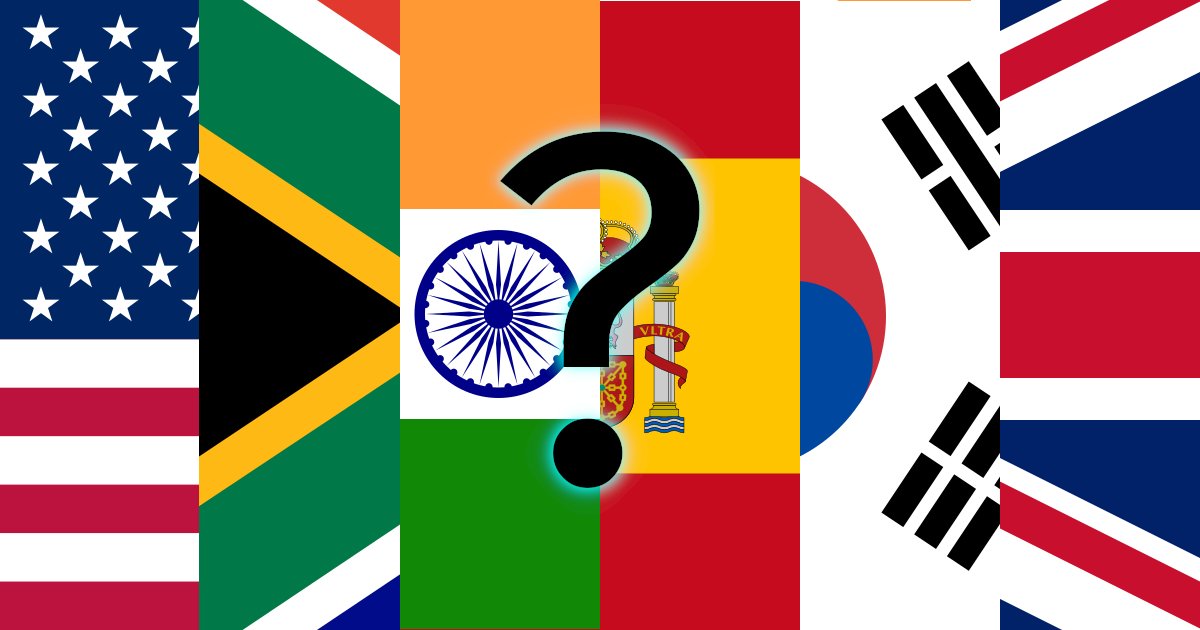
Website profiles · Technology insights · Alternatives

flagguesser.com

The best flag guessing game including all countries of the world, US states, coats of arms, emblems & more! Continent specific quizzes, Africa, Asia, Europe, North America, Oceania and South America!

No paid content found
Visit website
Profile views 0 Outbound visits 0 Normal
Flag Guesser Full homepage screenshot

At a glance

Category
Games & Board Games
Language
English
Paid-content signal
No paid content foundObserved
Registered
2021
Hosting
Amazon CloudFrontInferred
HTTPS certificate trusted
PassedObserved
Last updated

Website review

This review may include AI-generated content and is not individually verified. Domain, certificate and other facts come from the observed data on this page.

What is Flag Guesser?

Flag Guesser is a browser-based quiz game built around identifying flags and similar symbols. According to its own description, it covers all countries of the world, plus US states, coats of arms and emblems, with continent-specific quizzes for Africa, Asia, Europe, North America, Oceania and South America.

The site's visible page content is essentially a JavaScript notice, so the practical experience comes from that description rather than from feature details shown on the page. The main trade-off is straightforward: broad coverage and continent filters make it easy to drill into a region, but the quizzes depend on JavaScript being enabled, so a blocked or failed script leaves you with nothing to play.

A sensible way to use it: start with the continent you know least, then move to the worldwide set to see whether your recall holds up across regions. If you want a different take on the same subject, Sporcle and JetPunk are established quiz sites with geography categories.

How do I play the Flag Guesser quiz game?

Flag Guesser is a browser-based quiz game where you identify flags from around the world. The page is built with JavaScript, so it needs to be enabled in your browser before the game will load.

How a round typically works

  1. Open Flag Guesser in your browser.
  2. Choose a quiz category — the site advertises continent-specific sets (Africa, Asia, Europe, North America, Oceania, South America) plus world flags, US states, coats of arms and emblems.
  3. A flag or emblem appears, and you enter or select the matching country, state or name.
  4. You get immediate feedback and move through the set, with your score tracking correct answers.

Practical tips

  • Start with a single continent rather than "all countries" so the pool stays manageable.
  • Play in short sessions; flag recall improves faster with repeated, spaced rounds than with one long marathon.
  • When you miss one, say the country name out loud and picture the flag's distinctive feature (a colour order, a central emblem, a unique shape) — that association sticks better than re-reading a list.

A concrete scenario

If you have a geography test on African flags next week, run the Africa quiz daily, note the flags you miss, and review only those before the next round. Once you're consistently scoring high, switch to the world quiz to mix them with other regions.

Choosing between this and other options

Flag Guesser is a good fit if you want quick, region-based drills with extra categories like US states and coats of arms. If you'd rather learn through structured country profiles alongside the flags, CIA World Factbook and Encyclopaedia Britannica are useful references to check details after a round. For spaced-repetition style memorisation, a general flashcard tool such as Anki lets you build your own flag deck and review on a schedule.

Which continents and regions are covered in Flag Guesser quizzes?

Flag Guesser organises its quizzes around continents and world regions rather than a single global pool. Based on the site's own description, the continent-specific quizzes cover Africa, Asia, Europe, North America, Oceania and South America — effectively every inhabited continent.

Beyond country flags, the description also lists quizzes on US states, coats of arms and emblems, so the regional coverage is broader than national flags alone.

What the coverage means in practice

  • Full continental sweep: Africa, Asia, Europe, North America, Oceania and South America each have their own quiz, so you can drill one region at a time instead of facing every flag at once.
  • Sub-national geography: US states appear as a separate category, useful if you already know the national flags and want a harder set.
  • Heraldry: Coats of arms and emblems extend the quiz beyond rectangular flags, which suits players who want a different visual challenge.

Choosing how to use it

A learner revising for a geography test would start with the continent they are weakest on, then rotate through the others. A casual player wanting variety can jump between continents and the emblem quizzes. The continent split is the main trade-off: it makes focused practice easy, but there is no indication of a single mixed-world mode, so you would need to combine regions yourself if you want that.

A practical next step: pick your weakest continent first, complete that quiz, then move to US states or coats of arms for a fresh challenge. For a second source of continent-based flag practice, Seterra offers map and flag quizzes by region.

Can I practice US state flags and coats of arms on Flag Guesser?

Yes. Flag Guesser is built around flag-guessing quizzes, and its own description lists US states alongside coats of arms and emblems, so state-flag and coat-of-arms practice is part of what the site offers rather than an extra you have to hunt for.

What that looks like in practice

A typical session is recognition training: you see a flag or emblem, then choose or type the matching name. The value comes from repetition across a set, not from a single pass.

  • US state flags suit anyone studying for a civics quiz, trivia night, or a school project where the 50-state set is the actual goal.
  • Coats of arms and emblems go beyond flags, which helps if you keep mixing up similar-looking designs or want heraldry rather than banners.
  • Continent-specific quizzes (Africa, Asia, Europe, North America, Oceania, South America) let you narrow the pool, which matters because a 50-item set and a 200-item world set demand different memory strategies.

How to decide if it fits you

Your goal Flag Guesser's fit Trade-off
Learn all 50 US state flags Direct match State flags are visually similar (blue fields, seals), so expect slow early progress
Practice coats of arms/emblems Covered by the site's scope Emblem sets are less standardized than national flags, so naming conventions vary
Drill one continent at a time Supported Narrow sets build confidence fast but can mask gaps when you return to the full world set
Casual five-minute practice Workable Short sessions favor small subsets; a full world run needs more time

A useful next step

Start with the US states set alone and track which flags you miss twice. Those repeats are your real study list. Once you're consistently clean there, move to coats of arms, then widen to a continent quiz to test whether your recognition holds outside the set you memorized.

One practical note: the site needs JavaScript enabled to run, so if the page appears blank, that's the cause rather than a missing feature.

Is Flag Guesser free to play or does it require payment?

Flag Guesser is free to play. The site presents itself as a flag-guessing quiz game covering all countries of the world, plus US states, coats of arms, emblems and continent-specific quizzes for Africa, Asia, Europe, North America, Oceania and South America. Nothing in the available information points to a paid tier, subscription or paywalled quiz set.

One practical caveat: the page only renders with JavaScript enabled, so if it appears blank, that is a browser setting to fix rather than a payment prompt. Enable JavaScript and reload.

How to judge a "free" quiz site before committing time

  • Access model: If a quiz loads and starts without a login wall or checkout page, it is free at the point of use.
  • Hidden costs: Watch for ad-heavy layouts, forced account creation, or a "pro" mode that unlocks extra regions. Free-to-start is not always free-to-finish.
  • What you actually get: A world-flags quiz is enough for most casual learners; US states, coats of arms and emblems add depth if you want more than the standard country set.

Who it suits

  • Students and trivia players who want quick, repeatable rounds by continent rather than one giant mixed quiz.
  • Teachers looking for a low-friction warm-up activity, provided classroom devices allow JavaScript.
  • Flag enthusiasts who have outgrown country flags and want coats of arms and emblems as a harder tier.

If your goal is comparing study tools, Sporcle and JetPunk are established quiz platforms with large user-made geography sections, while Flag Guesser is the narrower, flag-focused option. Start with one continent quiz on Flag Guesser; if you finish it easily, move to the emblems and coats of arms sets for a real difficulty jump.

How can I improve my world flag knowledge using Flag Guesser?

Use Flag Guesser as a repeatable practice loop rather than a one-off test: start with the continent you know worst, play in short sessions, and review the flags you miss before moving on. The site is built around flag-guessing quizzes covering all countries of the world, plus US states, coats of arms, emblems, and continent-specific sets for Africa, Asia, Europe, North America, Oceania, and South America. That range lets you choose between broad world practice and focused regional drilling.

A practical routine

  1. Warm up with a continent you know well. Europe or North America is a low-friction start that builds momentum.
  2. Move to your weakest continent. Africa, Asia, and Oceania usually expose the biggest gaps for most learners.
  3. Note every miss, not just the score. Group errors by cause: similar color schemes (red, white, blue), shared pan-Arab or pan-African colors, or confusable emblems.
  4. Re-test the same set within a day or two. Spaced repetition is what converts recognition into recall.
  5. Switch modes once country flags feel easy. US states, coats of arms, and emblems test a different kind of visual memory.

What each quiz type is good for

Quiz type Best for Trade-off
World (all countries) Testing overall recall Long sessions, harder to isolate weak spots
Continent-specific Targeted drilling Narrower context; less cross-region confusion practice
US states Regional and subnational knowledge Only useful if you care about US geography
Coats of arms and emblems Detail-level recognition Harder than flags; needs more prior knowledge

Turning misses into knowledge

Flag quizzes train recognition, but recognition alone fades. After a session, look up the flags you missed and attach a fact to each one: independence date, colonial history, or the meaning of a specific symbol. A flag tied to a story sticks better than a flag tied only to a shape. If you want a second source for country profiles and flag symbolism, Encyclopaedia Britannica and CIA World Factbook both cover national flags and country background.

For a concrete plan: ten minutes a day, one continent per week, and a full world run at the end of each week. Track which flags you miss twice — those are your real study list.

A useful next step is to start with the continent where you scored lowest, play one round, and write down only the flags you got wrong. Then repeat that same set tomorrow before adding a new region.

Related questions

More questions →
Who Is Flag Guesser Designed For?

Flag Guesser is for anyone who wants to test or build world flag knowledge through quiz-style play. It fits casual players looking for a quick challenge, geography and vexillology enthusiasts, students studying countries and their symbols, and trivia fans who want to move beyond general knowledge games. The site covers all countries of the world plus US states, coats of arms, and emblems, with continent-specific quizzes for Africa, Asia, Europe, North America, Oceania, and South America — so it works both as a broad world-knowledge tool and as a focused regional drill.

The main audiences

Casual players and trivia fans

If you enjoy quick guessing games, Flag Guesser gives you a low-commitment way to play. You pick a quiz, identify flags, and get immediate feedback. The continent-specific quizzes let you choose a difficulty level by narrowing the scope — a Europe-only round is easier to prepare for than a full world round.

Geography and social studies learners

Flags are tied to countries, capitals, and regions. Using Flag Guesser alongside a map or textbook turns flag recognition into a memory aid for country names and locations. The continent breakdown maps naturally onto how geography courses are organized.

Vexillology and heraldry enthusiasts

The site goes beyond national flags. US states, coats of arms, and emblems are included, which appeals to people interested in symbols, design, and how regions represent themselves. This is a narrower interest than general trivia, and Flag Guesser is one of the few quiz sites that covers it.

Teachers and group activity organizers

Because quizzes are split by continent and by symbol type, you can assign a specific set as a warm-up, a review, or a friendly competition. The range from country flags to state flags and emblems means you can scale the challenge to the group.

What each audience gets

Audience Useful feature Why it fits
Casual players Continent-specific quizzes Shorter, easier rounds
Geography learners All countries of the world Broad coverage for study
Symbol enthusiasts Coats of arms and emblems Goes beyond standard flags
US-focused learners US states Regional content not in most flag quizzes
Teachers Multiple quiz categories Flexible difficulty and topic

When Flag Guesser is not the right fit

  • You want a structured course with lessons and progress tracking — Flag Guesser is a quiz game, not a curriculum.
  • You need offline access — the site requires JavaScript to run, so it depends on a working browser session.
  • You want deep historical or political context for each flag — the format is identification-based, not explanatory.

How to decide

Choose Flag Guesser if your goal is repeated, self-directed practice with instant feedback and you want coverage that extends past national flags into US states and heraldic symbols. If you only need to memorize a handful of flags for a single test, a printable chart may be faster. If you want a game you can return to across continents and symbol types, Flag Guesser's range is the reason to use it.

What Types of Quizzes and Content Does Flag Guesser Offer?

Flag Guesser is a browser-based flag quiz game whose content falls into four groups: flags of all world countries, US state flags, coats of arms and emblems, and continent-specific quizzes covering Africa, Asia, Europe, North America, Oceania, and South America. That range is what the site itself advertises, so you can expect both a full-world mode and narrower regional or topical modes. One practical condition applies before anything else: the site states it does not work properly without JavaScript enabled, so you need a browser with JavaScript turned on to play.

Quiz categories at a glance

Category What it covers
World countries Flags of all countries of the world
US states Flags of US states
Coats of arms & emblems Heraldic and emblem-style content beyond plain flags
Continents Dedicated quizzes for Africa, Asia, Europe, North America, Oceania, and South America

How to choose which quiz to start with

  • New to flags: start with a single continent rather than the full world set, since the pool of answers is smaller and easier to hold in memory.
  • Already comfortable with national flags: move to coats of arms and emblems, which test a different kind of recognition than simple flag colors and patterns.
  • Testing US-specific knowledge: use the US states quiz, which is separate from the country-level content.
  • Building broad recall: work through continents one at a time, then attempt the all-countries mode as a combined test.

What to expect when you open the site

The only page content available describes the game and its categories; it does not list pricing, account requirements, or a login step. Because the site depends on JavaScript, a blank or non-functional page usually means scripting is blocked by your browser or an extension — enabling JavaScript for the site is the first thing to check if nothing loads.

If you want a quick sense of whether the game suits you, pick one continent quiz first. It gives you a fast read on the format and difficulty before you commit to the full world set.

What Is Flag Guesser?

Flag Guesser is a browser-based flag quiz game at flagguesser.com. It tests your ability to identify flags and similar symbols, covering all countries of the world plus US states, coats of arms, and emblems. Quizzes can also be narrowed to a single continent: Africa, Asia, Europe, North America, Oceania, or South America. It is a quiz and practice tool, not a reference database or a geography course, so it suits people who want to drill recognition rather than read explanations.

What the site covers

Based on the site's own description, the content breaks into two broad groups:

Category Scope
Country flags All countries of the world
US states State flags
Coats of arms and emblems Additional symbol sets beyond flags
Continent quizzes Africa, Asia, Europe, North America, Oceania, South America

The continent filter is the main way to control difficulty. A Europe-only round draws from a smaller, more familiar pool than a world round, which makes it a reasonable starting point if you are new to flag recognition.

How to use it

  1. Open flagguesser.com in a browser.
  2. Pick a quiz scope — a continent, or the full world set — or a non-flag category such as US states or coats of arms.
  3. Answer the flag prompts as they appear.
  4. Repeat a scope you scored poorly on rather than jumping between categories; recognition improves faster with repeated exposure to the same set.

There is no account or setup step described on the site, so the expectation is that you can start a round directly.

One practical catch: JavaScript is required

The site's own page returns this message when scripts are blocked:

We're sorry but Flag Guesser doesn't work properly without JavaScript enabled. Please enable it to continue.

That means the game will not load in a browser with JavaScript disabled, and it may also fail in strict privacy setups, some corporate networks, or text-only browsers. If you see a blank page or that message, enable JavaScript for the site or try a different browser before assuming the site is down.

What it does not tell you

The site description does not state pricing, account requirements, or whether scores are saved. Treat those as unknown rather than assuming the game is free or that progress persists — check the site directly if those points matter to you.

Who it is for

  • Casual learners who want a quick, low-commitment way to practice flag recognition.
  • Students preparing for geography quizzes who need repetition across a defined region.
  • Trivia and quiz-night players who want to sharpen recall of flags, state flags, and emblems.

If you need explanations of why a flag looks the way it does, or historical context behind a design, this is not that kind of resource — it is a guessing game built around recognition.

Why Flag Guesser Requires JavaScript (and How to Fix the Blank Page)

Flag Guesser shows the message "We're sorry but Flag Guesser doesn't work properly without JavaScript enabled. Please enable it to continue." because the site is built as a JavaScript application — the quizzes, flag images, and answer checking are all rendered by scripts in your browser rather than delivered as pre-built HTML pages. If JavaScript is disabled or blocked, there is nothing for the browser to display except that fallback notice. Enabling JavaScript for flagguesser.com resolves it in almost all cases.

What the error message actually means

The message is not a bug, an outage, or a region block. It is a deliberate fallback that the site shows when it detects that scripts cannot run. The page evidence from flagguesser.com confirms this is the only content served in that state: the site states it "doesn't work properly without JavaScript enabled."

In practice this means:

  • The quiz interface, continent selection (Africa, Asia, Europe, North America, Oceania, South America), and answer feedback are all generated client-side.
  • With JavaScript off, the browser receives the app shell but cannot execute the logic that draws the quiz.
  • You see the apology text instead of a broken or half-loaded quiz.

How to enable JavaScript and get the quizzes working

The exact menu path depends on your browser. The steps below cover the common ones.

Desktop browsers

Chrome / Edge

  1. Open Settings and search for "JavaScript" (or go to Privacy and security → Site settings → JavaScript).
  2. Set the default to Allowed, or add flagguesser.com to the allowed list.
  3. Reload the page.

Firefox

  1. Type about:config in the address bar and accept the warning.
  2. Search for javascript.enabled.
  3. Confirm the value is true (double-click to toggle if it is false).
  4. Reload the page.

Safari

  1. Open Settings → Websites → JavaScript (older versions: Preferences → Security).
  2. Set "Allow JavaScript" or ensure flagguesser.com is not set to Block.
  3. Reload the page.

Mobile browsers

On iOS and Android, JavaScript is on by default in Safari, Chrome, and most browsers, so a blank page usually points to something else — see the next section.

Expected result: after enabling JavaScript and reloading, the fallback message disappears and the quiz interface loads, letting you pick a continent or quiz type and start guessing.

If JavaScript is already enabled and it still fails

Work through these in order — each one is a common cause of the same symptom:

  • An extension is blocking scripts. Ad blockers, privacy extensions, and script blockers (uBlock Origin, NoScript, Privacy Badger, Ghostery) can block the site's scripts even when JavaScript is globally on. Disable them for flagguesser.com or pause them and reload.
  • A strict browser privacy mode. Some "strict" tracking-protection settings block scripts by default. Lower the setting for this site.
  • Corporate or school network filtering. Managed networks sometimes strip scripts. Try a different network or device to confirm.
  • Cached or stale page state. Hard-reload (Ctrl+Shift+R on Windows/Linux, Cmd+Shift+R on Mac) or clear the site's cache.
  • Outdated browser. Very old browser versions may fail to run modern scripts. Update to a current version.

Quick check: is it JavaScript or something else?

Symptom Most likely cause First thing to try
Exact "doesn't work properly without JavaScript" text JavaScript disabled or blocked Enable JavaScript for the site
Blank white page, no message Script blocked by extension or network Disable extensions / try another network
Page loads but quizzes don't respond Partial script block or stale cache Hard reload, clear cache
Works on one device, not another Device- or browser-specific setting Compare browser settings between devices

The presence of the specific JavaScript message is the strongest signal: it means the site reached your browser and deliberately told you scripts are required, rather than failing to connect at all.

What you get once it loads

With JavaScript running, Flag Guesser serves its flag quiz content, including all countries of the world, US states, and coats of arms and emblems, organized into continent-specific quizzes for Africa, Asia, Europe, North America, Oceania, and South America. None of that is reachable in the no-JavaScript state — the fallback message is the entire page.

If you have enabled JavaScript, cleared extensions, and still see the message, the remaining variables are your network and browser version; testing on a second device or network isolates which one is responsible.

Website Overview

Several search or sharing settings need attention. Together they may make snippets, preview images or preferred URLs less consistent across platforms.

Domain and Registration

Transfer-protection status is present, helping reduce the risk of unauthorized domain transfers. The domain has about 4 years of registration history; its current configuration provides more context than age alone. The registrar is Squarespace Domains II LLC, a widely used domain service provider. The domain uses the common .com extension, which is not an independent safety signal.

DNS and Email

The lowest TTL is 60 seconds, supporting rapid record changes at the cost of more frequent lookups. Nameservers are provided by Amazon Route 53, indicating managed DNS hosting. No CNAME was found; the observed records resolve directly to addresses. No MX record was found. A conventional explicit inbound-mail route is not configured. TXT records include verification markers for Google. Such markers may also remain after a service stops being used.

TLS and Certificates

The certificate uses an RSA 2048-bit public key, offering broad client compatibility. The server supplied a complete certificate chain. No organization name is present in the certificate; the available fields are consistent with domain validation. The certificate was issued within the Amazon cloud or CDN ecosystem. The certificate is valid for about 197 days in total, with 52 days remaining.

HTTP and Browser Security

The response lacks these common security headers: CSP, Permissions-Policy. No X-Powered-By header was found, reducing one common source of backend fingerprinting information. The x-cache, via response header indicates a CDN or caching proxy in the delivery path. No obvious internal addresses or debug information were found in the headers. The Server header contains the custom value AmazonS3.

Technology Stack Analysis

The public page identifies Amazon CloudFront without precise versions, leaving fewer clues for version-specific scanning.

Search and Social Sharing

The title has 75 characters and may be truncated in search results. The meta description has 199 characters and may be shortened in search results. Open Graph is partially configured; og:description is missing. The observed directives allow indexing and link following. No Generator meta tag is publicly exposed.

Hosting and Email

DNSAmazon Route 53
HostingAmazon CloudFront
EmailUnknown
Approximate IP geolocation (inferred; a CDN or proxy may differ from the origin server) United States flagUnited States Inferred 13.225.205.113

Registration details

RDAP / WHOIS

RegistrarSquarespace Domains II LLC
Registered2021-12-01
Expires2026-12-01
Domain statusclient delete prohibited、client transfer prohibited
Nameserversns-1253.awsdns-28.org、ns-1673.awsdns-17.co.uk、ns-273.awsdns-34.com、ns-702.awsdns-23.net
DNSSECunsigned

DNS records

DNS

TypeNameValueTTLPriority
Aflagguesser.com13.225.205.11360—
Aflagguesser.com13.225.205.2960—
Aflagguesser.com13.225.205.6460—
Aflagguesser.com13.225.205.7460—
NSflagguesser.comns-1253.awsdns-28.org172800—
NSflagguesser.comns-1673.awsdns-17.co.uk172800—
NSflagguesser.comns-273.awsdns-34.com172800—
NSflagguesser.comns-702.awsdns-23.net172800—
TXTflagguesser.comgoogle-site-verification=9X81-uxn8qReoLm0D8kDnbkQzrY0nhKE5uEL7KSOkjc300—

TLS and certificates

TLS / SSL

AssessmentNormal configuration
Supported protocolsTLSv1.2、TLSv1.3
Negotiated protocolTLSv1.3
Certificate subjectflagguesser.com
IssuerAmazon
Valid until2026-12-06T23:59 · Remaining when checked: 52 days
Verification detailsCertificate trust: Passed · Hostname match: Passed

HTTP response headers

HTTP

HeaderValue
content-typetext/html
cache-controlno-cache, must-revalidate
serverAmazonS3
strict-transport-securitymax-age=63072000; includeSubDomains; preload
x-frame-optionsSAMEORIGIN
x-content-type-optionsnosniff
referrer-policystrict-origin-when-cross-origin

Identified technologies

Amazon CloudFront

Pages, Search and Sharing

Meta descriptionThe best flag guessing game including all countries of the world, US states, coats of arms, emblems & more! Continent specific quizzes, Africa, Asia, Europe, North America, Oceania and South America!
Canonical URLhttps://flagguesser.com/
LanguageEnglish (default)
Twitter CardNot detected
All bots 1 allowed · 0 disallowed
  • Allow/

User reviews (0)

  • No reviews yet.