
 简体中文
简体中文 English
Website review
This review may include AI-generated content and is not individually verified. Domain, certificate and other facts come from the observed data on this page.
What is GameServe.rs?
GameServe.rs is a live server browser for Call of Duty multiplayer. Instead of launching a modded client and hoping a lobby is populated, you check this site first: it lists servers across the major community clients and shows how many players are on each one, with counts refreshed every 20 seconds.
Its organising idea is that Call of Duty's surviving online population is split by client, not just by game. So the site groups titles by the client that keeps them running:
| Client | Covers |
|---|---|
| Plutonium | World at War, Black Ops, Black Ops II, Modern Warfare 3 (7 titles total) |
| IW4x | Modern Warfare 2 |
| AlterWare | Ghosts, Advanced Warfare, Black Ops III |
| Aurora | Modern Warfare Remastered, Infinite Warfare |
| HorizonMW | MW2 Campaign Remastered multiplayer |
| CoD4x | Call of Duty 4 |
| S2x | Call of Duty: WWII |
The original Call of Duty, CoD2 and United Offensive servers are covered separately via cod.pm.
How you'd actually use it: you want a Black Ops II Zombies match on a Tuesday evening. You open the BO2 Zombies list, sort by player count, pick a server whose map and mode you like, then click the row to copy the connect <address> command. You paste that into the in-game console (usually the tilde key) once the relevant client is running. Clients with their own built-in browsers let you search by server name instead.
Two practical notes. First, a high player count doesn't guarantee a good match — check the map and mode columns, and use the filter if you want to hide trickshot servers. Second, the site is a directory, not a client: you still need to install Plutonium, IW4x or whichever client the title requires, and each game page links out to that client or its community.
If you're new to this, start with the client your game belongs to, install it, then use GameServe.rs as your pre-flight check before every session.
Which client do I need for each Call of Duty game?
The client depends on the game. GameServe.rs groups its server lists by the client that keeps each title online, so the fastest way to find yours is to scan the "By client" grouping on GameServe.rs rather than the alphabetical game list.
Client-to-game map
| Client | Covers |
|---|---|
| Plutonium | World at War (and its Zombies), Black Ops (and Zombies), Black Ops II (and Zombies), Modern Warfare 3 |
| IW4x | Modern Warfare 2 (2009) |
| AlterWare | Ghosts, Advanced Warfare, Black Ops III |
| Aurora | Modern Warfare Remastered, Infinite Warfare |
| HorizonMW | MW2 Campaign Remastered multiplayer |
| CoD4x | Call of Duty 4: Modern Warfare |
| S2x | Call of Duty: WWII |
| cod.pm | Original Call of Duty, CoD2, United Offensive |
How to use this
Pick your game, install the matching client, then come back to the server list for that title. Each row shows the server address as a console command: click it to copy the connect line, open the in-game console (usually the tilde key) and paste. Some clients also have a built-in browser, where you can search by server name instead.
If you own several older titles, Plutonium is the broadest single install — it covers four games across seven server lists, including the Zombies modes. For anything outside its range you need a separate client per title, so decide which game you actually want to play before downloading.
One practical note: player counts refresh every 20 seconds, so a list that looks empty may fill up later in the evening. Check the count column before committing to a download, and use the "hide trickshot servers" filter if you want standard matches rather than modded lobbies.
How do I join a Call of Duty server from this list?
Click the server address in the row to copy its connect command, then paste it into the in-game console (usually the tilde key). That is the core of it: the list gives you the address, your client does the connecting.
Step by step
- Open the server list and pick a row with players in it — counts refresh every 20 seconds, so a full server stays roughly full.
- Click the address. GameServe.rs copies it as a
connect :console command. - Launch the matching client for that game first, then open its console and paste.
- If the client has a built-in server browser, you can instead search the server name once the client is running.
The catch: you need the right client
The list spans several modded clients, and each one only runs certain titles. Joining a server for a game you do not have set up will fail regardless of how you paste the command.
| Client | Titles it covers |
|---|---|
| Plutonium | World at War, Black Ops, Black Ops II, Modern Warfare 3 |
| IW4x | Modern Warfare 2 |
| AlterWare | Ghosts, Advanced Warfare, Black Ops III |
| Aurora | Modern Warfare Remastered, Infinite Warfare |
| HorizonMW | MW2 Campaign Remastered multiplayer |
| CoD4x | Call of Duty 4 |
| S2x | Call of Duty: WWII |
Original Call of Duty, CoD2 and United Offensive servers are listed separately via cod.pm.
Practical next step
Decide which game you actually want to play, install its client, then return to the list and sort by player count. A concrete example: if you want Black Ops II Zombies, get Plutonium running, filter the list to that title, and copy the address of the fullest lobby rather than picking a row first and hunting for the client afterwards.
Two small habits help. Sort by players before choosing, since an empty server is not worth the paste. And use the "Hide trickshot servers" filter if you want normal matches rather than staged lobbies.
How current are the player counts shown on GameServe.rs?
GameServe.rs refreshes its available player counts every 20 seconds, so the numbers reflect activity from roughly the last few moments rather than a daily or weekly snapshot. The page itself displays a running total (for example, "0 playing across 0 servers right now") alongside per-server counts, and the list can be re-sorted by players, name, map or mode.
What that means in practice
- A 20-second refresh is fast enough to catch a server filling up or emptying between rounds, which matters for older Call of Duty titles where a lobby can go from busy to dead in one match cycle.
- It is not a guarantee that you can join right now: a count can change again before you copy the address, and a server showing players may still be full, passworded or running a mod you have not installed.
- Because counts are tied to whichever modded clients are being polled, a server that is offline or not reporting will simply not appear rather than showing a stale number.
A useful next step
Pick your title first, then use the sort-by-players column to see which servers have the most people at that moment. Each row gives the server address as a console command — click to copy the connect line, open the in-game console (usually the tilde key) and paste it. If you are deciding between two nearly equal servers, favour the one with a higher and more stable count across a couple of refreshes, since a single spike can be a server that is about to empty.
For the client that keeps a given game online, the site groups titles by client — Plutonium covers several older Black Ops and Modern Warfare entries, IW4x covers Modern Warfare 2, AlterWare covers Ghosts, Advanced Warfare and Black Ops III, Aurora covers Modern Warfare Remastered and Infinite Warfare, HorizonMW covers MW2 Campaign Remastered multiplayer, CoD4x covers Call of Duty 4, and S2x covers Call of Duty: WWII. Checking GameServe.rs alongside the relevant client's own community page is the most reliable way to confirm a server is genuinely populated before you launch the game.
What does the 'Hide trickshot servers' filter do?
It hides servers whose names or descriptions are tagged as trickshot-focused, so the list keeps only regular multiplayer or zombie lobbies. Use it when you want a normal match rather than a server built around trickjumping, trickshotting or montage recording.
How to use it in practice
- Toggle it on before you sort by player count; the totals and player counts shown then reflect the filtered list only.
- If a server you normally play on disappears, it may simply be flagged as trickshot-friendly — turn the filter off to check.
- Compare both views once: with the filter off you get the widest choice, with it on you avoid lobbies where the rules or map rotation are tuned for trickshots rather than standard play.
For context, this list covers modded clients such as Plutonium, IW4x, AlterWare, Aurora, HorizonMW, CoD4x and S2x, with counts refreshed every 20 seconds. The same filtering logic applies per title page, so a quiet game may look even quieter once trickshot servers are hidden — check the unfiltered count before concluding nobody is online.
How are the server lists organized by game and client?
GameServe.rs organizes its server lists two ways at once: by game title and by the modded client that keeps each title playable online. The two views describe the same servers, so you can start from whichever you already know — the game you want to play, or the client you already have installed.
By client
This is the more practical grouping, because a client is what you actually launch and what determines which servers you can see. The page groups titles under each client:
- Plutonium — 7 titles
- AlterWare — 3 titles
- Aurora — 2 titles
- IW4x, HorizonMW, CoD4x, S2x — 1 title each
So a client like Plutonium is a hub for several games, while IW4x, CoD4x and S2x each serve a single title. If you already run one client, that grouping tells you immediately how much of the list applies to you.
By game
The game view lists individual titles with their release years, splitting multiplayer and Zombies where the community treats them separately — for example World at War and World at War Zombies, or Black Ops II and Black Ops II Zombies. It spans Call of Duty (2003) through Call of Duty: WWII (2017), plus Modern Warfare Remastered, Infinite Warfare and HorizonMW.
Matching games to clients
| Game | Client |
|---|---|
| World at War, Black Ops, Black Ops II, Modern Warfare 3 | Plutonium |
| Modern Warfare 2 (2009) | IW4x |
| Ghosts, Advanced Warfare, Black Ops III | AlterWare |
| Modern Warfare Remastered, Infinite Warfare | Aurora |
| MW2 Campaign Remastered multiplayer | HorizonMW |
| Call of Duty 4 | CoD4x |
| Call of Duty: WWII | S2x |
| CoD1, CoD2, United Offensive | cod.pm |
What the list itself shows
Each row carries the server address as a console command, plus columns for players, name, map and mode, with sorting and a filter for hiding trickshot servers. Player counts refresh every 20 seconds, which is the detail that matters most: a server list is only useful if you can tell whether anyone is actually in a lobby before you connect.
Next step: pick your game from the client group you already have installed, sort by player count, then click the address in the row to copy the connect command and paste it into the in-game console (usually the tilde key).
 Cloudflare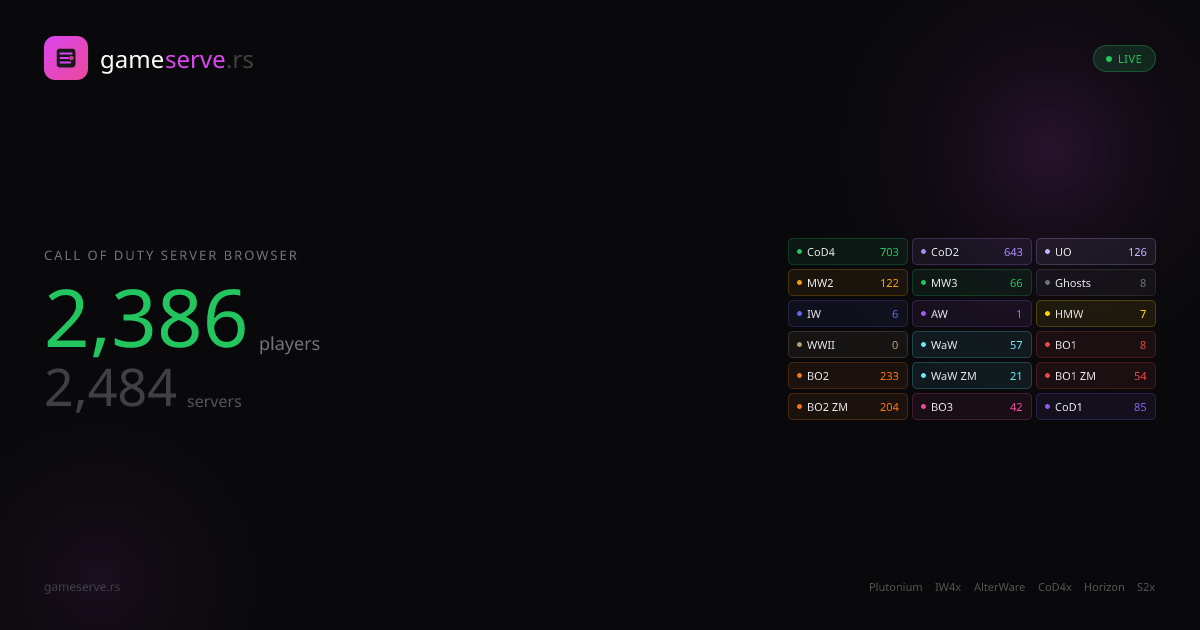

User reviews (0)