Website profiles · Technology insights · Alternatives

globster.xyz

Globster is an online tool for testing and visualizing results of glob patterns matching.

No paid content found
Visit website
Profile views 10 Outbound visits 0 Normal
Glob tester - tool for testing glob patterns Full homepage screenshot

At a glance

Category
Development
Language
English
Paid-content signal
No paid content foundObserved
Registered
2019
Hosting
Google LLCInferred
HTTPS certificate trusted
PassedObserved
Last updated

Website review

This review may include AI-generated content and is not individually verified. Domain, certificate and other facts come from the observed data on this page.

What is Glob tester?

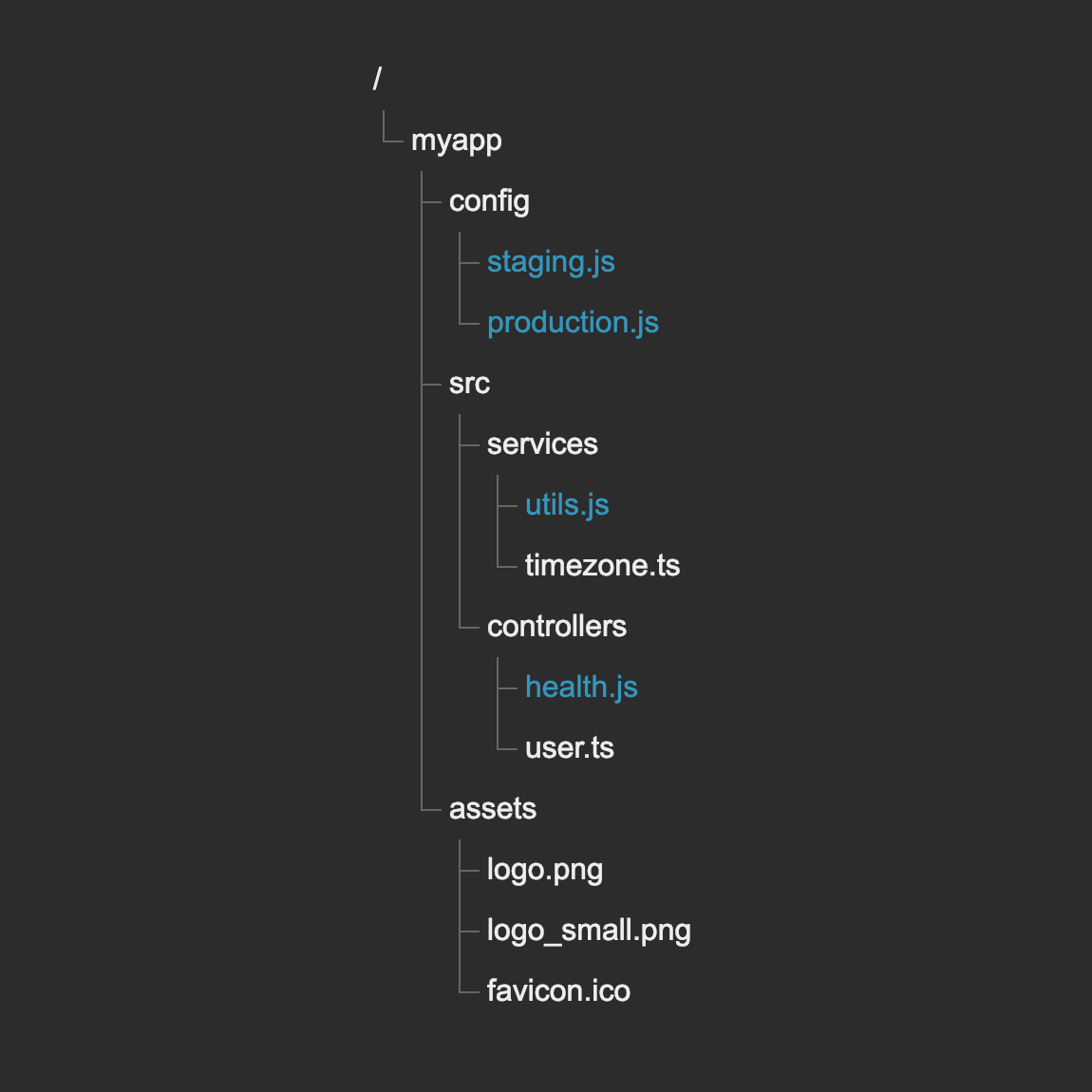
Glob tester is a browser-based tool for testing and visualising glob pattern matching. You type a glob pattern into an input field, and every file in the displayed directory tree that matches is highlighted in blue. It exists to answer a narrow but frequently annoying question: "what does this pattern actually match?"

What it is good for

Glob patterns are the shorthand used to select files by name — the *.jpg in cp *.jpg ./thumbnails, or the rules inside a .gitignore file. They are compact, easy to get subtly wrong, and usually evaluated silently by a shell, build tool or version-control system. Globster replaces that guesswork with a visible result: you see the directory tree, you see which entries light up, and you adjust the pattern until the highlighting matches your intent.

That makes it useful in three situations:

  • Debugging a pattern that misbehaves. When an ignore rule excludes too much or a build glob misses nested files, you can reproduce the structure and watch which branches match.
  • Learning the syntax. The site ships a set of glob examples, so someone meeting **, brace expansion or extended glob syntax for the first time can experiment rather than read a manual.
  • Checking edge cases before committing. Patterns involving directory-only matches or nested brace sets are exactly the ones that surprise people, and they are cheap to verify here.

How matching works

Patterns are evaluated with the minimatch JavaScript library (version 3.0.4), so the behaviour you see reflects minimatch's dialect rather than, say, Bash's or Python's. The supported features include the basic wildcards ? and *, the path separator /, globstar **, brace expansion such as {a,b} and {a..c}, and extended glob syntax like ?(a|b) and +(a|b).

One detail worth internalising: ** only behaves as "zero or more directories" when it is the sole content of a path segment. A pattern like /myapp/**.js will not recurse the way people often expect. Brace expansion, by contrast, is simply a union — **/*.{b,c} is evaluated as **/*.b plus **/*.c.

A practical next step

If a pattern is not doing what you want, reduce it to one segment and rebuild. Start with *, confirm which files appear, then add /, ** or a brace set one piece at a time and watch the highlighting change. That incremental habit transfers directly to .gitignore rules and build configuration, where the same syntax appears in slightly different dialects — minimatch, micromatch and extglob in JavaScript, the glob module in Python, and shell globbing on Linux. Since dialect differences are the usual source of confusion, treat the tool as a way to test minimatch-compatible patterns specifically, not as a universal glob oracle.

Related references: Git for .gitignore pattern rules and Python documentation for the glob module's differing behaviour.

How can I test a glob pattern with this tool?

Open Glob tester in your browser, type your pattern into the input field, and watch the directory tree: every file that matches is highlighted in blue. That live highlighting is the whole point of the tool — you see the match set rather than guessing at it. The site evaluates patterns with the minimatch JavaScript library (version 3.0.4), so what you see reflects minimatch's rules, not your shell's or your language's.

A concrete workflow

Say you want to copy only JPEGs from a nested project into a thumbnails folder and you are unsure whether *.jpg reaches subdirectories. Enter *.jpg, note that only top-level files light up, then try **/*.jpg and compare. You can also edit the file list yourself using the "edit files" control, so you can reproduce your actual folder layout instead of relying on the sample tree.

Syntax worth testing

The tool's examples cover the constructs minimatch supports:

  • ? matches a single character; * matches any string.
  • / is the path separator.
  • ** is globstar: it matches all files plus zero or more directories and subdirectories. Followed by / it matches only directories. It only behaves this way when it is the sole element of a path part, so a pattern like /myapp/**.js will not work as globstar.
  • {a,b} is brace expansion: **/*.{b,c} becomes **/*.b and **/*.c, and the result is the union of both. Ranges such as **/{a..c} expand to **/a, **/b, **/c.
  • Extended globbing (extglob) forms: ?(a|b), *(a|b), +(a|b), @(a|b), !(a|b).

When to reach for it

Use it when a pattern silently matches too much or too little — a .gitignore rule that excludes a file you meant to keep, a build script that misses nested assets, or a glob you are about to paste into a tool. The trade-off is that this is a minimatch sandbox: your shell, Python's glob module, and Linux globbing each differ in edge cases, so a pattern that works here may need adjusting elsewhere. Test the specific implementation you will ship with once the shape of the pattern is right.

A useful next step: build the pattern incrementally, starting from ** and adding one constraint at a time, so you can see exactly which part changes the highlighted set.

What glob syntax and wildcards does this tool support?

Globster supports the minimatch (JavaScript) dialect of globbing, version 3.0.4, which is broader than the basic ? and * wildcards found in a plain shell.

Supported syntax

Pattern Meaning
? Matches a single character
* Matches any string
/ Path separator
** Globstar: matches all files plus zero or more directories and subdirectories. Must stand alone inside a path segment — /myapp/**.js does not behave as globstar
{a,b} Brace expansion: **/*.{b,c} becomes **/*.b and **/*.c, with results combined
{a..c} Brace ranges: **/{a..c} expands to **/a, **/b, **/c
?(a|b) Extglob: zero or one occurrence
*(a|b) Extglob: zero or more occurrences
+(a|b) Extglob: one or more occurrences
@(a|b) Extglob: exactly one occurrence
!(a|b) Extglob: anything except the listed patterns

How to check a pattern

Type your pattern into the input field and Globster highlights matching files in blue inside the tree view. If you are debugging a .gitignore rule or a build script that keeps sweeping in the wrong files, this visual feedback is faster than running the command repeatedly and inspecting output. Compare your pattern against the examples section when a construct such as globstar or extglob does not match what you expected.

One caveat

Extglob and brace expansion are not universal. A pattern that works here may fail in a different engine — for example, Python's glob module or a POSIX shell — so verify against the tool that will actually run your pattern. If you need to compare dialects, GitHub hosts the minimatch and micromatch source and documentation, which describe their syntax directly.

How does this tool help debug a glob pattern that isn't matching?

Globster highlights every file that your pattern actually matches inside a tree view, so you can see the gap between what you intended and what the pattern selects. When a glob "doesn't work," the usual cause is one of a few things: a * that doesn't cross directory boundaries, a ** that isn't standing alone as its own path segment, a brace group that expands into something different from what you assumed, or an extended-glob operator (?(...), *(...), +(...), @(...), !(...)) with the wrong quantifier. Seeing the matches light up in blue turns each of these from a guess into an observation.

A practical debugging loop

  1. Start with the pattern you're using in your real tool (a .gitignore line, a build script, a linter config) and paste it in.
  2. Look at what's highlighted. If nothing is, simplify: replace the tricky segment with ** or * and confirm the file is reachable at all.
  3. Add one feature back at a time — wildcards, then globstar, then braces, then extglob — and watch where the match set changes unexpectedly.
  4. Compare the result against the syntax notes and examples on the page, which document the operators this implementation supports.

The site evaluates patterns with the minimatch JavaScript library, so its verdicts reflect minimatch's rules rather than your shell's. That's the main trade-off to keep in mind: glob syntax varies by implementation, and a pattern that behaves one way here may behave differently in Bash, Python's glob module, or another matcher. Use Globster to isolate the logic of the pattern, then confirm the final version in the environment where it will actually run.

Worked example

Suppose you want every JavaScript file under a project, including nested folders. A pattern like /myapp/**.js looks plausible but doesn't behave as a recursive match, because ** only acts as globstar when it is the entire path segment. Testing it shows limited matches; restructuring to **/*.js highlights files at every depth. Similarly, **/*.{b,c} is not one clever pattern but a shorthand that expands into **/*.b and **/*.c, with the results combined — useful to know when a match set seems larger than expected.

For a concrete scenario: you maintain a repository and your .gitignore line isn't excluding a generated folder. Paste the pattern, see which paths escape it, and adjust the segment that's too narrow or too broad.

If you want to compare behaviour across engines after testing here, the official documentation for Git covers gitignore pattern rules, and Python documents its glob module for the Python equivalent.

Where is globbing used in real workflows like gitignore?

Globbing is a shorthand for matching filenames by pattern rather than listing them one by one. You meet it whenever a tool needs to say "these files, not those." Globster.xyz is a browser tool for testing a pattern against a sample file tree and seeing which paths light up, which makes it useful for the moment a pattern silently fails.

Where globbing shows up in practice

  • Shell commands. cp *.jpg ./thumbnails copies every JPEG in the current directory. The *.jpg part is the glob; the shell expands it before the command runs.
  • Git ignore rules. A .gitignore line such as *.log or build/ excludes matching files and folders from version control. This is the case most developers hit first, and it is glob-like rather than full regular expressions.
  • Build and bundler configs. Tools that copy, watch or exclude assets usually accept glob patterns for their input and ignore lists.
  • Linters, formatters and test runners. Patterns decide which files get checked, which are skipped, and which directories are walked.
  • Language libraries. JavaScript has minimatch and micromatch; Python ships a glob module; Linux shells have their own glob handling. Syntax differs between implementations, which is the main source of confusion.

Why patterns fail, and how to debug them

The common failure is a pattern that looks right but matches nothing, or matches far more than intended. Two culprits dominate:

  1. Globstar placement. ** matches files plus zero or more directories and subdirectories, but only when it stands alone in a path segment. A pattern like /myapp/**.js does not behave the way people expect.
  2. Brace expansion. **/*.{b,c} is expanded into **/*.b and **/*.c, and the result is the union of both. It is not a single clever expression.

Globster.xyz evaluates patterns with the minimatch library and highlights matches in a directory tree, so you can type a pattern, see exactly which files match, and adjust. It also lets you edit the sample file list, which matters because a pattern's behaviour depends on the names present. If your real project has a directory you forgot about, a test against a generic tree will not reveal it.

A concrete workflow

Suppose .gitignore is not excluding your generated files. Copy a few representative paths into the tool's file editor, including the awkward ones — nested folders, files with dots in the name, a directory that should stay tracked. Try the pattern, then narrow or broaden it until only the intended paths are highlighted. Paste the working pattern back into .gitignore, and remember that Git's own matching rules are not identical to minimatch, so verify with git status or git check-ignore -v <path> afterward.

For general reference on shell pattern syntax, GNU Bash manual documents the shell side. For Git's specific behaviour, Git documentation is authoritative on ignore rules.

Choosing the right tool

Situation Better approach
Simple extension or folder exclusion Plain glob, as in .gitignore
Conditional logic, capture groups, lookarounds Regular expressions
Cross-tool config where syntax must be portable Check the specific library's documented syntax before assuming

The practical rule: use globs for path selection, and reach for regex only when the pattern needs structure beyond names and directories. When a glob misbehaves, test it against realistic filenames before trusting it in a config file.

What are glob examples I can try to learn the syntax?

Start with the wildcard basics, then add one advanced feature at a time. Globster's examples section is built around minimatch syntax, so the patterns below are the ones the site is designed to demonstrate.

Beginner patterns

  • *.jpg — matches files ending in .jpg in the current directory, the same pattern the site uses in its cp *.jpg ./thumbnails example.
  • ? — exactly one character, so file?.txt matches file1.txt but not file10.txt.
  • * — any string, so report* matches report, report-final.csv and reports/.
  • / — the path separator; keep it in mind because * normally stops at a directory boundary in many implementations.

Intermediate patterns

  • **/*.js — globstar: every .js file at any depth. Globster notes that ** must be the only thing in its path segment, so /myapp/**.js does not behave the same way.
  • **/*.{b,c} — brace expansion into two patterns, **/*.b and **/*.c, with the results combined.
  • **/{a..c} — a brace range, expanded to **/a, **/b and **/c.
  • src/**/test?.js — combine globstar with a single-character wildcard to see how narrow the match becomes.

Extended globbing (extglob)

  • ?(a|b) — zero or one occurrence.
  • *(a|b) — zero or more occurrences.
  • +(a|b) — one or more occurrences.
  • @(a|b) — exactly one of the listed options.
  • !(a|b) — anything except the listed options.

A practical way to use these

Paste a pattern into the input field and watch which files highlight blue in the tree. If nothing highlights, simplify: remove the brace or extglob part, confirm the plain * version matches, then add complexity back. That turns a failed pattern into a specific question about one syntax feature.

Where the same syntax shows up

Glob patterns are not only a shell feature. The .gitignore file uses them to exclude files from version control, and the same style of matching appears in build tools, linters and test runners. Globster evaluates patterns with the minimatch JavaScript library, and the site points to related implementations including micromatch and extglob for JavaScript, Python's glob module, and the Linux glob command. If you want to check how a pattern behaves in a different engine, the official documentation for those projects is the reliable reference — for example Git for .gitignore pattern rules and Python for the glob module.

A good next step: take a real .gitignore or build-tool pattern from a project you work on, paste it into the tester, and compare what it matches against what you expected.

Related questions

More questions →
How to Learn Regular Expressions from Scratch with Interactive Exercises

Start with RegexOne's Lesson 1 and type abc into the exercise field to match the first three lines. That single action captures the core idea: a regular expression is a pattern of characters you write to match a specific sequence in text. This approach works if you learn best by doing short exercises and getting immediate feedback; it assumes no prior regex knowledge and only requires a browser.

What a regular expression actually is

A regular expression (also written regex or regexp) is a pattern you use to find, extract, or validate text such as code, log files, spreadsheets, or documents. RegexOne frames the first principle plainly: everything is essentially a character, and you are writing patterns to match a specific sequence of characters (a string).

Most patterns use normal ASCII — letters, digits, punctuation, and symbols like %#$@! from your keyboard — but Unicode characters can also be used to match international text.

How the interactive lessons work

Each lesson introduces one new syntax or concept, then gives you lines of text to match. As you type into the input field, matching characters are highlighted on each line. To move to the next lesson, your pattern must match all the lines provided. This forces you to generalize rather than hard-code a single answer.

In Exercise 1, the task is to match three lines:

match abcdefg
match abcde
match abc

Typing abc matches all three, because those are the common characters on each line. Solve the task to continue to the next problem.

The lesson sequence

RegexOne orders lessons so each builds on the last. Following this order avoids the common trap of jumping to advanced syntax before the basics are automatic:

Lesson Topic
1 Introduction and the ABCs (matching characters)
1½ The 123s (digits)
2 The dot
3 Matching specific characters
4 Excluding specific characters
5 Character ranges
6 Catching some zzz's (repetition)
7 Mr. Kleene (the Kleene star)
8 Characters optional
9 All this whitespace
10 Starting and ending (anchors)
11 Match groups
12 Nested groups
13 More group work
14 It's all conditional
15 Other special characters

Practice with real problems

After the lessons, RegexOne provides practice problems that apply patterns to realistic tasks:

  • Matching decimal numbers
  • Matching phone numbers
  • Matching emails
  • Matching HTML
  • Matching specific filenames
  • Trimming whitespace from the start and end of a line
  • Extracting information from a log file
  • Parsing and extracting data from a URL

These are the patterns you will actually reuse, so treat them as the test of whether the earlier lessons stuck.

Language-specific guides

Regex syntax varies slightly between languages. RegexOne offers guides for C#, JavaScript, Java, PHP, and Python, so you can check how a pattern you learned applies in the language you write.

A practical way to work through it

  1. Do one lesson at a time and type patterns rather than reading solutions.
  2. When a pattern fails, change one element at a time to see which character breaks the match.
  3. After Lesson 10, attempt the practice problems before moving to groups and conditionals.
  4. Revisit any lesson where you had to guess rather than reason.

The site lists PayPal among its payment platforms, but the lesson content described here is presented as an interactive tutorial; check the site directly for what is free versus paid.

What Is Minimatch and How Do Its Glob Patterns Work?

Minimatch is a JavaScript library that matches file paths against glob patterns — the same wildcard syntax your shell uses when you type cp *.jpg ./thumbnails. If you need to filter files in a Node.js build script, a linter config, or a .gitignore-style rule, minimatch is one of the standard ways to evaluate those patterns in JavaScript. This article covers the syntax it supports, how to test a pattern before trusting it, and when a different library might fit better.

What minimatch actually does

Globbing is pattern matching for the filesystem. A glob pattern like *.jpg describes a set of filenames, and a matcher decides whether a given path belongs to that set.

Minimatch takes two inputs — a pattern string and a path string — and returns whether they match. It does not walk the filesystem itself; it only evaluates the pattern against paths you hand it. That separation matters: the library answers "does this path match?" while a separate tool decides which paths to check.

The online glob tester at globster.xyz uses minimatch (version 3.0.4) to evaluate patterns typed into its input field, highlighting matched files in blue inside a directory tree. That makes it a practical way to see what a pattern does before you wire it into code.

Core wildcard syntax

Minimatch supports the basic wildcards plus several extended features. The table below summarizes the main tokens.

Token Meaning
? Matches a single character
* Matches any string (within a path segment)
/ Path separator
** Globstar: matches all files and zero or more directories and subdirectories
{a,b} Brace expansion into multiple patterns
?(a|b) Extglob: zero or one occurrence
*(a|b) Extglob: zero or more occurrences
+(a|b) Extglob: one or more occurrences
@(a|b) Extglob: exactly one occurrence
!(a|b) Extglob: anything except the listed patterns

How globstar behaves

** is the token people most often get wrong. It matches all files and zero or more directories and subdirectories — but only when it stands alone as a path segment. If it is followed by a /, it matches only directories and subdirectories. And it must be the only thing inside its path part: a pattern like /myapp/**.js will not behave as a recursive match, because ** is glued to .js rather than occupying its own segment. Write /myapp/**/*.js instead.

Brace expansion

Braces expand one pattern into several, and the final result is the union of all of them. So **/*.{b,c} expands into **/*.b and **/*.c — a path matches if it satisfies either. Ranges work too: **/{a..c} expands into **/a, **/b, and **/c.

Extended glob matching

The extglob forms (?(...), *(...), +(...), @(...), !(...)) let you express repetition and negation that plain * and ? cannot. They are the minimatch equivalent of regular-expression quantifiers, scoped to a set of alternatives.

Testing and debugging a pattern

Because glob syntax varies by implementation, a pattern that works in your shell may not behave the same in minimatch. Testing first saves guesswork.

  1. Write the pattern you intend to use, for example **/*.{js,ts}.
  2. Enter it into an online glob tester such as globster.xyz, which evaluates patterns with minimatch 3.0.4.
  3. Read the highlighted results — matched files appear in blue in the directory tree.
  4. Adjust and re-test if the match set is wider or narrower than expected. Common fixes: split a glued ** into its own segment, or convert a brace list into separate patterns.

The tester is most useful for two situations: debugging a pattern that does not work as intended, and experimenting with the provided examples to learn the syntax. If a pattern matches nothing, check whether ** is isolated in its segment and whether your braces are balanced.

Minimatch vs. other glob implementations

Globbing exists in nearly every language, and the syntax is not identical across them. The main alternatives:

  • JavaScript: minimatch, micromatch, extglob
  • Python: the glob module
  • Linux: shell glob

Minimatch supports basic wildcards (?, *), brace expansion, extended glob matching, and globstar. Micromatch is a related JavaScript option; the glob module is Python's built-in; shell glob is what your terminal applies before a command runs. The right choice depends on your runtime and how much of the extended syntax you need — if you only need * and ?, almost any implementation will do, but brace expansion and extglob are where implementations diverge.

Practical takeaways

  • Minimatch evaluates patterns against paths; it does not traverse the filesystem.
  • ? is one character, * is any string, ** is recursive — but only as a standalone segment.
  • Braces expand into a union of patterns; extglob adds repetition and negation.
  • Test patterns in an online tester before relying on them, since syntax differs between implementations.
  • Reach for micromatch, Python's glob, or shell glob when your environment or feature needs point that way.
What Are Glob Patterns and How Does Glob Wildcard Syntax Work?

Glob patterns are a compact syntax for matching filenames and paths, not arbitrary text. A pattern like *.jpg matches every file in the current directory ending in .jpg, which is why a shell command such as cp *.jpg ./thumbnails copies all JPEGs into a thumbnails folder. Use globbing when you need to select files by name or path shape; use regular expressions when you need to match or extract text content. The exact syntax depends on the implementation, so a pattern that works in one tool may behave differently in another.

Glob vs. regular expressions

Both use wildcards, but they solve different problems:

Glob Regular expressions
Target Files and paths Any text
* meaning Any string (often excluding /) Zero or more of the previous token
Typical use Shell commands, .gitignore, build tools Search, validation, parsing
Readability Short, path-oriented Expressive, more complex

If you are selecting files, reach for glob. If you are matching a string inside a file, reach for regex.

Core wildcards

These three symbols cover most everyday patterns:

  • ? — matches a single character. file?.txt matches file1.txt and fileA.txt but not file10.txt.
  • * — matches any string, typically within a single path segment. *.jpg matches all JPEG files in the current directory.
  • / — the path separator. It divides a pattern into segments, and in many implementations * will not cross it.

That last point matters: in most tools * stays inside one directory level, while ** is what lets you reach across directories.

Globstar: **

** matches all files and zero or more directories and subdirectories. It is the feature that makes recursive patterns practical.

  • **/*.js matches every .js file at any depth.
  • If ** is followed by /, it matches only directories and subdirectories.
  • For this behavior to apply, ** must be the only thing inside its path segment. A pattern like /myapp/**.js does not behave the same way, because ** is not alone in its segment.

Brace expansion: {a,b} and {a..c}

Braces expand one pattern into several, and the final result is the union of all of them.

  • **/*.{b,c} expands into **/*.b and **/*.c, matching files with either extension.
  • **/{a..c} expands into **/a, **/b, and **/c, matching those three names.

This is a shorthand for writing multiple patterns, not a matching operator in its own right.

Extended glob (extglob)

Extended glob matching adds operators that borrow from regular expression quantifiers. Each takes a group in parentheses:

Operator Meaning
?(a|b) Matches zero or one occurrence
*(a|b) Matches zero or more occurrences
+(a|b) Matches one or more occurrences
@(a|b) Matches exactly one occurrence
!(a|b) Matches anything except the given pattern

So +(a|b) matches a, b, ab, ba, and longer combinations, while @(a|b) matches only a or b. Extglob is not enabled everywhere by default, so check whether your tool supports it before relying on it.

Where globbing is used

Globbing originated in Unix shells and now appears across many tools:

  • Shell commands such as cp, ls, and rm.
  • .gitignore files, which use patterns to exclude files and folders from version control.
  • Build tools, linters, and test runners that select source files by pattern.
  • Programming languages through libraries: minimatch and micromatch in JavaScript, the glob module in Python, and shell globbing on Linux.

Syntax varies by implementation

There is no single glob standard. The same pattern can mean different things depending on the tool evaluating it. For example, the Globster tester uses the JavaScript minimatch library (version 3.0.4), which supports basic wildcards (?, *), brace expansion, extended glob matching, and globstar. Other implementations may support only a subset or add their own extensions.

When a pattern does not work as expected, the fastest way to find out why is to test it against a real file tree and see which files get highlighted. That turns a guess about syntax into a visible result.

How to Test and Debug Glob Pattern Matching with an Online Glob Tester

Glob pattern matching is the wildcard syntax used to match filesystem paths, and you can test it without installing anything by pasting a pattern into an online glob tester such as globster.xyz. Type your pattern into the input field and every matched file is highlighted in blue in the tree directory structure, which makes it easy to see why a pattern over-matches, under-matches, or fails entirely. This works best when you already have a rough idea of the files you expect to match and want to confirm the syntax before putting it into a .gitignore, a build script, or a shell command.

Glob vs. regular expressions

Glob and regex both do pattern matching, but they solve different problems.

Glob Regular expression
Primary use Matching files and paths in a filesystem Matching arbitrary text
Syntax complexity Small, limited set of wildcards Large, expressive grammar
Typical tools Shell commands, .gitignore, build tools Search, validation, parsing
Example *.jpg matches every JPEG in a folder .*\.jpg$ matches the same strings in text

The classic illustration is a shell command like cp *.jpg ./thumbnails, which copies every file with a .jpg extension into the thumbnails folder. Here *.jpg is the glob pattern, and it matches all files in the current working directory ending in .jpg. Think of glob as pattern matching for the filesystem rather than for text.

Globbing originated in Unix and is now used widely — the .gitignore file in Git is one common example, where patterns exclude certain files and folders from version control.

Core wildcard syntax

Syntax depends on the implementation. The tester on globster.xyz evaluates patterns with the minimatch JavaScript library (version 3.0.4), which supports basic wildcards, brace expansion, extended glob matching, and globstar.

Pattern Meaning
? Matches a single character
* Matches any string
/ Path separator
** Globstar: matches all files and zero or more directories and subdirectories
{a,b} Brace expansion: expands into multiple patterns
?(a|b) Extglob: matches zero or one occurrence
*(a|b) Extglob: matches zero or more occurrences
+(a|b) Extglob: matches one or more occurrences
@(a|b) Extglob: matches exactly one occurrence
!(a|b) Extglob: matches anything except the listed patterns

Globstar ** and its main limitation

** matches all files plus zero or more directories and subdirectories. If it is followed by a /, it matches only directories and subdirectories.

The catch that trips people up: to behave that way, ** must be the only thing inside the path part. A pattern like /myapp/**.js will not work as a recursive match, because ** is not alone in its path segment.

Brace expansion

An expression inside curly braces expands into multiple patterns. For example, **/*.{b,c} expands into **/*.b and **/*.c, and the final result is the union of checking both patterns. Brace sets with a range work too: **/{a..c} expands into **/a, **/b, and **/c.

Step-by-step: testing a glob pattern

  1. Decide what should match. Write down the exact files you expect, for example "all .js files in any subdirectory except node_modules."
  2. Enter the pattern into the input field of the glob tester.
  3. Read the highlighted results. Matched files appear in blue in the tree directory structure. Compare them against your expected list.
  4. Adjust and repeat. If files you expected are not highlighted, the pattern is too narrow; if extra files are highlighted, it is too broad.
  5. Copy the verified pattern into your .gitignore, build config, or shell command.

Verification and common sticking points

  • Over-matching: * matches any string, including across many characters you did not intend. Narrow it with a more specific prefix or extension.
  • Recursion not working: check whether ** is alone in its path segment. /myapp/**.js is a frequent offender.
  • Brace expansion surprises: remember the result is a union, so **/*.{b,c} will match both sets, not an intersection.
  • Implementation differences: minimatch is not the only glob library. JavaScript also has micromatch and extglob, Python has the glob module, and Linux shells have their own glob. A pattern that works in one may not behave identically in another, so test against the tool that will actually run your pattern.

When to use an online glob tester

Use globster.xyz when you want to debug a glob that is not working, or to experiment and learn from the provided examples without setting up a project. It is a fast feedback loop for syntax questions: type, observe the highlighted matches, and correct. For patterns destined for a specific language or tool, confirm the behavior against that tool's own glob implementation before relying on it in production.

What Is Glob Pattern Matching and How Do Glob Wildcards Work?

Glob pattern matching is a way to select files by name using wildcards instead of listing them one by one. A pattern like *.jpg matches every file in the current directory ending in .jpg, which is why cp *.jpg ./thumbnails copies all JPEGs at once. You use globbing whenever you need to describe a set of files rather than name them individually — in shell commands, .gitignore rules, and build tool configs. The catch is that syntax varies by implementation, so a pattern that works in bash may behave differently in a JavaScript library.

Glob vs. regular expressions

Globbing and regular expressions both match patterns, but they solve different problems and are not interchangeable.

Glob Regular expression
Primary target File paths Arbitrary text
Typical wildcard * matches any string (including / in some cases) .* matches any string
Readability Short, shell-friendly More expressive, more verbose
Common tools Shell, .gitignore, minimatch, Python glob grep, sed, most programming languages

A glob pattern is not a regex. If you paste *.jpg into a regex engine, it means something else entirely. Keep the two mental models separate.

Core wildcards

The basic building blocks, as documented by minimatch (the library behind globster.xyz) and shell documentation:

  • ? — matches a single character.
  • * — matches any string.
  • / — the path separator. It is not a wildcard; it divides a path into segments.

So file?.txt matches file1.txt and fileA.txt but not file10.txt. And *.txt matches notes.txt and report.txt in the current directory.

Advanced syntax

Beyond the basics, minimatch supports several features that cover most real-world needs.

Globstar **

** matches all files and zero or more directories and subdirectories. If followed by /, it matches only directories and subdirectories.

Important constraint: to behave that way, ** must be the only thing inside its path segment. A pattern like /myapp/**.js will not work as a recursive match — the ** is glued to .js and loses its special meaning.

Brace expansion {a,b}

An expression inside curly braces expands into multiple patterns, and the final result is the union of all of them:

  • **/*.{b,c} expands into **/*.b and **/*.c.
  • Brace sets like **/{a..c} expand into **/a, **/b, and **/c.

Extended glob matching (extglob)

These operators come from the extended glob feature and give you regex-like control:

  • ?(a|b) — matches zero or one occurrence.
  • *(a|b) — matches zero or more occurrences.
  • +(a|b) — matches one or more occurrences.
  • @(a|b) — matches exactly one occurrence.
  • !(a|b) — matches anything except the listed alternatives.

Where globbing is used

Globbing started in Unix and is now everywhere:

  • Shell commands — cp *.jpg ./thumbnails, rm build/*.log.
  • Git — .gitignore patterns exclude files and folders from version control.
  • Build and tooling configs — selecting source files, test files, or assets.
  • Programming languages — JavaScript (minimatch, micromatch, extglob), Python (glob module), and Linux system globbing all implement their own versions.

Syntax varies by implementation

This is the most common source of confusion. The same pattern can mean different things depending on the engine:

  • minimatch / micromatch (JavaScript) — supports ?, *, brace expansion, extglob, and globstar as described above.
  • Python glob — supports *, ?, and [] character ranges, but not extglob.
  • Shell glob — behavior depends on the shell and its options.

Before trusting a pattern, confirm which library or tool is evaluating it.

Debugging a pattern that doesn't match

When a glob fails, the fastest fix is to test it against a real file tree and see which files light up. globster.xyz is built for exactly this: you type a pattern into the input field and matched files are highlighted in blue in a directory tree, using minimatch 3.0.4 to evaluate the pattern. It also ships with an examples section you can learn from.

A practical workflow:

  1. Start with the simplest pattern that should match (*.js).
  2. Add one feature at a time (**/*.js, then **/*.{js,ts}).
  3. Watch which files highlight after each change.
  4. If ** stops working, check whether it is alone in its path segment.

That last point trips up more people than any other glob rule — a recursive match silently degrades into a literal one when ** is combined with other characters in the same segment.

Website Overview

Limited stack disclosure and few obvious backend markers suggest a more restrained public footprint. That reduces easy fingerprinting clues but is not proof of overall security. An established domain and managed infrastructure suggest continuity of operations and may support dependable delivery, although neither guarantees service quality.

Domain and Registration

The domain uses .xyz. Assess the website's identity and content rather than relying on the extension alone. Registered in 2019, this domain has about 7 years of history. That suggests continuity, although ownership and purpose may have changed. Transfer-protection status is present, helping reduce the risk of unauthorized domain transfers. The registrar is GoDaddy.com, LLC, a widely used domain service provider.

DNS and Email

Nameservers are provided by GoDaddy, indicating managed DNS hosting. No CNAME was found; the observed records resolve directly to addresses. No MX record was found. A conventional explicit inbound-mail route is not configured. DNSSEC signatures were not detected, so this additional DNS authenticity protection is not confirmed. The lowest observed DNS TTL is 600 seconds.

TLS and Certificates

The certificate uses an RSA 4096-bit public key, offering broad client compatibility. The server supplied a complete certificate chain. No organization name is present in the certificate; the available fields are consistent with domain validation. The certificate was issued by Let's Encrypt, commonly associated with automated certificate services. The certificate's total validity is about 89 days, consistent with a short renewal cycle.

HTTP and Browser Security

The response lacks these common security headers: HSTS, CSP, X-Content-Type-Options, Referrer-Policy, clickjacking protection. No X-Powered-By header was found, reducing one common source of backend fingerprinting information. No obvious internal addresses or debug information were found in the headers. No explicit CDN or WAF marker was found in the response headers. No CORS permission header was found, so browsers normally restrict cross-origin script access.

Technology Stack Analysis

No obvious technology stack is exposed. This may reflect restrained information disclosure, although the underlying technologies remain unknown.

Search and Social Sharing

Twitter Card metadata is configured. The title has 44 characters, within a common display range. A meta description is present, with 89 characters. The observed directives allow indexing and link following. No Generator meta tag is publicly exposed.

Hosting and Email

DNSGoDaddy
HostingGoogle LLC
EmailUnknown
Approximate IP geolocation (inferred; a CDN or proxy may differ from the origin server) United States flagNorth Charleston, South Carolina, United States Inferred 35.185.44.232

Registration details

RDAP / WHOIS

RegistrarGoDaddy.com, LLC
Registered2019-01-03
Expires2027-01-03
Domain statusclient renew prohibited、client transfer prohibited、client update prohibited、client delete prohibited
Nameserversns01.domaincontrol.com、ns02.domaincontrol.com
DNSSECunsigned

DNS records

DNS

TypeNameValueTTLPriority
Aglobster.xyz35.185.44.232600—
NSglobster.xyzns01.domaincontrol.com3600—
NSglobster.xyzns02.domaincontrol.com3600—
TXTglobster.xyzgitlab-pages-verification-code=5b4fc229ed959c4185bc9b04feff00253600—

TLS and certificates

TLS / SSL

AssessmentNormal configuration
Supported protocolsTLSv1.2、TLSv1.3
Negotiated protocolTLSv1.3
Certificate subjectglobster.xyz
IssuerLet's Encrypt
Valid until2027-01-03T20:52 · Remaining when checked: 88 days
Verification detailsCertificate trust: Passed · Hostname match: Passed

HTTP response headers

HTTP

HeaderValue
content-typetext/html; charset=utf-8
cache-controlmax-age=600
permissions-policyinterest-cohort=()

Identified technologies

Technology stack: Unknown

Pages, Search and Sharing

Meta descriptionGlobster is an online tool for testing and visualizing results of glob patterns matching.
Canonical URLhttps://globster.xyz
LanguageEnglish (default)
Twitter Cardsummary
All bots 0 allowed · 1 disallowed
  • Disallow/privacy/

User reviews (0)

  • No reviews yet.