Website profiles · Technology insights · Alternatives

havoptic.com

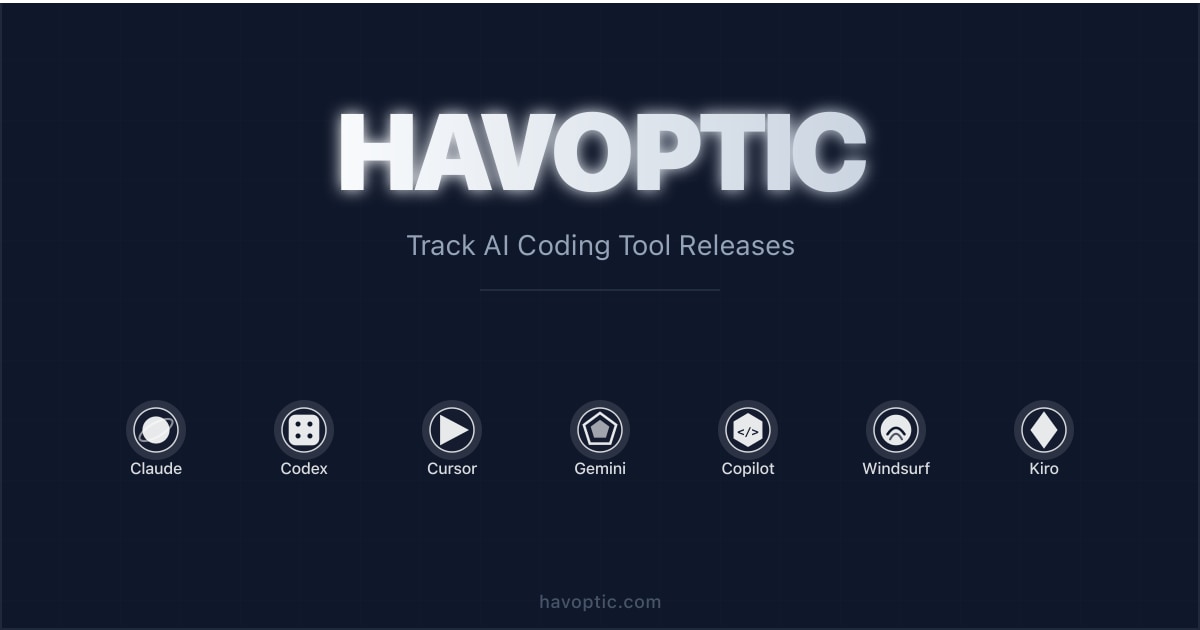
Stay up-to-date with the latest releases from top AI coding tools. Track version updates, changelogs, and new features from Claude Code, OpenAI Codex CLI, Cursor, Gemini CLI, Kiro, GitHub Copilot CLI, Devin Desktop (formerly Windsurf), Antigravity CLI, and Grok Build in one place.

No paid content found
Visit website
Profile views 9 Outbound visits 0 Normal
Havoptic Full homepage screenshot

At a glance

Category
Development
Language
English
Paid-content signal
No paid content foundObserved
Registered
2016
Hosting
CloudflareInferred
HTTPS certificate trusted
PassedObserved
Last updated

Website review

This review may include AI-generated content and is not individually verified. Domain, certificate and other facts come from the observed data on this page.

What is Havoptic?

Havoptic is a release-tracking site for AI coding tools. It aggregates version updates and changelogs from a set of command-line and editor-based coding assistants into a single dated timeline, so you can see what shipped without checking each vendor's release notes separately. Its page is organized around three views: Tracked Tools, Recent Releases, and Popular Comparisons.

What it covers

The tracked list spans tools from several vendors: Claude Code, OpenAI Codex CLI, Cursor, Gemini CLI, Kiro CLI, GitHub Copilot CLI, Devin Desktop (formerly Windsurf), Antigravity CLI, and Grok Build. Each entry pairs a version number and date with a short summary of what changed — for example, permission rules applying more reliably across complex commands, arrow-key shortcuts for faster configuration, or Android/Termux support in a CLI. The site states the timeline is refreshed daily through automated pipelines.

Who it is for

  • Developers who rely on one or more of these tools daily and want to know when an update changes behavior they depend on.
  • Team leads or platform engineers deciding whether to standardize on a tool, who need a sense of how actively each one ships.
  • Anyone comparing tools who wants release cadence and feature direction side by side rather than marketing pages.

How to use it well

Treat it as a change feed, not a review source. A version bump tells you something moved; it does not tell you whether the change is good, stable, or relevant to your stack. A practical routine: skim Recent Releases weekly for the two or three tools you actually use, then open the vendor's own changelog for anything that touches permissions, sandboxing, or model support — those are the changes most likely to break a working setup.

If you want to judge a tool's momentum, look at how often it appears in the timeline over a month rather than at any single entry. Frequent small releases usually mean active maintenance; long gaps followed by large releases often mean a bigger rewrite that carries more upgrade risk. For the tools themselves, the authoritative sources are Anthropic, OpenAI, Cursor, GitHub, and Google.

How can I compare recent releases from Claude Code and Cursor side by side?

Use Havoptic's AI Coding Tool Releases — Timeline to see Claude Code and Cursor entries in the same feed, then compare them release by release rather than by overall reputation. The page lists tracked tools, recent releases with version numbers and dates, and "Popular Comparisons," so you can scan both products' changelogs in one place instead of opening separate vendor pages.

A practical comparison method

  1. Filter or scroll the timeline to the date range you care about, such as the last two weeks.
  2. Note each tool's version number and release date.
  3. Read the release summary for the type of change: security, performance, terminal behavior, plugin support, or workflow features.
  4. Check the "Popular Comparisons" section for paired coverage of tools you are evaluating.

What to look for

Signal Why it matters
Release cadence Frequent small releases often mean faster bug fixes; slower releases may mean larger, riskier changes.
Change type Security and permission fixes affect teams; terminal polish and shortcuts affect daily individual use.
Version jumps A major version change may alter configuration or plugin behavior, so test before rolling it out.
Recency A tool with no recent entries may be stable, dormant, or simply not tracked.

Example reader scenario

A developer choosing between Claude Code and Cursor for a small team could open the timeline, compare the last month of releases for both, and prioritize the tool whose recent changes address their pain points — for example, permission handling on managed machines or terminal performance during long sessions.

Decision criterion

If your team depends on strict permission and security controls, weight releases that mention permission rules, sandboxing, or certificate management. If your main concern is interactive speed and editor workflow, weight releases about terminal performance, shortcuts, and review findings. For a fuller picture, cross-check the official changelogs at Anthropic Docs and Cursor.

Which AI coding tool added a specific feature like plugin mods or sandbox support in its latest update?

Based on the latest release notes on Havoptic, two tools stand out for adding a specific capability: Claude Code added plugin mods, and GitHub Copilot CLI improved sandbox command support.

Recent feature-specific updates

Tool Version Specific feature added or improved
Claude Code v2.1.287 Plugins can now modify deeper behavior via "Claude Mods"; also an opt-in "You Should Know" agent
Claude Code v2.1.289 Permission rules now apply correctly across complex commands and managed machines
GitHub Copilot CLI v1.0.91 Sandbox commands now work smoothly on Windows, plus new certificate management controls
Antigravity CLI v1.2.15 Respects permission denials; added Android/Termux support
OpenAI Codex CLI rust-v0.160.0 Easier task-history browsing and text paste in fullscreen terminal mode

How to choose what to look at

If you care specifically about plugin extensibility, Claude Code's Mods change is the most relevant. If you care about sandboxed execution, Copilot CLI's Windows sandbox fix is the one to check. For permission handling across CLI tools, both Claude Code v2.1.289 and Antigravity CLI v1.2.15 made notable changes.

A practical next step: open the timeline on Havoptic and filter by the tool you actually use, then read the full changelog entry for that version rather than the summary line — release notes often describe the feature in more detail than the headline.

How often is the release timeline on Havoptic updated?

The release timeline on Havoptic is updated daily. Its own page presents the timeline as maintained by automated pipelines and notes a "Last updated" date, which is consistent with a daily refresh rather than manual, occasional posting.

H3 Practical implications

  • Best for: developers who want one chronological feed of version bumps and changelog highlights across several AI coding tools instead of checking each vendor's release page.
  • Trade-off: automated aggregation can lag or omit context that a vendor's own changelog includes, and short excerpted entries may not explain the full impact of a change.
  • Audience fit: useful if you maintain tooling standards, evaluate upgrades, or need to know when a fix lands for a tool your team already uses.

H3 How to use it

Treat the timeline as a starting point: scan recent entries for tools you depend on, then open the vendor's official release notes for the details that matter to your setup. For example, if you see a permission-handling fix in a CLI you run on managed machines, verify it in that project's own changelog before scheduling an upgrade.

If you want broader coverage of a specific tool's releases, its official repository or documentation is the authoritative source — for instance GitHub for projects hosted there.

What changed in the most recent version of Claude Code, Codex CLI, or Gemini CLI?

The most recent entries on Havoptic's release timeline cover Claude Code and OpenAI Codex CLI; no Gemini CLI release appears in the listed recent items.

Claude Code v2.1.289 (October 3, 2026) — described as a security-focused release: permission rules now apply properly across complex commands and on managed machines, alongside terminal performance improvements. The preceding v2.1.288 added one-keystroke recovery of lost work and more control over code review findings; v2.1.287 introduced plugin "Mods" for deeper behavior changes and an opt-in agent that flags things you might otherwise miss.

OpenAI Codex CLI rust-v0.160.0 (October 1, 2026) — easier browsing of task history, pasting text directly in fullscreen terminal mode, and a stability overhaul addressing message delays. rust-v0.159.3 added optional reminders to finish account security setup for local sessions.

Gemini CLI — listed among tracked tools, but the recent releases shown are Claude Code, Antigravity CLI, Codex CLI, GitHub Copilot CLI, and Kiro CLI.

Which one matters to you

Your situation Most relevant change
Working on a managed/enterprise machine Claude Code v2.1.289 permission-rule fix
Reviewing lots of AI-generated code Claude Code v2.1.288 review-finding controls
Long terminal sessions, lost work Claude Code v2.1.288 recovery shortcut
Heavy fullscreen terminal use Codex CLI rust-v0.160.0 paste + history
Unstable or laggy CLI sessions Codex CLI rust-v0.160.0 stability fixes

Next step

Open the timeline at Havoptic and filter to the tool you actually run, then check that release's changelog against your installed version before upgrading — the security and permission changes above are the kind worth applying promptly, while UI conveniences can wait for your normal update cycle. If you rely on Gemini CLI, check its own release notes directly, since this page's recent list does not cover it.

Can I track version history and changelogs for Devin Desktop, Kiro CLI, or Antigravity CLI on Havoptic?

Yes. Havoptic explicitly lists Devin Desktop, Kiro CLI, and Antigravity CLI among its tracked tools, and its timeline carries dated release entries with short changelog-style summaries for each. Recent examples on the page include Antigravity CLI v1.2.16 and v1.2.15 (both dated October 3 and October 2, 2026) and Kiro CLI v2.27.0 (October 1, 2026). Devin Desktop appears in the tracked list under the note that it was formerly Windsurf.

H3 What you actually get

  • Dated release entries in a single reverse-chronological timeline, so you can see what shipped and when without visiting each vendor.
  • Summary-level changelogs, not full upstream release notes: entries describe a few headline changes, such as Antigravity CLI gaining Android/Termux support and respecting permission denials, or arrow-key shortcuts for faster configuration.
  • Daily refresh, with the page showing a "last updated" date and describing automated pipelines as the collection method.

H3 Where it falls short

  • No per-tool version archive or diff view. The timeline is a feed, so reconstructing "everything that changed in Kiro CLI between two versions" means scrolling rather than querying.
  • Summaries can be truncated mid-sentence in the feed, and some entries are thin — one Kiro CLI item is little more than a stray annotation.
  • Coverage depends on the pipeline. A release that the automation misses, or a tool quietly dropped from the tracked list, won't show up as a gap.

H3 Practical next step If you maintain a team upgrade log, use Havoptic as your discovery layer — scan the timeline weekly for the three tools you care about, then open the vendor's own changelog for the full detail before you bump a version. For a second cross-tool view, GitHub release pages for each project remain the authoritative record, and Anthropic publishes Claude Code notes directly if that tool is also in your stack.

Decision criterion: pick Havoptic when you want one cheap daily glance across many CLIs; go straight to the vendor when you need exact commit-level or breaking-change detail for a specific upgrade.

Related questions

More questions →
What Is Gemini CLI and What Can You Do With It?

Gemini CLI is Google's command-line AI coding tool, listed alongside Claude Code, OpenAI Codex CLI, Cursor, Kiro CLI, GitHub Copilot CLI, and Devin Desktop in Havoptic's AI coding tool release tracker. It belongs to the same category as those tools: an assistant you drive from the terminal rather than a full graphical IDE. If you want AI help while staying inside a shell — generating, explaining, refactoring, or debugging code — Gemini CLI is the Google option in that lineup. The sections below cover what it does, how it differs from the alternatives, and how to keep up with its releases.

Where Gemini CLI fits among AI coding tools

Havoptic tracks nine tools in one timeline, updated daily through automated pipelines (last updated October 3, 2026). Grouping them by vendor makes the landscape easier to read:

Tool Vendor
Gemini CLI Google
Antigravity CLI Google
Claude Code Anthropic
OpenAI Codex CLI OpenAI
Cursor Anysphere
Kiro CLI Amazon Web Services
GitHub Copilot CLI GitHub
Devin Desktop (formerly Windsurf) Cognition
Grok Build SpaceXAI

Two observations matter for choosing:

  • Google ships two CLI tools. Gemini CLI and Antigravity CLI both come from Google, so the vendor alone doesn't tell you which one to pick. They are tracked as separate products with separate version numbers.
  • The category is crowded and moving fast. In the three days covered by Havoptic's recent-releases list (September 30 – October 3, 2026), at least eight releases shipped across these tools. Any comparison you read goes stale quickly, which is why version tracking matters more here than in most tool categories.

What you can do with it

The tracker's evidence describes Gemini CLI as a terminal-based coding assistant in the same family as the others. The tasks that family of tools is built for:

  • Generate code from a natural-language description without leaving the shell.
  • Explain existing code — useful when you inherit a file or a dependency you don't know.
  • Refactor and debug by pointing the tool at a file or directory and describing the change you want.
  • Work inside your existing terminal workflow, so you keep your editor, shell aliases, and scripts instead of switching to a separate IDE.

Havoptic's excerpts don't spell out Gemini CLI's exact command syntax or feature set, so treat the above as the category-level capability set rather than a verified feature list for this specific tool. For anything version-specific, check the release notes.

How it differs from Claude Code, Codex CLI, and Cursor

The clearest differences visible in the tracked data are about model source, form factor, and release cadence — not about which tool is "better."

Model source. Gemini CLI is Google's tool, so it runs on Google's models. Claude Code runs on Anthropic's models, Codex CLI on OpenAI's, and so on. If your team already standardizes on one provider — for cost, compliance, or existing API access — that's often the deciding factor.

Form factor. Cursor is an IDE (by Anysphere), while Gemini CLI, Claude Code, Codex CLI, Kiro CLI, and GitHub Copilot CLI are command-line tools. Devin Desktop sits in the desktop-app category. If you want a graphical editor with AI built in, the CLI tools aren't the right comparison.

Release cadence. From the tracked window alone: Claude Code shipped v2.1.287, v2.1.288, and v2.1.289 across October 1–3, 2026; Antigravity CLI shipped v1.2.15 and v1.2.16 on October 2–3; Codex CLI shipped rust-v0.159.3 and rust-v0.160.0 on September 30 and October 1. Frequent small releases are normal in this category, so pinning a version and reading changelogs before upgrading is a reasonable habit.

What the data doesn't tell you. Havoptic's page doesn't include pricing, authentication requirements, or free-tier limits for any of these tools. Don't assume Gemini CLI is free or requires no login — that information isn't in the source.

How to start and how to track versions

Getting started. The tracker confirms Gemini CLI exists as a Google product with its own release line, but the provided evidence doesn't include installation commands or first-run steps. To begin, go to Google's official Gemini CLI documentation or repository and follow the install instructions there — that's the only reliable source for current setup steps, since CLI install methods change between versions.

Tracking releases. Havoptic's page is built for exactly this: a single timeline covering Gemini CLI alongside the other eight tools, with entries like version number, date, and a short summary of what changed. Its stated update mechanism is automated pipelines running daily. That makes it a reasonable one-stop check if you work across more than one of these tools and don't want to watch nine separate changelogs.

A practical routine:

  1. Check the timeline periodically for new Gemini CLI versions.
  2. Read the release summary for anything affecting permissions, security, or terminal behavior — those tend to be the changes that break existing workflows.
  3. Upgrade deliberately rather than automatically, given how often these tools ship.

The short version

Gemini CLI is Google's entry in the terminal-based AI coding assistant category, tracked by Havoptic next to Claude Code, Codex CLI, Cursor, Kiro CLI, GitHub Copilot CLI, Devin Desktop, Antigravity CLI, and Grok Build. Choose it if you want a command-line assistant tied to Google's ecosystem; choose a different tool if you need an IDE (Cursor), a desktop app (Devin Desktop), or a different model provider. For setup specifics and current capabilities, use Google's official documentation — and use a release tracker to stay current, because this category changes weekly.

Claude Code Releases: How to Track the Latest Versions and Changelogs

Claude Code ships frequently, and the fastest way to keep up is to watch a small set of sources rather than one. The official changelog and GitHub releases give you authoritative detail on each version; aggregator timelines such as Havoptic's release tracker let you see Claude Code updates alongside other AI coding tools in a single feed. If you only want to know "what changed and when," a tracker is enough. If you need exact behavior changes before upgrading, go to the official notes for that version.

Where Claude Code release information comes from

There are three practical source types, and they answer different questions:

Source type What it gives you Best for
Official changelog Curated, human-readable summary of each release Understanding what changed and why it matters
GitHub releases Version tags, release notes, and often commit-level detail Pinning a version, checking exact build identifiers
Aggregator timeline (e.g. Havoptic) Multiple tools' releases in one chronological feed Comparing Claude Code against Cursor, Codex CLI, Gemini CLI, and others

Havoptic's tracker, for example, lists Claude Code alongside OpenAI Codex CLI, Cursor, Gemini CLI, Kiro CLI, GitHub Copilot CLI, Devin Desktop (formerly Windsurf), Antigravity CLI, and Grok Build, and states it is updated daily via automated pipelines. That makes it useful for scanning, but the excerpt-level summaries are short — treat them as pointers to the full notes.

Reading Claude Code version numbers

Claude Code uses a three-part scheme like v2.1.289. The pattern to read it:

  • Major (2) — rare, signals a generational change.
  • Minor (1) — feature-level additions.
  • Patch (289) — the number that moves almost every release; carries fixes, small features, and behavior tweaks.

The practical takeaway: a jump in the patch number alone doesn't tell you whether a release is trivial or significant. Recent examples show both kinds landing under the same scheme — v2.1.289 was a security and performance release, while v2.1.287 introduced new plugin capability and an optional agent. Always read the note, not the number.

What recent Claude Code releases changed

From the tracked timeline (as of the tracker's last update, October 3, 2026):

v2.1.289 — October 3, 2026

  • Improves security by ensuring permission rules apply correctly across complex commands and user mods on managed machines.
  • Enhances terminal performance.

v2.1.288 — October 2, 2026

  • Makes it easier to recover lost work with one keystroke.
  • Gives more control over code review findings.
  • Includes fixes that prevent conversations from getting [truncated in the source summary].

v2.1.287 — October 1, 2026

  • Lets plugins modify deeper behavior via "Claude Mods."
  • Introduces an opt-in "You Should Know" agent that watches for things you might miss.

Two patterns worth noting. First, permission and security handling shows up repeatedly (v2.1.289's permission-rule fix, and Antigravity CLI's parallel note about respecting permission denials) — this is an active area across the whole tool category. Second, plugin extensibility is expanding: "Claude Mods" in v2.1.287 is a deeper hook than earlier plugin support, so if you maintain plugins, that release is the one to read in full.

How to set up ongoing tracking

  1. Pick one authoritative source. Bookmark the official Claude Code changelog or its GitHub releases page — this is where you go when a summary isn't enough.
  2. Add one aggregator for breadth. A timeline like Havoptic's lets you spot when Claude Code, Codex CLI, or Copilot CLI ship in the same window, which matters if your team uses more than one.
  3. Watch the version tag, not the date. If you pin versions in CI or a dev container, subscribe to release notifications (GitHub's "Watch → Releases only" is the standard mechanism) so you get the tag the moment it's cut.
  4. Read before upgrading on managed machines. Releases that touch permission rules (like v2.1.289) can change how existing rules behave in complex commands — verify your rule set after upgrading rather than assuming parity.

A concrete scenario: if your team runs Claude Code on managed machines with custom permission rules, the v2.1.289 note is the one to act on. Check that your rules still apply as intended across multi-part commands, since the release specifically addresses rule application in that case.

Common sticking points

  • Aggregator summaries are truncated. The Havoptic excerpt for several entries cuts off mid-sentence (e.g. v2.1.288's conversation fix, Kiro CLI v2.27.0's note). Use them to decide whether to read more, then go to the source.
  • "Updated daily" ≠ complete history. Automated pipelines can miss or lag releases; for anything you depend on, confirm against the official channel.
  • Patch numbers aren't severity. Don't infer importance from the size of the increment.
  • Cross-tool comparisons need the same window. When comparing Claude Code's cadence to another tool's, line up the dates — release frequency varies widely across the tracked tools.
What Are the Main AI Coding Tools and How Do They Differ?

The main AI coding tools split into two groups: terminal-based CLI agents (Claude Code, OpenAI Codex CLI, Gemini CLI, GitHub Copilot CLI, Kiro CLI, Antigravity CLI, Grok Build) and editor-integrated tools (Cursor, Devin Desktop). If you work primarily in a terminal or want scriptable, headless automation, a CLI tool fits better. If you want AI assistance inside a graphical editor with inline diffs and visual context, an IDE-class tool is the better starting point. The two categories are not mutually exclusive — many developers run a CLI agent alongside an editor-based tool.

The two categories, and why the distinction matters

The split is not cosmetic. It determines how you invoke the tool, how it sees your codebase, and how easily it fits into automation.

CLI tools run in your terminal. You type a prompt, the agent reads and writes files, runs commands, and reports back. They are scriptable, work over SSH, and fit into CI-style workflows. Their context model is usually "the working directory plus whatever you explicitly point them at."

Editor-integrated tools live inside a GUI. They see your open files, cursor position, and project tree, and they surface suggestions as inline edits or chat panels. They are easier to adopt for interactive, visual work but harder to automate.

Dimension CLI tools Editor-integrated tools
Where you work Terminal / SSH GUI editor
Automation Scriptable, headless-friendly Limited
Context source Working directory, explicit paths Open files, project tree, cursor
Typical examples Claude Code, Codex CLI, Gemini CLI, Copilot CLI, Kiro CLI, Antigravity CLI, Grok Build Cursor, Devin Desktop
Best for Batch edits, pipelines, remote work Interactive editing, visual review

Who makes each tool

Vendor and ecosystem matter because they shape model access, pricing surface, and how fast features land.

  • Claude Code — Anthropic
  • OpenAI Codex CLI — OpenAI
  • Cursor — Anysphere
  • Gemini CLI — Google
  • Kiro CLI — Amazon Web Services
  • GitHub Copilot CLI — GitHub
  • Devin Desktop (formerly Windsurf) — Cognition
  • Antigravity CLI — Google
  • Grok Build — SpaceXAI

If your team is already standardized on one vendor's models or cloud, the tool from that vendor usually integrates with the least friction. If you want to avoid lock-in, mixing a vendor-neutral editor with a CLI agent from a different vendor is a common pattern.

Reading release notes to judge a tool's direction

Changelogs are the most reliable signal of what a tool is actually optimizing for. A steady stream of security and permission fixes suggests the maintainers are hardening a maturing product; frequent UX and performance changes suggest active feature development.

Recent examples from the tracked timeline (last updated October 3, 2026):

  • Claude Code v2.1.289 (Oct 3, 2026) — improved security so permission rules apply correctly across complex commands and user mods on managed machines, plus terminal performance work. The prior v2.1.288 added one-keystroke recovery of lost work and more control over code review findings.
  • Antigravity CLI v1.2.16 (Oct 3, 2026) — arrow-key shortcuts for faster configuration and better performance when resizing the terminal. v1.2.15 added Android/Termux support and smarter memory usage, and began respecting permission denials.
  • OpenAI Codex CLI rust-v0.160.0 (Oct 1, 2026) — easier task-history browsing, text paste in fullscreen terminal mode, and a stability overhaul fixing message delays.
  • GitHub Copilot CLI v1.0.91 (Oct 1, 2026) — sandbox commands working on Windows and new certificate management controls. v1.0.90 added support for GPT-6.1 Sol in the model picker.
  • Claude Code v2.1.287 (Oct 1, 2026) — plugins can modify deeper behavior via Claude Mods, and an opt-in "You Should Know" agent that watches for things you might miss.

Two practical takeaways from reading these: permission and sandbox behavior changes are the ones most likely to break an existing script, and model-picker additions (like Copilot CLI's GPT-6.1 Sol) are the ones most likely to change output quality without any change on your side.

Choosing by workflow

Match the tool to how you actually work rather than to feature lists.

  • You live in a terminal or work over SSH → start with a CLI agent. Claude Code, Codex CLI, Gemini CLI, and Copilot CLI all target this.
  • You want AI inside a visual editor with inline diffs → Cursor or Devin Desktop.
  • You are on AWS and want tight cloud integration → Kiro CLI is the vendor-aligned option.
  • You want a second opinion from a different model family → run a CLI agent from a different vendor than your editor.
  • You need headless or scripted runs → CLI tools are the only realistic fit; editor tools assume a GUI session.

There is no single "best" tool here. The honest selection rule is: pick the category that matches your interface, then pick the vendor that matches your existing stack, then verify against the changelog that the specific behaviors you depend on are stable.

Keeping up without checking nine sites

Release cadence across these tools is high — multiple versions per week is normal, as the October 1–3, 2026 window shows. Tracking each vendor's changelog separately gets stale fast.

Havoptic aggregates releases from Claude Code, OpenAI Codex CLI, Cursor, Gemini CLI, Kiro CLI, GitHub Copilot CLI, Devin Desktop, Antigravity CLI, and Grok Build in one timeline, updated daily via automated pipelines. Its "Tracked Tools" and "Recent Releases" sections are the fastest way to scan what changed and when.

A workable routine: check the aggregated timeline weekly, and read the full changelog only for the one or two tools you depend on daily. Pay particular attention to entries mentioning permissions, sandboxing, or certificate handling — those are the changes most likely to require action on your end.

What Is Cursor IDE and How Does It Compare to Other AI Coding Tools?

Cursor IDE is an AI coding tool made by Anysphere. It is tracked alongside Claude Code, OpenAI Codex CLI, Gemini CLI, Kiro CLI, GitHub Copilot CLI, Devin Desktop (formerly Windsurf), Antigravity CLI, and Grok Build on Havoptic's AI coding tool release timeline, which is updated daily via automated pipelines. If you want an editor-based AI assistant rather than a terminal-based one, Cursor is the option in that list to look at first. If your work happens mostly in the shell, the CLI tools on the same list are the closer fit.

What Cursor IDE is

Cursor is one of the tracked tools on Havoptic's release timeline, listed as "Cursor — by Anysphere." That places it in the same category as the other AI coding tools the site follows: Claude Code (Anthropic), OpenAI Codex CLI (OpenAI), Gemini CLI (Google), Kiro CLI (Amazon Web Services), GitHub Copilot CLI (GitHub), Devin Desktop (Cognition), Antigravity CLI (Google), and Grok Build (SpaceXAI).

The site groups these tools under one purpose: tracking version updates, changelogs, and new features in one place. Cursor sits in that group as an IDE, while most of the others in the list are CLIs.

How it differs from CLI-based tools

The clearest dividing line in this set is interface type.

Tool Maker Form
Cursor Anysphere IDE
Claude Code Anthropic CLI
OpenAI Codex CLI OpenAI CLI
Gemini CLI Google CLI
Kiro CLI Amazon Web Services CLI
GitHub Copilot CLI GitHub CLI
Antigravity CLI Google CLI
Devin Desktop (formerly Windsurf) Cognition Desktop
Grok Build SpaceXAI Not specified in the source

If you prefer working inside an editor window with a graphical interface, Cursor and Devin Desktop are the two non-CLI entries. If you prefer running commands in a terminal, the CLI tools are the match.

Tracking Cursor releases

Havoptic's timeline is the entry point for release tracking. The page shows a "Recent Releases" feed with dated entries per tool, and the most recent update noted on the page is October 3, 2026. The feed format is consistent across tools — for example, Claude Code v2.1.289 (October 3, 2026) and Antigravity CLI v1.2.16 (October 3, 2026) both appear with dated changelog summaries.

The page also has a "Popular Comparisons" section, which is where head-to-head tool comparisons live. If you are deciding between Cursor and another tool, that section is the place to check on the site.

One caveat: the excerpt available from the page does not include a Cursor release entry in the visible "Recent Releases" list, so the specific latest Cursor version is not confirmed by the source material here. Check the live timeline for the current Cursor version.

When Cursor is a good fit

Choose Cursor when:

  • You want AI assistance inside an editor rather than a terminal.
  • You are comparing editor-based tools and want the Anysphere option alongside Devin Desktop.
  • You want to track its changelog in the same place as Claude Code, Codex CLI, and Copilot CLI releases.

Choose a CLI tool instead when your workflow is command-line driven, or when you specifically want Claude Code, Codex CLI, Gemini CLI, Kiro CLI, or Copilot CLI.

What the source does not cover

The available page evidence does not include Cursor's pricing, its relationship to VS Code, its specific AI features (code generation, chat, inline editing), or setup requirements. Those details are not supported by the material here, so verify them against Cursor's own documentation before deciding.

What Are Developer Tools and How Do You Choose the Right Ones?

Developer tools are the software a programmer uses to write, run, inspect, test, and ship code — as opposed to the software being built. The category spans editors and IDEs, version control, build and bundling, testing, debugging, and performance profiling. Choosing well comes down to four things: fit with your language and framework, fit with how your team already works, how cleanly a tool integrates with the rest of your stack, and how much maintenance it will demand from you. Open-source tools usually win on cost and customization; commercial tools usually win on support and managed infrastructure. The rest of this article covers the categories, the open-source trade-off, selection criteria, a worked example, and the pitfalls that cause teams to accumulate tools they never use.

The main categories of developer tools

Category What it does Typical examples
Editors / IDEs Write and navigate code, with language-aware completion and refactoring VS Code, JetBrains IDEs, Vim/Neovim
Version control Track changes, branch, review, and merge Git, hosted platforms like GitHub
Build and bundling Turn source files into something a browser or runtime can execute Vite, webpack, esbuild, Rollup
Testing Verify behavior automatically Jest, Vitest, Playwright, pytest
Debugging Inspect state at a breakpoint or step through execution Browser DevTools, debugger integrations in the editor
Performance profiling Find where time or memory is going Browser performance panels, React Scan, React Doctor
Linting and formatting Catch likely mistakes and enforce consistent style ESLint, Prettier, Ruff
CI/CD Run checks and deploy automatically on every change GitHub Actions, CircleCI

The boundaries blur in practice. An IDE ships a debugger; a bundler ships a dev server; a linter can run inside CI. What matters is which job each tool is doing for you, not which box it belongs in.

Open source vs. commercial tools

The trade-off is not "free vs. paid" — it is who carries the cost of upkeep.

  • Open source gives you the source, so you can read it, patch it, and self-host it. You pay in time: upgrades, security patches, and integration work are yours. Support comes from maintainers and community, on their schedule.
  • Commercial tools usually sell support, hosting, or both. You pay money and get someone accountable when something breaks, plus a roadmap you can influence through a contract rather than a pull request.

Neither is universally better. A small team with strong engineers often prefers open source for control; a team without spare capacity often prefers to pay for someone else to run the thing.

Million is an example of the open-source route. Its stated mission is to "fix the web," and it open-sources tools including React Doctor and React Scan, alongside ReactBench, custom datasets, reinforcement learning environments, and traces used to train and evaluate frontier coding agents on realistic web development work. React Doctor has helped developers find issues in their codebases. Million is backed by Y Combinator (W24) and a list of individual investors including Evan You, Amjad Masad, and Scott Wu — relevant only insofar as it signals the project is not a solo weekend effort, which matters when you are deciding whether to depend on it.

How to choose: four criteria

  1. Language and framework fit. A tool that understands your framework's actual model will catch more than a generic one. A React-specific analyzer knows about component re-renders; a generic linter does not.
  2. Team workflow fit. If your team reviews every change in pull requests, a tool that only runs locally will be skipped. Prefer tools that can run in CI and report on the diff.
  3. Integration cost. Count the adapters, config files, and CI steps you will need. A tool that drops into your existing pipeline is worth more than a marginally better one that needs a parallel pipeline.
  4. Maintenance burden. Check the last commit date, the open-issue count, and whether releases are regular. An abandoned dependency is a future migration you did not schedule.

A quick way to apply these: write down the specific problem you are trying to solve ("we do not know which components re-render too often"), then evaluate tools only against that problem. Tools chosen for a vague sense that "we should have one" tend to be installed and forgotten.

A worked example

Suppose you have a React app that feels slow, and you want to find out why before optimizing anything.

  1. Lint first. Run ESLint with the React rules enabled. This catches mechanical issues — missing dependencies in hooks, unused state — before you go looking for subtle ones. Expected result: a list of concrete fixes, or a clean run.
  2. Profile the running app. Use a performance profiler to record an interaction and see which components rendered and how long they took. React Scan is built for this kind of inspection; React Doctor targets finding issues in a codebase more broadly. Expected result: a ranked list of components or code paths worth attention.
  3. Fix and re-measure. Change one thing, re-run the same interaction, and compare. Without a re-measurement step you cannot tell an improvement from noise.
  4. Lock it in. Add the lint step to CI so the same class of problem does not return. Expected result: a failing check on future pull requests that reintroduce it.

Notice that no single tool did the job. The linter handled the mechanical layer, the profiler handled the runtime layer, and CI handled the regression layer. That division of labor is the normal shape of a toolchain.

Common pitfalls

  • Tool overlap. Two linters, two formatters, or two bundlers in one repo produce conflicting output and confused contributors. Pick one per job.
  • Abandoned projects. A dependency with no commits in two years is a liability. Check before adopting, not after.
  • Over-tooling early projects. A pre-revenue prototype does not need a full observability stack. Add tools when a specific problem appears, not in anticipation of one.
  • Config drift. Tool settings scattered across files and CI definitions drift apart. Keep configuration in one place where the tool allows it.
  • Adopting without a rollback plan. Before adding a tool to CI, know how you would remove it. If the answer is "we would have to rewrite the pipeline," reconsider.

Where to go next

If you want to see how these categories look in practice, Million's open-source projects are a concrete starting point: React Doctor for finding issues in a React codebase, React Scan for performance inspection, and ReactBench plus its datasets and reinforcement learning environments for evaluating coding agents on realistic web development tasks. The same four criteria — framework fit, workflow fit, integration cost, and maintenance burden — apply to evaluating those tools as to any other.

Website Overview

An established domain and managed infrastructure suggest continuity of operations and may support dependable delivery, although neither guarantees service quality. Several search or sharing settings need attention. Together they may make snippets, preview images or preferred URLs less consistent across platforms.

Domain and Registration

Registered in 2016, this domain has about 10 years of history. That suggests continuity, although ownership and purpose may have changed. Transfer-protection status is present, helping reduce the risk of unauthorized domain transfers. The registrar is GoDaddy.com, LLC, a widely used domain service provider. The domain uses the common .com extension, which is not an independent safety signal.

DNS and Email

Nameservers are provided by Cloudflare, indicating managed DNS hosting. CAA records restrict which certificate authorities are authorized to issue certificates. No CNAME was found; the observed records resolve directly to addresses. No MX record was found. A conventional explicit inbound-mail route is not configured. TXT records include verification markers for Google. Such markers may also remain after a service stops being used.

TLS and Certificates

The public key uses EC with 256 bits. The server supplied a complete certificate chain. No organization name is present in the certificate; the available fields are consistent with domain validation. The certificate was issued within the Google Trust Services cloud or CDN ecosystem. The certificate's total validity is about 90 days, consistent with a short renewal cycle.

HTTP and Browser Security

The response lacks these common security headers: CSP. No X-Powered-By header was found, reducing one common source of backend fingerprinting information. The cf-ray response header indicates a CDN or caching proxy in the delivery path. No obvious internal addresses or debug information were found in the headers. The Server header identifies cloudflare without an exact version.

Technology Stack Analysis

The public page identifies Google Analytics, Cloudflare without precise versions, leaving fewer clues for version-specific scanning.

Search and Social Sharing

The title has 100 characters and may be truncated in search results. The meta description has 281 characters and may be shortened in search results. Twitter Card metadata is configured. JSON-LD includes Organization data, helping describe the organization as an entity. The page declares 2 language or regional alternatives using hreflang.

Hosting and Email

DNSCloudflare
HostingCloudflare
EmailUnknown
Approximate IP geolocation (inferred; a CDN or proxy may differ from the origin server) Location unknown Inferred 104.21.20.109

Registration details

RDAP / WHOIS

RegistrarGoDaddy.com, LLC
Registered2016-03-30
Expires2027-03-30
Domain statusclient delete prohibited、client renew prohibited、client transfer prohibited、client update prohibited
Nameservershank.ns.cloudflare.com、raphaela.ns.cloudflare.com
DNSSECunsigned

DNS records

DNS

TypeNameValueTTLPriority
Awww.havoptic.com104.21.20.109300—
Awww.havoptic.com172.67.192.91300—
AAAAwww.havoptic.com2606:4700:3035::ac43:c05b300—
AAAAwww.havoptic.com2606:4700:3036::6815:146d300—
NShavoptic.comhank.ns.cloudflare.com86400—
NShavoptic.comraphaela.ns.cloudflare.com86400—
TXThavoptic.comgoogle-site-verification=jdnkW6Nq7VPpBHEbLzrWyM3lYGRuap6Qvv69Y-TaEac300—
TXThavoptic.comhttps://github.com/EclipseFdn/open-vsx.org/issues/13447300—
CAAhavoptic.com0 issue "comodoca.com"3600—
CAAhavoptic.com0 issue "digicert.com; cansignhttpexchanges=yes"3600—
CAAhavoptic.com0 issue "letsencrypt.org"3600—
CAAhavoptic.com0 issue "pki.goog; cansignhttpexchanges=yes"3600—
CAAhavoptic.com0 issue "ssl.com"3600—
CAAhavoptic.com0 issuewild "comodoca.com"3600—
CAAhavoptic.com0 issuewild "digicert.com; cansignhttpexchanges=yes"3600—
CAAhavoptic.com0 issuewild "letsencrypt.org"3600—
CAAhavoptic.com0 issuewild "pki.goog; cansignhttpexchanges=yes"3600—
CAAhavoptic.com0 issuewild "ssl.com"3600—

TLS and certificates

TLS / SSL

AssessmentNormal configuration
Supported protocolsTLSv1.2、TLSv1.3
Negotiated protocolTLSv1.3
Certificate subjectwww.havoptic.com
IssuerGoogle Trust Services
Valid until2026-11-07T23:02 · Remaining when checked: 34 days
Verification detailsCertificate trust: Passed · Hostname match: Passed

HTTP response headers

HTTP

HeaderValue
content-typetext/html;charset=UTF-8
cache-controlpublic, max-age=300
servercloudflare
strict-transport-securitymax-age=31536000; includeSubDomains; preload
x-frame-optionsSAMEORIGIN
x-content-type-optionsnosniff
referrer-policystrict-origin-when-cross-origin
permissions-policygeolocation=(), microphone=(), camera=(), payment=()

Identified technologies

Google AnalyticsCloudflare

Pages, Search and Sharing

Meta descriptionStay up-to-date with the latest releases from top AI coding tools. Track version updates, changelogs, and new features from Claude Code, OpenAI Codex CLI, Cursor, Gemini CLI, Kiro, GitHub Copilot CLI, Devin Desktop (formerly Windsurf), Antigravity CLI, and Grok Build in one place.
Canonical URLhttps://www.havoptic.com/
LanguageEnglish (default)
Twitter Cardsummary_large_image
All bots 1 allowed · 2 disallowed
  • Allow/
  • Disallow/assets/*.map
  • Disallow/api/admin/
  • IntervalCrawl delay 1 seconds
googlebot 1 allowed · 0 disallowed
  • Allow/
bingbot 1 allowed · 0 disallowed
  • Allow/
gptbot 1 allowed · 0 disallowed
  • Allow/
chatgpt-user 1 allowed · 0 disallowed
  • Allow/
oai-searchbot 1 allowed · 0 disallowed
  • Allow/
claudebot 1 allowed · 0 disallowed
  • Allow/
google-extended 1 allowed · 0 disallowed
  • Allow/
perplexitybot 1 allowed · 0 disallowed
  • Allow/
cohere-ai 1 allowed · 0 disallowed
  • Allow/
applebot-extended 1 allowed · 0 disallowed
  • Allow/
meta-externalagent 1 allowed · 0 disallowed
  • Allow/
amazonbot 1 allowed · 0 disallowed
  • Allow/
ccbot 1 allowed · 0 disallowed
  • Allow/
bytespider 1 allowed · 0 disallowed
  • Allow/
diffbot 1 allowed · 0 disallowed
  • Allow/
duckassistbot 1 allowed · 0 disallowed
  • Allow/
mistralai-user 1 allowed · 0 disallowed
  • Allow/
petalbot 1 allowed · 0 disallowed
  • Allow/
youbot 1 allowed · 0 disallowed
  • Allow/
timpibot 1 allowed · 0 disallowed
  • Allow/

User reviews (0)

  • No reviews yet.