
 简体中文
简体中文 English
Website review
This review may include AI-generated content and is not individually verified. Domain, certificate and other facts come from the observed data on this page.
What is Hunter?
Hunter is a prospecting and cold-email platform built around finding and verifying professional email addresses. You can search for contacts and company data, check whether an address is likely to deliver, and then run outreach from the same place. It also connects to AI tools and an API, so contact lookup can happen inside other workflows rather than only on Hunter's own site.
Where it fits
- Sales and business development: building a list of people who match a target customer profile, then sending initial emails.
- Recruiting or partnerships: finding a specific person's work email when only their name and company are known.
- Small teams without a data team: getting contact discovery and verification in one tool instead of stitching together separate services.
- Developers and operations: pulling company and contact data into internal tools through the API.
The main trade-off is breadth versus fit. Hunter is useful when your priority is verified professional contact data plus lightweight outreach. If you mainly need deep CRM pipeline management, complex multi-channel sequences, or large-scale marketing automation, a dedicated sales-engagement or CRM platform may suit you better. Verification also reduces risk but does not guarantee every email will be delivered or answered.
A practical next step: take ten real prospects from your ideal customer profile, look them up in Hunter, and check how many verified addresses you get and how many bounce after your first send. That quick test tells you more than a feature list about whether it fits your list-building and outreach workflow.
How does Hunter verify email addresses to reduce bounce rates?
Hunter verifies email addresses by combining its email-finding service with a verification step, so contacts can be checked before you add them to a campaign. The page positions this as prospecting "with confidence": you can find company and contact data in the app, inside AI tools via an MCP server, or through the API, then verify addresses before outreach. The practical effect is fewer invalid or mistyped addresses reaching your sender and a lower chance of hard bounces.
What this means in practice
Verification is most valuable at the point of collection, not after a list is built. A typical workflow: search for prospects matching your ideal customer profile, verify each address, discard anything that fails, and only then import the survivors into your sending tool. The page also groups email outreach alongside lead identification, so the same platform can carry a contact from discovery to first message.
Decision criteria
- List-driven outreach: verification matters most when you buy or scrape lists, where stale and malformed addresses are common.
- Inbound or opt-in contacts: verification adds less value, though it still catches typos in sign-up forms.
- API or AI workflows: if you prospect through the API or an AI assistant, check that verification runs in that same path rather than as a separate manual step.
A concrete next step is to test a small batch of known-good and deliberately invalid addresses and see how each is classified before trusting the tool on a full campaign. For broader comparison, Clearbit and ZeroBounce are known for contact data and email validation respectively.
Can I integrate Hunter with AI tools or my CRM using its API?
Yes. Hunter exposes its email-finding and verification data through an API, and it also offers a remote MCP server so you can use Hunter inside AI apps with natural-language prompts. On the CRM side, the page describes connecting Hunter "inside your AI or through the API" rather than naming specific CRM integrations, so treat direct CRM sync as something to confirm on your own stack.
What this means in practice
- AI tools: If your team already drafts prospecting prompts in an AI assistant, the MCP route lets you ask for contacts or verification results without leaving that tool. Good fit for recruiters or sales reps who work conversationally.
- Your own systems: The API suits developers who want to enrich leads inside an existing CRM, spreadsheet pipeline or internal dashboard. You control the workflow and the matching rules.
- CRM integration: The page frames Hunter as an "all-in-one email outreach platform" for identifying leads in your ideal customer profile. Whether that means native CRM sync or API-built sync depends on your CRM; check the specific integration before committing.
A quick way to decide
| Your situation | Better starting point |
|---|---|
| Non-technical user wanting faster lookups inside an AI chat | MCP server |
| Developer building enrichment into a CRM or internal tool | API |
| Team wanting Hunter's own outreach workflow end to end | Hunter's app |
A practical next step: pick one CRM record type you rely on, such as new inbound leads, and test whether Hunter's API can fill the contact and verification fields you need before rolling it out. For broader context on how Hunter compares with other prospecting tools, see Apollo and Clearbit.
How much does Hunter cost, and what does the free plan include?
Hunter's pricing is not listed on its homepage, so I can't give you current plan prices or free-plan limits from the supplied information. The page does link to a dedicated pricing page at Hunter (hunter.io/pricing), which is where the actual numbers and free-tier allowances live—check that page directly before budgeting, since email-finding tools change plan structures fairly often.
What the site does say about what you get:
- Email finding and verification: Hunter describes itself as a way to find and verify professional email addresses, so verification is part of the core offering, not a separate add-on.
- Company and contact data: It advertises "verified company and contact data" found "fast," available in the app, inside AI tools, or through an API.
- Outreach: The homepage frames it as an "all-in-one email outreach platform," suggesting sending cold emails is bundled with prospecting rather than requiring a separate tool.
- AI and MCP integration: A remote MCP server lets you run prospecting through natural-language prompts in AI apps—useful if you already work inside an AI assistant.
A practical way to decide: if you mainly need occasional lookups, start on whatever free allowance the pricing page shows and test accuracy on your own target list—send a small batch and see how many addresses bounce. If you need API access or team outreach at volume, compare the paid tiers on that same page, since API and outreach features are typically where free plans stop.
How do I use Hunter to find leads within my ideal customer profile?
Start with Hunter's lead-finding core, then filter against your ICP before you ever send. Hunter is built to find and verify professional email addresses and to support cold outreach in one place. Its page describes finding verified company and contact data "fast, in the app, inside your AI or through the API," plus an "all-in-one email outreach platform," AI/MCP integrations for natural-language prospecting, and a stated aim to "identify leads in your ideal customer profile." Those are product claims from the site, not guarantees of match quality.
A practical workflow
- Define the ICP as filters, not adjectives. Turn "mid-size SaaS marketing teams in Germany" into company size, industry, location and target roles. This makes every search repeatable and reviewable.
- Start from companies, then people. Use Hunter's company and contact data to build a list of accounts that fit, then find the right contacts at each. Starting with people tends to produce lists that look large but fit poorly.
- Verify before you write. Because Hunter verifies addresses, check deliverability per contact and drop risky ones. This protects your sender reputation more than any clever subject line.
- Enrich with what you already know. Add the trigger for outreach — a funding round, a new hire, a product launch — so the first line is specific rather than generic.
- Send and measure by segment. Use the outreach side to run small tests by segment, then keep the segments that reply.
Concrete scenario
A B2B services firm targeting operations leaders at 50–200-person logistics companies would search by industry and size, identify operations contacts at matching accounts, verify addresses, and send a short sequence referencing each company's recent expansion. The ICP lives in the search filters, so the same search can be rerun monthly for new accounts.
Decision criteria
| If your priority is… | Lean toward… | Trade-off |
|---|---|---|
| Fast list building with verified emails | Hunter's find-and-verify flow | Fit depends on how precisely you filter |
| Prospecting inside AI tools | Hunter's MCP/AI integrations | You still need a written ICP to prompt well |
| Volume and automation | Hunter's API | Setup effort; quality depends on your inputs |
| Deep CRM and sequence management | A dedicated sales-engagement tool | Extra cost and integration work |
For methodology on defining an ICP and outbound sequencing, see HubSpot and Apollo. Hunter's own pricing page at Hunter is the place to confirm plan limits before committing to volume.
Does Hunter support sending cold email campaigns directly, or only email discovery?
Yes—Hunter supports both. Alongside finding and verifying professional email addresses, the site describes itself as an "all-in-one email outreach platform," so sending cold email campaigns is presented as part of the product, not just discovery. The page also points to prospecting through the app, inside AI tools via a remote MCP server, and through an API.
What this means in practice
- Discovery and verification: Finding company and contact data, positioned for building lists of leads that match an ideal customer profile.
- Outreach: Running cold email campaigns, based on the "all-in-one email outreach platform" description.
- Where you work: In Hunter's own app, inside supported AI apps through the MCP integration, or programmatically through the API.
Choosing between uses
If you mainly need addresses, the discovery side is the core. If you want to go from list-building to first contact without a separate sending tool, the outreach features are the reason to consider it. Teams that already have a dedicated sales engagement platform may prefer to use Hunter for data and verification, then export or connect via API—an integration decision rather than a product limitation.
A concrete next step: check the Hunter pricing page to see which plan includes campaign sending, and confirm your expected monthly send volume and seat count before committing.
 Cloudflare
 Google Workspace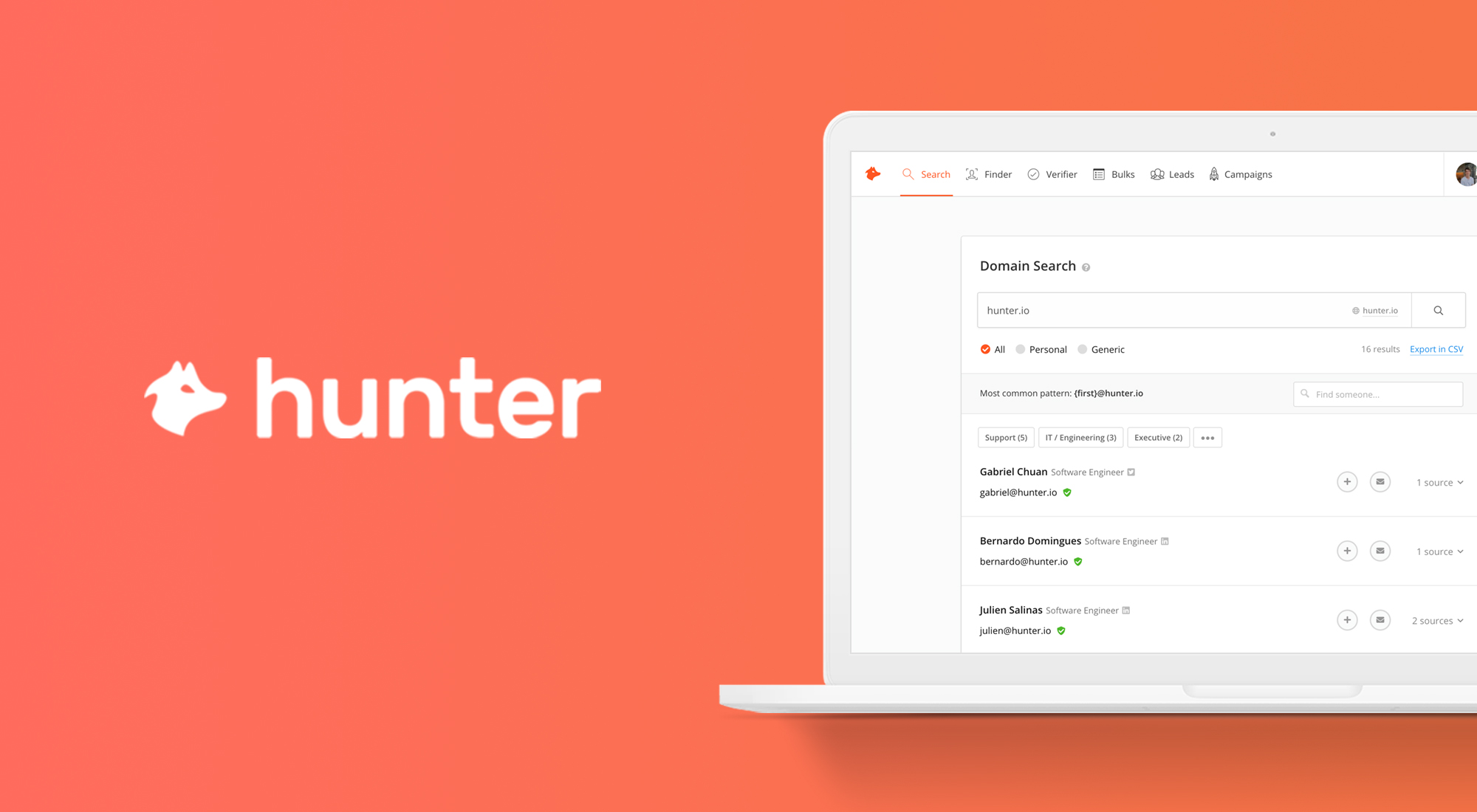
User reviews (0)