
 简体中文
简体中文 English
Website review
This review may include AI-generated content and is not individually verified. Domain, certificate and other facts come from the observed data on this page.
What is KNIME?
KNIME is a data analytics platform built around a visual workflow builder. Instead of writing code line by line, you drag nodes onto a canvas and connect them: one node reads a file or database, the next cleans or transforms it, another trains a model, and a final node writes results or feeds a dashboard. The company describes it as free and open source, with tools for data analysis and a path to putting solutions into production in an enterprise setting.
What that looks like in practice
A typical workflow might read a spreadsheet, filter rows, join a second table, train a classifier, and score new records—all visible as a diagram you can inspect, rerun or share. Because each step is a node, the workflow doubles as documentation of what was done to the data.
Who tends to use it
- Analysts and "citizen data scientists" who want to work with data without becoming full-time programmers.
- Teams that need a shared, reviewable record of an analysis rather than scattered scripts.
- Organizations that want to move a prototype workflow into a governed production environment.
The customer quote on the page, from Allan Luk, Director of Data Science and Analytics Business Solutions, describes KNIME as easy to learn and adopt and says engineers went from complete beginners to analytics practitioners within a few months inside a corporate training program. That is his observation about his own organization, not a guarantee for everyone; the practical lesson is that the visual approach lowers the entry barrier, but reaching real proficiency still takes deliberate practice on real datasets.
Where it fits and where it doesn't
| Situation | KNIME's visual approach | A code-first approach |
|---|---|---|
| Mixed-skill team needing shared, inspectable steps | Strong fit | Harder for non-coders to review |
| Highly custom algorithms or fine-grained performance tuning | Possible, but may fight the interface | Often more direct |
| Repetitive reporting pipelines | Reusable workflows help | Also works, with more setup |
A useful next step: pick one recurring task you already do in a spreadsheet—monthly cleaning and summarizing, for example—and rebuild it as a small workflow. If the diagram stays readable and reruns correctly on next month's file, the visual model is earning its place. If you find yourself wanting low-level control at every step, that is a signal a code-based tool may suit you better.
KNIME sits alongside other open, visual data tools; if you want to compare philosophies before committing, look at RapidMiner for a more commercially oriented visual platform or Orange for a lighter, teaching-focused visual environment.
How does KNIME's visual workflow builder work for someone without coding experience?
KNIME's visual workflow builder is a drag-and-drop canvas: you place nodes that each perform one step (read a file, filter rows, train a model, make a chart) and connect them with lines to define the order of operations. Data flows left to right through the connections, so reading the workflow top to bottom is like reading a recipe. Configuration happens in dialogs rather than code — you pick a column from a dropdown, type a filter condition, choose a model type — so a beginner can build a working analysis without writing syntax.
For a non-coder, the practical loop is:
- Start from an example. KNIME ships with example workflows and a node repository you can search by task ("join tables", "predict churn"), so you adapt a working pattern instead of starting blank.
- Run one node at a time. Right-click a node and execute it to see its output table immediately. Errors point at the specific node, which narrows debugging to one configuration dialog rather than a whole script.
- Inspect data at every step. Each node shows its output in a table view, so you can confirm a filter did what you expected before moving on.
- Add code only if you want. Scripting nodes exist for when you outgrow the dialogs, but they are optional rather than the entry point.
The trade-off is that visual building is excellent for standard, repeatable steps and weaker when you need unusual logic that no node covers — at that point you either chain several nodes or drop into a scripting node, and the workflow can get wide and hard to read. Very large workflows also become a diagram you have to navigate, which some people find slower than scanning a script.
A realistic scenario: a marketing analyst with spreadsheet skills wants to clean a customer export, join it to a campaign table, and produce a segment chart. In KNIME that is roughly five connected nodes, each configured through a dialog, and the result can be saved and re-run next month on fresh data — the workflow itself becomes the documentation of the process.
Next step: download KNIME, open one of the bundled example workflows closest to your task, and modify it node by node rather than building from scratch. If your work is mostly standard reporting and you want to avoid code, this approach fits well; if your tasks are highly custom algorithms, expect to mix in scripting. For comparison, RapidMiner and Alteryx take similar visual approaches, while Jupyter is the code-first alternative.
What data sources and AI models can KNIME connect to?
KNIME connects to data sources and AI models through its visual workflow builder. The page evidence states you can "connect to any data source and AI model," and the product is positioned as free and open source with all your data analysis tools.
In practical terms, KNIME's connector ecosystem typically covers:
- Databases and warehouses — relational databases via JDBC/ODBC, plus cloud warehouses.
- Files and local data — CSV, Excel, Parquet, JSON, XML, and similar formats.
- Cloud storage — object stores and cloud file services.
- Big data and streaming platforms — Hadoop, Spark, and similar distributed systems.
- APIs and web services — REST endpoints and other programmatic sources.
- AI and machine learning models — integration with external model providers and frameworks, including large language model services, plus its own ML and deep learning nodes.
For a concrete scenario: a data analyst at a mid-size company could pull customer records from a SQL database, join them with CSV exports from the finance team, send text fields to an LLM node for classification, and write results back to a warehouse — all in one workflow. A data engineer might instead use KNIME mainly as an orchestration layer across cloud storage and Spark.
Two trade-offs matter when choosing connectors:
- Breadth vs. depth. Wide connector coverage means you can prototype quickly, but a specialized tool may offer deeper, more optimized integration for one system.
- Built-in vs. custom. Native nodes are easier to maintain; custom scripting or API nodes are more flexible but require more setup and governance.
Next step: Identify your two or three most important sources and model providers, then check KNIME's node repository or extension list to confirm a maintained connector exists before committing. If a connector is missing, plan for a REST or scripting workaround. See KNIME for the current connector and extension catalog.
How can a company deploy KNIME workflows into production securely?
KNIME workflows move into production through one of several deployment patterns, and the security question is mostly about where the workflow runs and what it is allowed to touch.
Deployment options
| Pattern | How it works | Best for |
|---|---|---|
| Scheduled batch jobs | A workflow runs on a server or scheduler on a fixed cadence, writing results to a database or file store | Recurring reporting, data prep, model scoring |
| REST service | A workflow is exposed as an endpoint that other systems call | Real-time scoring, embedding analytics in an app |
| Embedded in an application | Workflow logic is invoked from a larger software product | Product teams shipping analytics features |
| Interactive sharing | Analysts run workflows themselves in a governed environment | Exploration and citizen-data-scientist programs |
KNIME's own materials describe connecting to data sources and AI models and bringing data and AI solutions into an organization "safely," which points to the platform's emphasis on visual workflow building plus enterprise deployment rather than ad-hoc scripts. KNIME
What "securely" actually requires
- Credential handling. Never hard-code database passwords or API keys inside a workflow. Use the platform's credential or secret-store mechanism so secrets are injected at runtime.
- Least-privilege data access. Give the production service account read access only to the tables it needs, and write access only to its output location.
- Network boundaries. Run workflows inside your own network or VPC, so data does not leave your perimeter; confirm which components call external services.
- Access control on the workflow itself. Treat workflow files as code: version them, restrict who can edit the production copy, and separate development from production.
- Logging and monitoring. Capture run history, failures and row counts so a silently wrong output is caught.
- Change control. Promote a tested workflow to production rather than editing it live.
A concrete scenario
A retail analytics team builds a nightly customer-churn scoring workflow. In development, an analyst connects to a copy of the warehouse. For production, the same workflow is promoted to a server, its connection node is repointed to a read-only service account, credentials come from the secret store, and the output is written to a scoring table. A scheduler triggers it at 02:00; failures alert the data engineering channel. The analyst keeps editing the development copy, and only reviewed changes reach production.
Decision criterion
If your consumers need answers on demand, choose the REST service pattern. If they need fresh results on a schedule, batch is simpler and easier to audit. If non-technical staff need to run analyses themselves, invest in governed interactive sharing instead — that is where training programs, like the citizen-data-scientist example KNIME highlights, tend to pay off.
Next step: inventory one workflow you want in production, then list every external system it touches and the credential each one uses. That list becomes your security checklist before you deploy.
How does KNIME compare to other data science platforms for enterprise use?
KNIME is strongest when an enterprise wants a visual, workflow-based platform that blends open-source accessibility with governed deployment. Its core appeal is the drag-and-drop workflow builder: analysts, engineers and domain experts can assemble data pipelines without writing code, then hand them to IT for production. The page evidence supports this positioning — a customer quote describes engineers moving "from complete beginners to analytics practitioners within a few months" and calls KNIME "an integral part of our corporate Citizen Data Scientist training program." That is a concrete signal that KNIME is often chosen for enablement and broad internal adoption, not just for a small team of specialists.
Here is how the main enterprise alternatives differ in practice:
| Platform | Typical strength | Main trade-off |
|---|---|---|
| KNIME | Visual workflows, open-source core, mixed-skill teams, citizen data scientist programs | Less dominant in deep-learning research and some cloud-native MLOps ecosystems |
| Alteryx | Polished self-service analytics and data preparation for business analysts | Commercial licensing cost and a more closed ecosystem |
| Databricks | Large-scale data engineering, Spark and collaborative notebooks | Requires stronger engineering skills; less approachable for non-coders |
| SAS | Established statistical depth and regulated-industry validation | Proprietary, often higher cost and steeper learning curve |
| RapidMiner | Visual modeling with automated machine learning | Smaller community and ecosystem than KNIME or Databricks |
For enterprise use, the deciding factors are usually governance, reproducibility and how many non-specialists you need to include. KNIME's visual workflows are naturally auditable and reusable, which helps with review and handover. If your priority is a small team of expert data scientists doing cutting-edge deep learning, a notebook-centric platform may fit better. If your priority is spreading analytics across departments while keeping IT in control, KNIME's model is a strong match.
A useful next step: pilot one real business workflow in KNIME with a mixed team of one analyst and one engineer, then compare how long it takes to move that workflow into production against your current tool. Also review KNIME's official site for deployment and governance details at KNIME.
What training or support is available to help a team adopt KNIME?
KNIME’s page points to structured learning and adoption support rather than a single tutorial. The most useful starting point for a team is KNIME’s own learning materials and community, combined with a deliberate internal onboarding plan.
What KNIME itself offers
- Self-paced learning resources. KNIME provides courses, guides and example workflows designed to help beginners build visual workflows. These are suitable for a pilot group that needs to learn the interface before touching production data.
- Customer training programmes. The page highlights a customer example where KNIME is “easy to learn and adopt” and forms part of a corporate Citizen Data Scientist training programme, with engineers moving from complete beginners to analytics practitioners within a few months. That observation comes from Allan Luk, Director of Data Science and Analytics Business Solutions, in the supplied customer quote — not from an independent review.
- Community and documentation. The open-source side of KNIME means teams can draw on forums, shared workflows and documentation when they get stuck. This is often faster than formal training for specific technical questions.
- Enterprise onboarding. For organisations deploying KNIME more widely, the enterprise offering is where governance, deployment and support arrangements sit. The page describes bringing data and AI solutions to an organisation “safely”, which suggests adoption support is aimed at both individual learners and IT or data leaders.
How to structure adoption for a team
A practical approach is to split the work into three tracks.
| Track | Who it suits | What to do |
|---|---|---|
| Learn the tool | Beginners and analysts new to visual workflows | Work through KNIME’s introductory courses and example workflows |
| Build a pilot | A small cross-functional group | Pick one real but low-risk analysis, such as cleaning and reporting on an existing dataset |
| Scale and govern | Data leads, IT and management | Agree data access, deployment and support arrangements before widening use |
The customer example suggests the “citizen data scientist” model works when training is embedded in a company programme, not left as optional self-study. That is a reasonable inference from the quote, but it is one organisation’s experience rather than a guarantee.
A concrete next step
If you are evaluating KNIME for a team, start by running a two-week pilot with three to five people. Have them complete the introductory material, then rebuild one existing spreadsheet or reporting task as a KNIME workflow. Use that pilot to judge whether the visual approach fits your team’s skills, and only then decide whether to invest in broader training or enterprise support.
For comparison, teams weighing alternatives sometimes look at RapidMiner or Alteryx for commercial visual analytics platforms.
 Netlify
 Google Workspace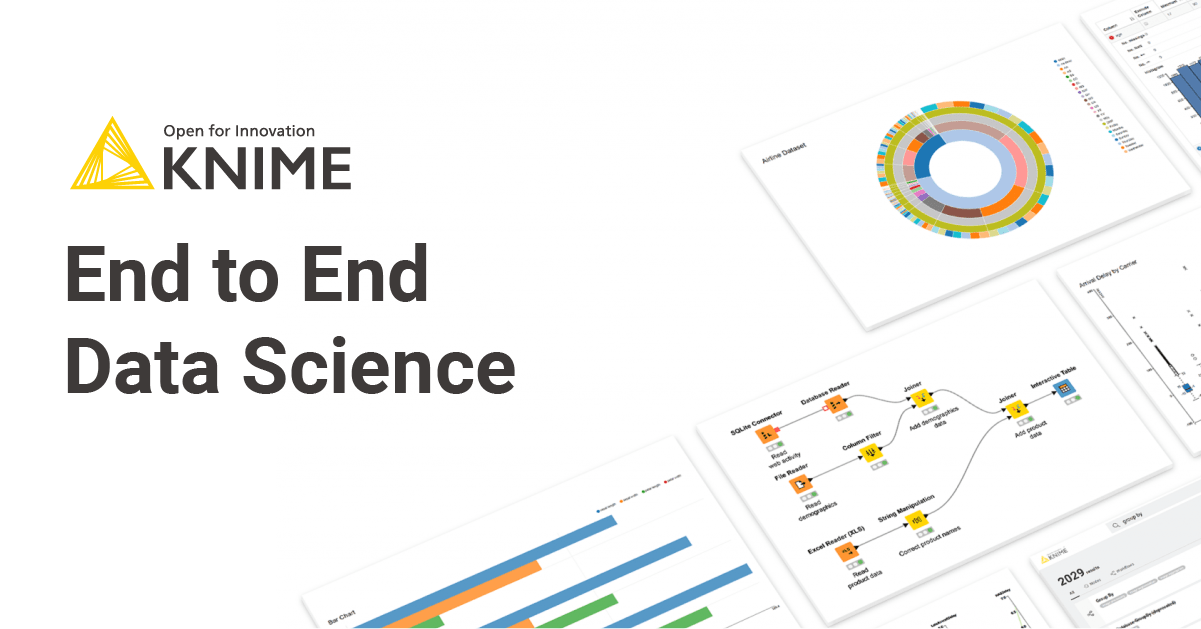

User reviews (0)