
 简体中文
简体中文 English
Website review
This review may include AI-generated content and is not individually verified. Domain, certificate and other facts come from the observed data on this page.
What is Leadinfo?
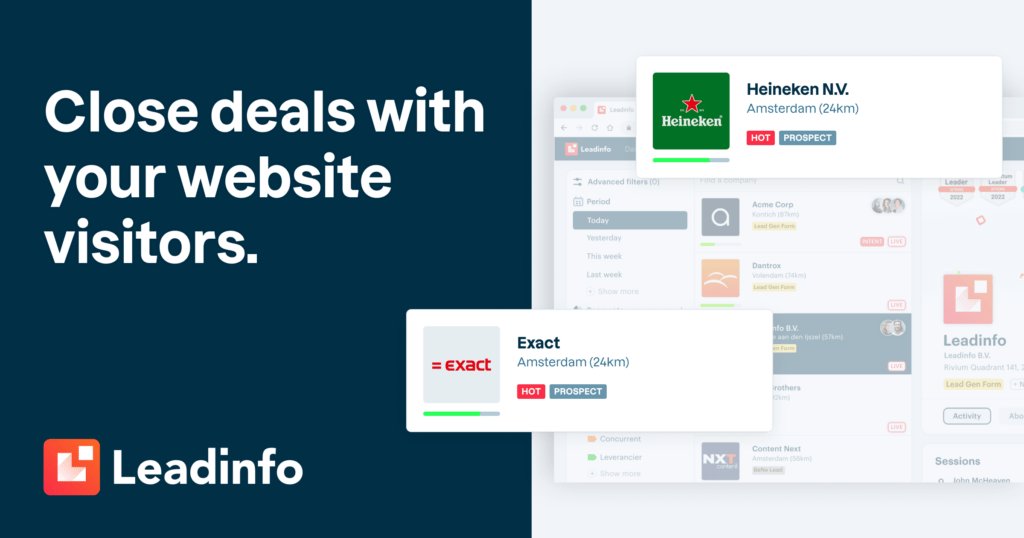
Leadinfo is a B2B website-visitor identification platform. It reveals which companies are browsing your site, matches them to contact details for key decision-makers, and lets sales teams reach out from the same tool. The core promise, in its own words, is turning anonymous traffic into buying-intent signals you can act on.
What it actually does
- Company-level identification: shows which businesses visit your site, not just raw traffic counts.
- Contact discovery: surfaces details for decision-makers at those companies so outreach reaches the right person.
- Multi-channel follow-up: supports campaigns across email and LinkedIn, with CRM connections so leads flow into your existing pipeline.
- Integrations: native connections to CRMs such as Salesforce, HubSpot, Pipedrive and Teamleader, plus 70+ other tools including Microsoft Teams and LinkedIn Ads.
- Compliance posture: the site states it is GDPR-compliant, which matters for European B2B outreach.
Who it suits
It fits B2B companies with meaningful website traffic but long, research-heavy sales cycles — SaaS, agencies, professional services, industrial suppliers. A concrete scenario: a mid-sized software vendor notices repeat visits from a target account, identifies the company, finds the buying committee, and has a sales rep send a relevant email the same day rather than waiting for an inbound form fill.
It is less useful for B2C e-commerce or very low-traffic sites, where there is little company signal to identify.
Trade-offs to weigh
| Strength | Limitation to consider |
|---|---|
| Real-time intent signals | Value depends on having enough qualified traffic |
| Contact details for decision-makers | Accuracy varies by region and company size |
| Broad CRM and tool integrations | Setup effort to route data cleanly into your workflow |
| GDPR-compliant positioning | Consent and outreach rules still apply to how you use the data |
The site cites strong usage signals — 15,000+ users, 8,000+ businesses, and a 4.8 rating from 330+ reviews — and customer comments in the review section describe it as easy to use with good return on investment. Those are vendor-published reviews, so treat them as directional rather than independent proof. A customer quote on the page credits €235,000 in revenue to leads found through the tool; that is one company's experience, not a forecast for yours.
Next step
Before committing, run the free trial against a defined goal: for two weeks, track how many identified companies match your ideal customer profile, and whether your team actually acts on them. If identification volume is thin, the problem is usually traffic quality, not the tool. For comparison, visitor-identification alternatives include Leadfeeder and Apollo, which approach the same problem from different angles — traffic intelligence versus a broader sales database.
How does Leadinfo identify which companies visit my website?
Leadinfo identifies visiting companies by matching the technical signals a browser leaves behind against a database of organisations. It is account-level identification, not person-level: you learn that someone from a named company was on your site, not automatically who that individual is.
What happens in practice
- A visitor lands on your site and Leadinfo's tracking script runs in the background.
- The script collects network and device signals, chiefly the IP address, alongside browser and session data.
- That IP is resolved to a company using Leadinfo's own data covering company networks, plus enrichment sources that map IP ranges to organisations.
- Matches appear in the Leadinfo platform in near real time, with the pages viewed and the visit behaviour attached.
- Where available, Leadinfo surfaces contact details for decision-makers at the matched company, so you can act on the visit.
Why the match is never perfect
IP-to-company matching has inherent limits, and it helps to know them before you build a process around it:
| Situation | What you typically see |
|---|---|
| Office or corporate network | Reliable company match |
| Home or mobile connection | Often no match, or an internet provider rather than an employer |
| VPN or privacy proxy | Wrong company or nothing |
| Shared office or co-working space | Multiple businesses behind one address, so matches can be ambiguous |
| Large enterprise with many IP ranges | Match usually correct, but you cannot tell which department or team |
This is why visitor identification is best treated as a buying-intent signal rather than a contact list. A company reading your pricing page three times in a week is a strong prompt to reach out; a single bounce from a shared network is not.
How to use it without wasting effort
Set a qualification threshold before you contact anyone. A common approach is to require a repeat visit, a high-intent page such as pricing or a demo form, or a minimum time on site. Then route the match into your CRM and outreach tools, since Leadinfo connects to CRM and communication platforms including Salesforce, HubSpot, Pipedrive, Zendesk Sell, Teamleader, Microsoft Dynamics and Microsoft Teams.
Be aware of the compliance side: the site states the product is GDPR-compliant, but you remain responsible for how you use identified company data in your own outreach, especially when contacting named individuals.
As a next step, check whether your main traffic sources are the kind that can be matched at all. If most of your visitors arrive from mobile devices or home connections, expect a lower match rate and plan your follow-up around the accounts you can reliably see. A short free trial or demo is the quickest way to test match rates against your actual audience.
Can I see the contact details of decision-makers from visiting companies?
Yes, if the visitor's company can be matched to a business contact database. Leadinfo's stated purpose is to reveal the contact details of key decision-makers at companies that visit your site, so you can reach out to the right person at the right time. In practice, the flow is: an anonymous visit is resolved to a company, then the platform surfaces people associated with that company — typically roles in marketing, sales, IT or management — along with outreach options such as email and LinkedIn, plus CRM sync.
What to expect in practice
- Company-level identification is the reliable part. Matching an IP address to an organisation is well-established. Treat the company name as the strong signal.
- Person-level details are database matches, not certainties. Contact records are compiled from business data sources, so a named person may have changed roles, left, or never have been the actual visitor. Verify before you personalise an email heavily.
- Coverage varies by market. Larger, well-documented companies in regions with strong business data tend to resolve better than small local firms or visitors on mobile networks and VPNs.
- Consent still applies. Contact details being available does not automatically make cold outreach lawful in every jurisdiction. Check the rules for your market, especially for personal email addresses.
A realistic scenario
A B2B software vendor sees five visits from a mid-sized manufacturer in one week, including repeat views of a pricing page. Instead of a generic "thanks for visiting" email, the sales rep looks up the operations director listed for that company and sends a short, specific message referencing the pricing interest. That is a far warmer opening than a cold list — but if the director left two years ago, the message lands badly, so a quick LinkedIn check before sending is worth the thirty seconds.
How to decide
| Your situation | Is it a good fit? |
|---|---|
| B2B with meaningful traffic and a defined target market | Yes — company identification plus decision-maker contacts speeds up prospecting |
| Long, multi-stakeholder sales cycles | Yes — knowing the buying committee helps you map the deal |
| B2C or consumer-focused site | Limited — this is built for company identification |
| Small local businesses as your core market | Test first — match rates are often lower |
Next step
Run a short trial and check the match rate against your own pipeline before committing. Ask the vendor two questions: what percentage of my traffic resolves to a company, and how fresh are the contact records? Compare with alternatives such as Leadfeeder or Albacross if company identification alone is enough, and pair with a contact data tool if you need broader person-level coverage.
What CRM and marketing tools does Leadinfo integrate with?
Leadinfo connects with 70+ tools, with the emphasis on CRM systems so identified companies and decision-maker details flow into the sales pipeline you already use. The page names these native integrations: Salesforce CRM, HubSpot CRM, Pipedrive CRM, Zendesk Sell CRM, Teamleader CRM and Microsoft Dynamics CRM, plus LinkedIn Ads for social campaigns and Microsoft Teams for communication.
What that means in practice
- CRM sync: A visitor's company data and contact details can be pushed into your CRM, so sales reps work from the same record instead of copying details between tabs.
- Outreach channels: LinkedIn Ads is listed, which supports multi-channel campaigns alongside email and LinkedIn outreach.
- Internal alerts: Microsoft Teams is named, useful if you want visit notifications to land where your team already talks.
- Wider marketplace: Leadinfo points to a marketplace of 70+ integrations, so niche tools may be covered even if they are not listed on the homepage.
How to choose
Start from your CRM, not the integration count. If your team lives in HubSpot or Salesforce, confirm the native connection covers the fields and workflows you need. If you run paid social, check how LinkedIn Ads fits your campaign structure. A practical next step is to open the pricing page and the integrations marketplace, list your three most important tools, and verify each one before booking a demo. For comparison, HubSpot and Salesforce both maintain their own app marketplaces, which helps you judge how deep an integration really goes.
Is Leadinfo GDPR-compliant for B2B visitor tracking?
Yes. Leadinfo presents itself as GDPR-compliant for B2B visitor tracking, and that claim is central to its positioning rather than a footnote: the sign-up page states "GDPR-compliant" alongside "No payment details required." The company also claims worldwide coverage, so the compliance question is really about how the tool is configured and used, not just which vendor you pick.
What the GDPR claim covers — and what it doesn't
Leadinfo's stated purpose is to reveal which companies visit your site and to surface contact details for decision-makers, then let you reach out by email, LinkedIn or CRM. That means two distinct data flows:
- Company-level identification — matching a visiting IP address to an organisation. This is the part B2B intent tools generally build their GDPR argument on, since company data is treated differently from personal data.
- Person-level contact details — names, roles and contact channels for decision-makers. This is personal data under the GDPR regardless of whether the person is at a business, so it needs a lawful basis, a privacy notice that mentions the tool, and a way for people to object.
A vendor can be genuinely compliant in how it collects and processes data while your use of the identified contacts still breaches the rules — for example, cold-emailing individuals in a jurisdiction with strict consent requirements, or retaining personal data longer than your own policy states.
Practical checks before you rely on it
- Ask for the data processing agreement and confirm Leadinfo acts as a processor for the personal data it hands you, with sub-processors listed.
- Check the data residency and transfer position for your own regulatory context, especially if you operate outside the EU/UK.
- Update your privacy policy and cookie notice to disclose company-level visitor identification. If any tracking relies on cookies or similar storage, consent obligations may apply in the EU/UK.
- Set an internal retention rule for identified contacts, and honour objections promptly.
- Train the sales team on what they may and may not do with revealed contact details — the tool is the enabler, not the legal safeguard.
Who this suits
Leadinfo fits B2B teams with meaningful inbound traffic from named companies — SaaS, agencies, professional services — where the value of knowing "a target account was on the pricing page today" clearly outweighs the compliance overhead. It is a weaker fit for sites with mostly consumer traffic, or for organisations that cannot lawfully process personal data for prospecting without prior consent.
If you want to compare the approach with alternatives, HubSpot bundles visitor identification into a broader CRM and marketing suite, while Leadfeeder is a dedicated visitor-identification tool in the same category.
Next step: request Leadinfo's DPA and its list of sub-processors, then have your legal or privacy lead confirm the lawful basis for contacting identified individuals in each market you sell into. That single review will tell you more than any compliance badge on a homepage.
How much does Leadinfo cost and is there a free trial?
Leadinfo's own site advertises a free trial rather than listing a price on the pages captured here. The signup call to action says "No payment details required," and a pricing page exists at Leadinfo for current figures. Because B2B visitor-identification tools usually price by monthly website traffic and features such as decision-maker contact data, CRM integrations and seats, expect a quote-based or tiered structure rather than a single public number.
What to check on the pricing page
- Billing unit: whether you pay per monthly visitor, per identified company, or per user seat.
- Trial limits: how long the free trial runs, which features it includes, and whether it converts automatically.
- Contact-data allowances: how many decision-maker contact details are included before overage charges.
- Integrations: whether CRM connections such as Salesforce, HubSpot or Pipedrive sit in a higher tier.
- Contract terms: monthly versus annual commitment and cancellation notice.
Who this suits
A small B2B sales team with steady website traffic can often justify the cost if even a handful of identified companies turn into pipeline each month. A low-traffic or mostly consumer-facing site will see fewer matches, so the free trial is the cheapest way to test whether enough identifiable companies actually visit. Teams already running outbound through a CRM should weigh the integration tier carefully, since that is where plan differences usually bite.
Start by running the free trial for a full sales cycle, then compare the number of qualified companies it surfaces against your current lead cost.
 Amazon Route 53
 Google Workspace
 Brussels, Brussels Capital, Belgium

User reviews (0)