Website profiles · Technology insights · Alternatives

locomotivemobile.com No paid content found

Categories: Artificial Intelligence Business Services

We develop extraordinary mobile applications using Flutter and native technologies - AI first. We transform ideas into solutions that generate real results.

Visit website

Updated: 2026-09-30 18:00 Language: English (default) Access: Normal

Profile views 2 Outbound visits 0
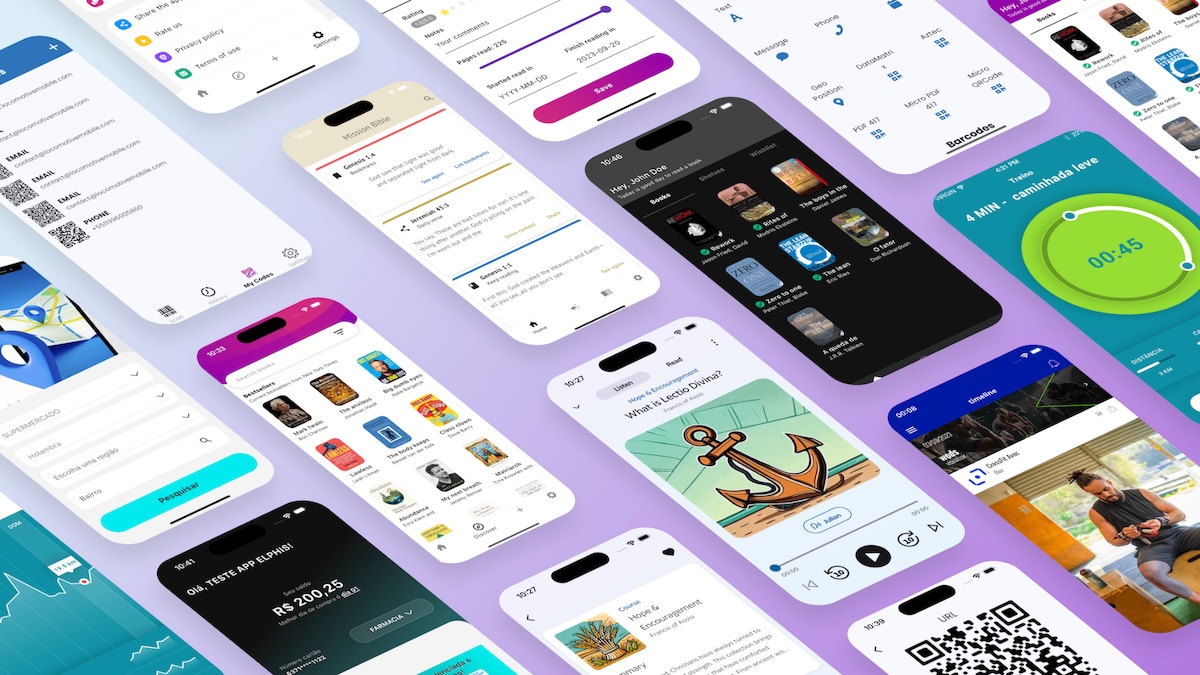
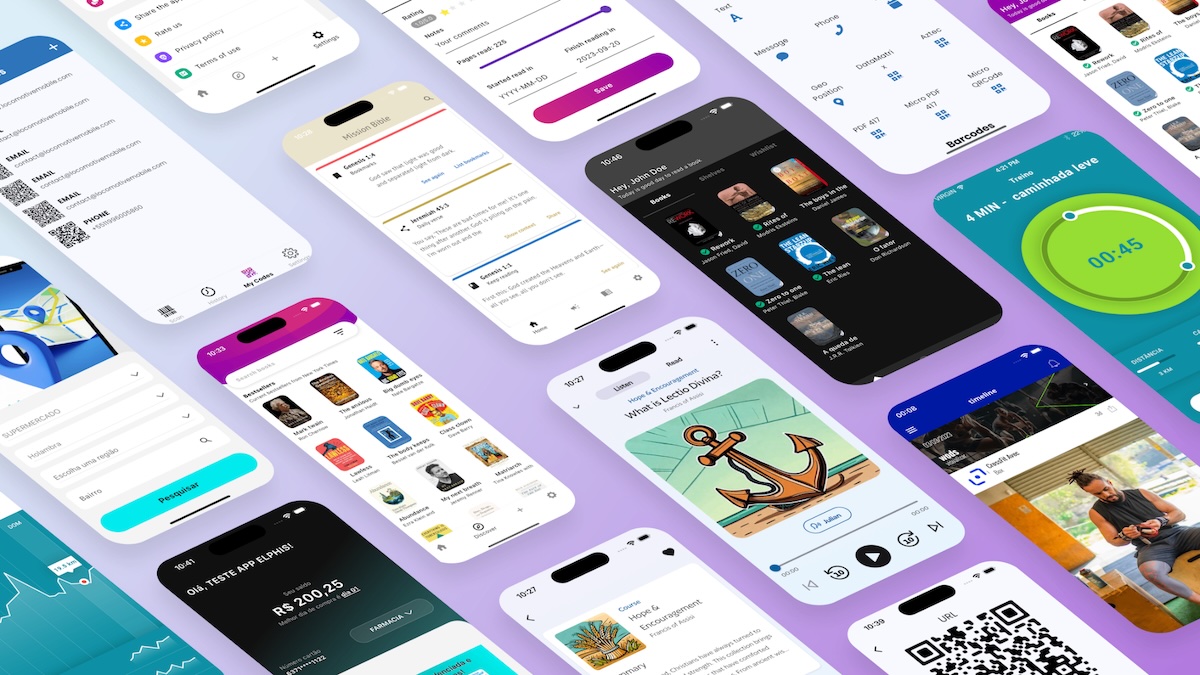
Locomotive Mobile Full homepage screenshot
Editorial Review

Website Review

What is Locomotive Mobile?

Locomotive Mobile is a mobile app development studio that builds iOS and Android applications, positioning itself as “AI first” and working mainly in Flutter alongside native Swift and Kotlin. Its stated focus is business-oriented apps rather than experiments: the site frames each project as an extension of the client’s business, with emphasis on performance, user-centered design and architecture that can scale.

Its services cover the full path from idea to launch and maintenance:

  • Flutter development — one codebase for both platforms, pitched as native-level performance with faster time to market and simpler maintenance.
  • Native development — Swift for iOS and Kotlin for Android when maximum performance or advanced platform features matter.
  • UI/UX design — responsive design, prototyping, usability testing and design systems.
  • Technical consulting — technical analysis, software architecture, code review and performance optimization.

The portfolio gives a sense of the typical client. Mission Bible, a Bible study app with community features, is listed with 100K+ downloads and a 4.8 rating, built with Flutter, Firebase and Python. Agape, a companion app for married and committed couples, is shown as in development. That suggests a concentration in lifestyle, education and faith-based consumer apps, though the service list is broad enough to fit other sectors.

Who it suits: a founder or product team with a defined app idea that needs both design and engineering, and wants one partner rather than separate agencies. Flutter is the sensible default if you need iOS and Android quickly on a limited budget; native development makes more sense if you depend on heavy device features, complex animations or platform-specific performance.

Practical next step: before contacting them, write a one-page brief covering your target platforms, must-have features and launch window, then ask which projects in their portfolio are closest to yours and whether they would recommend Flutter or native for it. The trade-off to weigh is speed and cost against the ceiling on performance and platform-specific polish — the right answer depends on how demanding your app’s core features are.

How does Locomotive Mobile decide between Flutter and native development for a project?

Locomotive Mobile presents both Flutter and native development as core services, so the choice is framed as a project decision rather than a fixed house style. Their own service descriptions point to the trade-off they weigh: Flutter for one codebase across iOS and Android with native-like performance, native (Swift/Kotlin) for maximum performance and advanced platform features.

How the decision usually breaks down

Factor Flutter fits when Native fits when
Platforms iOS and Android both matter from day one One platform leads, or each needs deep platform-specific behavior
Budget and timeline A single codebase and shared maintenance reduce cost and time to market Higher upfront cost is acceptable for maximum control
Performance Standard business, content, and community apps Heavy graphics, real-time processing, or hardware-intensive features
Features Standard UI, forms, APIs, notifications Advanced device APIs, background work, platform-specific capabilities
Long-term maintenance One team maintaining one codebase Separate iOS and Android expertise available

Their portfolio illustrates the Flutter side in practice: a Bible study app built with Flutter, Firebase, and Python, listed with 100K+ downloads and a 4.8 rating, and a couples' companion app built with Flutter, Supabase, and widgets. These are content- and community-driven apps where cross-platform reach and shared code matter more than pushing device hardware.

Practical next step

If you are weighing this for your own project, write down two things before talking to any agency: which platforms you truly need at launch, and which features depend on deep device access. If both platforms are required and your features are standard, Flutter is usually the efficient default. If a single platform or a hardware-heavy feature dominates, native is the safer bet. Locomotive Mobile's "Technical Consulting" service — technical analysis, software architecture, code review, performance optimization — is the step where that call would normally be made.

For a second opinion on cross-platform trade-offs, Flutter documents platform support and performance guidance, and Apple Developer and Android Developers cover the native capabilities that often decide the question.

What is the process for starting a mobile app project with Locomotive Mobile?

The site points to a simple first step: start a project or talk to a specialist. From there, the described process moves through four service areas, which map to a typical project sequence.

Likely sequence based on the site's services

  1. Technical consulting — technical analysis, software architecture, code review and performance optimization. This is where scope, platform choices and risks get sorted out.
  2. UI/UX design — responsive design, prototyping, usability testing and a design system.
  3. Development — either Flutter (one codebase, cross-platform) or native (Swift for iOS, Kotlin for Android).
  4. Launch and maintenance — the site states it covers "from conception to launch and maintenance."

How to choose your development path

Path Best when Trade-off
Flutter You need iOS and Android with reduced time to market and simplified maintenance Some deep platform-specific features may need extra work
Native (Swift/Kotlin) You need maximum performance or advanced device features Two codebases and higher cost

A practical next step

Before the first call, write a one-page brief: the problem the app solves, must-have features for version one, target platforms, and any hard deadline. Ask which path they recommend and why, and request a comparable project from the portfolio — for example, the Mission Bible app, listed with 100K+ downloads and a 4.8 rating, is a reasonable reference point for a content-heavy Flutter build.

You can also compare approaches with other studios such as Toptal or Andela if you are weighing team models, though their focus differs from a dedicated mobile product studio.

Can Locomotive Mobile help with UI/UX design and technical consulting?

Yes. Locomotive Mobile lists UI/UX design and technical consulting as services alongside its mobile development work, so you can engage them for design or architecture guidance even if the build itself is not the immediate ask.

UI/UX design covers responsive design, prototyping, usability testing and design systems. This suits teams that have a working product but weak onboarding, or founders who need screens and flows validated before committing to development.

Technical consulting covers technical analysis, software architecture, code review and performance optimization. Typical uses: choosing between Flutter and native, auditing an existing codebase, or stress-testing an architecture before a feature push.

The distinction matters when deciding who to hire:

Need Better fit
Screens, flows, prototypes, design system UI/UX design
Stack choice, architecture, code audit Technical consulting
Both design and a shipped app Combined engagement

Their stated stack — Flutter, Swift and Kotlin, with AI in the mix — means consulting advice will likely lean toward cross-platform or native depending on your performance and team constraints. Design and consulting are also natural entry points if you are not ready to commission a full app.

Next step: bring a short brief — your goal, current stage (idea, prototype, live app) and the specific decision you are stuck on — and ask which of the two services fits, plus what a first deliverable would look like. If you want to compare design-led agencies, Ramotion and Fueled work in adjacent territory; for engineering-heavy consulting, thoughtbot is a known reference point.

What types of apps has Locomotive Mobile developed and what results have they achieved?

Locomotive Mobile's portfolio centers on mobile apps built with Flutter and native iOS (Swift) and Android (Kotlin) technologies, spanning community/faith, education and lifestyle categories. The site presents two concrete examples:

  • Agape — a Christ-centered companion app for married and committed couples, built with Flutter, Supabase and Widgets. It is listed as "in development," with downloads, rating and users marked TBA.
  • Mission Bible — a Bible study app with interactive features and community engagement, built with Flutter, Firebase and Python. The site reports 100K+ downloads, a 4.8 rating and 12K+ users.

The agency also cites overall figures: 50+ apps launched, 100K+ active users, a 98% success rate, a 5★ average rating, and 14+ years of experience.

What this tells you practically

The two named projects show a clear niche in religious and educational content apps, where engagement features (community, study tools, widgets) matter as much as raw performance. If your project sits in that space, the portfolio is directly relevant. If you need a fintech, marketplace or enterprise app, the evidence here is thinner — you would want to ask for comparable work during a scoping call.

The reported numbers are self-published, so treat them as a starting point rather than verified proof. A useful next step is to request a walkthrough of Mission Bible's architecture and retention data, since it is the only project with published outcome metrics. For broader comparisons of development partners, you can also look at directories such as Clutch or review the official Flutter showcase at Flutter.

Decision criterion

Choose Locomotive Mobile when your app is content- or community-driven, you want a single Flutter codebase with optional native work, and the faith/education use case matches your needs. Look elsewhere if you require a deep portfolio in regulated industries or complex backend systems.

How does Locomotive Mobile integrate AI into mobile app development?

Locomotive Mobile presents AI as a first-class part of its development approach rather than a bolt-on: its stated model is "AI first," combined with Flutter and native iOS/Android work. In practice, that framing usually means AI features are considered during product definition and architecture, not added after the app ships.

Where AI fits in their stated offer

  • AI-assisted development: Using AI tooling during coding, testing and code review to move faster and catch issues earlier.
  • AI inside the product: Building features such as recommendations, search, chat assistants, content classification or personalization into the app itself.
  • Cross-platform reach: Flutter for a single codebase across iOS and Android, with native Swift and Kotlin where performance or platform-specific capabilities matter most.

How to judge fit for your project

If your priority is… Ask them about…
Fast launch on both platforms Flutter delivery plan and how AI features are scoped for v1
Maximum device performance When native Swift/Kotlin is chosen over Flutter
Data-heavy AI features Backend, model hosting and privacy approach
Long-term maintenance How AI components are monitored and updated

A useful next step: bring one concrete AI use case — for example, an in-app assistant that answers questions from your own content — and ask them to describe the architecture, the data flow and what ships in a first release. That turns a broad "AI first" claim into a testable plan.

Related questions

More questions →
What Is iOS and How Does It Fit Into Mobile App Development?

iOS is Apple's mobile operating system, the software that runs on iPhone and iPad. In app development, it defines both the platform you build for and the toolchain you use: native iOS apps are typically written in Swift, while cross-platform frameworks like Flutter compile to iOS as one of their targets. Choose native iOS when you need maximum performance and deep access to Apple features; choose a cross-platform approach when you want one codebase to cover iOS and Android together.

iOS as a platform

iOS is the operating system layer between the hardware and the apps users interact with. It ships on Apple's mobile devices and comes with a set of conventions — navigation patterns, permissions, notifications, and design expectations — that apps are expected to follow.

For a development team, that means two things:

  • A defined target environment. You build against Apple's SDKs and device capabilities rather than a generic mobile spec.
  • A review gate. Distribution through the App Store means your app is checked against Apple's guidelines before users can install it.

iOS vs. Android: user and developer view

Dimension iOS Android
Made by Apple Google
Runs on iPhone, iPad Many manufacturers' devices
Native languages Swift Kotlin
Distribution App Store Google Play and other stores
Device variety Controlled, limited set Wide range of hardware

From a user's perspective the difference is mostly ecosystem and interface conventions. From a developer's perspective the practical difference is fragmentation: iOS runs on a narrower, more predictable set of devices, while Android must account for many screen sizes, chipsets, and OS versions.

Native iOS development with Swift

Native iOS development means writing directly against Apple's platform using Swift. Locomotive Mobile describes its native offering as "Native solutions for iOS (Swift) and Android (Kotlin) with maximum performance," listing Swift for iOS alongside maximum performance and advanced features as the payoff.

Native is usually the right call when:

  • The app depends on performance-critical work or heavy graphics.
  • You need advanced or newly released Apple features as soon as they're available.
  • The product is iOS-first and Android is not an immediate priority.

The trade-off is scope: a native iOS build does not give you an Android app. If you need both, you either build twice or use a cross-platform framework.

Where Flutter fits

Flutter is a cross-platform framework that produces apps for both iOS and Android from a single codebase. Locomotive Mobile positions it as "cross-platform apps with native performance and a single codebase," with the listed benefits being optimized performance, simplified maintenance, and reduced time to market.

That framing sets up the real decision:

  • Flutter — one codebase, faster to ship to both platforms, simpler ongoing maintenance.
  • Native iOS (Swift) — maximum performance and the deepest platform integration, at the cost of a separate Android effort.

Neither is universally correct. The choice follows from how performance-sensitive the app is, how much it leans on platform-specific features, and whether Android is in scope.

From idea to a published iOS app

The path is broadly the same whether you go native or cross-platform:

  1. Define the product. Decide what the app does, who it's for, and which platforms it must reach.
  2. Choose the stack. Native Swift, Flutter, or a mix — driven by the performance and reach requirements above.
  3. Design the experience. Locomotive Mobile's UI/UX service covers responsive design, prototyping, usability testing, and a design system.
  4. Build and test. Implement the app and validate it on real devices.
  5. Distribute. Publish through the App Store, which requires passing Apple's review.
  6. Maintain. Ship updates as the OS, devices, and user expectations change.

Steps 1 and 2 are where most of the downstream cost is decided. Picking native when cross-platform would have sufficed, or the reverse, is expensive to undo later.

Fitting iOS into a broader mobile strategy

Most products that start on iOS eventually face the Android question. Three common shapes:

  • iOS only — justified when your audience is concentrated on Apple devices or you're validating the concept first.
  • iOS first, Android later — ship native iOS, then decide whether Android is a second native build or a cross-platform rewrite.
  • Both at once with Flutter — one codebase covering iOS and Android from launch, trading some platform depth for reach and speed.

Locomotive Mobile's portfolio shows the range this can cover: Mission Bible, a study app built with Flutter, Firebase, and Python, reports 100K+ downloads, a 4.8 rating, and 12K+ users — an example of a cross-platform build aimed at broad reach rather than a single-platform native app.

The practical rule: let your audience and your feature requirements pick the platform strategy, not the other way around. If you need iOS specifically for its performance ceiling or Apple-only capabilities, go native with Swift. If you need iOS and Android together without doubling the build, Flutter is the more direct route.

Does Aldersgate United Methodist Church Have a Mobile App?

As of the information available on the church's website, Aldersgate United Methodist Church in Wichita, Kansas does not advertise a dedicated mobile app. The site presents itself as the primary online hub for the congregation, with its mission of "Making Disciples of Jesus Christ for the Transformation of the World" front and center. If a mobile app exists, it is not prominently featured on the homepage. The most reliable way to confirm is to contact the church office directly or check the website for any new announcements.

That said, "no app advertised" is not the same as "no app at all." Churches sometimes launch apps quietly, link them only in weekly bulletins, or roll them out through a congregation-wide email. This article explains what a church mobile app usually includes, how to verify whether Aldersgate has one, and how to stay connected in the meantime.

What a Church Mobile App Typically Offers

Most church apps are built around a handful of core functions. If Aldersgate launches or already operates one, you can reasonably expect some combination of the following:

  • Sermons and worship — audio or video of past services, sometimes with notes or discussion questions.
  • Events calendar — worship times, Bible studies, youth group meetings, outreach days, and seasonal services.
  • Giving — online donations via credit card, debit card, or bank transfer, often with recurring gift options.
  • Prayer requests — a form or feed where members can submit and pray for needs.
  • Groups and ministries — sign-ups, rosters, and communication for small groups, choirs, or volunteer teams.
  • Push notifications — reminders for services, weather cancellations, or special announcements.
  • Connection cards — a digital way for first-time visitors to share contact information.

Not every app includes all of these. Some churches use a general-purpose platform that bundles them together; others rely on separate tools for giving and communication.

How to Check Whether Aldersgate Has an App

Because app availability changes and the website may not always reflect the latest tools, verify through more than one channel:

  1. Search the website. Look for a menu item labeled "App," "Mobile," "Connect," or "Media." Check the footer, too, since app links are sometimes placed there.
  2. Search your phone's app store. Try terms like "Aldersgate United Methodist," "Aldersgate Wichita," or "Aldersgate Church." Be careful to match the correct city and denomination, since other churches share the Aldersgate name.
  3. Call or email the church office. This is the fastest way to get a definitive answer. Ask specifically: "Do we have a mobile app, and if so, what is it called and where do I download it?"
  4. Ask an usher or greeter on Sunday. They often know about new tools before they appear online.
  5. Check the weekly bulletin or newsletter. App launches are frequently announced there first.

If you find an app, confirm it is officially affiliated with the church before entering any personal or payment information.

If There Is No App: Other Ways to Stay Connected

A dedicated app is convenient, but it is not the only way to remain plugged into church life. These alternatives cover most of what an app would do:

Need Alternative
Worship times and location Church website homepage
Sermons Website media page, podcast, or social media
Events Website calendar, bulletin, or email newsletter
Giving Online giving link on the website, or giving during service
Prayer requests Email, phone call, or prayer chain
Announcements Email newsletter, social media, or Sunday bulletin

For a first-time visitor, the simplest starting point is the website's contact page: send a message introducing yourself and ask how the church prefers to communicate. For a long-time member, the church office can add you to the email list or connect you with the right ministry leader.

A Practical Checklist for Getting Connected

Use this sequence whether or not an app exists:

  1. Visit the church website and note the worship times and address.
  2. Find the "Contact" or "About" page and save the office phone number and email.
  3. Sign up for the email newsletter if a sign-up form is available.
  4. Follow the church on any social media accounts linked from the site.
  5. Ask the office directly about a mobile app, online giving, and prayer request channels.
  6. If an app is confirmed, download it, create an account, and enable notifications for the updates you want.

A Note on Accuracy

App availability, features, and download links can change at any time, and a website may lag behind those changes. Nothing in this article should be treated as a guarantee that Aldersgate United Methodist Church does or does not currently offer an app. Treat the church office as the authoritative source, and confirm details before relying on any tool for giving or personal information.

If you are a member or visitor hoping for an app, it is also reasonable to ask the church whether one is planned. Congregations often gauge interest before investing in a new platform, and a simple question can move the conversation forward.

How Does AI with Frozen Semen Work When Breeding a Connemara Pony?

Artificial insemination (AI) with frozen semen lets you breed a Connemara mare to a stallion that may be standing hundreds or thousands of miles away — or no longer alive. The trade-off is that frozen semen demands much tighter management than natural cover or fresh/chilled semen. In practice, you need a veterinarian experienced in equine reproduction, precise monitoring of the mare's cycle, and realistic expectations about success rates. This article walks through what actually happens, step by step, and helps you judge whether AI is the right route for your breeding plan.

What "AI with frozen semen" actually means

AI is simply placing semen into the mare's reproductive tract by instrument rather than by natural cover. The semen itself comes in three broad forms:

  • Fresh: collected and used within hours.
  • Chilled: extended and shipped, typically used within 24–48 hours.
  • Frozen: processed with cryoprotectants and stored in liquid nitrogen, potentially for years.

Frozen semen is the most logistically flexible and the most biologically demanding. The freezing and thawing process kills a large proportion of sperm cells, and the survivors have a shorter functional lifespan in the mare's tract than fresh sperm. That is the single most important fact to understand before you commit.

The basic steps, in order

1. Confirm the mare is a suitable candidate

Before anything else, a reproductive examination is worthwhile. A vet typically checks:

  • General health and body condition
  • Reproductive tract via ultrasound and/or speculum exam
  • Cervical and uterine status
  • Any history of previous foaling or breeding problems
  • Uterine culture or cytology if infection is suspected

Older mares, mares with a history of endometritis, or mares that have never conceived are all higher-risk. This does not rule them out, but it changes the odds and the level of veterinary input required.

2. Source the frozen semen

Frozen Connemara semen is available from some studs and via semen banks, though the pool is smaller than in warmblood or Thoroughbred breeding. When enquiring, ask for:

  • Stallion registration details and studbook
  • Number of doses available per breeding
  • Post-thaw motility figures (a quality indicator, not a guarantee)
  • Breeding contract terms, including live foal guarantees if offered
  • Shipping and storage arrangements for the liquid nitrogen dewar

If you are breeding for a registered Connemara foal, check the relevant studbook's rules on AI and on frozen semen specifically. Registration bodies differ in what they accept and what documentation they require from the stallion owner.

3. Monitor the mare's cycle closely

This is where frozen semen differs most from natural cover. Because thawed sperm survive only a short time, insemination must happen very close to ovulation — often within a window of roughly 12 to 24 hours before or around ovulation, depending on the protocol your vet uses.

Typical monitoring involves:

  • Teasing with a stallion or a reliable teaser to detect oestrus
  • Ultrasound scanning every 24–48 hours once the mare is in season
  • Tracking follicle size to predict imminent ovulation
  • Possible ovulation induction with a hormone injection to tighten the timing

Some vets also use deep-horn or hysteroscopic insemination, which places a small volume of semen directly at the tip of the uterine horn. This can improve results with low-dose or poor-quality frozen samples, but it requires specialised equipment and skill.

4. Thaw and inseminate

Thawing follows the semen processor's instructions exactly — usually a specific water bath temperature and time. Deviating from the protocol damages sperm. The insemination itself is quick and is performed by the vet.

5. Post-breeding management

Depending on the mare's history, the vet may recommend:

  • Oxytocin treatment to help clear fluid from the uterus
  • Anti-inflammatory medication
  • A post-breeding scan to confirm ovulation and check for fluid

Pregnancy is normally confirmed by ultrasound around 14–16 days after ovulation, with a follow-up check later to monitor the pregnancy.

Why timing is the hard part

With natural cover, sperm can remain viable in the mare for a day or more, so a slightly mistimed breeding still has a chance. With frozen semen, that buffer largely disappears. If you inseminate too early, the sperm are gone before the egg arrives. Too late, and the egg has already aged.

This is why frozen semen breeding is often described as a timing exercise as much as a fertility one. It also explains why success rates vary so widely between mares, cycles, and clinics. Published per-cycle pregnancy rates for frozen semen in horses are generally lower than for fresh or chilled semen, and outcomes depend heavily on mare fertility, semen quality, and the skill of the team managing the cycle.

Practical considerations before you decide

Factor Frozen semen AI Natural cover
Stallion location Anywhere; semen shipped and stored Stallion must be physically available
Timing precision required Very high Moderate
Veterinary involvement Essential, often intensive Often minimal
Cost structure Semen purchase + storage + repeated vet visits Stud fee + transport/boarding
Mare stress Multiple handling and scans Usually less
Flexibility if mare doesn't conceive Can repeat in later cycles with stored doses Depends on stallion access
Suitability for subfertile mares Possible but harder Also harder, but more forgiving on timing

Questions to ask yourself

  • Do I have a vet with equine reproduction experience nearby? Without one, frozen semen AI is impractical.
  • Can I commit to frequent scanning appointments? Cycles can require several visits over a few days.
  • Is the stallion I want only available frozen? If a suitable stallion is available fresh or chilled, that is usually the easier path.
  • What does the studbook require? Confirm AI and frozen semen are accepted and what paperwork is needed.
  • What is my budget for a possibly repeated process? Frozen semen breeding can take more than one cycle.

When AI makes sense — and when it doesn't

AI with frozen semen is a reasonable choice when:

  • The stallion you want is geographically distant, deceased, or in heavy competition
  • You want to preserve genetics from a specific pony
  • Natural cover is impossible for health, safety, or management reasons
  • You have access to good reproductive veterinary care

It is a poor fit when:

  • No experienced equine vet is available
  • The mare has known fertility problems and you want the easiest route
  • You cannot manage the monitoring schedule
  • A suitable stallion is available locally for natural cover or fresh semen

A realistic way to proceed

  1. Have your mare examined and get an honest assessment of her breeding soundness.
  2. Confirm the studbook's rules on AI and frozen semen.
  3. Contact stallion owners or semen banks and request post-thaw quality data and contract terms.
  4. Line up a reproductive vet before you buy semen, not after.
  5. Plan the breeding for a time of year when you can attend appointments and when the vet's schedule allows.
  6. Budget for more than one cycle, and treat the first attempt as a learning cycle rather than a certainty.

Frozen semen AI is a powerful tool for Connemara breeders, but it rewards preparation far more than improvisation. If you have the veterinary support and the patience for precise timing, it opens up stallion choices you could never access otherwise. If you don't, natural cover or fresh semen will usually be the more straightforward route to a foal.

What Is Flutter and Why Use It for Cross-Platform App Development?

Flutter is a cross-platform app development framework that lets a team build one codebase and ship it to both iOS and Android, rather than writing and maintaining two separate apps. It fits projects that need to reach both platforms quickly without giving up native-level performance — business apps, content and community apps, and MVPs are common examples. It is not automatically the right choice for every project: apps that lean heavily on platform-specific hardware features or deep OS integration may still justify native Swift (iOS) or Kotlin (Android) development.

How Flutter produces one app for two platforms

The core mechanism is a single codebase compiled for each target platform. Instead of two teams writing two apps in two languages, one Flutter codebase serves both iOS and Android. That changes three things at once:

  • Build effort — features are implemented once, not twice.
  • Maintenance — a bug fix or design change lands in one place.
  • Release timing — both platforms can move on the same schedule.

The practical result is what Locomotive Mobile describes as "cross-platform apps with native performance and a single codebase," with the stated benefits of optimized performance, simplified maintenance, and reduced time to market.

The benefits that usually drive the decision

Benefit What it means in practice
Native performance Apps are optimized for speed and fluidity on any device, per Locomotive Mobile's service description
Faster time to market One codebase shortens the path from idea to launch
Simplified maintenance Updates and fixes are applied once across platforms
Consistent experience The same interface and behavior on iOS and Android

Locomotive Mobile positions Flutter alongside native development rather than replacing it — the agency offers both, which is a useful signal that the choice is project-dependent, not ideological.

When Flutter is a good fit

Flutter tends to make sense when:

  • You need both iOS and Android and want them launched close together.
  • You are building an MVP and need to validate an idea before committing to two native codebases.
  • Your app is content- or workflow-driven — business tools, community apps, reading and study apps — where the value is in the interface and logic, not in deep hardware access.
  • You expect to iterate often and want each change to reach both platforms at once.

A concrete example from Locomotive Mobile's portfolio: Mission Bible, a Bible study app with interactive features and community engagement, built with Flutter (alongside Firebase and Python), reports 100K+ downloads, a 4.8 rating, and 12K+ users. That is the profile Flutter suits well — content-rich, cross-platform, and built to scale.

When native development is the better call

Native development means separate codebases: Swift for iOS and Kotlin for Android. Locomotive Mobile describes this route as offering "maximum performance" and "advanced features." It is worth considering when:

  • The app depends on platform-specific capabilities or hardware that are easier to reach natively.
  • You need maximum performance in demanding, compute-heavy scenarios.
  • You are targeting one platform first and want the deepest possible integration.

The trade-off is real: two codebases mean more build time, more maintenance, and two release cycles.

Trade-offs to weigh before choosing Flutter

  • One codebase is a commitment, not a free lunch. You gain speed and simpler maintenance, but you are working within a shared framework rather than each platform's native toolchain.
  • Platform-specific needs still surface. If your app's value depends on deep OS integration, native may serve you better.
  • The choice is not permanent for every feature. Locomotive Mobile's own positioning — Flutter and native technologies — reflects that many real projects mix approaches rather than picking one exclusively.

How to decide

Ask three questions:

  1. Do you need iOS and Android? If yes, Flutter's single codebase is a strong default.
  2. Does your app depend on deep platform-specific features? If yes, weigh native Swift/Kotlin seriously.
  3. Is speed to market or long-term maintenance the priority? Both favor Flutter for most business, content, and MVP apps.

If you are still unsure, the practical next step is a technical consultation — Locomotive Mobile offers technical analysis, software architecture guidance, and code review as a service, which is the point at which a general answer becomes a specific recommendation for your project.

What Is Android and How Does It Fit Into Mobile App Development?

Android is a mobile operating system, developed by Google, that runs on phones, tablets, and other devices — and it is one of the two primary target platforms for any mobile app, alongside iOS. If you are deciding how to build an app, Android matters because it determines your development language, your toolchain, and how you ship to users. You can build for Android natively (typically with Kotlin) or through a cross-platform framework like Flutter, which produces a single codebase for both Android and iOS. The right choice depends on your performance needs, budget, timeline, and how much platform-specific functionality you require.

Android's role in the mobile landscape

Android is an operating system, not a programming language or a framework. That distinction matters because people often conflate the platform with the tools used to build for it.

  • The platform: Android is the OS layer that manages hardware, permissions, app lifecycle, and the user interface on a device.
  • The apps: Applications are separate software packages installed onto that OS.
  • The languages: Android apps are commonly written in Kotlin (Google's preferred language) or Java, though other languages and frameworks can target the platform.

Because Android and iOS together cover essentially the entire smartphone market, most businesses treat them as the two default platforms to support. The question is rarely whether to be on Android, but how to build for it.

How Android apps get built: native vs. cross-platform

There are two broad routes, and they trade off differently.

Native Android development

Native means writing code specifically for the platform — for Android, that is typically Kotlin (with Java still in use on older codebases). Locomotive Mobile describes its native offering as "Native solutions for iOS (Swift) and Android (Kotlin) with maximum performance," listing maximum performance and advanced features as the benefits.

Choose native when you need:

  • The highest possible performance and the tightest hardware integration
  • Platform-specific features and APIs that cross-platform frameworks may not fully expose
  • Long-term maintenance by teams specialized in one platform

The cost is that you maintain separate codebases for Android and iOS, which generally means more development effort and a longer path to launching on both.

Cross-platform development with Flutter

Flutter lets you build one codebase that runs on both Android and iOS. Locomotive Mobile positions it as "Cross-platform apps with native performance and a single codebase," with the stated advantages of optimized performance, simplified maintenance, and reduced time to market.

Choose cross-platform when you need:

  • To reach both Android and iOS users without duplicating effort
  • Faster time to market and lower maintenance overhead
  • A consistent experience across platforms

The trade-off is that you may hit limits when you need deep, platform-specific behavior, and performance — while strong — is not always identical to fully native code.

Dimension Native Android (Kotlin) Flutter (cross-platform)
Codebase Separate per platform Single codebase for Android + iOS
Performance Maximum, per Locomotive Mobile "Native performance," per Locomotive Mobile
Time to market Longer (two builds) Reduced
Maintenance Higher (two codebases) Simplified
Best fit Platform-specific, performance-critical apps Apps targeting both platforms efficiently

How Android differs from iOS in practice

If you are planning a project, these are the practical differences that affect your decisions:

  • Language and toolchain: Android development centers on Kotlin (or Java); iOS centers on Swift. Locomotive Mobile frames its native work as "Swift for iOS" and "Kotlin for Android."
  • Development effort: Building natively for both platforms means two separate efforts. A cross-platform approach like Flutter collapses that into one.
  • Release process: Each platform has its own store and review process, so shipping to both means managing two distribution channels.

The takeaway: Android and iOS are distinct targets with distinct native languages, which is exactly why cross-platform frameworks exist — to avoid maintaining two separate codebases when you don't need to.

How to decide for your project

Work through these questions:

  1. Do you need both Android and iOS? If yes, cross-platform (Flutter) usually reduces time and cost. If you only need one platform, native may be simpler.
  2. Do you need maximum performance or deep platform-specific features? If yes, lean native. If your app is standard — content, community, forms, commerce — cross-platform is typically sufficient.
  3. What is your timeline and budget? A single codebase generally means less work and faster launch, which matters if you are validating an idea.
  4. What is your long-term maintenance capacity? Two native codebases require more ongoing effort than one shared codebase.

A reasonable default for many teams building a new app for both platforms is to start with Flutter and move to native only where a specific requirement demands it. For apps where performance or platform integration is the core value, native Android (Kotlin) is the stronger foundation.

If you are unsure, a technical consulting step — analyzing requirements, architecture, and performance needs — is the standard way to settle the native-versus-cross-platform question before committing to a build.

Website Overview

Page metadata, canonical configuration and social previews work together to provide more consistent search and sharing presentation.

Domain and Registration

The domain has about 3 years of registration history; its current configuration provides more context than age alone. The registrar is GoDaddy.com, LLC, a widely used domain service provider. The domain uses the common .com extension, which is not an independent safety signal.

DNS and Email

Nameservers are provided by locaweb.com.br, indicating managed DNS hosting. MX records point to the locaweb.com.br email service. SPF and DMARC are configured. DKIM status is unknown. TXT records include verification markers for Google, Apple. Such markers may also remain after a service stops being used. DNSSEC signatures were not detected, so this additional DNS authenticity protection is not confirmed.

TLS and Certificates

The certificate uses an RSA 2048-bit public key, offering broad client compatibility. The server supplied a complete certificate chain. No organization name is present in the certificate; the available fields are consistent with domain validation. The certificate was issued by Let's Encrypt, commonly associated with automated certificate services. The certificate's total validity is about 89 days, consistent with a short renewal cycle.

HTTP and Browser Security

The response lacks these common security headers: CSP, X-Content-Type-Options, Referrer-Policy, Permissions-Policy, clickjacking protection. CORS permits any origin to read this response. This is common for public resources; sensitive responses need narrower handling. No X-Powered-By header was found, reducing one common source of backend fingerprinting information. No obvious internal addresses or debug information were found in the headers. The Server header contains the custom value Vercel.

Technology Stack Analysis

The public page identifies Vercel without precise versions, leaving fewer clues for version-specific scanning.

Search and Social Sharing

Twitter Card metadata is configured. The title has 42 characters, within a common display range. A meta description is present, with 156 characters. The observed directives allow indexing and link following. No Generator meta tag is publicly exposed.

Hosting and Email

DNSlocaweb.com.br
HostingVercel
Emaillocaweb.com.br
Location United States flagUnited States 216.198.79.1

User reviews (0)

  • No reviews yet.

Pages, Search and Sharing

Meta descriptionWe develop extraordinary mobile applications using Flutter and native technologies - AI first. We transform ideas into solutions that generate real results.
Canonical URLhttps://www.locomotivemobile.com
LanguageEnglish (default)
Twitter Cardsummary_large_image
googlebot 1 allowed · 0 disallowed
  • Allow/
bingbot 1 allowed · 0 disallowed
  • Allow/
twitterbot 1 allowed · 0 disallowed
  • Allow/
facebookexternalhit 1 allowed · 0 disallowed
  • Allow/
All bots 1 allowed · 0 disallowed
  • Allow/

Registration details RDAP / WHOIS

RegistrarGoDaddy.com, LLC
Registered2023-07-04
Expires2027-07-04
Domain statusactive
Nameserversns1.locaweb.com.br、ns2.locaweb.com.br、ns3.locaweb.com.br
DNSSECunsigned

DNS records

TypeNameValueTTLPriority
A4ec19516e43b9b4a.vercel-dns-017.com216.198.79.1300—
A4ec19516e43b9b4a.vercel-dns-017.com64.29.17.1300—
MXlocomotivemobile.commx.a.locaweb.com.br360020
MXlocomotivemobile.commx.b.locaweb.com.br360020
MXlocomotivemobile.commx.jk.locaweb.com.br360020
NSlocomotivemobile.comns1.locaweb.com.br3600—
NSlocomotivemobile.comns2.locaweb.com.br3600—
NSlocomotivemobile.comns3.locaweb.com.br3600—
TXTlocomotivemobile.com_globalsign-domain-verification=cKMW0O2iNV0blkoXlcbkNmqGEhSFGVsu1J0OiILuA03600—
TXTlocomotivemobile.comapple-domain-verification=zgarDEy3BUht4BgQ3600—
TXTlocomotivemobile.comgoogle-site-verification=FUdByIcKRZlPJvt51NN8lJjSPhPqvYAI6evXyDydnvI3600—
TXTlocomotivemobile.comv=spf1 include:_spf.locaweb.com.br -all3600—
CNAMEwww.locomotivemobile.com4ec19516e43b9b4a.vercel-dns-017.com3600—
DMARC_dmarc.locomotivemobile.comv=DMARC1; p=none;3600—

TLS and certificates

AssessmentNormal configuration
Supported protocolsTLSv1.2、TLSv1.3
Negotiated protocolTLSv1.3
Certificate subjectwww.locomotivemobile.com
IssuerLet's Encrypt
Valid until2026-12-08T17:37 · Remaining when checked: 68 days
Verification detailsCertificate trust: Passed · Hostname match: Passed

HTTP response headers

HeaderValue
content-typetext/html; charset=utf-8
cache-controlpublic, max-age=0, must-revalidate
serverVercel
strict-transport-securitymax-age=63072000
access-control-allow-origin*

Identified technologies

Vercel