
 简体中文
简体中文 English
Website review
This review may include AI-generated content and is not individually verified. Domain, certificate and other facts come from the observed data on this page.
What is Manifest?
Manifest is an open-source LLM gateway: a single endpoint that routes your AI agents' requests to many model providers, and repairs or reroutes failing calls before they reach your code. The site frames it as "LLM calls that don't break," aimed at builders, teams and platforms who want reliability plus visibility into inference spending.
What it actually does
- One endpoint, many providers. Route to cloud APIs, subscription plans, local models (Ollama, LM Studio, llama.cpp) or custom providers, with your own API keys or OAuth tokens for subscriptions.
- Autofix and fallbacks. When a provider is down, requests retry elsewhere; broken requests are repaired on the fly rather than returned as errors. The page cites a Datadog figure that about 5% of LLM API calls fail in production and argues most of those are avoidable.
- Observability. Full request/response body logs and cost breakdowns by agent, key and provider.
- Self-hosting. The whole router can run on your own infrastructure, which matters if prompts or data can't leave your network.
Who it suits, and the trade-off
| Audience | Main draw | Trade-off to weigh |
|---|---|---|
| Solo builders | Connect existing subscriptions and local models quickly; visual parameter setup | Self-hosting means you own upgrades and uptime |
| Teams and startups | Spend tracking and central key management | Another service in the request path to monitor |
| Platforms serving clients | Fewer avoidable client errors reaching end users | Autofix can mask underlying request bugs if you don't review logs |
A concrete case: a small team running a support agent on one cloud model wants a local model for sensitive tickets and a fallback when the primary API rate-limits. Manifest lets them split routing by data sensitivity and keep a cost view per agent.
Next step: if you're evaluating it, list the providers and local models you actually use, then check whether your current failure modes (rate limits, malformed requests, outages) match what fallbacks and Autofix address. Compare against alternatives such as OpenRouter for hosted multi-model access or Portkey for gateway features before committing.
How does Manifest's Autofix handle failed LLM API calls?
Manifest's Autofix is a repair layer that intercepts a failed LLM API request and fixes it on the fly, so the calling agent receives a valid response instead of the error. According to the site, an agent repairs the request before it ever returns to your code, and the feature is available both through the LLM Gateway and as a standalone tool. Manifest frames this around its own cited figure that roughly 5% of LLM API calls fail in production and that most of those errors are avoidable; that statistic is Manifest's claim, not an independent measurement.
In practical terms, this targets the class of failures caused by the request itself rather than the provider being down—malformed parameters, unsupported fields, or settings that don't match the chosen model. Manifest separates this from fallbacks, which retry against another provider when one is unavailable. The two work as complements: fallback handles outages, Autofix handles bad requests.
Where it fits and what to weigh
| Concern | Autofix | Model fallback |
|---|---|---|
| Failure type addressed | Broken or invalid requests | Provider outage or failure |
| What happens | Request is repaired before your agent sees an error | Request is retried on another provider |
| Main trade-off | Repaired requests may differ from what you sent, so log and review them | Retrying elsewhere can change model behavior and cost |
The trade-off worth planning for is visibility. A silently repaired request can mask a bug in your own client code, so use the full body logs Manifest describes to inspect what was actually sent and returned, and lean on email notifications for error volume. A team shipping a customer-facing agent might enable Autofix to protect end users while separately tracking which requests get patched, then fixing the root cause in their integration.
A useful next step is to run one failing request type you already see in production through the gateway with Autofix on, compare the logged body against your original payload, and decide whether the repair is acceptable or whether your client should be corrected instead. For teams weighing self-hosting, the site notes the full router can run on your own infrastructure, which matters if request bodies contain sensitive data.
How do I self-host Manifest on my own infrastructure?
Self-hosting Manifest means running its entire LLM gateway—routing, fallbacks, logging and the Autofix request repair—on your own machine or servers rather than using a hosted service. The site describes this as free and open source and lists "Self-host" as a core capability, with the gateway able to route to cloud providers, bring-your-own-key accounts, or local models such as Ollama, LM Studio and llama.cpp.
What self-hosting gives you
- Control over data paths. You decide which requests go to cloud providers and which stay on local models, which matters if prompts or outputs are sensitive.
- Your own keys and subscriptions. The gateway accepts API keys from popular providers and OAuth tokens for subscription plans, so usage is billed to your accounts.
- The reliability features stay. Fallback to another provider, full request/response body logging, and Autofix (repairing malformed requests before they reach your agent) are part of the gateway itself, not a hosted add-on.
- One endpoint for everything. Your agents and workflows point at a single OpenAI-compatible endpoint, and you change models and parameters per route without touching code.
Practical path
- Check the project's official repository and docs for the current install method (container or local runtime), since the site presents self-hosting as a headline feature but does not spell out the commands in the material available.
- Start on a single machine with one provider key and one local model, then confirm a request routes and logs correctly.
- Add fallback providers and per-route parameter settings once the basic path works.
- For team use, put the gateway behind your normal internal auth and monitor the cost view by agent, key and provider.
Who should choose which
| Situation | Self-host | Hosted option |
|---|---|---|
| Strict data-residency or compliance needs | Strong fit | Usually not acceptable |
| Small team wanting minimal ops work | Workable but you own uptime | Less maintenance |
| Mixed cloud plus local models | Strong fit, since local routing is built in | Depends on provider support |
| Need for enterprise terms or support | You handle it yourself | The site points to a sales contact for enterprise |
A concrete example: a startup with two engineers running agents on a subscription plan can self-host on a single VM, keep prompts on a local model for internal tools, and send only customer-facing calls to a cloud provider—while the cost view shows spend per agent. If your team has no one to own upgrades and monitoring, the trade-off shifts toward a managed setup; the self-host route is most valuable when control and data locality outweigh operational effort.
As a next step, review the official Manifest documentation and repository to confirm current installation requirements and supported providers before committing infrastructure.
How can I connect subscription plans, BYOK providers, and local models like Ollama through Manifest?
Manifest handles all three connection types through one OpenAI-compatible endpoint. You point your agent or harness at that endpoint, and Manifest routes each request to whichever backend you've configured — a subscription plan, a bring-your-own-key provider, or a local server such as Ollama, LM Studio or llama.cpp. Per the site, you can set the model and parameters for each route visually rather than in code, and choose what goes to the cloud versus what stays on your machine.
What each connection type means in practice
- Subscription plans: Manifest accepts OAuth tokens for subscription-based services, so you can reuse a plan you already pay for instead of buying tokens again.
- BYOK providers: You supply your own API keys from popular providers and pay usage directly. This suits teams that already have provider contracts or want spend visible in one place.
- Local models: Route to Ollama, LM Studio, llama.cpp or any local server. Useful for sensitive data, offline work, or cheap high-volume tasks.
A concrete setup sequence
- Self-host or use the hosted gateway, then note the single endpoint URL.
- Add each backend: paste keys or OAuth tokens for cloud providers, and enter the local server address for Ollama.
- Create routes that map model names to backends, setting parameters per route.
- Point your existing OpenAI-style client at the endpoint — most SDKs need only a base-URL change.
- Add fallbacks so a failed provider retries elsewhere, and check cost and request logs to confirm traffic lands where you expect.
Choosing between them
| Need | Best fit | Trade-off |
|---|---|---|
| Lowest marginal cost, existing plan | Subscription via OAuth | Tied to that provider's limits and terms |
| Full control of spend and keys | BYOK | You manage keys and billing per provider |
| Privacy or offline use | Local models | Hardware-bound speed and quality |
A practical rule: send sensitive or repetitive tasks to local models, keep a cloud provider as fallback for quality-critical calls, and use subscriptions where you already pay for one. For teams comparing gateway options, OpenRouter and Portkey are worth reviewing alongside Manifest; start with Manifest's own documentation to confirm which providers and local servers are currently supported.
How does Manifest help teams track and control inference costs across agents and providers?
Manifest addresses cost control in three connected layers: routing, visibility and repair. The routing layer sends requests through one endpoint and lets teams set model and parameters per route without changing code, so cheaper or local models can be assigned to specific agents. The visibility layer tracks every request, token and dollar, broken down by agent, key and provider, which is what makes per-agent budgets meaningful. The repair layer matters for cost because failed calls still consume time and sometimes tokens; Manifest's Autofix repairs broken requests before they reach the agent, and fallbacks retry on another provider when one goes down.
What each capability gives a team
- Cost visualization by agent, key and provider: shows where spend actually originates, not just a single monthly total. Useful when several agents share one provider account.
- Bring your own key and subscription OAuth: lets teams pay providers directly and mix subscription plans with pay-per-token usage, which can lower marginal cost for high-volume agents.
- Local model routing: sends selected traffic to Ollama, LM Studio, llama.cpp or another local server, keeping that inference off metered cloud billing.
- Per-route parameter setup: lets a team pin a cheaper model to routine tasks and reserve expensive models for work that needs them.
- Self-hosting: runs the gateway on your own infrastructure, which suits teams with data-residency or procurement constraints.
A concrete scenario
A startup runs a support-triage agent and a research agent on the same provider key. With per-agent and per-key breakdowns, the team can see that research is driving most of the spend, then route triage to a smaller or local model and keep the stronger model only where output quality matters. Fallbacks and Autofix reduce the wasted spend that comes from retried or malformed calls.
Trade-offs to weigh
Centralizing routing adds a component between agents and providers, so self-hosting means operating that component yourself. Routing to local models trades cloud cost for hardware and maintenance. Subscription-based access can be cheaper but may come with rate or usage terms that differ from pay-per-token keys, so check those before shifting heavy traffic.
As a next step, list your agents and tag each one's expected volume and quality requirement, then decide which routes should use local models, which should use subscription access and which need premium cloud models. Compare this with alternatives such as OpenRouter or Portkey if you want to benchmark gateway features before committing.
What does Manifest's open source license allow for commercial use?
Manifest is described on its own site as a free and open-source LLM gateway, and the page explicitly positions self-hosting "the whole LLM router on your infrastructure or your machine" as a supported use. That framing supports commercial deployment, but the page evidence does not name the specific license (MIT, Apache 2.0, AGPL, etc.), and the license terms are what actually determine commercial rights. Check the LICENSE file in the project's repository before relying on it for a product.
What to verify in the license
- Permitted use: whether commercial and internal-business use is granted without restriction.
- Modification and distribution: whether you can fork it, bundle it into a product, or ship it to customers, and under what conditions.
- Copyleft scope: a permissive license (MIT/Apache) generally allows closed-source embedding; a strong copyleft license (AGPL) can require you to publish source for modified versions offered as a network service — a real concern for a hosted gateway.
- Attribution and notices: whether you must retain copyright notices or state changes.
- Trademarks: open-source licenses typically do not grant rights to the Manifest name or logo.
Practical decision path
If you plan to run Manifest internally to route agent traffic across providers, subscriptions and local models, permissive terms are usually enough and the main work is operational. If you plan to resell it, embed it in a commercial platform, or modify and host it for customers, read the copyleft and distribution clauses first — that is where commercial use becomes conditional rather than free.
For a concrete comparison of how gateway projects handle this, review the license terms of alternatives such as GitHub-hosted projects like LiteLLM or OpenRouter's client libraries, and confirm each project's official license text rather than summaries.
 Vercel
 Google Workspace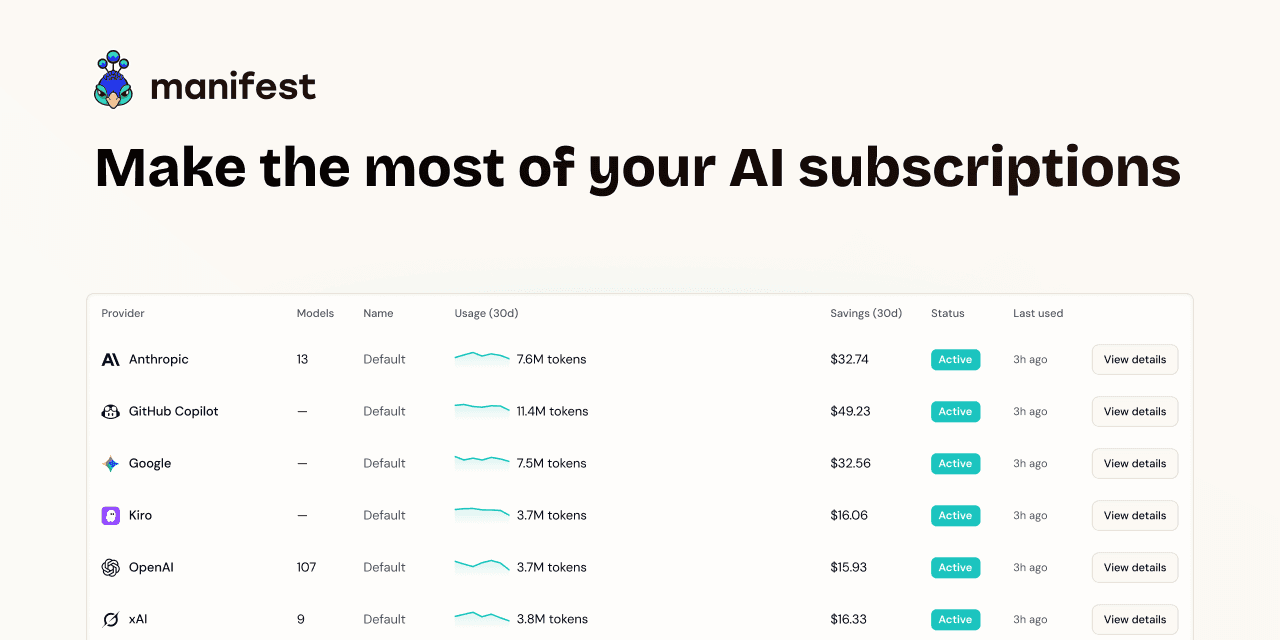

User reviews (0)