Website profiles · Technology insights · Alternatives

monocrawl.com

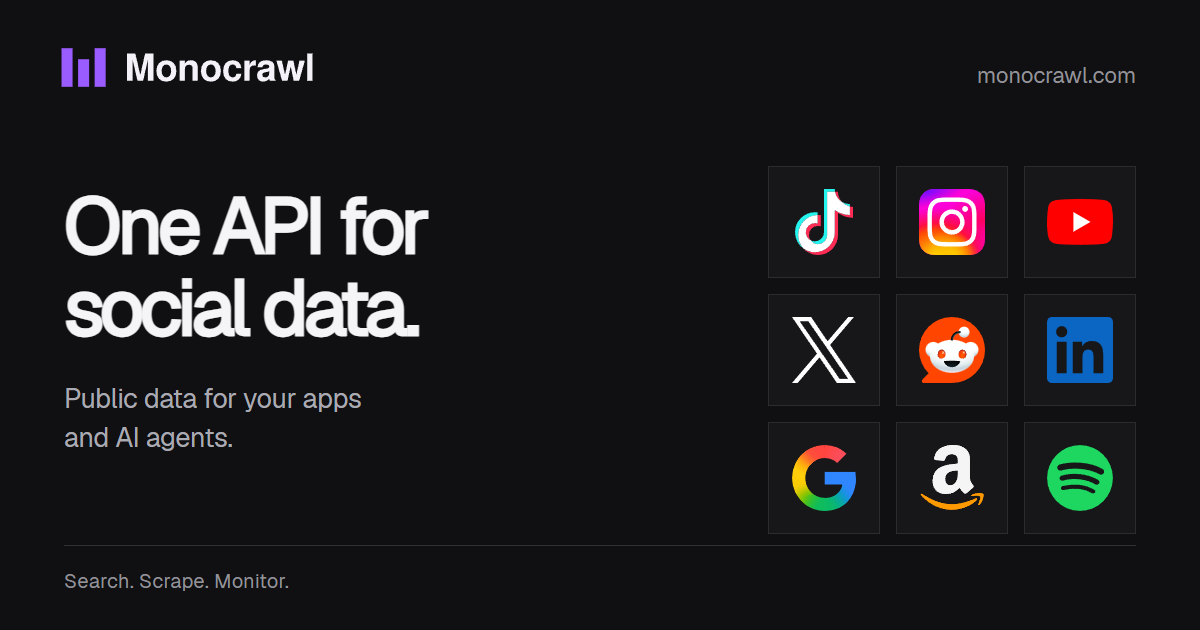
Scrape TikTok, Instagram, YouTube, X, Reddit and 70+ more platforms with one social media API: profiles, posts, comments, reviews. 150 free credits to start.

Paid content
Visit website
Profile views 7 Outbound visits 1 Normal
Monocrawl Full homepage screenshot

At a glance

Category
Development
Language
English
Paid-content signal
Paid contentObserved
Registered
2026
Hosting
VercelInferred
HTTPS certificate trusted
PassedObserved
Last updated

Website review

This review may include AI-generated content and is not individually verified. Domain, certificate and other facts come from the observed data on this page.

What is Monocrawl?

Monocrawl is a social media scraping API that pulls public data from more than 70 platforms through a single key and a unified schema. Instead of writing and maintaining a separate integration for TikTok, Instagram, YouTube, X, Reddit, LinkedIn, Amazon, GitHub, Trustpilot and dozens of others, you send one request shape and get back a consistent response envelope: shared fields such as handle, verified and followers where platforms match, plus platform-specific fields kept intact.

Who it is for

  • Developers building products that need social, review or marketplace data without owning a pile of scrapers.
  • Data and analytics teams running brand monitoring, competitor tracking or customer-intelligence pipelines.
  • AI agent builders who want an agent to discover and call endpoints itself; Monocrawl lists MCP support alongside REST for this.

What you can actually do with it

  • Brand monitoring: collect mentions across social, reviews and forums, with each alert linking to its source.
  • Competitor tracking: follow competitors' posts, prices and engagement, including price-change signals on listings.
  • Customer intelligence: gather the reviews behind complaints, requests and buying signals to decide on evidence rather than anecdote.
  • Price and product tracking: watch listings and price movements on marketplaces such as Amazon, eBay, Walmart and Etsy.

Trade-offs to weigh

The appeal is breadth and less integration work: one schema, one billing relationship, hundreds of endpoints, and cached repeats that don't consume credits. The trade-off is that a unified layer is a compromise — if you need deep, platform-specific fields (for example, TikTok's video_count or Instagram's edge_followed_by) you will still be reading the raw platform payload, so your code needs to handle both the common fields and the exceptions. You are also depending on a third party for access and uptime rather than controlling your own collection.

A practical next step: pick one narrow use case, such as tracking price changes on a handful of marketplace listings or monitoring your brand on Reddit and Trustpilot, and test whether the unified fields cover it before committing to a wider rollout. If your needs are mostly one platform and highly specialised, a direct integration may serve you better.

How do I get started with Monocrawl's free credits and pricing plans?

Start by creating an account to claim the 150 free credits mentioned on the site, then test a single endpoint before committing to a paid plan. The free credits are best used to validate coverage and response quality for your specific platforms, not to run a full production workload.

A practical first session

  1. Sign up and confirm the 150 free credits appear in your dashboard.
  2. Pick one platform you actually need, such as TikTok or Reddit, and call a profile or post endpoint.
  3. Check the unified schema: shared fields like handle, verified and followers sit alongside platform-specific fields that are kept as returned.
  4. Repeat the same call to see how caching is handled, since cached repeats are listed as costing zero credits.
  5. Only then wire the integration into your app or agent.

What the pricing signals tell you

Monocrawl's own page points to monthly plans, optional subscriber top-ups sold as credit packs, and a stated policy that failed calls cost nothing. That combination suits teams with spiky workloads: a base subscription for steady monitoring, topped up when a campaign or investigation spikes. It also means your effective cost depends on how many calls succeed and how many are served from cache, so track credits used per call in your logs from day one.

Choosing between plans

Situation Sensible starting point
Evaluating coverage across many platforms Free credits, one call per platform
Ongoing brand or competitor monitoring Monthly plan sized to your daily call volume
Occasional large pulls or one-off research Base plan plus a credit top-up
Agent-driven, exploratory queries MCP connection, since the agent discovers endpoints itself

A concrete scenario

A two-person analytics team monitoring a consumer brand across Reddit, X and Trustpilot would connect once via the MCP endpoint, let their agent pull mentions, and route alerts to a shared channel. They would size the monthly plan around their quiet-week volume and buy top-ups for launch weeks, rather than paying for peak capacity year-round.

Decision criteria before you pay

Estimate your monthly successful calls, subtract expected cache hits, and compare that against the plan tiers. If your usage is unpredictable or concentrated in short bursts, favour a smaller base plan with top-ups. If you need many platforms at low volume, the free credits and a single unified schema reduce the integration cost more than any per-call discount.

For the current tiers and top-up rates, check Monocrawl directly, as plan details change.

Can Monocrawl track competitor prices and product listings across platforms?

Yes. Monocrawl is positioned for exactly this kind of work: pulling public listings, prices, reviews and profiles from many platforms through one API and one schema. Its own materials list Amazon, eBay, Walmart, Etsy and Airbnb among the covered platforms, and it advertises a dedicated price-and-product-tracking use case alongside competitor tracking.

What that means in practice

  • Price monitoring: Query product pages on marketplaces you sell through, store the current price, and compare it against your own or a rival's. Because fields are normalized, a price from one marketplace and a price from another arrive in a comparable shape rather than two bespoke parsers.
  • Listing surveillance: New listings, changed titles, altered images or availability shifts are the signals that usually matter more than price alone. Monocrawl's stated coverage of listings and "new listings" alerts fits this.
  • Reviews as context: Price changes rarely explain themselves. Pulling the reviews attached to a product shows whether a competitor cut price to defend against complaints, or raised it after a quality improvement.
  • Alerting to a team: The page describes monitors that deliver mentions, reviews, price changes and new listings to a team, with each alert linking back to its source. That source link is the feature worth testing first, since an alert you cannot verify is an alert you cannot act on.

Where it fits and where it does not

Need Fit
Multi-platform public listing and price collection Strong — this is the advertised core
Normalized output across marketplaces Strong — one envelope, shared fields
Human-readable alerting for a small team Plausible; verify delivery and source links
Private seller dashboards or logged-in data Not what "public data" describes
Guaranteed real-time pricing Check latency and refresh cadence yourself

A concrete test before committing

Pick five competitor products you already track by hand. Run them through the API, then ask three questions: does the price match what you see manually, does a changed listing show up within your required window, and can you trace every returned value to a source URL? If those hold, the integration is worth writing once. If prices drift or sources are missing, the schema will not save you.

For comparison shopping on the vendor side, the pricing page is at Monocrawl and the price-tracking use case is documented under the same domain. If you want to weigh alternatives, established scraping and marketplace-data vendors such as Apify and Bright Data cover overlapping ground with different pricing models.

How can I use Monocrawl for brand monitoring and social listening?

Monocrawl is a social data API that pulls public posts, profiles, comments and reviews from 70+ platforms through one key and one shared data schema. For brand monitoring and social listening, that means you write the integration once and then query many sources — social networks, review sites, marketplaces and forums — instead of maintaining a separate scraper per platform.

What you can actually monitor

Its page groups the relevant jobs into three buckets:

  • Brand monitoring — every mention of your brand across social, reviews and forums, delivered to your team as alerts that link back to the source.
  • Competitor tracking — competitors' posts, prices and engagement, so you can fold their moves into your own comparisons.
  • Customer intelligence — the reviews behind complaints, requests and buying signals, so decisions rest on gathered evidence rather than impressions.

Platform coverage listed on the page includes TikTok, Instagram, YouTube, X, LinkedIn, Facebook, Reddit, Google Search, Amazon, eBay, Walmart, Etsy, Airbnb, Booking.com, TripAdvisor, GitHub, Spotify, the App Store, Google Play and Trustpilot, among others.

How a listening workflow fits together

A practical setup for a small brand team looks like this:

  1. Define the entities you care about — your handles and product names, plus a short list of competitors.
  2. Query profiles and posts on the platforms where your audience actually talks, and reviews on the sites where they buy.
  3. Normalise the results using the shared fields (handle, verified, followers) while keeping platform-specific data intact.
  4. Route matches into a monitor or alert channel, with a link to the original post so a human can judge tone and context.
  5. Re-query on a schedule; the page states cached repeats cost zero credits, so polling the same items is cheaper than re-fetching everything.

Where the unified schema helps and where it doesn't

Situation Benefit Trade-off
Many platforms, one pipeline One integration, one envelope, shared field names Platform-specific fields still need per-platform handling
Mixed social + reviews + marketplaces Mentions, ratings and price changes in one place Different platforms have different update rhythms and content norms
Agent-driven collection MCP support lets an agent discover and call endpoints You still need to define what counts as a relevant mention
High-volume listening Failed calls are not charged and cached repeats are free You pay per successful call, so query scope drives cost

A concrete reader scenario

Say you run a mid-size consumer brand. You want to know the moment a price drop appears on a marketplace listing, a complaint lands on a review site, or a thread about your product starts on Reddit. Rather than three separate tools, you point one integration at those sources, filter for your brand terms, and send matches to a shared channel. Your team sees the source link, not just a count.

Two decisions to make before you build: whether you need real-time alerting or a daily digest, and whether a person or an agent will triage what comes in. The first shapes your polling schedule; the second shapes how much structure you need in the output.

Start by checking the platform list and endpoint coverage against the places your customers actually post, then compare that with what a general-purpose listening tool would cover.

Does Monocrawl support AI agents and MCP integration for automated data retrieval?

Yes. Monocrawl is explicitly positioned as "agent-ready data" with MCP support. The site describes a single connection through which an AI agent can discover endpoints and pull public-web data on its own, alongside a REST API using one key and a unified schema. So if you are building an agent that needs to fetch profiles, posts, comments or reviews, MCP is the intended integration path rather than something you have to glue together yourself.

What that looks like in practice

A typical setup: you connect your agent once, it queries Monocrawl's endpoint catalogue, and it retrieves the fields it needs — for example a handle, verification flag and follower count — from a normalized response, while platform-specific fields are preserved as returned. The site frames the value as writing the integration once instead of maintaining separate connectors per platform.

Two practical details worth weighing:

  • Coverage breadth vs. depth. Monocrawl advertises 70+ platforms and 650+ endpoints across REST and MCP. Broad coverage is useful when your agent must answer questions spanning several networks; it matters less if you only ever need one platform and could use that platform's own official API.
  • Cost behaviour. The site states failed calls are not charged, cached repeats cost zero credits, and there are 150 free credits to start. Monthly plans and optional subscriber top-ups are listed on the pricing page. Confirm current limits on Monocrawl before committing, since credit consumption per endpoint varies.

Choosing between MCP and REST

Situation Better fit
Agent should discover and call tools dynamically MCP
You want deterministic, hand-coded request flows REST
Mixed stack with some scripted jobs and some agents Both, same key

If you are evaluating alternatives, official platform APIs (for example GitHub) are the authoritative source for their own data but require per-platform work; aggregators like Monocrawl trade some control for one schema and one integration.

Next step

Pick one concrete agent task — say, summarising brand mentions across Reddit and X each morning — and test whether MCP discovery returns the fields you need within the free credit allowance. If the schema covers your fields without post-processing, the integration cost is low; if you find yourself reshaping platform-specific data heavily, compare against calling those platforms directly.

What platforms and endpoints does Monocrawl cover for social media scraping?

Monocrawl covers 70+ platforms through one API and a single unified schema. Its page lists TikTok, Instagram, YouTube, LinkedIn, Facebook, X, Reddit, Google Search, Amazon, eBay, Walmart, Etsy, Airbnb, Booking.com, TripAdvisor, GitHub, Spotify, App Store, Google Play and Trustpilot as examples of that coverage, and it reports 650+ endpoints available across REST and MCP. The practical point is breadth: social networks, review sites, marketplaces and app stores sit behind one key, so you write the integration once rather than maintaining a separate client per source.

What you can pull

The page groups the data into profiles, posts, comments, reviews and products, with use cases built around brand monitoring, competitor tracking, price and product tracking, and customer intelligence. Fields that match across platforms are normalised — the example shows a shared handle, verified and followers shape for both TikTok and Instagram — while platform-specific fields are kept as returned, such as video_count on TikTok. Each response carries metadata like platform, credits_used and cached.

Endpoint types

  • REST: conventional HTTP calls for profiles, posts and the rest, suited to scheduled jobs and backend pipelines.
  • MCP: an agent-facing connection where the agent discovers endpoints and pulls the data it needs, aimed at AI agents, monitors and alerts.
  • Monitors: a use-case layer for brand mentions and price changes that delivers alerts with links to the source.

Choosing between them

Need Better fit
Fixed reports, cron jobs, your own database REST
An LLM agent fetching data on demand MCP
Ongoing brand or price alerts for a team Monitors

If you are evaluating it for a specific job, start with the one platform you care about most — say Reddit for sentiment or Amazon for product data — and check whether the fields you need appear in the unified schema or only in the platform-specific block. That single test tells you how much normalisation work you still own.

Related questions

More questions →
How Monocrawl Pricing and Getting Started Work

Monocrawl is a social media scraping API that returns posts, profiles, comments, products, and reviews from 70+ platforms through one key and one unified schema. You can start with 150 free credits, then move to a monthly plan with optional subscriber top-ups. Billing is results-based: failed calls cost $0, and cached repeats cost zero credits. This guide covers what the pricing model means in practice and how to get from signup to your first successful call.

What Monocrawl actually provides

The product is one API in front of many platforms. Instead of writing and maintaining a separate integration for TikTok, Instagram, YouTube, X, Reddit, and the rest, you send requests to a single endpoint and receive a consistent response envelope.

Key facts from the site:

  • 70+ platforms covered, including TikTok, Reddit, YouTube, Instagram, X, LinkedIn, Google Search, Amazon, eBay, Walmart, Etsy, Airbnb, Booking.com, TripAdvisor, GitHub, Spotify, App Store, Google Play, and Trustpilot.
  • 650+ endpoints across REST and MCP.
  • 2.1s median response in the vendor's own benchmark.
  • One schema with shared fields where platforms match, while platform-specific data is kept intact.

That last point matters for pricing decisions: you are not paying per platform integration, you are paying per unit of data returned.

How the pricing model works

Monocrawl does not publish a flat per-seat or per-month number in the material available here. What it does state clearly is the shape of the billing:

Billing element What the site says What it means for you
Free start 150 free credits Enough to test real endpoints before committing
Ongoing plans Monthly plans Recurring subscription rather than one-off purchase
Top-ups Optional subscriber top-ups (credit packs) You can add credits beyond your plan
Failed calls $0 for failed calls Errors don't burn your budget
Cached repeats Zero credits for cached repeats Re-requesting the same data is free

Two consequences follow from this:

  1. Your cost scales with successful data retrieval, not with attempts. If you are building a monitor that polls frequently, the cache behavior is the single biggest lever on your bill.
  2. You cannot estimate a monthly figure from this page alone. The per-credit rate and plan tiers live on the pricing page, so check monocrawl.com/pricing before you commit.

The site also links a price-tracking use case, which is worth reading if your workload is product/price monitoring rather than social listening — the request patterns differ.

Getting started: the actual steps

1. Create an account and claim the free credits

Sign up on monocrawl.com. The 150 free credits are the starting balance, so you can validate the API against your real use case before any payment.

2. Choose your connection method

Monocrawl supports two paths:

  • REST — for standard application code, scripts, and backend jobs.
  • MCP — for AI agents. The site describes this as "connect once, your agent finds the endpoints and pulls the public-web data it needs."

If you are wiring an agent, MCP removes the step of hand-picking endpoints. If you are building a conventional pipeline, REST is the direct route.

3. Authenticate with your API key

All access goes through one key. The site's framing is "one key and one unified schema," so you are not juggling per-platform credentials.

4. Make a first call and read the response envelope

The documented example is a profile lookup. A TikTok-style response returns platform-native fields:

{
  "unique_id": "northwind",
  "verified": true,
  "follower_count": 84200,
  "video_count": 312
}

An Instagram-style response returns different native fields (edge_followed_by, posts_count, and so on). Through Monocrawl, both come back normalized:

handle: northwind
verified: true
followers: 84,200
platform: tiktok
credits_used: 1
cached: false

So your integration code can be written once:

const { handle, verified, followers } = response.data;

Expected result: a normalized object plus metadata telling you which platform it came from, how many credits it consumed, and whether it was served from cache. That cached flag is how you verify the zero-credit repeat behavior on your own account.

5. Verify before you scale

Run the same request twice. If the second response shows cached: true and credits_used: 0, the cache is working as described and your polling design can lean on it. Then deliberately trigger a bad request to confirm failed calls don't deduct credits.

6. Move to a monthly plan when the free credits run out

Once 150 credits are exhausted, continue on a monthly plan. If you hit the ceiling mid-cycle, subscriber top-ups are available rather than forcing an immediate tier change.

Choosing between Monocrawl and per-platform scraping

Use the same dimensions to decide:

Dimension Monocrawl Scraping each platform separately
Integration work Write once against one schema One integration per platform, each with its own auth and shape
Field consistency Shared fields normalized, platform-specific data preserved You normalize everything yourself
Failure handling $0 for failed calls Your own retry and error budget
Repeat requests Zero credits for cached repeats You build and pay for your own caching
Coverage ceiling 70+ platforms, 650+ endpoints Limited by how many scrapers you maintain
Cost predictability Credit-based, tied to successful results Engineering time plus infrastructure

Pick Monocrawl if you need several platforms, want normalized output for agents or dashboards, and would rather pay per result than maintain scrapers. Pick separate scraping if you need exactly one platform with highly custom extraction, or you have strict data-residency requirements that rule out a third-party API.

Common sticking points

  • Assuming the free tier is unlimited. It is 150 credits, not a permanent free plan.
  • Not checking the pricing page for rates. The billing model is documented; the per-credit price is not in this material.
  • Ignoring the cache flag. If you don't check cached, you can't tell whether your polling strategy is actually saving credits.
  • Treating normalized fields as complete. Platform-specific data is kept as returned, so some fields still require per-platform handling.
  • Skipping the MCP path for agent workloads. If an AI agent is the consumer, MCP avoids hardcoding endpoint choices.
What Is OpenAPI-Generated API Documentation and How Does It Work?

OpenAPI-generated API documentation is reference documentation that is produced automatically from an OpenAPI description file rather than written by hand. You write (or generate) a machine-readable specification of your API — endpoints, parameters, request bodies, responses, schemas, and auth — and a documentation tool reads that file and renders a browsable, often interactive reference site. The spec becomes the single source of truth; the docs become a build artifact.

This differs from manually written docs in one fundamental way: with hand-written docs, the prose is the source of truth and the API is described separately. With spec-driven docs, the API description is the source, and every page, table, and code sample is derived from it.

How the workflow actually runs

A typical spec-driven documentation pipeline has five stages:

  1. Author or generate the spec. You either write an OpenAPI document by hand (YAML or JSON), or generate it from code annotations, framework metadata, or a design-first editor. Design-first means the spec is written before implementation; code-first means it is extracted from existing code.
  2. Validate and lint. The spec is checked against the OpenAPI schema and against style rules — consistent naming, required descriptions, no undocumented 4xx responses, no orphaned schemas.
  3. Bundle and transform. Multi-file specs are combined, $ref pointers are resolved, and the document is optionally split into per-tag or per-version outputs.
  4. Render. A documentation tool converts the spec into HTML: an endpoint list, a sidebar of operations, parameter tables, response schemas, and a "try it" console.
  5. Publish and version. The rendered site is deployed, and each API version gets its own snapshot so consumers can read docs matching the version they call.

Steps 2 through 5 are usually automated in CI. If the spec fails validation, the docs build fails — which is the point.

Spec-driven vs. hand-written documentation

Dimension OpenAPI-generated Hand-written
Source of truth The spec file The prose
Consistency with the API High, if the spec is accurate Drifts as the API changes
Effort per endpoint Low after setup Repeated for every endpoint
Narrative and tutorials Weak; needs separate pages Strong
Code samples Generated per language from schemas Written and maintained manually
Customization Bounded by the tool's templates Unlimited
Failure mode Accurate spec, poor docs, or stale spec Beautiful docs that describe an API that no longer exists

The practical conclusion most teams reach: generate the reference, write the guides. Reference material is repetitive and mechanical, which is exactly what generation is good at. Conceptual explanations, migration notes, and tutorials carry judgment that a spec cannot express.

What you get out of the box

Generated reference pages commonly include:

  • An operation list grouped by tag or path, with HTTP method and path.
  • Parameter tables showing name, location (path, query, header, cookie), type, required flag, and description.
  • Request and response schemas rendered as expandable trees, including nested objects and arrays.
  • Authentication details pulled from the securitySchemes section.
  • Interactive request consoles that let a reader send a real call from the browser.
  • Generated code samples in several languages, derived from the same schemas.
  • Multiple output formats, such as a static site, a single HTML file, or a mock server.

Because all of these come from one document, changing a field name in the spec updates the parameter table, the schema tree, and every code sample at once.

Where spec-driven documentation breaks down

Generation is not free. The trade-offs are real:

Spec quality becomes documentation quality. A field with no description produces a table row with an empty cell. A vague summary produces a vague heading. Tools can enforce presence of descriptions via linting, but they cannot enforce that the description is useful.

Customization has limits. If you need a page that does not map to an OpenAPI concept — a conceptual overview, a pricing explanation, a comparison of two endpoints — you write it outside the generator and link to it.

Not everything is expressible. Webhooks, streaming responses, long-polling behavior, and complex multi-step flows are awkward or impossible to describe fully in OpenAPI. Those need prose.

The spec can go stale. If the spec is maintained separately from the implementation, it drifts just like hand-written docs. The mitigation is to generate the spec from code, or to test the implementation against the spec in CI.

Interactive consoles need care. A "try it" button that hits a production API with real credentials is a security and rate-limit problem. Point it at a sandbox, or disable it.

Deciding whether to adopt it

Adopt spec-driven reference documentation if most of these are true:

  • Your API has more than a handful of endpoints, or changes frequently.
  • You ship client SDKs or code samples in more than one language.
  • Multiple teams consume the API and need a consistent, always-current reference.
  • You already have, or are willing to maintain, an OpenAPI description.

Stay with hand-written docs, or a hybrid, if:

  • Your API is small and stable, and the reference fits on one page.
  • Your documentation is mostly conceptual and contains little endpoint-level detail.
  • You cannot commit to keeping the spec in sync with the implementation.

A reasonable middle path: generate the reference from the spec, and hand-write the getting-started guide, authentication walkthrough, and error-handling page. Link the two directions so readers can move from concept to endpoint and back.

A minimal starting checklist

  1. Produce one valid OpenAPI document for a single API version.
  2. Add a linter with rules for descriptions, operation IDs, and error responses.
  3. Wire the docs build into CI so a failing spec fails the build.
  4. Render the reference and review it as a reader, not as the author.
  5. Write the two or three conceptual pages the generator cannot produce.
  6. Version the published docs alongside the API version.

The core idea is simple: describe the API once, in a format both machines and humans can read, and let the reference documentation fall out of that description. Everything else — tooling, hosting, interactivity — is a detail on top of that decision.

How Does Monocrawl Compare to Scraping Each Platform Separately?

Monocrawl replaces per-platform scraping with one API and one unified schema across 70+ platforms, so you write the integration once instead of maintaining a separate client for TikTok, Instagram, YouTube, X, Reddit, and the rest. It fits teams that need public social, review, and marketplace data at breadth and want to spend engineering time on their product rather than on keeping scrapers alive. If you only ever need one platform and a handful of fields, a single direct integration can still be the simpler choice.

The core difference: one integration vs. one per platform

Scraping each platform separately means owning a distinct set of problems for every source: different auth, different rate limits, different response shapes, and different breakage schedules. Monocrawl's pitch is that you connect once and get a consistent interface.

Dimension Scraping each platform separately Monocrawl
Integration work One client, parser, and error handler per platform One key, one unified schema
Field mapping You normalize every platform's fields yourself Shared fields where they match, one envelope
Platform-specific data You decide what to keep or drop Kept as returned, alongside the shared fields
Coverage Grows one platform at a time 70+ platforms, 650+ endpoints across REST and MCP
Maintenance You track every upstream change Handled behind the API

The site frames this as "Less integration work. More building." — the value is concentrated in the integration and maintenance layer, not in any single endpoint.

What the unified schema actually looks like

Monocrawl's example shows the same profile request returning a normalized shape while preserving the original platform fields.

Without Monocrawl, the same concept has different names and nesting per platform:

TikTok /profile
{ "unique_id": "northwind", "verified": true,
  "follower_count": 84200, "video_count": 312 }

Instagram /profile
{ "username": "northwind", "is_verified": true,
  "edge_followed_by": { "count": 1260000 }, "posts_count": 1480 }

With Monocrawl, one request returns shared fields plus the platform-specific data intact:

Monocrawl /profile
handle      northwind
verified    true
followers   84,200
video_count 312        ← platform-specific, kept as returned
platform    tiktok
credits_used 1
cached      false

Your consuming code becomes a single destructure:

const { handle, verified, followers } = response.data;

The practical gain is that adding a new platform doesn't mean adding a new parser — but you should still expect to handle platform-specific fields when you need detail beyond the shared ones.

Cost model: you pay for results, not attempts

Two billing behaviors stand out in the source material and matter when comparing against self-managed scraping:

  • $0 for failed calls — you pay for results, so a failed request doesn't consume credits.
  • Zero credits for cached repeats — requesting the same data again from cache is free.

Self-hosted scraping has the opposite profile: failed requests still cost you proxy bandwidth, compute, and engineering time. If your workload repeats the same lookups often, the cached-repeat rule is the more consequential of the two. Note that the site lists monthly plans, optional subscriber top-ups, and 150 free credits to start; check the pricing page for current numbers rather than assuming a tier.

Where each approach fits

Choose Monocrawl when:

  • You need more than a couple of platforms, or expect to add them.
  • You want one schema and one key rather than N integrations.
  • Your workload repeats queries and benefits from cached repeats.
  • You're feeding AI agents — the site offers MCP so an agent can discover endpoints and pull data itself.

Choose per-platform scraping when:

  • You need exactly one platform and a narrow field set.
  • You require data or endpoints outside the 70+ covered platforms.
  • You want full control over request timing and raw responses with no intermediary.

What to verify before committing

The comparison hinges on coverage and schema fit, so test against your actual fields rather than the demo values. The site's example numbers are illustrative ("Example values · no live requests"), and it reports a 2.1s median response "in our benchmark" — treat that as a vendor figure to validate on your own endpoints. Start with the 150 free credits, run a representative sample across the platforms you care about, and confirm that the platform-specific fields you depend on survive the unified envelope before you migrate off any existing integration.

What Is Monocrawl and What Does It Do?

Monocrawl is a social media scraping API that returns public data from 70+ platforms through one key and one unified schema. It is built for developers and AI agents that need profiles, posts, comments, reviews, or price data without writing a separate integration for every platform. You can start with 150 free credits, and failed calls are not charged.

What Monocrawl actually provides

The core product is a single REST and MCP API. Instead of learning TikTok's field names, then Instagram's, then Reddit's, you call one endpoint and get a consistent envelope back.

  • One API, one schema — shared fields where platforms match (for example handle, verified, followers), with platform-specific data kept intact rather than flattened away.
  • 70+ platforms — including TikTok, Instagram, YouTube, LinkedIn, Facebook, X, Reddit, Google Search, Amazon, eBay, Walmart, Etsy, Airbnb, Booking.com, TripAdvisor, GitHub, Spotify, App Store, Google Play, and Trustpilot.
  • 650+ endpoints across REST and MCP.
  • Data types — profiles, posts, comments, reviews, and prices.
  • MCP support — connect an agent once and it can discover endpoints and pull the public-web data it needs.

The site reports a 2.1s median response time in its own benchmark, zero credits charged for failed calls, and zero credits for cached repeats.

Who it is for

Monocrawl targets two groups:

  1. Developers building integrations, dashboards, or data pipelines who want to avoid maintaining dozens of scrapers.
  2. AI agents and agent builders who need a stable, discoverable data source rather than brittle per-site scraping.

If you only need one platform and already have a working scraper, the value is lower. The benefit scales with how many platforms and how much schema-normalization work you would otherwise do yourself.

Common use cases

The site lists several concrete applications:

Use case What it does
Brand monitoring Collects every mention of your brand across social, reviews, and forums, with each alert linked to its source
Competitor tracking Follows competitors' posts, prices, and engagement for comparison
Customer intelligence Gathers the reviews behind complaints, requests, and buying signals
Agent-ready data Lets an agent find endpoints and pull public-web data via MCP

A price-tracking use case is also documented, which fits the price and product data coverage.

How the unified schema works in practice

The clearest way to understand the product is the before/after the site shows. Without Monocrawl, the same profile request returns different shapes per platform:

TikTok /profile
{ "unique_id": "northwind", "verified": true,
  "follower_count": 84200, "video_count": 312 }

Instagram /profile
{ "username": "northwind", "is_verified": true,
  "edge_followed_by": { "count": 1260000 }, "posts_count": 1480 }

With Monocrawl, one call returns normalized fields plus the original platform data:

Monocrawl /profile
handle      northwind
verified    true
followers   84,200
video_count 312          ← platform-specific, kept as returned
platform    tiktok
credits_used 1
cached      false

So your integration code becomes a single destructure — const { handle, verified, followers } = response.data; — instead of a per-platform mapping layer.

Pricing and access

The site references monthly plans, optional subscriber top-ups, and credit packs on its pricing page. It states 150 free credits to start, $0 for failed calls, and zero credits for cached repeats. Specific plan prices are not stated in the available material, so check the pricing page for current numbers before committing.

What to check before adopting

  • Platform coverage for your specific target — confirm your platform is in the 70+ list, since the exact set matters more than the count.
  • Endpoint availability — 650+ endpoints sounds broad, but verify the specific data type you need (for example, comments on a given platform) exists.
  • Credit consumption per call — the example shows credits_used: 1 for a profile call, but cost likely varies by endpoint. Confirm this against your expected volume.
  • MCP fit — if you are building an agent, test the MCP connection path first, since that is the primary agent workflow.

If your work involves pulling public data from many platforms into one pipeline, Monocrawl is designed to remove the per-platform integration work. If you need a single source or already have reliable scrapers, the case is weaker.

What Use Cases Does Monocrawl Support?

Monocrawl is a social data API that covers 70+ platforms through one key and one unified schema, and its documented use cases are brand monitoring, competitor tracking, customer intelligence, and feeding public-web data to AI agents. It fits teams that need public posts, profiles, comments, reviews, or listings from many sources without building and maintaining a separate integration per platform. It is not a fit if you only need one platform, or if your data needs are private, logged-in, or non-public.

Brand monitoring and social listening

Monocrawl's brand monitoring use case collects every mention of your brand across social platforms, reviews, and forums, then delivers alerts to your team. The site lists Reddit, X, Trustpilot, and Rightmove among the sources, and states that every alert links back to its source.

A concrete example from the page: a watched listing on Rightmove triggers a "Price −4.8%" alert. That shows the monitor is not limited to text mentions — it can also watch listings and price changes.

Choose this if you want mentions routed to a team rather than pulled on demand. If you only need a one-time export of posts, the raw API endpoints are the simpler path.

Competitor tracking

The competitor tracking use case follows competitors' posts, prices, and engagement, and pulls their moves into your own comparisons. The site points to its price and product tracking page for this.

This is the use case to pick when your question is "what are they doing and how is it performing" rather than "what are people saying about us." It shares the same platform coverage as brand monitoring, so the difference is mainly what you watch (competitor accounts and listings) and what you compare against.

Customer intelligence

Customer intelligence gathers the reviews behind complaints, requests, and buying signals so you can decide on evidence. The site frames this as finding the reviews that explain why customers complain or what they are asking for.

Use this when your input is review and feedback text and your output is a decision — product changes, support priorities, or demand signals. It overlaps with brand monitoring in sources but differs in intent: monitoring watches for mentions, customer intelligence mines reviews for patterns.

Agent-ready data via MCP

Monocrawl exposes an MCP connection so an AI agent can connect once, discover the endpoints it needs, and pull public-web data itself. The site describes this as "Your agent. Our data. In your own tools."

This use case matters if you are building an agent rather than a dashboard. Instead of hardcoding each platform call, the agent finds endpoints through MCP. If your workflow is a fixed pipeline with known endpoints, the REST API is the more direct route — the site reports 650+ endpoints across REST and MCP.

What the API returns, by use case

Use case Data you pull Typical trigger
Brand monitoring Mentions, reviews, price changes, new listings Alert to team, linked to source
Competitor tracking Posts, prices, engagement Comparison against your own numbers
Customer intelligence Reviews, complaints, requests, buying signals Evidence for a decision
Agent-ready data Public-web data via MCP endpoint discovery Agent pulls what it needs

Across all four, the returned data uses one envelope: shared fields where platforms match, platform-specific fields kept as returned. The site's example shows a unified handle, verified, and followers, with video_count and platform preserved alongside.

Cost and access conditions to check before committing

The site states 150 free credits to start, $0 for failed calls, and zero credits for cached repeats. It also reports a 2.1s median response in its own benchmark. Monthly plans and optional subscriber top-ups exist, so pricing is subscription-based rather than purely pay-per-call — check the pricing page for current credit rates before sizing a project.

Two conditions to verify against your own requirements: coverage is public data only, and the platform list (TikTok, Instagram, YouTube, X, Reddit, LinkedIn, Google Search, Amazon, eBay, Walmart, Etsy, Airbnb, Booking.com, TripAdvisor, GitHub, Spotify, App Store, Google Play, Trustpilot, and others) should be checked against the specific platforms you need, since "70+" does not guarantee the one you care about is included.

Website Overview

Page metadata, canonical configuration and social previews work together to provide more consistent search and sharing presentation. An active inbound-mail setup with incomplete authentication may leave the domain more open to impersonation. Provider hosting alone does not close that gap.

Domain and Registration

The domain was registered less than a year ago and has limited historical evidence to assess. Transfer-protection status is present, helping reduce the risk of unauthorized domain transfers. The registrar is GoDaddy.com, LLC, a widely used domain service provider. The domain uses the common .com extension, which is not an independent safety signal.

DNS and Email

The observed email authentication setup is incomplete: SPF is missing. Nameservers are provided by GoDaddy, indicating managed DNS hosting. MX records point to the Google Workspace email service. TXT records include verification markers for Google. Such markers may also remain after a service stops being used. DNSSEC signatures were not detected, so this additional DNS authenticity protection is not confirmed.

TLS and Certificates

The certificate uses an RSA 2048-bit public key, offering broad client compatibility. The server supplied a complete certificate chain. No organization name is present in the certificate; the available fields are consistent with domain validation. The certificate was issued by Let's Encrypt, commonly associated with automated certificate services. The certificate's total validity is about 89 days, consistent with a short renewal cycle.

HTTP and Browser Security

No X-Powered-By header was found, reducing one common source of backend fingerprinting information. All six checked browser-security headers are present. Their effectiveness still depends on the policy values and application behavior. No obvious internal addresses or debug information were found in the headers. The Server header contains the custom value Vercel. No explicit CDN or WAF marker was found in the response headers.

Technology Stack Analysis

The public page identifies Next.js, Vercel without precise versions, leaving fewer clues for version-specific scanning.

Search and Social Sharing

Twitter Card metadata is configured. JSON-LD includes Organization data, helping describe the organization as an entity. The title has 56 characters, within a common display range. A meta description is present, with 157 characters. The observed directives allow indexing and link following.

Hosting and Email

DNSGoDaddy
HostingVercel
EmailGoogle Workspace
Approximate IP geolocation (inferred; a CDN or proxy may differ from the origin server) United States flagUnited States Inferred 216.150.1.129

Registration details

RDAP / WHOIS

RegistrarGoDaddy.com, LLC
Registered2026-09-07
Expires2028-09-07
Domain statusclient delete prohibited、client renew prohibited、client transfer prohibited、client update prohibited
Nameserversns35.domaincontrol.com、ns36.domaincontrol.com
DNSSECunsigned

DNS records

DNS

TypeNameValueTTLPriority
Ad99e1a32ca2d8402.vercel-dns-017.com216.150.1.129300—
Ad99e1a32ca2d8402.vercel-dns-017.com216.150.16.129300—
MXmonocrawl.comsmtp.google.com36001
NSmonocrawl.comns35.domaincontrol.com3600—
NSmonocrawl.comns36.domaincontrol.com3600—
TXTmonocrawl.comgoogle-site-verification=MDkqId_3n69ZLzapQ1H2nmroC8qeoEiG7ZAzAuFOjYk3600—
TXTmonocrawl.comgoogle-site-verification=tp82UHPLnP0S9v0bDgjrsNLe3qJSQS9qZmdnxMsBetM3600—
TXTmonocrawl.comv=MCPv1; k=ed25519; p=0wPgPeggaGwvFeeBlfaJ4ewt0KeH1bkPnPmgEGCJvvw=3600—
CNAMEwww.monocrawl.comd99e1a32ca2d8402.vercel-dns-017.com3600—
DMARC_dmarc.monocrawl.comv=DMARC1; p=quarantine; adkim=r; aspf=r; rua=mailto:[email protected];3600—

TLS and certificates

TLS / SSL

AssessmentNormal configuration
Supported protocolsTLSv1.2、TLSv1.3
Negotiated protocolTLSv1.3
Certificate subjectwww.monocrawl.com
IssuerLet's Encrypt
Valid until2026-12-06T10:05 · Remaining when checked: 59 days
Verification detailsCertificate trust: Passed · Hostname match: Passed

HTTP response headers

HTTP

HeaderValue
content-typetext/html; charset=utf-8
cache-controlprivate, no-cache, no-store, max-age=0, must-revalidate
serverVercel
strict-transport-securitymax-age=63072000; includeSubDomains
content-security-policyframe-ancestors 'self'; object-src 'none'; base-uri 'self'; form-action 'self' https://checkout.stripe.com https://billing.stripe.com https://accounts.google.com https://github.com
x-frame-optionsSAMEORIGIN
x-content-type-optionsnosniff
referrer-policystrict-origin-when-cross-origin
permissions-policycamera=(), microphone=(), geolocation=(), interest-cohort=()

Identified technologies

Next.jsVercel

Pages, Search and Sharing

Meta descriptionScrape TikTok, Instagram, YouTube, X, Reddit and 70+ more platforms with one social media API: profiles, posts, comments, reviews. 150 free credits to start.
Canonical URLhttps://www.monocrawl.com
LanguageEnglish (default)
Twitter Cardsummary_large_image
All bots 1 allowed · 6 disallowed
  • Allow/
  • Disallow/api/
  • Disallow/v1/
  • Disallow/mcp
  • Disallow/dashboard/
  • Disallow/admin/
  • Disallow/auth/

User reviews (0)

  • No reviews yet.