
 简体中文
简体中文 English
Website review
This review may include AI-generated content and is not individually verified. Domain, certificate and other facts come from the observed data on this page.
What is Nuclear?
Nuclear is a free, open-source desktop music player. It searches for and streams music from multiple online sources, lets you build playlists and a library, and adds extras like listening statistics, plugins, and remote control from a phone or MPD client. It runs on macOS, Windows, and Linux only — there is no mobile app, though a phone can act as a remote via the built-in "Nuclear Jam" QR-code feature.
The main appeal is combining discovery and library management in one ad-free, tracker-free app. Instead of locking you into one catalog, it shows what each source found and lets you switch between them; plugins can add more sources. You can also import playlists from other services or JSON files, so it can sit alongside an existing setup rather than replacing it outright.
What's included
- Search and browse artists, albums, and tracks across sources
- Playlists and a saved library of favorite artists, albums, and tracks
- Built-in and custom themes
- A plugin API with a plugin store and automatic updates
- Local listening history with charts (busiest hour, listening time, day of week)
- Built-in log viewer
- Discord presence showing what you're playing
- MPD server support for clients like ncmpcpp or mpc
- A built-in Model Context Protocol (MCP) server so an AI agent can control playback, search, and manage queues
Who it suits
| If you are… | Nuclear is a good fit because… |
|---|---|
| A desktop listener who dislikes ads and tracking | It's open-source and free, with no ad or tracking model |
| Someone juggling several music sources | One search spans multiple sources, and plugins add more |
| A tinkerer | Plugin API, custom themes, log viewer, MPD, and MCP |
| A phone-first listener | Less ideal — desktop only, though phone remote control exists |
Trade-offs to weigh
- Desktop only, so there's no native mobile playback.
- Because music comes from third-party sources rather than one licensed catalog, availability and quality can vary by track.
- On macOS, the app may be blocked on first launch; the project suggests right-clicking and choosing Open, or clearing the quarantine attribute in Terminal.
Next step: if you're on macOS, Windows, or Linux, install it from the Nuclear downloads page (or via Homebrew, winget, Flathub, Snapcraft, or AUR), then add a source and try importing a playlist to see whether its discovery matches how you already listen.
How do I install Nuclear on macOS, Windows, or Linux?
Install Nuclear from its official site using the desktop download for your operating system, or through the package manager listed for your platform. The page is explicit that downloads are desktop only, so there is no phone or tablet install path.
macOS: download the macOS build, then open it. The site warns that macOS may block the first launch; the documented workaround is to right-click the app and choose Open. If that fails, the page gives a Terminal command to remove the quarantine attribute from the installed app.
Windows: download the Windows build, or install via winget.
Linux: download the Linux build, or use one of the repositories the site names: Homebrew, Flathub, Snapcraft or AUR. Which one you pick depends on your distribution and whether you prefer a sandboxed package (Flathub, Snapcraft) or a native one tied to your distro's packaging (AUR on Arch-based systems).
| Platform | Direct download | Package route |
|---|---|---|
| macOS | Yes, from the site | Homebrew |
| Windows | Yes, from the site | winget |
| Linux | Yes, from the site | Homebrew, Flathub, Snapcraft, AUR |
Practical next step: after launching, search for an artist to confirm playback works, then check the plugin store if you need extra music sources. If you want to control playback from your phone on the same network, look at the Nuclear Jam QR-code feature; for scripted or client-based control, the MPD server option is the relevant one.
For the current installers and repository instructions, use Nuclear.
Can I control Nuclear from my phone or another device on my network?
Yes. Nuclear includes a feature called Nuclear Jam: it shows a QR code inside the desktop app, and you scan that code to control playback from any phone or tablet on the same network. So the desktop app does the playing, and your phone becomes a remote.
If you prefer a command-line or third-party client, Nuclear also exposes an MPD server. That means clients such as ncmpcpp or mpc can connect to it and read status, switch tracks, and manage the playlist. The page shows an mpc status example returning the current track, position, volume, repeat and random state, so the integration is meant to be functional rather than just a display.
Practical setup notes:
- Keep the phone/tablet and the computer on the same local network; Nuclear Jam is described as working "on your network," not over the internet.
- The QR code is generated in Nuclear on the desktop, so start the app there first.
- For MPD, you need an MPD-compatible client and the server enabled in Nuclear. Expect to point the client at the machine running Nuclear.
- Nuclear is desktop-only (macOS, Windows, Linux), so the phone is a controller, not a standalone player.
A realistic scenario: you have Nuclear running on a laptop connected to speakers, and you want to skip tracks while cooking or sitting across the room. Nuclear Jam is the low-friction option. If you already live in a terminal and use MPD tooling, the MPD server route fits better because it plugs into clients you already know.
The trade-off is that neither method makes Nuclear a mobile app. You are always dependent on the desktop machine being on and reachable. If you need music that works when the computer is off, this is not the tool for that.
How do I add music sources or plugins to Nuclear?
Nuclear handles sources and plugins in two separate places: sources are what Nuclear searches for music, while plugins extend the app itself. You don't install a source like a normal add-on — you pick from the sources Nuclear already finds and switch between them per track or globally, and you extend the list by adding plugins through the plugin store or API.
Adding and switching sources
- Nuclear is desktop-only (macOS, Windows, Linux), so source and plugin management happens in the desktop app, not on a phone.
- When you search for an artist, album or track, Nuclear queries multiple sources and shows what each one returned. You can listen to the version from one source or switch to another for the same track.
- Your library and playlists can mix items from any source, and you can import playlists from other services or from JSON files.
Adding plugins
- Plugins are how you get more sources and other features. Nuclear has a plugin API and a plugin store, and auto-update is built into the app.
- The practical route is to open the plugin store inside Nuclear, browse what's available, and install from there. If a source you want isn't listed, check whether a plugin for it exists before assuming Nuclear can't reach it.
- Because plugins use a public API, third-party plugins vary in quality and maintenance. Treat each one as you would any community extension: check when it was last updated and whether it still returns results.
What plugins can also change Beyond sources, the plugin system covers interface extras such as built-in and custom themes. Other features ship with the app rather than as plugins — local listening history with charts and stats, a built-in log viewer, Nuclear Jam (control playback from a phone or tablet on your network via QR code), an MPD server for clients like ncmpcpp or mpc, Discord presence, and a built-in Model Context Protocol server so an AI agent can control playback, search, manage queues and playlists.
A quick decision guide
| Goal | What to do |
|---|---|
| Find a track on a different service | Search, then switch source for that result |
| Add a source Nuclear doesn't cover | Look for a plugin in the plugin store |
| Change the look | Apply a built-in theme or install a custom theme plugin |
| Control playback from your phone | Use Nuclear Jam, not a plugin |
| Automate playback with an AI agent | Use the built-in MCP server |
Next step: open Nuclear on your desktop, run a search for an artist you know is on a service you use, and check which sources appear for the same track. If the one you want is missing, open the plugin store and search for that service by name — that tells you in a minute whether the gap is a plugin you can install or a source Nuclear simply doesn't support.
Does Nuclear track my listening habits or collect personal data?
Nuclear does not appear to collect personal data or send your listening activity off your machine. Its own description states it runs without ads or tracking, and the features it advertises are local by design: listening stats come from "a local history of played tracks," and the log viewer reads logs stored on your computer. Those are the kinds of features that would normally require a server-side profile, so building them locally is a meaningful signal.
What stays on your device
- Play history and stats — charts for busiest hour, total listening time, and day of week are generated from a history kept locally.
- Logs — readable in the built-in viewer rather than uploaded for diagnostics.
- Library and playlists — playlists you build or import from JSON files live in your own library.
Where data can still leave your machine
Open-source and ad-free is not the same as offline. Nuclear streams music from third-party sources, and those sources — not Nuclear — see your requests and can associate them with your IP address. Plugins can also add new sources, so the privacy picture depends on which source you pick and what a given plugin does. Two optional features deliberately touch your network or other services:
- Nuclear Jam lets a phone or tablet on your local network control playback, so it exposes a control endpoint on that network.
- Discord presence publishes what you are listening to on your Discord profile — off by default in spirit, but it is a share, not a leak, and you choose it.
How to decide
If your concern is a company profiling your taste for ads or recommendations, Nuclear's design avoids that. If your concern is that no one learns what you play, the streaming source is the real exposure, and there is no way around it except local files. A practical check: run it, play a few tracks, then open the log viewer and watch which hosts your requests go to. That tells you more about your actual footprint than any privacy claim.
Can I use Nuclear with my MPD client or AI agent?
Yes. Nuclear exposes two separate control interfaces: an MPD server and a built-in MCP server. The MPD server lets you drive playback from MPD clients like ncmpcpp or mpc — the page shows a sample session with mpc status returning the current track and position, and mpc playlist listing the queue. The MCP server lets an AI agent control playback, search for music, and manage queues and playlists. Both are listed under "Also included," so they ship with the player rather than requiring a separate install.
A few practical notes before you commit:
- Desktop only. Nuclear runs on macOS, Windows and Linux; there is no mobile app. The phone/tablet angle is handled differently — Nuclear Jam displays a QR code you scan to control playback from any phone or tablet on your network.
- MPD is a control surface, not a replacement. Your existing MPD client talks to Nuclear; you are not migrating your MPD library or config into it. That suits people who already live in a terminal client and want Nuclear's source-switching and library features behind it.
- MCP is for agent workflows. If you want an assistant to queue music while you work, this is the relevant piece. Expect it to act on the local player, so keep an eye on what it does to your queue and playlists.
How to decide
| Your situation | Better fit |
|---|---|
| You already use ncmpcpp/mpc daily and want to keep it | MPD server |
| You want an AI agent to search and queue music | MCP server |
| You want to control playback from your phone | Nuclear Jam (QR code on your network) |
| You want your Discord profile to show the track | Discord presence |
Start by connecting one interface at a time: point your MPD client at Nuclear and confirm mpc status reports a playing track before adding an agent on top. If something misbehaves, the built-in log viewer (levels from error down to trace) is the place to look — the page notes this is a feature Nuclear claims no other music player has.
If you are weighing alternatives, MusicBrainz Picard solves a different problem (tagging and metadata), and MPD.one is a hosted MPD service rather than a local player — neither replaces what Nuclear is doing here.
 Namecheap
 Fastly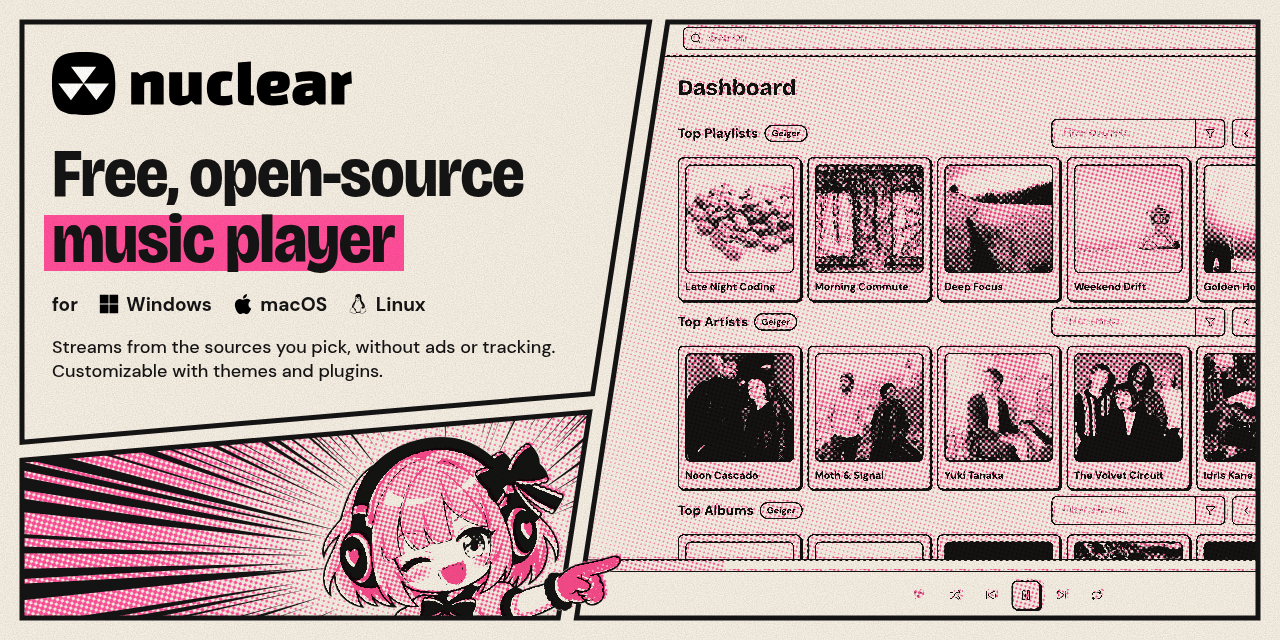

User reviews (0)