
 简体中文
简体中文 English
Website review
This review may include AI-generated content and is not individually verified. Domain, certificate and other facts come from the observed data on this page.
What is PhotoGuru AI used for?
PhotoGuru AI is an AI photo app that turns a handful of ordinary phone selfies into professional-looking portraits. You upload 1–10 everyday photos, choose a look, and the app generates new images of you for places like LinkedIn, Instagram, dating profiles, and work tools such as Slack or Zoom.
What people use it for
- Work and professional profiles: LinkedIn, CVs and company pages, where a clean, current headshot matters.
- Dating apps: Tinder, Hinge and Bumble, where a varied set of photos helps.
- Creative and personal use: the site frames looks by occasion, so the same selfies can produce different styles.
- Niche professional looks: packs such as Executive Suite, aimed at people who want a more formal business image.
How it differs from a studio shoot
The site's own comparison is the clearest guide to the trade-off:
| Traditional studio | PhotoGuru AI | |
|---|---|---|
| Who makes the photos | A photographer in a studio | AI, from your selfies |
| Booking and travel | Days or weeks ahead, plus travel | None; start immediately |
| Time on the day | Up to an hour of posing | A few minutes on your phone |
| Number of shots | Usually 1–3 edited | 10 to 100, depending on plan |
| Outfits and looks | 1–3 | 38 looks included |
The obvious gain is speed and cost; the obvious loss is that the result is generated, not captured. Whether that matters depends on where the photo appears. For a dating profile or a Slack avatar, an AI portrait is usually fine. For a regulated profession or a company page where a real, recent likeness is expected, check the norms before using one.
A practical next step
Decide which single photo matters most to you first—say, a LinkedIn headshot. Then judge the output against that one job: does the face look like you, is the lighting plausible, and would you be comfortable if a colleague asked when it was taken? If the answer holds up for your most visible profile, the other packs are a bonus rather than the reason to start.
How do the results and cost of PhotoGuru compare to a traditional professional headshot session?
PhotoGuru is positioned as a faster, cheaper alternative to a studio headshot session, but the trade-off is that you get AI-generated images made from your selfies rather than a real photographer directing you in person. According to the page, a typical US studio session runs $150–$500 for usually 1–3 edited shots, ready 3–14 days after the shoot, with booking days or weeks ahead and travel plus up to an hour of posing. PhotoGuru offers 10 AI photos for $9.99 paid once, with the first photo ready in under a minute, no booking, and a few minutes on your phone. It also says credits never expire and there is a 7-day refund.
Where the differences matter
| Traditional studio | PhotoGuru (per the page) | |
|---|---|---|
| Cost | $150–$500 per session | $9.99 for 10 photos, paid once |
| Turnaround | 3–14 days for edits | First photo under 1 minute |
| Who makes it | A photographer in a studio | AI, from your selfies |
| Volume and variety | Usually 1–3 edited shots | 10 to 100 photos, 38 looks included |
| Scheduling | Book days or weeks ahead | Start immediately |
| Your time | Travel plus up to an hour posing | A few minutes on your phone |
| Getting more | Book and pay again | Credits never expire; premium packs $5.99–$9.99 each |
The page frames the studio figures as typical US prices and turnaround, which vary by city and photographer.
Choosing between them
For a LinkedIn profile, CV, company site, or dating app, where you mainly need a clean, current, confident image and volume for testing different looks, PhotoGuru's low cost and speed make it easy to try several options. A studio session makes more sense when you need a photographer's live direction, a specific physical setting, or a guarantee that the final image is a real photograph of you in that moment. One practical point: because the results are AI-generated from your selfies, clear light on your face in the uploads is what the page says helps most, so the quality of your input selfies matters as much as the plan you pick.
A useful next step is to decide what the photo is for first. If it is a work headshot or dating profile, start with the entry plan, upload well-lit selfies, and compare the results against what a local studio quotes for your city before committing to a full session.
Which photo packs should I choose for LinkedIn, dating apps, or creative work?
For LinkedIn, start with the LinkedIn Headshot pack; for dating apps, choose Dating Photos; for creative work, choose Creative Portraits. On PhotoGuru these three come with every plan, so the real decision is not which one to buy but which to generate first and how you use the same selfies across all three. Match the pack to where the photo will appear: a recruiter scanning LinkedIn wants a clean, current, confident headshot, a dating profile benefits from a more relaxed and varied set, and a creative portfolio can carry stronger styling. The site describes the same selfies as usable for every look, so you can upload once and test each pack rather than treating them as separate purchases.
When an add-on is worth it
The add-ons cost extra and suit a specific goal rather than general use. Executive Suite fits senior or client-facing roles where a more formal, authoritative image matters; Tech Founder fits startup and product contexts where a polished-but-approachable look reads better than a corporate headshot. Old Money and Travel & Adventure are styling choices for personal branding or social profiles. Model Portfolio only makes sense if you need varied looks for casting or a portfolio, not for a single professional headshot.
| Your goal | First pack | Add-on to consider |
|---|---|---|
| Job search, CV, company page | LinkedIn Headshot | Executive Suite for senior roles |
| Dating profiles | Dating Photos | None needed to start |
| Creative portfolio or social | Creative Portraits | Model Portfolio if you need range |
| Founder or startup branding | LinkedIn Headshot | Tech Founder |
A practical next step: generate the LinkedIn Headshot first, since it has the clearest quality bar, and judge whether the likeness and lighting hold up before spending on add-ons. If the results look right, reuse the same selfies for Dating Photos or Creative Portraits. Because credits never expire and you pay once, there is little cost to starting narrow and expanding later. For a second opinion on what makes a strong headshot, general guidance from LinkedIn on profile photos is a useful benchmark.
What makes a good selfie to upload so my AI photos look professional?
Good selfies for AI headshots are clear, recent and evenly lit, with your face fully visible and unobstructed. The AI is copying your real features, so anything that hides or distorts them—shadow, blur, sunglasses, heavy filters—carries straight into the results. PhotoGuruAI's own upload guidance is simple: add 1 to 10 everyday photos from your phone, and clear light on your face helps. Treat that as the baseline, then improve on it.
What to aim for in each selfie
- Face clearly in frame: straight-on or a slight angle, eyes open, no hair or hands covering features.
- Even, soft light: face a window or use daylight; avoid strong side light, overhead lamps that cast shadows, or backlight that darkens your face.
- Sharp focus: a still phone at eye level beats a stretched arm or a moving shot.
- Neutral to relaxed expression: a calm, confident look reads as professional; extreme expressions may not suit a LinkedIn or CV photo.
- Simple background and plain clothing: busy backgrounds and loud patterns compete with your face and can carry into the generated image.
- Recent photos: use selfies that look like you now—same hair length, facial hair and glasses if you wear them.
- Variety across the set: mix straight-on and slight angles, and a couple of different tops, so the AI has more to work with.
What to leave out
- Filters, beauty modes or heavy editing
- Sunglasses, hats or masks that cover your face
- Group photos where other people appear
- Very low light, blur or motion
- Screenshots or heavily compressed images
A practical test before uploading
Ask one question of each photo: could a stranger recognise me from this alone, in good light? If yes, it is a useful upload. If you have to squint or guess, drop it. Since the app accepts up to 10 selfies, include a few strong, varied ones rather than ten near-identical shots—more angles give the AI a better basis for professional-looking results across its work, dating and creative looks.
As a next step, gather five to eight selfies taken near a window over a couple of days, pick the sharpest, and upload those first. For comparison, professional headshot guidance from LinkedIn also stresses clear lighting and a face-forward composition, which is the same standard worth applying here.
How long does it take to get my first AI photo, and can I get a refund if I don't like it?
Your first AI photo is ready in under a minute after you upload your selfies, according to PhotoGuru's own page. There's no booking, studio visit or multi-day wait. The page also states a 7-day refund window, so you can request your money back within seven days if the results don't work for you. Payment is a one-time charge rather than a subscription, and any credits you don't use don't expire.
A practical way to test it: pay once, upload a few clear, well-lit selfies, and generate your first photo immediately. Judge that single result before generating the rest of your pack, and if the likeness or style is off, use the 7-day window rather than sitting on unused credits.
What to weigh against a traditional session
| PhotoGuru (per its page) | Typical studio session (page's US estimates) | |
|---|---|---|
| Cost | $9.99 for 10 photos, paid once | $150–$500 per session |
| First result | Under 1 minute | 3–14 days for edits |
| Your time | A few minutes on your phone | Travel plus up to an hour posing |
| Photos received | 10 to 100, your choice | Usually 1–3 edited shots |
| Outfits/looks | 38 looks included | 1–3 outfits |
The trade-off is realism and control: AI output may look slightly "generated," and you can't direct a photographer on the day. For a LinkedIn, dating or Slack profile where speed and cost matter, that's often an acceptable swap. For a printed executive portrait or a brand shoot where lighting and styling must be exact, a studio or a local photographer is the safer route.
As a next step, check the refund terms on the checkout page before paying, since the 7-day window is stated on the marketing page and the exact conditions (for example, whether it applies after download) are worth confirming. If you'd rather compare options first, look at LinkedIn's own guidance on profile photo expectations, or browse local photographers via Thumbtack to see typical studio pricing in your city.
Can I use PhotoGuru for professional headshots as a doctor or lawyer, and do the photos look realistic enough for work profiles?
Yes—PhotoGuru is explicitly aimed at this use. Its page names "AI headshots for doctors" and "AI headshots for lawyers" among its keywords and includes a LinkedIn Headshot pack in every plan, plus an Executive Suite add-on. The photos are generated from your selfies rather than shot in a studio, so they suit a profile, CV or company-site headshot where you need a clean, current, confident image without booking a session.
What to expect for a doctor or lawyer profile
- Work-appropriate looks: The LinkedIn Headshot pack is the default choice; Executive Suite ($9.99 as an add-on) targets a more formal, senior image.
- Realism depends on your input: The page says clear light on your face helps and asks for 1–10 everyday selfies. Sharp, evenly lit selfies with your face unobstructed give the AI the best chance of a believable result.
- Check before you publish: For regulated professions, confirm your employer, regulator or professional body accepts AI-generated headshots. Some organizations require a genuine photograph of you; that's a policy question, not a product one.
A practical test
Generate the LinkedIn Headshot pack first, then inspect the eyes, hairline, ears and collar for artifacts at full size. If one image looks off, try another selfie set before buying add-ons. The page states a first photo in under a minute, 10 photos for $9.99 paid once, and a 7-day refund—useful for a low-risk trial before committing to a formal portrait.
For comparison, a traditional studio session typically costs $150–$500 and takes days to deliver, so PhotoGuru trades some authenticity control for speed and price. If your firm or hospital insists on a real photograph, a local headshot photographer remains the safer route.
 Cloudflare
 Vercel
 Fastmail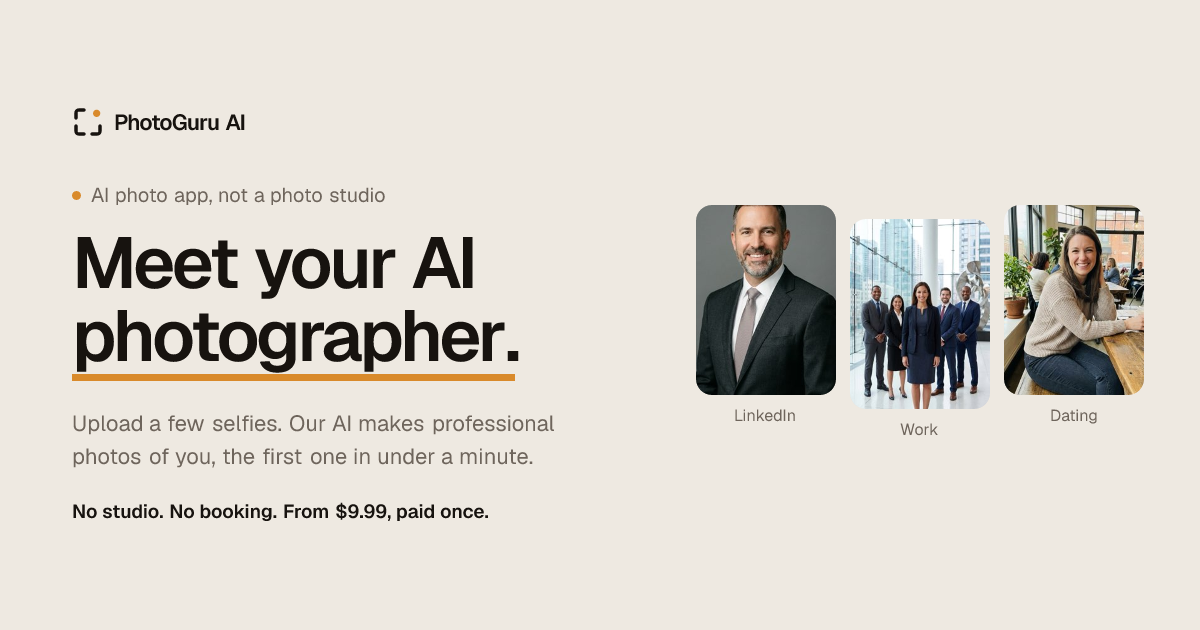

User reviews (0)